WhatsApp Business API providers: India SMB Guide 2026


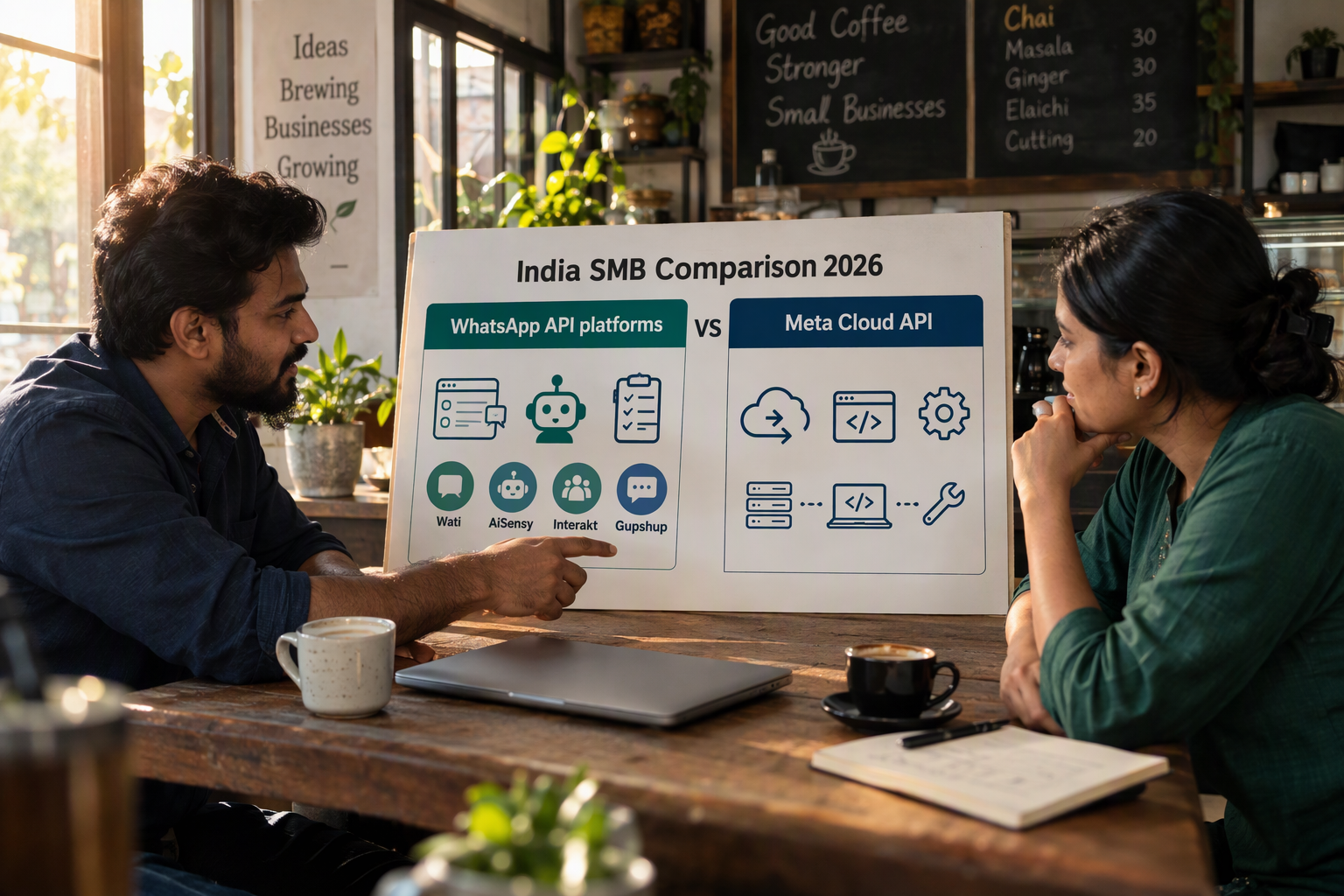
Compare WhatsApp Business API providers on total costs, onboarding and automation to choose a practical option for your Indian SMB.
WhatsApp Business API providers: India SMB Guide 2026
Could a ₹999 monthly plan cost more than a ₹2,499 alternative once automation, message charges and team access are included? Comparing WhatsApp Business API providers means looking beyond the subscription price to the bill your business will actually pay—and the workflows that price unlocks.
That distinction matters for Indian SMBs evaluating providers in October 2026. In its 2026 comparison, Jeedesigns lists AiSensy’s AI Chat Agent at ₹1,350 per month for 1,000 AI messages, while listing chatbot flows separately at ₹2,500 per month. These published figures illustrate why “includes automation” is not specific enough: a chatbot builder, an AI agent and their usage allowances can represent different purchases. Treat third-party prices as comparison inputs, not guaranteed current quotes.
This guide compares pricing, onboarding and automation across providers such as WATI, AiSensy, Interakt and Gupshup, helping you shortlist platforms around your business needs rather than headline discounts.
What should Indian SMBs compare beyond the monthly price?
The useful comparison is total cost for the same workload. A retailer sending order updates, a clinic coordinating appointments and a service business answering enquiries may need very different combinations of messaging, automation and human support.
Emovur’s 2026 comparison identifies subscription costs, message charges, agent limits, automation access and add-ons as distinct pricing dimensions. We’ll use those dimensions to separate the advertised starting price from the features your team needs to operate.
For a practical comparison, start with:
- Messaging costs: Which charges come from Meta, and which come from the provider?
- Team access: How many employees can use the inbox without additional charges?
- Automation scope: Are chatbot flows, AI responses and integrations included or separately priced?
- Usage allowances: What happens when you exceed the included message or AI-response quota?
- Billing conditions: Does the quoted price require annual payment, and is GST additional?
For example, an online seller should compare providers using the same expected order-update volume, support workload and staffing requirements. Otherwise, the cheapest-looking plan may simply cover fewer of the required tasks.
How will this guide help you choose a provider?
You’ll learn how to assess setup effort alongside ongoing cost. The comparison will examine onboarding routes, template management, shared-inbox functionality and automation options, with attention to where human intervention remains necessary.
As of October 2026, CallMissed supports Meta embedded signup, AI chatbot agents, a live shared inbox and WhatsApp Business Calling—illustrating how business messaging platforms can combine text support with AI voice interactions.
The goal is a defensible shortlist: providers whose pricing structure, onboarding process and capabilities fit your team, customer journeys and budget. Before committing, request a written quote based on your expected usage—not just a plan name.
Which provider should Indian SMBs choose? Match total cost, setup support and automation needs
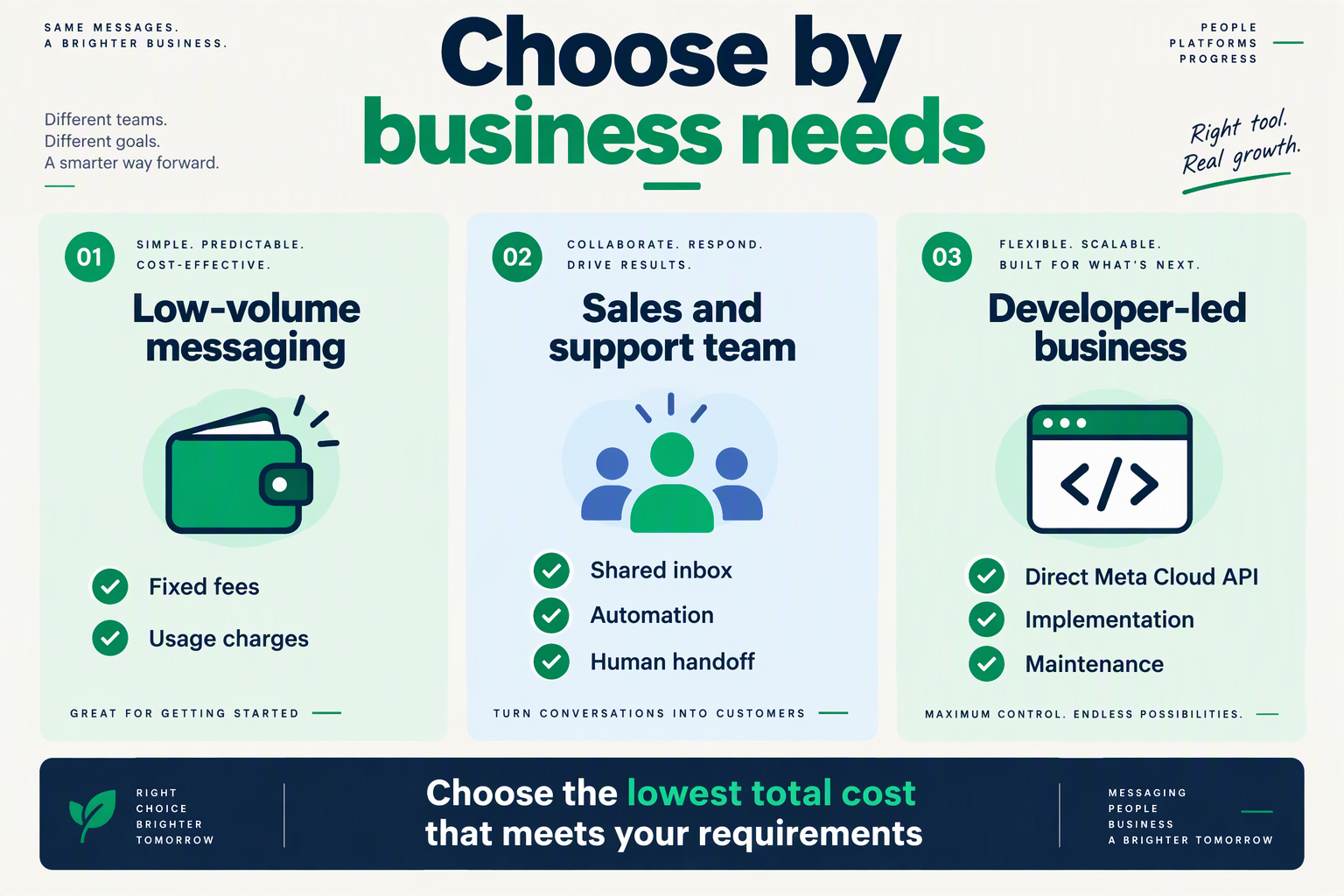
Choose the provider that can demonstrate your required workflows and quote the complete bill—not simply the lowest subscription. For October 2026, use published comparisons to shortlist candidates, then verify prices, onboarding responsibilities and automation allowances directly.
Which WhatsApp Business API providers should you shortlist?
- WATI: Consider WATI when its demonstrated workflows match your support operation, but verify the billing basis before comparing prices. Buildbyravirai’s 2026 guide lists ₹2,499–₹7,999 monthly, while RichAutomate’s 2026 comparison lists roughly ₹3,300–₹10,000. These differing third-party ranges are not interchangeable quotes: request the exact plan, billing currency, commitment period and included features.
- AiSensy: Evaluate AiSensy if a lower advertised subscription fits your budget, while checking which automation tools the selected tier actually includes. RichAutomate’s 2026 comparison lists approximately ₹999–₹2,399 monthly; Buildbyravirai’s 2026 guide gives a broader ₹999–₹4,999 range. Ask for a written breakdown separating the subscription, required automation purchases and usage charges before choosing a tier.
- Interakt: Calculate AI-response costs against your expected workload rather than treating “AI agents” as an unlimited allowance. Jeedesigns’ 2026 comparison lists WhatsApp AI Agents at ₹3,000 monthly plus GST, including 100 AI messages, followed by ₹0.50 per additional AI message. At 2,000 AI messages, that implies ₹3,950 before GST, assuming those published terms apply, excluding other applicable charges.
- Gupshup: Keep Gupshup on the evaluation list, but do not assign a price advantage without a quote. Insell’s 2026 provider comparison includes Gupshup among Indian-market options; the supplied research does not establish its current subscription or automation allowances. Request pricing for one business number, three inbox users and 2,000 AI replies to make its proposal comparable.
- CallMissed: Shortlist CallMissed when messaging, commerce and voice belong in the same workflow. As of October 2026, CallMissed’s verified product facts include WhatsApp catalogs, cart orders, order status and multi-screen WhatsApp Flows, alongside permission-based outbound WhatsApp Business Calling. Its pricing has no seat fees; confirm the applicable messaging and AI usage costs rather than assuming these capabilities mean unlimited consumption.
- Onboarding support: Require every shortlisted provider to specify responsibility for four setup tasks: account connection, number configuration, template submission and workflow testing. Ask whether assistance is included, what documentation your business must supply and how failed submissions are handled. A setup demonstration using your actual appointment or order-update workflow is more useful than an unsupported promise of instant activation.
- Final selection: Run one identical, hypothetical monthly scenario across providers: three staff members, 2,000 AI replies and your forecast outbound-message volume. Request both the expected bill and the bill at double usage, with GST shown separately. Choose the platform that completes your essential workflow within budget and provides clear escalation arrangements—not whichever comparison page assigns a universal winner.
Which providers offer the features your SMB needs?
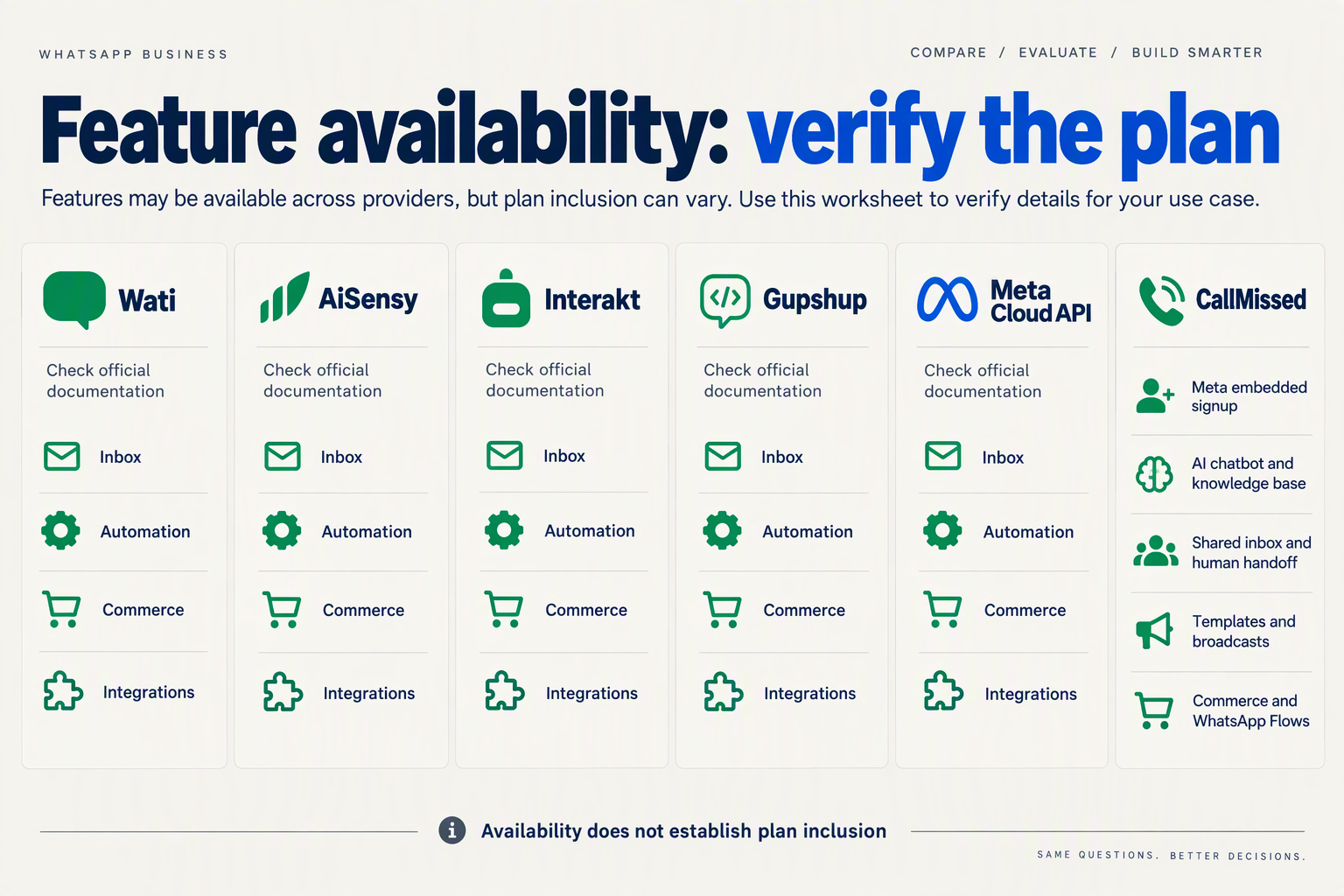
Shortlist WhatsApp Business API providers by the workflows they demonstrably support—not by an “automation included” label. The October 2026 evidence below distinguishes documented capabilities from features that still require a plan-specific demonstration.
- Support teams: Test shared-inbox assignment, human handoff and access for your actual staff count; a messaging subscription alone does not establish these capabilities.
- Online sellers: Ask providers to demonstrate order-status queries, catalog browsing and checkout-related workflows using your store—not just a generic chatbot.
- AI buyers: Separate rule-based flows from AI-generated answers, then check included responses, overage charges and whether the agent can use your business knowledge.
- Voice-led businesses: Add WhatsApp calling to the checklist if customers need spoken assistance; messaging automation and voice automation are separate capabilities.
Which provider capabilities are documented in this comparison?
Read “verify” as an evidence gap, not a missing feature. These are October 2026 comparison inputs from the supplied sources, rather than independently confirmed vendor quotations.
| Provider | Documented capability or scope | Published comparison data | What to verify |
|---|---|---|---|
| WATI | WhatsApp Business API tools, according to Emovur’s 2026 comparison | BuildByRaviRai’s 2026 guide lists ₹2,499–₹7,999/month | Which tier includes your required automation and inbox access |
| AiSensy | Separate AI Chat Agent and chatbot-flow offerings, according to Jeedesigns’s 2026 comparison | AI responses and flows have separate published charges | Whether both purchases are necessary for your workflow |
| Interakt | WhatsApp AI Agents, according to Jeedesigns’s 2026 comparison | ₹3,000/month plus GST; 100 AI messages included; ₹0.50 per additional AI message | Eligibility, required base subscription and integration scope |
| Gupshup | Included in Insell’s 2026 WhatsApp Business API provider comparison | Supplied excerpt gives no feature-level pricing | Inbox, automation builder and implementation requirements |
| DoubleTick | Included in PayPerWA’s 2026 provider comparison | Supplied excerpt gives no detailed automation allowance | Team access, workflow limits and relevant commerce integrations |
| CallMissed | As of October 2026: Meta embedded signup, AI chatbot agents, shared inbox, catalogs, cart orders, order status and WhatsApp Flows | Supports WhatsApp Business Calling with AI voice agents; Meta does not charge for customer-initiated calls | Total messaging and AI usage costs for your expected workload |
How should you test automation before choosing?
- Interakt workload example: Using Jeedesigns’s 2026 figures, 1,000 AI messages would add ₹450 beyond the included 100, producing ₹3,450 before GST for the listed AI-agent charge—not necessarily the complete platform bill.
- WATI quotation check: October 2026 research inputs differ: BuildByRaviRai lists ₹2,499–₹7,999/month, while RichAutomate lists roughly ₹3,300–₹10,000/month; request a dated, itemised quotation rather than treating either range as definitive.
- Demo acceptance test: Run four tasks—answer a product question, retrieve an order update, capture an enquiry and transfer to a person—and record completion, required integrations and separately billed components.
Choose the provider that completes your essential workflows at a clearly stated cost. A longer feature list is less useful than a successful demonstration of the tasks your team performs every day.
How much will each provider really cost in India?
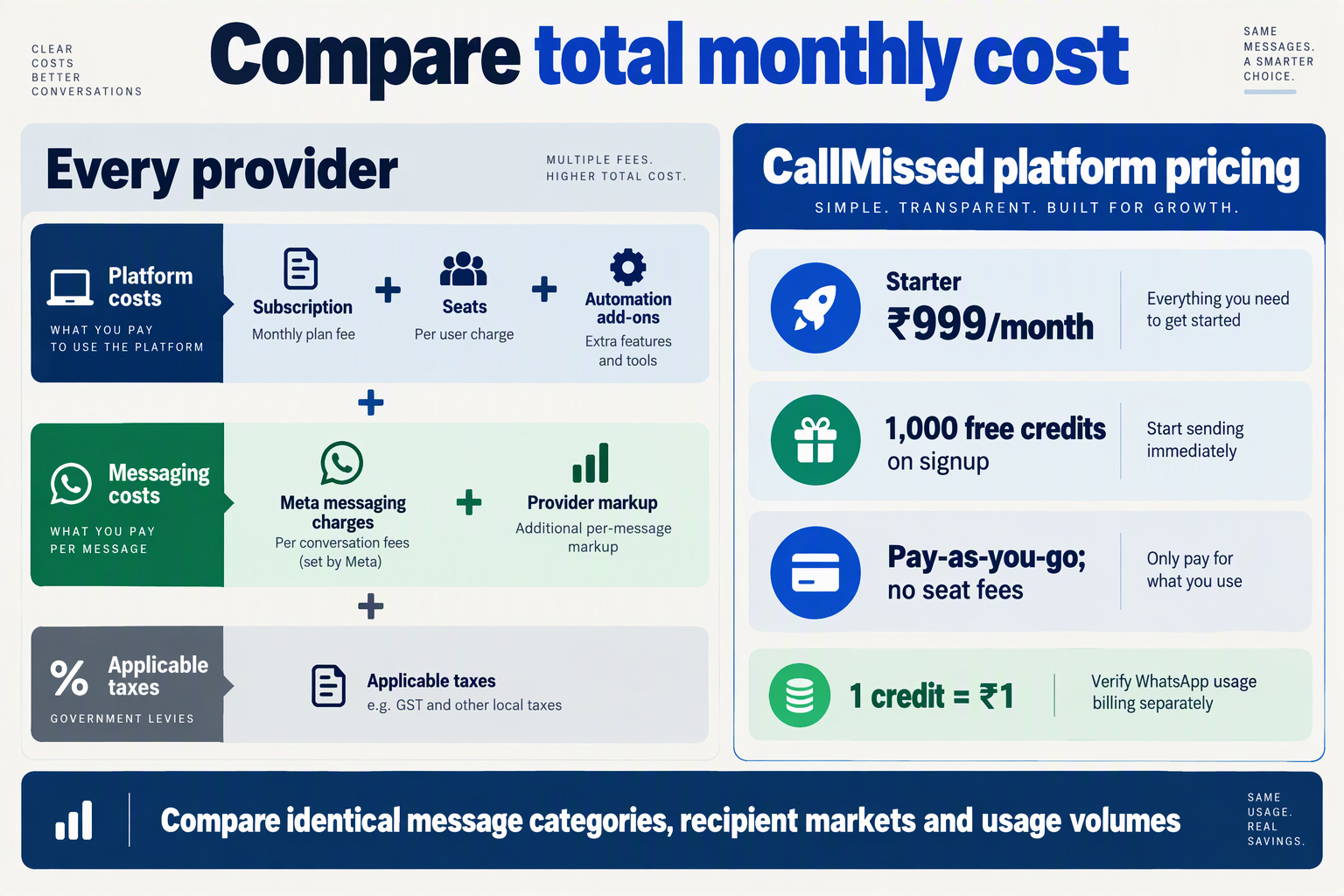
Your real monthly cost is the subscription plus messaging, automation, extra users and taxes—not the advertised starting price. For an October 2026 shortlist, use the indicative figures below, then request a quote for one identical workload.
- Price confidence: The supplied 2026 comparisons disagree on some starting prices; treat their figures as budgeting inputs, not verified October 2026 checkout prices.
- Comparison workload: Ask every provider to price 5 inbox users, 10,000 template messages and 1,000 AI replies per month, separating marketing messages from order updates and other categories.
What do WhatsApp Business API providers charge in India?
The table reflects sources available for this October 2026 comparison. CallMissed figures come from its verified fact sheet; other published figures come from the named third-party comparisons.
| Provider | Published monthly platform price | AI automation cost | Additional costs or checks | Source |
|---|---|---|---|---|
| WATI | ₹2,499–₹7,999 | Not specified in supplied excerpt | Meta fees; source also lists ₹0.10–₹0.30 “per conversation” markup—confirm current billing unit | BuildByRaviRai, 2026 |
| AiSensy | ₹999–₹4,999 | AI Chat Agent: ₹1,350 for 1,000 AI messages; chatbot flows: ₹2,500 | Confirm whether required automation charges stack on the base plan | BuildByRaviRai; Jeedesigns, 2026 |
| Interakt | Approximately ₹999–₹2,588 | AI Agents: ₹3,000 plus GST, including 100 AI messages; then ₹0.50/message | Confirm plan eligibility and messaging charges separately | RichAutomate; Jeedesigns, 2026 |
| Gupshup | Not established by supplied context | Not established by supplied context | Request subscription, messaging, automation and support line items | Insell, 2026 provider overview |
| CallMissed | Starter ₹999; Pro ₹4,999; Enterprise ₹20,000; pay-as-you-go available | Credit-based usage; no WhatsApp-specific AI-response rate supplied | No seat fees; request applicable WhatsApp messaging and AI usage charges | CallMissed verified fact sheet, October 2026 |
How should you calculate the actual monthly bill?
- WATI: BuildByRaviRai’s 2026 guide uses “conversation fees” and “per-conversation” markup terminology. Ask whether the quoted October 2026 tariff uses messages or conversations before multiplying volume; those units are not interchangeable.
- Interakt: Using Jeedesigns’ 2026 published AI tariff, 1,000 AI messages would cost ₹3,450 before GST: ₹3,000 includes 100 messages, and the remaining 900 add ₹450. This is an illustrative AI charge, not the complete platform bill.
- AiSensy: Jeedesigns’ 2026 comparison lists the AI Chat Agent at ₹1,215 per month with yearly billing, versus ₹1,350 monthly. Compare annual cash commitment and cancellation terms—not just the discounted monthly equivalent.
- CallMissed: As of October 2026, the verified fact sheet lists 1,000 signup credits, non-expiring credits and no seat fees. Separate introductory credits from recurring costs when modelling a three-month budget; credits are not an unlimited messaging allowance.
- Every provider: Request a written breakdown of subscription + Meta messaging charges + provider markup + AI usage + extra seats + integrations + applicable GST. Include overage rates and annual-payment conditions so a low entry price does not conceal a higher operating bill.
How does onboarding differ between a provider and direct Meta Cloud API?
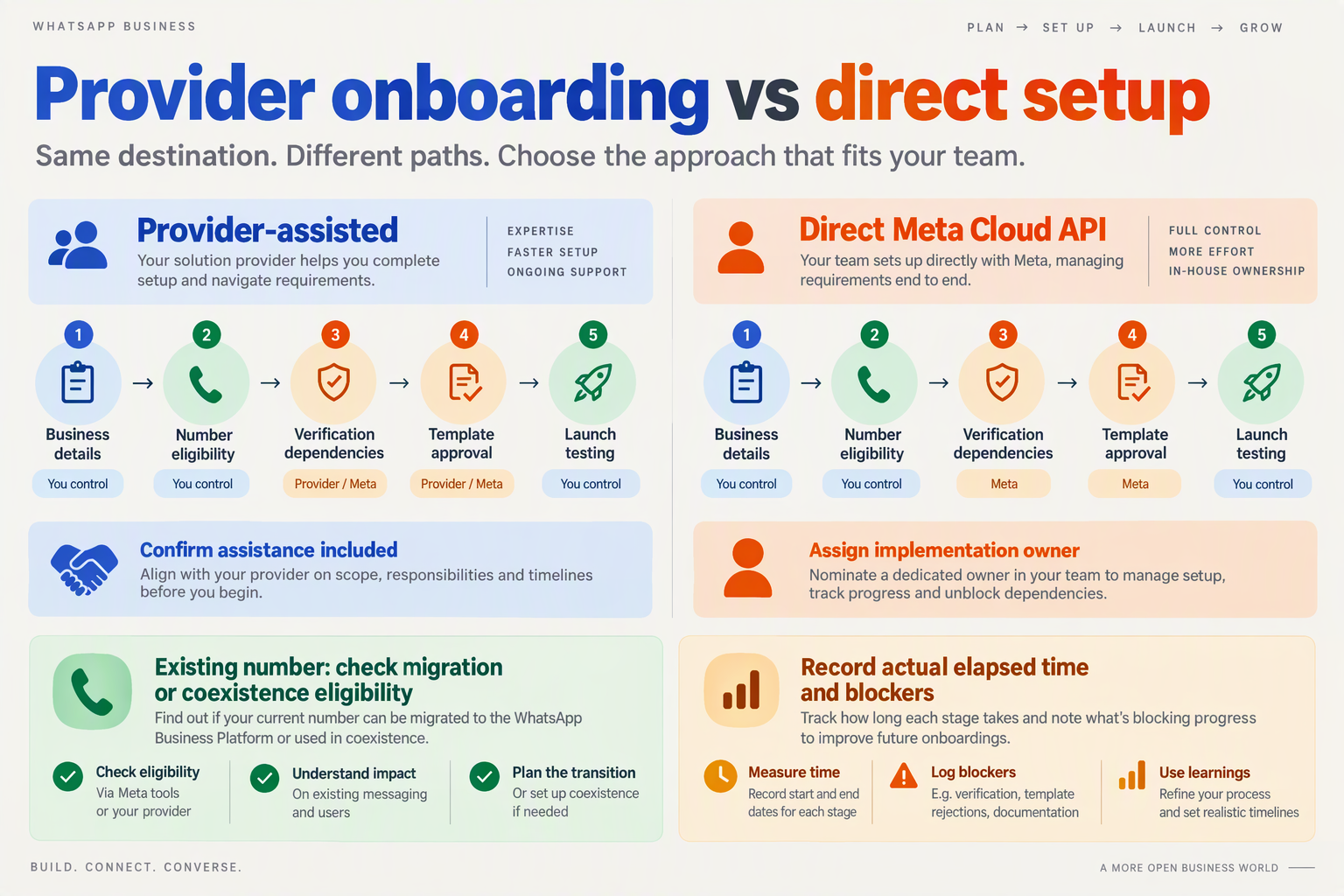
A provider adds a setup interface and operational tools around WhatsApp; direct Meta Cloud API leaves more integration work with your developers. For an Indian SMB evaluating onboarding in October 2026, compare what “connected” includes—not just whether a number is registered.
- Provider-led onboarding: Ask for a demonstration covering account connection, number registration, template submission and the first incoming message. These are separate milestones: completing signup does not prove that employees can answer enquiries, receive notifications or run the intended workflow. Make each milestone part of your acceptance checklist before committing.
- Direct Meta Cloud API: Your technical team typically handles the Meta app, access credentials, phone-number configuration and webhooks that deliver incoming messages and status updates. This route suits businesses with development capacity, but API connectivity alone does not supply a finished support interface, routing workflow or ongoing integration maintenance.
- Meta requirements: A provider’s interface does not remove Meta’s applicable account, number, policy or template requirements. Ask which steps your business must complete and which the provider assists with. Separate provider setup time from Meta review time; the supplied research does not establish a reliable approval-time benchmark for either route.
- Number readiness: Before either route, document who controls the phone number, who can receive its verification code, and who administers the Meta business account. If the number already serves customers through WhatsApp, request written guidance on migration or supported coexistence, including any interruption and what happens to existing conversation history.
What should an SMB test before calling onboarding complete?
- Template readiness: Test one actual business workflow rather than a generic greeting—for example, an order-status notification with the correct customer and order variables. Confirm who submits templates, handles rejection feedback and maintains approved versions. With direct integration, allocate responsibility for these tasks explicitly instead of assuming the developer owns every operational decision.
- CallMissed: As of October 2026, CallMissed connects WhatsApp Business accounts through Meta embedded signup and supports AI-drafted message templates synced with Meta. Those capabilities illustrate provider-assisted account connection and template preparation; businesses should still distinguish preparing a template from obtaining the approval required to use it.
- Automation acceptance: Test three scenarios: a routine enquiry, a question the automation cannot answer, and a customer requesting a person. Check where each conversation appears and who takes responsibility. Emovur’s 2026 comparison treats automation access and agent limits as separate dimensions, so do not assume successful onboarding includes your complete support workflow.
- Ownership and exit: Request a handover checklist covering account administrators, credential management, webhook ownership, template access and available data exports. Providers can reduce operational setup work, while direct Meta Cloud API offers developer-managed integration. Choose the route your team can maintain after launch—not merely the one with the shortest signup form.
Which automation works in practice? Test leads, order updates and support handoffs
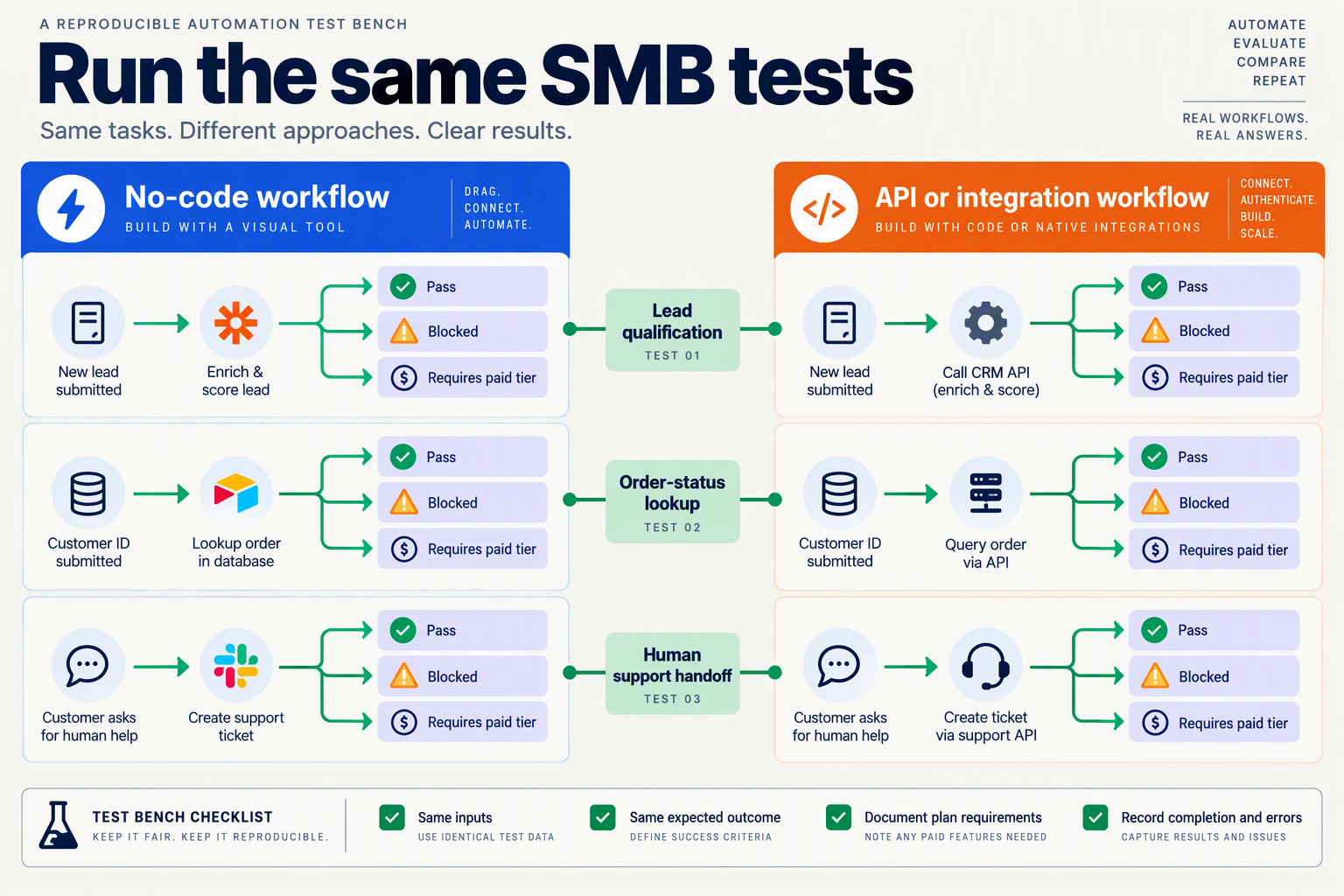
Useful WhatsApp automation captures actionable leads, sends accurate order updates and hands exceptions to humans without losing context. Compare providers using the same test cases—not different sales demos.
How should you test WhatsApp lead qualification?
- Lead capture: For your October 2026 evaluation, submit 10 sample enquiries covering complete details, missing phone numbers, duplicate contacts and customers changing their requirements. Require each shortlisted provider—WATI, AiSensy, Interakt or Gupshup—to demonstrate where the information lands. A successful conversation should produce usable fields such as service, location and preferred appointment time, rather than leave your salesperson extracting everything from a transcript.
- Language and uncertainty: Run three versions of the same enquiry: English, Hindi and Hinglish. Include a question whose answer is absent from your business information, such as an unpublished discount. Score whether the automation asks for clarification or escalates instead of inventing an offer. These are proposed acceptance tests, not verified language capabilities or published performance benchmarks for any provider.
How should you test automated order updates?
- Order accuracy: Use five test events: order confirmation, dispatch, out-for-delivery, delivery and cancellation. BuildByRaviRai’s 2026 setup guide identifies order confirmation, shipping, out-for-delivery and delivered messages as template use cases. For your October 2026 shortlist, ask each provider to demonstrate the trigger, approved template and populated order fields; a template library alone does not prove that an order event will reliably initiate a message.
- Failure handling: Replay one dispatch event twice, then submit an event with a missing tracking link and another with an incorrect customer number. Check for duplicate messages, visible failures and a recoverable operator workflow. Ask whether the connector, automation execution and message delivery carry separate charges. The practical distinction is between “can send an update” and “can keep updates accurate when your store data is imperfect.”
How should you test human handoffs and AI costs?
- Human takeover: Test three escalation requests: “speak to a person,” a refund dispute and a repeated unanswered question. Require the agent to see the conversation and verify that automated replies stop after takeover. As of October 2026, CallMissed offers a human-handoff queue where switching AI off hands the thread to a person, alongside agent-assist suggestions, support tickets and SLA policies—specific capabilities to include in your demonstration checklist.
- Usage economics: Jeedesigns’ 2026 comparison lists Interakt’s WhatsApp AI Agents at ₹3,000 monthly plus GST, including 100 AI messages, followed by ₹0.50 per additional AI message. For an October 2026 evaluation workload of 1,000 AI messages, that implies ₹3,450 before GST and any other applicable charges. Confirm the quote and ask exactly what counts as an AI message; compare cost per successfully completed workflow, not merely cost per response.
What are the practical pros and cons of each setup?
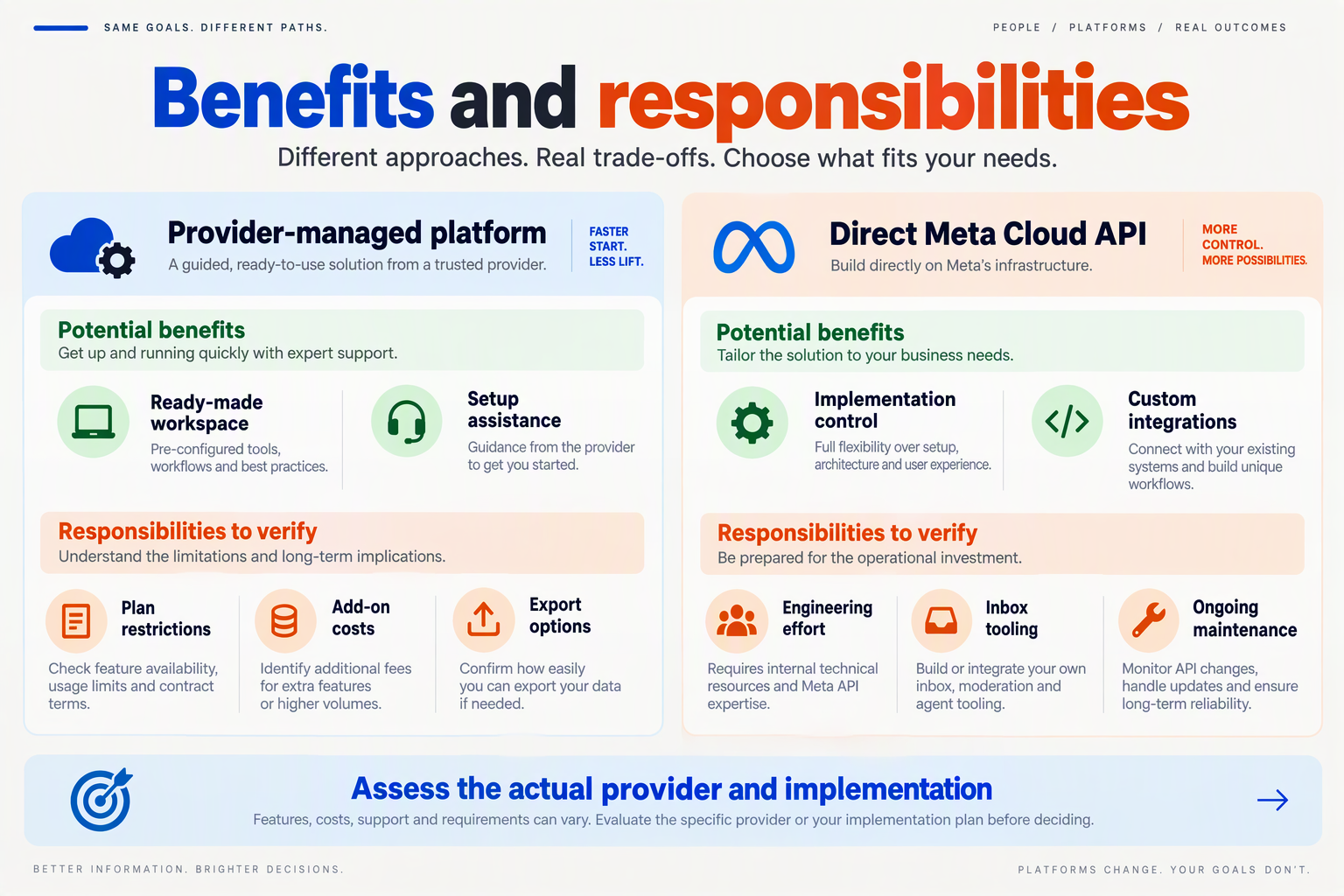
A managed setup reduces the workflows your team must build; the trade-off is checking exactly what subscriptions and automation allowances cover. For Indian SMBs comparing WhatsApp Business API providers in October 2026, the practical choice depends on whether you need predictable flows, AI replies or coordinated human support.
- Rule-based flows: Test fixed tasks such as collecting an order number before paying for AI; predictable inputs may not require generated answers.
- AI agents: Compare the cost of your expected monthly response volume, not just the advertised allowance; 100 included AI messages and 1,000 included messages represent different workloads.
- Shared support: Ask each shortlisted provider to demonstrate an AI-to-human handoff using the same customer enquiry, with your actual staffing requirements.
What are the trade-offs between subscriptions, flows and AI agents?
The figures below are October 2026 comparison inputs from the supplied sources, not independently confirmed provider quotes. Separate automation purchases should not be mistaken for complete WhatsApp operating costs.
| Provider or setup | Practical advantage | Cost or constraint to check | Best-fit test |
|---|---|---|---|
| WATI subscription | A monthly subscription provides a starting point for budgeting. | BuildByRaviRai’s 2026 guide lists ₹2,499–₹7,999/month; RichAutomate’s 2026 comparison lists roughly ₹3,300–₹10,000/month. | Request a dated quote covering your exact automation and staffing needs. |
| AiSensy AI Chat Agent | A defined allowance makes AI-response budgeting easier. | Jeedesigns’ 2026 comparison lists ₹1,350/month for 1,000 AI messages; unused allowance changes effective cost. | Measure how many enquiries genuinely need AI responses. |
| AiSensy chatbot flows | A separately priced flow option lets you evaluate structured automation independently. | Jeedesigns’ 2026 comparison lists flows at ₹2,500/month; do not assume AI-agent pricing includes them. | Demonstrate order tracking and appointment collection before purchase. |
| Interakt WhatsApp AI Agents | Published overage pricing supports workload-based estimates. | Jeedesigns’ 2026 comparison lists ₹3,000/month plus GST, 100 AI messages, then ₹0.50/message. | Calculate costs at both normal and peak enquiry volumes. |
| CallMissed messaging and calling | As of October 2026, CallMissed supports WhatsApp Flows, commerce, a shared inbox and AI voice answering for WhatsApp Business calls. | Meta does not charge for customer-initiated calls; that does not establish a zero-cost AI interaction. | Test whether in-chat forms, order enquiries and voice support match your workflow. |
How should you validate the shortlist before committing?
- Interakt workload example: Using Jeedesigns’ 2026 figures, 1,000 AI messages would mean ₹3,000 + (900 × ₹0.50) = ₹3,450 before GST, excluding other applicable charges.
- AiSensy utilisation example: Using Jeedesigns’ 2026 allowance, ₹1,350 divided by 1,000 messages equals ₹1.35 per included AI message; using only 250 raises the subscription cost per used message to ₹5.40.
- Onboarding acceptance test: Require a demonstration of one approved template, one automated enquiry and one human handoff. Record who handles each setup step, what needs additional payment and which tasks remain your team’s responsibility.
Which should you choose at your message volume and staffing level?
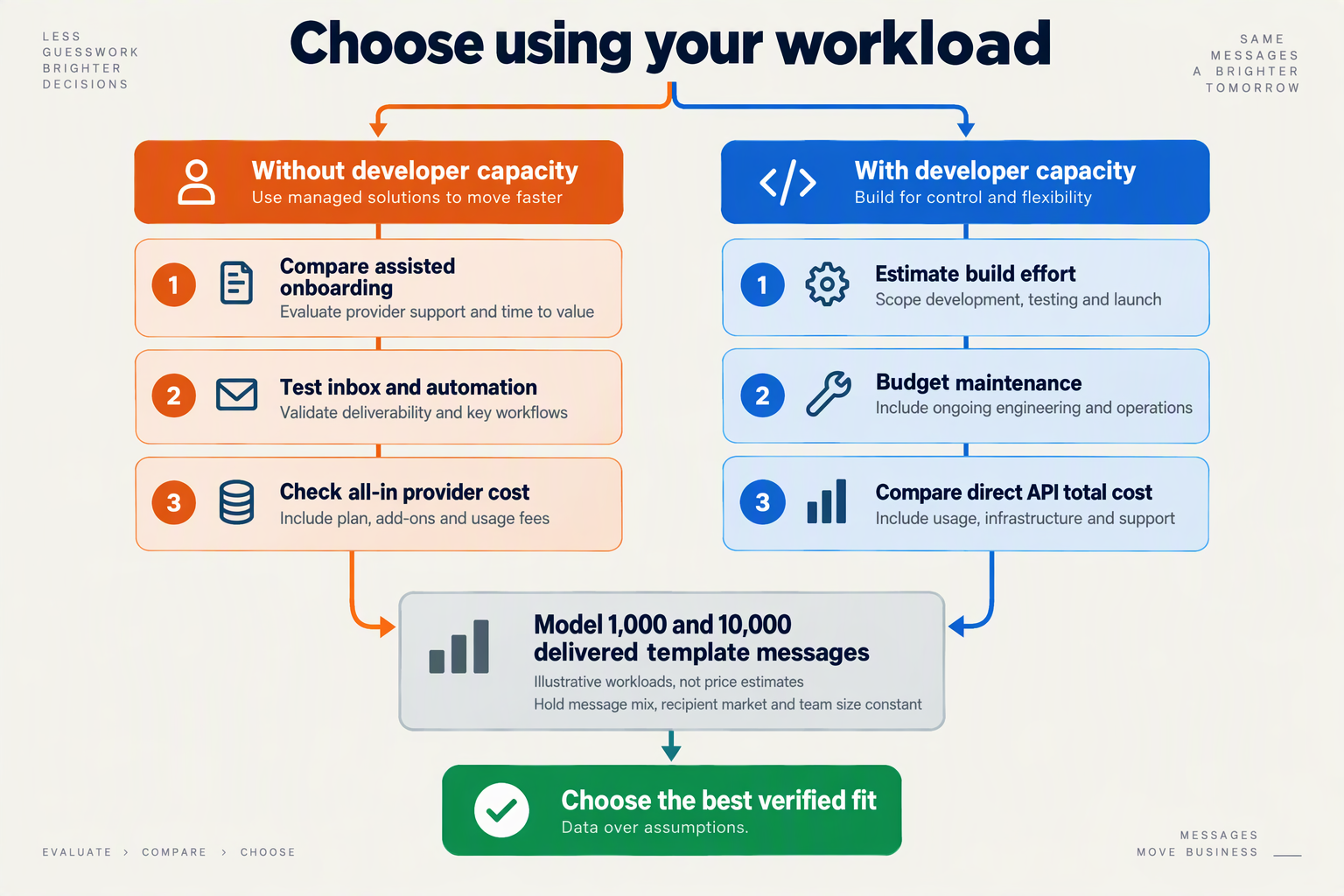
Choose WhatsApp Business API providers by the work your team must handle—not message volume alone. Separate outbound notifications, AI-handled enquiries and conversations requiring staff before comparing quotes.
Which provider should you shortlist at your message volume?
- Low-volume businesses: For a planning scenario of 1,000 outbound messages per month and 1–2 staff, prioritise a manageable subscription and straightforward inbox workflow. RichAutomate’s 2026 comparison lists indicative AiSensy pricing of ₹999–₹2,399/month and Interakt pricing of ₹999–₹2,588/month. As of October 2026, use these third-party ranges to shortlist, not budget definitively: request the applicable plan, Meta charges, automation allowance and GST separately.
- AI-heavy support teams: Estimate AI responses, not just customers or conversations. Jeedesigns’ 2026 comparison lists Interakt’s WhatsApp AI Agents at ₹3,000/month plus GST, including 100 AI messages, then ₹0.50 per additional AI message. For an illustrative 10,000 AI messages/month, that component calculates to ₹7,950 before GST, assuming all 9,900 excess messages attract the stated rate; confirm subscription and messaging charges separately.
- High-volume notification senders: For a scenario of 20,000 outbound messages/month, request category-specific message rates before choosing a subscription. A ₹0.10 difference per billed message adds ₹2,000/month at that volume—a calculation, not a quoted provider rate. Emovur’s 2026 comparison distinguishes subscription costs, message charges and add-ons; as of October 2026, compare identical message mixes rather than treating every notification as equally priced.
Which provider fits your staffing and onboarding capacity?
- Teams with 5–10 inbox users: Check whether pricing counts named users, active agents or simultaneous logins. Yazz’s 2026 comparison reports unlimited users for Interakt, making it worth investigating when several employees need access. As of October 2026, verify that allowance on your quoted plan and test assignment, conversation ownership and handover; unlimited access does not itself establish how effectively a team can coordinate.
- Lean teams needing text and voice: As of October 2026, CallMissed offers Meta embedded signup, AI chatbot agents with a knowledge base, a live shared inbox and no seat fees. Its WhatsApp Business Calling capability also lets an AI voice agent answer customer-initiated calls. Shortlist this combination when a small team needs both messaging and calling; assess messaging and AI usage costs separately.
- Businesses considering WATI: Ask for a workload-specific quote rather than choosing from a headline range. RichAutomate’s 2026 comparison places WATI at approximately ₹3,300–₹10,000/month, while BuildByRaviRai’s 2026 guide lists ₹2,499–₹7,999/month. Those differing third-party figures are a reason to verify billing frequency, included agents and automation scope as of October 2026—not evidence that either range guarantees your bill.
- Teams with limited setup capacity: Before committing, run a seven-day evaluation with three representative workflows: one order update, one FAQ and one human escalation. Record setup hours, AI-message consumption and staff minutes per resolved enquiry. Use those measured results to request comparable monthly quotes; a lower subscription is less useful if the workflow still requires substantial manual intervention.
Frequently Asked Questions
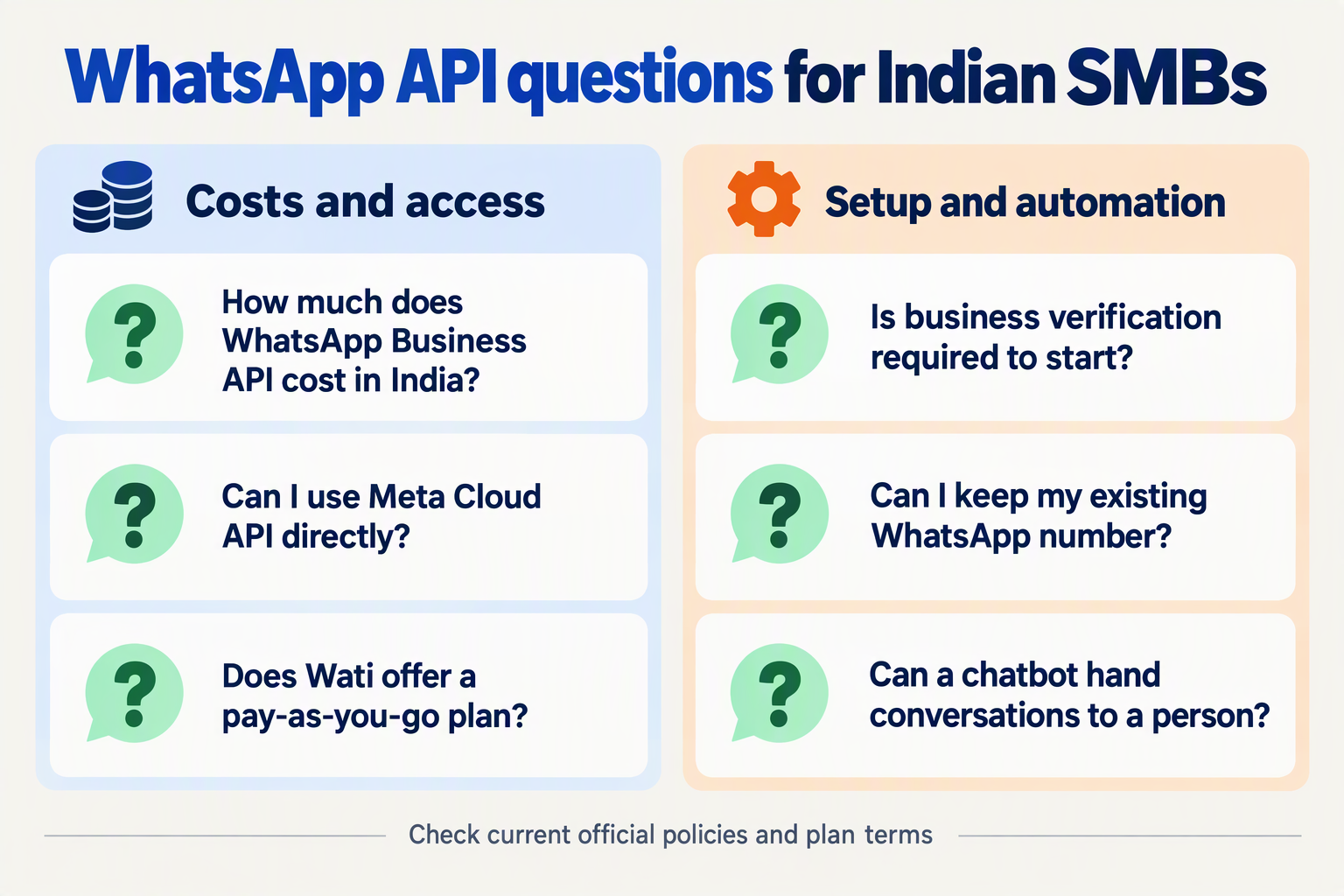
- Q: How much do WhatsApp Business API providers cost in India?
A: There is no single all-inclusive price: compare the subscription, messaging charges, automation usage and applicable taxes for your actual workload. RichAutomate’s 2026 comparison lists indicative monthly ranges of ₹999–₹2,399 for AiSensy, ₹3,300–₹10,000 for WATI, and ₹999–₹2,588 for Interakt; these are third-party estimates, not confirmed October 2026 quotations. Request a written estimate for the same message volume, team size and automation requirements before choosing a plan, particularly where annual billing changes the advertised monthly equivalent.
- Q: What hidden costs should I check when comparing WhatsApp Business API providers?
A: Ask specifically about provider markups, additional agents, AI-response overages, integration fees and GST, rather than assuming the subscription covers everything. Jeedesigns’ 2026 comparison lists Interakt’s WhatsApp AI Agents at ₹3,000 monthly plus GST, including 100 AI messages, followed by ₹0.50 per additional AI message. Using that published allowance, 1,100 AI messages would add ₹500 in overages; confirm October 2026 terms and any separate messaging charges before budgeting.
- Q: Is Meta business verification required before using the WhatsApp Business API?
A: Do not assume account onboarding, business verification and message-template approval are the same step; ask your shortlisted provider which requirements apply to your account. The supplied 2026 comparisons do not establish universal verification prerequisites or approval times, so a guaranteed same-day launch would be unsupported. For an October 2026 implementation, request a checklist covering business documentation, phone-number access, display-name review and any restrictions while reviews remain pending.
- Q: Can I migrate between WhatsApp Business API providers without losing my number or chats?
A: Treat number continuity and conversation-history transfer as separate migration questions; do not assume that moving one automatically preserves the other. The supplied 2026 sources do not verify a universal migration process, supported history export or downtime guarantee. Before an October 2026 switch, obtain written confirmation about number eligibility, account ownership, templates, opt-in records, inbox exports and rollback arrangements, then test critical order-update and support workflows before retiring the existing setup.
- Q: Can WhatsApp AI automation handle customer support without human agents?
A: AI automation can support routine enquiries, but your evaluation should include an explicit route for exceptions and human intervention. As of October 2026, CallMissed supports WhatsApp AI chatbot agents with a knowledge base, a live shared inbox and a human-handoff queue. Test refund disputes, incorrect order details and unanswered questions—not just straightforward FAQs—and check whether switching to a person preserves the context your support team needs.
- Q: Are customer-initiated WhatsApp Business calls free?
A: As of October 2026, the CallMissed fact sheet states that Meta does not charge for WhatsApp Business calls customers initiate. That does not establish that the complete interaction is free: distinguish Meta’s calling charge from any platform or AI-agent usage charges. Ask for an itemised quotation, and separately confirm permission requirements for business-initiated calls before including outbound calling in your workflow.
Conclusion
Choose WhatsApp Business API providers by total operating cost, onboarding effort and the workflows your team needs—not the lowest advertised subscription. For Indian SMBs comparing options in October 2026, a defensible shortlist starts with the same expected messaging volume, support workload and staffing requirements for every provider.
- Compare the complete bill. Subscription fees are only one part of the decision. Emovur’s 2026 comparison identifies message charges, agent limits, automation access and add-ons as separate pricing dimensions. Ask each shortlisted provider to distinguish Meta charges from provider charges, explain usage overages and confirm whether GST or annual-payment conditions affect the quote. A lower starting price is useful only when it covers the work your business actually needs.
- Check what “automation included” means. Chatbot flows, AI-generated responses and integrations should not be treated as interchangeable features. Jeedesigns’ 2026 comparison lists AiSensy’s AI Chat Agent at ₹1,350 monthly for 1,000 AI messages and chatbot flows separately at ₹2,500 monthly. These third-party figures are comparison inputs, not guaranteed current quotes. Before committing, confirm which automation capabilities are included, what allowances apply and what happens when your business exceeds them.
- Evaluate onboarding alongside everyday operations. Getting connected is only the beginning: template management, shared-inbox access and human intervention determine how practical the platform will be for your team. Compare the setup route and the ongoing process for handling customer enquiries. A retailer managing order updates, a clinic coordinating appointments and a service business answering enquiries should each test the workflows relevant to their own operations rather than rely on a generic feature checklist.
- Shortlist around business fit, not headline discounts. Evaluate WATI, AiSensy, Interakt and Gupshup against the same requirements before deciding which deserves a closer look. Check whether the quoted plan accommodates your employees, support needs and expected usage without unexpected add-ons. The strongest decision is a provider whose pricing structure and capabilities remain understandable as your workload changes—not simply one whose entry-level plan appears cheapest.
What should Indian SMBs watch next?
Watch how providers package AI responses, usage allowances and human support as business messaging evolves. For your next comparison, examine whether those capabilities simplify the workflows you already need or introduce another separately priced layer.
As of October 2026, CallMissed supports Meta embedded signup, AI chatbot agents, a live shared inbox and WhatsApp Business Calling. Readers can explore CallMissed as one example of platforms bringing messaging and AI voice interactions together, while applying the same cost-and-workflow checks used throughout this guide.
Request itemised quotes, test your essential workflows and ask: which provider will still make sense when your customer workload grows?
Related Reading
- Gemini 4 Argon API Pricing and Access: Sep 30, 2026
- GPT-6 Luna API Pricing, Limits and Setup Guide 2026
- GPT-6 Luna API: Pricing, Model ID and Setup in 2026