AI Receptionist for Small Business: Stop Losing Leads From Missed Calls



AI receptionist for small business: what it costs in 2026 ($29–$249/mo self-serve), top options compared, a one-week setup plan and the metrics that prove ROI.
AI Receptionist for Small Business: Stop Losing Leads From Missed Calls
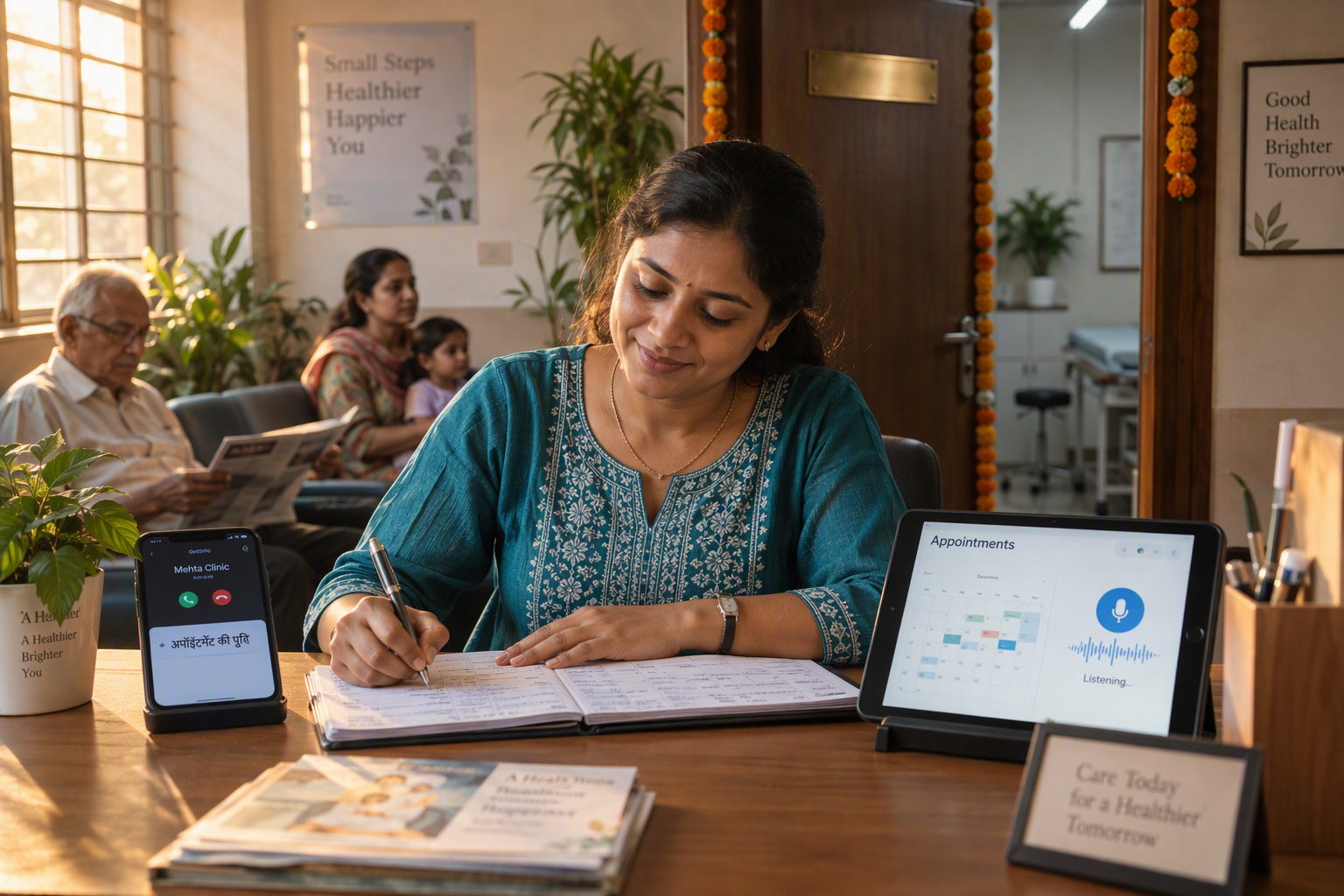
What if more than one in four business calls arrives after hours, when a small business is least likely to answer? An AI receptionist for small business can answer those calls instantly, qualify the caller, book an appointment, and send the lead to a human or CRM—helping businesses stop losing leads from missed calls without hiring a 24/7 front-desk team.
The problem is larger than a few unanswered rings. NextPhone’s 2026 analysis of 1,446,980 calls across 2,074 businesses found that 51.2% of calls were real leads and 28.5% arrived after hours. That means a missed call may represent a customer who is ready to buy, schedule service, request a quote, or compare providers—and may contact a competitor when nobody responds.
Answer rates also show why automation matters. AInora reported in 2026 that the average small service business answers approximately 71% of incoming calls during business hours, while AI-assisted answering can raise the rate to 99.7%. These figures do not guarantee conversion, but they illustrate the core opportunity: respond consistently, capture intent, and follow up before interest disappears.
This guide explains how to turn missed calls into leads with AI, step by step:
- Audit your missed-call problem: measure unanswered calls, after-hours demand, repeat callers, and lead value.
- Design the receptionist workflow: define greetings, qualifying questions, business hours, emergency escalation, appointment rules, and human handoff.
- Connect phone, CRM, calendar, and messaging systems: ensure every qualified caller creates a usable lead record and receives confirmation.
- Test the experience: check accents, interruptions, noisy environments, incorrect information, transfers, and fallback behavior.
- Track business outcomes: monitor answer rate, qualified leads, booked appointments, transfer rate, response time, and cost per captured lead.
- Implement with code: use practical webhook and API examples to route calls, store caller details, and trigger follow-up notifications.
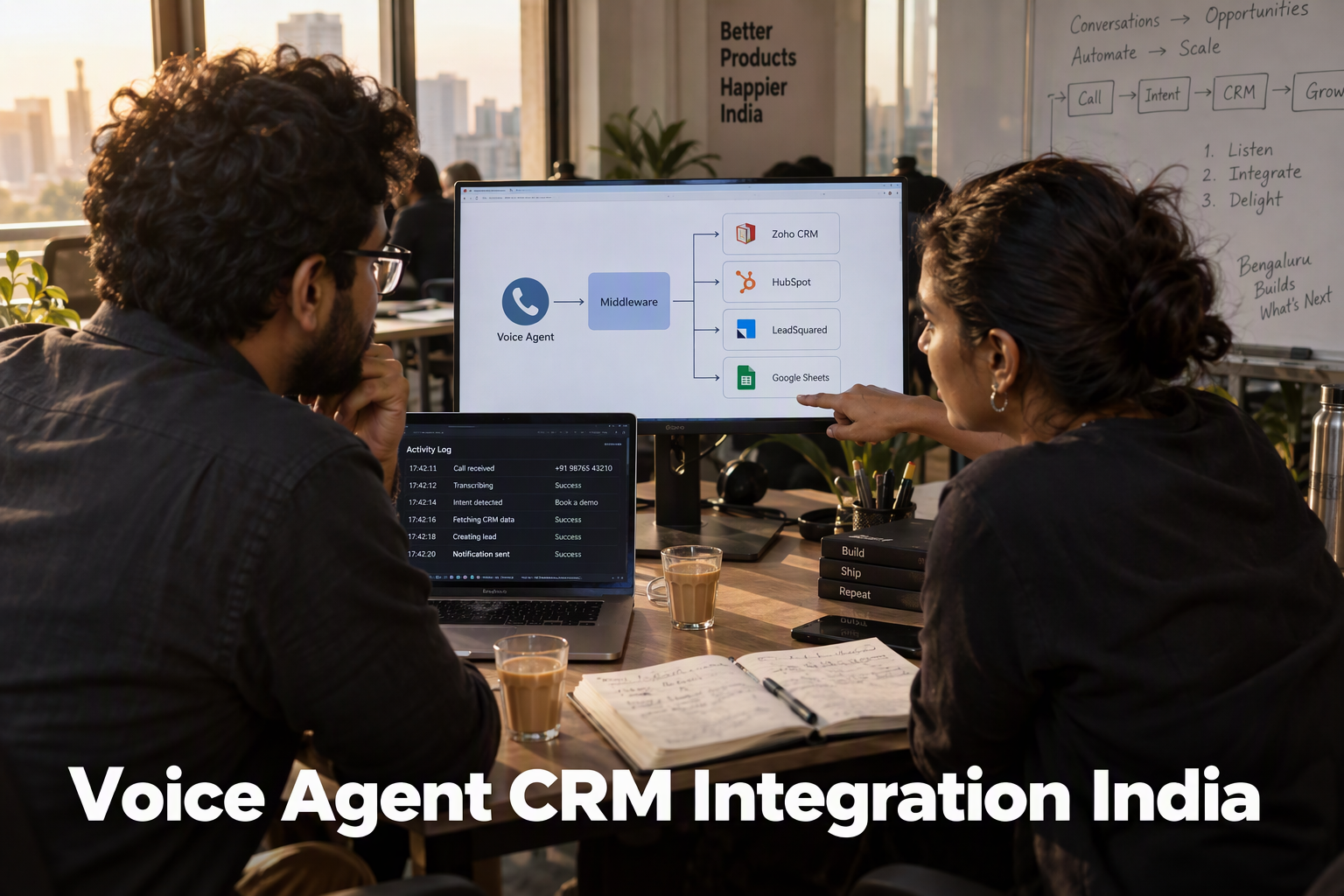
Platforms such as CallMissed reflect this broader shift by combining AI voice agents with WhatsApp, CRM, and omnichannel customer engagement; its Indic-first speech capabilities support conversations across 22 Indian languages, which is useful for businesses serving regional customers.
An AI receptionist does not replace every human interaction. Its job is to make sure the first interaction is handled reliably, collect the information a team needs, and escalate sensitive or high-value conversations appropriately. With the right workflow, a small business can move from “we missed your call” to a structured process that answers, qualifies, books, and follows up—day or night.
How can an AI receptionist help a small business stop losing leads from missed calls?
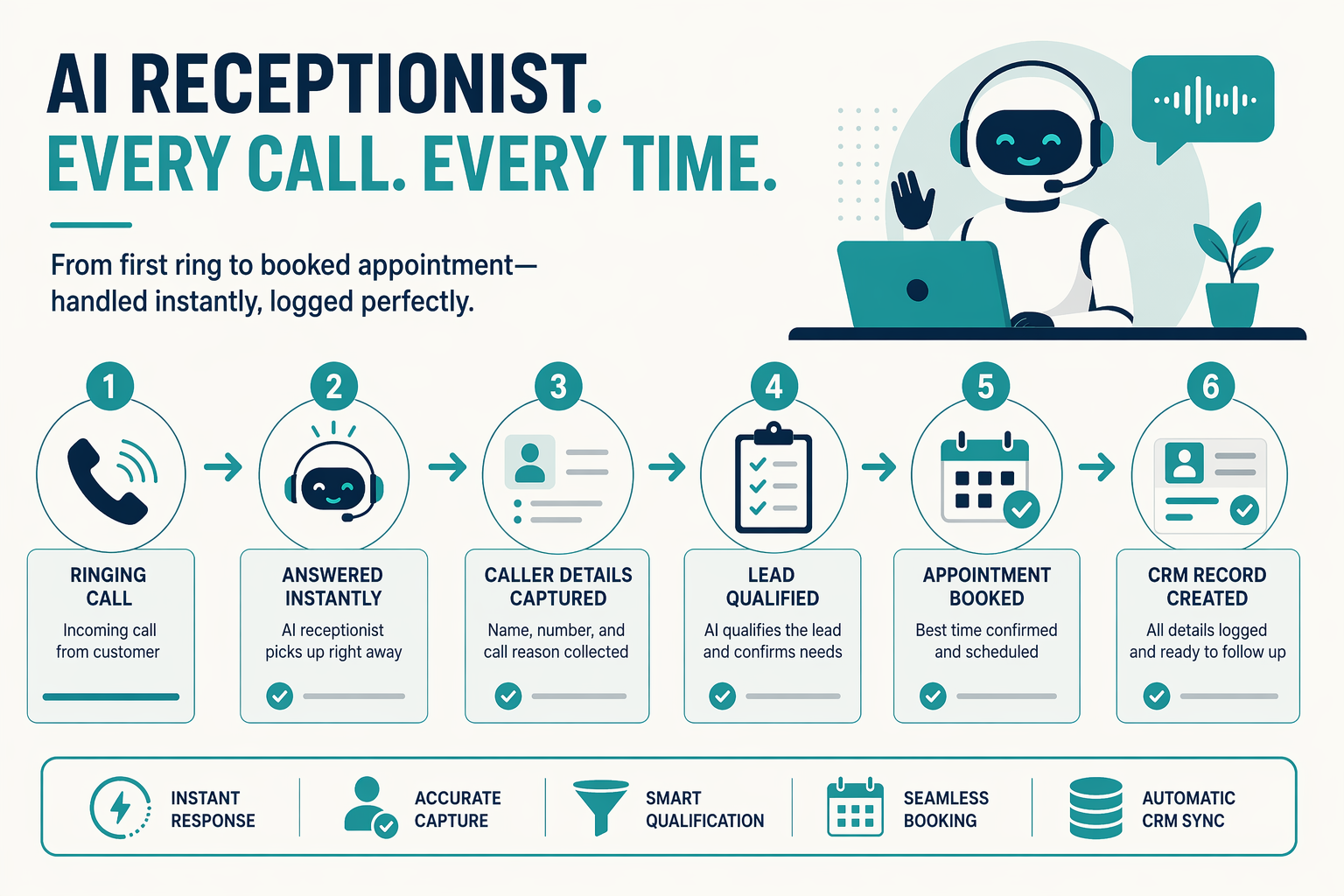
Quick answer: An AI receptionist for small business answers your phone 24/7 with a conversational voice agent. It qualifies callers, books appointments, routes urgent calls to your team, and sends follow-up messages. Self-serve tools typically cost about $29–$249 a month, while human-backed answering services cost more.
| Option | Starting price (as reported Oct 2026) | Best for |
|---|---|---|
| Dialzara | $29/mo entry plan, low minutes | Low call volume on a tight budget |
| Rosie | From $49/mo | Simple answering and message-taking |
| Goodcall | $79–$249/mo per agent, priced by unique customers | Steady volume from a predictable customer base |
| Smith.ai AI Receptionist | ~$95/mo for 50 calls; human-first plans much higher | Businesses that may want live human receptionists later |
| CallMissed | See pricing | Indian businesses needing AI voice agents, WhatsApp follow-up, and speech recognition in 22 Indian languages |
Prices change often. Check each vendor's pricing page before you buy.
Callers get a live response instead of voicemail. The agent can capture their details, answer common questions from a knowledge base, book appointments, and pass everything to your team, including outside working hours. Voicemail and missed-call text-back only follow up after the caller has hung up. Human answering services answer live but usually cost more per call.
What to check before you buy
- Languages: Ask separately about speech recognition and spoken voices, because the language counts often differ.
- Calendar and CRM: Leads, transcripts, and outcomes should land where your team already works.
- Human handoff: Confirm what happens with urgent, emotional, or unusual calls.
- Consent: Look for an AI disclosure in the greeting and controls over recordings. Check the rules that apply in your region.
- Pricing model: Check minimum call lengths, whether unanswered calls are billed, and whether phone carriage costs extra.
- Testing: Before launch, try noisy lines, accents, interruptions, and after-hours routing.
Where does CallMissed fit?
CallMissed is an AI receptionist for small business built in India for Indian businesses. You build voice agents in a no-code builder with:
- A knowledge base
- Cal.com and Google Calendar integrations
- A built-in CRM
- Call recordings, transcripts, and AI call notes
Speech recognition covers 22 Indian languages plus English, including Hinglish. Natural text-to-speech voices cover 10 Indian languages plus English. Through the official WhatsApp Business API, you can follow up with approved message templates. Your team can also return calls with click-to-call.
Voice agent plans cost ₹4/min (Standard), ₹5/min (Expressive), or ₹6/min (Best latency). There is a 30-second minimum per call, and a call that never connects costs nothing. Phone carriage is billed separately. New accounts get 1,000 free credits.
How do you measure results?
Before and after deployment, compare these numbers:
- Answered-call rate
- Qualified leads
- Booked appointments
- Human handoffs
- Unresolved conversations
That comparison shows whether an AI receptionist for small business is actually recovering the leads you were losing.
What should a small business prepare before setting up an AI receptionist?
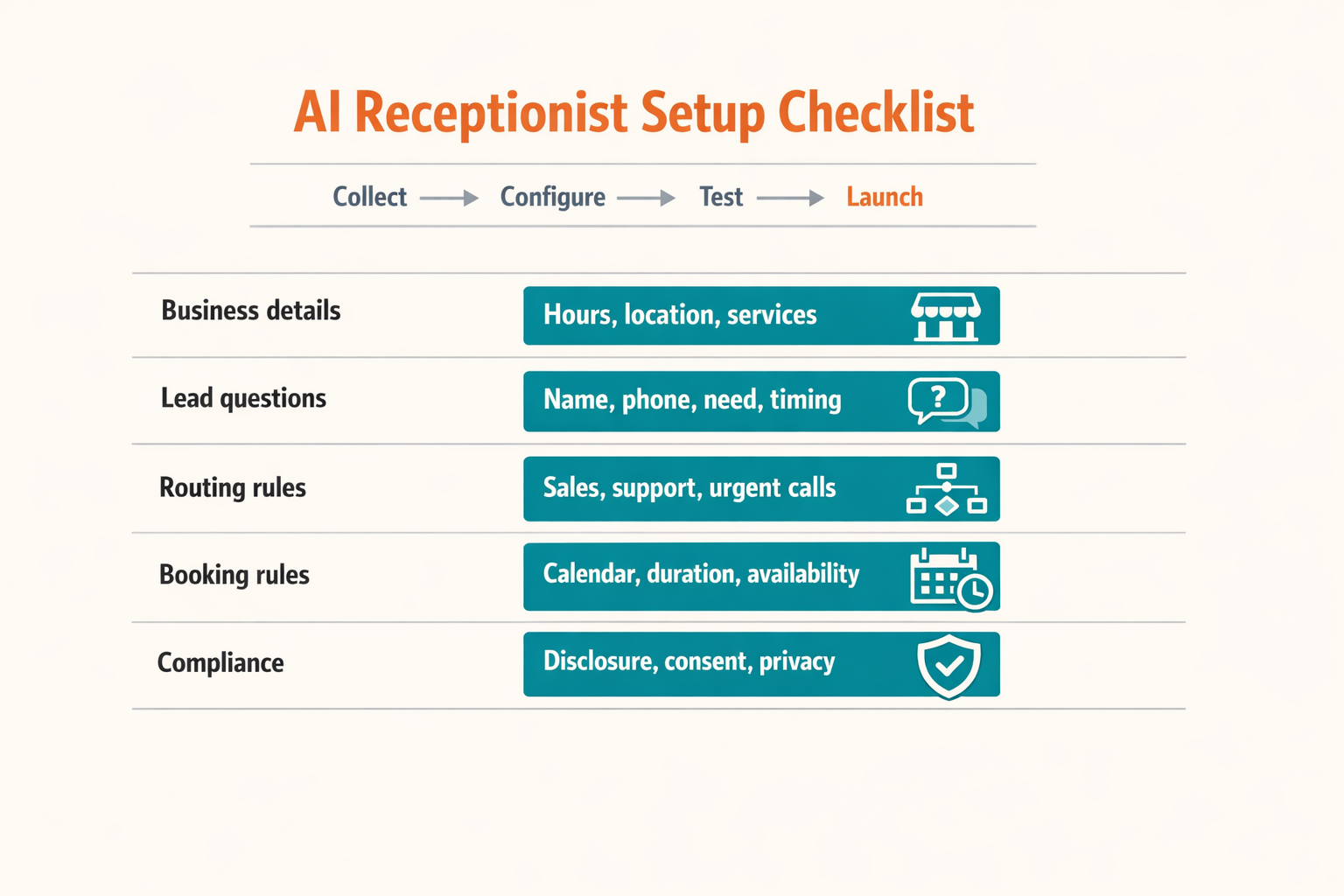
An AI receptionist for small business works best when it has accurate business information, clear call-handling rules, and reliable connections to the calendar, CRM, and follow-up channels. Before switching calls to an AI agent, prepare the data and decisions that allow it to answer confidently, qualify leads consistently, and transfer sensitive conversations to a person.
NextPhone’s 2026 analysis of 1,446,980 calls across 2,074 businesses found that 51.2% of calls were real leads and 28.5% arrived after hours. Preparation therefore should focus not only on answering calls, but also on capturing enough structured information to turn missed calls into leads.
What information should a small business prepare first?
Use the following checklist before configuring an AI receptionist. Each item should have an owner and a simple acceptance test.
| Preparation area | What to provide | Why it matters | Acceptance check |
|---|---|---|---|
| Business profile | Business name, locations, services, prices or price ranges, operating hours, holidays, and service areas | Prevents incorrect answers and helps the AI identify relevant callers | The agent can answer 10 common business questions without human correction |
| Call objectives | Lead qualification questions, required caller details, priority rules, and disallowed topics | Converts an open-ended call into a structured lead record | Every qualified call captures name, phone number, need, location, and urgency |
| Routing and escalation | Human phone numbers, departments, emergency rules, transfer hours, and voicemail fallback | Ensures high-value or sensitive calls reach the right person | Test calls transfer correctly during business and after-hours scenarios |
| Calendar and availability | Calendar provider, appointment types, duration, buffer time, booking permissions, and cancellation policy | Lets the AI book appointments without creating conflicts | A test caller can book, reschedule, and cancel an appointment successfully |
| Lead and follow-up systems | CRM fields, webhook endpoint, email or WhatsApp notification, consent wording, and lead owner | Makes every captured call actionable instead of leaving information in a transcript | A completed call creates one CRM record and sends one confirmation |
| Knowledge and safety boundaries | Approved answers, refund policy, service limitations, sensitive-data rules, and “do not guess” instructions | Reduces hallucinations and protects customers from misleading advice | The agent escalates questions outside its knowledge instead of inventing an answer |
How should a business define the AI receptionist’s call flow?
Write the call flow as a short decision tree before writing prompts:
- Greet and identify: State the business name and ask how the caller can be helped.
- Determine intent: Separate bookings, quotes, support requests, existing customers, and emergencies.
- Qualify the lead: Ask only the fields needed for the next action, such as service type, location, preferred time, and urgency.
- Choose an outcome: Book an appointment, transfer the call, create a callback request, or send a confirmation.
- Confirm details: Repeat the caller’s name, phone number, appointment time, and next step.
AInora reported in 2026 that average small service businesses answered approximately 71% of incoming calls during business hours, compared with 99.7% for AI-assisted answering. These figures make a strong case for coverage, but accurate preparation determines whether answered calls become usable opportunities.
For multilingual businesses, document approved greetings and terminology in each target language. Platforms such as CallMissed support AI voice conversations across 22 Indian languages, helping teams prepare regional-language call flows rather than treating language coverage as an afterthought.
How do you get started with an AI receptionist for a small business?
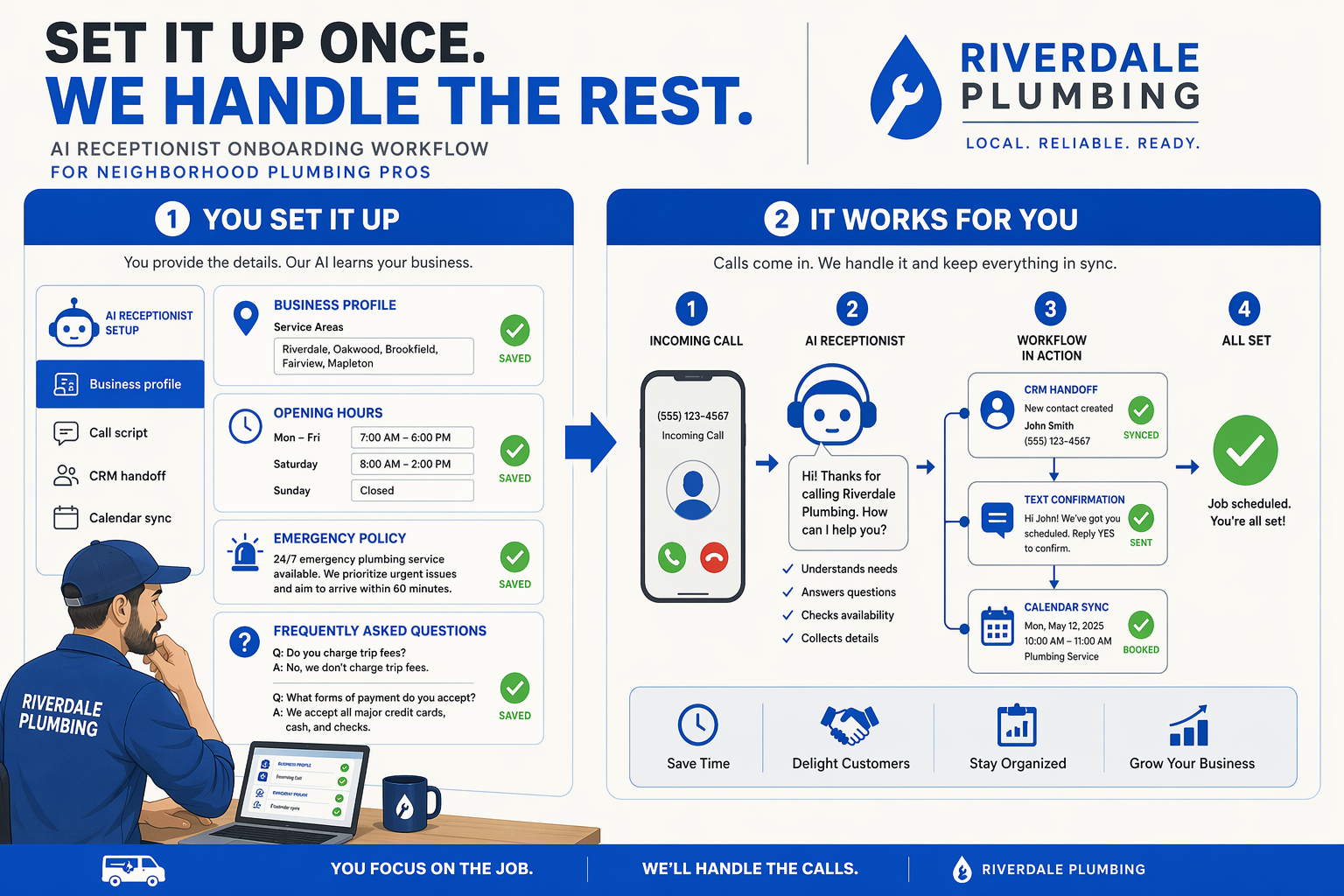
An AI receptionist for small business helps stop losing leads from missed calls by answering immediately, collecting caller details, qualifying intent, and triggering follow-up automatically. Start with one high-value call flow—such as appointment booking or quote requests—then connect the phone system to a CRM, calendar, and messaging channel so every conversation produces an actionable record.
What should you configure before going live?
Use this implementation sequence:
- Choose the first call objective: booking, quote collection, order status, or emergency triage.
- Write the knowledge base: services, prices or price ranges, service areas, opening hours, FAQs, and escalation rules.
- Define required fields: caller name, phone number, intent, preferred time, location, urgency, and consent for follow-up.
- Set handoff conditions: transfer sensitive complaints, emergencies, payment disputes, or high-value prospects to a human.
- Connect destinations: CRM, calendar, email, SMS, or WhatsApp for confirmations and follow-up.
- Test failure paths: silence, interruptions, accents, background noise, unknown questions, and unavailable staff.
A platform such as CallMissed can provide the AI voice layer alongside WhatsApp, CRM, and omnichannel engagement. Its Indic-first speech capabilities support conversations across 22 Indian languages, helping businesses serve regional callers without treating multilingual support as a later add-on.
Which missed-call metrics should you use as a baseline?
Record seven days of call data before changing the workflow. Track unanswered calls, after-hours calls, repeat callers, qualified leads, booked appointments, transfers, and median response time.
| Metric | Reported figure | Source and date | Implementation use |
|---|---|---|---|
| Calls identified as real leads | 51.2% | NextPhone, 2026 | Estimate potential lead volume |
| Calls arriving after hours | 28.5% | NextPhone, 2026 | Prioritize 24/7 coverage |
| Small-business business-hour answer rate | 71% | AInora, 2026 | Establish current baseline |
| AI-assisted answer rate | 99.7% | AInora, 2026 | Set an automation target |
These figures are industry findings, not a guarantee for every business. Use your own qualified-lead rate and booked-appointment rate as the primary success measures.
How do you send an AI-captured call to a CRM?
Configure the receptionist to post a structured event after each completed call. The following minimal FastAPI webhook validates the event, stores a lead, and sends a follow-up request:
import os
import requests
from fastapi import FastAPI, Header, HTTPException

app = FastAPI()
CRM_URL = os.environ["CRM_URL"]
WEBHOOK_TOKEN = os.environ["WEBHOOK_TOKEN"]

@app.post("/ai-receptionist/call-complete")
def call_complete(event: dict, authorization: str = Header("")):
    if authorization != f"Bearer {WEBHOOK_TOKEN}":
        raise HTTPException(status_code=401, detail="Unauthorized")

    lead = {
        "name": event.get("caller_name"),
        "phone": event["phone"],
        "intent": event.get("intent", "unknown"),
        "notes": event.get("summary", ""),
        "source": "ai_receptionist",
        "needs_human": event.get("needs_human", False)
    }

    response = requests.post(CRM_URL, json=lead, timeout=10)
    response.raise_for_status()
    return {"saved": True, "lead": lead}
Map the provider’s webhook fields to this schema, encrypt sensitive data, and log failures without recording unnecessary call transcripts.
What should you test before routing real callers?
- Ask for a service the knowledge base does not contain; the agent should say it cannot confirm rather than invent an answer.
- Interrupt the agent twice; it should stop speaking and listen.
- Call outside business hours; verify the emergency rule and callback promise.
- Refuse to provide a phone number; confirm that the system can still create a review task.
- Simulate a human transfer failure; the agent should offer a callback and create a CRM task.
Troubleshooting FAQ
Will an AI receptionist book appointments without a calendar integration?
What happens when the caller asks an unsupported question?
How can a small business measure whether leads are being recovered?
Should every call be transferred to a person?
How do you protect caller data?
How should an AI receptionist answer, qualify, route, and follow up on every call?
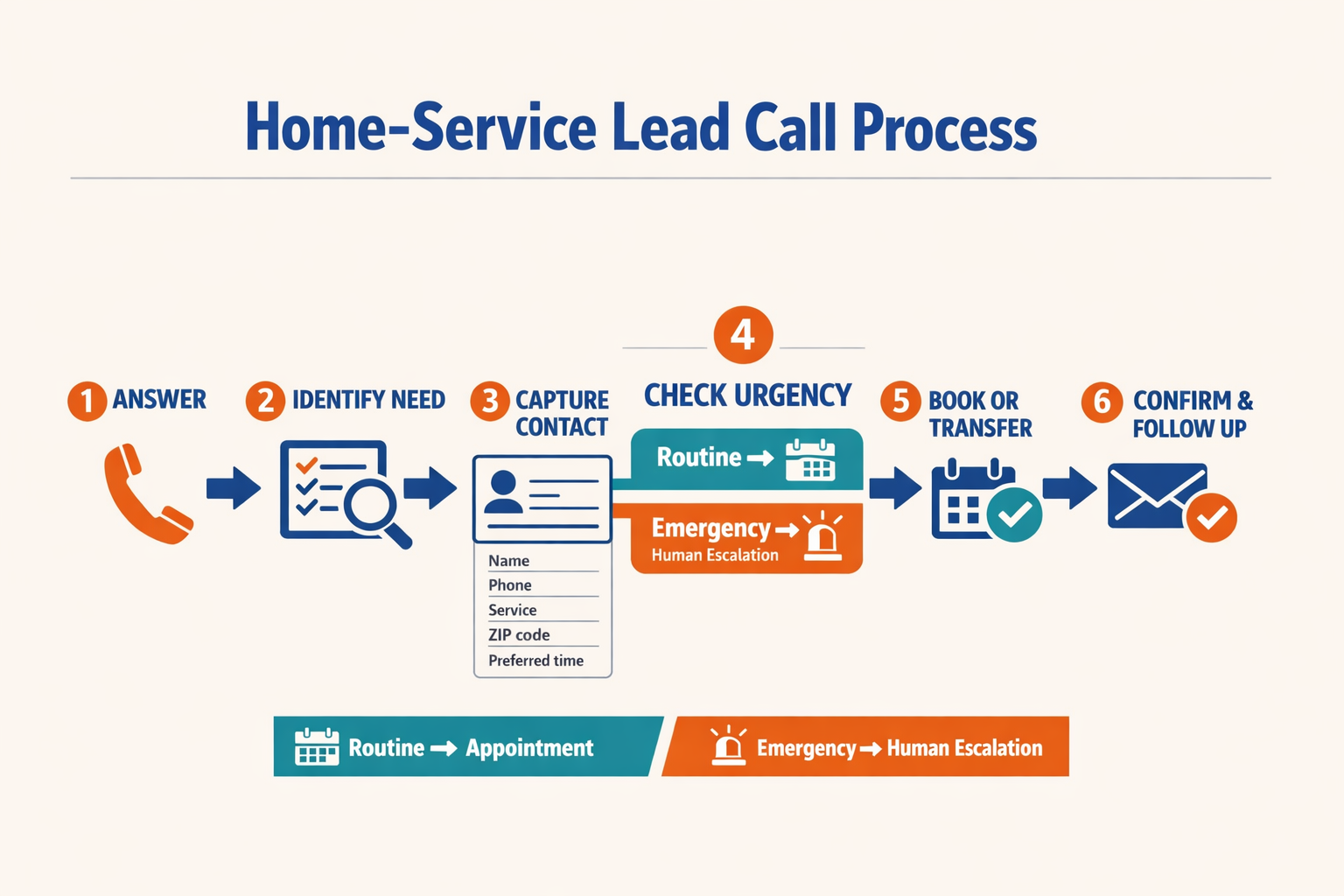
An AI receptionist for small business should follow a deterministic call workflow: answer immediately, identify the caller’s intent, collect only the details needed for action, and either route, book, or follow up automatically. This process helps businesses stop losing leads from missed calls because every conversation ends with a recorded next step rather than an unanswered ring or vague voicemail.
What should an AI receptionist do during the first 60 seconds?
Use this sequence to turn missed calls into leads with AI:
- Answer and identify the business
State the company name, explain that the caller is speaking with an AI assistant, and ask an open question such as, “How can we help today?”
- Classify the caller’s intent
Detect whether the caller wants a quote, appointment, delivery update, technical support, billing help, or a human representative.
- Qualify with short, relevant questions
Capture name, callback number, service required, location, urgency, and preferred appointment time. Do not ask every caller for every field.
- Take an immediate action
Book an available slot, send pricing information, create a support ticket, transfer the call, or record a callback request.
- Confirm the next step aloud and in writing
Repeat the details, then send confirmation through SMS, WhatsApp, or email. Store the transcript and structured fields in the CRM.
| Workflow signal | Recommended action | Example |
|---|---|---|
| New sales enquiry | Qualify and create lead | Service, location, budget, callback time |
| Appointment request | Check calendar and book | Date, time zone, staff member |
| Existing customer | Verify and retrieve record | Phone number, order or ticket ID |
| Urgent or sensitive issue | Escalate immediately | Safety issue, medical concern, legal dispute |
| No answer after transfer | Create callback task | Owner, deadline, caller preference |
NextPhone’s 2026 analysis of 1,446,980 calls across 2,074 businesses found that 51.2% of calls were real leads, making structured qualification more valuable than simply increasing answer volume. For regional audiences, platforms such as CallMissed can combine AI voice agents with WhatsApp follow-up and speech capabilities across 22 Indian languages.
How can developers implement lead capture?
A webhook should convert the conversation into a consistent record that downstream systems can use:
import express from "express";

const app = express();
app.use(express.json());

app.post("/voice-events", async (req, res) => {
  const { call_id, caller, intent, fields, outcome } = req.body;

  const lead = {
    external_id: call_id,
    phone: caller?.phone,
    name: fields?.name ?? null,
    intent,
    service: fields?.service ?? null,
    location: fields?.location ?? null,
    urgency: fields?.urgency ?? "normal",
    outcome,
    next_action: outcome === "booked" ? "send_confirmation" : "human_callback"
  };

  await fetch(process.env.CRM_WEBHOOK_URL, {
    method: "POST",
    headers: {
      "Content-Type": "application/json",
      "Authorization": `Bearer ${process.env.CRM_TOKEN}`
    },
    body: JSON.stringify(lead)
  });

  res.status(202).json({ accepted: true, call_id });
});

app.listen(3000);
Define required fields, validate phone numbers, deduplicate by call_id, and retry failed CRM requests. Never let a CRM outage prevent the caller from receiving a clear callback promise.
What should happen when automation fails?
Route to a human when the caller requests one, the confidence score is low, the issue is sensitive, or the caller has repeated the same answer twice. A fallback message should state when the team will call back, not merely promise that someone will respond.
Troubleshooting FAQ
What if the AI misunderstands the caller’s request?
Should every caller be transferred to a person?
How should the AI handle after-hours calls?
What if the caller refuses to provide information?
How do teams measure success?
Which advanced AI receptionist tactics improve lead recovery and appointment conversion?
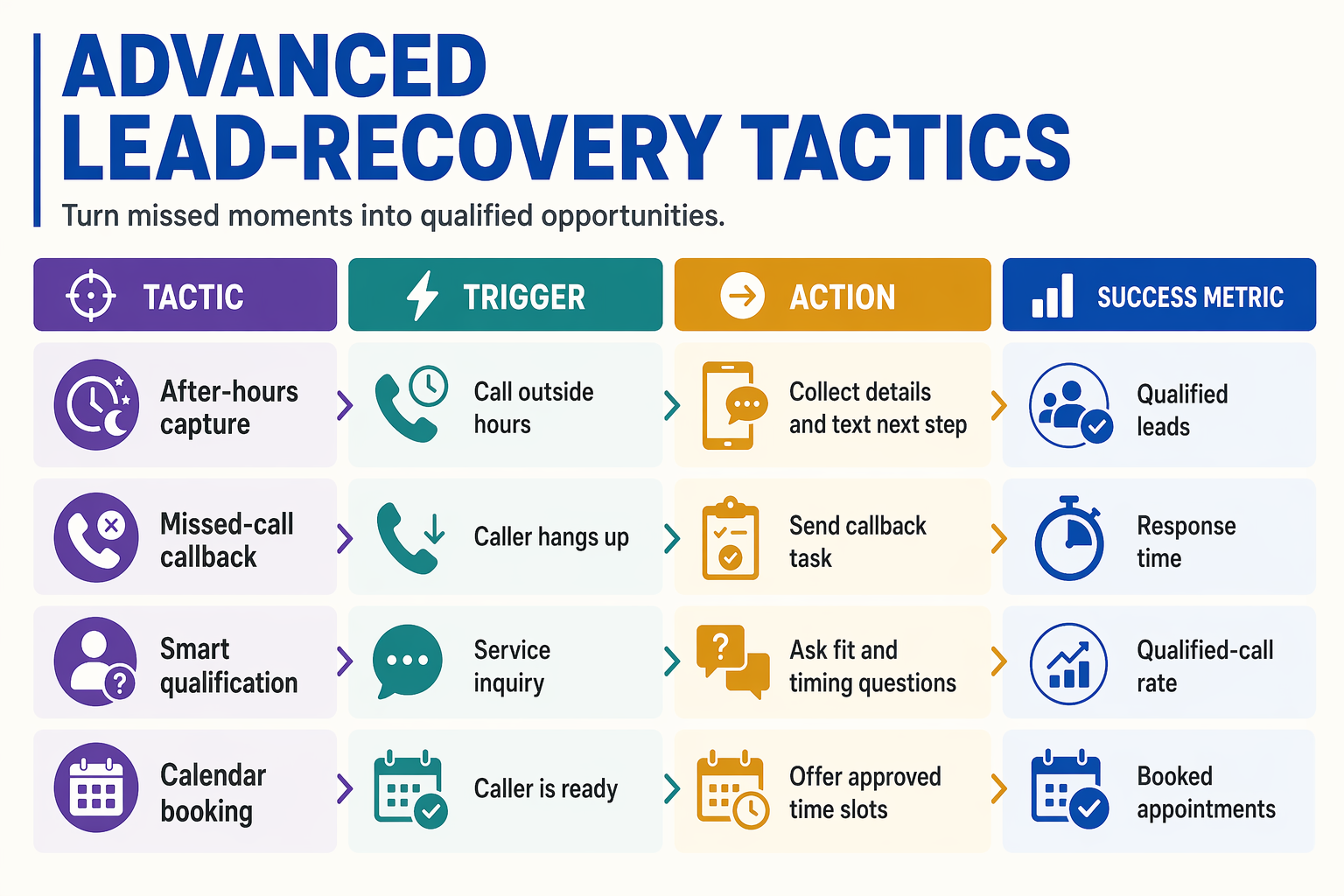
An AI receptionist improves lead recovery and appointment conversion by doing more than answering calls: it identifies buying intent, captures structured details, books the right slot, and triggers follow-up when a caller hangs up or cannot be transferred. The most effective tactics combine real-time qualification, calendar automation, multichannel follow-up, and human escalation.
NextPhone’s 2026 analysis of 1,446,980 calls across 2,074 businesses found that 51.2% were real leads and 28.5% arrived after hours. These figures make advanced recovery workflows valuable: every call should produce either a booked appointment, a qualified lead record, or a timed follow-up task.
Which AI receptionist tactics turn more calls into appointments?
Use the table below as an implementation blueprint. Each tactic should have a clear trigger, automated action, and measurable outcome.
| Advanced tactic | Trigger or signal | Automated action | Primary metric |
|---|---|---|---|
| Intent-based call scoring | Caller mentions a quote, urgent service, price, availability, or a specific product | Classify the call as hot, warm, or informational; prioritize hot leads for immediate transfer | Qualified-lead rate |
| Dynamic qualification | Caller requests an estimate, consultation, repair, or appointment | Ask only relevant questions, such as service type, location, preferred date, budget, and urgency | Completed lead profiles |
| Abandoned-call recovery | Caller hangs up before speaking with an agent or completing qualification | Send an SMS or WhatsApp message with a callback option and create a staff task | Recovered-call rate |
| Calendar-aware booking | Caller expresses appointment intent | Check live availability, offer two or three suitable slots, confirm timezone, and send reminders | Calls-to-bookings conversion |
| No-show prevention | Appointment is booked or customer does not confirm | Send confirmation, reminder, rescheduling link, and optional human callback for high-value bookings | Show-up rate |
| Contextual escalation | Caller is angry, vulnerable, high-value, or requests a human | Transfer with a summary of the conversation, caller details, and stated intent | Successful-transfer rate |
How should an AI receptionist prioritize high-value leads?
Define a scoring policy before deployment. For example, assign higher priority when the caller has a serviceable location, an urgent need, a defined purchase request, or a near-term appointment preference. The AI should not invent eligibility or pricing; it should collect facts and route uncertain cases to a human.
A practical sequence is:
- Identify intent: “Are you calling to book, request a quote, check an existing order, or get support?”
- Confirm service fit: Ask for location, service category, and required timeframe.
- Offer a next action: Book, transfer, send information, or schedule a callback.
- Write structured data: Store the transcript summary, consent status, tags, and next-step deadline in the CRM.
- Escalate exceptions: Route complaints, emergencies, payment disputes, and sensitive matters to trained staff.
AInora reported in 2026 that average small service businesses answered about 71% of incoming calls during business hours, compared with 99.7% for AI-assisted answering. The operational goal is not merely a higher answer rate; it is ensuring that answered calls produce an actionable outcome.
For regional customer bases, platforms such as CallMissed can extend this workflow across voice and WhatsApp, with Indic-first speech support for 22 Indian languages. Its WhatsApp Business calling capability can also provide a follow-up path when a phone conversation needs to continue asynchronously.
What should businesses measure after adding these tactics?
Track qualified leads per 100 calls, booking conversion, abandoned-call recovery, transfer completion, response time, no-show rate, and cost per captured lead. Review recordings and failed classifications weekly, then update prompts, FAQs, routing rules, and appointment availability based on actual caller behavior.
What common mistakes cause businesses to lose leads even after adding an AI receptionist?
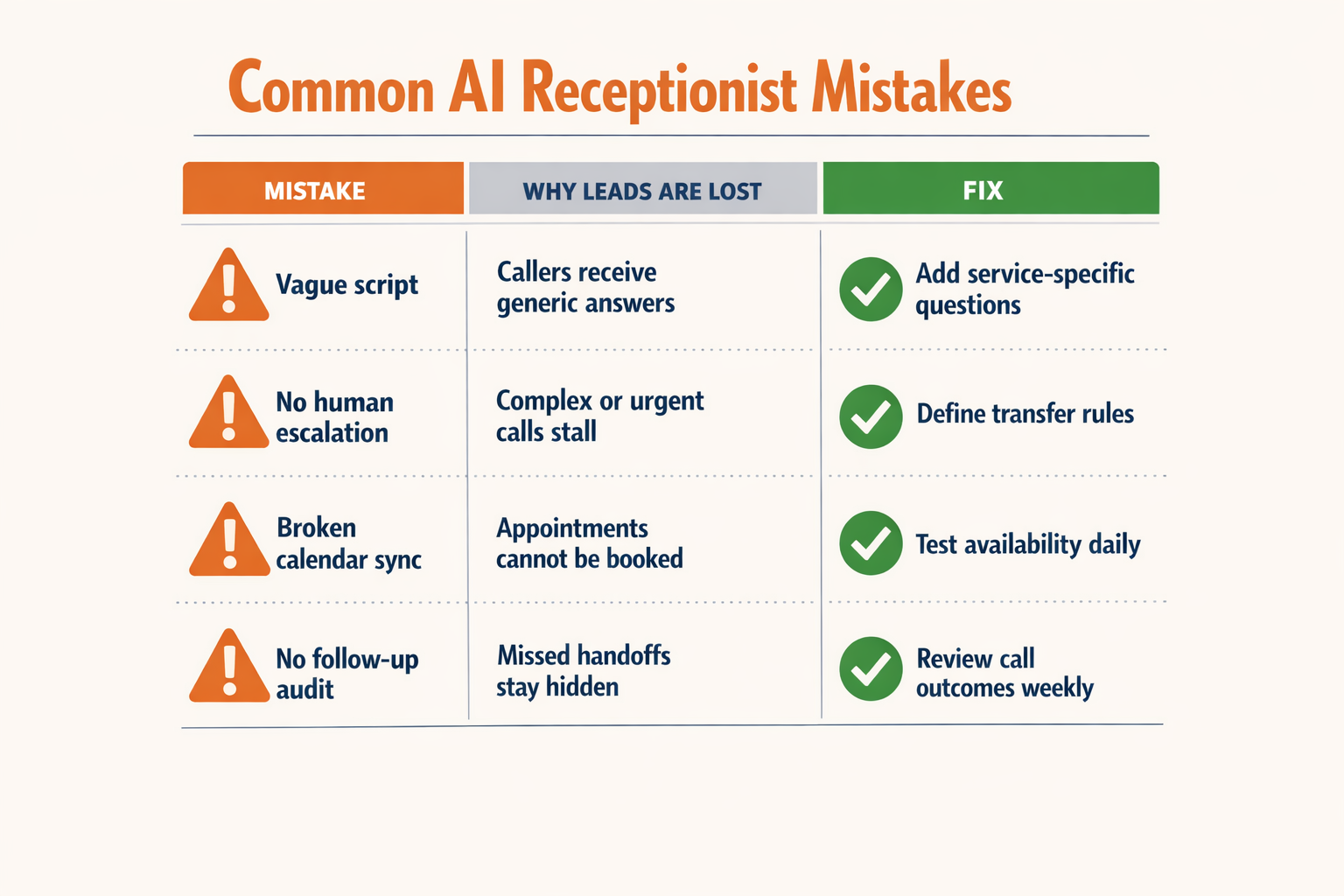
An AI receptionist does not automatically stop lead loss; businesses still lose prospects when the agent has incomplete instructions, weak integrations, or no human fallback. The reliable approach is to treat the AI receptionist as a lead-capture workflow: answer, identify intent, record every detail, take the next action, and verify that the handoff worked.
Which mistakes make an AI receptionist ineffective?
The opportunity is significant. NextPhone’s 2026 analysis of 1,446,980 calls across 2,074 businesses found that 51.2% were real leads and 28.5% arrived after hours. An AI receptionist that answers but fails to capture or route those leads simply moves the failure point.
| Common mistake | What the caller experiences | Why the lead is lost | Practical fix | Metric to monitor |
|---|---|---|---|---|
| Using a generic script | The AI gives a broad greeting but does not ask why the person called | Sales, support, emergency, and appointment calls require different next steps | Create intent-specific paths with 2–4 qualifying questions for each service | Qualified-lead rate |
| Failing to connect the CRM | The caller provides details, but staff cannot find them later | Information remains in call logs or transcripts instead of becoming an actionable lead | Send name, phone number, intent, budget or service need, urgency, and transcript summary to the CRM | Lead-record creation rate |
| Not connecting the calendar | The AI promises a callback instead of offering a real booking | The prospect must wait, repeat information, or contact another provider | Integrate the approved calendar, define appointment duration, and block unavailable times | Calls-to-bookings conversion |
| Giving the AI unrestricted answers | The receptionist guesses prices, policies, availability, or service coverage | Incorrect information damages trust and creates avoidable follow-up work | Ground responses in an approved knowledge base; instruct the AI to say when it is unsure | Escalation and correction rate |
| No human escalation path | The caller is trapped in a loop or cannot reach staff | Complex, urgent, high-value, or emotional conversations need human judgment | Define transfer rules, business-hour routing, voicemail fallback, and emergency instructions | Successful-transfer rate |
| Ignoring multilingual and voice conditions | Accents, regional languages, interruptions, or background noise cause errors | The caller repeats themselves or abandons the conversation | Test representative accents, noisy locations, mobile connections, and regional languages before launch | Abandonment and repeat-call rate |
How should a business test the workflow before launch?
Use a structured test set rather than checking only whether the AI answers the phone:
- Call during and outside business hours to verify different routing rules.
- Test every major intent, including new enquiry, appointment change, quote request, complaint, and urgent request.
- Interrupt the AI, change the subject, and provide incomplete information to test recovery.
- Confirm that the CRM record, calendar booking, notification, and transcript are created correctly.
- Attempt a human transfer when staff are unavailable and verify the fallback message.
AInora reported in 2026 that average small service businesses answered approximately 71% of incoming calls during business hours, compared with 99.7% with AI-assisted answering. The comparison highlights the value of availability, but answer rate alone is not success: businesses must also measure qualified leads, bookings, transfers, and completed follow-ups.
Platforms such as CallMissed combine AI voice agents with CRM and omnichannel engagement, while support for 22 Indian languages can help teams test regional-language call flows instead of treating language coverage as an afterthought. The final safeguard is a weekly review of failed calls: update prompts, knowledge-base content, routing rules, and integrations based on real conversations.
How much revenue can an AI receptionist recover, and which metrics should you track?
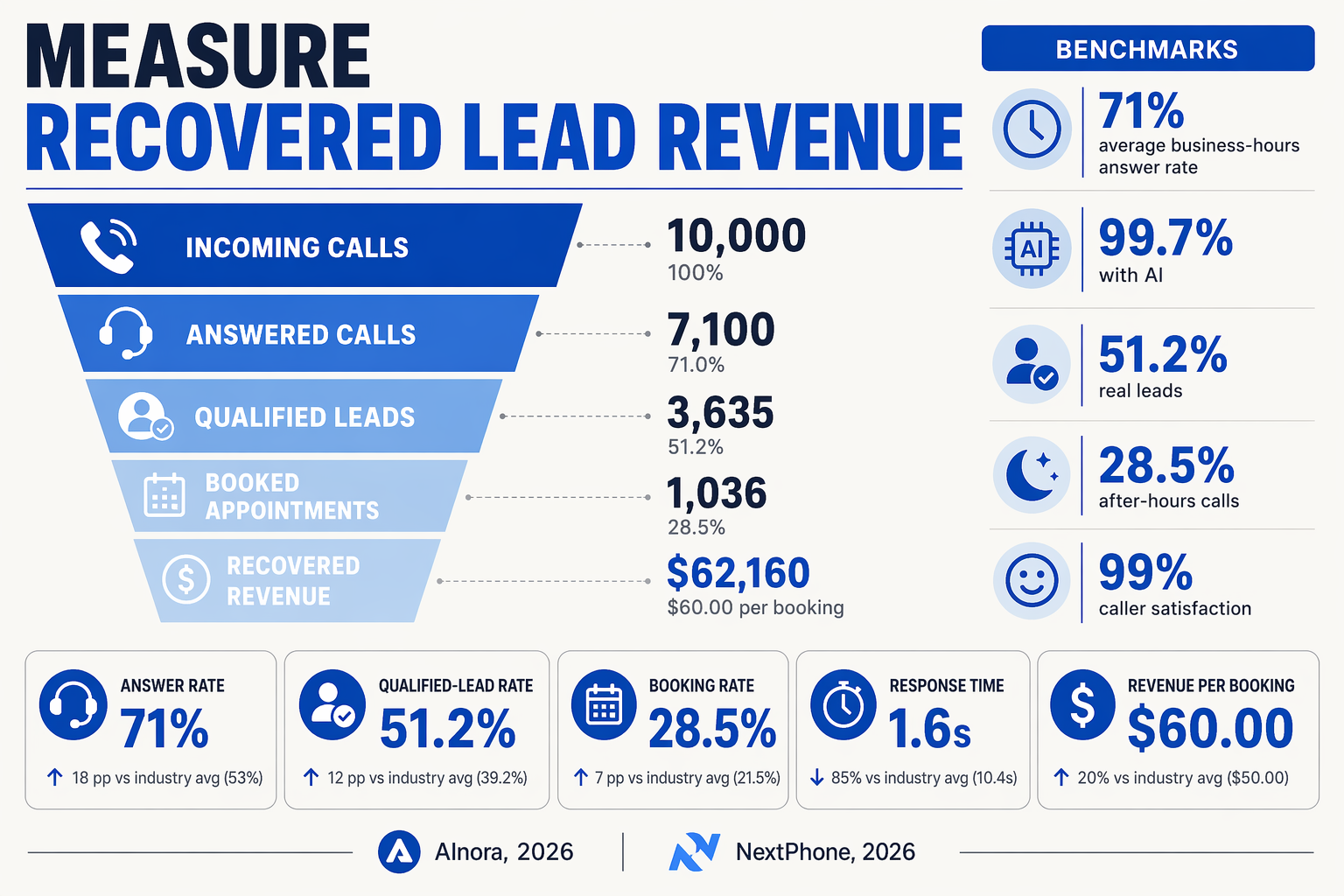
An AI receptionist can recover revenue by converting previously unanswered calls into qualified leads, booked appointments, and completed sales. The recoverable amount is not the total value of missed calls; it is the incremental revenue attributable to calls the AI answered, qualified, and routed successfully.
How do you calculate revenue recovered from missed calls?
Use a simple funnel rather than relying on answer rate alone:
- Recovered calls = calls answered by the AI that would otherwise have been missed.
- Qualified leads = recovered calls matching your target customer, location, service, or urgency criteria.
- Booked appointments or estimates = qualified leads taking a measurable next step.
- Completed jobs or sales = appointments that become paying customers.
- Recovered revenue = completed jobs × average realised revenue.
For example, suppose an electrician receives 100 previously missed calls per month. If the AI receptionist qualifies 40%, books 50% of those qualified callers, and 70% of booked jobs are completed at an average value of ₹8,000, the estimated recovered revenue is:
100 × 40% × 50% × 70% × ₹8,000 = ₹112,000 per month
This is an illustrative model, not a guaranteed result. Use actual CRM and payment data to replace every assumption.
Which AI receptionist metrics should a small business track?
Track the complete journey from ringing phone to collected revenue. Answer rate is useful, but it does not prove that the AI generated sales.
| Metric | What it measures | Recommended calculation | Why it matters |
|---|---|---|---|
| Missed-call recovery rate | Previously unanswered calls now handled | AI-answered missed calls ÷ total missed calls | Shows whether coverage is improving |
| Qualified-lead rate | Calls matching target criteria | Qualified calls ÷ AI-answered calls | Measures conversation quality |
| Appointment-booking rate | Qualified callers taking action | Bookings ÷ qualified leads | Connects calls to pipeline creation |
| Show or completion rate | Bookings becoming attended jobs or sales | Completed jobs ÷ bookings | Prevents inflated revenue estimates |
| Cost per recovered lead | Spend required to capture each lead | AI costs ÷ incremental qualified leads | Supports ROI and vendor comparisons |
NextPhone’s 2026 analysis of 1,446,980 calls across 2,074 businesses found that 51.2% of calls were real leads and 28.5% arrived after hours. Segment these figures by business hours, after-hours, campaign, phone number, and service type so you can identify where the largest recovery opportunity exists.
How can you prove that revenue came from the AI receptionist?
Create a baseline for the previous 30–90 days, then compare it with an equivalent period after launch. Label every AI-handled call in the CRM with:
- Caller phone number and consent status
- Call timestamp and business-hours category
- Lead source, campaign, and requested service
- Qualification outcome and human-transfer status
- Appointment, sale, refund, or no-show outcome
Use a unique tracking number or campaign parameter where possible. Review incremental qualified leads, not just total calls, and exclude repeat callers, spam, test calls, and existing customers from new-lead calculations.
Platforms such as CallMissed can connect AI voice agents with CRM and messaging workflows, while WhatsApp follow-ups can provide another measurable touchpoint after a call. For every monthly review, calculate recovered revenue − AI operating cost, then divide by AI operating cost to estimate return on investment.
What are the most common questions about using an AI receptionist to stop losing leads?
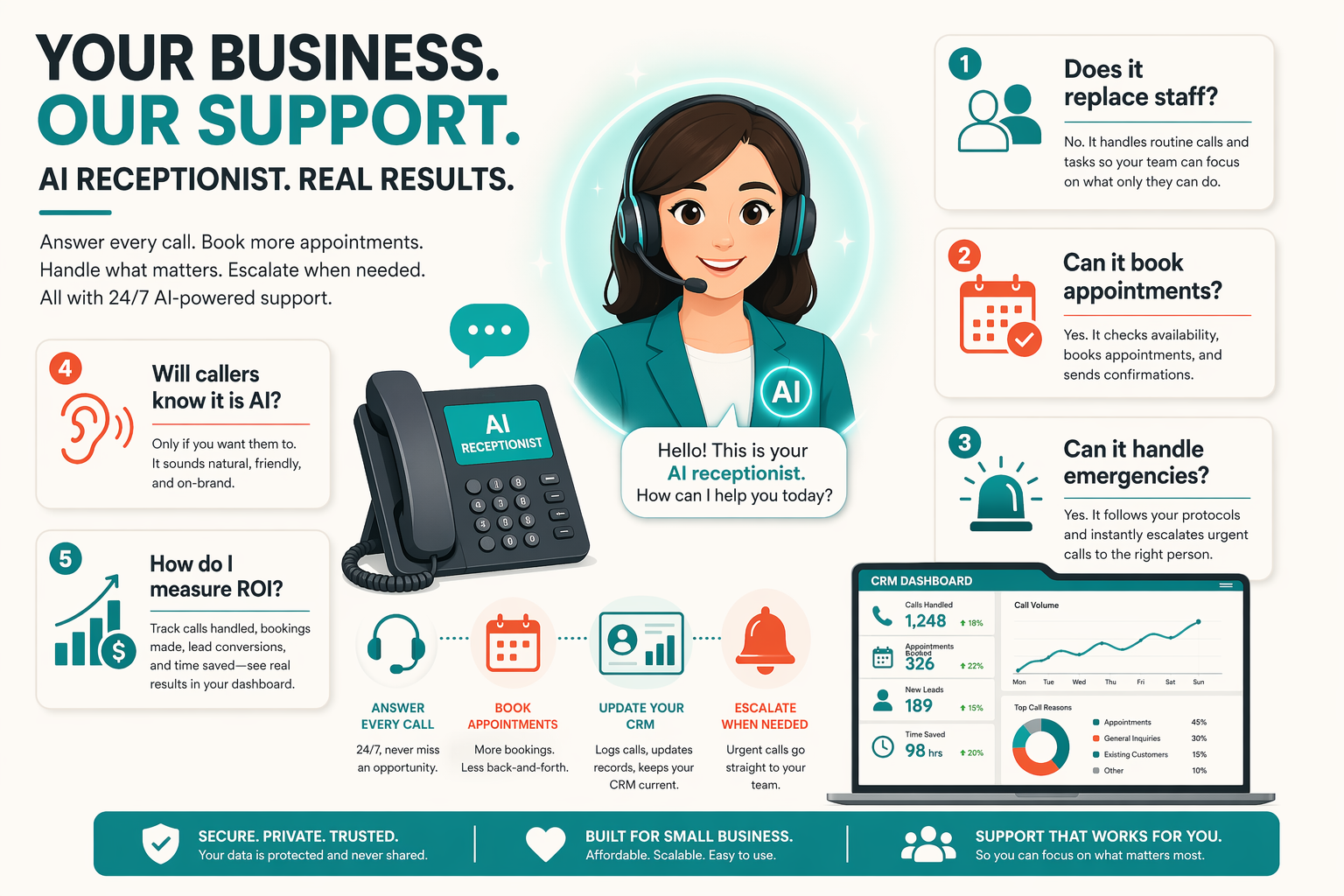
How does an AI receptionist for small business stop losing leads from missed calls?
Can an AI receptionist for small business book appointments without a human employee?
Is an AI receptionist reliable enough to answer every business call?
What should an AI receptionist say when it cannot answer a caller’s question?
How much does an AI receptionist cost compared with hiring a receptionist?
Can an AI receptionist handle regional languages and transfer calls to staff?
What resources and next steps will help you turn missed calls into leads with AI?
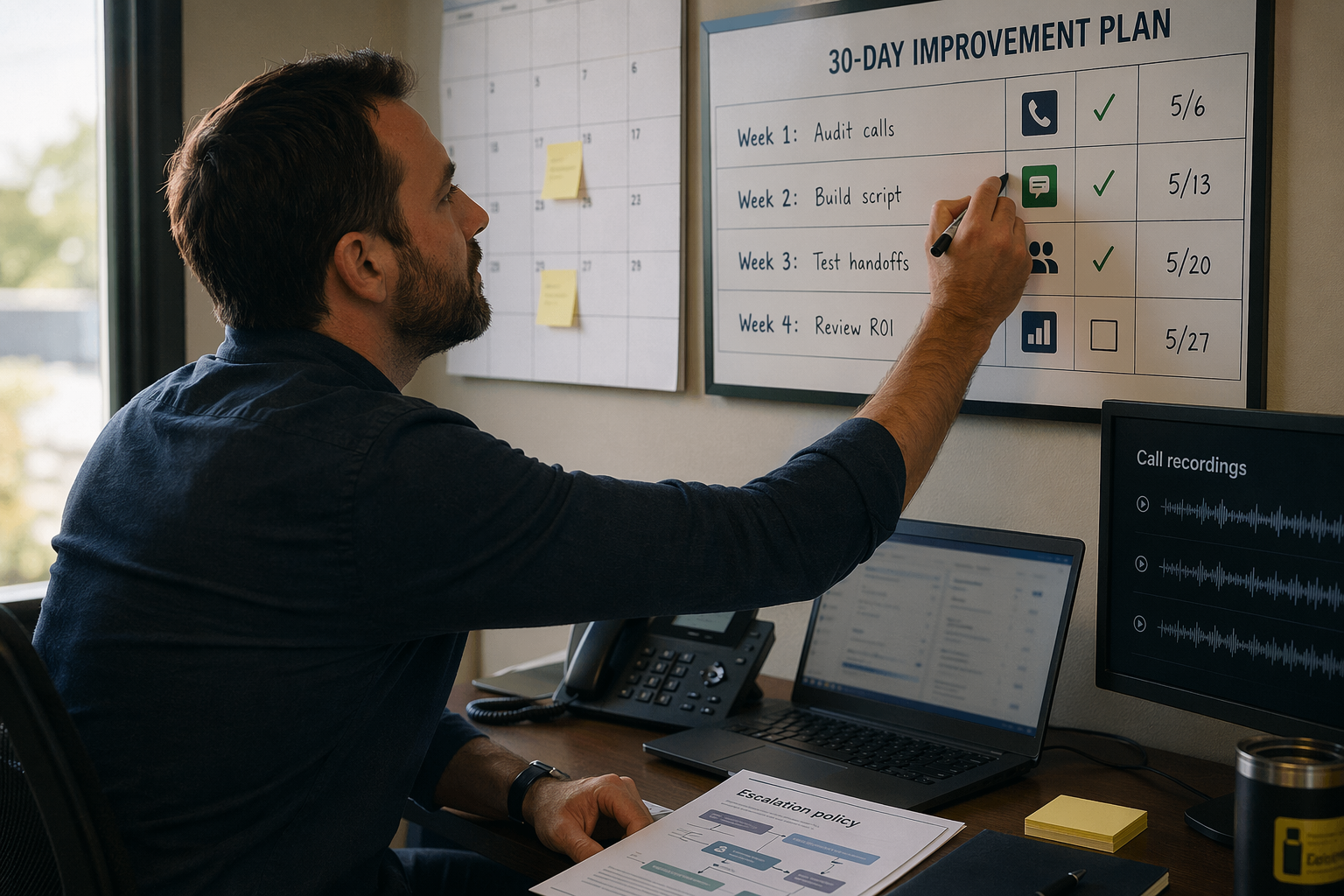
An AI receptionist for small business helps stop losing leads from missed calls by answering immediately, collecting caller details, qualifying intent, booking appointments, and routing urgent or high-value conversations to a human. The fastest path is to connect the phone workflow to a CRM, calendar, and follow-up channel, then measure captured leads—not just call-answer rates.
What should you measure before deploying an AI receptionist?
Start with a seven-day baseline so the improvement is measurable. NextPhone’s 2026 analysis of 1,446,980 calls across 2,074 businesses found that 51.2% were real leads and 28.5% arrived after hours. AInora reported in 2026 that small service businesses answered approximately 71% of incoming calls during business hours, compared with 99.7% with AI-assisted answering.
| Metric | Baseline to capture | AI workflow target |
|---|---|---|
| Incoming calls | Total calls per week | 100% logged |
| Answer rate | Human-answered percentage | Automated first response |
| Qualified leads | Calls matching your sales criteria | Caller intent recorded |
| Appointments | Calls converted to bookings | Calendar confirmation sent |
| Follow-up time | Minutes or hours to response | Immediate confirmation |
Track qualified leads, booked appointments, transfers, response time, and cost per captured lead. Do not treat a higher answer rate alone as proof of revenue improvement.
How do you turn an answered call into a usable lead?
Use this implementation sequence:
- Write the call policy: define opening hours, service areas, pricing boundaries, emergency rules, and when to transfer to a person.
- Collect structured fields: caller name, phone number, service required, location, preferred time, urgency, and consent for follow-up.
- Connect systems: send the transcript and fields to your CRM, check calendar availability, and trigger SMS or WhatsApp confirmation.
- Add human fallback: transfer callers who request a person, mention emergencies, dispute charges, or ask questions outside the knowledge base.
- Review recordings and transcripts weekly: correct inaccurate answers, confusing prompts, and failed transfers.
For example, this minimal Node.js webhook stores a qualified call in a CRM-like local file. Replace the storage layer with your CRM API after validating the event schema:
import express from "express";
import fs from "node:fs/promises";

const app = express();
app.use(express.json());

app.post("/webhooks/ai-receptionist", async (req, res) => {
  const { caller, intent, location, preferredTime, transcript } = req.body;

  if (!caller?.phone || !intent) {
    return res.status(400).json({ error: "phone and intent are required" });
  }

  const lead = {
    phone: caller.phone,
    name: caller.name ?? "Unknown",
    intent, location, preferredTime, transcript,
    receivedAt: new Date().toISOString(),
    status: "new"
  };

  await fs.appendFile("leads.jsonl", JSON.stringify(lead) + "\n");
  res.status(202).json({ accepted: true });
});

app.listen(3000, () => console.log("Lead webhook listening on port 3000"));
Platforms such as CallMissed combine AI voice agents with WhatsApp, CRM, and omnichannel engagement; its Indic-first speech support covers 22 Indian languages, helping regional businesses capture calls in the language customers actually use.
What resources should you use for implementation and testing?
Use your CRM documentation, calendar API documentation, call-provider webhook logs, consent policy, and a test-call checklist. Test accents, interruptions, background noise, wrong numbers, duplicate callers, no calendar availability, failed transfers, and after-hours emergencies before launch.
What troubleshooting questions should you answer?
What if the AI receptionist gives an incorrect answer?
What if a caller wants a human immediately?
What if the calendar booking fails?
How should emergencies be handled?
How do I know whether AI is turning missed calls into leads?
Conclusion
An AI receptionist for small business helps stop losing leads from missed calls by answering immediately, capturing caller intent, booking appointments, and routing qualified or sensitive conversations to a human. The practical goal is not to remove people from customer service—it is to ensure every call becomes a structured opportunity for follow-up.
The evidence makes the opportunity clear: NextPhone’s 2026 analysis of 1,446,980 calls across 2,074 businesses found that 51.2% were real leads and 28.5% arrived after hours. AInora reported in 2026 that AI-assisted answering can increase the average small-business answer rate from 71% to 99.7%.
Key takeaways:
- Audit unanswered, after-hours, and repeat calls before choosing a workflow.
- Configure greetings, qualifying questions, appointment rules, escalation, and human handoff.
- Connect the phone system to your CRM, calendar, and messaging tools so every lead is recorded and followed up.
- Measure answer rate, qualified leads, bookings, transfers, response time, and cost per captured lead.
Going forward, watch for AI receptionists that handle more channels, languages, and context while making escalation increasingly seamless. CallMissed, an AI communication infrastructure platform, is one option to explore for voice agents and multilingual customer engagement, including support across 22 Indian languages: CallMissed. Is your next missed call worth leaving to chance—or worth turning into a qualified lead automatically?