
AI Appointment Booking Agent Guide: Phone and WhatsApp Workflows for Small Businesses (2026)


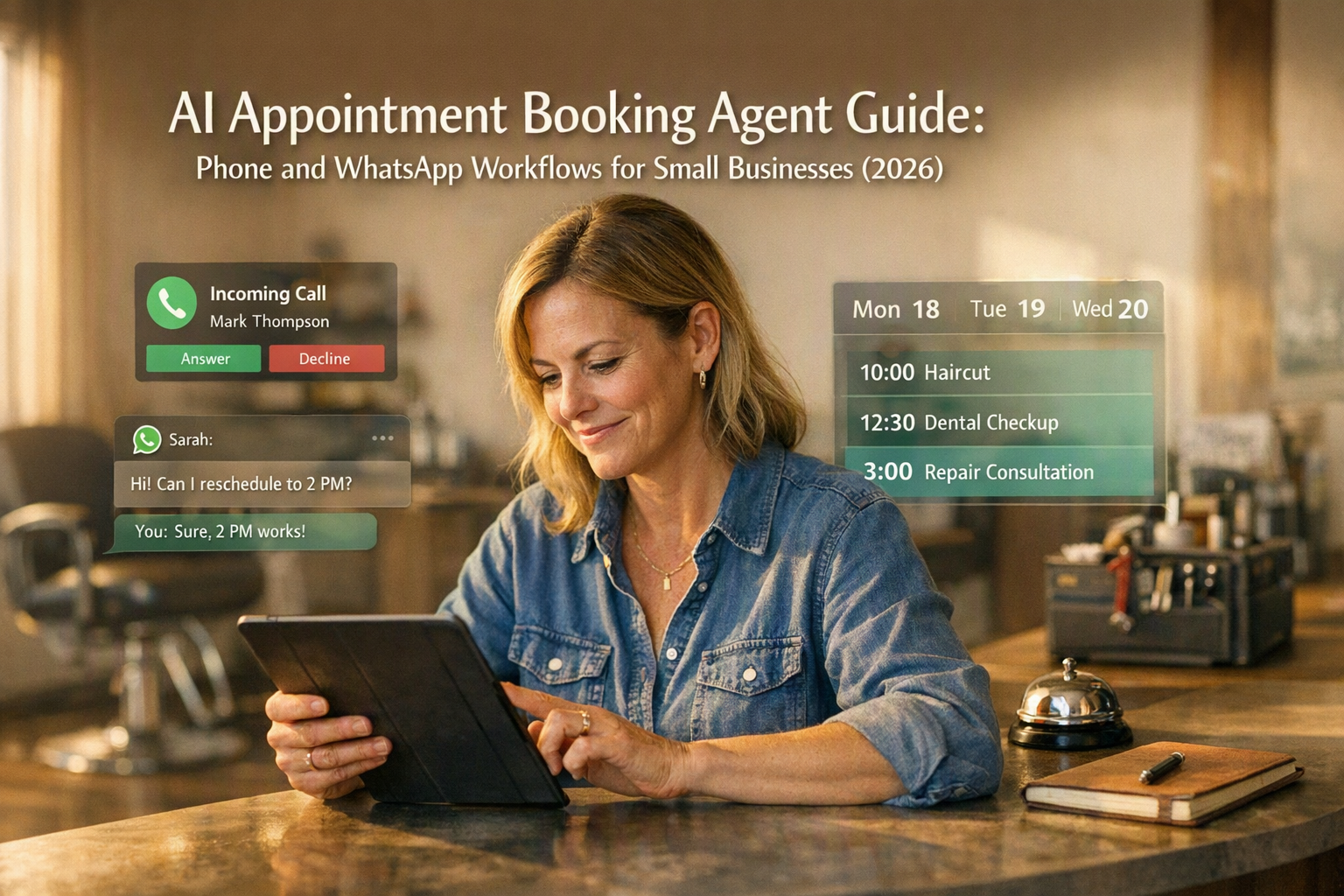
Deploy an AI appointment booking agent across phone and WhatsApp with practical workflows for calendars, consent, handoff, reminders, and ROI.
AI Appointment Booking Agent Guide: Phone and WhatsApp Workflows for Small Businesses (2026)
What if your next customer calls while you are serving someone else—and books a competitor before you can call back? An AI appointment booking agent can answer phone and WhatsApp enquiries around the clock, check live availability, reserve the correct service, and send confirmation without forcing a small team to monitor two separate queues.
This matters in 2026 because customers increasingly expect conversational access, while small businesses cannot staff every channel continuously. Meta CEO Mark Zuckerberg said in April 2025 that WhatsApp had “more than 3 billion monthly actives,” making it a mainstream service channel rather than merely a messaging add-on. The World Bank estimates that small and medium-sized enterprises represent about 90% of businesses and more than 50% of employment worldwide; for these firms, even modest administrative friction can constrain growth.
An effective system goes beyond placing names into empty calendar slots. It must interpret intent, collect the right customer and service details, enforce operating rules, and keep every channel synchronized. A practical workflow should support:
- New bookings through WhatsApp appointment booking and telephone conversations
- Rescheduling and cancellations without creating duplicate calendar events
- Real-time calendar integration, staff assignment, buffers, and service duration
- Appointment reminder automation with confirmation or cancellation options
- Consent capture and clear disclosure that the customer is interacting with AI
- Human handoff when requests are sensitive, ambiguous, urgent, or outside policy
The distinction between tools also matters. A voice AI booking agent must handle accents, interruptions, background noise, spoken dates, and phrases such as “next Friday afternoon.” A WhatsApp workflow must manage message templates, conversation history, buttons, customer consent, and asynchronous replies. An AI scheduling assistant spanning both channels must preserve context when a customer starts on WhatsApp but later calls.
This guide will show how to design that end-to-end workflow, connect calendars safely, prevent double bookings, structure reminders, and define escalation rules. It will also examine common failure modes—including timezone errors, stale availability, incorrect service durations, repeated reminders, and automation loops—and explain how to measure ROI using booking completion, no-show rate, staff time saved, handoff rate, and revenue recovered.
Platforms such as CallMissed reflect this convergence by connecting AI voice agents, WhatsApp chat, WhatsApp Business calls, multilingual automation across 22 Indian languages, and omnichannel customer records. The goal, however, is not automation for its own sake: it is automated appointment scheduling that remains accurate, transparent, measurable, and easy for customers to override.
What is an AI appointment booking agent, and how should a small business use one in 2026?
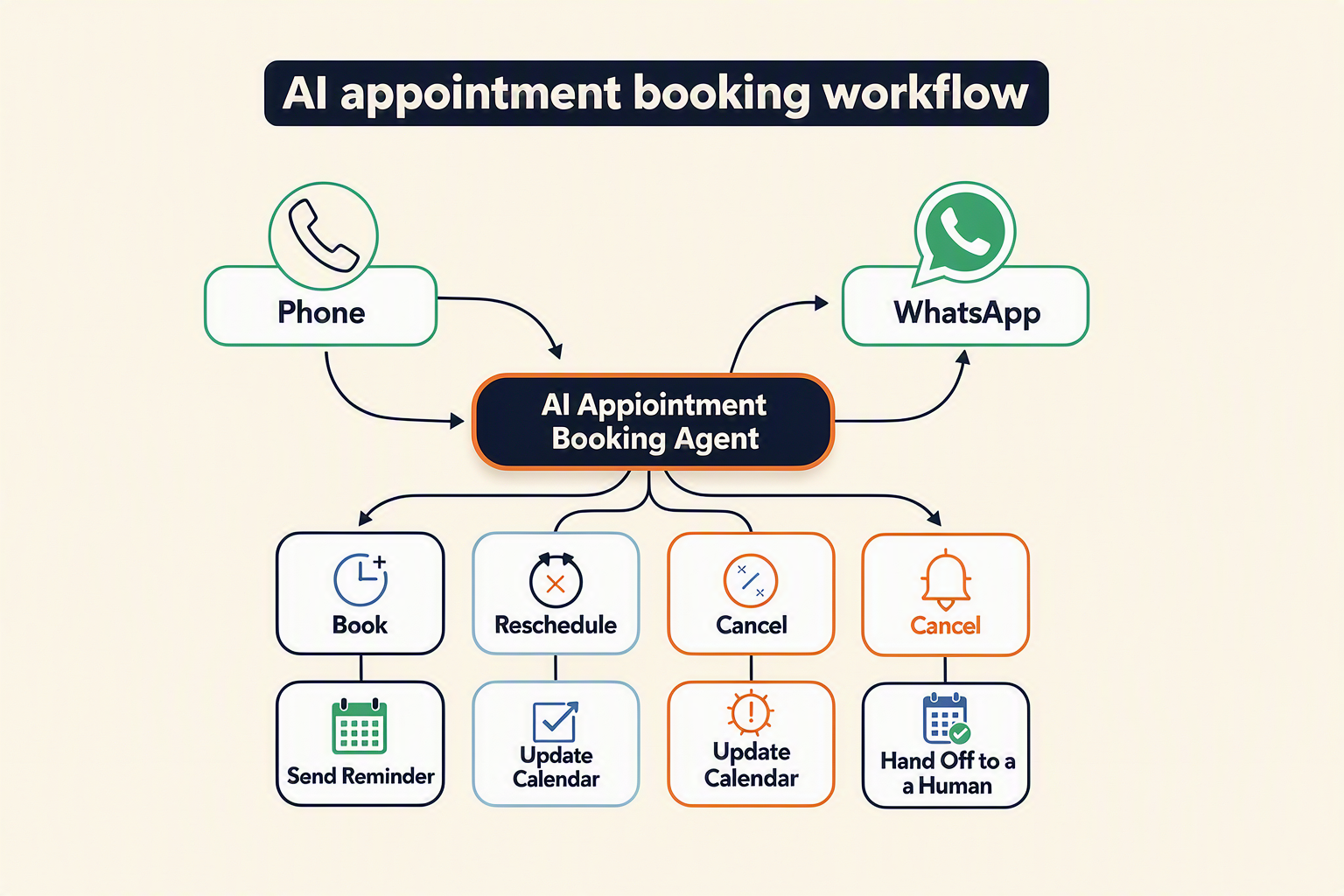
An AI appointment booking agent is a conversational system that turns phone or WhatsApp requests into validated calendar actions. A small business should use it for routine, rules-based scheduling while reserving exceptions, sensitive conversations, and uncertain requests for trained staff.
What the agent actually does
Unlike a basic chatbot that merely collects contact details, an AI scheduling assistant completes a controlled transaction across several systems. For each request, it should:
- Identify the customer’s intent: book, reschedule, cancel, confirm, or ask about availability.
- Collect required details such as service, location, preferred time, staff preference, and contact information.
- Check live availability against the relevant calendar.
- Apply business rules covering duration, preparation time, buffers, capacity, deposits, and cancellation windows.
- Read back or display the proposed appointment for confirmation.
- Create or modify one authoritative calendar event.
- Send a confirmation and schedule follow-up reminders.
- Record consent, conversation history, and any human escalation.
The result is automated appointment scheduling, not unrestricted calendar access. The agent should act only through approved workflows and permitted calendar operations.
How phone and WhatsApp roles differ
A voice AI booking agent is most useful when customers prefer calling, need rapid answers, or want to describe a request conversationally. It must confirm easily misheard information—including names, dates, phone numbers, and similar-sounding service options—before writing anything to the calendar.
WhatsApp appointment booking is better suited to asynchronous exchanges, structured buttons, written confirmations, directions, preparation instructions, and document sharing. WhatsApp is already operating at global consumer scale: Meta CEO Mark Zuckerberg said in April 2025 that WhatsApp had more than 3 billion monthly active users.
Small businesses should not run phone and WhatsApp as independent booking systems. Both channels need to query the same availability source and share customer context; otherwise, simultaneous conversations can claim the same slot.
Where automation should—and should not—operate
Begin with high-volume scenarios that have clear rules:
- Standard consultations, salon services, property viewings, demonstrations, and routine follow-ups
- Rescheduling within an approved notice period
- Cancellations that do not involve disputes or exceptional refunds
- Waitlist offers when a slot becomes available
- Appointment reminder automation with confirm, reschedule, and cancel options
Keep a human responsible for urgent medical symptoms, safeguarding issues, complaints, unusual accessibility requirements, payment disputes, high-value exceptions, and requests the agent cannot classify confidently. Human handoff should transfer the transcript, customer details, attempted action, and current calendar state—not force the customer to start again.
A sensible 2026 operating model
Treat the agent as a bounded scheduling operator, not a replacement for business judgment. Before deployment, define:
- Which services, staff members, locations, and calendars it may access
- Minimum notice, booking horizon, buffers, capacity, and cancellation policies
- Which customer statements require explicit confirmation
- When disclosure and consent must be captured
- Confidence thresholds and escalation destinations
- Who reviews failed conversations and corrects calendar errors
A safe first rollout covers one location, a limited service catalogue, and common customer intents. Expand only after measuring booking completion, duplicate-event frequency, handoff rate, no-shows, and staff corrections. This staged approach makes the agent useful without allowing an early configuration mistake to disrupt the entire diary.
Why are phone and WhatsApp appointment booking workflows different?
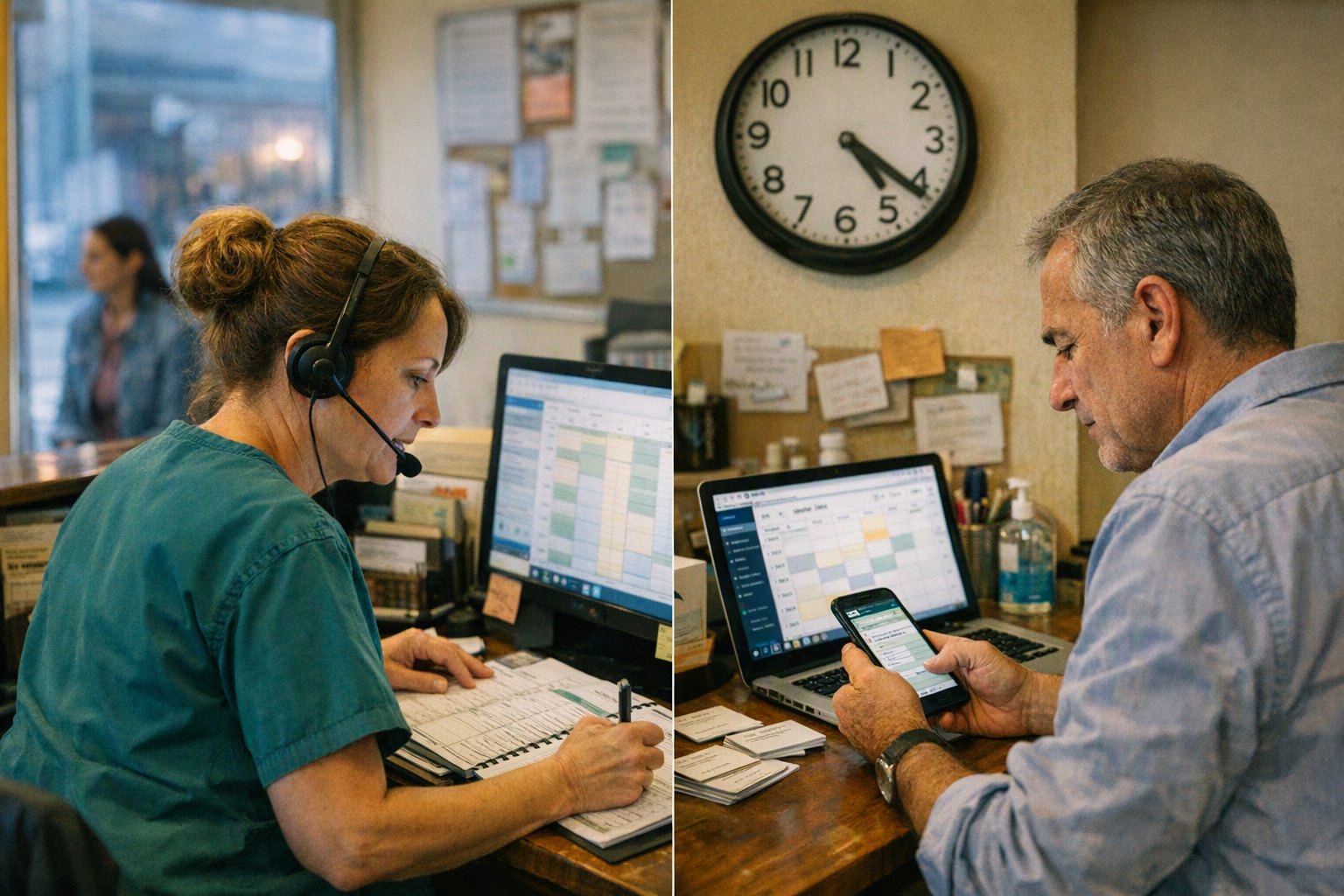
Phone booking is a synchronous, turn-by-turn conversation, whereas WhatsApp booking is typically asynchronous and may unfold over minutes or hours. An AI appointment booking agent therefore needs channel-specific interaction logic while sharing one source of truth for customer identity, availability, consent, and appointment status.
Phone workflows must resolve ambiguity in real time
A voice AI booking agent has only seconds to understand each response and decide what to ask next. It must handle interruptions, silence, background noise, accents, and ambiguous spoken expressions such as “the Friday after next” or “around lunchtime.”
A reliable phone workflow should:
- Identify the customer’s intent: book, reschedule, cancel, confirm, or speak to staff.
- Capture the service, location, preferred practitioner, date, and time.
- Read back critical details before writing to the calendar.
- Ask for explicit confirmation: “Should I book Tuesday, 11 August, at 3:30 p.m.?”
- Escalate after repeated recognition failures or when the request falls outside policy.
Phone callers also expect immediate answers. Long tool calls, calendar latency, or excessive questions create awkward silence, so the agent should acknowledge processing: “I’m checking the live calendar now.” If the call disconnects before confirmation, the workflow should not silently create an appointment unless the customer already gave unambiguous approval.
WhatsApp workflows must manage pauses and policy windows
WhatsApp appointment booking can use structured lists, quick-reply buttons, maps, documents, and persistent conversation history. Customers can review available times before responding, but that convenience introduces stale-state risk: a slot displayed at 10:00 may be unavailable when the customer selects it at 10:20.
Meta’s WhatsApp Business Platform documentation defines a 24-hour customer-service window following a user message; outside that window, businesses generally need an approved message template to restart communication. This directly affects confirmations, follow-ups, and appointment reminder automation.
A WhatsApp workflow should therefore:
- Treat displayed availability as provisional until the calendar confirms the final write.
- Put an expiry time on temporary slot holds.
- Use buttons for “Confirm,” “Choose another time,” and “Cancel.”
- Record template approval, delivery status, and opt-out signals.
- Re-check availability when a customer returns after a long pause.
One scheduling engine should support both channels
The conversational experience can differ, but automated appointment scheduling rules must not. Both channels should call the same calendar service, enforce identical durations and buffers, and use a stable customer or appointment identifier.
The shared AI scheduling assistant should preserve:
- Appointment state: proposed, held, confirmed, rescheduled, cancelled, or completed
- Customer identity: phone number, WhatsApp identity, CRM record, and consent status
- Calendar rules: timezone, staff skills, leave, buffers, and location capacity
- Conversation provenance: which channel requested and confirmed each change
Cross-channel continuity is especially important when someone begins on WhatsApp and later calls. The voice agent should find the pending request and ask whether to continue it—not create a second booking.
Consent and handoff also differ
On a call, AI disclosure and recording consent should be spoken and logged. On WhatsApp, disclosure can be written, retained, and paired with explicit buttons or keywords. In either channel, the customer needs a clear route to a person; urgent, sensitive, contradictory, or repeatedly misunderstood requests should leave automation rather than loop indefinitely.
Which 2026 developments matter for automated appointment scheduling?
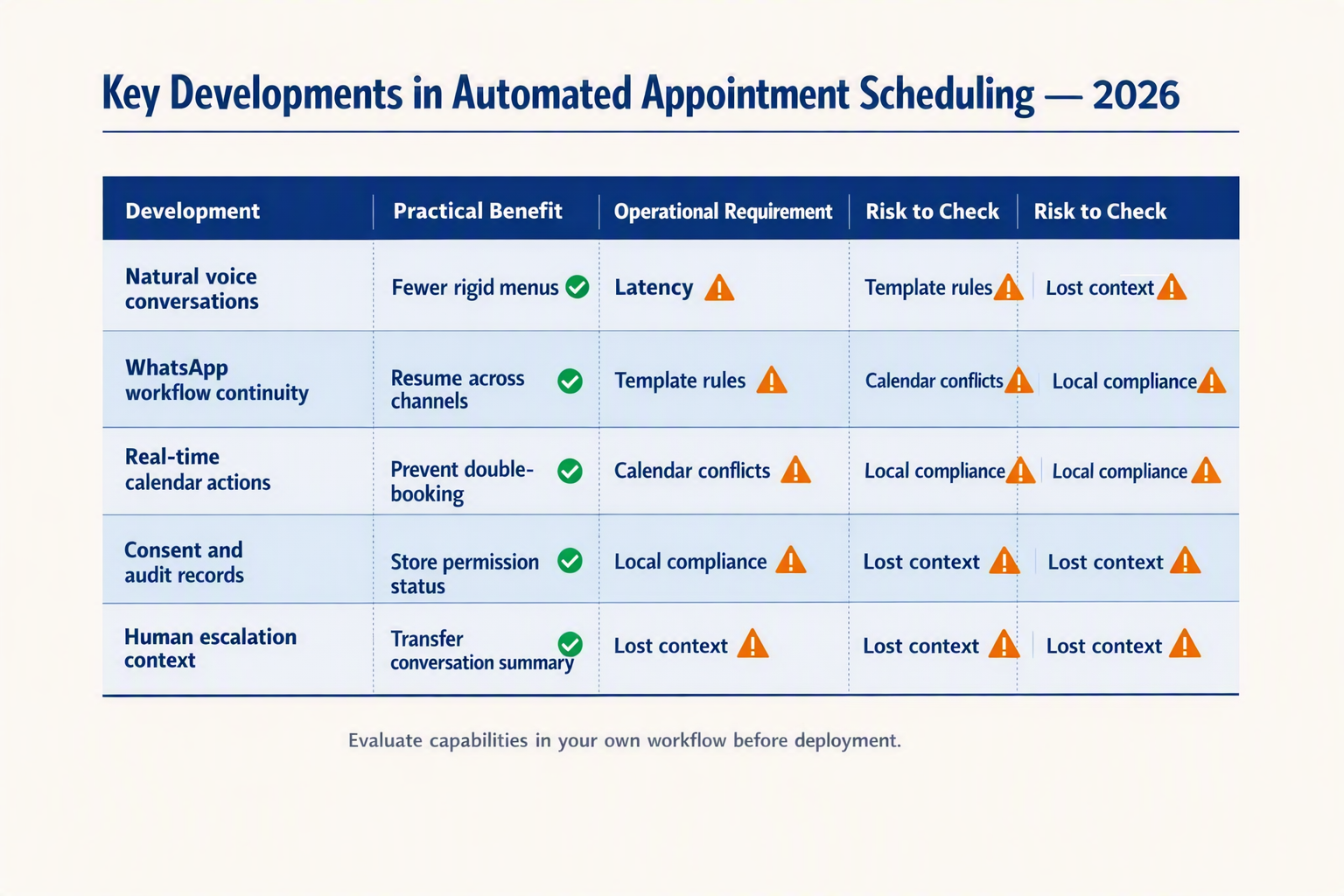
The most important change in 2026 is not a single model or channel. It is the move from stand-alone chatbots to transactional agents that can collect booking details, check an authorised calendar, request a write operation and confirm the result across configured phone and WhatsApp workflows. Each capability remains dependent on the AI provider, calendar permissions, WhatsApp account eligibility, telephony configuration and applicable law.
Developments to prioritise in 2026
| Development | Practical impact | Small-business action | Main risk |
|---|---|---|---|
| Lower-latency voice AI | Supported voice systems can respond more quickly and may handle interruptions, corrections and spoken dates more naturally. Performance still varies by provider, language, audio quality and phone network. | Test real calls involving noise, accents, code-switching and ambiguous requests such as “Friday after next.” Require the agent to repeat the final date, time, service and location. | Incorrect transcription or date interpretation |
| WhatsApp messaging and Business Calling | Eligible businesses can combine WhatsApp messages with calling features, but messaging and calling remain separately configured capabilities. Calling availability and business-initiated call permissions vary by country, account, provider and Meta policy. | Maintain one verified customer and booking record where possible, without assuming that WhatsApp calls, chats and ordinary phone calls are automatically linked. Check current account eligibility and permission rules. | Duplicate profiles, unauthorised contact or missed context |
| Structured calendar operations | An agent can submit defined fields such as service, staff, start time, duration, location and timezone to an integration. This does not guarantee that the calendar accepted the operation. | Validate fields, check availability immediately before writing, use least-privilege calendar access and confirm the API response before telling the customer that a booking exists. | Convincing confirmation after a failed or malformed write |
| Event-driven calendar synchronisation | Google Calendar push notifications, Microsoft Graph change notifications and similar mechanisms can alert an application that supported data changed. Notifications are signals to retrieve or reconcile state; they are not themselves a complete calendar record. | Store provider event IDs and version data where available, renew expiring subscriptions, handle duplicate or delayed notifications and make retries idempotent. | Stale availability, overwritten edits or double booking |
| Interactive reminder workflows | Configured reminders can let customers confirm, cancel or request another time instead of receiving a one-way alert. Channel availability, template requirements, consent and permitted timing depend on the platform and jurisdiction. | Link each response to the correct event, recheck availability before rescheduling, honour opt-outs and cap retries and reminder frequency. | Automation loops, excessive contact or changes to the wrong appointment |
| AI transparency and data governance | Disclosure, privacy and record-keeping obligations are becoming part of production design rather than optional interface copy. The exact duties depend on the business’s role, location, data and use case. | Identify the system as AI when required, give the relevant privacy notice, establish a valid basis for processing and provide a practical escalation route. | Regulatory exposure, inappropriate data collection and lost trust |
Why these changes alter the workflow
Structured tool use is consequential because generated language and calendar state are different things. An AI appointment booking agent has not completed a booking merely because it says, “You are confirmed.” The calendar or scheduling service must return a successful result, and the workflow should retain the resulting event identifier or other durable reference.
Calendar read and write capabilities should also be distinguished:
- The Google Calendar FreeBusy API returns busy intervals for calendars the authorised account can query. It does not create an appointment or apply the business’s service, staffing and buffer rules.
- Creating or changing a Google Calendar event requires separate event operations and appropriate OAuth scopes.
- Microsoft Graph provides separate operations for schedule lookup, event creation and event updates. Its change notifications cover supported resources and require subscriptions that may need renewal.
- A webhook or change notification can be delayed, duplicated or delivered without the full updated object. The application should retrieve current state and reconcile it rather than treating notification delivery as proof of availability.
Standards can help, but they do not replace provider-specific validation. RFC 5545 defines iCalendar components and calendar concepts, while RFC 3339 defines a commonly used internet timestamp format with an offset. Individual APIs may use these standards differently or require their own timezone fields. Store the intended local time and a recognised timezone identifier where supported; an offset alone may be insufficient for future appointments affected by daylight-saving changes.
A defensible booking sequence is:
- Identify the requested service, location, staff preference and time.
- Resolve ambiguous dates and confirm the customer’s timezone when necessary.
- Query the current calendar through an authorised read operation.
- Apply business rules such as duration, buffers, opening hours and staff eligibility.
- Recheck availability immediately before the write.
- Create or update the event using an authorised write operation.
- Treat the booking as confirmed only after a successful response, then store the event reference.
- Send a confirmation through a channel the customer has agreed to use and that the platform permits.
WhatsApp reminders and calls require separate controls
For WhatsApp appointment booking, a recent inbound customer message can open a customer-service conversation window in which permitted free-form responses may be sent. Business-initiated messages outside the applicable window generally require an approved message template. Template category, approval, quality controls, pricing and availability remain subject to Meta’s current rules and can vary by market and account.
A customer’s phone number or an earlier conversation should not be treated as blanket permission for every future message or call. Businesses must apply the WhatsApp Business Messaging Policy, current platform rules and local privacy, direct-marketing and telecommunications requirements. Appointment reminders may be operational rather than promotional, but that label does not automatically remove consent, template or opt-out obligations.
WhatsApp Business Calling is likewise not automatically enabled for every business. Incoming and business-initiated calling options can depend on account eligibility, country, API or solution-provider support and configuration. Where Meta requires user permission before a business-initiated WhatsApp call, the workflow must obtain and respect that permission. Ordinary telephone calls are governed separately, and outbound dialling or call recording may trigger additional notice, consent and do-not-call requirements.
Compliance becomes a product requirement
Under Article 50 of the EU AI Act, providers of AI systems intended to interact directly with people must generally ensure that people are informed that they are interacting with AI unless this is obvious from the circumstances and context. The Article 50 transparency obligations apply from 2 August 2026, subject to the Act’s scope and exceptions. Disclosure should occur no later than the first interaction or exposure; Article 50 does not, by itself, mean that every booking workflow must use consent as its legal basis.
In India, the Digital Personal Data Protection Act, 2023 creates a framework for notice, consent and other lawful processing grounds, data-principal rights and security obligations. Which requirements apply in practice depends on the provisions and rules in force, the business’s role, the data involved and any applicable exemptions. Businesses should not assume that customer consent to receive a WhatsApp message also covers unrelated analytics, marketing, call recording or indefinite storage.
A practical 2026 baseline is to identify the agent as AI where required, provide an appropriate privacy notice, collect only information needed for the appointment, restrict calendar permissions, define retention periods, honour channel opt-outs and offer human escalation for ambiguity, complaints, urgent situations or sensitive requests. Human escalation is a reliability safeguard; whether it is legally mandatory depends on the jurisdiction and use case.
How should booking, rescheduling, cancellations, and appointment reminder automation work?
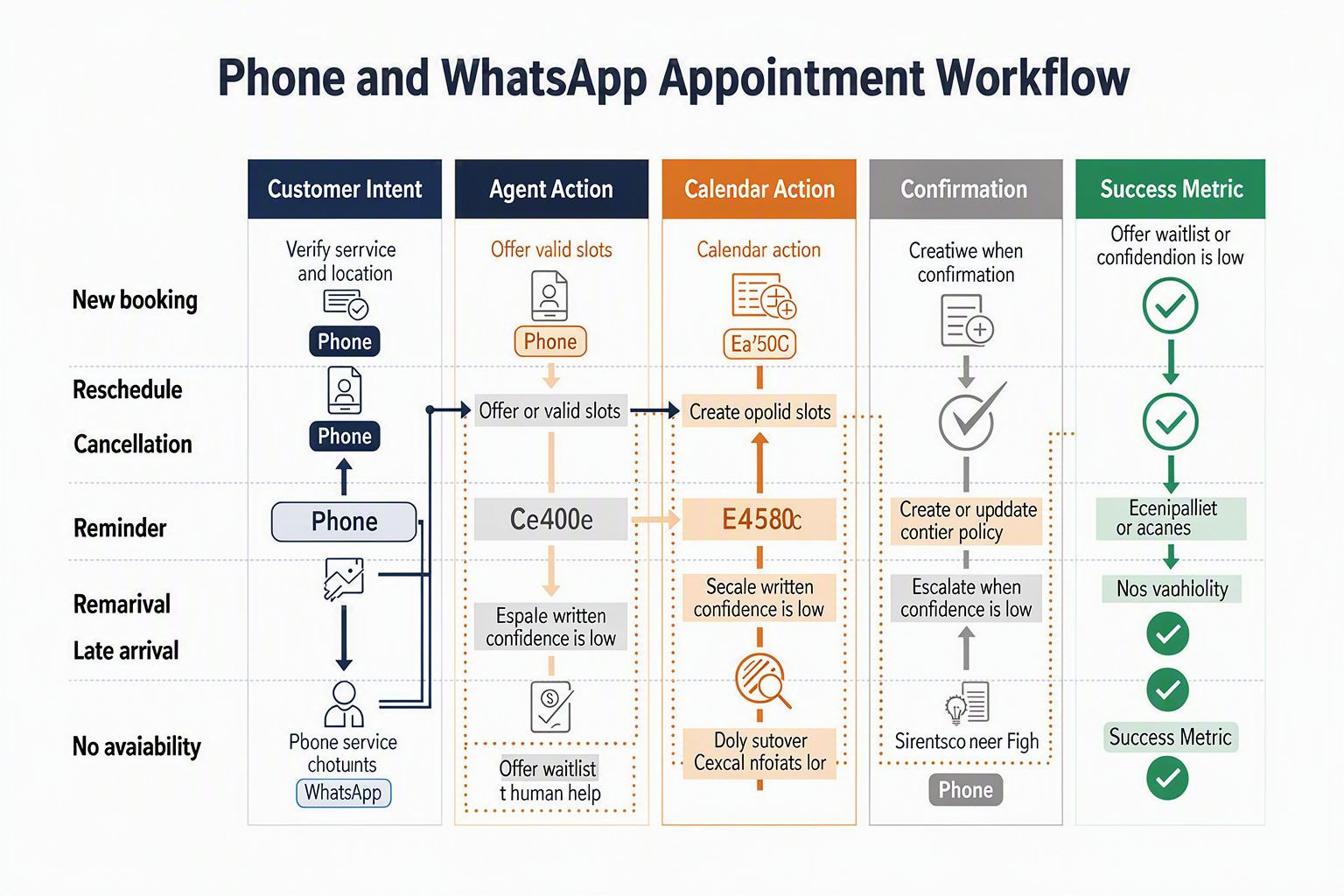
An AI appointment booking agent should treat every booking change as a validated transaction against one live calendar—not as an unverified conversational promise. Booking, rescheduling, cancellation, and reminder workflows must verify identity, recheck availability immediately before writing, update the existing event atomically, and return a clear confirmation on phone or WhatsApp.
Recommended appointment workflow
| Customer intent | Agent actions | Calendar operation | Customer confirmation | Escalation trigger |
|---|---|---|---|---|
| New booking | Collect service, location, preferred date, staff preference, contact details, and timezone | Query live availability, place a short configurable hold, then create one event | Send date, local time, service, location, staff member, and booking reference | No suitable slot, unclear service, or special accommodation |
| Reschedule | Authenticate the customer and retrieve the existing appointment before offering alternatives | Update the original event rather than creating a second event; preserve the booking ID | State both the cancelled old time and confirmed new time | Multiple matching bookings or policy exception |
| Cancellation | Confirm which appointment is affected and disclose any cancellation fee before proceeding | Change status to cancelled, release the slot, and retain an audit record | Send cancellation status, reference, fee details, and rebooking option | Disputed fee, prepaid service, or high-risk procedure |
| Reminder confirmation | Ask the customer to confirm attendance using a button, short reply, or spoken response | Mark the event as confirmed without changing its time | Reply with “confirmed” and the appointment summary | Customer response is ambiguous |
| Reminder-driven change | Route “change,” “cancel,” or equivalent language into the appropriate workflow | Recheck availability or cancel the existing event through the same transaction rules | Send a fresh confirmation rather than editing only the chat record | Requested change falls inside a restricted window |
| No response or delivery failure | Record delivery status and apply the business’s retry policy | Leave the appointment unchanged; never infer cancellation from silence | Retry on an approved channel or create a staff task | Repeated delivery failure or high-value appointment |
Make calendar writes safe and repeatable
The AI scheduling assistant should separate conversation from commitment. It can discuss several options, but a slot is booked only after the calendar confirms the write.
Use these controls:
- Recheck before commit: Availability may change between the initial search and the customer’s answer.
- Apply idempotency: Repeated messages, call reconnects, or webhook retries must return the original result instead of creating duplicate appointments.
- Store time precisely: Save timestamps in a standard format such as RFC 3339, retain the customer’s IANA timezone, and display the local time in every confirmation.
- Enforce service rules: Duration, preparation time, cleanup buffers, staff skills, operating hours, holidays, capacity, and minimum notice must come from structured configuration.
- Maintain one booking record: Phone, web, and WhatsApp appointment booking should reference the same appointment ID and customer profile.
A voice AI booking agent should read the final details aloud and ask for explicit confirmation—especially for easily confused expressions such as “this Friday,” “half past four,” or similar-sounding dates. The transcript should retain the interpreted date and the customer’s confirmation.
Design reminders as two-way workflows
Appointment reminder automation should allow customers to confirm, reschedule, cancel, or request help directly. A practical default is a configurable sequence—for example, one reminder several days before the appointment and another closer to the start—adjusted for service type, consent, and customer preference.
For reliable automated appointment scheduling, every reminder must include:
- The business name, service, date, local time, and location or meeting link
- Clear confirm, reschedule, cancel, and human-help options
- A suppression rule that stops obsolete reminders after any change
- Channel consent and delivery status, so a failed WhatsApp message can create a staff task rather than an automation loop
How do you set up a voice AI booking agent and WhatsApp appointment booking safely?
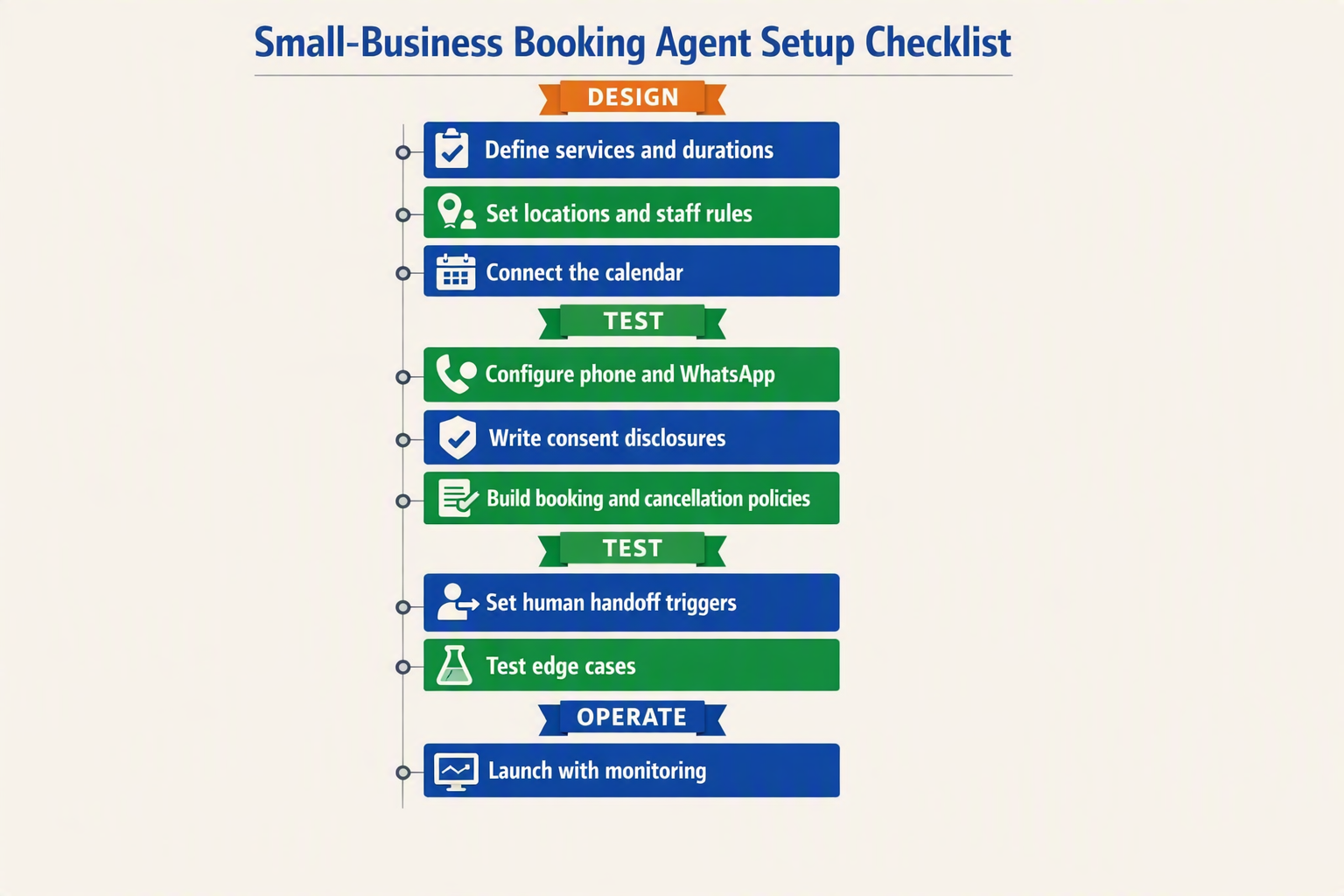
A safe setup gives the AI appointment booking agent limited, auditable access to live calendars, discloses automation clearly, confirms every calendar change, and transfers uncertain or sensitive requests to a person. Launch first with a narrow service set and test booking, rescheduling, cancellation, and reminder workflows before accepting real customers.
1. Define booking rules before connecting channels
Document the rules that staff currently apply manually. The AI scheduling assistant needs structured fields rather than instructions hidden in FAQs:
- Services, durations, prices, staff qualifications, locations, and working hours
- Minimum notice, cancellation windows, preparation time, and buffers
- Required customer details and eligibility questions
- Rules for deposits, refunds, recurring appointments, and urgent cases
- Conditions requiring approval or immediate human handoff
Keep policies in a version-controlled knowledge base. The agent may explain policy, but it should not invent exceptions, provide medical or legal judgments, or promise unavailable staff.
2. Connect the calendar with controlled permissions
Use the calendar provider’s supported API and grant only the permissions required. If possible, use a dedicated service account instead of an employee’s personal credentials.
For every transaction, the agent should:
- Read fresh availability immediately before offering slots.
- Place a short-lived hold while collecting final confirmation.
- Recheck availability before writing the event.
- Create one event using a unique booking or idempotency key.
- return a confirmation containing the service, timezone, location, and cancellation method.
Rescheduling should update the existing event rather than create a second one. Cancellation should preserve an audit record while releasing the slot. Webhooks must synchronize changes made directly by staff, and retries must not produce duplicate events.
3. Configure phone and WhatsApp safely
A voice AI booking agent should identify the business, disclose that it is automated, and ask permission before recording or storing a transcript where applicable. Recording and consent requirements differ by jurisdiction, so obtain local legal guidance rather than relying on one global script.
For WhatsApp appointment booking, configure the approved WhatsApp Business account, webhook authentication, interactive buttons, and applicable message templates. Meta CEO Mark Zuckerberg reported in April 2025 that WhatsApp had more than 3 billion monthly active users, underscoring why identity controls and opt-out handling matter at this scale.
Platforms such as CallMissed can combine WhatsApp chat, WhatsApp Business calls, AI voice agents, and customer records; its support for 22 Indian languages is particularly relevant when testing consent and date interpretation for regional audiences.
4. Add confirmations, reminders, and escalation
Configure appointment reminder automation only after the core calendar workflow is reliable. Each reminder should name the business, appointment time and timezone, and provide clear confirm, reschedule, cancel, and opt-out actions.
Escalate when:
- The customer disputes a charge or policy
- Confidence in the date, name, or service is low
- No eligible slot exists but the customer requests an exception
- Calendar APIs fail or return conflicting availability
- The customer asks for a person or expresses urgency
Before launch, run end-to-end tests for simultaneous callers, expired slot holds, timezone changes, webhook delays, duplicate messages, opt-outs, and interrupted conversations. Safe automated appointment scheduling should fail closed: when availability cannot be verified, collect the request for staff review instead of claiming that the appointment is booked.
How should consent, human handoff, and common booking failures be handled?
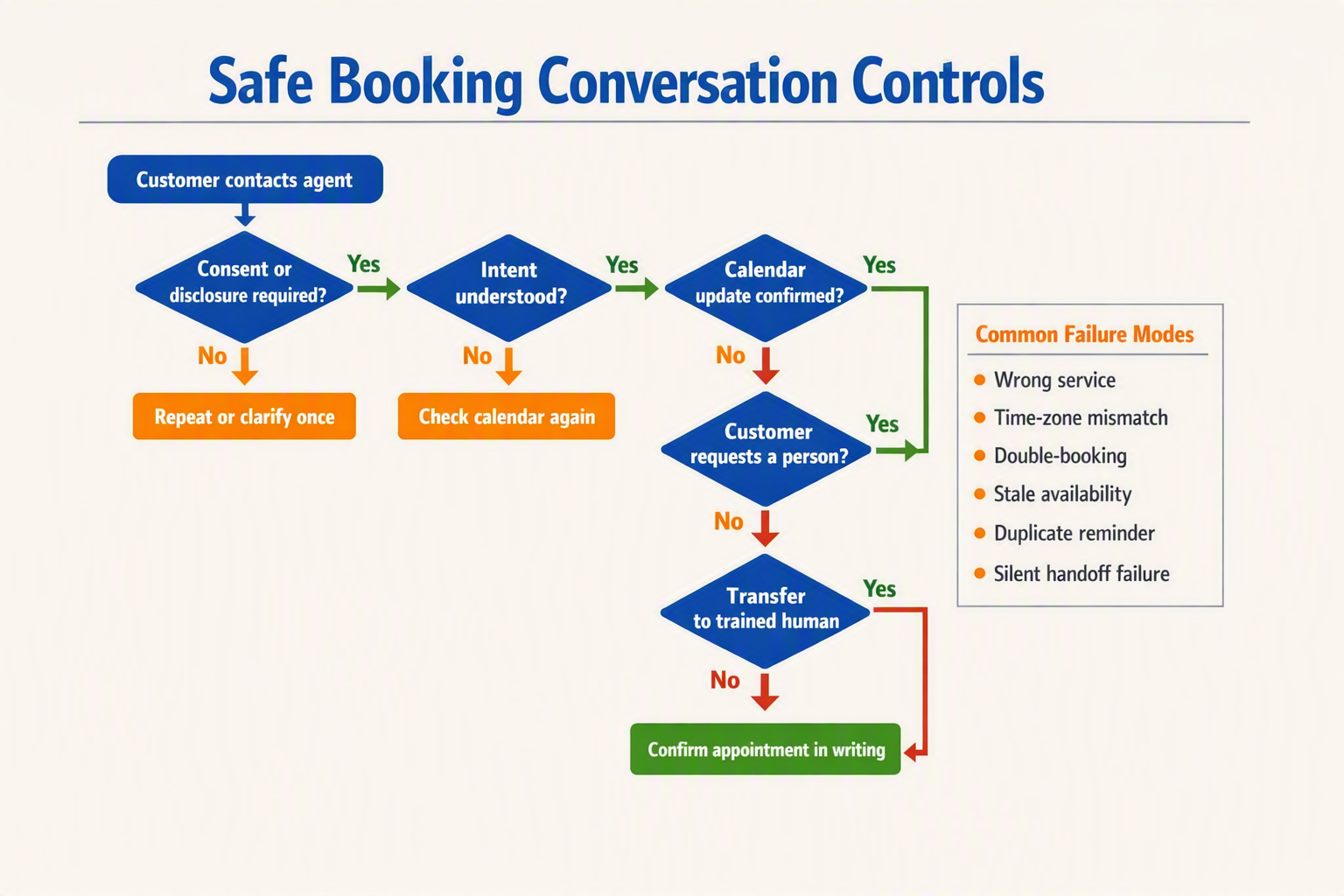
Consent, escalation, and failure recovery should be designed as explicit workflow states, not improvised by the AI. An AI appointment booking agent must disclose automation, obtain the permissions relevant to the channel, transfer uncertain or sensitive requests to a person, and never claim that an appointment is confirmed until the calendar has accepted it.
Capture consent without creating friction
Consent should be specific, recorded, and reversible. This is especially important on WhatsApp, which Meta CEO Mark Zuckerberg said had more than 3 billion monthly active users in April 2025; customers may regard the channel as personal even when using it to contact a business.
At the beginning of an interaction:
- Identify the agent: “I’m the automated booking assistant for Sunrise Dental.”
- Explain the purpose: State that the agent will collect details to book, change, or cancel an appointment.
- Separate permissions: Transactional confirmations, reminder messages, marketing communication, and call recording should not be bundled into one vague agreement.
- Provide an exit: Offer “say agent,” “type human,” or an equivalent button at any point.
- Record evidence: Store the consent wording, channel, timestamp, customer response, and policy version.
A customer requesting a booking has not automatically agreed to promotional campaigns. Likewise, consent for appointment reminder automation should specify the channel and make opting out straightforward. Businesses should configure these controls for applicable privacy, telecom, recording, and WhatsApp Business requirements in each jurisdiction rather than relying on the model to interpret law dynamically.
Define immediate human-handoff triggers
A voice AI booking agent or WhatsApp workflow should escalate when continuing automation could create risk or frustration. Mandatory triggers should include:
- The customer explicitly asks for a person.
- The date, time, service, location, or identity remains ambiguous after two clarification attempts.
- The request involves an emergency, complaint, payment dispute, safeguarding concern, or clinical advice.
- No valid slot satisfies the customer’s constraints.
- The calendar, customer record, or messaging integration is unavailable.
- Speech recognition repeatedly fails because of noise, accent mismatch, or a poor connection.
- The requested exception—such as waiving a cancellation fee—requires staff approval.
The handoff package should include the conversation transcript, verified customer details, requested service, proposed slots, consent status, and failure reason. This prevents customers from repeating the entire conversation when moving from WhatsApp appointment booking to a telephone agent.
Fail safely instead of guessing
Common booking failures require deterministic responses:
- Stale availability: Recheck the selected slot immediately before writing the event.
- Calendar timeout: Mark the request as pending, not confirmed; retry with an idempotency key or route it to staff.
- Duplicate request: Search by customer, service, and time before creating another event.
- Ambiguous dates: Repeat the full date, local time, timezone, location, and staff member for confirmation.
- Incorrect duration: Use the service catalogue’s configured duration and buffers rather than a model-generated estimate.
- Rescheduling failure: Keep the original appointment until the replacement slot is successfully reserved.
- Reminder loop: Maintain a single reminder state per appointment and stop messages immediately after cancellation.
The safest rule for automated appointment scheduling is simple: no calendar write, no confirmed booking. If an AI scheduling assistant cannot verify the final state, it should clearly say that staff will follow up rather than inventing certainty.
How should an AI scheduling assistant integrate calendars, reminders, and customer records?
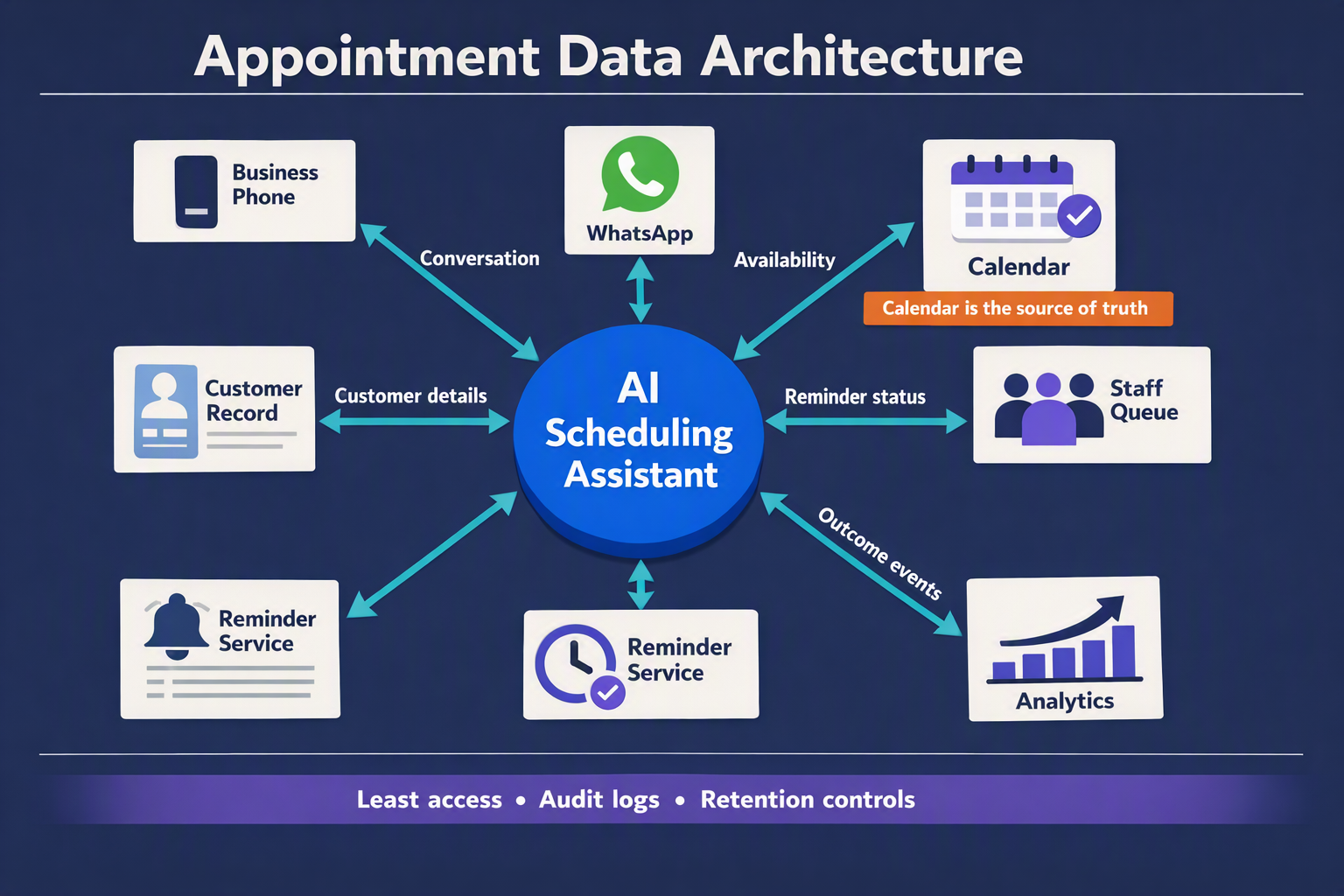
An AI scheduling assistant should treat the calendar as the source of availability, the customer record as the source of context and consent, and the reminder service as a controlled workflow triggered by confirmed calendar events. All three systems must exchange updates in real time so that phone, WhatsApp, staff edits, rescheduling, and cancellations produce one consistent appointment state.
Use one booking record across every channel
Each appointment needs a unique booking ID shared by the AI appointment booking agent, calendar, CRM, and reminder system. Do not identify appointments only by customer name or telephone number; one customer may book several services or schedule appointments for family members.
The customer record should contain:
- Customer name, normalized phone number, language, and timezone
- Service, location, assigned employee, duration, and required buffers
- Booking source, such as phone, WhatsApp, web, or staff entry
- Consent status for confirmations, reminders, and promotional messages
- Appointment status: held, confirmed, rescheduled, cancelled, completed, or no-show
- Conversation transcript or summary, handoff history, and relevant preferences
Phone and WhatsApp appointment booking should resolve to the same customer profile. If identity is uncertain, the agent should verify a safe detail—such as the booking reference and phone-number suffix—instead of exposing appointment information automatically.
Make calendar writes conflict-safe
Availability should be calculated from live calendars, not a periodically uploaded list of slots. Google Calendar, Microsoft Outlook, or a practice-management system may remain the operational calendar, while the AI layer applies service rules.
A reliable booking transaction should follow this sequence:
- Read current availability, including working hours, leave, buffers, and resource limits.
- Offer only slots that satisfy the selected service’s duration and staff requirements.
- Place a short-lived hold while the customer confirms.
- Recheck availability immediately before writing the event.
- Create or update the event using an idempotency key, preventing retries from producing duplicates.
- Return a confirmation only after the calendar acknowledges the write.
For rescheduling, update the existing event rather than creating a second booking and later deleting the first. For cancellation, change the booking state, release the slot, stop pending reminders, and preserve an audit record. Staff-created calendar changes should flow back through webhooks or equivalent event notifications so the voice AI booking agent never offers stale availability.
Trigger reminders from appointment state
Appointment reminder automation should begin only when a booking reaches “confirmed” status. A practical sequence might send a confirmation immediately, a reminder 24 hours before the appointment, and a final alert two hours before it; businesses should adjust timing to service type, local rules, and customer preference.
Every reminder should include:
- Date, local time, service, location, and booking reference
- Clear confirm, reschedule, and cancel options
- The business identity and an appropriate opt-out mechanism
- A route to a person when self-service cannot complete the request
Promotional consent must not be inferred from consent to receive transactional booking updates. The record should store when, where, and how each permission was captured.
Design for reconciliation and human control
Run an automated reconciliation job that compares calendar events with booking records and flags missing events, duplicate IDs, invalid staff assignments, and reminders attached to cancelled appointments. Alert staff rather than silently “repairing” ambiguous cases.
The essential rule for automated appointment scheduling is simple: every channel may read the same operational truth, but every write must be validated, traceable, reversible, and visible to a human operator.
How do experts measure reliability, customer experience, and ROI without inflated claims?
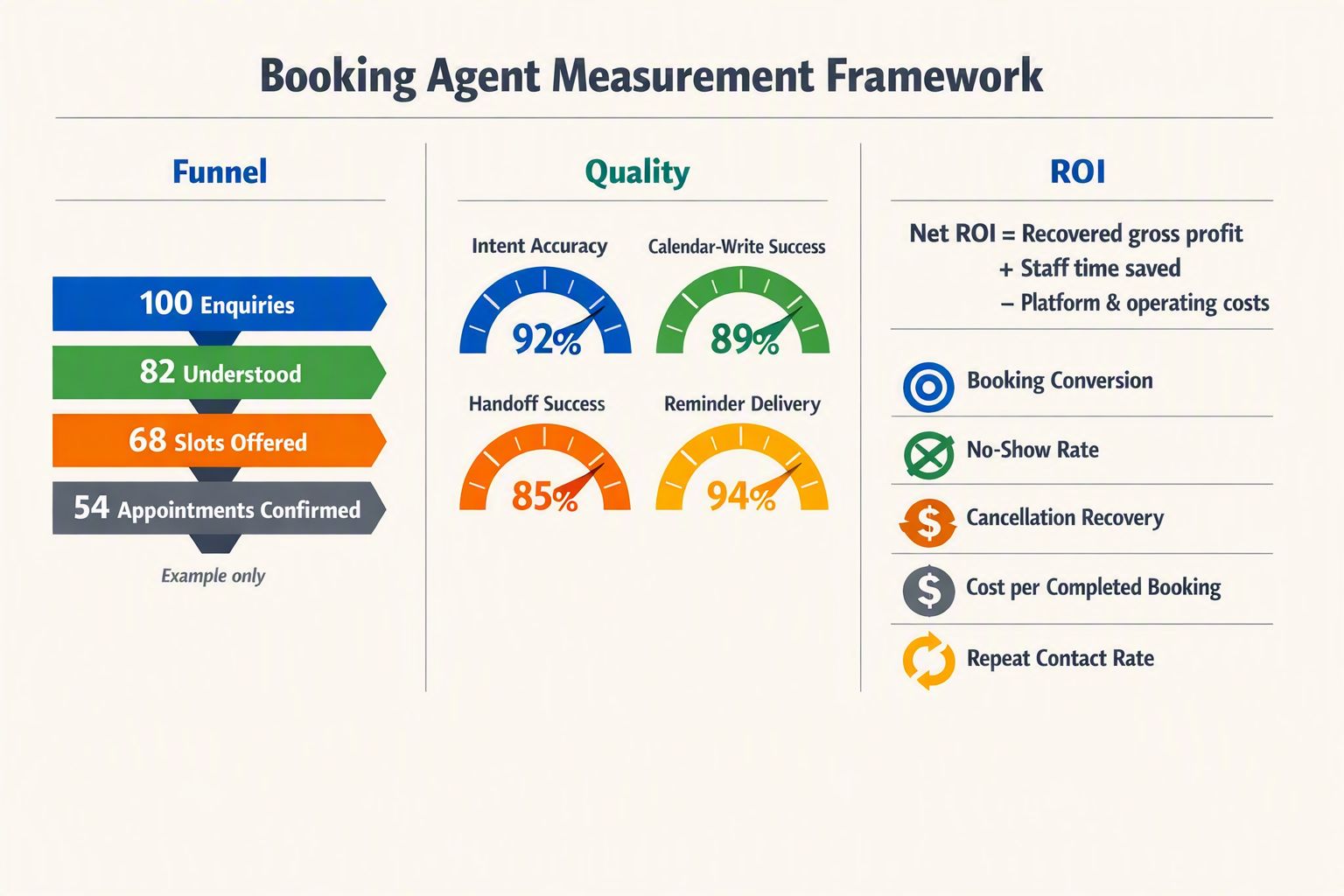
Experts measure an AI appointment booking agent against a documented human-operated baseline, using calendar records, conversation logs, customer feedback, and verified financial outcomes. Reliable reporting separates technical success, customer experience, and incremental ROI—and publishes failure rates alongside headline gains.
Establish a baseline before automation
Record at least two to four weeks of pre-launch performance, then compare equivalent days, opening hours, services, and demand levels after deployment. Avoid comparing a quiet month with a seasonal peak.
Track the complete funnel for phone and WhatsApp appointment booking:
- Eligible enquiries received
- Conversations answered
- Booking attempts started
- Valid appointments created
- Customers who attended
- Appointments that produced collected revenue
Segment results by channel, language, service, location, new versus returning customer, and human versus automated handling. For small samples, report the underlying counts—such as “37 of 40 bookings were correct”—rather than presenting “92.5% accuracy” without context.
Measure reliability from system records
Reliability means more than uptime. Audit whether the AI scheduling assistant completed the requested action correctly across the calendar, CRM, and customer-facing confirmation.
Core measures include:
- Booking completion rate: valid bookings divided by eligible booking attempts
- Calendar accuracy: audited appointments with the correct service, staff member, duration, location, and timezone
- Duplicate-booking rate: duplicate events divided by appointments created
- Reschedule and cancellation success: correctly modified requests divided by eligible requests
- Handoff rate: conversations transferred to staff divided by handled conversations
- Fallback recovery rate: failed model or integration requests recovered without customer impact
- Reminder delivery rate: delivered reminders divided by reminders sent
A voice AI booking agent should also be tested by language, accent, noise level, interruptions, and date interpretation. For appointment reminder automation, distinguish platform delivery from customer confirmation; a delivered WhatsApp message does not prove the customer read or understood it.
Review a random sample of successful conversations as well as 100% of high-risk failures, including double bookings, incorrect cancellations, consent disputes, and urgent requests that were not escalated.
Evaluate customer experience directly
Operational speed is not a substitute for customer satisfaction. Measure:
- Task success: whether the customer achieved the intended outcome
- Customer effort score: for example, “How easy was it to manage your appointment?”
- Post-interaction satisfaction: collected consistently on phone and WhatsApp
- Repeat-contact rate: customers contacting the business again about the same request
- Human override rate: automated actions later corrected by staff
- Abandonment: calls disconnected or chats left before completion
Read transcripts and listen to recordings—with appropriate consent—to identify confusion hidden by aggregate scores. Report complaints verbatim where practical rather than reducing every experience to one average.
Calculate defensible ROI
Use incremental contribution, not total booked revenue:
Monthly ROI = (incremental gross profit + verified labour savings − total automation cost) ÷ total automation cost × 100
Suppose automated appointment scheduling produces 30 additional attended appointments, each contributing ₹800 after variable costs, and saves 40 verified staff hours valued at ₹250 per hour. If the monthly system cost is ₹12,000, the illustrative benefit is ₹34,000 and the ROI is approximately 183%: (₹24,000 + ₹10,000 − ₹12,000) ÷ ₹12,000.
Label this as a scenario, not a promised result. Exclude unverified “time saved,” cancelled appointments, taxes, and revenue that would have occurred anyway. Publish the measurement period, sample size, exclusions, failure definitions, and baseline so decision-makers can reproduce the claim.
What does this workflow mean for your small business?
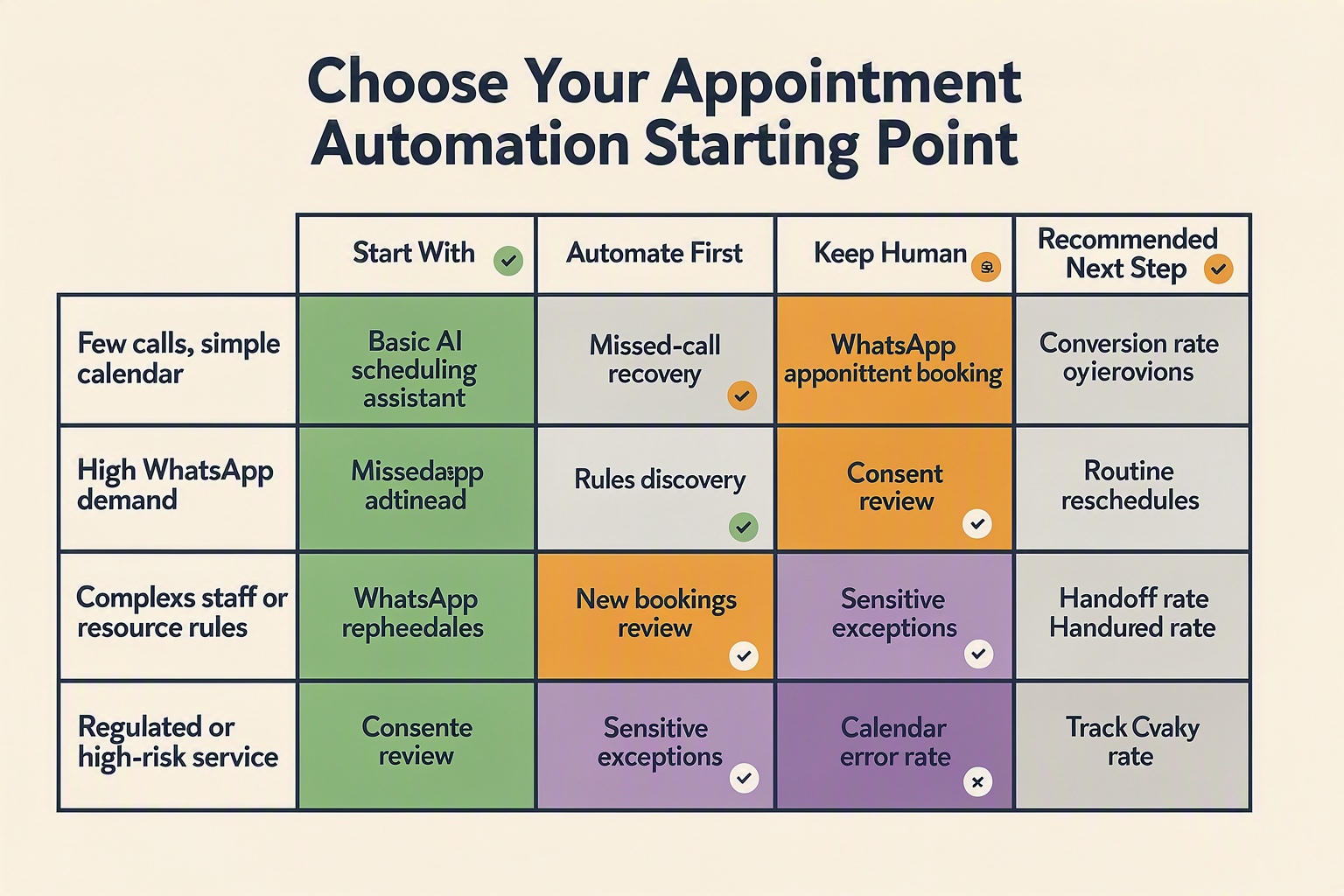
The workflow turns appointment management from a staff-dependent task into a controlled, measurable operating system. For a small business, the practical outcome should be faster response, fewer administrative touches, consistent calendar records, and a clear path to a human whenever automation reaches its limits.
Operational impact at a glance
| Operational area | Manual approach | AI-enabled workflow | Metric to track |
|---|---|---|---|
| New bookings | Staff answer, check availability, and enter details | AI appointment booking agent validates service, staff, duration, and slot before creating the event | Booking completion rate |
| Phone enquiries | Calls queue, go to voicemail, or interrupt service delivery | Voice AI booking agent handles routine requests and transfers exceptions | Answer rate and handoff rate |
| WhatsApp requests | Employees exchange multiple messages and manually update calendars | WhatsApp appointment booking presents valid choices and records the selected slot | Messages per completed booking |
| Changes and cancellations | Staff locate the event and edit it manually | AI scheduling assistant verifies identity, modifies the existing event, and releases capacity | Duplicate-event and cancellation rates |
| Reminders | Employees send messages inconsistently | Appointment reminder automation sends approved notices with confirm, reschedule, or cancel actions | Confirmation and no-show rates |
| Reporting | Outcomes remain scattered across calls, chats, and calendars | Automated appointment scheduling logs channel, service, outcome, escalation, and attribution | Staff time saved and revenue recovered |
What changes for the owner and team
Automation does not eliminate appointment work; it redistributes responsibility. Employees spend less time copying names, repeating available slots, and processing straightforward changes. Their attention shifts to high-value conversations, unusual scheduling requests, dissatisfied customers, and cases involving safety or professional judgment.
The owner must still assign accountability:
- Operations defines service durations, buffers, opening hours, cancellation windows, and staff eligibility.
- Front-desk teams review handoffs and correct customer or calendar data.
- Management monitors completion, no-shows, failed bookings, and recovered revenue.
- A privacy owner approves consent language, retention periods, recording practices, and access permissions.
- A technical owner or vendor monitors calendar authentication, webhook failures, latency, and channel availability.
This matters at global scale: the World Bank estimates that small and medium-sized enterprises account for approximately 90% of businesses and more than 50% of employment worldwide. For these firms, workflow design must reduce administrative load without introducing an expensive new layer of supervision.
Build the business case with your own baseline
Measure at least two weeks of manual performance before deployment, then compare the same indicators after launch. A simple monthly model is:
Net workflow value = recovered booking contribution + staff-time value + avoided no-show contribution − platform and messaging costs.
For example, if automation saves 25 staff hours, assign those hours the business’s actual loaded labour cost—not an assumed industry average. Revenue recovered should count only completed appointments that can credibly be attributed to after-hours responses, reminder confirmations, or newly filled cancellation slots.
Platforms such as CallMissed can unify phone, WhatsApp chat, WhatsApp Business calls, and customer records, including conversations across 22 Indian languages. Regardless of platform, expansion should follow verified results: start with routine bookings, audit transcripts and calendar changes, then add rescheduling, reminders, and broader service categories only after error and handoff rates remain acceptable.
Frequently asked questions about AI appointment booking agents for phone and WhatsApp
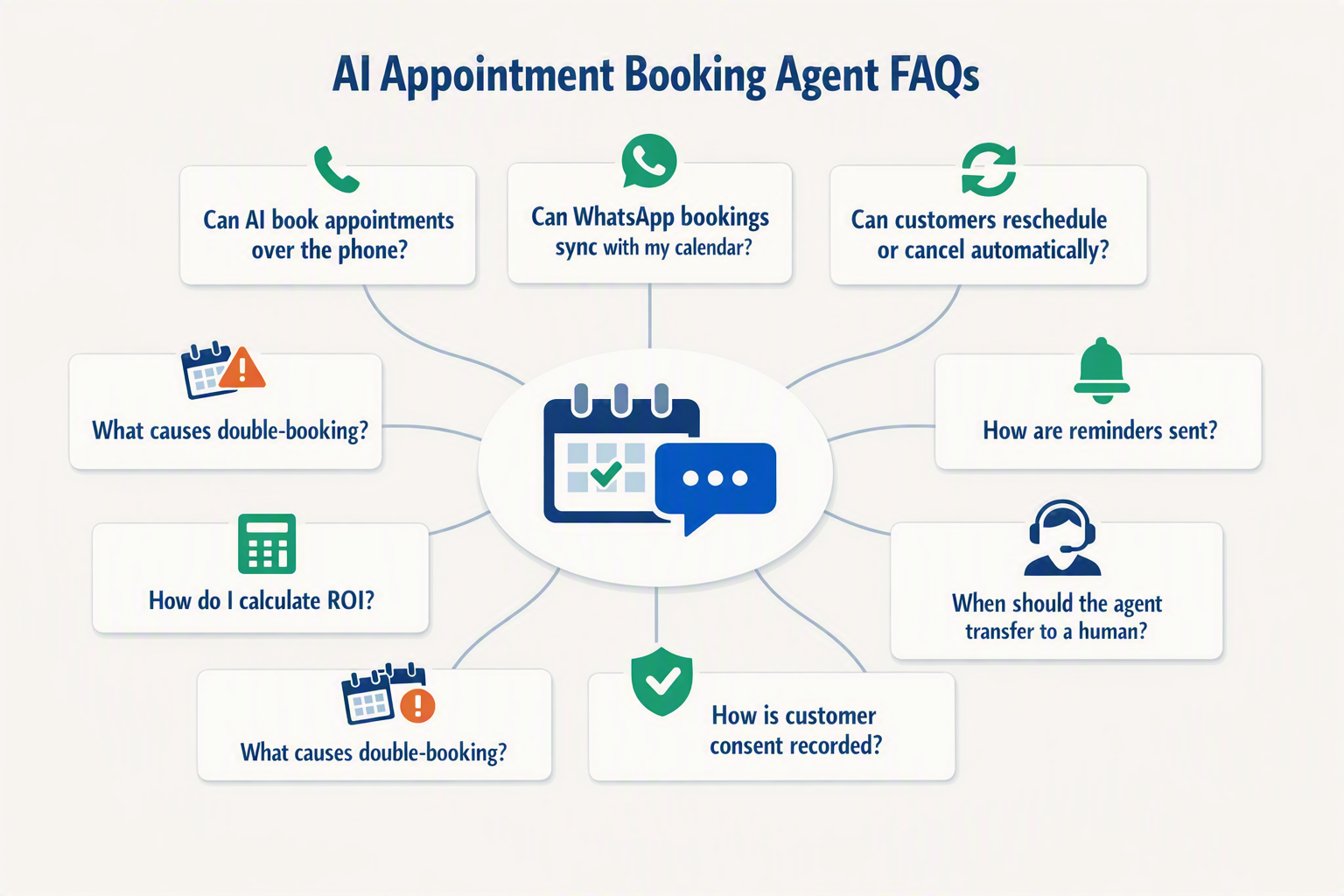
How does an AI appointment booking agent work for a small business?
Can WhatsApp appointment booking handle rescheduling and cancellations automatically?
Which calendars can automated appointment scheduling connect to?
Can a voice AI booking agent understand accents and Indian languages?
Does an AI scheduling assistant need customer consent and human handoff?
How should small businesses measure ROI from appointment reminder automation?
Conclusion
An AI appointment booking agent should do more than fill calendar slots: it should create a reliable, transparent workflow across phone and WhatsApp while preserving customer control. With WhatsApp exceeding 3 billion monthly active users, according to Meta CEO Mark Zuckerberg in April 2025, conversational scheduling is becoming a practical requirement for small businesses.
- Unify every booking path. A voice AI booking agent and WhatsApp appointment booking workflow should share live availability, service durations, staff assignments, buffers, time zones, and customer context.
- Support the full lifecycle. Effective automated appointment scheduling includes new bookings, rescheduling, cancellations, confirmations, and appointment reminder automation without duplicate events or repetitive messages.
- Keep humans accountable. Capture consent, disclose AI use, and trigger human handoff for urgent, sensitive, ambiguous, or out-of-policy requests.
- Measure business outcomes. Track booking completion, no-show rates, staff time saved, escalation rates, and recovered revenue—not merely conversation volume.
Looking ahead, watch for tighter synchronization between calendars, voice, WhatsApp, and omnichannel customer records. Platforms such as CallMissed already reflect this direction by combining AI voice agents, WhatsApp Business calls and chat, and multilingual automation across 22 Indian languages.
The winning AI scheduling assistant will not be the most automated one, but the one customers and staff can trust—so which part of your appointment workflow should you improve first?
Related Reading
Discussion
Related Posts


Ready to automate customer conversations?
Launch AI voice agents and WhatsApp bots with CallMissed — one API, 22+ Indian languages.