AI Agents from Pilot to Production: Support Playbook


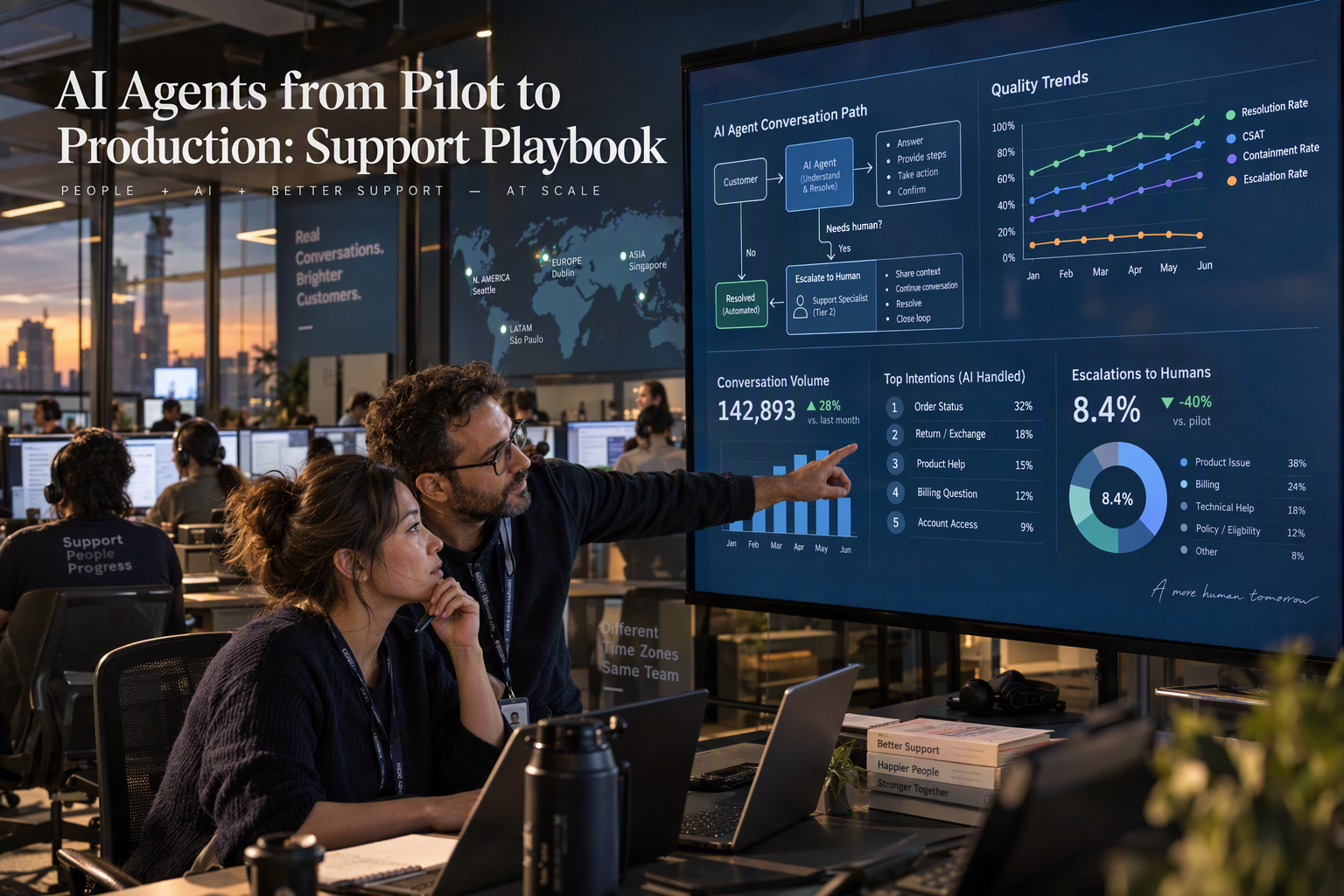
Learn how to take AI agents from pilot to production with a support workflow, measurable quality gates, human handoffs, and safe rollout controls.
AI Agents from Pilot to Production: Support Playbook
What if the biggest risk in an AI support pilot is not that the agent fails—but that a high containment rate hides customers who still need help? AI agents from pilot to production are moving onto enterprise roadmaps quickly: AI Agents Academy’s 2026 roundup reports Gartner’s forecast that 40% of enterprise applications will include task-specific agents by the end of 2026, up from fewer than 5% in 2025. But adoption is not the same as dependable service. In customer support, an automated answer counts only when it solves the customer’s problem safely and completely.
That makes the workflow—not the agent—the right unit of deployment. Start with a narrow, repeatable task, such as answering a bounded FAQ or checking an order status. Decide what the agent can read, what it may change, and when it must hand the conversation to a person. Then test those boundaries against real customer scenarios before adding more workflows or autonomy.
The same discipline applies to measurement. A pilot needs a baseline and a scorecard before launch—not just a target for how many contacts the AI handles. Track whether answers are correct, whether customers confirm resolution, whether they come back or reopen the issue, and whether escalations reach a human with the right context. Add response time, customer satisfaction, cost per resolved contact, and safety or privacy incidents. Containment is useful, but it cannot stand in for resolution quality or customer experience.
This playbook lays out a staged route from offline tests—including difficult and adversarial cases—to employee or shadow testing, a limited live cohort with human fallback, and gradual expansion. It also explains how to set go/no-go and rollback criteria, and why performance should be reviewed by issue type and language rather than averaged into a single reassuring number.
High-profile examples, including Klarna’s company-reported early results, can show what organizations aim to achieve; they should not be treated as independently verified proof that the same outcome will transfer to another support operation. The practical question is not whether an agent can answer a demo question. It is whether a clearly defined workflow delivers reliable, measurable outcomes for customers—and earns the right to scale.
How do you take AI agents from pilot to production? Start with one workflow and quality gates
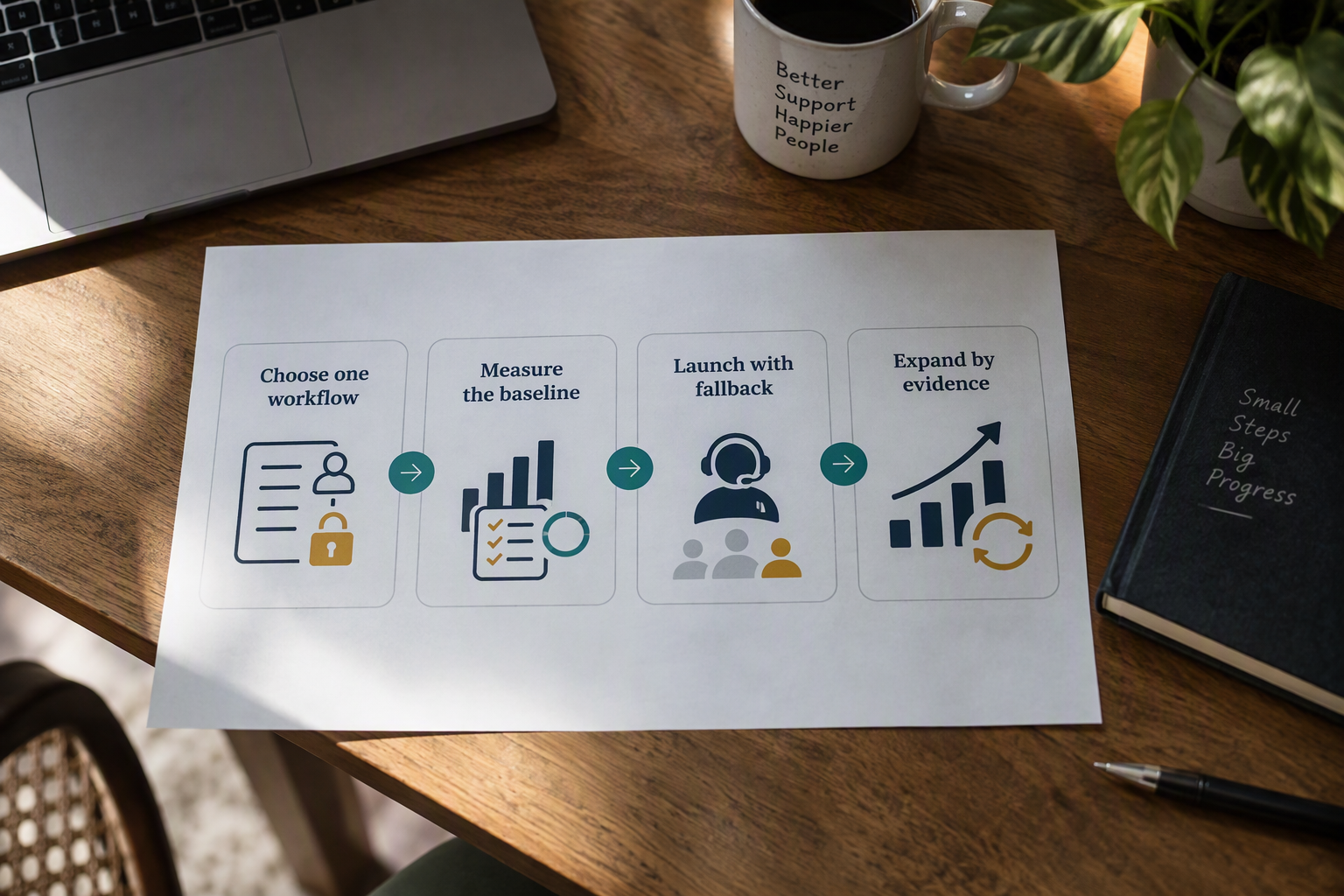
A support AI agent is ready for production only when one clearly bounded workflow meets agreed quality and safety gates—not merely when it handles a large share of conversations. Define the task, permissions, and fallback first; then expand only after results hold across representative issues, customer groups, and languages.
What should the pilot workflow include?
Choose a frequent, repeatable request with a verifiable outcome, such as answering a policy FAQ or checking an order status. Write a one-page workflow contract that states:
- What the agent may read: approved knowledge sources and the customer or order data needed to respond.
- What it may change: no account, payment, or order changes unless the workflow explicitly authorizes them.
- When it must escalate: unclear identity, conflicting information, low confidence, sensitive cases, or an explicit request for a person.
- What “resolved” means: the customer confirms the answer solved the issue, with no avoidable repeat contact or reopening.
Use real, representative cases to test the contract before launch, including misspellings, incomplete details, conflicting records, unusual phrasing, and attempts to get the agent to act outside its permissions. A workflow that works only on clean examples is not production-ready.
Which quality gates should teams measure?
Capture a pre-pilot baseline for the same workflow and compare AI-assisted outcomes against it. Set go/no-go thresholds before launch, using the support team’s own baseline and risk tolerance rather than adopting a universal target.
Track these measures together:
- Resolution correctness and customer-confirmed resolution.
- Repeat-contact and reopen rate, including whether the next contact concerns the same issue.
- Escalation quality: whether the agent transfers at the right point and passes along useful context.
- Response time, customer satisfaction, and cost per resolved contact.
- Safety and privacy incidents, including unauthorized disclosure or action.
- Containment or automation rate, interpreted alongside the measures above—not as a substitute for them.
Review results by issue type and language, not only as an overall average. A strong aggregate score can conceal a workflow or language in which customers regularly receive incorrect answers. Treat claims such as Klarna’s early company-reported results as company-reported evidence, not independently verified proof that another support operation will get the same outcome.
How should teams stage the rollout?
Use sequential gates, with an owner responsible for pausing or rolling back the workflow:
- Offline testing: Run historical and newly written realistic cases, including adversarial and edge cases. Block launch on unresolved high-risk failures.
- Employee or shadow testing: Let staff review draft responses or observe the agent without handing it customer-facing authority. Record corrections and refine the workflow.
- Limited live cohort: Release to a small, defined customer group with a visible human fallback. Monitor the scorecard and sample conversations regularly.
- Gradual expansion: Increase exposure only when agreed gates hold over a review period. Roll back or narrow scope if quality, safety, or customer-experience measures deteriorate.
As of September 2026, CallMissed’s voice and chat agent builder includes versioning with publish and rollback, and its support inbox can hand a conversation from AI to a person. Those capabilities illustrate how workflow changes and human fallback can be built into operations; they do not replace outcome-based release gates.
What should an enterprise AI agent pilot include—and exclude?

A sound enterprise AI agent pilot includes one bounded support workflow, explicit permissions, measurable success criteria, and a staged path to human-backed deployment. It excludes open-ended autonomy, irreversible actions, and any claim of success based on containment alone.
What should the pilot allow the AI agent to do?
Turn the workflow contract into a practical permission boundary. For an order-status pilot, for example, the agent might read order records and explain a delivery update, but not change an address, issue a refund, or promise an exception. Define which situations require a human—such as conflicting account data, an upset customer, or a request outside the approved policy.
Include the resources needed to answer accurately: approved knowledge sources, necessary system access, and a clear route to a person. Exclude workflows where the agent cannot verify the outcome or where a mistaken action could create material financial, legal, or safety consequences. Add those only after separate testing and approval.
As of September 2026, CallMissed’s no-code agent builder supports knowledge bases, tools, variables, and versioning with publish and rollback—capabilities relevant to testing a defined workflow while retaining a way to revert a change. The product example illustrates the design pattern; it does not replace an organization’s own access controls or review process.
How should an enterprise score an AI support pilot?
Set the baseline before the first test or live contact. Compare the pilot with the existing human-supported workflow for the same issue types, and specify how each measure is calculated. For instance, count a contact as resolved only when the answer is correct and the customer confirms the issue is handled—not simply because the conversation ended.
Track a balanced scorecard:
- Resolution quality: correctness, completeness, and customer-confirmed resolution.
- Downstream outcomes: repeat contacts, reopened cases, and whether escalations arrive with useful context.
- Experience and efficiency: response time, customer satisfaction, and cost per resolved contact.
- Risk: safety or privacy incidents, including whether the agent accessed or disclosed information outside its permission.
Review these measures alongside containment or automation rate. A high containment figure can conceal unresolved issues, so agree in advance which quality and risk thresholds trigger a pause, a fix, or a rollback.
How should deployment move from testing to live support?
Use staged release gates rather than switching directly from a successful demo to broad access:
- Offline tests: Use representative past cases, unusual edge cases, and adversarial prompts. Check both the answer and whether the agent respects its limits.
- Employee or shadow testing: Let staff assess responses without allowing the agent to act independently on customer cases.
- Limited live cohort: Start with a defined customer or issue group, keep human fallback available, and monitor the scorecard.
- Gradual expansion: Add issue types or volume only when results remain within agreed thresholds; retain monitoring and rollback criteria.
Track results by issue type, language, and customer segment. An overall average can mask a workflow or language group where the agent performs poorly. AI Agents Academy’s 2026 roundup reports Gartner’s forecast that 40% of enterprise applications will include task-specific agents by the end of 2026, up from fewer than 5% in 2025; that projected growth makes disciplined release gates especially important.
Finally, treat high-profile outcomes as context, not a template. Klarna’s early results were company-reported; they are not, by themselves, independently verified proof that the same workflow or outcome will transfer to another support operation.
Which developments are shaping enterprise AI support?
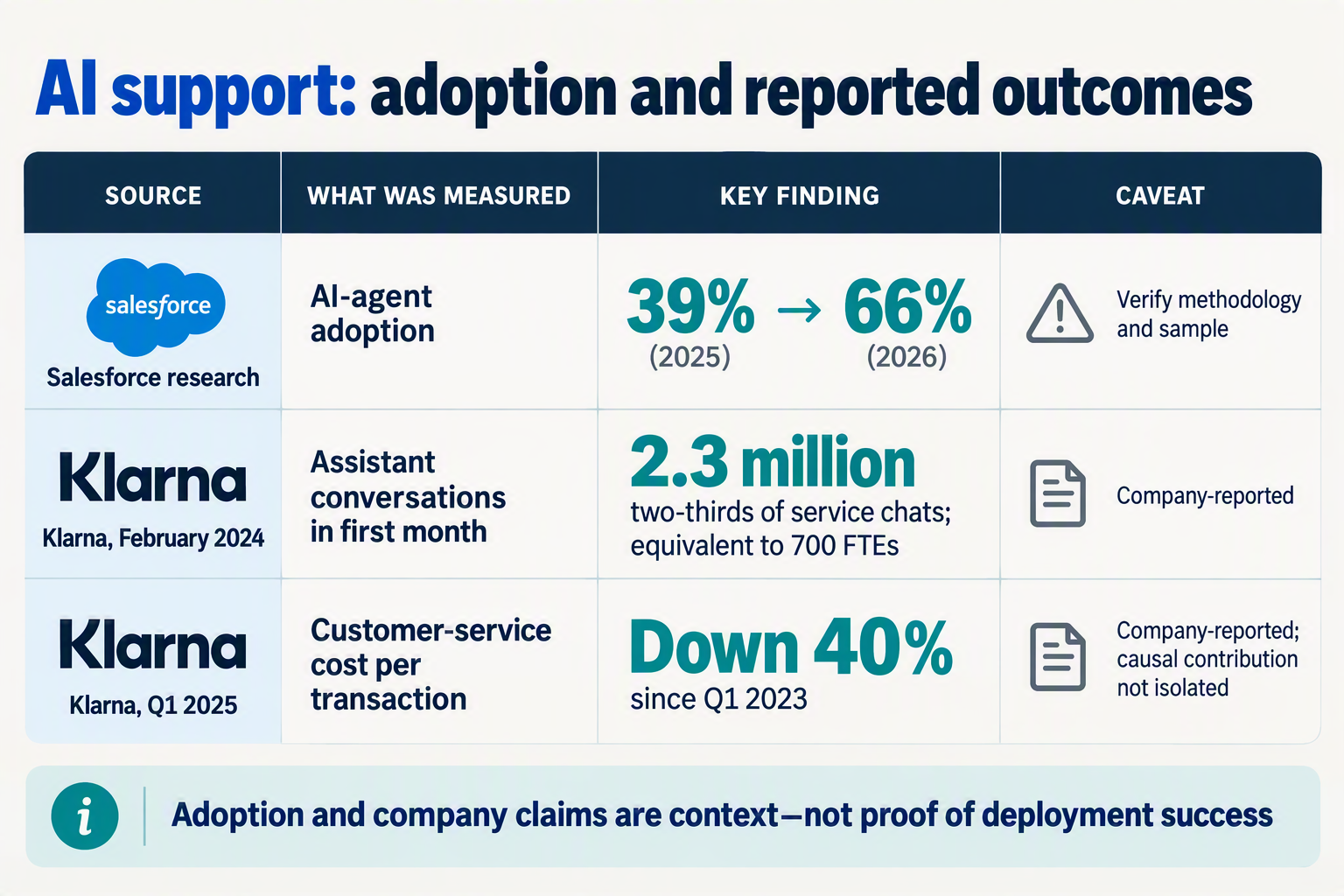
Enterprise AI support is shifting from standalone chatbots toward task-specific agents embedded in support workflows, with stronger expectations for human oversight, evaluation, and language coverage. The practical change is not simply more automation: production systems must show that they resolve customer issues reliably and fit existing service operations.
AI Agents Academy’s 2026 roundup attributes to Gartner a forecast that 40% of enterprise applications will include task-specific agents by the end of 2026, up from fewer than 5% in 2025. That forecast signals growing adoption, not proof that agents deliver consistent support outcomes; teams still need to validate each workflow.
| Development | What is changing | Production implication | Useful signal |
|---|---|---|---|
| Task-specific agents | Enterprise applications are expected to embed agents for defined tasks, rather than relying only on general-purpose chat interfaces. | Give the agent a bounded job, approved data access, and clear limits on actions. | Resolution quality by workflow, not just total automation. |
| Human oversight and handoffs | Agents are being designed to work alongside support staff, including transferring conversations when a person is needed. | Make escalation context-rich: pass the issue, prior steps, and relevant customer details to the human. | Whether transfers arrive with enough context to continue smoothly. |
| Evaluation and operational visibility | Production decisions increasingly depend on testing and monitoring, not just a successful demo. | Review outcomes by issue type and language; investigate failures and set criteria for pausing or rolling back. | Repeat contacts, reopened issues, safety incidents, and confirmed resolution. |
| Omnichannel support | Customer conversations span messaging, social channels, and voice, raising expectations of consistent service across touchpoints. | Decide which channels and workflows are in scope, and avoid assuming that performance transfers automatically between them. | Resolution and customer experience by channel. |
| Language-aware service | Enterprise support must account for varied languages and code-mixed speech, not only English-language performance. | Test with representative regional language patterns and route unsupported cases appropriately. | Quality by language, including code-mixed conversations. |
Why does workflow design matter more than agent autonomy?
An agent may answer a question convincingly yet still fail the support task—for example, by giving outdated policy information or failing to pass an unresolved case to a person. A workflow-centered design connects the agent’s allowed actions to a customer outcome, such as providing a verified order status or handing a billing dispute to the right team. This makes results easier to test and gives operators a clearer boundary for intervention.
The trend also favors systems that combine automation with human supervision and service records. As of September 2026, CallMissed offers call recordings, transcripts, AI call notes, call scoring against a team’s own QA rubrics, and live monitoring with supervisor listen, whisper, or barge-in controls. These capabilities illustrate how agent activity can fit into a reviewable support operation; they do not replace the need to assess outcomes against each organization’s standards.
What should support leaders watch as adoption grows?
- Autonomy versus control: More capable agents make permissions and escalation rules more consequential.
- Consistency across channels and languages: A successful chat pilot is not, by itself, evidence that voice or regional-language workflows are ready.
- Evidence behind performance claims: Treat vendor or company-reported results as claims to investigate, not guarantees of transferable outcomes. The introduction’s Klarna example is a reminder to distinguish early company reports from independently verified results.
The production question remains specific: can this agent complete this support workflow safely and reliably for the customers who use it?
How should teams test, hand off, and scale AI support agents?
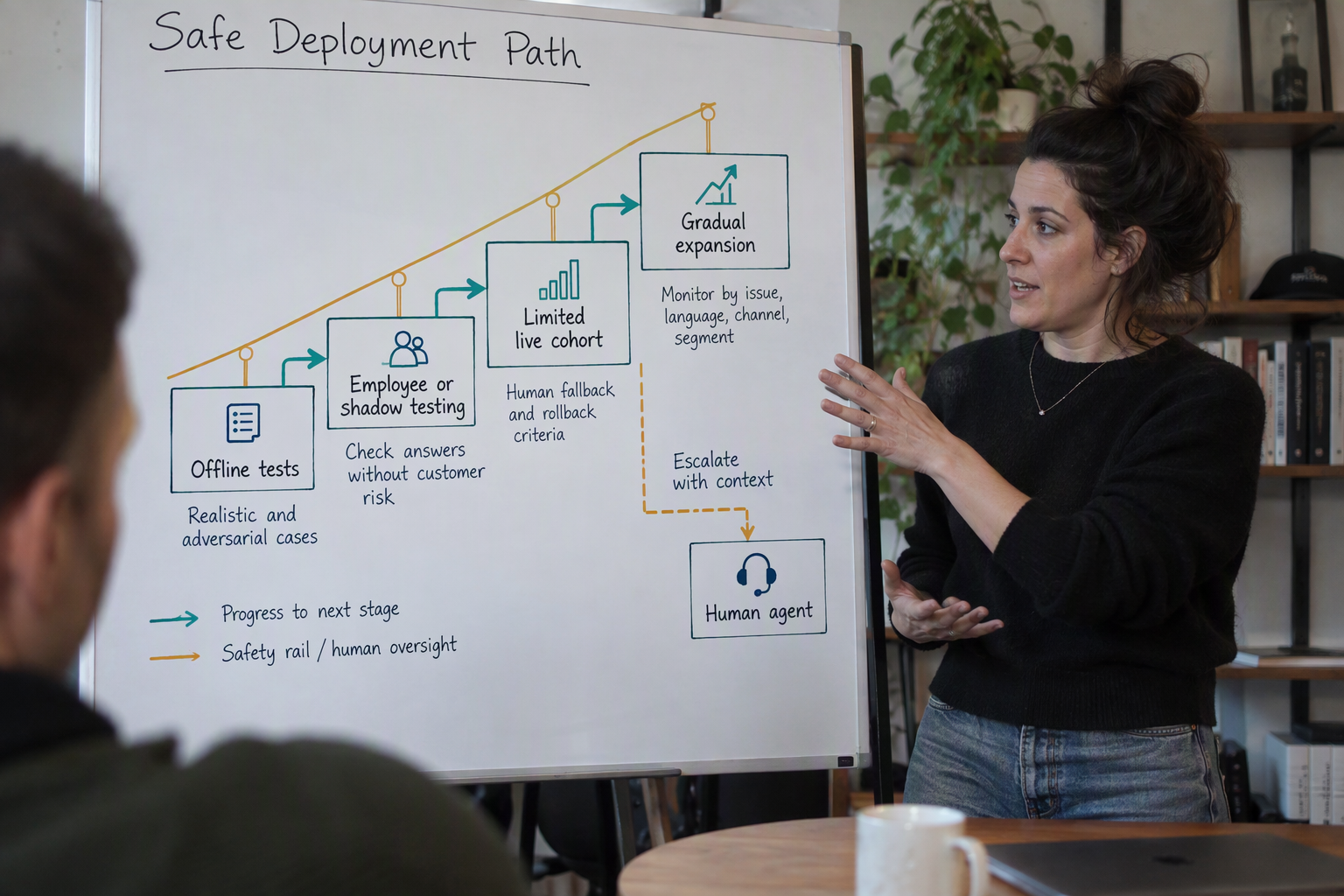
A team should scale an AI support agent only after a specific support workflow passes quality, safety, and customer-outcome gates in a staged rollout. Test the boundaries first, preserve a reliable human handoff, and expand only when results hold across representative issue types and languages.
What should teams measure before launch?
Record a baseline for the selected workflow before introducing AI, then compare the pilot against it. A high automation or containment rate is not enough: it may hide unresolved problems or customers who contact support again.
Track these measures together:
- Resolution correctness: Did the agent give an accurate answer or complete the permitted action?
- Customer-confirmed resolution: Did the customer indicate that the issue was solved?
- Repeat contact and reopen rate: Did the customer return about the same problem?
- Escalation quality: Did the handoff reach a person with the conversation and relevant context intact?
- Customer experience and speed: Monitor satisfaction and response time alongside outcomes.
- Cost per resolved contact: Count a contact as resolved only when the issue is actually addressed.
- Safety and privacy incidents: Record policy violations, unauthorized actions, and mishandled sensitive information.
Set go/no-go thresholds before testing begins. Use the baseline to choose thresholds appropriate to the workflow, and define which failures trigger a pause or rollback. ToTheNew’s 2026 enterprise AI deployment overview identifies the gap between pilots and production as a recurring challenge; explicit gates help turn that gap into a decision process rather than an assumption.
How should teams test an AI support agent before customers use it?
Test in stages, moving to live traffic only when the previous stage meets its agreed criteria:
- Offline testing: Run realistic examples, including ambiguous requests, unusual edge cases, adversarial prompts, and cases the agent should refuse or escalate. Check both answers and actions against the workflow contract.
- Employee or shadow testing: Let staff review responses, or have the agent observe real interactions without responding to customers. Compare its decisions with human handling and log failure patterns.
- Limited live cohort: Release the workflow to a small, defined group with a visible human fallback. Review conversations and outcomes frequently; pause expansion if quality or safety falls below the agreed threshold.
- Gradual expansion: Add customers, issue types, or channels in controlled steps. Keep monitoring and rollback criteria active after each change.
For every stage, include cases that test what the agent may read, may change, and must escalate. For example, an order-status agent might be allowed to retrieve delivery information but not alter an address or promise an exception. Those boundaries make failures easier to diagnose and prevent a successful FAQ test from being mistaken for proof that broader tasks are ready.
How can teams make human handoffs reliable as they scale?
Define the handoff trigger and the information a human needs to continue: the customer’s request, steps already taken, relevant account details, and why the agent escalated. Test transfers for both speed and context quality; a transfer that leaves the customer repeating the whole issue is not a successful escalation.
Platforms such as CallMissed provide an omnichannel inbox with a human-handoff queue: switching the AI off hands the conversation thread to a person. Whatever tools a team uses, review handoff outcomes by issue type and language, not only as an overall average. If one category produces repeat contacts, poor transfers, or safety incidents, narrow or pause that workflow while the team fixes it—rather than allowing a strong aggregate score to conceal the problem.
What does AI agent deployment at scale require beyond containment?

Scaling an AI support agent requires more than a high containment rate: it needs reliable connections to business systems, clear ownership of failures, and controls for detecting and reversing problems. The production unit remains the customer-support workflow, with an operating model around it that keeps customers safe as volume and scope grow.
What operational controls does an AI support agent need at scale?
Give the agent only the access needed for its defined task, and make its actions traceable. For example, an order-status workflow may read order data but should not issue refunds unless that authority is explicitly approved. Set rules for uncertain answers, failed tool calls, sensitive requests, and unavailable systems, including when the agent must stop and transfer the case.
Treat integrations as part of the workflow, not background plumbing. Identify the authoritative source for each fact, define what happens when data is stale or contradictory, and test that updates are recorded correctly. A customer who receives a confident but outdated answer may be worse served than one who is promptly routed to a person.
Cygnet’s November 2025 enterprise AI deployment guide highlights governance, security, and ROI measurement alongside scaling. In practice, name an owner for each workflow, agree who can approve changes to prompts or permissions, and keep a review trail for releases and incidents. This makes it possible to respond to a failure without losing sight of what changed.
How should teams manage handoffs and human oversight?
A handoff is part of the customer experience, not just an escape hatch. Pass the human the conversation history, the customer’s stated goal, relevant verified information, and the reason for escalation. Then monitor whether the receiving team can act on that context, whether queues can absorb the extra work, and whether the customer has to repeat themselves.
Plan human capacity before widening the rollout. If an agent escalates more often for a particular issue or language, the team needs a staffed destination and a clear response-time expectation—not just a dashboard alert. Tools such as CallMissed, as of September 2026, bring a shared inbox, human-handoff queue, support tickets, SLA policies, and CSAT surveys together; these are examples of the operational pieces that can sit around an AI workflow.
What should trigger expansion, pause, or rollback?
Use the staged rollout to test not only answer quality but also what happens when the system is under strain. Review results by issue type, language, channel, and relevant customer group; an acceptable overall average can conceal a weak workflow or a poor regional-language experience. When results fall below the team’s pre-agreed limits, pause expansion, route more cases to people, or roll back the affected version.
Before launch, decide who watches which signals and what action each signal triggers. A practical release checklist includes:
- Expand only when the workflow meets its quality and safety gates across representative cases, with handoffs functioning in live operations.
- Pause when a meaningful segment deteriorates, required data or tools become unreliable, or escalation demand exceeds available capacity.
- Roll back when a release causes unsafe actions, a serious privacy issue, or a sustained failure against the team’s agreed thresholds.
Finally, assess cost per resolved contact, not simply cost per automated conversation. Include the costs of the AI and its supporting systems, as well as human handling of escalations and repeat contacts. That makes the scale decision about durable customer outcomes—not containment alone.
What do enterprise AI case studies and expert guidance actually prove?
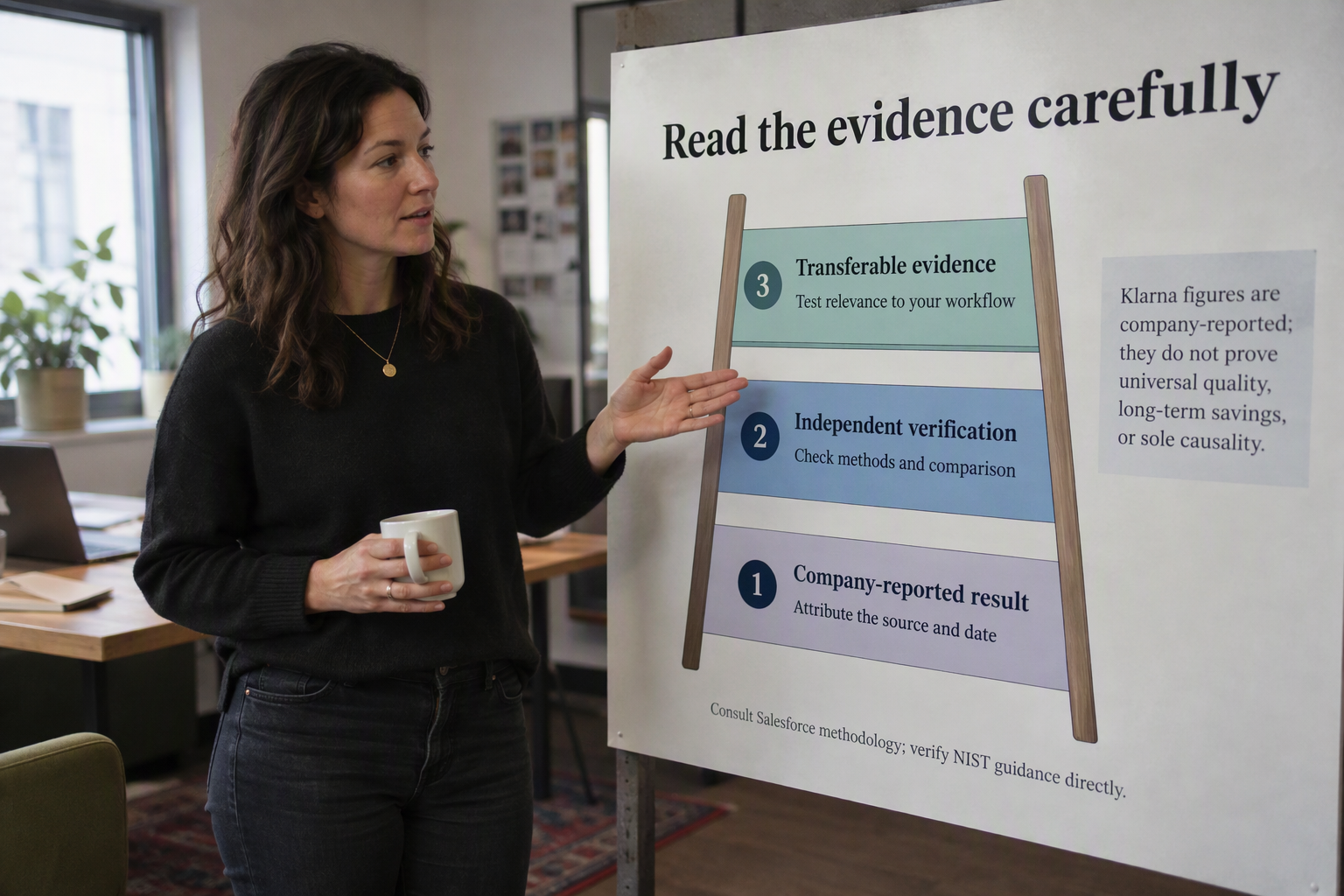
Enterprise AI case studies prove that specific workflows can be automated under specific conditions; they do not prove that the same results will transfer to another support team. Expert guidance is most useful when translated into workflow-level tests, human fallback rules, and measurable production gates.
What can an enterprise case study tell you?
A case study is evidence about its own operating context: the issue types handled, systems connected, customer population, escalation design, and measurement period. Before applying its results, ask whether it reports resolution quality and customer outcomes, or mainly automation volume, speed, and cost.
Klarna’s early customer-support results should be read as company-reported, not as independently verified proof of what another organization will achieve. Without comparable definitions, baselines, and follow-up data, a reported outcome is a signal to investigate—not a forecast for your own operation.
Adoption figures also need careful interpretation. Paul Okhrem’s 2026 enterprise AI agents compilation reports that 80% of organizations embed agents while 31% deploy them; the figures describe broad enterprise adoption, not customer-support success rates. The useful takeaway is to distinguish experimentation from deployment and evaluate the latter with evidence from your own workflows.
How do you turn guidance into a production decision?
Use expert recommendations to build a workflow-specific evidence record, not a generic “AI readiness” score. Before launch, capture a human-handled baseline, then compare the agent against it on the same defined task. Set go/no-go thresholds in advance, based on customer impact and operational risk, rather than choosing a success threshold after seeing results.
Include measures that expose false success:
- Resolution correctness: Was the answer or action accurate and complete?
- Customer-confirmed resolution: Did the customer indicate the issue was solved?
- Repeat contacts and reopened cases: Did the customer return about the same problem?
- Escalation quality: Did the right cases reach a person with useful context?
- Customer experience and response time: Did service improve without creating friction?
- Cost per resolved contact: Include review, handoff, and follow-up costs—not just automated handling.
- Safety and privacy incidents: Record unauthorized actions, inappropriate disclosures, and other boundary failures.
Read these measures alongside containment or automation rate. A workflow that contains more conversations but increases repeat contact or mishandled escalations has not demonstrated better support.
What rollout path makes the evidence credible?
Treat deployment as a sequence of decisions:
- Offline testing: Evaluate realistic examples, edge cases, ambiguous requests, and adversarial attempts to exceed the agent’s permissions.
- Employee or shadow testing: Compare agent responses with human handling without letting the agent independently affect customers.
- Limited live cohort: Start with a defined customer group, issue type, and human fallback; monitor results frequently.
- Gradual expansion: Add scope only when the workflow meets its quality and safety gates. Define rollback triggers before widening access.
Break results down by issue type, language, and customer group so strong averages do not conceal weak performance in a particular segment. As of September 2026, CallMissed’s voice-agent platform includes recordings, transcripts, AI call notes, and scoring against a team’s own QA rubric—tools that can support review, though the evidence still comes from how the workflow performs.
The practical proof is not that an agent can handle a demonstration or match a headline. It is that a bounded workflow repeatedly resolves customer needs, transfers the right cases well, and meets the organization’s agreed risk and cost thresholds.
What should your team do at each deployment stage?
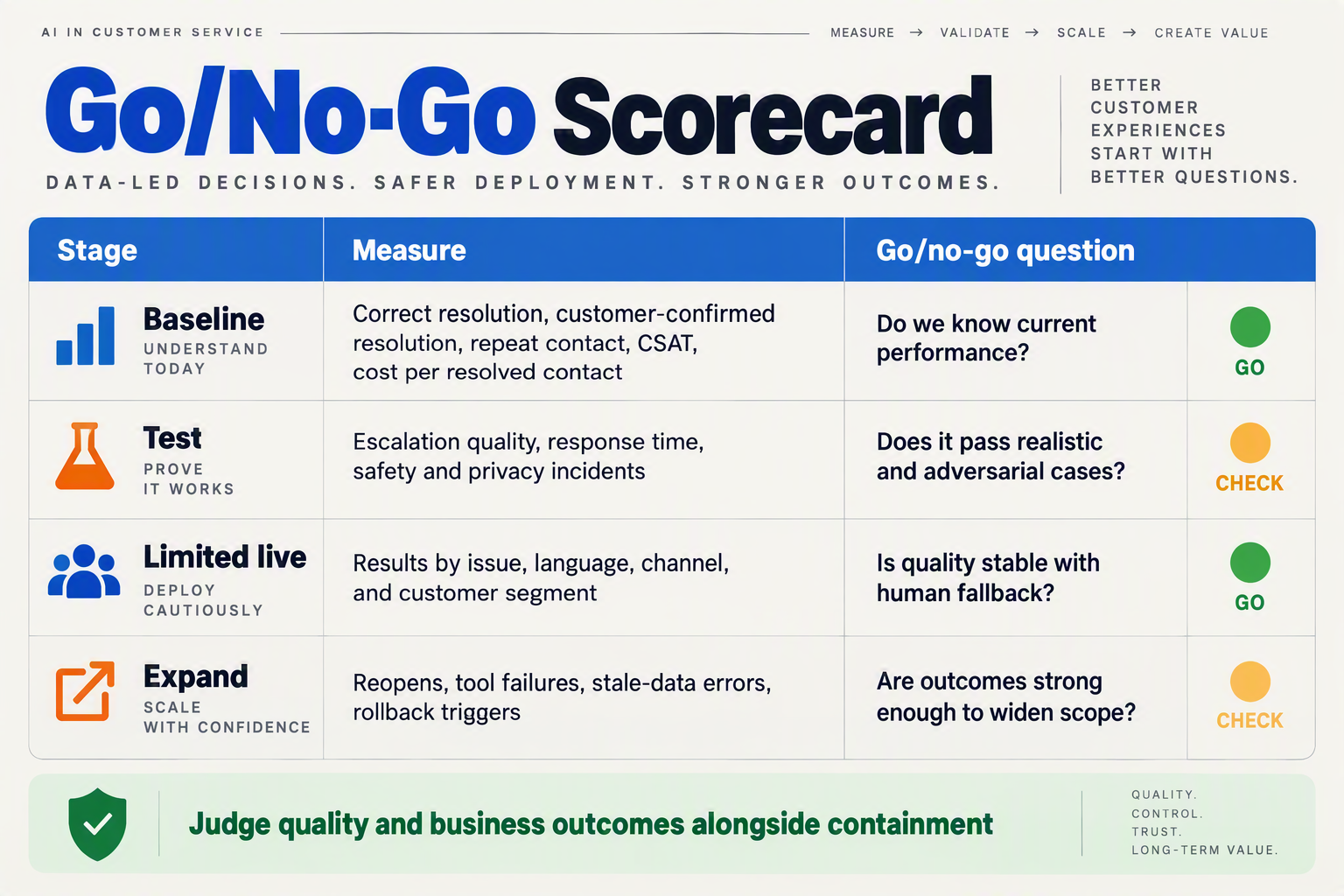
Move an AI support agent into production one workflow at a time, advancing only when evidence shows it resolves customer issues safely—not simply when it contains more conversations. Use stage-specific go/no-go gates, keep human fallback available during live testing, and expand only when results hold across issue types and languages.
What should the team do at each deployment stage?
| Stage | What the team does | Evidence to review | Go/no-go decision |
|---|---|---|---|
| 1. Define the workflow | Select one repeatable task, such as a bounded FAQ or order-status inquiry. Document what the agent may read or change, and what it must escalate. | Baseline resolution correctness, repeat contacts, response time, customer satisfaction and cost per resolved contact for that workflow. | Proceed when scope, permissions, owner and escalation rules are explicit. |
| 2. Test offline | Run representative historical cases, edge cases and adversarial prompts. Include cases where information is missing, contradictory or outside the agent’s permissions. | Correctness, customer-confirmed resolution where measurable, unsafe actions, privacy incidents and whether escalation decisions are appropriate. | Fix failure patterns before employee or customer exposure; do not average away serious safety failures. |
| 3. Shadow or employee test | Let staff review proposed answers or test the workflow without allowing the agent to independently complete customer-facing actions. | Human review of answer quality, missing context, response time and the usefulness of transfer notes. | Proceed when reviewers can identify known limitations and the agent reliably recognizes when it should not answer. |
| 4. Limited live cohort | Enable the workflow for a small, defined customer cohort with a clear route to a person. Monitor outcomes throughout the test. | Resolution and repeat-contact rates, escalation and transfer quality, customer satisfaction, cost per resolved contact, and safety or privacy incidents. | Expand only if pre-agreed quality and safety thresholds hold; pause or roll back if they do not. |
| 5. Gradual expansion | Add cohorts, issue types or languages in controlled steps. Keep monitoring and review results by segment. | The same scorecard, broken down by issue type, language and cohort—not just an overall containment rate. | Continue only while outcomes remain acceptable in each expanded segment; retain a rollback owner and trigger. |
Which metrics should determine whether to expand?
Set thresholds before launch, using the workflow’s baseline rather than a generic industry target. A high automation rate is not a pass if customers reopen cases, repeat the same question, or receive poor handoffs. Review these measures together:
- Resolution quality: Was the answer correct, and did the customer confirm the issue was resolved?
- Repeat contact and reopen rate: Did the customer need to return because the first interaction did not solve the problem?
- Escalation quality: Did the agent transfer the case at the right time, with useful context for the person taking over?
- Customer and operational outcomes: Track response time, satisfaction and cost per resolved contact alongside containment.
- Safety and privacy: Define unacceptable actions and incidents that immediately pause the rollout.
Use a written gate for each stage: what must be true to proceed, what triggers a pause, who decides, and how the team rolls back. Compare performance by issue type and language; a strong overall average can conceal a workflow or customer group that needs human handling.
As of September 2026, CallMissed’s omnichannel inbox includes a human-handoff queue: switching the AI off hands the thread to a person. That kind of explicit fallback can support a limited live cohort, but the team still needs to verify transfer quality and customer outcomes against its own thresholds. The goal is not to scale autonomy for its own sake; it is to expand only the support workflows that consistently resolve customer needs.
Frequently Asked Questions
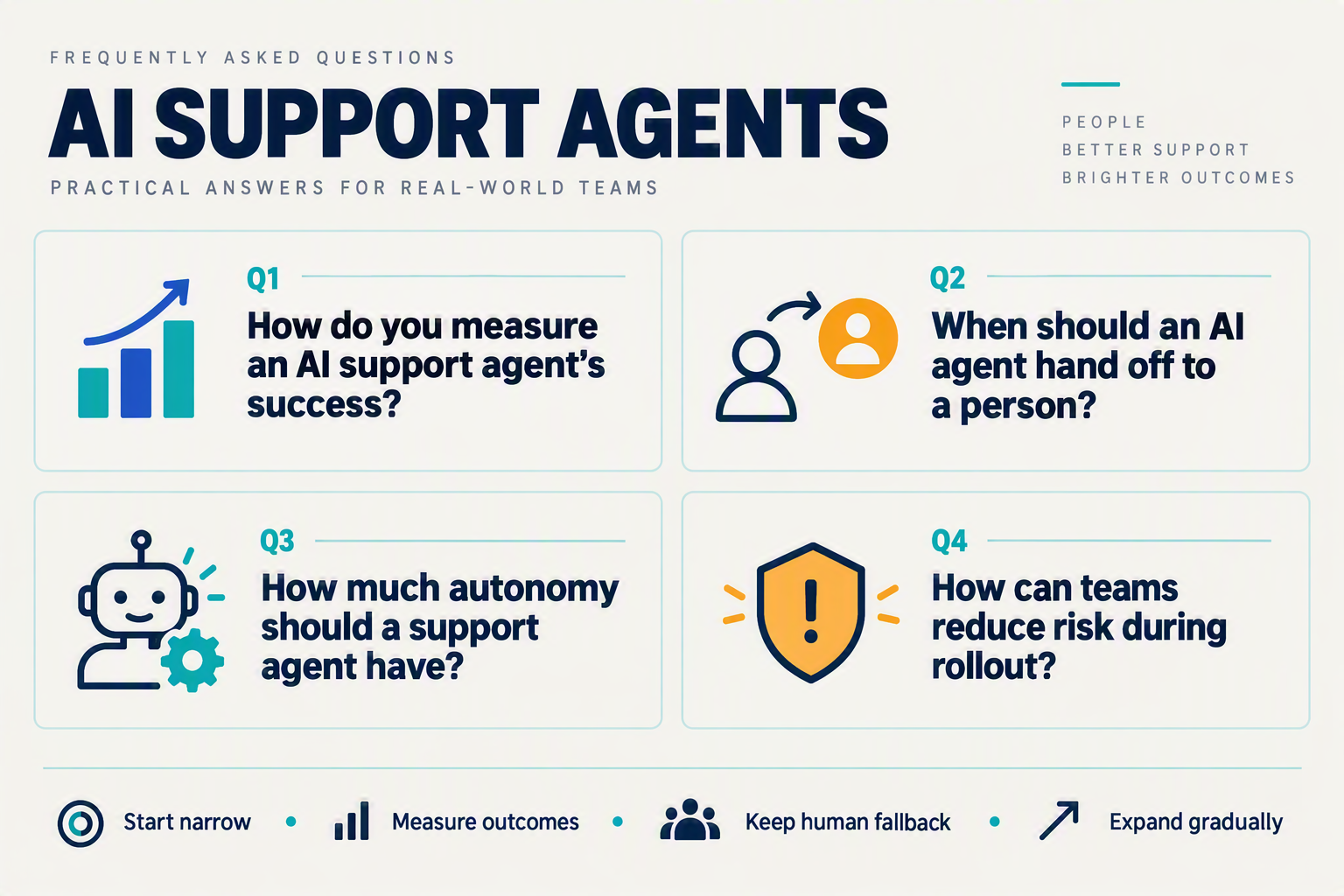
Pilot design and launch
How do you take AI agents from pilot to production in customer support?
What should an AI support agent pilot include?
How should teams measure whether AI agents from pilot to production are ready to scale?
Reliability and operations
What is the safest way to roll out an AI support agent to customers?
When should an AI customer-support agent hand a conversation to a human?
Can a company-reported AI support result prove that automation will work elsewhere?
Conclusion
Moving an AI support agent from pilot to production is a decision about whether a specific workflow reliably resolves customer needs, not whether the agent can handle more conversations. As AI Agents Academy’s 2026 roundup reports, Gartner forecasts that 40% of enterprise applications will include task-specific agents by the end of 2026, up from fewer than 5% in 2025. The opportunity is significant—but scaling should be earned through evidence.
- Start with one bounded, repeatable task, clear permissions, and an explicit human handoff.
- Set a baseline before launch; measure correct and customer-confirmed resolution, repeat contacts, escalation quality, response time, satisfaction, cost per resolved contact, and safety incidents alongside containment.
- Move through offline tests, employee or shadow testing, a limited live cohort, and gradual expansion—with monitoring and rollback criteria at every stage.
- Review results by issue type and language so strong averages do not hide customers who still need help.
What to watch next is whether production systems can sustain resolution quality across more workflows, languages, and real-world edge cases—not simply automate a growing share of contacts. CallMissed offers no-code voice and chat agents, including speech recognition in 22 Indian languages plus English, as of September 2026. To explore how AI communication is evolving, visit CallMissed. Which customer-support workflow in your operation has earned the evidence to scale?
Related Reading
- How to Write Prompts for AI Agents: Support Guide 2026
- Voice Agent API With LiveKit Support: OpenAI Realtime vs LiveKit Agents
- AI Customer Support for Ecommerce: 2026 Automation Playbook