What Is Lucid Origin? Specs, Pricing and Comparisons



What Is Lucid Origin? Compare documented specs, provider pricing, Phoenix alternatives and a repeatable test plan before choosing an image API.

What Is Lucid Origin? Specs, Pricing and Comparisons
What Is Lucid Origin—and why does its API default to 1,200 × 1,200 pixels rather than a standard widescreen image? Lucid Origin is Leonardo AI’s image-generation model, identified in its API as lucid-origin. For buyers, the useful comparison is not simply which model produces the prettiest sample: it is which delivers the required image, controls and workflow at an acceptable cost.
As of November 2026, Leonardo AI’s documentation supplied for this guide lists two Lucid Origin generation modes, FAST and ULTRA, and a default image size of 1,200 × 1,200 pixels. Those specifics matter when evaluating tools for product visuals, advertising creatives or editorial illustrations: output dimensions and generation settings are concrete buying criteria, whereas an impressive gallery is not a reliable benchmark.
What should buyers know about Lucid Origin’s specs?
According to the Leonardo AI documentation supplied for this November 2026 guide, Lucid Origin accepts prompts of up to 2,000 characters and supports width and height settings from 16 to 3,616 pixels, in multiples of eight. These are documented parameter ranges—not evidence that every possible size combination is supported or equally useful.
The same documentation describes separate content-reference and style-reference inputs, each limited to one reference image. That distinction deserves attention: guiding an image’s content and guiding its visual style are different requirements, especially when a team needs repeatable creative direction.
This guide will explain:
- Specs: what the documented dimensions, prompt limits and reference controls mean in practice.
- Pricing: how to distinguish model settings from provider charges and avoid treating an unverified listing as a confirmed price.
- Comparisons: how to assess image quality, prompt adherence, reference handling and workflow fit using equivalent tasks.
- API access: what Leonardo AI’s documented generation interface means for developers integrating image creation.
How should you compare Lucid Origin with other image models?
Start with your own production brief, not a universal “best model” ranking. A product-image workflow might prioritize reference fidelity; an editorial workflow might prioritize composition; a development team might care most about integration effort and cost per usable result.
A fair comparison should hold the prompt, target dimensions and acceptance criteria constant, then record revisions and rejected outputs alongside generation charges. FAST and ULTRA are documented mode names, not independently verified speed or quality benchmarks. The supplied sources also do not establish a confirmed per-image price, so this guide will keep documented capabilities separate from pricing claims that need verification.
As of November 2026, CallMissed’s verified developer catalogue includes nine image models within its unified AI API—part of the broader shift toward multi-model access, without establishing that Lucid Origin itself is available there.
What is Lucid Origin, and how does it compare? It is Leonardo AI’s text-to-image model with FAST and ULTRA modes. Its documented controls support a shortlist comparison with Phoenix; quality rankings require matched tests.
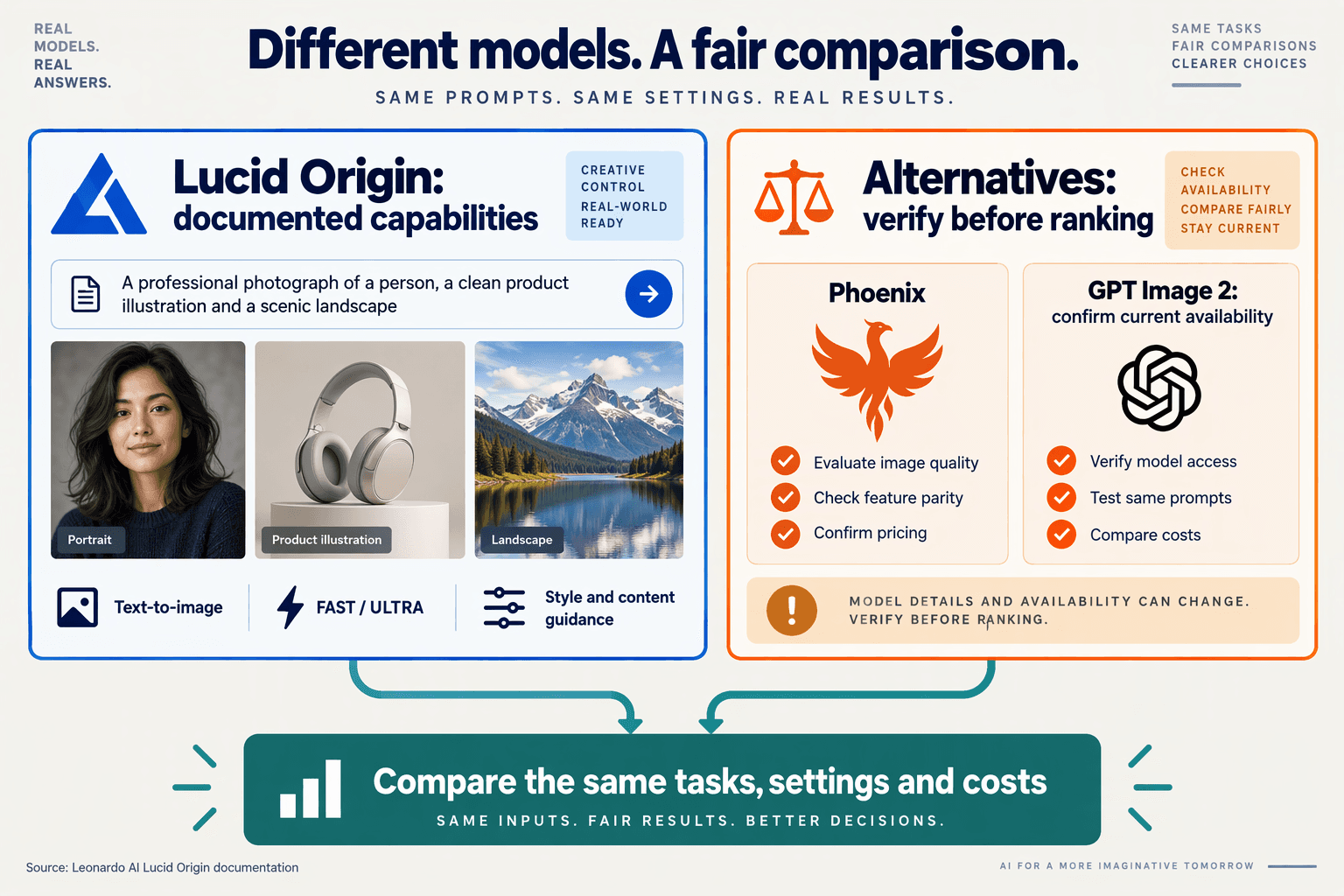
Lucid Origin is Leonardo AI’s text-to-image model, with documented controls that make it worth shortlisting alongside Phoenix. As of November 2026, the supplied documentation supports a feature comparison—not a defensible claim that either model delivers better image quality.
What makes Lucid Origin worth comparing with Phoenix?
- Lucid Origin: Leonardo AI’s documentation supplied for this November 2026 guide specifies
FASTandULTRAgeneration modes, withFASTas the default. Buyers should treat these as selectable settings, not measured performance guarantees: the supplied sources provide neither generation-time benchmarks nor a quantified quality improvement for switching toULTRA.
- Content guidance: As of November 2026, Leonardo AI documents three Lucid Origin content-reference strengths:
LOW,MID, andHIGH, defaulting toMID. This gives buyers a concrete test variable: generate the same product brief at each strength and assess whether the reference’s form and content remain recognizable without undermining the requested composition.
- Style guidance: Leonardo AI’s November 2026 documentation lists five Lucid Origin style-reference strengths:
LOW,MID,HIGH,ULTRA, andMAX. That is a broader control range than its content-guidance settings, but not proof of stronger reference fidelity; compare recognizable visual characteristics across outputs rather than assuming the highest setting produces the most useful image.
- Prompt enhancement: As of November 2026, Leonardo AI documents
AUTO,ON, andOFFfor Lucid Origin’sprompt_enhanceparameter, withAUTOas the default. For a controlled comparison, explicitly select and record this setting. Otherwise, differences in prompt processing may complicate conclusions about which model follows the original creative brief more closely.
What evidence should determine the buying decision?
- Phoenix: The supplied November 2026 context does not include equivalent Phoenix specifications, prices, or matched outputs. Keep Phoenix on the shortlist, but mark those fields unverified, rather than inventing parity or disadvantages. A useful comparison needs the exact Phoenix model version, supported reference controls, output settings, and provider charges before drawing conclusions.
- Developer workflow: Leonardo AI’s documentation supplied for November 2026 shows Lucid Origin using a version-two generation endpoint, bearer-key authentication, and the identifier
lucid-origin. It also documents apublicflag controlling community-feed visibility. Private feed visibility should not be mistaken for a complete statement about retention, training use, licensing, or enterprise data governance.
- Quality and cost: For a November 2026 evaluation, use a proposed three-brief test: product imagery, an advertising creative, and an editorial illustration. Hold prompts and target dimensions constant; record reference fidelity, composition, rejected outputs, and revisions. Calculate cost per accepted image, not merely cost per generation, once actual provider charges are verified.
- API procurement: As of November 2026, CallMissed’s verified fact sheet lists nine image models through its OpenAI-compatible developer API. That illustrates the broader option of consolidating image integrations, but does not establish Lucid Origin or Phoenix availability through CallMissed. Confirm named-model access separately before treating any gateway as a substitute for Leonardo AI’s documented interface.
Who should shortlist Lucid Origin—and who should look elsewhere? A verdict for small creative teams, agencies and production API buyers
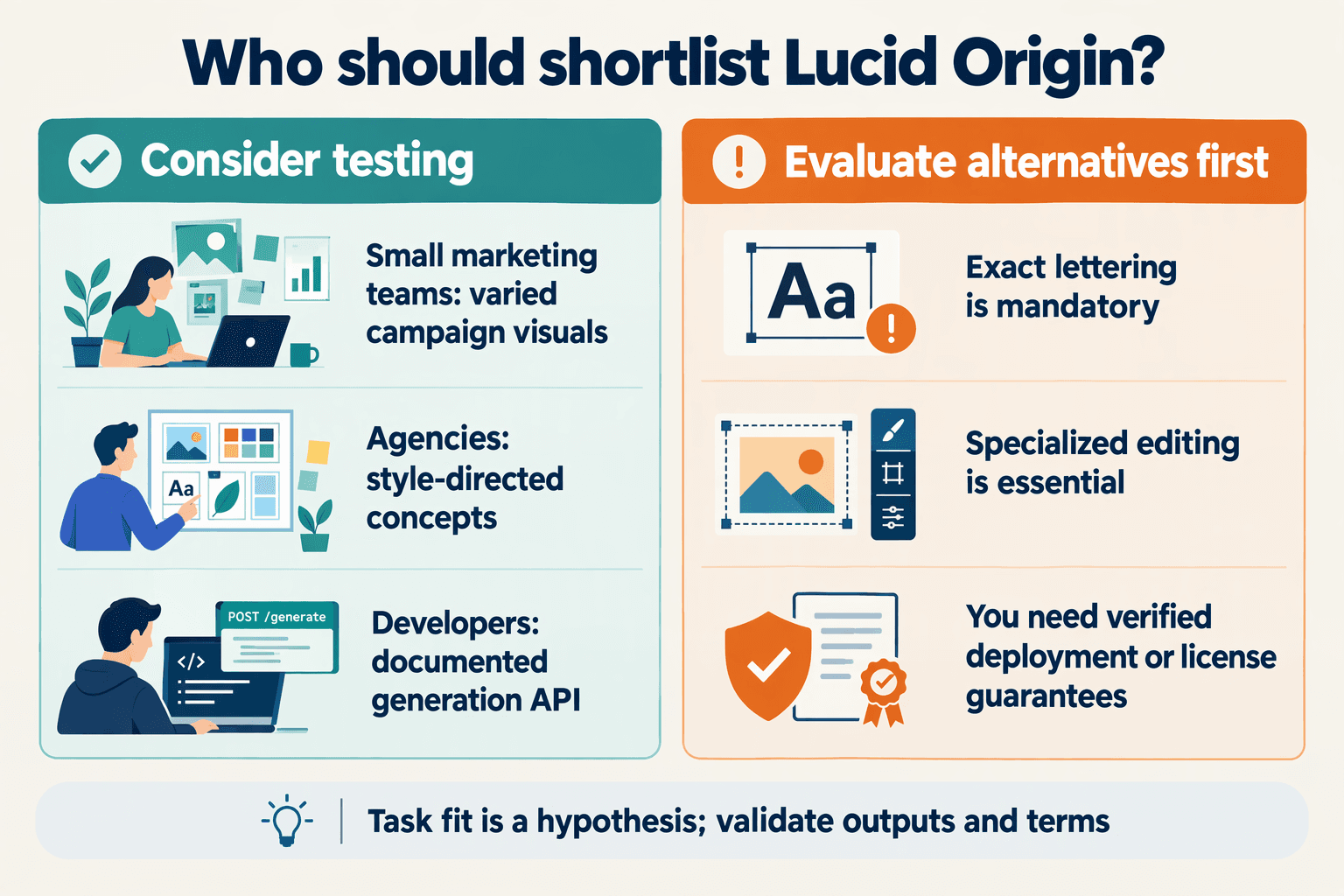
Shortlist Lucid Origin for reference-guided creative work and a documented Leonardo AI integration; look elsewhere if your workflow requires controls or commercial guarantees the supplied documentation does not establish. As of November 2026, the evidence supports a workflow-fit verdict—not a universal image-quality winner.
Who should shortlist Lucid Origin?
- Small creative teams: Shortlist Lucid Origin when your brief starts with a clear visual reference rather than extensive manual compositing. Leonardo AI’s November 2026 documentation gives content guidance three strength settings: LOW, MID and HIGH. Test whether those settings preserve the subject characteristics you actually need; documented guidance is not a guarantee of accurate logos, packaging text or product geometry.
- Agencies: Shortlist Lucid Origin for assignments where art direction needs adjustable influence. According to Leonardo AI’s documentation supplied for November 2026, style guidance offers five strengths: LOW, MID, HIGH, ULTRA and MAX. Compare the same client brief across those settings, checking whether stronger styling improves brand fit or overwhelms important content.
- Teams managing confidential briefs: Evaluate the documented visibility control before uploading client material. Leonardo AI’s November 2026 documentation says
public: falsekeeps generated images out of the community feed. That is a useful publishing control, but it does not establish retention periods, training exclusions, contractual confidentiality or regulatory compliance; obtain those answers separately.
- Developers already using Leonardo AI: Shortlist Lucid Origin when its native generation interface fits your application. Leonardo AI’s November 2026 documentation identifies
/api/rest/v2/generations, bearer-token authentication and MCP workflow availability. Check submission, completion handling and failure recovery in a prototype before estimating integration effort; a documented request example is not an operational service guarantee.
Who should compare alternatives before committing?
- Multi-reference production teams: Look elsewhere if combining several content references or several style references in one request is mandatory. Leonardo AI’s November 2026 documentation limits Lucid Origin to one reference per guidance category. Test alternatives against the actual requirement—such as reconciling multiple product angles—rather than assuming extra references automatically produce better results.
- Buyers needing exact edits or readable text: Keep alternatives on the shortlist when approval depends on precise lettering, localized changes or repeatable character identity. The supplied November 2026 sources do not establish Lucid Origin’s performance on those tasks. Use a 10-brief pilot as a proposed evaluation method, recording accepted outputs, correction rounds and reasons for rejection.
- Procurement teams requiring predictable costs: Do not approve production spending from an unverified price listing. Puter and Cloudprice surfaced in the November 2026 research, but the supplied excerpts establish no confirmed per-image charge. Request current pricing, then calculate cost per approved asset: total generation charges divided by outputs that pass your acceptance checks.
- Production API buyers comparing access routes: Separate model selection from gateway selection. As of November 2026, CallMissed’s verified catalogue includes nine image models and OpenAI-compatible image endpoints, making it another integration route to evaluate. The fact sheet does not confirm Lucid Origin availability; verify the exact model before treating any gateway as a substitute for Leonardo AI’s native API.
How do Lucid Origin, Phoenix and GPT Image 2 compare on modalities, prompt limits, resolution and controls?
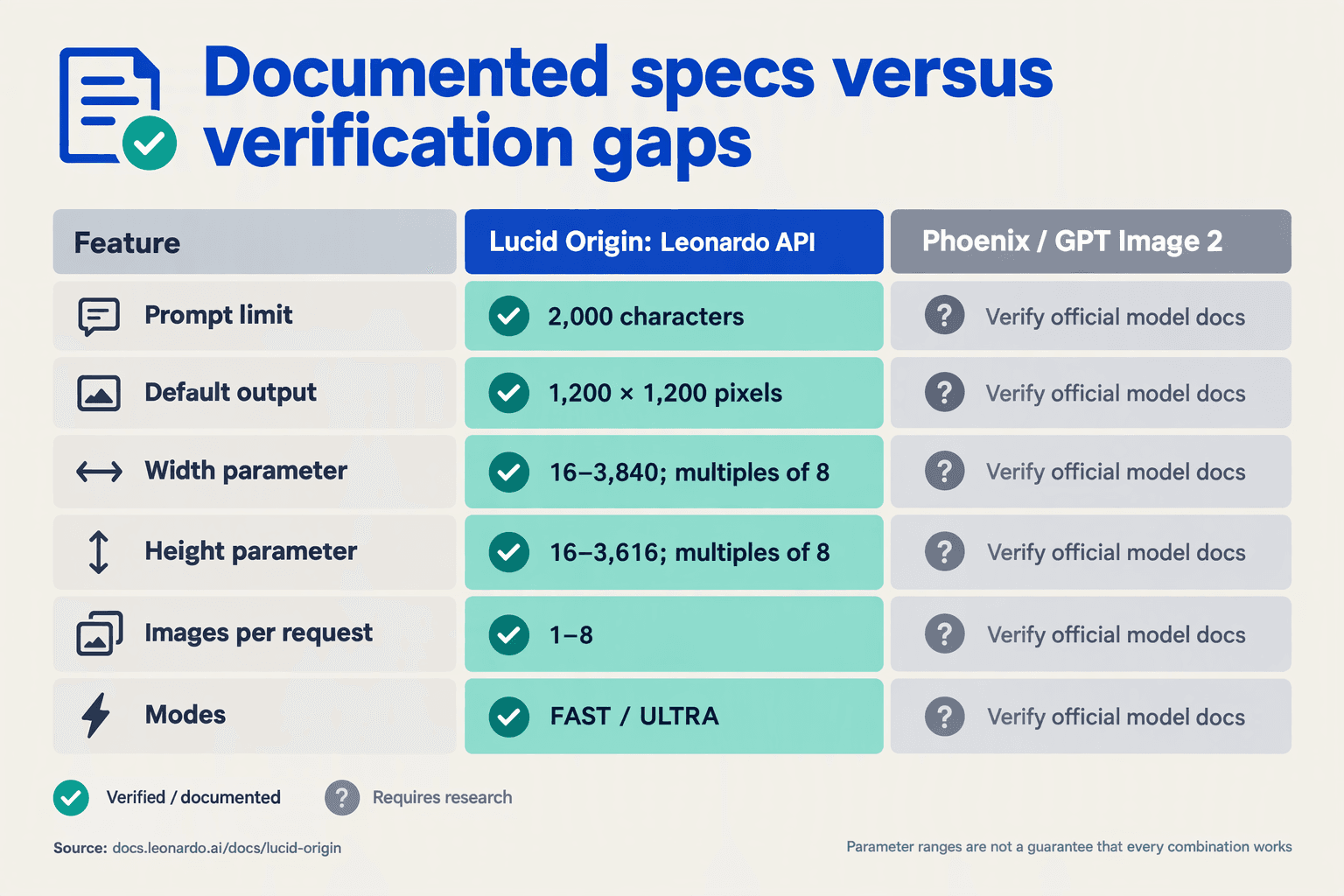
Lucid Origin has documented text-to-image generation and image-reference controls; the supplied evidence does not establish equivalent specifications for Phoenix or GPT Image 2. This November 2026 comparison separates verified parameters from unanswered questions rather than treating missing documentation as missing capability.
- Evidence scope: Leonardo AI’s supplied Lucid Origin documentation is the primary technical source; the context contains no equivalent Phoenix or GPT Image 2 specification sheets.
- Modality distinction: Content and style references guide generation, but do not by themselves establish support for masked editing, inpainting or conversational image revision.
- Resolution distinction: An allowed width or height range is not a guarantee that every combination works; verify the exact dimensions required by your production workflow.
- Comparison rule: “Not documented here” means unverified in the supplied sources, not unsupported by the model or unavailable through another provider.
| Specification | Lucid Origin | Phoenix | GPT Image 2 |
|---|---|---|---|
| Modalities | Text-to-image with optional content and style image guidance | Not documented here | Not documented here |
| Prompt limit | Maximum 2,000 characters | Not documented here | Not documented here |
| Resolution parameters | Each axis: 16–3,616 px, multiples of 8; default 1,200 × 1,200 px | Not documented here | Not documented here |
| Generation modes | FAST or ULTRA; default FAST | Not documented here | Not documented here |
| Content-reference control | 1 image; LOW, MID or HIGH strength; default MID | Not documented here | Not documented here |
| Style-reference control | 1 image; LOW, MID, HIGH, ULTRA or MAX; default MID | Not documented here | Not documented here |
| Prompt enhancement | AUTO, ON or OFF; default AUTO | Not documented here | Not documented here |
| Feed visibility | public determines community-feed visibility | Not documented here | Not documented here |
Source: Leonardo AI’s supplied API documentation for the Lucid Origin column, as presented for this November 2026 guide. The other columns remain explicitly unverified.
Which controls should buyers test before choosing an image model?
- Prompt portability: A 2,000-character ceiling is not a token allowance. Count the complete production prompt—including brand instructions and required text—before submitting it to Lucid Origin.
- Reference handling: Test content guidance and style guidance separately before combining them. Record strength settings so a successful output can be reproduced as a configuration, rather than remembered as a lucky sample.
- Visibility setting: Check
publicexplicitly when testing unreleased assets. Leonardo AI describes this as community-feed visibility; it should not be interpreted as a complete data-retention or confidentiality policy. - API integration: As of November 2026, CallMissed’s developer API provides OpenAI-compatible image endpoints. Buyers should still verify the exact model identifier and exposed controls: compatibility does not establish that Lucid Origin, Phoenix or GPT Image 2 is available, or that provider-specific settings transfer unchanged.
How much does Lucid Origin cost by provider and mode, and what is the cost per usable image? (TABLE; verify vendor prices for November 10, 2026)
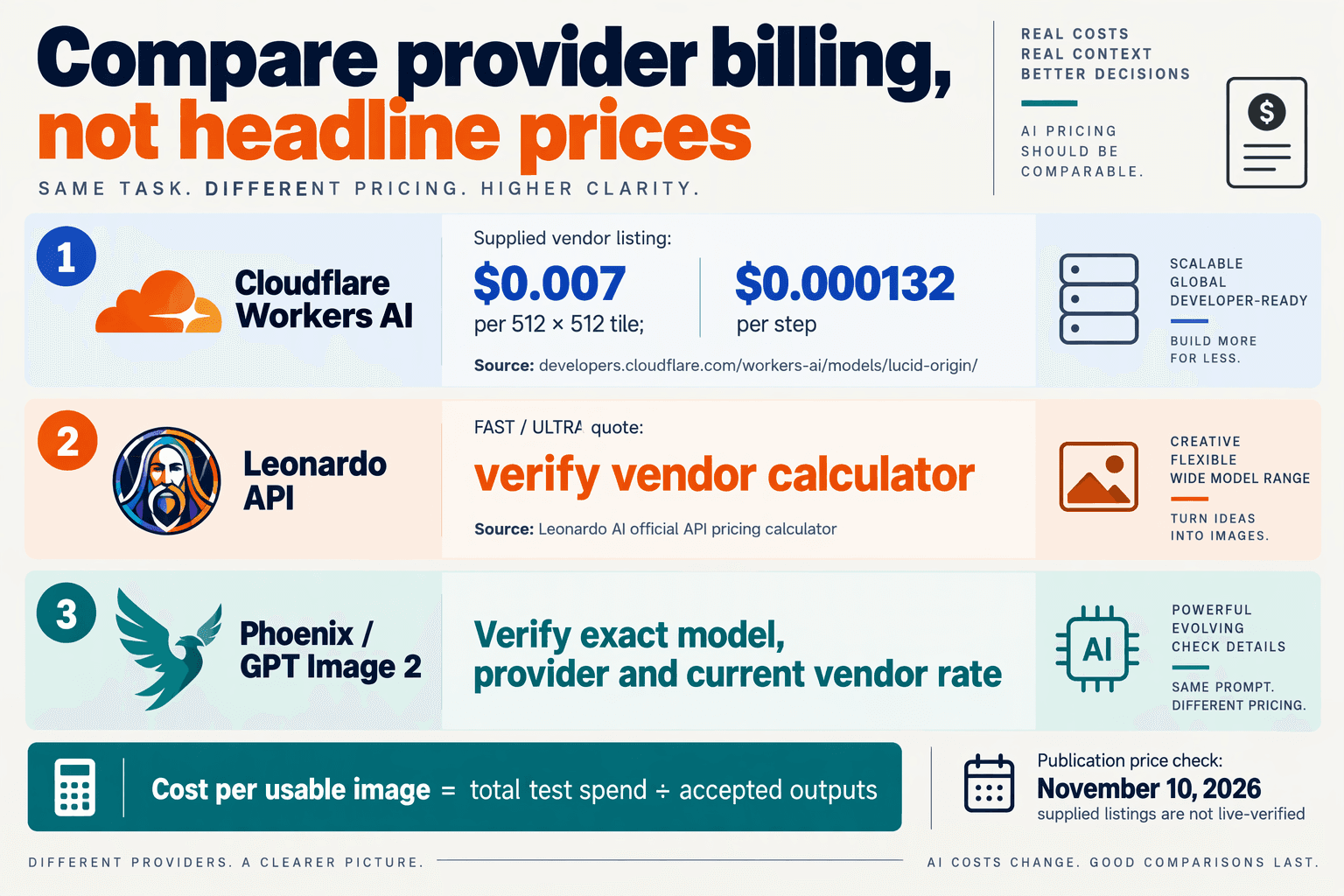
Lucid Origin’s prices cannot be verified for November 10, 2026 from the supplied sources: Leonardo AI documents FAST and ULTRA modes, but the excerpts contain no vendor rates. Compare cost per usable image, not an unsupported headline price.
- Pricing status: “Not verified” below means the supplied evidence lacks a confirmed rate—not that the service is free, unavailable or necessarily more expensive.
What Lucid Origin prices are documented by provider and mode?
| Provider or source | Model/mode | Evidence supplied | Price on Nov. 10, 2026 |
|---|---|---|---|
| Leonardo AI API | FAST | Official mode documentation | Not verified |
| Leonardo AI API | ULTRA | Official mode documentation | Not verified |
| Puter developer catalogue | Lucid Origin; mode unspecified | API and pricing search listing | Not verified |
| CloudPrice pricing index | Lucid Origin Ultra | Comparison search listing, not a vendor quote | Not verified |
- Leonardo AI: The documentation supplied for this November 10, 2026 comparison identifies
FASTandULTRA, but supplies neither per-image charges nor a credit-to-currency conversion. A documented mode does not establish its billing rate. - Puter: The supplied developer.puter.com result advertises Lucid Origin “Specs, pricing and code examples,” but includes no numeric price. Its listing alone cannot establish supported modes, billing units, minimum charges or the final cost of a generation.
- CloudPrice: The supplied cloudprice.net result names “Leonardo AI Lucid Origin Ultra,” but provides no numeric rate or update timestamp. Treat CloudPrice as a pricing-discovery source, not proof of a purchasable provider offer or a current vendor quotation.
How do you calculate cost per usable Lucid Origin image?
Cost per usable image = total generation and production costs ÷ accepted final images. Count rejected outputs and paid revisions in the numerator; count only images meeting your predefined acceptance criteria in the denominator.
- Worked example—illustrative, not vendor pricing: At an assumed $0.04 per generated image, 100 outputs cost $4; accepting 40 produces a $0.10 generation cost per usable image. At an assumed $0.08 with 80 accepted outputs, the result is also $0.10.
- Production overhead—illustrative: Two minutes of editing at an assumed $30/hour adds $1 per accepted image, before generation charges. Include paid upscaling, storage or transfer only where the chosen workflow actually incurs those costs; avoid assuming every provider bills them separately.
What should buyers verify before choosing FAST or ULTRA?
- Purchase checklist: Obtain a dated vendor quote for each mode, currency, output dimensions, image quantity, reference inputs and applicable taxes; confirm whether charges apply per request, generated image or credit. Then test an identical brief and record accepted outputs, retries and editing time.
A higher-priced mode is economically worthwhile only when its measured acceptance rate or reduced production work offsets the premium. Until dated vendor rates and comparable acceptance results are available, neither FAST nor ULTRA can defensibly be called the cheaper option per usable image.
What are Lucid Origin’s advantages and limitations compared with alternatives?
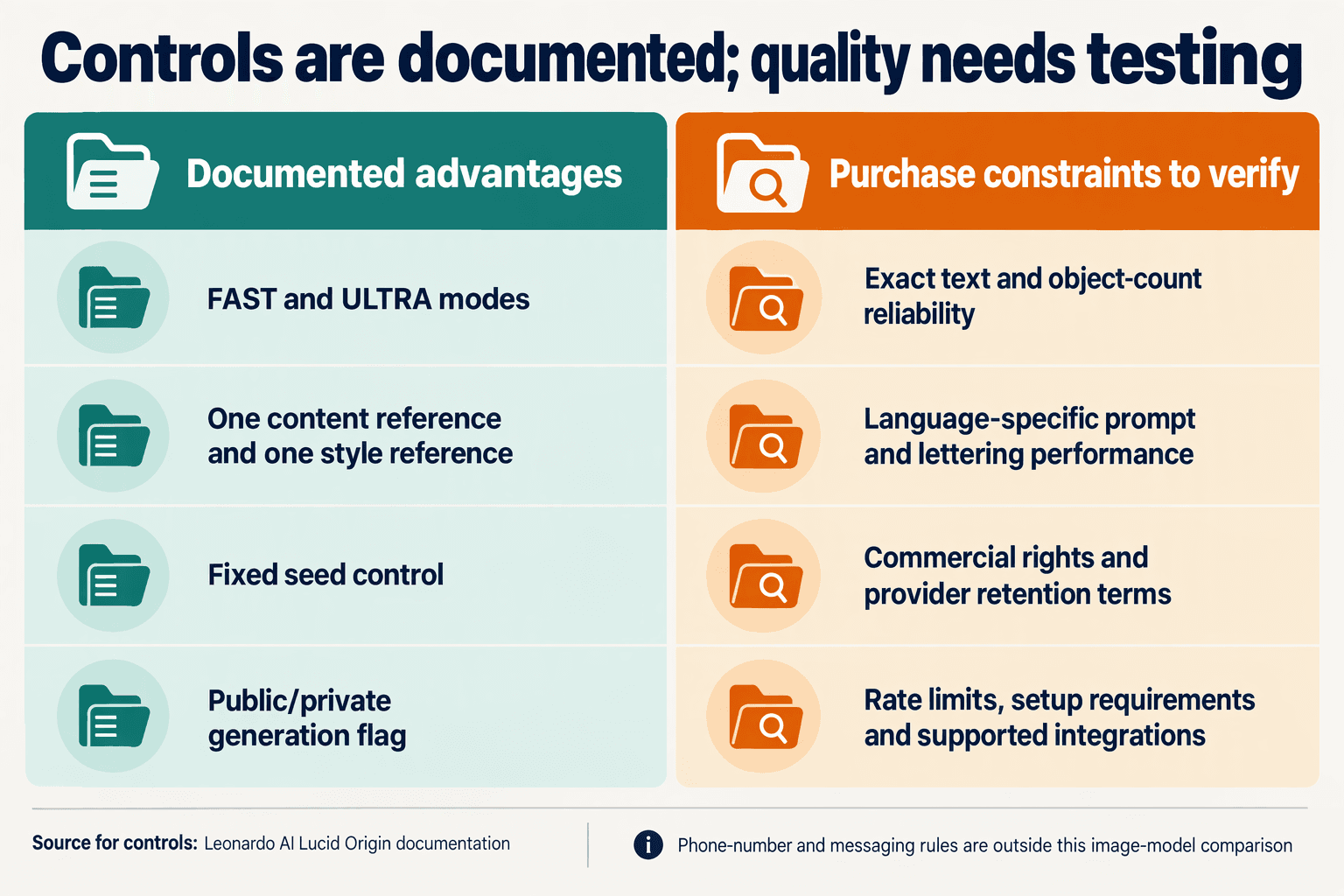
Lucid Origin’s clearest advantages are explicit reference controls, configurable prompt enhancement and documented API access; its limitations include single-image reference caps and insufficient evidence for price or performance rankings. As of November 2026, Leonardo AI’s supplied documentation supports a workflow comparison—not a claim that Lucid Origin outperforms alternatives.
- Lucid Origin: Content guidance offers 3 strength settings, while style guidance offers 5, giving buyers separate controls for subject structure and visual treatment, according to Leonardo AI’s documentation reviewed for November 2026.
- Reference-heavy alternatives: For briefs requiring several product or character references, check whether another model accepts multiple inputs; Lucid Origin documents 1 content reference and 1 style reference, not unrestricted reference collections.
- Prompt-controlled workflows: Lucid Origin’s AUTO, ON and OFF enhancement settings let teams test whether automatic prompt modification helps their brief; Leonardo AI documents AUTO as the default.
- Confidential creative workflows: Leonardo AI documents
public: falsefor keeping generations out of the community feed; this setting does not establish retention, training-use or contractual confidentiality guarantees. - Price-sensitive buyers: Neither the supplied Puter search result nor CloudPrice listing establishes a verified numeric charge; calculate cost per accepted image, rather than assuming Lucid Origin is cheaper.
- Developer teams: As of November 2026, CallMissed’s verified fact sheet lists 9 image models and OpenAI-compatible image endpoints; it does not establish Lucid Origin availability within that catalogue.
Which Lucid Origin trade-offs should buyers compare?
The table separates documented capabilities from questions that require equivalent testing or additional provider documentation. Leonardo AI supplies the product facts below; the comparison criteria are practical purchasing checks, not measured competitor results.
| Buying criterion | Lucid Origin evidence, November 2026 | Advantage or limitation | Check in alternatives |
|---|---|---|---|
| Reference control | Separate content and style guidance | Distinct controls for structure versus appearance | Whether those controls are separate or combined |
| Reference capacity | Maximum 1 image per guidance type | Constrains multi-reference briefs | Supported reference count and input roles |
| Guidance strength | Content: LOW/MID/HIGH; style adds ULTRA/MAX | Adjustable influence, not guaranteed fidelity | Repeatability across identical briefs |
| Prompt enhancement | AUTO, ON or OFF | Can disable automatic enhancement for controlled tests | Whether submitted prompts are modified |
| Feed visibility | public: false keeps images out of the community feed | Useful visibility control; not a complete privacy policy | Retention, training use and access terms |
| Integration | REST generation endpoint; documented MCP workflow | Supports application and assistant workflows | Authentication, response handling and integration effort |
How can buyers test these advantages fairly?
- Use one production brief: Keep the requested subject, composition and output dimensions equivalent, and record enhancement settings separately.
- Score accepted outputs: Measure reference fidelity, prompt adherence and correction effort; mode names alone cannot demonstrate quality or speed.
- Verify commercial terms: Obtain current generation charges and applicable usage rights before choosing a provider; the supplied evidence cannot settle either comparison.
Does Lucid Origin outperform Phoenix or GPT Image 2? Use reproducible same-prompt tests instead of unsupported benchmark rankings
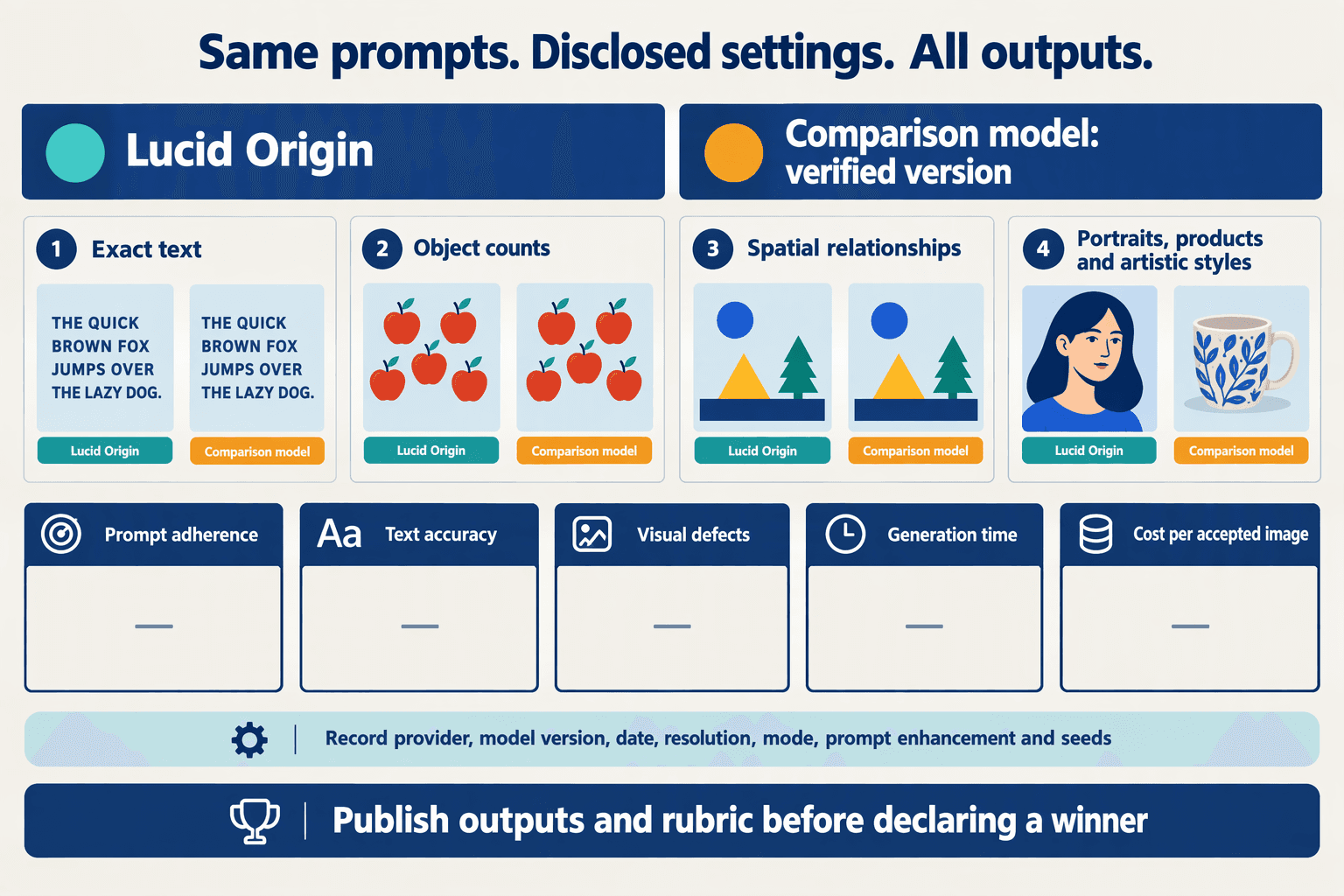
The supplied sources do not establish that Lucid Origin outperforms Phoenix or GPT Image 2. As of November 2026, a defensible buying decision requires matched tests, verified model identifiers and measured cost per accepted image—not an unsupported benchmark ranking.
How do you run a fair Lucid Origin vs Phoenix vs GPT Image 2 comparison?
- Model identity: Record the provider, exact API model identifier, version and test date before generating images. Leonardo AI’s supplied documentation identifies
lucid-origin, but the supplied context does not verify Phoenix or GPT Image 2 specifications. Confirm those comparison targets before attributing results to either model; a product label alone is insufficient for reproducibility.
- Test set: Use 10 production briefs with four outputs per brief per configuration as a proposed evaluation protocol—not a published benchmark. Include product photography, editorial illustration, advertising layouts and images containing text. Testing Lucid Origin FAST, Lucid Origin ULTRA and two verified competitor configurations would produce 160 outputs, including rejected images.
- Prompt controls: Submit identical prompt text and disable automatic rewriting where supported. According to Leonardo AI’s documentation supplied for this November 2026 comparison, Lucid Origin’s
prompt_enhanceaccepts AUTO, ON or OFF. Explicitly select OFF for the baseline; otherwise, hidden prompt expansion can make a “same-prompt” comparison materially different.
- Output controls: Choose dimensions supported by every tested configuration, then hold aspect ratio and delivery requirements constant. Record native dimensions, resizing and upscaling separately. If one model cannot produce the required format directly, evaluate that limitation as a workflow cost rather than silently changing its task or giving another model an easier brief.
What should buyers measure beyond attractive sample images?
- Blind quality scoring: Remove model names and have three reviewers score each output against five predefined criteria: prompt adherence, composition, artifact severity, text accuracy and brief suitability. Use a 1–5 scale with written anchors. Report disagreement and task-level results; averaging everything into one score can conceal a model’s weakness on a critical requirement.
- Reference fidelity: Run a separate reference-guided track using the same source asset wherever equivalent controls exist. Leonardo AI’s documentation supplied for November 2026 limits Lucid Origin to one content reference and one style reference. Compare identifiable features, colors and layout preservation; mark unsupported reference workflows explicitly rather than presenting unequal inputs as equivalent tests.
- Operational performance: Log request submission, completed-image availability, errors and retries for every attempt. Report median and 95th-percentile completion time, alongside sample size and test conditions. Treat FAST and ULTRA as documented configuration names—not verified latency claims—and retain prompts, settings and outputs so another evaluator can repeat the experiment.
- Buying decision: Calculate cost per accepted image = total generation and required processing charges ÷ accepted outputs. Keep revision time separate, date the provider prices and include failed attempts where billed. Select the configuration that meets your acceptance threshold within budget; without these measurements, neither a universal winner nor a percentage performance advantage is supported.
Which should you choose, and how can you try Lucid Origin today? Verify Standard naming, access, rights and setup before your first request
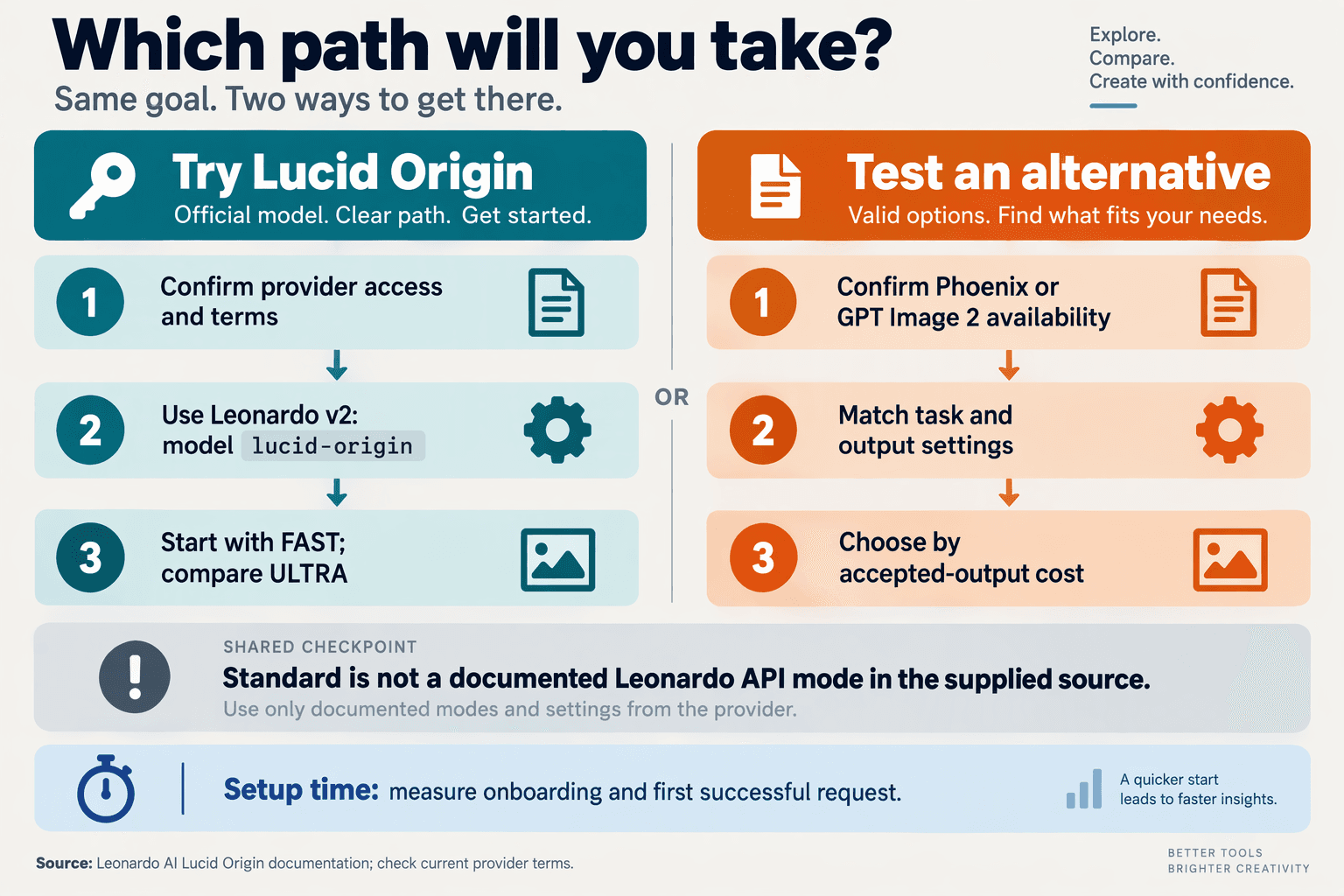
Choose Lucid Origin if Leonardo AI’s documented controls fit your workflow; verify naming, billing and commercial rights before committing. The supplied November 2026 sources establish an API route, but not a confirmed “Standard” variant or per-image price.
Is Lucid Origin Standard a verified model name?
- Lucid Origin: Leonardo AI’s documentation supplied for this November 2026 guide identifies the model as
lucid-originand listsFASTandULTRAgeneration modes. It does not establish “Standard” as a separate model identifier. If a marketplace offers “Standard,” request its exact mapping before assuming equivalent settings, output or billing.
- Lucid Origin Ultra: Cloudprice’s November 2026 research listing uses “Lucid Origin Ultra,” while Leonardo AI documents
ULTRAas a mode. Treat the marketplace label as something to reconcile with the underlying request—not proof of a different model. Obtain the provider’s current charge, billing unit and failed-request policy before purchasing credits.
Where can you try Lucid Origin, and what should you check?
- Leonardo AI access: As documented in the supplied November 2026 context, the direct integration uses a POST request to
/api/rest/v2/generations, bearer API-key authentication and a JSON body. Confirm account eligibility, available balance and current API pricing first; the supplied documentation does not establish a free trial or included generation allowance.
- Alternative access: Leonardo AI’s November 2026 documentation also identifies an MCP Server workflow, and Puter’s developer page lists Lucid Origin access. Compare the actual model mapping, authentication requirements and charges for each route. A playground listing alone does not establish identical reference controls, privacy settings or commercial terms across providers.
- First request: Follow Leonardo AI’s November 2026 sample structure: specify
"model": "lucid-origin", place generation settings insideparameters, and usemoderather thanquality. Start with one clearly defined creative brief; explicitly setprompt_enhancetoOFFwhen you want to evaluate your original wording without automatic enhancement.
- Rights and privacy: Leonardo AI’s November 2026 documentation says
public: falsekeeps generated images out of the community feed. That setting is not a commercial-use licence or a complete data-retention policy. Separately verify output licensing, uploaded-reference rights, retention and client confidentiality; those terms are not supplied in this research.
How should you make the final buying decision?
- Your acceptance test: Before subscribing, define pass/fail checks for the intended deliverable: required text, product geometry, brand colours and permissible edits. Record the provider, mode and enhancement setting with each result. Choose based on cost per accepted asset, including revisions and human correction—not a mode name or one attractive sample.
- CallMissed: As of November 2026, CallMissed’s verified developer catalogue includes nine image models and OpenAI-compatible image endpoints. That supports evaluating a unified API workflow, but the supplied fact sheet does not confirm Lucid Origin availability. Check the current catalogue and exact model identifier before planning a CallMissed integration around Leonardo AI’s model.
Frequently Asked Questions
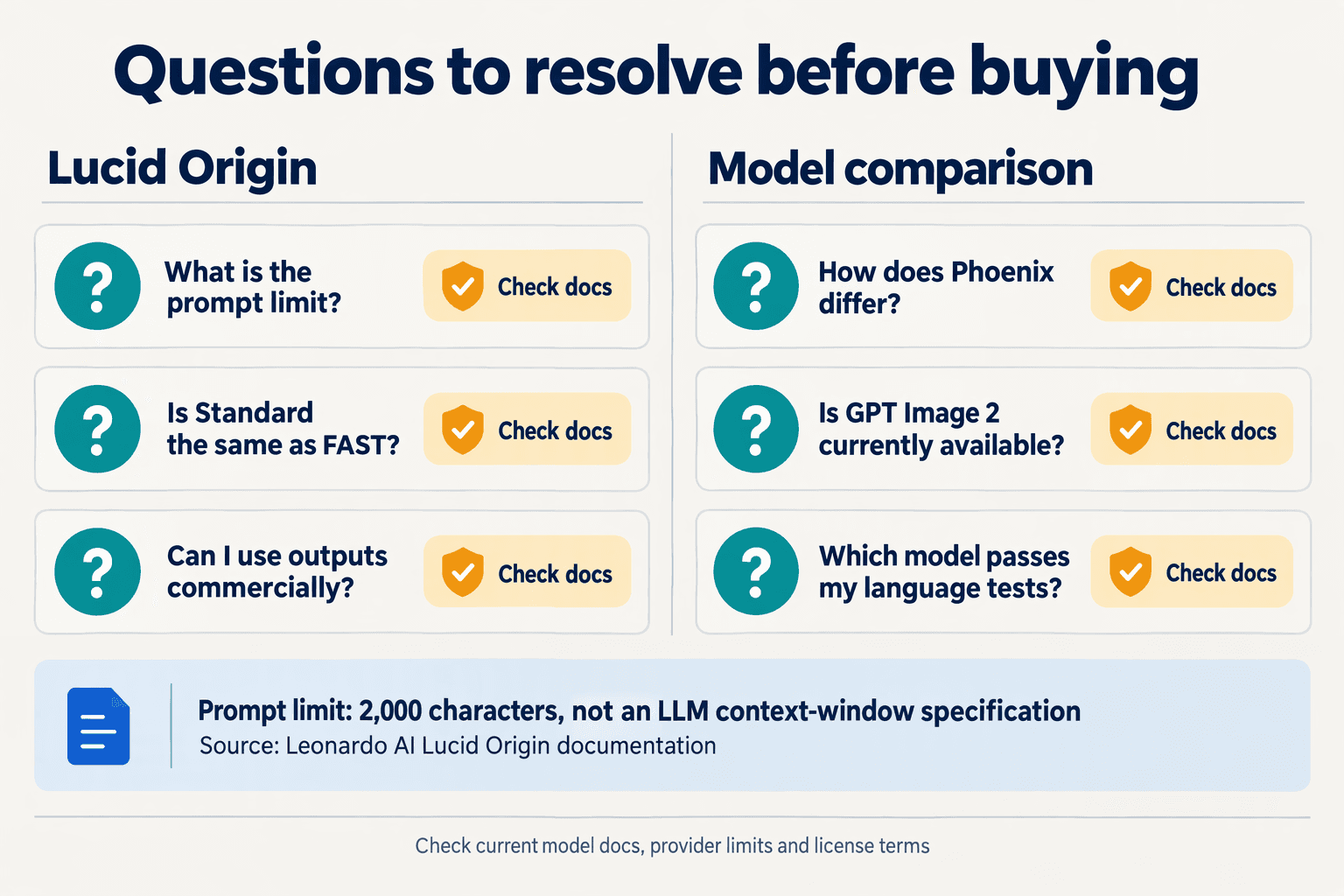
- Q: What is the difference between the Lucid Origin image model and Leonardo Phoenix?
A: Lucid Origin: Leonardo AI’s documentation supplied for this November 2026 guide identifies lucid-origin as a distinct model with separate content-reference and style-reference controls, each accepting one image. Phoenix: The supplied sources do not establish Phoenix’s corresponding specifications or comparative performance, so buyers should not assume interchangeable controls or a proven quality advantage. Test both against the same production brief before choosing.
- Q: How does GPT Image 2 compare with the Lucid Origin image model?
A: GPT Image 2: The supplied research does not verify this model’s availability, specifications, pricing or benchmarks as of November 2026, so a numerical head-to-head comparison would be unsupported. Lucid Origin: Leonardo AI documents configurable dimensions and reference guidance, providing concrete criteria for an evaluation. Compare prompt adherence, readable text, reference fidelity and cost per accepted image only after confirming the exact OpenAI model identifier.
- Q: Is Lucid Origin Standard the same as FAST?
A: According to Leonardo AI’s documentation supplied for this November 2026 guide, Lucid Origin’s API accepts FAST and ULTRA, with FAST as the default; it does not list Standard as a mode. A provider’s “Standard” label therefore needs an explicit mapping before buyers treat it as equivalent. Leonardo AI also specifies using mode, rather than quality, for proprietary models.
- Q: Does Lucid Origin have a context window or a prompt limit?
A: Leonardo AI’s documentation supplied for this November 2026 guide specifies a 2,000-character prompt limit, not a token-based context window. It does not establish conversational memory or a multi-turn image-editing context, so buyers should not interpret the prompt allowance as either capability. For integration planning, validate prompt length in characters and handle image guidance separately from the text prompt.
- Q: What languages and commercial usage rights does Lucid Origin support?
A: The supplied Leonardo AI documentation does not enumerate supported prompt languages or establish commercial licensing terms as of November 2026. Its public flag controls whether generated images appear in the community feed; private visibility does not itself establish commercial rights or exclusivity. Before publishing client assets, check the applicable service terms and test prompts and rendered text in each required language.
- Q: What API limits apply when integrating Lucid Origin?
A: Leonardo AI’s November 2026 documentation specifies a v2 generations endpoint, bearer authentication and dimensions from 16–3,616 pixels in multiples of eight, but the supplied extract does not establish request-rate quotas or a maximum image quantity. Separately, CallMissed’s verified November 2026 developer API offers nine image models and default per-key limits of 60 requests/minute on Free and 3,000 on Pro. Those gateway facts do not confirm Lucid Origin availability; verify model access and provider-specific limits before integrating.
Conclusion
Lucid Origin is Leonardo AI’s image-generation model, identified as lucid-origin in its API; buyers should compare it on usable results, reference controls, integration effort and verified costs—not gallery appeal alone. As of November 2026, its documented specifications provide a starting point, but they do not establish a universal quality winner or a confirmed per-image price.
- Understand the output specifications before choosing a workflow. According to Leonardo AI’s documentation reviewed for this November 2026 guide, Lucid Origin defaults to 1,200 × 1,200 pixels and offers FAST and ULTRA generation modes. Its documented width and height ranges are 16–3,616 pixels, in multiples of eight, with prompts limited to 2,000 characters. Treat those dimensions as parameter limits, not a guarantee that every combination will suit your production needs. A square default may be useful for some briefs, but buyers requiring widescreen assets should test their intended dimensions.
- Test content guidance and style guidance separately. Leonardo AI’s documentation reviewed for this November 2026 guide specifies separate content-reference and style-reference inputs, each limited to one reference image. That separation matters because preserving a product’s appearance is different from reproducing an editorial aesthetic. Evaluate the control that matches your brief rather than assuming a strong style result also demonstrates strong content fidelity. Repeatable creative direction should be judged across multiple outputs, not inferred from one successful example.
- Compare equivalent tasks, not mode names. Keep prompts, target dimensions and acceptance criteria consistent across Lucid Origin and competing image models. Record rejected images and revisions alongside successful generations so that attractive samples do not conceal workflow friction. FAST and ULTRA are documented settings, not independently verified speed or quality benchmarks. The practical question is whether a mode produces acceptable results for your task, with manageable revision effort and an integration your team can support.
- Verify pricing before calculating value. The supplied sources do not establish a confirmed Lucid Origin per-image price as of November 2026. Separate Leonardo AI’s documented capabilities from third-party pricing listings that still require confirmation. Your meaningful buying metric is cost per usable result, including rejected outputs and revisions—not simply the advertised charge for one generation. Without verified charges and comparable acceptance rates, a precise value ranking would imply more certainty than the evidence supports.
What should buyers watch for next?
Watch for clearer provider pricing and reproducible comparisons of prompt adherence, reference handling and FAST versus ULTRA performance. Those developments would make future purchasing decisions more defensible.
For broader image-model exploration, CallMissed’s verified catalogue includes nine image models through its unified AI API as of November 2026; this does not establish Lucid Origin availability. Explore CallMissed alongside your shortlisted providers, then ask: which workflow delivers your required image at a verified, acceptable cost?
Related Reading
- Claude Fable 5.2 API Pricing: $8/$40 Rates and Migration
- Inworld TTS Pricing 2026: TTS-2 vs Flash Comparison
- GPT-4o API pricing 2026: Compare Compatible API Costs