
Hindi AI Chatbot for Indian SMEs: WhatsApp & Hinglish Guide 2026


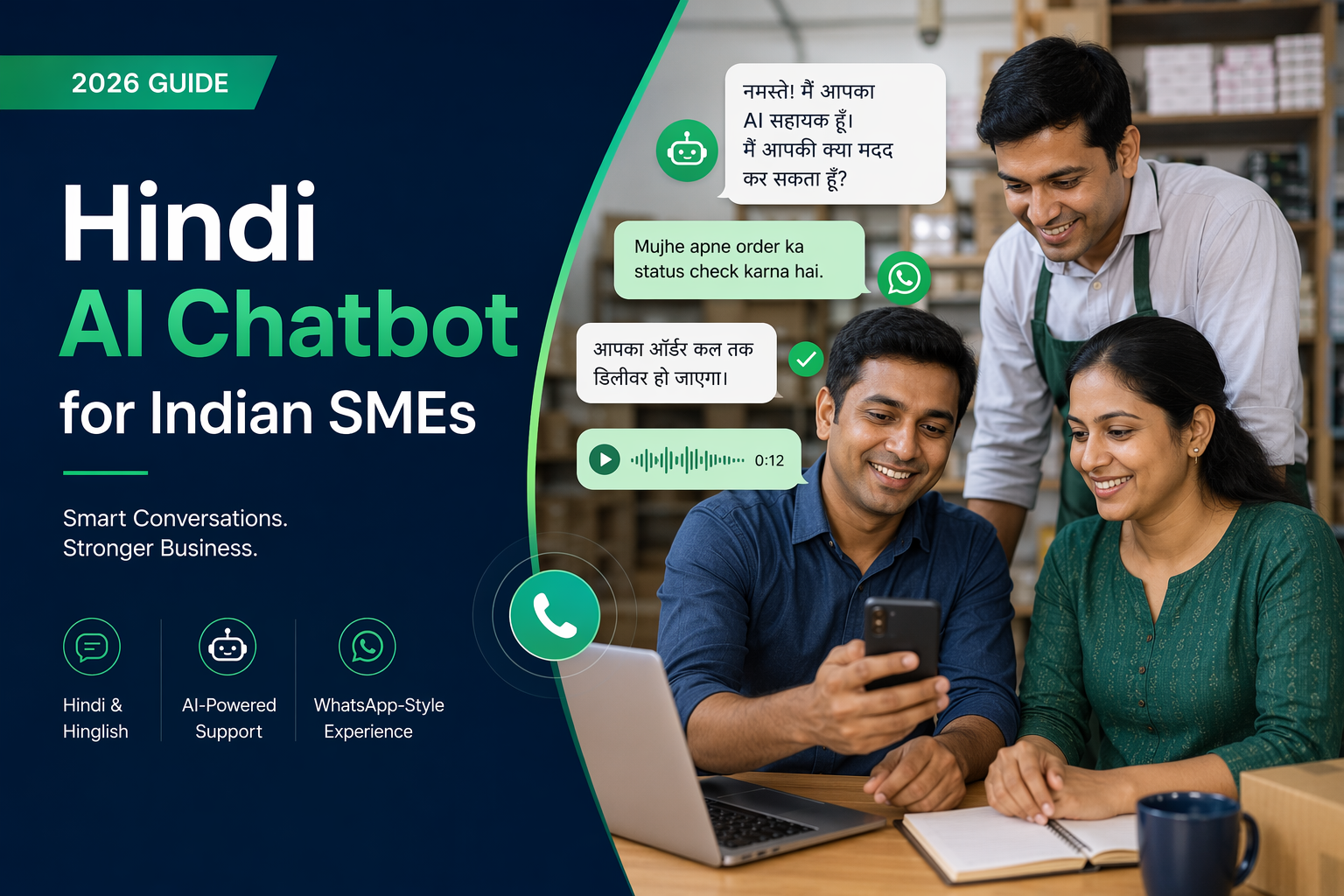
Build a Hindi AI chatbot for Indian SMEs in 2026. Compare WhatsApp setup, Hinglish support, model options, costs, guardrails, handoff, and rollout steps.
Hindi AI Chatbot for Indian SMEs: WhatsApp & Hinglish Guide 2026
India has over 63 million SMEs, and the vast majority operate in regional languages. Hindi alone is spoken by over 500 million people. Yet most AI chatbots are built for English-first users. In 2026, new models, better datasets, and cheaper deployment mean a Hindi chatbot for Indian SMEs is a deployable product.
Why Hindi Matters for Business
Hindi matters because customers can explain needs, ask follow-up questions and understand next steps more easily in a familiar language. For an Indian SME, a Hindi AI chatbot can reduce the effort required to contact the business—especially when an English-only form, website or support flow makes customers hesitate. The goal is not to assume that every Hindi-speaking customer prefers Hindi, but to let each person use the language and channel that feel natural.
A practical chatbot should handle both standard Hindi and everyday Hinglish. Customers may write in Devanagari—“मुझे कीमत बताइए”—or use Roman-script Hindi—“mujhe price bataiye.” They may also switch between Hindi and English within the same message. The chatbot should preserve the customer’s meaning, ask clarifying questions when wording is ambiguous and avoid forcing users into rigid, translated menu options.
On WhatsApp, a Hindi chatbot can answer common questions, collect enquiry details, share approved information and route the conversation to the appropriate employee. This is useful for customers who already use WhatsApp to contact local businesses. On the web, the same language support can help visitors understand products, services, delivery areas, appointment options or contact procedures without navigating an English-only site. Actual results will vary by audience, offer and implementation, so SMEs should compare Hindi, Hinglish and English flows using their own conversation and resolution data.
Voice-call escalation helps when typing becomes inconvenient or the issue requires empathy, negotiation or detailed explanation. Examples include an urgent service request, a frustrated customer, complex eligibility questions or a lead that wants to discuss pricing. Customers should also have a clear way to request a person rather than being trapped in automation. Where relevant, CallMissed can support a unified workflow across WhatsApp, chatbot, voice-agent and human handoff, so the conversation can move to the appropriate channel.
Best first use cases
| Use case | Information collected | Automation boundary | Human handoff trigger |
|---|---|---|---|
| New sales enquiry | Name, location, requirement, budget range and preferred callback time | Capture and qualify the initial request; provide approved basic information | Custom pricing, negotiation or a high-intent callback request |
| Appointment or demo request | Service needed, preferred date, location and contact details | Gather scheduling preferences and explain the next step | No suitable slot, special accommodation or confirmation problem |
| Order or service-status question | Order/reference number and issue category | Provide available status information or route the request | Missing records, disputed status or an urgent delay |
| Frequently asked questions | Product, policy, delivery-area or service query | Answer from maintained business information | Low-confidence answer, repeated question or policy exception |
| Support triage | Contact details, product/service involved and problem summary | Categorise the issue and collect context | Safety concern, complaint, technical complexity or explicit request for a person |
Model Options in 2026
In July 2026, the right model is not necessarily the one with the highest public benchmark score. Indian SMEs should compare three deployment categories using real customer conversations:
- India-focused hosted models: Providers specialising in Indian languages may handle Hindi phrasing, code-switching, transliterated Hindi and regional context more naturally. India-based hosting can also support data-residency requirements and reduce network latency, depending on the provider and your infrastructure. Confirm language coverage, retention policies, uptime commitments, tool-calling support and production limits.
- Global hosted models: Major international platforms generally provide broad multilingual capabilities, mature APIs and useful features such as structured outputs, vision, speech or tool use. They can suit complex support and sales workflows, but performance on informal Hinglish, Indian names and local business terminology varies. Pricing, regional availability and data-processing terms also differ by model and service tier.
- Self-hosted open models: Open-weight families can be deployed in your cloud, virtual private cloud or on dedicated infrastructure. This offers greater control over data, fine-tuning and serving costs, but requires engineering capacity for inference, security, monitoring, upgrades and scaling. Hindi quality depends on the model, quantisation, prompt design and any domain adaptation.
Model selection checklist
| Option | Hindi and Hinglish | Latency and privacy | Tool use and operations | Cost profile |
|---|---|---|---|---|
| India-focused hosted | Often designed for Indian-language or code-switched interactions; verify with transcripts | Potentially low India latency; check hosting location, logging and retention | API quality and integrations vary; assess reliability and function calling | Usually usage-based; include speech, support and minimum-commitment fees |
| Global hosted | Broad capability, but informal Hindi performance can vary by task | Regional endpoints may be available; review cross-border processing terms | Typically managed and feature-rich, reducing operational burden | Usage-based pricing can rise with long contexts, retries and premium features |
| Self-hosted open | Highly dependent on the chosen model and tuning data | Maximum deployment control; latency depends on hardware and serving stack | Your team owns deployment, safeguards, observability and upgrades | Higher setup and staffing costs; potentially economical at stable, high volume |
Run a structured evaluation before committing. Build a test set from consented, anonymised WhatsApp transcripts covering Devanagari, Romanised Hindi, Hinglish, spelling variation, voice-note transcriptions, local product names, refusals and escalation requests. Score task completion, factual accuracy, tone, tool-call success, response time and cost per resolved conversation—not fluency alone.
Model names, capabilities, prices and data policies change frequently. Check each provider’s current official documentation, contracts and regional availability, then repeat the evaluation whenever you change models, prompts or integrations.
Deployment Architecture
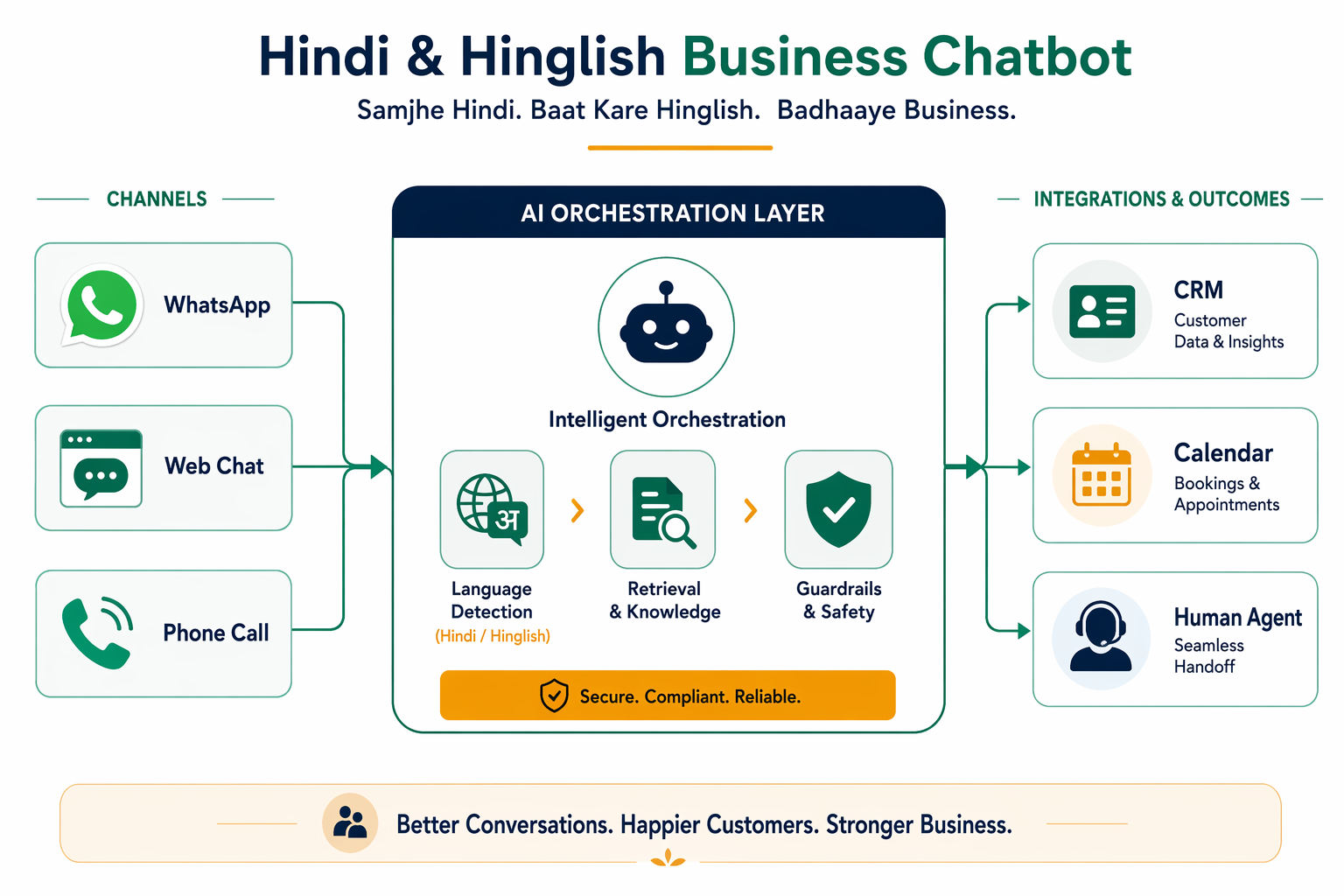
Use one orchestration layer across WhatsApp, website chat, and optional voice calls rather than building separate bots for every channel. WhatsApp messages can enter through Meta’s WhatsApp Business Platform or an approved provider, while the website uses a lightweight chat widget. For voice, a telephony provider supplies call events and speech-to-text; the same workflow can then retrieve information, perform approved actions, and route the customer to an agent.
| Layer | Job | Failure risk | Control |
|---|---|---|---|
| Channel adapters | Receive WhatsApp messages, web chats, and optional calls | Duplicate, delayed, or out-of-order events | Verify webhooks, use message IDs, retries, and idempotency |
| Identity and consent | Associate a conversation with a customer and record permissions | Messaging without valid consent or exposing another customer’s data | Capture opt-in, authenticate sensitive requests, and support opt-out |
| Language detection | Identify Hindi, English, Hinglish, and script changes | Wrong language or unnatural replies | Detect language per message, retain user preference, and allow manual switching |
| Speech layer | Convert voice to text and replies to speech | Errors caused by accents, noise, names, or numbers | Confirm important details and offer keypad or agent fallback |
| Orchestrator | Manage conversation state, policies, retrieval, and tool calls | Loops, lost context, or unintended actions | State limits, timeouts, schemas, and explicit action confirmation |
| Knowledge retrieval | Search FAQs, policies, catalogs, and service information | Outdated or irrelevant answers | Use multilingual embeddings, metadata filters, source ownership, and review dates |
| Tools and systems | Read or update CRM records, calendars, tickets, and orders | Incorrect bookings or unauthorized changes | Allowlisted tools, least-privilege access, validation, and audit trails |
| Response generation | Produce concise Hindi or Hinglish answers grounded in retrieved content | Hallucinations, unsafe wording, or inconsistent tone | Prompt rules, citations where useful, blocked topics, and confidence thresholds |
| Human handoff | Transfer context to a suitable agent | Customer repeats everything or waits without clarity | Pass transcript, detected language, summary, and collected fields |
| Logging and analytics | Measure quality, containment, latency, and escalation | Sensitive information retained unnecessarily | Redaction, role-based access, retention limits, and deletion procedures |
Retrieval, actions, and guardrails
Store approved content in a versioned knowledge base, with separate metadata for language, product, location, audience, and validity date. Retrieval should support Devanagari Hindi, Romanized Hindi, Hinglish, spelling variants, and common English product terms. If reliable evidence is unavailable, the bot should say so instead of inventing an answer.
CRM lookups, appointment scheduling, ticket creation, and order-status checks should run as structured tool calls—not free-form model instructions. Require confirmation before consequential actions such as booking, cancellation, payment-related changes, or updating personal information. Never request passwords, OTPs, card PINs, or unnecessary sensitive data.
Consent records should include the channel, purpose, timestamp, and source. Follow current WhatsApp messaging rules, use approved templates where required, provide an opt-out path, and align storage and processing with the business’s privacy notice and applicable law.
Rollout flow
- Launch with 20–30 high-volume Hindi and Hinglish intents.
- Connect read-only knowledge retrieval before enabling system updates.
- Test script switching, noisy voice, ambiguous dates, names, and failure cases.
- Pilot with staff or a limited customer group and review transcripts.
- Add CRM or calendar actions with confirmations and audit logging.
- Expand only after measuring answer quality, handoff rate, latency, and user feedback.
Teams that want voice calls and WhatsApp conversations handled within one operational workflow can evaluate CallMissed alongside their existing CRM, calendar, telephony, and WhatsApp setup. The final design should preserve channel context while making human escalation immediate and understandable.
Code-Mixing Reality
A Hindi AI chatbot must handle Hinglish as customers actually use it: fluidly switching between Hindi and English within the same message. A user may write “mera order kahan hai?”, “order status check karo,” or “delivery kab tak hogi?” The intent is the same, but the vocabulary, word order, and level of formality differ.
Roman Hindi is especially common in chat because users can type Hindi without switching keyboards. However, Roman Hindi has no single standard spelling. The same request might appear as:
- “Mera parcel nahi aaya”
- “Mera parsal nhi aya”
- “mera parcel nai aaya”
- “Parcel abhi tak nahi mila”
A Hindi AI chatbot should map variants such as “nahi,” “nhi,” “nai,” and “nahin” to the same meaning without forcing users to correct their spelling. It should also account for abbreviations, missing punctuation, repeated letters, and messages such as “refund kb milega???”
English product and business terms often remain unchanged inside Hindi sentences. Customers may use words such as “order,” “refund,” “invoice,” “subscription,” “delivery,” “size,” “OTP,” or “payment” rather than formal Hindi alternatives. Examples include “invoice WhatsApp kar do,” “payment fail ho gaya,” and “medium size available hai kya?” Training and test data for a Hindi AI chatbot should therefore include the terminology used by the business and its customers.
Tone also matters. “Kripya apna order number darj karein” is understandable but may sound more formal than the customer’s “order number bheju?” A suitable reply could be: “Ji, apna order number bhej dijiye. Main status check karta hoon.” Brands can choose a friendly, professional, or highly formal voice, but the tone should remain respectful and consistent. Avoid slang that may feel unnatural or overly familiar unless it fits the audience.
The bot should also understand Devanagari Hindi and mixed-script messages, such as “मेरा order अभी तक नहीं आया,” while preserving important names, codes, and product terms exactly.
Hinglish testing checklist
- Test the Hindi AI chatbot with Roman Hindi, Devanagari, English, and mixed-script messages.
- Include spelling variants: “kahan/kaha,” “nahi/nhi/nai,” and “chahiye/chaahiye.”
- Test colloquial and formal versions of the same intent.
- Include English product names, payment terms, SKUs, and abbreviations.
- Test short messages such as “kab aayega?” using conversation context.
- Check typos, repeated letters, emojis, and missing punctuation.
- Verify that names, phone numbers, order IDs, and amounts are not altered.
- Route unclear or sensitive requests to a human rather than guessing.
A reliable Hindi AI chatbot should accommodate how customers naturally write rather than requiring them to follow rigid language, spelling, or script rules.
Cost Reality
The real question is not “API versus self-hosting,” but total cost per successfully resolved customer conversation. A small model may have a low hosting bill, yet still require WhatsApp access, integrations, monitoring and staff time.
| Cost component | Typical billing basis | What to include |
|---|---|---|
| Chatbot/platform | Monthly subscription, usage tier or self-hosted infrastructure | Inbox, workflow builder, hosting, database, backups and support |
| WhatsApp messaging | Meta template-message charges and any provider fees; some providers may use conversation-based plans | Message category, customer country, service-window rules, phone-number fees and BSP markup |
| AI model usage | Input/output tokens, requests or hosted compute | System prompts, conversation history, retrieval, retries and fallback models |
| Voice, if enabled | Telephony, speech-to-text and text-to-speech minutes | Call minutes, transcription, synthesis, recording and storage |
| Integrations | Subscription, API usage or engineering time | CRM, order system, help desk, payments, shipping and identity verification |
| Monitoring and security | Monthly tools plus operational time | Logs, analytics, alerts, quality testing, access controls and compliance |
| Human review | Agent hours or per-ticket cost | Escalations, low-confidence answers, refunds and periodic Hindi/Hinglish review |
| Implementation | One-time project cost, amortised over its useful life | Setup, data cleanup, prompt design, testing, training and maintenance |
A practical calculation is:
Cost per resolved conversation = total monthly operating cost ÷ conversations fully resolved by the chatbot
Here, total monthly operating cost should include platform and infrastructure fees, Meta/BSP messaging charges, model usage, voice usage, integrations, monitoring, human review and an amortised share of implementation costs. Define “resolved” consistently—for example, no agent escalation and no repeat contact for the same issue within a chosen period.
Self-hosting can reduce model charges at sufficient volume, but it also adds compute capacity, uptime, deployment, security and maintenance costs. Before budgeting, check the current pricing pages for Meta, your WhatsApp Business Solution Provider, model provider, telephony vendor and integration tools; rates and charging rules can change by country, message category, service window and contract.
Frequently Asked Questions
Can one Hindi AI chatbot support Hindi, English, and Hinglish?
How do I set up the chatbot on WhatsApp?
Can the chatbot transfer customers to a human agent?
Can it also handle voice calls?
How should I measure chatbot costs and savings?
How do I manage privacy and consent?
How long does deployment take?
Discussion
Related Posts



Ready to automate customer conversations?
Launch AI voice agents and WhatsApp bots with CallMissed — one API, 22+ Indian languages.