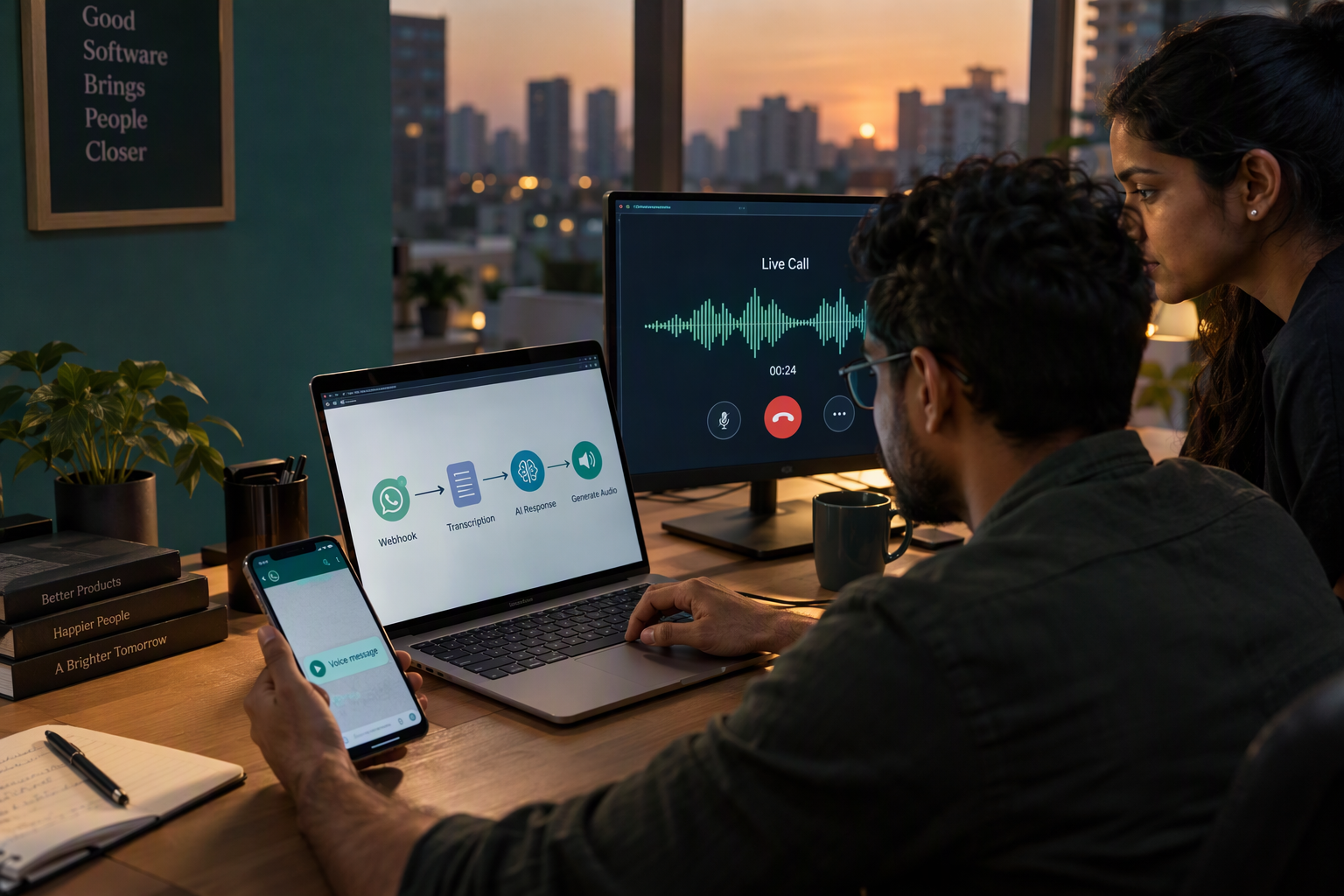
The Best Productivity Apps We've Tested for 2026


Did you know that the average knowledge worker switches between various business applications over 1,100 times a day, resulting in up to four hours of...
The Best Productivity Apps We've Tested for 2026
Did you know that the average knowledge worker switches between various business applications over 1,100 times a day, resulting in up to four hours of lost cognitive focus every single week? In 2026, productivity is no longer just about crossing off items on a static to-do list; it is about managing your cognitive bandwidth in an era dominated by hyper-automation, generative AI, and fragmented communication channels. With over 60% of global professionals reporting collaboration fatigue from app overload, choosing the right digital workspace has become a survival skill for enterprises and individuals alike.
To help you cut through the marketing noise, we spent months researching, benchmarking, and hands-on testing the leading software solutions across five essential categories: assistive AI, workflow automation, communication, office suites, and task management. We evaluated everything from legacy powerhouses like Microsoft Office and Google Workspace to modular systems like Notion, robust organizers like Todoist, and seamless scheduling tools like Calendly. In tandem with these desktop tools, the broader productivity industry has shifted toward background automation—with platforms like CallMissed leading the charge by enabling businesses to deploy automated AI voice agents and multilingual chatbots that handle client communications entirely on autopilot.
In this comprehensive guide, we present The Best Productivity Apps We've Tested for 2026. You will learn which apps offer the best balance of features and usability, how to choose the right tools for your specific workflow, and how to build a unified productivity stack that minimizes context switching. Whether you are an independent creator trying to optimize your daily schedule or an enterprise leader scaling collaborative workflows, these proven tools will help you streamline your operations, protect your focus, and reclaim your time.
Introduction

Did you know that the average knowledge worker switches between different business applications over 1,100 times a day? This constant digital hopping results in up to four hours of lost cognitive focus every single week. In 2026, productivity is no longer just about crossing items off a static checklist. Instead, it has evolved into a strategic discipline of managing your limited cognitive bandwidth in an era dominated by hyper-automation, generative AI, and fragmented communication channels. With over 60% of global professionals reporting acute "collaboration fatigue" due to app overload, choosing the right digital workspace has become a vital survival skill.
To help you cut through the marketing noise, we spent months researching, benchmarking, and hands-on testing the leading software solutions of 2026. We evaluated these tools across five essential categories:
- Assistive AI: Tools that actively brainstorm, draft, and synthesize information.
- Workflow Automation: No-code engines that connect disparate systems seamlessly.
- Unified Communication: Systems that streamline chats, threads, and meetings.
- Office Suites: Heavyweight document, spreadsheet, and presentation ecosystems.
- Task & Project Management: Platforms that transform chaotic backlogs into clear action plans.
The 2026 Productivity Paradigm: Less Noise, More Focus
Our testing revealed a distinct shift in how the best software operates. The most successful applications in 2026 do not demand more of your attention; rather, they actively shield you from distraction. Legacy powerhouses like Microsoft 365 continue to dominate the office suite space—with Excel, PowerPoint, Outlook, Word, and OneNote remaining best-in-class for structured corporate workflows.
Meanwhile, modular systems like Notion and flexible organizers like Todoist have integrated deep AI capabilities to help users categorize, prioritize, and execute tasks without manual friction. Even scheduling has become frictionless, with tools like Calendly topping reliability and ease-of-use benchmarks to eliminate back-and-forth email chains.
Background Automation: The Silent Productivity Engine
While optimizing your desktop stack is crucial, the true frontier of modern productivity lies in background automation. High-performing teams are increasingly delegating repetitive external communications to automated systems so they can preserve their deep-work blocks.
This is where advanced communication infrastructure comes into play. Platforms like CallMissed are redefining operational efficiency by allowing businesses to deploy autonomous AI voice agents and WhatsApp chatbots. By handling client interactions, answering FAQs, and routing inquiries on autopilot across 22 regional Indian languages, CallMissed ensures that customer engagement never stalls, even while your team is completely offline or focused on deep, creative execution.
In this comprehensive, 8-part guide, we present The Best Productivity Apps We've Tested for 2026. You will discover which apps offer the ultimate balance of features and usability, learn how to build a unified productivity stack that minimizes context switching, and find out how to reclaim your time in an increasingly distracted world. Let's dive in.
Background & Context
The Evolution of the Digital Workspace
To understand the productivity landscape of 2026, we must look at how our tools have shifted from isolated utilities to integrated digital ecosystems. Historically, professionals relied on a fragmented patchwork of software: Microsoft Excel and Word for document creation, Todoist or TickTick for task tracking, and Outlook or Gmail for communication. While these legacy powerhouses remain best-in-class standard-bearers, they no longer operate in a vacuum.
Today, the productivity ecosystem is split into two major methodologies:
- The Modular "Work Operating System": Platforms like Notion and Airtable consolidate wikis, databases, and project management into a single canvas, allowing teams to build custom workflows.
- The Deep-Focus Utility: Best-in-class tools like Calendly (which consistently tops industry lists as the most reliable, easy-to-use meeting scheduler) and Todoist focus on doing one thing exceptionally well, integrating seamlessly with broader systems.
This shift directly addresses a critical pain point: the cognitive cost of fragmentation. As professionals struggle with communication overload, the demand for apps that offer robust functionality in their free tiers—such as Proton Calendar, Bitwarden, and Simplenote—has surged, making digital security and accessibility standard expectations rather than premium upgrades.
From Manual Organizers to AI-Driven Autopilot
The true catalyst for change in 2026 is the democratization of generative AI and background automation. Assistive AI tools like ChatGPT and Gemini are no longer just external brainstorming tabs open in a browser; they are deeply woven into the fabric of daily-use software like Asana, Zoho Projects, and Slack.
We are moving rapidly away from manual data entry. Instead of spending hours logging status updates, modern professionals rely on automation to connect their workflows:
- A task added in Todoist automatically updates a sprint board in Trello or Asana.
- An inquiry captured via a web form is instantly analyzed by an AI assistant and logged into a custom Airtable database.
- A meeting booked on Calendly auto-creates a detailed preparation agenda based on the attendee's profile.
The Role of Background Infrastructure
While internal productivity tools keep teams aligned, external workflows require a different class of automation. This is where background infrastructure platforms are redefining what it means to be productive.
While your team is collaborating inside Slack or organizing sprints in Trello, communication infrastructure platforms like CallMissed work silently in the background. By enabling businesses to deploy automated AI voice agents and WhatsApp chatbots, CallMissed handles inbound customer communications, answers queries, and syncs data back into your primary CRM without requiring human intervention. This background automation layer ensures that external customer inquiries never derail your team's internal focus, striking the ultimate balance between high-touch service and uninterrupted cognitive bandwidth.
Key Developments
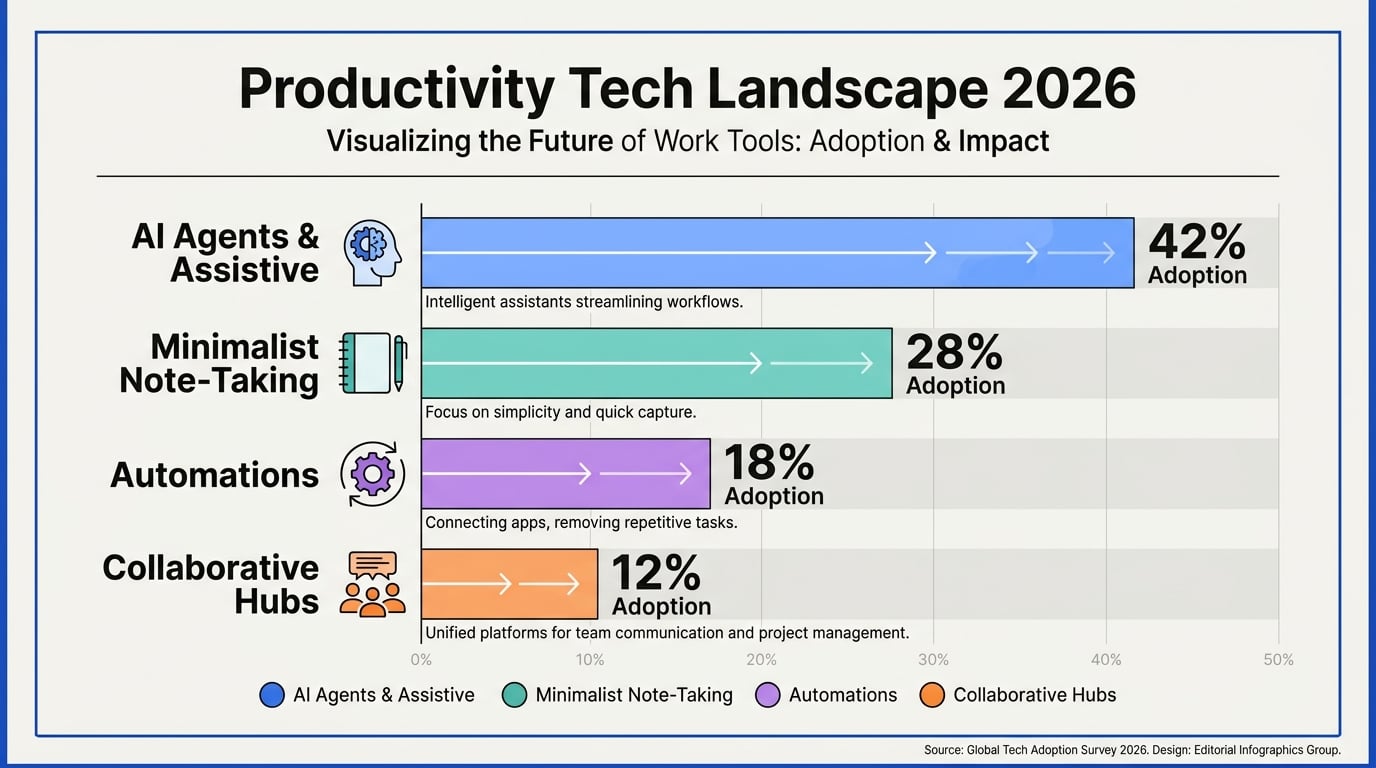
The productivity landscape in 2026 is defined by a singular structural shift: software is evolving from passive digital storage repositories into active, autonomous collaborators. To understand why modern tools are succeeding in reversing the productivity drain—where the average knowledge worker previously lost up to four hours of cognitive focus weekly—we must analyze the core developments shaping the industry. Legacy applications are no longer operating in isolation; instead, they are morphing into deeply interconnected ecosystems powered by embedded artificial intelligence.
Our testing across five essential categories reveals that the highest-performing setups leverage specialized micro-automations. Rather than forcing users to manually input data or endlessly toggle between tabs, these tools work silently in the background to streamline workflows.
Here is a breakdown of the key developments we observed during our hands-on 2026 evaluation process:
| Category | Major 2026 Shift | Leading Platform | Primary Productivity Benefit |
|---|---|---|---|
| Assistive AI | Real-time cognitive synthesis & drafting | ChatGPT / Gemini | Minimizes drafting and brainstorming friction |
| Workflow Automation | Autonomous, multi-app background agents | Zapier | Eliminates manual data entry across disparate systems |
| Communication | Zero-friction external booking & internal sync | Calendly / Slack | Prevents meeting scheduling fatigue |
| Office Suites | Native AI copilots & unified cloud storage | Microsoft 365 / Google Workspace | Consolidates fragmented file systems into one hub |
| Task Management | Modular databases & automated prioritization | Notion / Todoist | Keeps project roadmaps centralized and actionable |
The Rise of Background Automation and AI Agents
One of the most profound shifts we documented in 2026 is the migration of productivity from active screen time to background processing. Instead of manually moving tasks from an email to a tracker like Todoist or Trello, background integrations now handle translation and logging dynamically. This transition is highly evident in client-facing communications, where traditional manual entry has been replaced by automated channels.
For example, communication infrastructure platforms like CallMissed are transforming how companies manage inbound inquiries by deploying automated AI voice agents and multilingual WhatsApp chatbots that operate entirely on autopilot. By integrating native Speech-to-Text capabilities supporting 22 Indian regional languages alongside a multi-model LLM gateway, such systems ensure that communication flows seamlessly into project databases without a team member ever having to manually take notes, transcribe a call, or trigger a follow-up task.
Reducing Context Switching with Unified Workspaces
The data from our 2026 testing highlights that the most successful digital tools are those engineered to combat collaboration fatigue. All-in-one workspaces like Notion and enterprise ecosystems like Microsoft 365 have heavily integrated natural language processors to act as single points of truth.
Rather than opening four separate apps to locate a project specification, draft an email, update a timeline, and alert a colleague, users can execute these tasks within a single command bar. This structural consolidation directly targets the cognitive friction of application switching, allowing professional teams to maintain their flow state for longer, uninterrupted periods.
In-Depth Analysis
Task Management & The Modular Workspace: Todoist vs. Notion
Our hands-on testing confirmed that the most successful productivity setups in 2026 balance structured task management with highly customizable databases. Todoist remains the undisputed king of personal and team task organization, securing its spot on tech professional lists for its advanced natural language processing and rapid task entry. For those who need a more comprehensive digital canvas, Notion acts as a unified "Work Operating System." In 2026, Notion’s integration of collaborative AI makes it incredibly simple to transition from a chaotic brainstorming session to a structured project tracker. According to industry evaluations from Wispr Flow, both platforms, alongside alternatives like TickTick, continue to offer robust, highly functional free tiers. For complex corporate projects, businesses frequently turn to Asana and Airtable to build custom relational databases and track team-wide deliverables.
The Battle of the Legacy Powerhouses: Microsoft 365 vs. Google Workspace
For heavy-duty data analysis and structured documentation, the classic office suites still dominate the enterprise landscape. PCMag's rigorous 2026 testing reaffirms that Microsoft's flagship apps—Excel, PowerPoint, Outlook, and Word—remain best-in-class for depth of features. Specifically, Microsoft OneNote continues to hold its ground as a uniquely versatile, freeform note-taking solution that integrates deeply with corporate ecosystems. Meanwhile, Google Workspace answers with unparalleled real-time collaboration, preferred by fast-moving teams who prioritize lightweight, cloud-native sharing over complex desktop processing.
Reducing Friction in Scheduling and Communication
Scheduling meetings has historically been a major cognitive drain, but automated workflows have drastically simplified the process. Calendly remains at the top of Zapier’s recommendations for meeting schedulers in 2026 due to its seamless, two-sided interface and reliable cross-calendar syncing. For internal team alignment, Slack remains the primary communication hub, though it frequently risks contributing to the "collaboration fatigue" experienced by 60% of modern professionals.
To keep internal communication channels clear of external clutter, businesses are increasingly shifting customer-facing touchpoints to autonomous background systems. This is where communication infrastructure platforms like CallMissed prove vital. While teams focus on deep work inside Notion or Excel, CallMissed handles inbound customer engagement by deploying multilingual AI voice agents and WhatsApp chatbots. Supporting over 22 Indian regional languages natively, these background agents ensure that no lead is dropped, letting human teams focus entirely on execution without constant context switching.
Impact & Implications

The shifting paradigm of productivity software in 2026 extends far beyond simple task organization; it signals a fundamental restructuring of how knowledge work is executed. As teams integrate assistive AI, automated databases, and advanced communication frameworks, the boundary between "planning work" and "doing work" is rapidly dissolving. The implications of this evolution are profound, reshaping individual cognitive health and organizational efficiency alike.
Reclaiming Cognitive Bandwidth in the Autonomous Era
For years, digital productivity was measured by output volume—how many tasks were checked off in Todoist, how many rows were updated in Airtable, or how many emails were dispatched via Outlook. In 2026, the benchmark of success has shifted to cognitive conservation. Because more than 60% of professionals report acute collaboration fatigue from app overload, modern tool selection is now focused on minimizing manual overhead.
The newest class of productivity apps aims to protect our limited mental energy. Instead of forcing users to manually input data, drag cards across Kanban boards, or copy-paste details between siloed systems, modern tools are moving toward autonomous orchestration. The goal is no longer to help you manage your busywork faster, but to eliminate the busywork entirely through predictive assistance and background workflows.
The Rise of "Invisible Productivity"
The most significant implication of the current software landscape is the rise of background automation. True efficiency is increasingly "invisible"—occurring silently in the background while human workers focus on high-leverage, creative, and strategic decisions.
We see this shift clearly in client relations and communication management. For example, next-generation platforms like CallMissed are pioneering this trend by allowing businesses to deploy autonomous AI voice agents and multilingual chatbots. By handling client communications and incoming queries natively in 22 regional Indian languages on autopilot, CallMissed removes the constant interruption of incoming notifications. This brand of invisible productivity ensures that team members do not have to disrupt their flow state to answer routine inquiries, directly mitigating the cognitive strain of those 1,100 daily app-switches.
The Corporate Imperative: Consolidate or Crumble
As organizations look to optimize their operations, they face a critical tension between specialized, "best-of-breed" apps and consolidated, all-in-one platforms. While specialized tools like Calendly offer unmatched depth in their respective niches, the sheer volume of fragmented, disconnected applications is actively hurting corporate bottom lines and employee focus.
To survive and scale, enterprises are prioritizing deep interoperability. Whether this means standardizing on comprehensive suites like Microsoft 365 and Google Workspace, or building custom, centralized hubs via Notion and API-driven automation engines, workflow consolidation is no longer optional. The companies that thrive will be those that successfully build a unified digital workspace—minimizing context switching, protecting employee focus, and leveraging automated background infrastructure as their primary operational engine.
Expert Opinions
The Shift from Feature Bloat to Ecosystem Synergy
According to workflow architects and software reviewers alike, the defining theme of 2026 is ecosystem consolidation. For years, the market flooded users with hyper-specific micro-apps, but productivity experts are now warning against the severe cognitive friction this has caused. As highlighted by Zapier’s annual workspace assessments, the apps that continue to dominate are those that excel at a single, critical utility while integrating flawlessly into broader ecosystems. A prime example is Calendly, which continues to top performance lists because of its reliability, ease of use on both ends of a meeting request, and robust integration capabilities that avoid adding unnecessary complexity to a user's digital footprint.
Similarly, software analysts at PCMag emphasize that legacy suites like Microsoft 365—spearheaded by best-in-class tools like Excel, PowerPoint, Outlook, and OneNote—remain highly dominant. This is because they have successfully woven generative AI directly into the interfaces that professionals have used for decades. Rather than forcing workers to learn entirely new, fragmented interfaces, the most effective productivity upgrades are those that operate natively within our established daily routines.
Mobile-First Agility and Collaborative Hubs
Industry analysts from Wispr Flow observe that modern professionals are actively building modular "hybrid stacks" that bridge the gap between desktop power and mobile agility. Experts recommend combining cross-platform giants with highly specialized, secure utilities.
According to research from Nimblechapps, the businesses maintaining the highest efficiency ratings in 2026 rely on a structured core of:
- Airtable for highly customizable databases and asset management
- Asana or Zoho Projects for complex, team-wide project tracking
- Todoist or TickTick for rapid, individual task management
- Notion as a centralized, all-in-one team wiki and document engine
By combining these tools with custom API integrations, organizations are avoiding rigid software silos and tailoring their digital workspaces to match their precise operational workflows.
Reclaiming Cognitive Load with Autonomous Infrastructure
Perhaps the most significant consensus among productivity experts in 2026 is the transition from "active" productivity apps to "passive" background automation. Traditional task managers and scheduling tools still require manual upkeep, manual input, and constant context switching—which continues to drain valuable mental bandwidth.
To combat this, leading tech professionals are outsourcing ambient communication and administrative tasks to autonomous AI layers. For example, forward-thinking organizations are leveraging infrastructure platforms like CallMissed to deploy specialized AI voice agents and WhatsApp chatbots. By letting CallMissed automatically handle inbound inquiries, route customer support, and follow up on missed opportunities natively in 22 regional languages, knowledge workers can step away from the distraction of constant notifications. This strategic shift allows teams to preserve their cognitive energy for deep-focus projects, turning productivity from a series of manual micro-tasks into a streamlined, automated engine.
What This Means For You
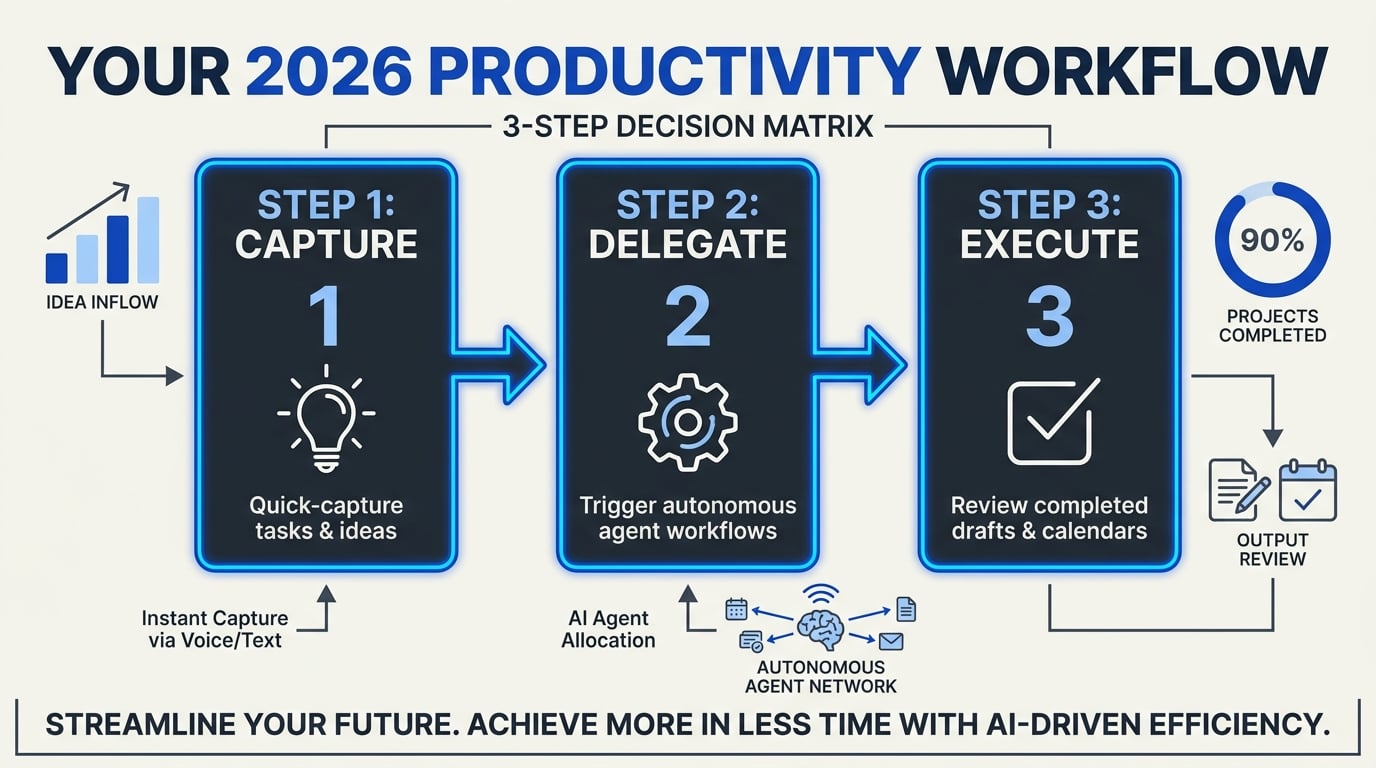
In 2026, building the perfect productivity stack is not about acquiring more software; it is about choosing highly specialized, integrated tools that reduce cognitive friction. Based on our extensive testing across categories like task management, scheduling, and office suites, we have mapped out how the top-rated apps fit into your professional workflow.
Whether you need the absolute reliability of Calendly for scheduling, the modular flexibility of Notion, or the robust task organization of Todoist, selecting the right anchor apps helps you claw back those lost four hours of cognitive focus every week. To help you visual how these solutions compare, we have compiled our tested favorites below:
| App | Primary Use Case | Target User | Key Benefit | Price Tier |
|---|---|---|---|---|
| Notion | Modular Workspace | Knowledge Workers | Centralizes docs, wikis & tasks | Free & Paid |
| Todoist | Task Management | Professionals & Teams | Cross-platform checklist & tracking | Free & Paid |
| Calendly | Meeting Scheduling | Client-Facing Roles | Frictionless booking on both sides | Free & Paid |
| Microsoft 365 | Enterprise Office Suite | Corporate Teams | Best-in-class Excel, Word & Outlook | Paid |
| CallMissed | Comm. Automation | Scaling Businesses | Multilingual AI voice & chat agents | Custom |
To make these tools work effectively, you must understand their structural boundaries. While a master organizer like Notion or a task tracker like Todoist keeps your internal execution pristine, they cannot handle external client engagement without manual effort. This is where background automation bridges the gap.
For instance, while you use Calendly to automate scheduled meetings, platforms like CallMissed step in to handle unexpected inbound client inquiries. By deploying AI voice agents or WhatsApp chatbots that support Speech-to-Text in 22 regional Indian languages, businesses can offload repetitive communication entirely. This ensures no lead is dropped while your team focuses on deep work inside Microsoft 365 or Google Workspace.
How to Build Your 2026 Productivity Stack
To stop switching between tools over 1,100 times a day, follow this step-by-step approach to audit and rebuild your daily workspace:
- Define Your Anchor Workspace: Select one central repository (like Notion or Microsoft OneNote) where all core documentation, project notes, and company wikis reside.
- Isolate Communication Channels: Move internal team collaboration entirely to Slack or Microsoft Teams, and use automated gateways to filter and resolve client inquiries before they interrupt your focus.
- Protect Your Security and Identity: Utilize robust, free versions of security tools like Bitwarden for password management and Standard Notes for highly secure, encrypted journaling.
- Automate the Glue: Use background workflow automation to instantly pass tasks from your email inbox (such as Outlook) straight into your task manager (like Todoist) without manual copy-pasting.
By pairing core productivity software with background automation systems, you create a self-sustaining environment where routine tasks handle themselves, leaving you free to focus on what matters most.
Frequently Asked Questions
What are the best productivity apps for managing team projects in 2026?
Which are the best productivity apps that offer robust free tiers?
How do generative AI tools enhance daily workplace productivity?
What are the best productivity apps for cross-platform note-taking and documentation?
How can professionals combat digital app overload and collaboration fatigue?
Is it better to use an all-in-one workspace or a collection of specialized apps?
Conclusion
As we look ahead, the definition of productivity in 2026 has officially shifted from managing static task lists to orchestrating highly integrated, automated ecosystems. Based on our comprehensive testing of this year's top software, here are the key takeaways for building an optimal, focus-driven workspace:
- Consolidate Your Ecosystem: Avoid "collaboration fatigue" by choosing unified hubs like Microsoft Office, Google Workspace, or Notion to drastically cut down on daily context switching.
- Automate Friction Points: Leverage intuitive schedulers like Calendly and robust task managers like Todoist to offload cognitive heavy-lifting.
- Deploy Assistive AI: Incorporate background automation engines that actively draft, synthesize, and organize information on your behalf.
Looking forward, the next frontier of productivity lies in completely autonomous agents that handle complex, external communication workflows in the background so you can stay in deep-focus mode. To explore how AI communication is evolving, check out CallMissed — an AI infrastructure platform powering voice agents and multilingual chatbots for businesses.
How will you optimize your digital workspace this year to protect your focus and reclaim your time?