
Meta Muse Code vs GitHub Copilot vs Cursor: Verified 2026 Comparison


Compare Meta Muse Code vs GitHub Copilot and Cursor on availability, agents, IDEs, pricing, privacy, and enterprise fit using verified sources.
Meta Muse Code vs GitHub Copilot vs Cursor: Verified 2026 Comparison
What if one of 2026’s most discussed coding tools cannot yet be verified as a public product? Any Meta Muse Code vs GitHub Copilot assessment must begin with official Meta documentation—not launch rumours, screenshots, or recycled AI-generated claims. The stakes are significant: Microsoft reported in July 2025 that GitHub Copilot had surpassed 20 million users, demonstrating how quickly AI assistants are becoming standard development infrastructure.
This evidence-led AI coding platform comparison first establishes whether Meta Muse Code is officially available as of August 2026, clearly marking undocumented capabilities as unverified. It then examines the practical differences across availability, IDE and repository support, autonomous coding agents, model choice, pricing, privacy, and enterprise governance. The analysis also places Muse Code vs Cursor alongside the established GitHub Copilot vs Cursor debate, helping individual developers, engineering leaders, and regulated enterprises distinguish confirmed product capabilities from speculation—and select a platform based on workflow fit rather than hype.
What is the verdict on Meta Muse Code vs GitHub Copilot and Cursor? Choose a documented platform until Meta officially verifies Muse Code
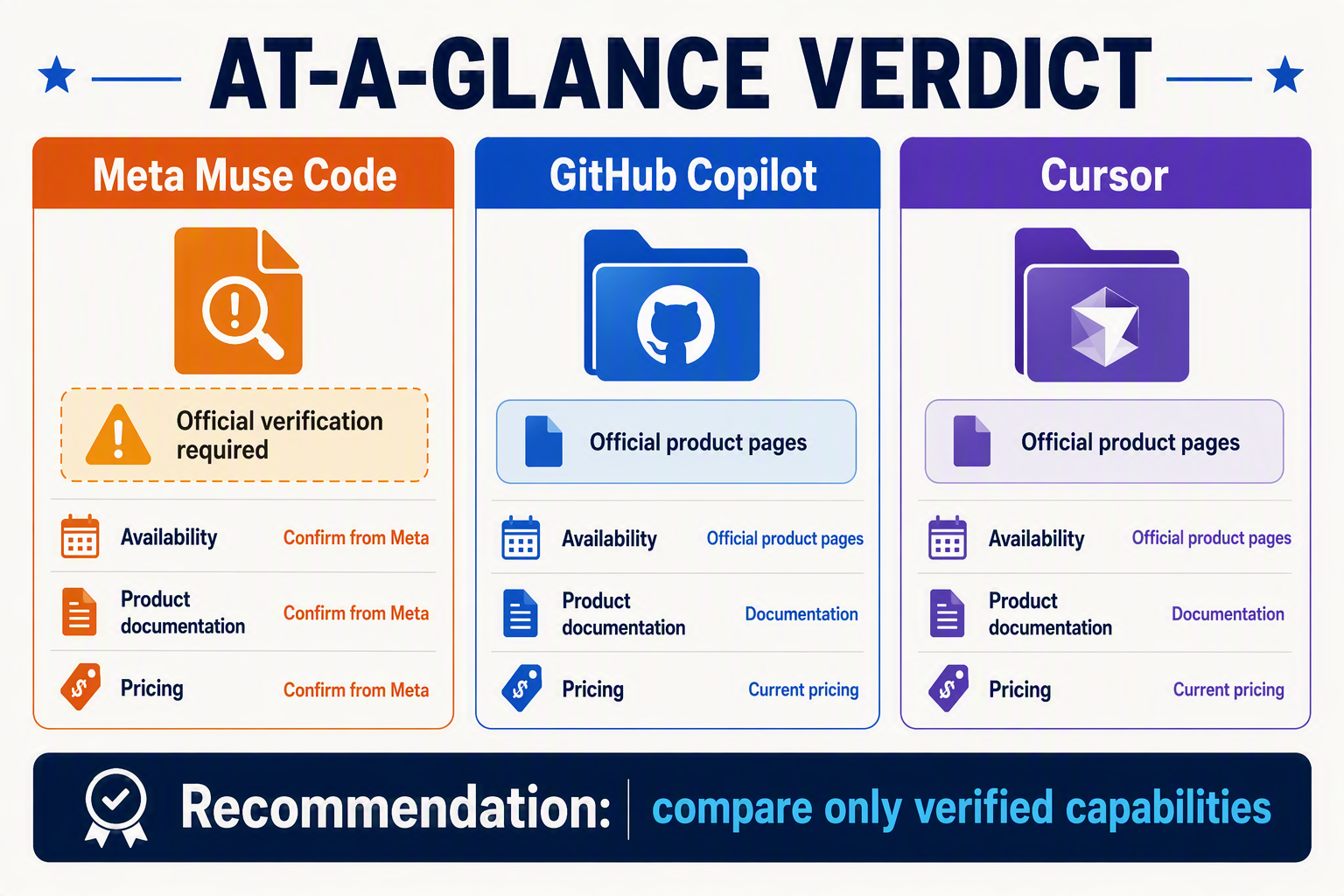
The verdict is straightforward: do not select Meta Muse Code for production use until Meta publishes an official product page, documentation, pricing, and security terms. Choose a verifiable platform whose capabilities and contractual controls can be evaluated today.
Decision snapshot
- Meta Muse Code: As of August 5, 2026, official Meta channels provide no verifiable public documentation for a coding platform under this name; availability, models, IDE support, pricing, privacy, and benchmarks remain unverified.
- Meta verification: Meta has officially documented coding research and releases such as Code Llama, but that does not establish “Muse Code” as a downloadable product, hosted service, or enterprise platform.
- GitHub Copilot: GitHub documents support across Visual Studio Code, Visual Studio, JetBrains IDEs, Eclipse, and Xcode, alongside repository-aware chat, coding agents, policy controls, and organization administration.
- Cursor: Cursor documents a dedicated AI code editor built on the Visual Studio Code codebase, with codebase indexing, agent workflows, model selection, privacy controls, and published individual and team plans.
- Other documented options: Amazon Q Developer Pro costs $19 per user per month, while Google Cloud lists Gemini Code Assist Standard from $19 per user per month with annual commitment, according to their official pricing pages.
- Meta Muse Code vs GitHub Copilot: GitHub Copilot is the defensible choice for GitHub-centric organizations because its product documentation, billing, IDE integrations, security controls, and support channels can be audited.
- Muse Code vs Cursor: Cursor is the practical option for developers wanting an AI-native editor; no equivalent Muse Code editor, download, usage limit, or privacy policy is officially documented.
- AI coding platform comparison rule: Evaluate confirmed availability, repository permissions, data retention, model controls, agent approval boundaries, pricing, and enterprise contracts—not screenshots, rumours, or unsupported benchmark claims.
Is Meta Muse Code an official AI coding product? Verify Meta sources, product identity, availability, and similarly named projects first
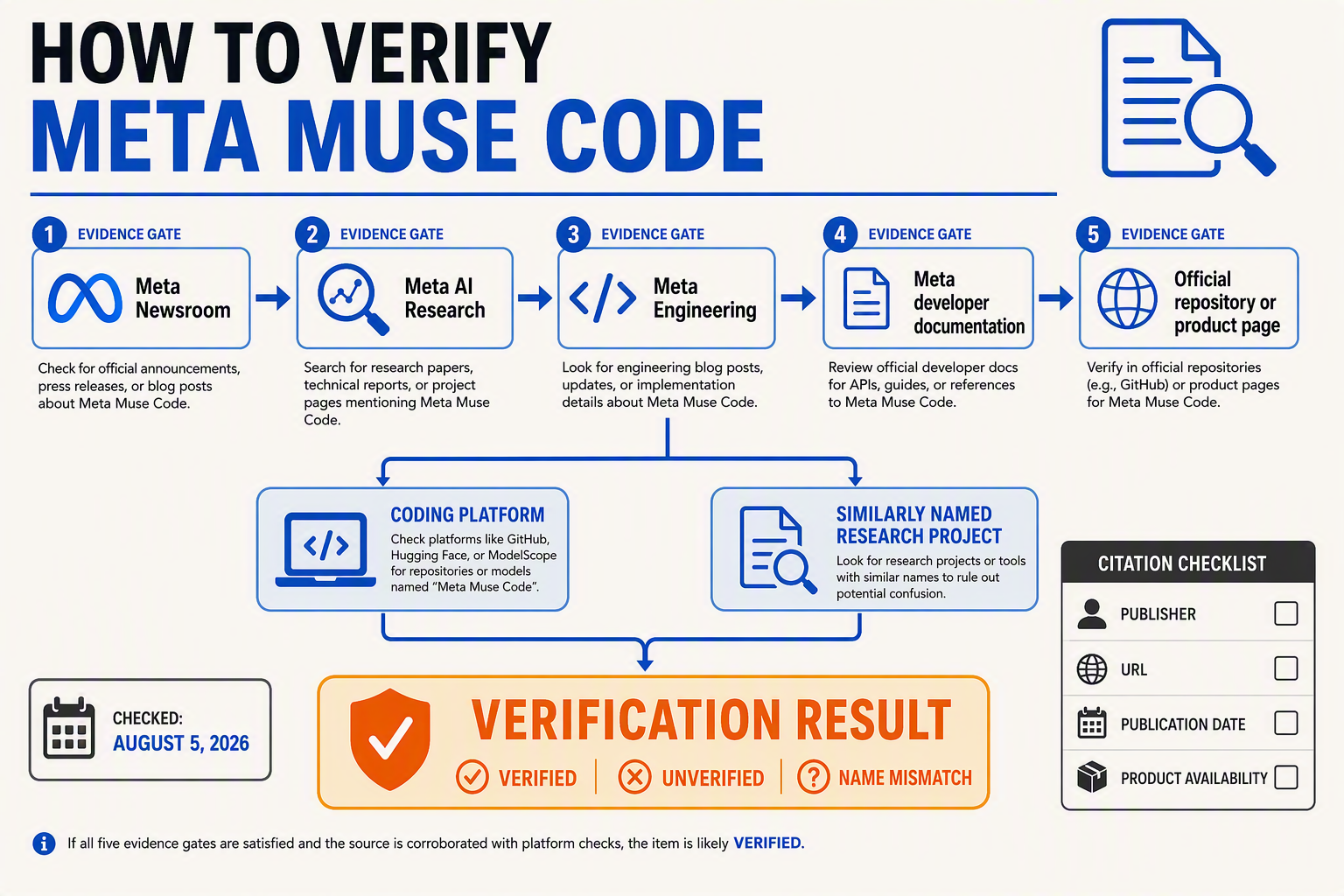
No. As of August 5, 2026, Meta has not officially documented “Meta Muse Code” as a public AI coding product, so any claimed features, pricing, or release dates remain unverified.
Official-source verification
- Meta Muse Code: Meta AI, Meta for Developers, Meta Newsroom, and official Meta product documentation provide no verifiable product page, API reference, download, pricing schedule, security terms, or availability announcement under this exact name.
- Code Llama: Meta officially announced Code Llama on August 24, 2023, describing 7-billion, 13-billion, and 34-billion-parameter coding models built on Llama 2; this documented release does not verify a separate “Muse Code” platform.
- MUSE: Meta AI Research’s similarly named MUSE—Multilingual Unsupervised and Supervised Embeddings—is a research library for multilingual word embeddings, not an IDE assistant, autonomous coding agent, or hosted developer service.
- Product identity: Without an official publisher page, vendor-controlled documentation, or contractual terms, screenshots and third-party references cannot establish whether “Muse Code” is a Meta product, an internal codename, an unrelated project, or a mislabelled reference to Code Llama.
- Availability: Supported countries, waitlists, IDE extensions, repository integrations, model access, API limits, privacy practices, enterprise controls, and prices are all unverified; teams should not infer these capabilities from Meta’s broader Llama ecosystem.
- Comparison implication: A Meta Muse Code vs GitHub Copilot or Muse Code vs Cursor assessment is currently asymmetric because GitHub and Cursor publish operational product documentation while Meta Muse Code lacks a confirmed public identity.
- Evidence standard: This AI coding platform comparison should treat Muse Code as unverified until Meta publishes, at minimum, an official announcement, documentation portal, access method, pricing, data-processing terms, and support policy.
How do Meta Muse Code, GitHub Copilot, Cursor, and other AI coding platforms compare by features?
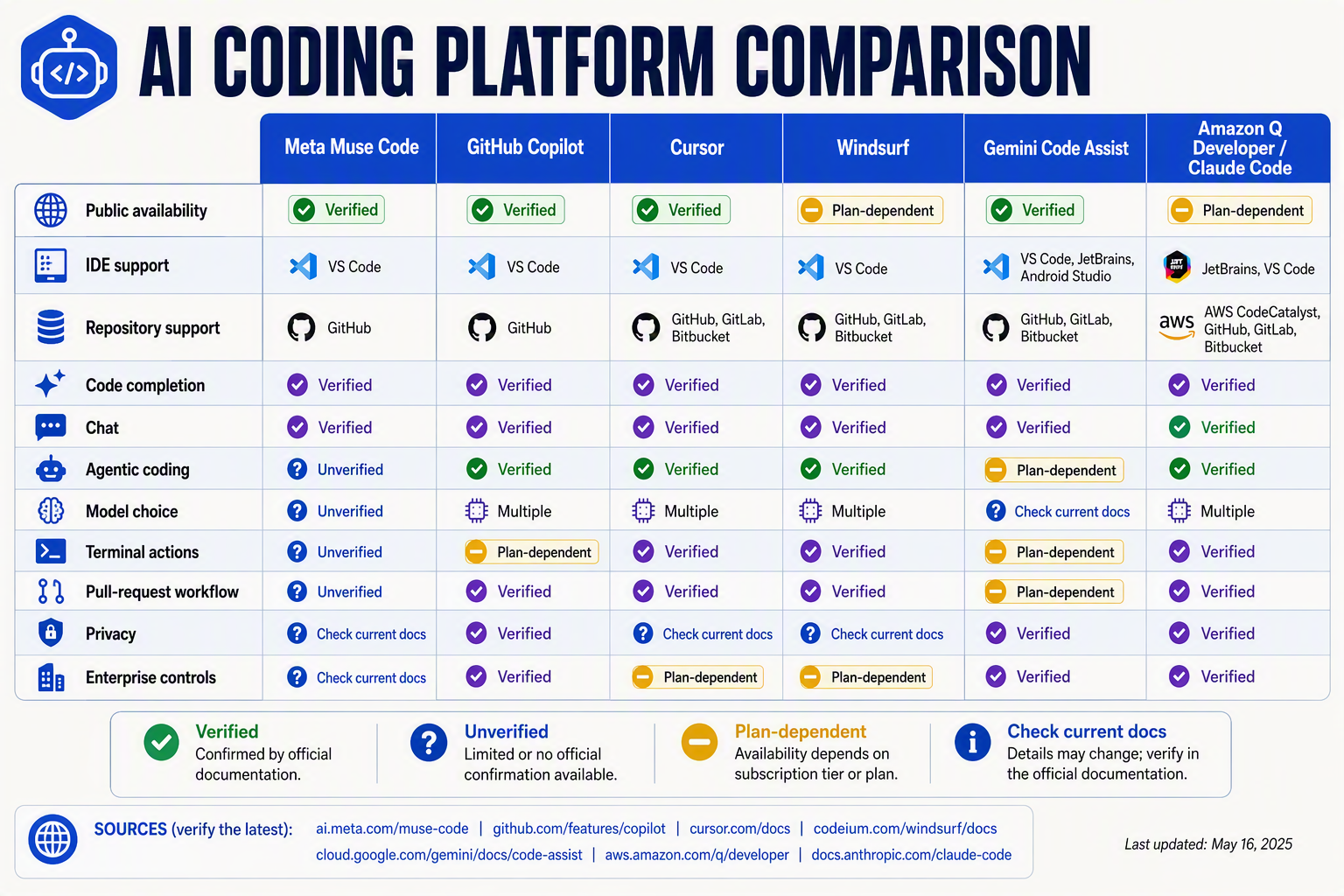
No single platform leads every category: GitHub Copilot offers broad IDE and GitHub integration, while Cursor centres agentic development inside a dedicated editor. Any Meta Muse Code vs GitHub Copilot or Muse Code vs Cursor verdict remains provisional because Meta has not published verifiable Muse Code product documentation.
Feature comparison
| Platform | Availability and IDE support | Repository and agent features | Models, pricing, and controls |
|---|---|---|---|
| Meta Muse Code | No verified public product or supported-IDE list as of August 5, 2026 | Repository access, autonomous agents, pull requests, testing, and terminal use are unverified | Models, price, data retention, privacy, and enterprise controls are unverified |
| GitHub Copilot | Documented for Visual Studio Code, Visual Studio, JetBrains IDEs, Eclipse, and Xcode | Repository-aware chat, code completion, coding agents, reviews, and GitHub workflow integration | Multiple model options; individual and organization plans; policy, access, and administration controls |
| Cursor | Dedicated AI editor based on the Visual Studio Code codebase | Codebase indexing, multi-file editing, terminal operations, and agent workflows | Model selection plus published individual and team plans; privacy controls are documented |
| Amazon Q Developer | Supports command-line and documented IDE workflows, including Visual Studio Code and JetBrains environments | Code generation, explanation, testing, transformation, and AWS-oriented assistance | Q Developer Pro costs $19 per user per month, according to Amazon Web Services pricing |
| Gemini Code Assist | Google documents IDE assistance and integrations with its development ecosystem | Code completion, chat, transformation, and agent-oriented software-development workflows | Standard starts at $19 per user per month with annual commitment, according to Google Cloud pricing |
| Claude Code | Anthropic documents a terminal-based coding agent rather than a conventional editor extension | Reads repositories, edits files, executes commands, and works with development tools | Uses Anthropic Claude models; API or subscription terms, permissions, and deployment choices vary |
- Meta Muse Code: Meta’s official publication of Code Llama proves experience in code-focused models, but Code Llama does not verify Muse Code’s existence, feature set, or commercial availability.
- GitHub Copilot: The strongest fit is a GitHub-centred organization needing documented IDE coverage, repository workflows, organization policies, and centralized administration.
- Cursor: The clearest differentiator is its editor-first architecture; adopting Cursor means moving into a Visual Studio Code-derived environment rather than simply adding an extension everywhere.
- Amazon Q Developer: AWS-oriented context makes Q Developer especially relevant for teams building, troubleshooting, or modernizing applications within Amazon Web Services.
- Gemini Code Assist: Google Cloud pricing makes its entry point directly comparable with Amazon Q Developer Pro, although annual commitment terms and included usage should be reviewed separately.
- Claude Code: Terminal-native operation suits developers who want an agent to inspect a repository, modify multiple files, and run commands while retaining command-line oversight.
- AI coding platform comparison: Buyers should test task-completion quality on their own repositories and separately assess data retention, intellectual-property terms, audit logs, identity management, usage limits, and human approval controls.
How much do the platforms cost, and which offers the best value? Pricing and plan limits compared
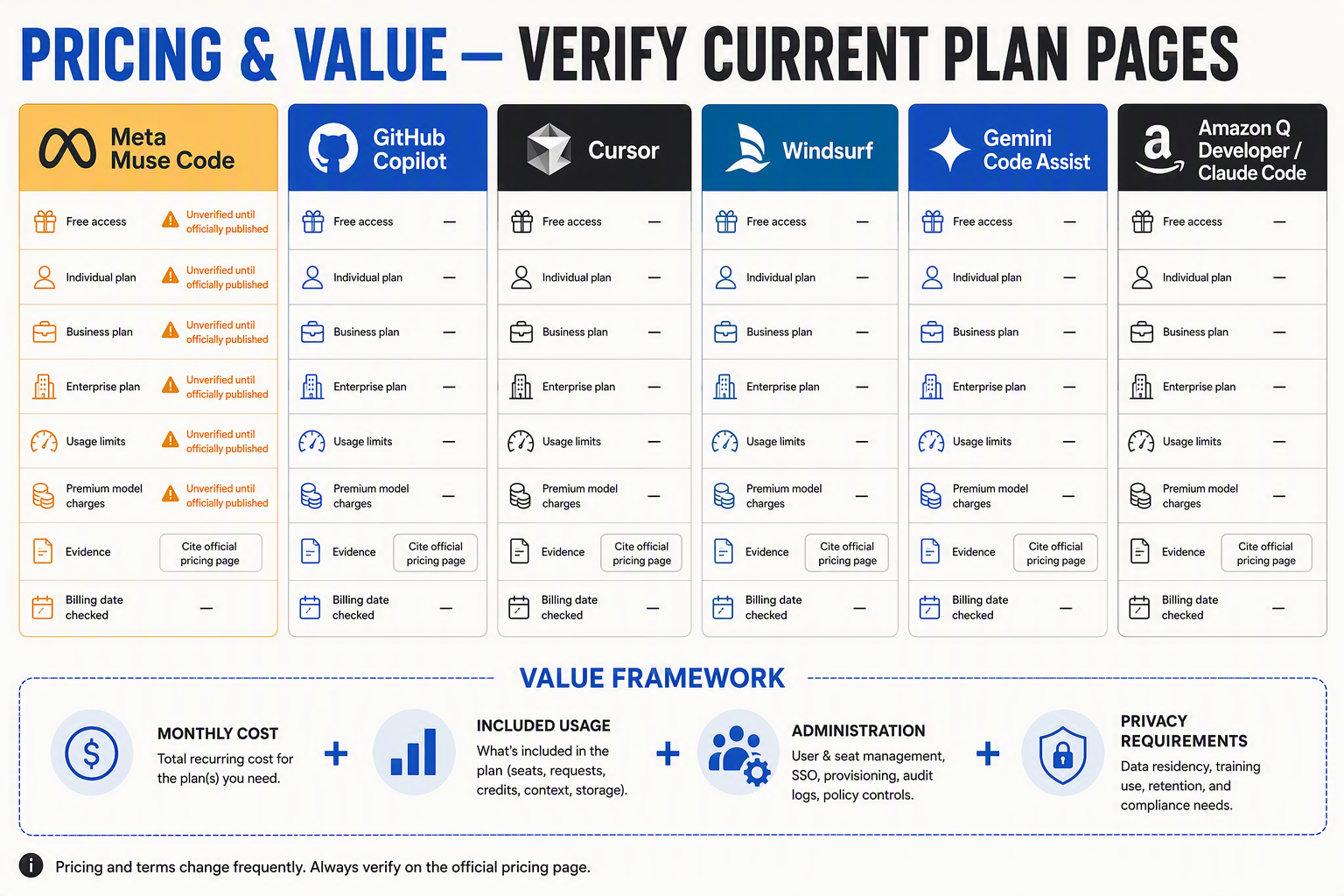
Price-to-value depends on usage limits, model access, and enterprise controls—not simply the lowest monthly fee. Meta Muse Code cannot be priced or value-ranked because Meta has not published a verifiable plan.
Published pricing snapshot
| Platform | Free option | Individual paid plan | Team/enterprise plan | Important limit |
|---|---|---|---|---|
| Meta Muse Code | Unverified | Unverified | Unverified | No official Meta pricing or plan documentation |
| GitHub Copilot | $0 | Pro: $10/month; Pro+: $39/month | Business: $19/user/month; Enterprise: $39/user/month | Free includes 2,000 completions and 50 premium requests monthly |
| Cursor | Hobby: $0 | Pro: $20/month; Pro+: $60/month; Ultra: $200/month | Teams: $40/user/month | Higher tiers provide larger agent-usage allowances |
| Amazon Q Developer | Free tier | — | Pro: $19/user/month | Free tier has monthly agentic-request limits |
| Gemini Code Assist | Individual: $0 | — | Standard: $19/user/month annually | Monthly billing and Enterprise pricing are higher |
- GitHub Copilot: GitHub’s official pricing lists Copilot Pro at $10 per month, making it the lowest-priced documented individual subscription in this comparison.
- Cursor: Cursor’s official plans span $20 to $200 monthly, offering more spending tiers for developers with intensive agent workflows.
- Amazon Q Developer: AWS lists Q Developer Pro at $19 per user per month, with value strongest for teams already building on Amazon Web Services.
- Gemini Code Assist: Google Cloud lists Standard at $19 per user per month with annual commitment, positioning it competitively for Google Cloud environments.
- Meta Muse Code: Any price quoted in a Meta Muse Code vs GitHub Copilot or Muse Code vs Cursor comparison is speculative until Meta publishes official billing terms.
- Best value: In this AI coding platform comparison, Copilot Pro offers the clearest low-cost paid entry, while enterprise value depends on repository integration, governance, premium-request consumption, and contract terms.
Prices are published US list prices; taxes, currency conversion, annual commitments, and usage overages may change the effective cost.
What are the pros and cons of Muse Code vs Cursor, GitHub Copilot, and established alternatives?
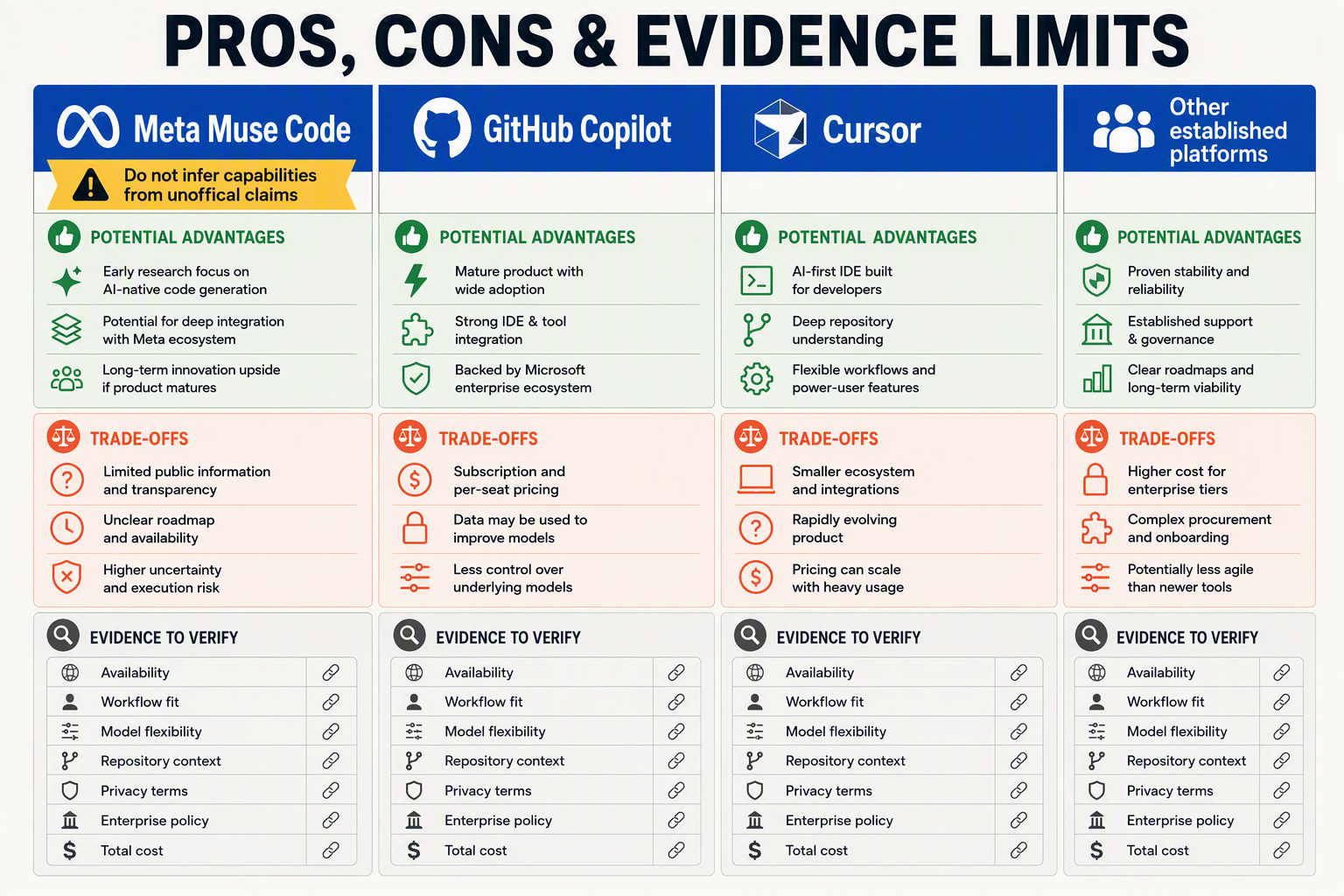
GitHub Copilot and Cursor have auditable advantages for production teams, while Meta Muse Code has no verifiable pros beyond its potential connection to Meta’s coding research. In any evidence-led AI coding platform comparison, undocumented availability and security terms are decisive disadvantages.
Platform trade-offs at a glance
| Platform | Confirmed strengths | Limitations or risks | Best fit |
|---|---|---|---|
| Meta Muse Code | No product capabilities officially confirmed; Meta has separately released Code Llama research and models | Product page, access, IDEs, agents, pricing, privacy and enterprise controls remain unverified as of August 5, 2026 | Evaluation watchlists—not production procurement |
| GitHub Copilot | Supports Visual Studio Code, Visual Studio, JetBrains IDEs, Eclipse and Xcode; repository-aware chat, coding agents and organization policies | Deepest value generally comes inside GitHub-centric workflows; plan limits and model availability require review | GitHub-based teams and managed enterprises |
| Cursor | AI-native editor based on the Visual Studio Code codebase; codebase indexing, agent workflows and model choice | Requires adopting a dedicated editor; indexing and agent permissions need governance | Developers prioritizing fast, editor-native agentic work |
| Amazon Q Developer | AWS-aware assistance, IDE support and enterprise identity integration | Strongest fit is typically for AWS-heavy development; teams should validate language and service coverage | AWS application and cloud-infrastructure teams |
| Gemini Code Assist | Google Cloud integration, code assistance and enterprise editions | Benefits are clearest in Google Cloud environments; quotas vary by plan | Google Cloud and Android-oriented teams |
| Claude Code | Terminal-based agentic workflow with repository exploration and tool use | Command execution and broad repository access demand sandboxing, review and cost controls | CLI-first developers handling complex codebase tasks |
Concrete pros and cons
- Meta Muse Code vs GitHub Copilot: GitHub supplies public documentation, billing, supported IDEs and administrative controls; Meta Muse Code supplies none that can be verified through official Meta channels as of August 5, 2026.
- Muse Code vs Cursor: Cursor documents codebase indexing, selectable models and agent workflows, whereas every equivalent Muse Code capability—including whether an installable editor exists—remains unverified.
- GitHub Copilot: Microsoft reported in July 2025 that GitHub Copilot had exceeded 20 million users, providing adoption evidence that an undocumented product cannot match with auditable data.
- Cursor: The dedicated-editor approach can deliver a cohesive AI workflow, but organizations standardized on Visual Studio, JetBrains IDEs or Xcode must weigh migration and policy-enforcement costs.
- Amazon Q Developer: Amazon Web Services lists Amazon Q Developer Pro at $19 per user per month, making the entry price explicit for procurement comparisons.
- Gemini Code Assist: Google Cloud lists Gemini Code Assist Standard from $19 per user per month with an annual commitment, although actual cost depends on edition and contract terms.
- Enterprise buyers: Require documented data retention, model-training policies, regional processing, single sign-on, audit logs and indemnity before permitting repository access; Muse Code cannot currently be assessed against that checklist.
- Individual developers: Cursor suits editor-first experimentation, GitHub Copilot offers broad IDE coverage, and Claude Code targets terminal-centric workflows; selection should follow repository permissions and workflow fit rather than benchmark claims.
Which AI coding platform should you choose for individuals, teams, enterprises, regulated code, or agentic workflows?
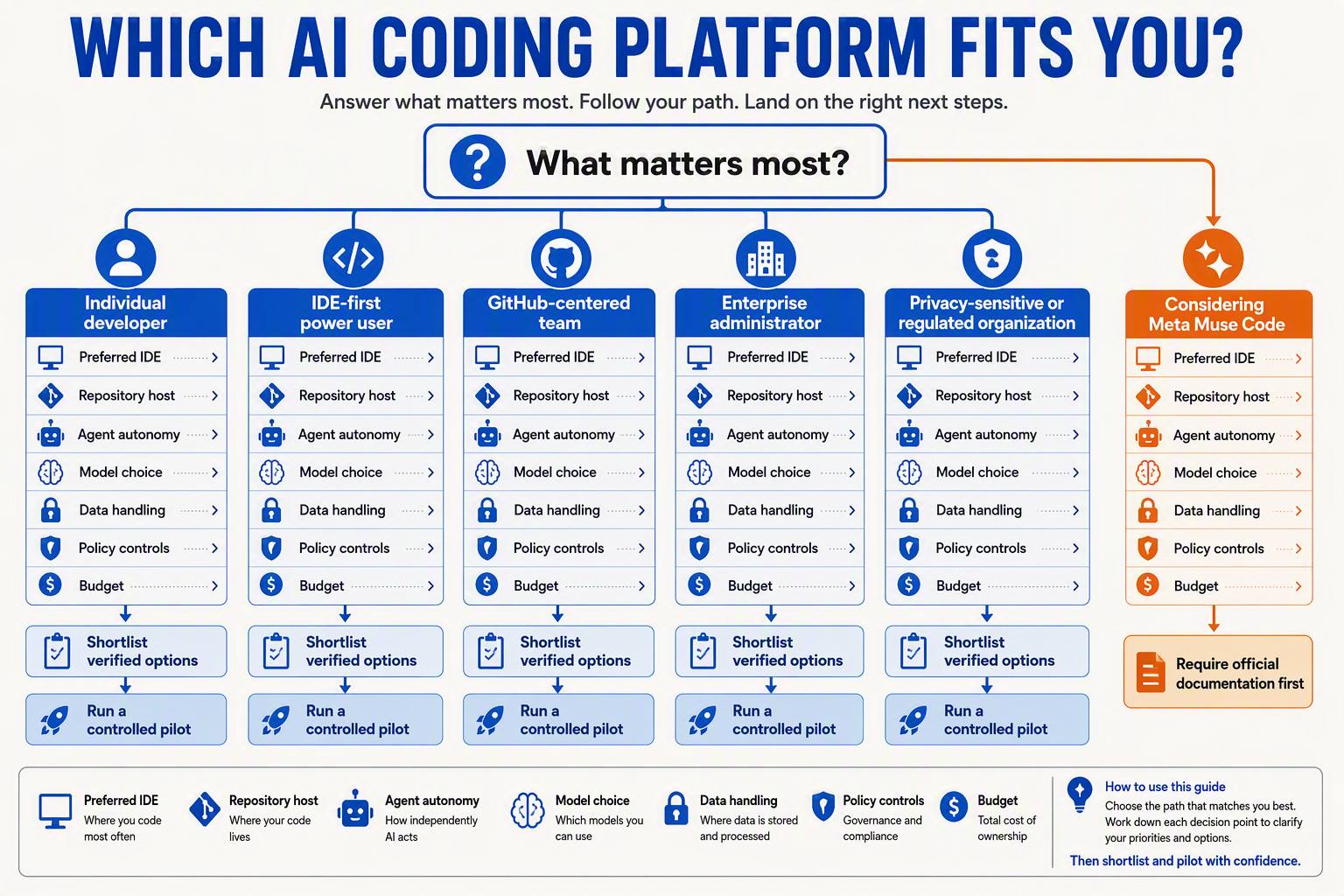
Choose by workflow, governance, and deployment evidence—not brand speculation. In this AI coding platform comparison, Meta Muse Code remains unsuitable for procurement until Meta publishes verifiable product and security documentation.
Best fit by user and workflow
- Individuals: Choose Cursor for an AI-first Visual Studio Code–based editor with codebase indexing, model selection, and agent workflows; choose GitHub Copilot when retaining Visual Studio Code, Visual Studio, JetBrains IDEs, Eclipse, or Xcode matters more.
- Small teams: Compare repository integration, shared rules, usage administration, and total seat cost; Amazon Q Developer Pro is $19 per user per month, according to Amazon Web Services’ published pricing.
- GitHub-centric teams: Choose GitHub Copilot for repository-aware assistance, coding agents, organization policies, and administration integrated into the GitHub development lifecycle.
- Google Cloud teams: Consider Gemini Code Assist Standard, which Google Cloud lists from $19 per user per month with an annual commitment, particularly when development and cloud operations already centre on Google Cloud.
- Enterprises: Require single sign-on, role-based access, policy enforcement, auditability, intellectual-property terms, support commitments, and documented data handling before approving any assistant.
- Regulated code: Prefer platforms offering contractual privacy controls and centralized governance; independently test generated code with human review, static analysis, software-composition analysis, secret scanning, and mandatory CI/CD checks.
- Agentic workflows: Evaluate repository permissions, sandboxing, terminal access, pull-request review, rollback, model choice, and spending limits; developers building model-portable agents can separately use an OpenAI-compatible gateway such as CallMissed to access multiple model providers through one integration.
- Meta Muse Code vs GitHub Copilot / Muse Code vs Cursor: Select GitHub Copilot or Cursor today because their capabilities can be assessed; as of August 5, 2026, Muse Code’s availability, pricing, privacy, IDE support, and enterprise controls remain unverified.
Frequently asked questions about Meta Muse Code, GitHub Copilot, Cursor, pricing, privacy, agents, and availability
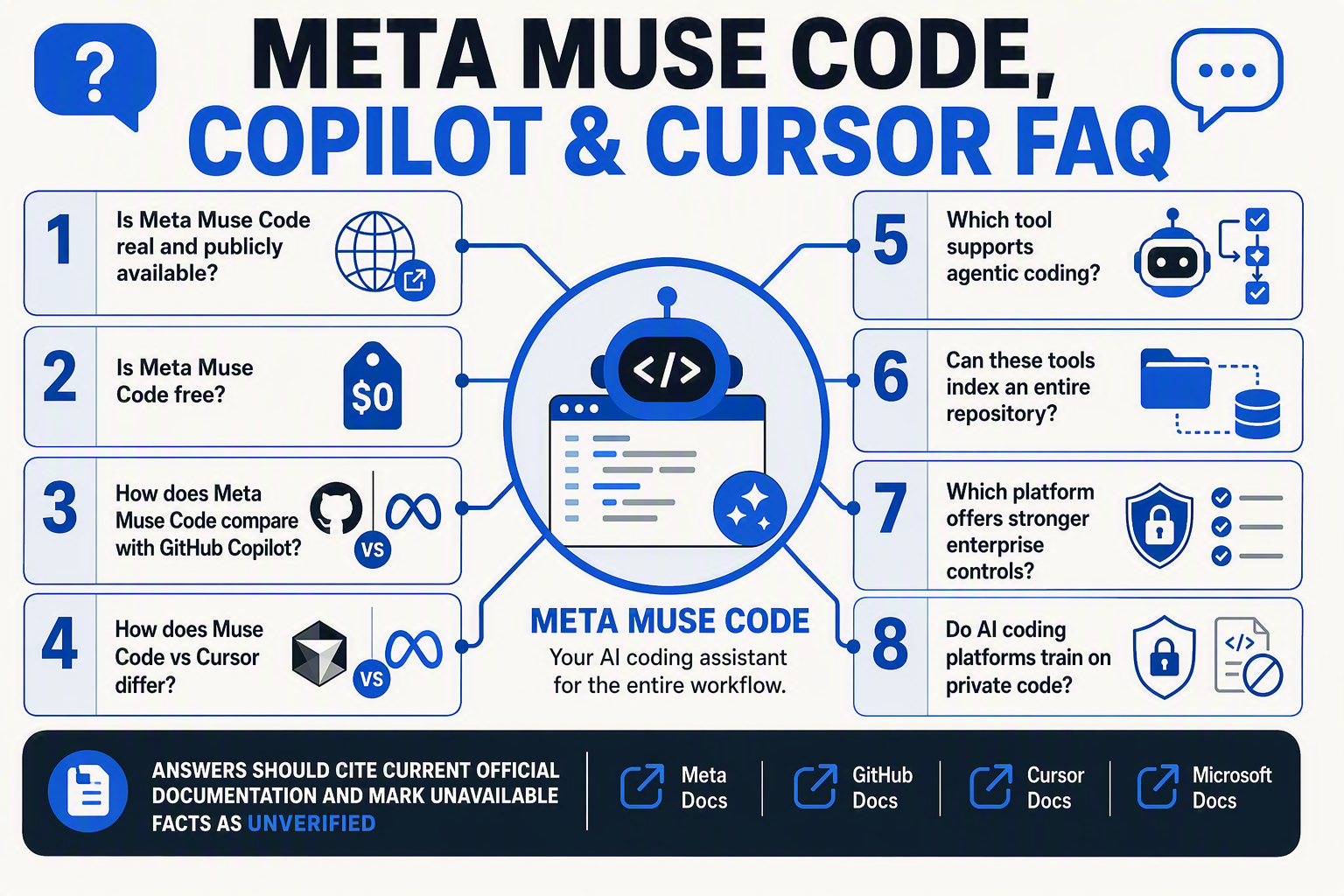
Is Meta Muse Code officially available in 2026?
What is the verdict in a Meta Muse Code vs GitHub Copilot comparison?
Which platform wins the Meta Muse Code vs Cursor comparison?
How do GitHub Copilot and Cursor compare for AI coding agents?
How much do GitHub Copilot, Cursor, and alternative AI coding platforms cost?
Which AI coding platform offers the best privacy and enterprise controls?
Conclusion
This AI coding platform comparison rewards verification over hype:
- Meta Muse Code vs GitHub Copilot: Muse Code remains unverified; Copilot is documented and production-ready.
- Muse Code vs Cursor: Cursor offers confirmed codebase indexing, agents, model choice, pricing, and privacy controls.
- GitHub Copilot suits GitHub-centric enterprises, while Cursor fits developers seeking an AI-native editor.
- Amazon Q Developer and Gemini Code Assist provide additional documented options.
Watch for official Meta product documentation, pricing, benchmarks, and security terms. To follow practical AI infrastructure trends, explore CallMissed. Which verified workflow best fits your team?
Related Reading
Discussion
Related Posts



Ready to automate customer conversations?
Launch AI voice agents and WhatsApp bots with CallMissed — one API, 22+ Indian languages.