

Drop-In OpenAI-Compatible API: Switch Models Without Rewriting Your Code


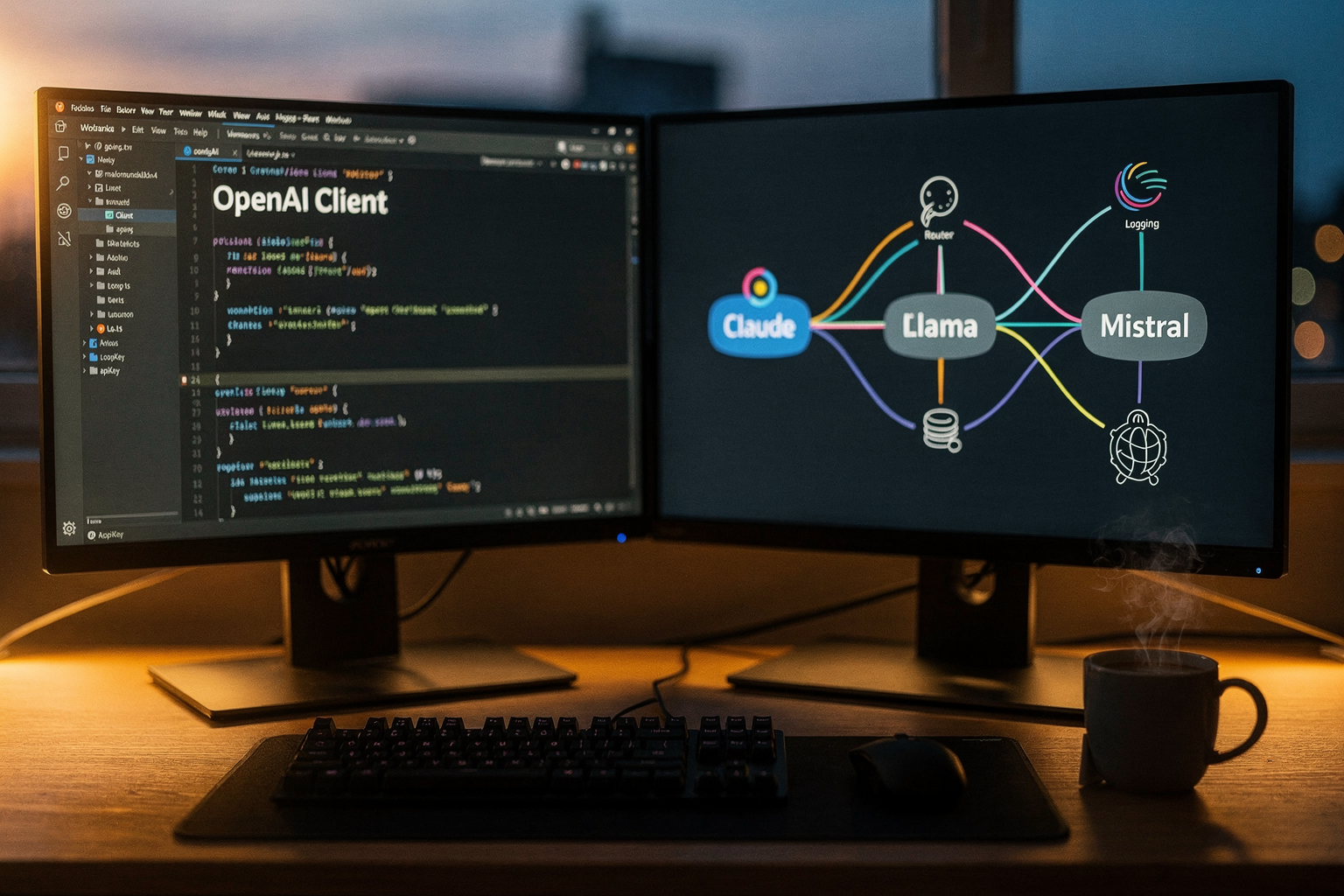
What if you could slash your AI inference costs by up to 70% or upgrade your application to a brand-new, state-of-the-art LLM overnight—all without...
Drop-In OpenAI-Compatible API: Switch Models Without Rewriting Your Code
What if you could slash your AI inference costs by up to 70% or upgrade your application to a brand-new, state-of-the-art LLM overnight—all without changing a single line of your core application code?
In the early days of the generative AI boom, developers rushed to build prototypes using the most accessible tools available. For many, this meant writing code deeply coupled with OpenAI’s official Python or Node.js SDKs. However, as the AI landscape matured, a glaring problem emerged: vendor lock-in. If you wanted to test whether Anthropic’s Claude offered better reasoning for your specific task, or if you wanted to deploy a highly specialized, fine-tuned open-source model on Amazon SageMaker, you were forced to rewrite your API integration from scratch. This meant wrestling with entirely new payload structures, SDK dependencies, and error-handling logic.
Today, the software engineering world is rapidly shifting toward a more sustainable architecture. Because OpenAI's SDKs became the default industry standard, the developer ecosystem has rallied around making their API schema the universal language of LLMs. This has given rise to the drop-in OpenAI-compatible API—a design paradigm that allows you to swap out your underlying AI model provider simply by updating your API key and base URL.
This architectural shift is no longer just a trend for hobbyists; it has officially entered the enterprise mainstream. Major cloud providers are actively adapting to this standard. For instance, Amazon Bedrock recently introduced OpenAI-compatible API support via Project Mantle, allowing developers to migrate Django or other backend applications to Bedrock’s ecosystem in under an hour without rewriting prompts. Similarly, AWS announced native OpenAI-compatible API support for Amazon SageMaker endpoints, enabling teams to serve their own fine-tuned open-source models through a standardized interface.
The business case for adopting a drop-in OpenAI-compatible API is stronger than ever. In a landscape where new models are released weekly, relying on a single provider is a significant business risk. Recent industry data shows that over 75% of enterprises now employ a multi-model strategy to optimize for latency, geographic availability, data privacy compliance, and cost. By standardizing your codebase on a compatible API, you gain the agility to run real-time A/B tests, fallback to secondary providers during outages, and seamlessly routing traffic to the most cost-effective model for any given query.
Forward-thinking communication infrastructures are embracing this modular future; platforms like CallMissed, for example, leverage this design by offering a unified multi-model API gateway with access to 300+ LLMs, allowing developers to switch models instantly through standardized OpenAI-compatible endpoints.
In this comprehensive guide, we will explore exactly how drop-in OpenAI-compatible APIs work under the hood. We will show you how easy it is to point your existing codebase to alternative endpoints—whether you are targeting cloud giants like Amazon Bedrock, local inference setups using Llama.cpp, or multi-model gateways. Finally, we will walk you through a practical, step-by-step migration example so you can break free from vendor lock-in and build a highly resilient, future-proof AI infrastructure today.
Introduction

For years, OpenAI’s API architecture has served as the undisputed blueprint for the generative AI revolution. When developers first began building chatbots, agentic workflows, and automated text generators, the OpenAI SDK was the default starting point. Its endpoint structure—specifically /v1/chat/completions—became the industry’s shared vocabulary.
However, relying entirely on a single proprietary provider introduces significant engineering and business risks. From unexpected rate limits and sudden pricing shifts to geographic data residency requirements and occasional system-wide outages, building a production-grade application on a single API is a single point of failure. Furthermore, the rapid advancement of open-source models like Llama 3, Mistral, and specialized fine-tuned models means the best model for your specific task today might not be an OpenAI model tomorrow.
Historically, switching to an alternative model provider meant undertaking a tedious, expensive, and error-prone code refactoring process. Developers had to rip out the OpenAI SDK, learn a completely different API schema (such as Anthropic’s or Cohere’s), rewrite the underlying payload structures, translate parameters like temperature or top_p, and overhaul their entire error-handling logic.
Today, that paradigm has fundamentally shifted. The emergence of drop-in OpenAI-compatible APIs allows developers to swap their underlying AI models instantly—without rewriting a single line of their application's core logic.
What is an OpenAI-Compatible API?
An OpenAI-compatible API is an interface wrapper or proxy that accepts the exact same request format and returns the exact same response schema as OpenAI's official endpoints.
In practice, this means your application continues to use the official, highly optimized OpenAI SDK (whether in Python, Node.js, or Go), but redirects its traffic to a different host. By matching the endpoint paths, header requirements, and JSON payloads of OpenAI, these compatible APIs act as a universal translator.
As developers in community forums point out, the magic of this setup lies in its simplicity: migrating your entire application often requires nothing more than changing the API base URL and replacing your API key.
# Before: Calling OpenAI's native servers
from openai import OpenAI
client = OpenAI(api_key="your-openai-key")

# After: Switching to a compatible provider without changing the code logic
from openai import OpenAI
client = OpenAI(
    base_url="https://api.your-compatible-provider.com/v1",
    api_key="your-new-provider-key"
)
By standardizing on this interface, developers decouple their application code from the underlying model provider. This architectural decoupling unlocks unprecedented flexibility, allowing engineering teams to treat LLMs as interchangeable utility services.
The Industry Pivot to Universal Compatibility
The demand for model-agnostic infrastructure has forced major cloud providers and open-source projects to adopt the OpenAI API standard as a universal benchmark.
- Enterprise Cloud Adaptations: In recent major infrastructure updates, Amazon Web Services (AWS) launched OpenAI-compatible API support for both Amazon Bedrock (via initiatives like Project Mantle) and Amazon SageMaker AI endpoints. This allows enterprise teams to migrate complex Django or enterprise Python applications from OpenAI to Bedrock in under an hour without refactoring a single prompt or altering system architectures.
- Local and Open-Source Hosting: Projects like
llama-cpp-pythonand LocalAI build local web servers that mimic the OpenAI endpoint structure. This allows developers to run open-source models completely offline on local hardware while utilizing their existing OpenAI-based application codebases. - Fine-Tuning Flexibility: For teams that fine-tune open-source models on SageMaker, deploying them via an OpenAI-compatible endpoint ensures that frontend applications and orchestration frameworks (like LangChain or LlamaIndex) do not require any integration updates to leverage the new custom model.
Key Benefits of Code-Free Model Switching
Transitioning to an OpenAI-compatible architecture delivers immediate, tangible benefits to development teams and product owners:
- Zero Vendor Lock-In: You are no longer beholden to a single provider’s uptime, terms of service, or pricing structure. If a competitor releases a model that is 50% cheaper or twice as fast, you can point your production traffic to the new model in minutes.
- Seamless Fallback and Redundancy: You can implement robust multi-model failover strategies. If your primary API provider experiences latency spikes or downtime, your system can automatically redirect API requests to a secondary, compatible provider without breaking the application.
- Optimized Cost and Latency: Not every task requires a high-reasoning frontier model. By using a unified gateway, you can route simple classification tasks to low-cost, open-source models and reserve complex tasks for frontier models, significantly reducing your monthly API spend.
- Data Privacy and Sovereignty: For industries with strict compliance standards—such as healthcare, finance, or government—routing data to external third-party servers is often a dealbreaker. An OpenAI-compatible setup allows you to host open-source models on your private cloud infrastructure while continuing to use your pre-built developer workflows.
Future-Proofing with Unified Gateways
As the AI landscape continues to fragment, managing individual API keys, rate limits, and billing dashboards for dozens of different model hosting platforms becomes a massive operational headache. Forward-thinking companies are moving away from direct integrations in favor of unified AI communication hubs.
This is where advanced communication infrastructures play a vital role. Platforms like CallMissed are simplifying this transition by offering a robust, unified multi-model API gateway. With access to over 300+ LLMs through a single, highly optimized interface, CallMissed allows developers to deploy, test, and switch between models effortlessly.
Beyond LLM orchestration, CallMissed integrates these capabilities directly into real-world communication tools, offering production-ready Speech-to-Text supporting 22 Indian languages, ultra-low latency Text-to-Speech, and voice agent infrastructure. By centralizing your model routing through an OpenAI-compatible architecture, you lay the foundation for highly scalable, localized, and resilient AI applications.
Why Use OpenAI-Compatible APIs?
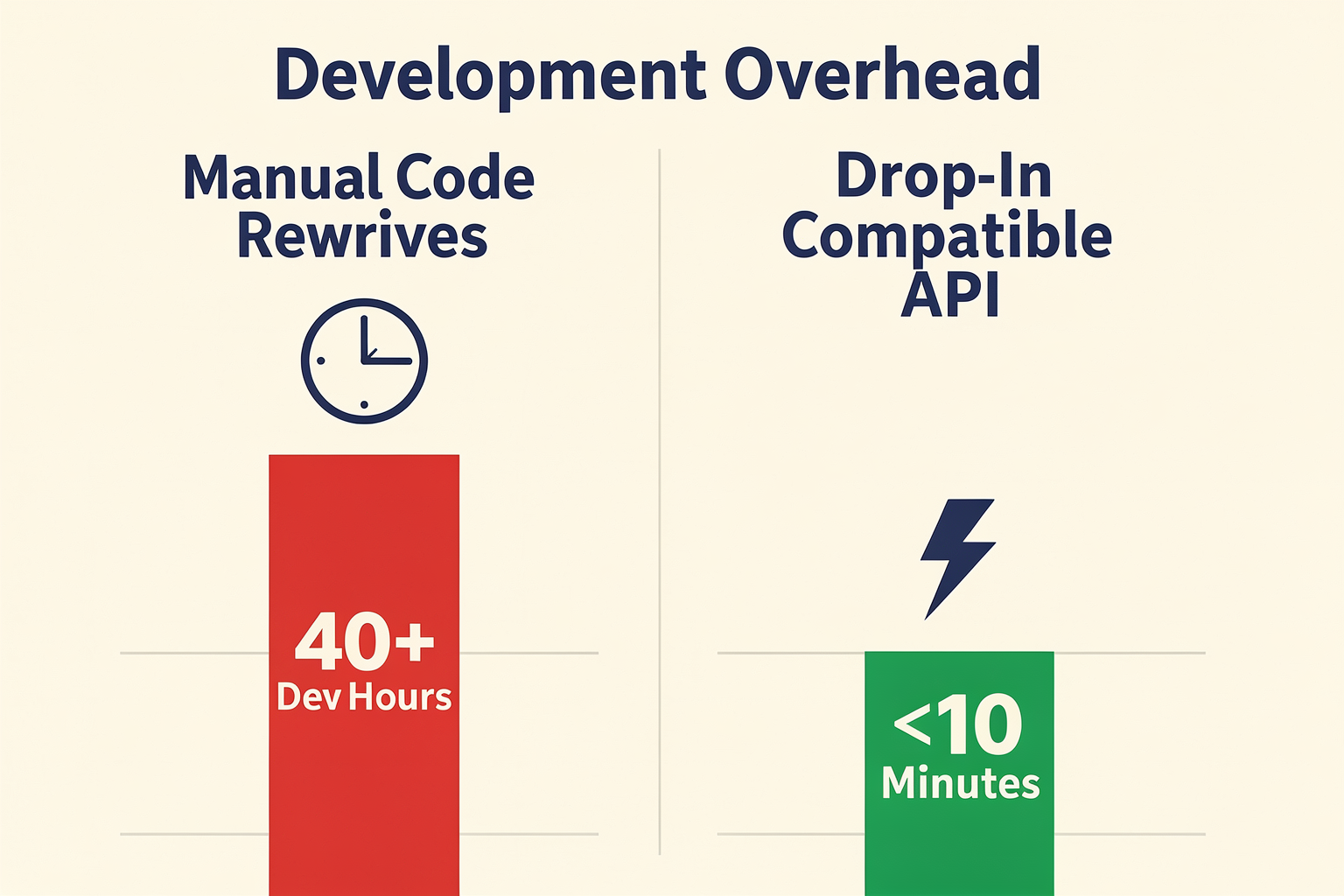
When developers first build generative AI applications, the OpenAI SDK is almost always the default starting point. Its clean abstraction, comprehensive documentation, and widespread adoption make it the industry's de facto standard. However, as an application transitions from a prototype to a production-grade system, relying solely on a single proprietary provider introduces significant operational bottlenecks, commercial risks, and engineering overhead.
Adopting an OpenAI-compatible API allows developers to bypass these issues entirely. By leveraging a single, unified interface, you can point your existing codebase to alternative LLMs (Large Language Models), self-hosted instances, or multi-model gateways without rewriting your application.
Here is why engineering teams are rapidly shifting toward OpenAI-compatible APIs to future-proof their AI infrastructure.
1. Complete Elimination of Vendor Lock-In
The AI landscape is moving at a breakneck pace. A model that is the gold standard today might be outperformed or undercut in price tomorrow. Relying strictly on proprietary endpoints means your business is inherently tied to OpenAI's pricing tiers, rate limits, system outages, and sudden policy shifts.
By utilizing an OpenAI-compatible API wrapper or proxy, you make your application completely model-agnostic. If you want to switch your backend LLM from GPT-4o to Anthropic's Claude, you do not need to rewrite your prompt handlers, JSON parsing logic, or payload structures. Tools like Claudex or custom proxy layers allow you to route traffic to Claude while keeping your legacy OpenAI SDK code intact. If OpenAI experiences an outage, your system can automatically failover to an alternative provider in milliseconds.
2. Radical Cost and Performance Optimization
Not every task inside an AI application requires the reasoning power (and high cost) of a frontier model. Using GPT-4o for basic text classification, sentiment analysis, or simple data formatting is highly inefficient.
OpenAI-compatible APIs allow developers to implement dynamic routing and model-tiering:
- Low-Complexity Tasks: Route simple queries to highly optimized, open-source models like Llama-3-8B or Mistral-7B.
- High-Complexity Tasks: Reserve expensive frontier models (like GPT-4o or Claude 3.5 Sonnet) exclusively for complex multi-step reasoning, mathematical calculations, or code generation.
For businesses looking to implement this architecture seamlessly, platforms like CallMissed provide a robust LLM inference gateway. With support for over 300+ models through a single OpenAI-compatible API, CallMissed lets developers dynamically switch between open-source and commercial models on the fly, dramatically reducing inference costs while optimizing latency.
3. Enterprise Data Privacy and Compliance
For enterprises operating in highly regulated spaces—such as healthcare (HIPAA), finance (PCI-DSS), or government—sending proprietary customer data to external, third-party APIs is often a compliance dealbreaker.
OpenAI-compatible APIs enable organizations to transition their workloads to private, secure cloud environments. Major cloud providers have recognized this need and integrated native compatibility:
- Amazon Bedrock: Through initiatives like Project Mantle, Bedrock offers out-of-the-box compatibility with the OpenAI API specification. Developers can migrate Django, Node.js, or Go applications from the OpenAI SDK to Amazon Bedrock in under an hour without altering a single prompt.
- Amazon SageMaker AI: SageMaker allows developers to deploy fine-tuned open-source models on dedicated, secure endpoints that natively accept OpenAI-structured requests.
This ensures that enterprise data never leaves your virtual private cloud (VPC), providing absolute sovereignty over your training and inference pipelines.
4. Seamless Integration of Fine-Tuned Open-Source Models
Fine-tuning open-source models on domain-specific data is one of the most effective ways to achieve high performance at a fraction of the cost of proprietary systems. However, deploying a fine-tuned model historically meant writing custom FastAPI wrappers, handling batching logic, and managing raw PyTorch or Hugging Face serving frameworks.
With modern inference engines like vLLM, TGI (Text Generation Inference), and llama.cpp, developers can spin up fine-tuned models that serve requests using the exact same OpenAI endpoint structure (/v1/chat/completions). By simply changing the base_url parameter in your client initialization to point to your local or private cloud server, your application can consume your custom model instantly.
5. Maximum Developer Velocity
In software engineering, refactoring code to support a new API is a costly distraction. It introduces bugs, requires extensive QA regression testing, and diverts developer resources away from core product features.
The greatest advantage of OpenAI compatibility is simplicity. To connect to a completely different model or local instance, you do not need to rewrite your application. The entire transition typically looks like this:
- Keep the SDK: Continue using the official
npm install openaiorpip install openailibrary. - Update the Client Configuration: Change just two environmental variables—your
base_url(orapi_base) and yourapi_key.
# Instead of calling OpenAI's servers directly:
from openai import OpenAI

client = OpenAI(
    base_url="https://api.your-alternative-provider.com/v1",
    api_key="your-alternative-api-key"
)

response = client.chat.completions.create(
    model="llama-3-70b-instruct",
    messages=[{"role": "user", "content": "Analyze this dataset..."}]
)
By standardizing your communication around this single, highly optimized protocol, your engineering team can experiment with, benchmark, and deploy new models in minutes rather than weeks.
Prerequisites & Setup (TABLE)
Before you can seamlessly route your LLM requests away from OpenAI's servers to alternative private, open-source, or specialized models, you need to establish a solid structural foundation. The true beauty of a drop-in OpenAI-compatible API is that your application code remains largely untouched. Instead of refactoring your entire orchestration layer, the migration occurs entirely at the configuration and instantiation level.
To help you choose the right architecture for your project, the table below outlines the prerequisites, authentication requirements, and target use cases for the most common OpenAI-compatible setups available today.
| Setup Environment | Required SDK | Key Environment Variables | Authentication Method | Primary Use Case |
|---|---|---|---|---|
| SaaS Gateway (CallMissed) | Official OpenAI SDK | OPENAI_BASE_URL, OPENAI_API_KEY | CallMissed API Token | Seamless access to 300+ LLMs and multilingual STT/TTS |
| Self-Hosted (vLLM / llama-cpp) | Official OpenAI SDK | OPENAI_BASE_URL | Optional Custom Bearer Token | Local development, offline execution, and private hardware |
| AWS Bedrock (Project Mantle) | Official OpenAI SDK | AWS_ACCESS_KEY_ID, AWS_SECRET_ACCESS_KEY | AWS IAM Credentials | Enterprise-grade AWS-native application scaling |
| Amazon SageMaker Endpoints | Official OpenAI SDK | OPENAI_BASE_URL (SageMaker URL) | AWS IAM Role Signature v4 | Serving fine-tuned open-source models without code changes |
| Open-Source Proxy (Claudex) | Official OpenAI SDK | OPENAI_BASE_URL (Local/Hosted Proxy) | Anthropic API Key | Direct routing to Claude models using legacy OpenAI pipelines |
Core Prerequisites
To implement a drop-in replacement, your development environment must satisfy three foundational requirements:
- A Standard OpenAI SDK (or HTTP Client): You do not need proprietary third-party SDKs. You will continue to use the official
openaipackage for Python (v1.0.0 or later) or Node.js. Alternatively, any standard tool capable of making raw HTTPPOSTrequests—such ascurl, Postman, or Python’srequestslibrary—can be used, provided it can append custom headers. - An Alternative API Endpoint (The Base URL): This is the destination URL where your requests will be redirected. In a standard setup, this defaults to
https://api.openai.com/v1. For an OpenAI-compatible alternative, you will point this parameter to your chosen provider or local server. - Valid Authentication Credentials: While OpenAI requires an
sk-...token, compatible APIs will require their own respective API keys. Some local options (like basicllama-cpp-pythonsetups) can run entirely without keys, though they still require a placeholder string to satisfy the SDK's validation rules.
Step-by-Step Setup and Configuration
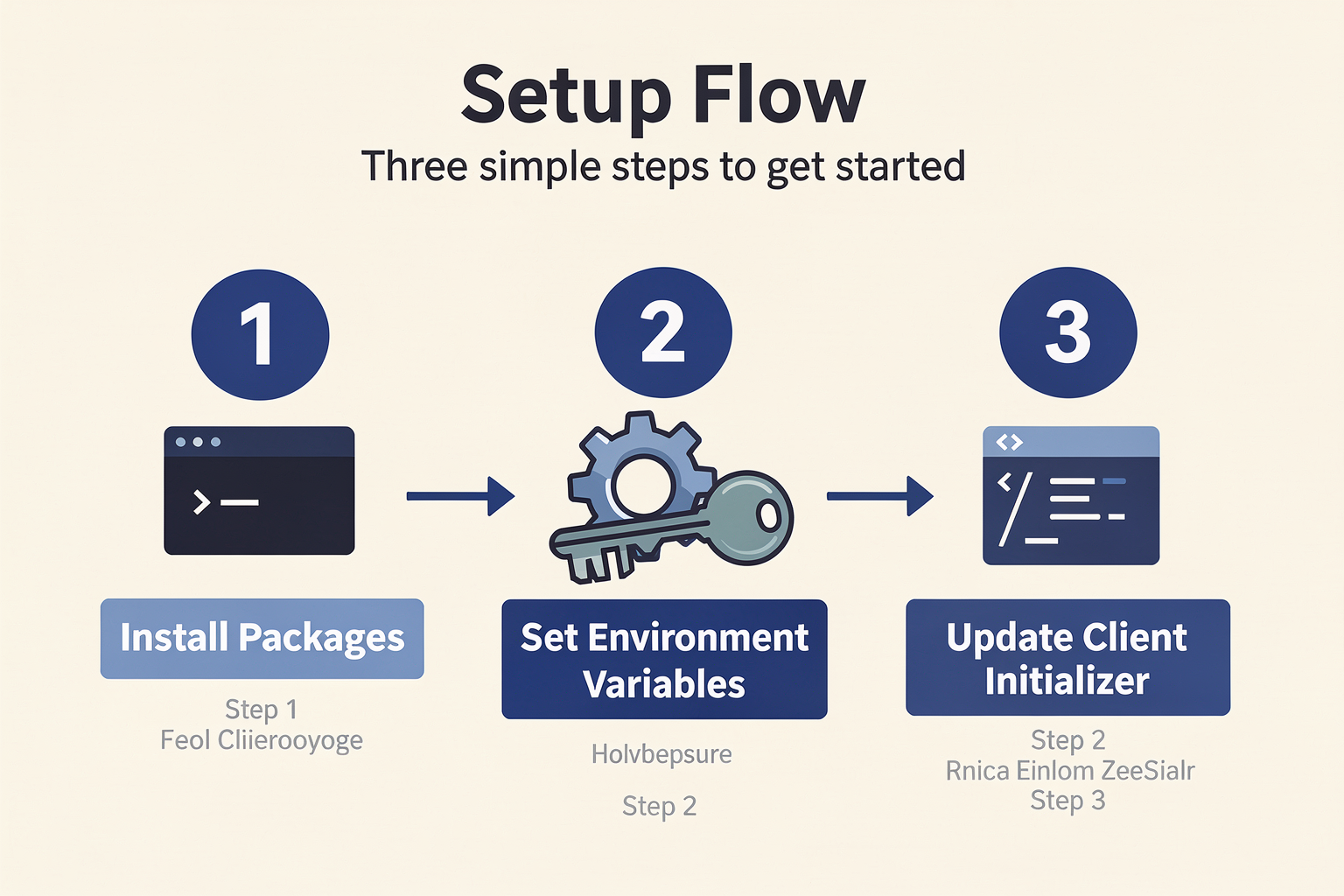
Transitioning your existing application to an OpenAI-compatible interface is a straightforward process that can be completed in under an hour. Follow these steps to prepare your codebase:
#### Step 1: Install or Update Your Dependencies
Ensure you are running a modern version of the official OpenAI SDK. Legacy pre-v1.0 Python SDKs do not handle base URL redirections as cleanly. Run the following command in your terminal:
pip install --upgrade openai#### Step 2: Configure Your Environment Variables
Rather than hardcoding credentials into your application files, manage your configuration using an environment file (such as .env). This makes it incredibly easy to switch environments between testing, staging, and production.
Create or update your .env file with the following variables:
# Example configuration for a unified gateway provider
OPENAI_BASE_URL="https://api.callmissed.com/v1"
OPENAI_API_KEY="cm_your_secured_api_token_here"
If you were migrating a Django application to AWS Bedrock using its compatibility layer (Project Mantle), your .env file would instead contain your standard AWS credentials and your specific regional Bedrock project URL.
#### Step 3: Instantiate the Client
In your application code, instantiate the client using the environment variables configured in Step 2. The SDK will automatically detect these variables, but explicitly passing them ensures predictable routing behavior.
import os
from openai import OpenAI

# The client is initialized with your custom gateway configurations
client = OpenAI(
    base_url=os.environ.get("OPENAI_BASE_URL"),
    api_key=os.environ.get("OPENAI_API_KEY")
)
By leveraging this design pattern, platforms like CallMissed allow developers to gain immediate access to a multi-model API gateway hosting over 300+ models. You can instantly swap your backend from GPT-4o to Llama-3, Claude, or Mistral simply by changing the model parameter in your payload, all while utilizing the native OpenAI client library.
#### Step 4: Run a Verification Call
Execute a simple test script to verify that your requests are successfully routing to your new backend and returning the expected payload format:
response = client.chat.completions.create(
    model="meta-llama/Llama-3-8b-instruct",  # Swap with your chosen model ID
    messages=[
        {"role": "system", "content": "You are a helpful assistant."},
        {"role": "user", "content": "Confirm you receive this message."}
    ]
)

print(response.choices[0].message.content)
If the endpoint returns a valid completion JSON using the exact schema as OpenAI, your drop-in configuration is complete, and you are ready to begin testing and optimizing alternative models.
Top OpenAI-Compatible Providers & Proxies
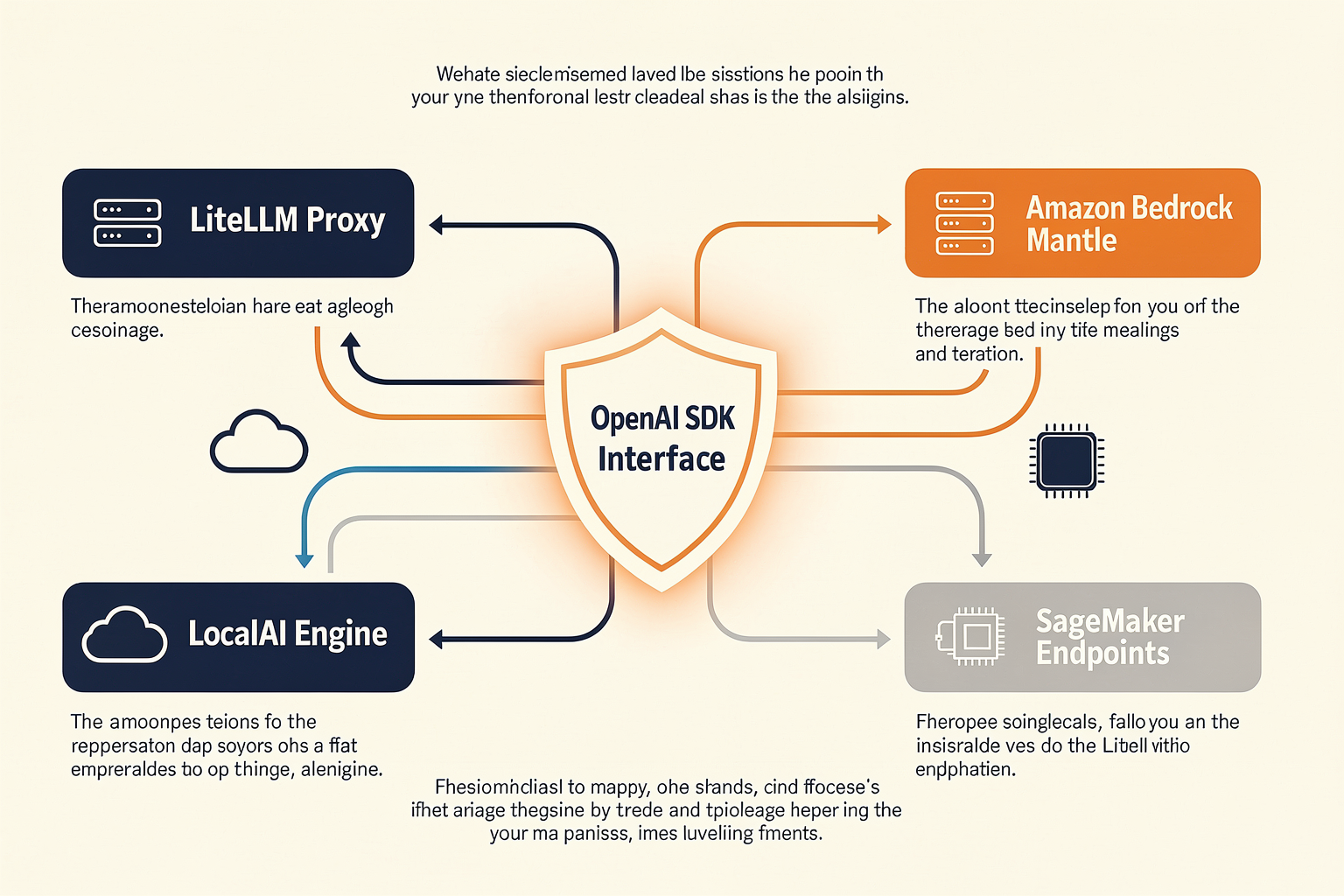
As the artificial intelligence landscape has matured, the OpenAI API specification has transitioned from a proprietary standard into the industry’s de facto protocol. Today, developers treat the OpenAI SDK not merely as a gateway to GPT models, but as a universal language for generative AI integration.
By leveraging the compatibility of other platforms with this specification, you can bypass vendor lock-in entirely. Whether you are running locally hosted open-source models, migrating to enterprise cloud environments, or looking to dynamically route requests across different model families, there is a rich ecosystem of providers and proxies designed to act as drop-in replacements.
Cloud Hyperscalers: Enterprise-Grade Migrations
Major cloud platforms have recognized that forcing developers to rewrite their codebases to adopt new models is a massive friction point. Consequently, hyperscalers now natively support OpenAI-compatible endpoints to ease migration paths.
- Amazon Bedrock (via Project Mantle): Amazon Bedrock’s OpenAI-compatible APIs allow developers to pivot their entire infrastructure to AWS's hosted models in less than an hour. Through Project Mantle, Bedrock provides out-of-the-box compatibility with standard OpenAI API specifications. This means Django, FastAPI, or Node.js applications built on the OpenAI SDK can route requests directly to Anthropic's Claude, Meta's LLaMA, or Mistral models hosted on Bedrock. This migration requires zero changes to prompt structures, system messages, or orchestration logic—you simply update your client configurations.
- Amazon SageMaker AI Endpoints: For organizations that fine-tune open-source models for highly specialized use cases, Amazon SageMaker offers native OpenAI-compatible API support. Once you deploy your fine-tuned model on SageMaker AI endpoints, the platform exposes a standard
/v1/chat/completionsendpoint. This allows your production applications to consume custom, secure, and highly scaled open-source models using the same client libraries they used during initial prototyping with OpenAI.
Dedicated Translation Proxies and Security Gateways
If you want to transition between distinct commercial APIs (such as moving from OpenAI to Anthropic) without deploying heavy infrastructure, dedicated translation proxies provide an elegant, lightweight middleware solution.
- Claudex: Built specifically to bridge the architectural gap between OpenAI and Anthropic, Claudex acts as an instantaneous translator. It intercepts incoming OpenAI SDK calls, translates the payload on the fly into Claude-compatible formats, and returns responses structured exactly like standard OpenAI JSON payloads. This allows developers to test Claude's reasoning capabilities in real-time without modifying a single line of application-level code.
- LiteLLM & One API: These popular open-source proxies act as local or self-hosted gateway servers. They normalize inputs and outputs across more than 100 different LLMs. By running a local container of LiteLLM, you can point your OpenAI client to
http://localhost:4000and let the proxy handle the complex credential management, format mapping, and rate-limiting rules of target providers like Cohere, Gemini, or Groq. - Data443 OpenAI Proxy: For enterprise environments where compliance and data protection are paramount, drop-in proxies like Data443 do more than just route traffic. They inject a security and auditing layer directly into the API stream. By routing your standard OpenAI calls through a secure Data443 proxy, you can enforce real-time data loss prevention (DLP) policies, sanitize personally identifiable information (PII), and generate audit logs of LLM interactions without rewriting or redeploying your core application code.
Open-Source and Self-Hosted Run-times
For teams seeking to run models on local hardware or private cloud clusters, several inference engines emulate the OpenAI API architecture natively, making local development and offline testing seamless.
- vLLM: Designed for high-throughput and memory-efficient LLM serving, vLLM is the gold standard for self-hosting open-source models in production. Out of the box, vLLM starts an HTTP server that mimics the OpenAI API protocol. Developers can swap proprietary models for high-performance open-source models like LLaMA 3.1 or Mixtral simply by pointing their application's
base_urlto the vLLM server instance. - Ollama and Llama.cpp: On local developer machines, Ollama and Llama.cpp serve a similar purpose. Ollama exposes a local endpoint (typically at
http://localhost:11434/v1) that is fully compatible with OpenAI’s SDK. This allows engineers to develop, debug, and run integration tests entirely offline using local resources, ensuring that the identical codebase will function seamlessly when pointed to cloud-hosted API models in production.
Managed Multi-Model Gateways: The Production-Ready Alternative
While managing self-hosted proxies (like LiteLLM) or configuring cloud-specific wrappers (like Project Mantle) offers flexibility, it also introduces substantial operational overhead. Teams must monitor proxy uptime, handle container scaling, manage API key rotations, and manually configure fallback routing when a downstream provider goes offline.
Managed multi-model platforms resolve this complexity by combining the flexibility of translation proxies with the reliability of enterprise SaaS. For example, CallMissed operates as an AI communication and inference infrastructure gateway, offering direct access to over 300+ LLMs through a unified, drop-in OpenAI-compatible API.
Instead of configuring multiple translation engines or managing separate accounts across a dozen providers, developers simply change the base_url and api_key in their existing OpenAI SDK setup to point to CallMissed. The platform handles:
- Dynamic Model Routing: Instantly switch between proprietary models and open-source models depending on latency, cost, or task complexity.
- Resiliency and Redundancy: Automatic fallback mechanisms ensure that if one hosting provider experiences downtime, your API call is routed to an equivalent model elsewhere, maintaining 100% application uptime.
- Multilingual Infrastructure: For applications that require more than text generation, CallMissed integrates advanced Speech-to-Text APIs supporting 22 Indian languages natively, allowing businesses to seamlessly scale localized, voice-driven AI agents alongside their standard LLM workflows.
Architectural Decision Matrix: Which Approach Fits Your Stack?
To choose the right OpenAI-compatible routing strategy, consider the primary operational goal of your engineering team:
- For Rapid Prototyping and Local Testing: Use local run-times like Ollama or Llama.cpp. This setup keeps development fast, completely free of cloud costs, and entirely offline.
- For Private Cloud and Sovereign Infrastructure: Deploy vLLM on dedicated GPU instances. This gives you complete control over your data pipeline and hardware utilization while keeping your application codebase standardized on the OpenAI SDK.
- For Legacy Migration on Enterprise Clouds: Leverage hyperscaler tools like Amazon Bedrock's OpenAI-compatible projects API to quickly move existing workloads into your existing VPC security boundaries.
- For Production Scale and Multi-Model Agility: Utilize managed gateways like CallMissed. This eliminates the maintenance burden of running your own proxy servers while providing instant access to 300+ LLMs, enterprise-grade failovers, and unified billing.
Getting Started
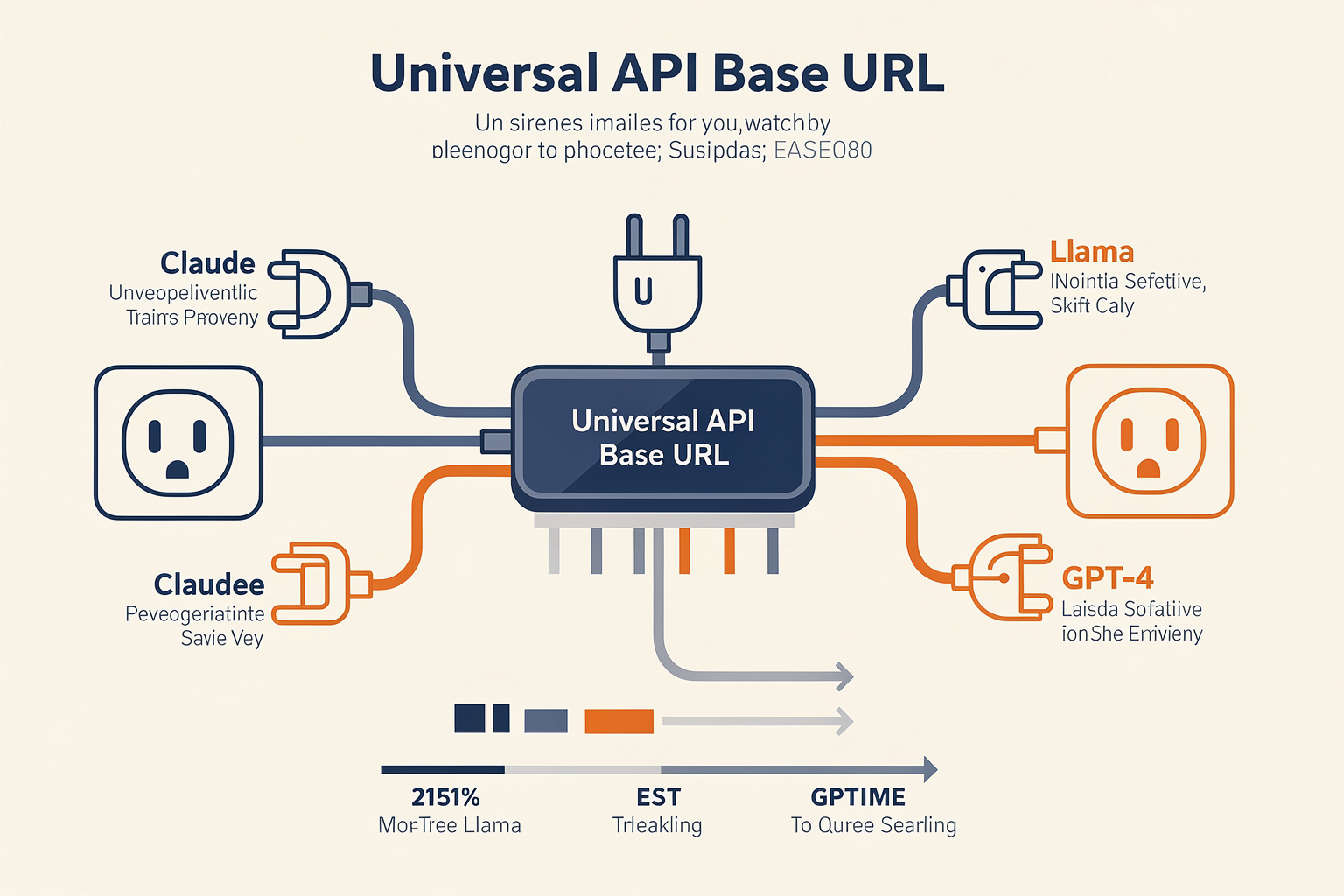
Getting started with an OpenAI-compatible API is incredibly straightforward because it leverages the tools, libraries, and SDKs you already have installed. You do not need to learn a new syntax, install proprietary wrappers, or rewrite your core logic.
The entire migration process boils down to modifying just two variables in your application configuration: the Base URL (the endpoint where your requests are sent) and the API Key (the credential used to authorize those requests). By overriding these two parameters, your existing OpenAI client will seamlessly route requests to your new LLM provider or self-hosted model gateway.
Below is a step-by-step implementation guide to show you exactly how to configure this in both Python and Node.js.
Step 1: Locating Your New Gateway Credentials
Before writing any code, you need to obtain the destination URL and API key from your alternative provider.
- The Base URL (
base_url): This replaces the defaulthttps://api.openai.com/v1endpoint. For example, if you are hosting a local open-source model usingllama.cppor Ollama, your base URL might behttp://localhost:8080/v1. If you are using an enterprise multi-model gateway like CallMissed, your endpoint will point to their unified API routing address. - The API Key (
api_key): This is the bearer token generated by your new provider. If you are running a local model without authentication, this can often be set to a dummy string (e.g.,"none"or"local"), but production remote endpoints will require a secure, valid credential.
Step 2: Implementation in Python
Since the release of the OpenAI Python SDK v1.0+, client instantiation is handled via the OpenAI() class. This design makes it incredibly easy to pass custom configurations without polluting the global namespace.
First, ensure you have the standard OpenAI SDK installed:
pip install openai python-dotenvNext, configure your environment variables. It is best practice to keep these credentials out of your codebase. Create a .env file in your root directory:
# Standard OpenAI credentials (fallback)
# OPENAI_API_KEY=your-actual-openai-key

# New compatible gateway credentials (e.g., CallMissed)
OPENAI_BASE_URL=https://api.callmissed.ai/v1
OPENAI_API_KEY=cm_prod_live_9876543210alpha
TARGET_MODEL=meta-llama/Llama-3-70b-instruct
Now, initialize the client using these environment variables. Notice how the code structure remains completely identical to a standard OpenAI call:
import os
from openai import OpenAI
from dotenv import load_dotenv

# Load configuration from .env file
load_dotenv()

# Initialize the client with the alternative base URL and API key
client = OpenAI(
    base_url=os.getenv("OPENAI_BASE_URL"),
    api_key=os.getenv("OPENAI_API_KEY")
)

# Execute a standard chat completion request
response = client.chat.completions.create(
    model=os.getenv("TARGET_MODEL", "gpt-4o"),
    messages=[
        {"role": "system", "content": "You are a helpful, precise technical assistant."},
        {"role": "user", "content": "Explain the difference between latency and throughput in LLMs."}
    ],
    temperature=0.7,
    max_tokens=150
)

# Extract and print the generated text
print(response.choices[0].message.content)
By simply switching the environment variables, your Python application can call Claude, Llama, Mistral, or fine-tuned proprietary models deployed on custom SageMaker endpoints, without changing a single line of operational Python code.
Step 3: Implementation in Node.js / TypeScript
For JavaScript and TypeScript environments, the approach is identically clean. The official @openai/api package allows you to override the client configuration object dynamically.
First, install the necessary dependencies:
npm install openai dotenvConfigure your environment variables in your .env file:
OPENAI_BASE_URL="https://api.callmissed.ai/v1"
OPENAI_API_KEY="cm_prod_live_9876543210alpha"
TARGET_MODEL="anthropic/claude-3-5-sonnet"
Then, initialize and run your completion call:
import OpenAI from 'openai';
import 'dotenv/config';

// Initialize the client pointing to the compatible API gateway
const openai = new OpenAI({
  baseURL: process.env.OPENAI_BASE_URL,
  apiKey: process.env.OPENAI_API_KEY,
});

async function main() {
  try {
    const response = await openai.chat.completions.create({
      model: process.env.TARGET_MODEL || 'gpt-4o',
      messages: [
        { role: 'system', content: 'You are a helpful code assistant.' },
        { role: 'user', content: 'Write a quick TypeScript interface for a user profile.' }
      ],
      stream: false, // Set to true for real-time text streaming
    });

    console.log(response.choices[0].message.content);
  } catch (error) {
    console.error("Error communicating with the API gateway:", error);
  }
}

main();
Step 4: Streamlining Model Swaps Dynamically
The real power of this setup becomes clear when you want to dynamically route traffic. Rather than hardcoding your target model name in the completion call, you should load it dynamically from your database, a configuration service, or an environment variable.
This enables you to run A/B tests instantly:
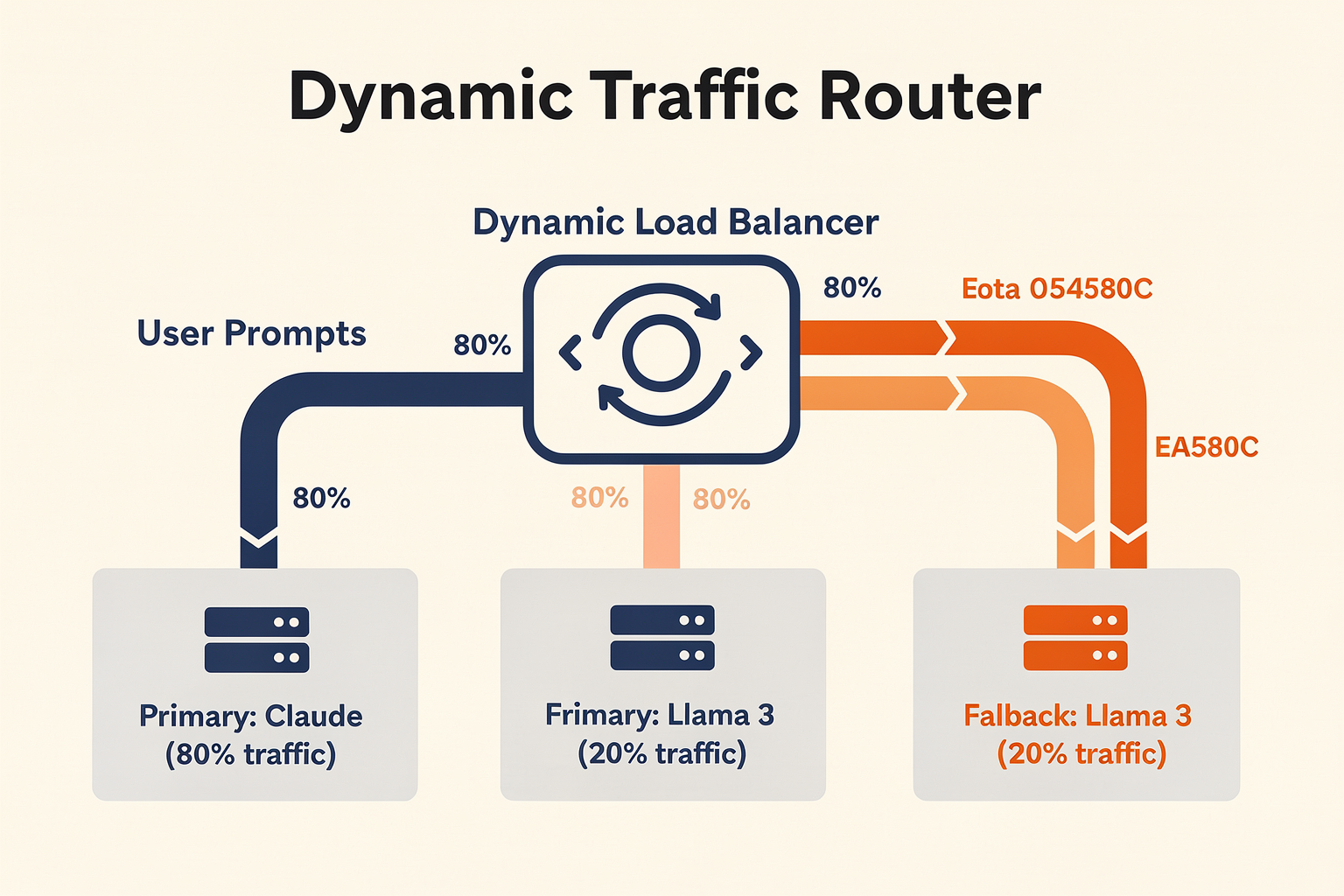
- Route 80% of traffic to a highly cost-efficient, open-source model like
Llama-3-8Bfor basic routing and classification tasks. - Route 20% of traffic to a heavyweight model like
GPT-4oorClaude-3.5-Sonnetfor complex reasoning, planning, and code generation.
If you are deploying applications in regions with diverse localization needs, platforms like CallMissed make it incredibly simple to pair these LLM swaps with multimodal capabilities. For instance, you can route your text generation through any of the 300+ supported LLMs while simultaneously leveraging their built-in Speech-to-Text APIs designed natively for 22 Indian regional languages—all handled within the same unified developer ecosystem.
Under the Hood: What is Actually Happening?
When you run the code blocks above, the OpenAI SDK constructs a standard HTTP POST request. By default, it targets https://api.openai.com/v1/chat/completions.
When you specify a custom base_url, the SDK simply changes the destination of that POST request to your specified endpoint (e.g., https://api.callmissed.ai/v1/chat/completions). Because the destination server implements the exact same JSON schema for the request body and the response payload, the SDK processes the incoming JSON data seamlessly. The SDK does not know (or care) that a non-OpenAI model generated the response; it only cares that the structure of the returned JSON matches the expected contract.
Step-by-Step Walkthrough
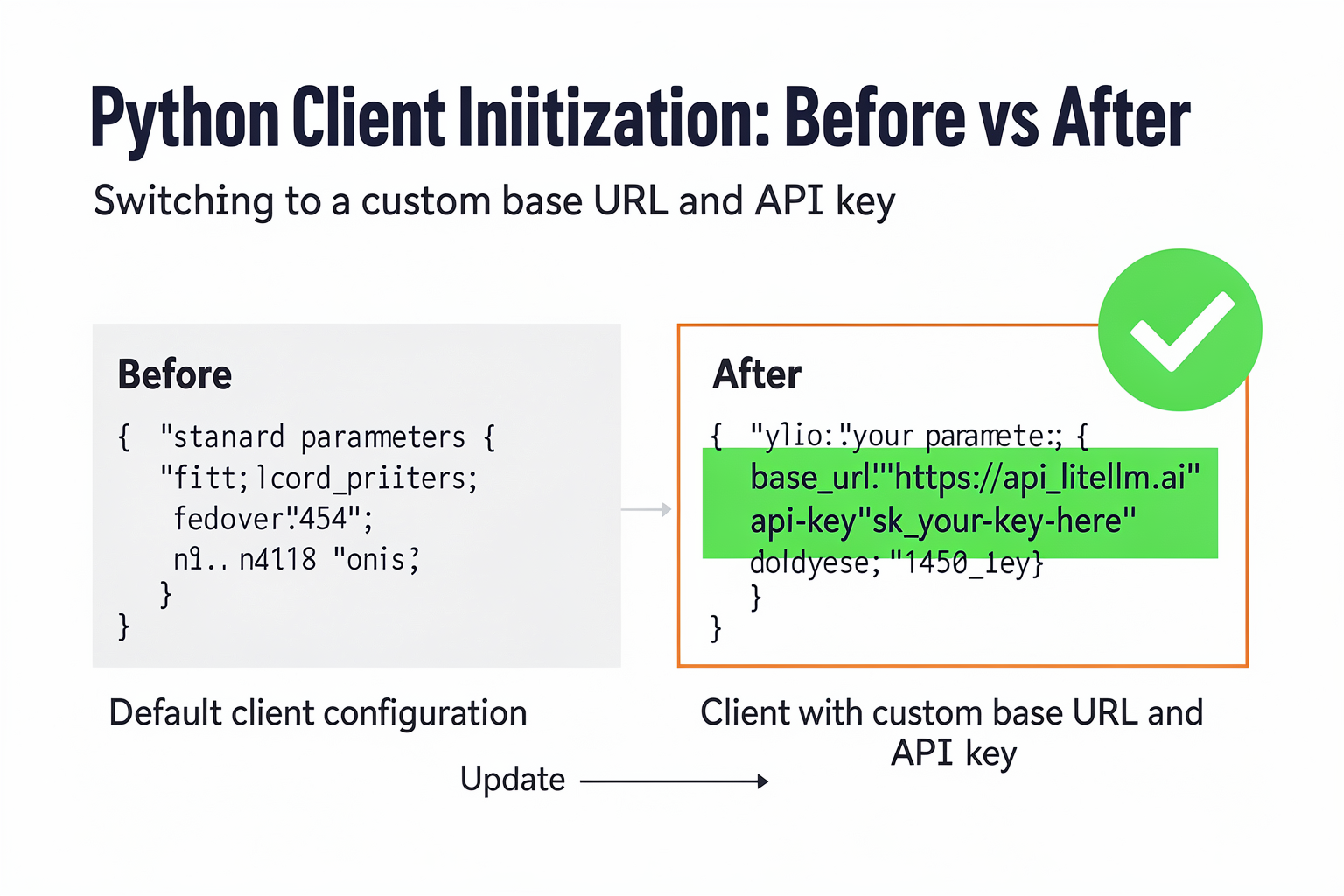
Implementing a drop-in replacement for your OpenAI integration is incredibly straightforward. Because the OpenAI API has become the de facto interface standard for large language models (LLMs), you do not need to rewrite your application logic, restructure your prompt schemas, or learn a new software development kit (SDK).
By changing just two lines of code—the base URL and the API key—you can direct your existing codebase to alternative, high-performance models hosted on open-source infrastructure, private servers, or multi-model gateways.
This step-by-step guide will walk you through the entire transition process, from auditing your current integration to successfully routing requests to alternative LLMs.
Step 1: Audit Your Current OpenAI Implementation
Before making any changes, locate where your OpenAI client is initialized within your codebase. In most modern applications, this is done using the official OpenAI SDK (available in Python, Node.js, Go, and other popular languages).
Typically, your code looks something like this:
import os
from openai import OpenAI

# Standard OpenAI client initialization
client = OpenAI(
    api_key=os.environ.get("OPENAI_API_KEY")
)

response = client.chat.completions.create(
    model="gpt-4o",
    messages=[
        {"role": "system", "content": "You are a helpful assistant."},
        {"role": "user", "content": "Explain drop-in APIs."}
    ]
)
print(response.choices[0].message.content)
In this setup, the SDK automatically points to OpenAI's default endpoints (e.g., https://api.openai.com/v1). To switch models without changing your core logic, we will modify how this client object is configured.
Step 2: Choose Your Target Endpoint and Model Provider
To run your code against another model, you need to point your SDK to a provider that supports the OpenAI API specification. Your options depend on your specific architectural goals:
- Self-Hosted Engines: Tools like
llama.cppor LocalAI allow you to run models on local servers or private clouds while exposing an OpenAI-compatible local port (usuallyhttp://localhost:8080/v1). - Enterprise Cloud Infrastructure: Cloud environments like Amazon SageMaker or Amazon Bedrock (using Project Mantle) offer compatibility layers. This allows you to deploy fine-tuned open-source models on SageMaker AI endpoints and query them using standard OpenAI commands.
- Unified Multi-Model Gateways: Managing individual instances for hundreds of open-source models can quickly become an infrastructure nightmare. Platforms like CallMissed solve this complexity by offering a multi-model API gateway. Instead of configuring different pipelines for Claude, Mistral, and Llama, developers can utilize CallMissed's unified gateway to switch between over 300+ models without touching their backend architecture.
Once you have chosen your target environment, secure your new API credentials and note the target Base URL.
Step 3: Swap the Base URL and API Credentials
The magic of OpenAI compatibility lies in the client configuration. Both the Python and Node.js SDKs allow you to override the default base_url parameter.
By substituting your target provider's URL and authentication token, the SDK routes all subsequent API requests (e.g., Chat Completions, Embeddings, or Image Generation) directly to your new engine.
#### Python Migration Example
import os
from openai import OpenAI

# Switch to an OpenAI-compatible gateway like CallMissed
client = OpenAI(
    base_url="https://api.callmissed.com/v1",  # Override the default OpenAI base URL
    api_key=os.environ.get("CALLMISSED_API_KEY")  # Use your alternative provider's API key
)

# Your application code remains identical!
response = client.chat.completions.create(
    model="meta-llama-3.1-70b-instruct",  # Swap the model identifier
    messages=[
        {"role": "system", "content": "You are a helpful assistant."},
        {"role": "user", "content": "Explain drop-in APIs."}
    ]
)
print(response.choices[0].message.content)
#### Node.js Migration Example
For JavaScript and TypeScript environments, the change is just as seamless:
import OpenAI from 'openai';

// Initialize the OpenAI client targeting your alternative gateway
const openai = new OpenAI({
  baseURL: 'https://api.callmissed.com/v1', // Point to the compatible endpoint
  apiKey: process.env.CALLMISSED_API_KEY,      // Switch to your new API credentials
});

async function main() {
  const completion = await openai.chat.completions.create({
    messages: [{ role: 'user', content: 'Say hello!' }],
    model: 'mistral-large-latest',
  });

  console.log(completion.choices[0].message.content);
}

main();
Step 4: Map Your Model Names
Once your base URL is redirected, the SDK will pass your parameter payloads exactly as they are. This means you must update the model argument to match a model hosted by your new provider.
For instance, if you are migrating from OpenAI to an open-source model hosted on a private cloud or a gateway, your mappings might look like this:
- Instead of
gpt-4o-mini, you might usemeta-llama/Meta-Llama-3-8B-Instruct. - Instead of
gpt-4o, you might opt formeta-llama/Meta-Llama-3-70B-Instructormistral-large.
Unified gateways like CallMissed standardize these naming conventions across 300+ models. This eliminates the guesswork and makes A/B testing different models as simple as changing a single string in your configuration file.
Step 5: Test, Verify, and Monitor
After making your code adjustments, run your test suite to verify the integration. Because the payload structures, nested JSON formats, and response objects are identical, your existing parsing code (such as reading response.choices[0].message.content) will function perfectly.
However, during verification, pay attention to the following nuances:
- System Prompt Behavior: Different base models respond uniquely to instructions. While the API syntax is compatible, a system prompt optimized for GPT-4 might yield slightly different results on Llama 3 or Claude. Always run regression tests on your prompts.
- Hyperparameter Compatibility: Ensure that hyperparameters like
temperature,top_p,presence_penalty, andstoptokens are supported by your target model. Some highly specialized open-source models may ignore certain obscure hyperparameters or require specific formatting for stop sequences. - Error Handling: Ensure your error-handling logic catches standard OpenAI exception classes (such as
openai.RateLimitErrororopenai.APIConnectionError). Standard-compliant endpoints will throw standard HTTP error codes, allowing your existing retry mechanisms to work out-of-the-box.
Real-World Use Cases & Migration Benefits
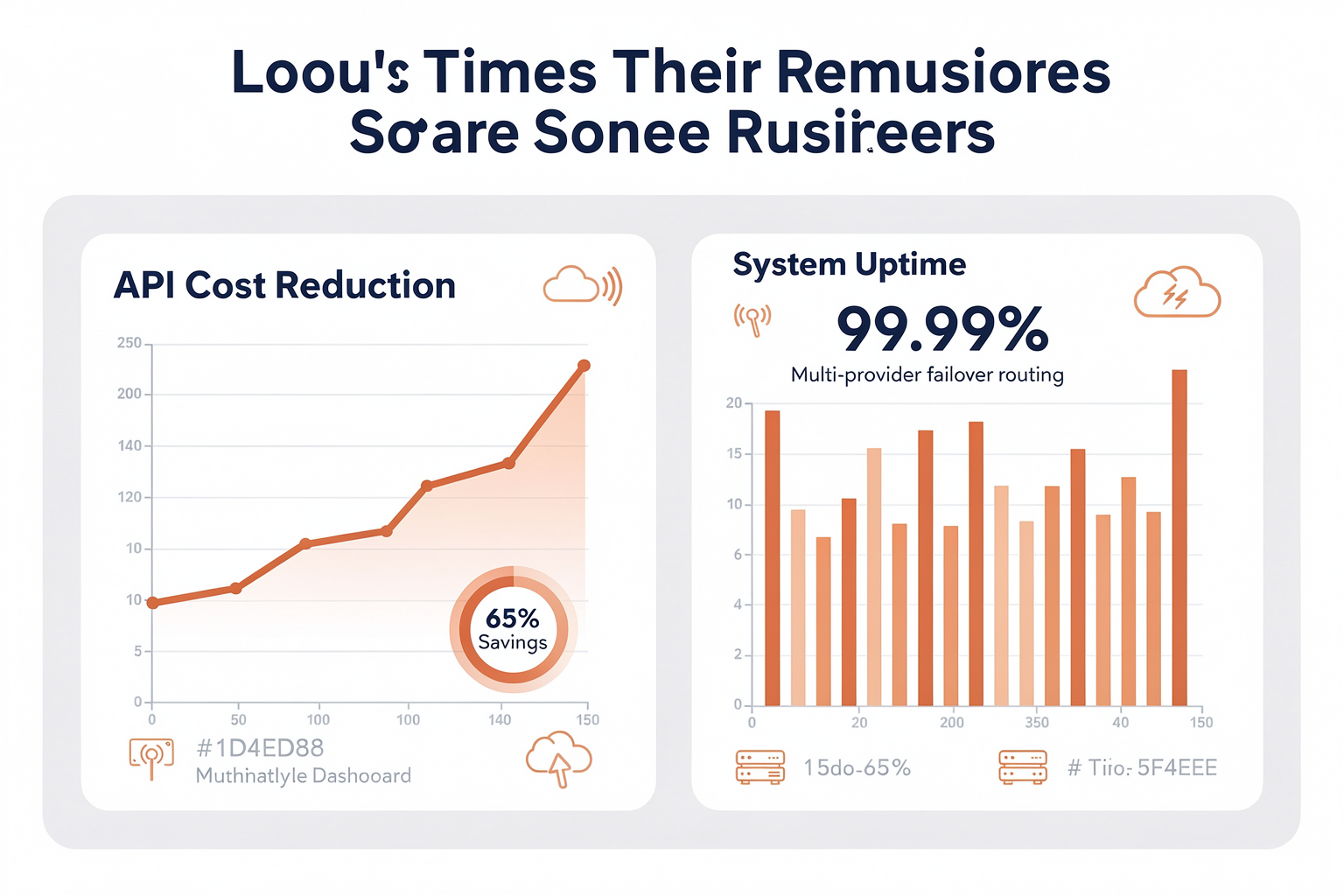
Adopting an OpenAI-compatible API architecture is more than just a convenient development trick—it is a strategic decision that reshapes how engineering teams scale, secure, and budget their AI-driven applications. Historically, migrating an application from one LLM provider to another required weeks of refactoring, testing, and debugging payload structures. Today, drop-in compatibility removes these engineering bottlenecks entirely.
Below, we explore the primary benefits of this architectural pattern alongside real-world scenarios where switching models seamlessly yields immediate business value.
Key Migration Benefits
Implementing a drop-in compatible interface delivers several architectural advantages that protect your software against future industry volatility:
- Elimination of Vendor Lock-In: Relying on a single AI provider exposes your organization to sudden pricing changes, service outages, and policy updates. By coding against a standardized, OpenAI-compatible API spec, you decouple your application logic from the underlying model host. You can swap OpenAI for Anthropic, Cohere, or an open-source model overnight.
- Zero-Code Migration Workflows: Instead of rewriting SDK wrappers and JSON parsing logic, migration becomes a simple configuration update. In many cases, transitioning an entire application—such as a legacy Django app—to enterprise-grade infrastructure like Amazon Bedrock can be accomplished in under an hour without altering a single prompt [2].
- Drastic Cost and Latency Optimization: Different tasks require different model capabilities. While complex reasoning may justify the cost of GPT-4o, simpler classification or extraction tasks can be handled by smaller, open-source models (like Llama 3 or Mistral). Standardized APIs allow you to route traffic dynamically to the most cost-effective model without rewriting your application's core code [1].
- Enhanced Security and Compliance: Organizations handling sensitive user data cannot always route payloads to public APIs. By using an OpenAI-compatible proxy, enterprise teams can insert real-time compliance checks, PII scrubbing, and token-limiting audits between their application and the model provider without modifying the application codebase [6].
Real-World Use Cases
The flexibility of standardized APIs has paved the way for several innovative deployment patterns across startups and enterprises alike.
#### 1. Transitioning Django and Legacy Apps to Amazon Bedrock
For organizations deeply embedded in the AWS ecosystem, migrating AI applications to a secure cloud environment is a frequent requirement. Using Bedrock's OpenAI-compatible Projects API (often leveraging Project Mantle), developers can transition legacy Python and Django applications originally coded for the OpenAI SDK [2, 8].
Instead of ripping out the existing OpenAI Python client, developers simply alter the client configuration:
- They update the
base_urlto point to the Amazon Bedrock endpoint [7, 8]. - They swap the OpenAI API key for AWS credentials [2, 8].
- The application continues to use standard calls like
openai.chat.completions.create(), while the actual inference runs securely on AWS-managed Claude or Llama models.
#### 2. Serving Fine-Tuned Open-Source Models on SageMaker
When off-the-shelf models fail to meet domain-specific requirements, companies turn to fine-tuning. However, deploying a custom fine-tuned model often introduces proprietary API structures. AWS solves this by offering OpenAI-compatible API support for Amazon SageMaker AI endpoints [3].
If you fine-tune a model for a specific niche—such as legal document analysis or medical transcription—you can deploy it on SageMaker and interact with it using your existing OpenAI-integrated codebase [3]. The endpoint acts as a drop-in replacement, saving engineering teams from writing custom middleware to handle output parsing.
#### 3. Seamless Failover and Multi-Model Orchestration
In production environments, uptime is paramount. If a primary model provider experiences high latency or an outage, customer-facing applications suffer. Platforms built on unified API structures solve this by offering automated, multi-model fallback systems.
For instance, unified communication platforms like CallMissed leverage this exact design. CallMissed’s multi-model API gateway lets developers access and switch between 300+ LLMs dynamically. If a high-priority customer conversation requires rapid response times, the system can automatically shift from a slower model to a highly optimized local variant without a single line of code changing in the master application. This guarantees that AI-driven voice agents and customer support bots remain responsive 24/7.
#### 4. Switching to Claude Without Changing Code
Anthropic’s Claude models are highly regarded for their context windows and writing style, but many early-stage applications were built entirely around OpenAI’s SDK. To bridge this gap, developers have created translation proxies like Claudex [5]. Claudex acts as a local or hosted intermediary that accepts standard OpenAI-formatted API requests, translates them on the fly to Anthropic’s format, and returns the response in the exact JSON structure the OpenAI client expects [5]. This allows developers to test Claude's performance in real time on their existing production applications with zero code overhead.
#### 5. Local Prototyping and Offline Development
Cloud costs can quickly spiral during the initial development and prototyping phases of a project. To combat this, developers utilize tools like llama-cpp-python to set up local, offline mock servers [4]. Because llama-cpp-python exposes an OpenAI-compatible Web API, developers can write their applications using the standard OpenAI SDK, but point their local environment’s base_url to localhost:8000 [4, 7]. This allows teams to prototype, test, and run integration suites using local open-source models completely free of charge before pointing the production environment to live cloud endpoints.
Comparative Migration Effort
To illustrate the stark difference in engineering overhead, consider the steps required to switch model providers under both paradigms:
- The Traditional Approach (No Compatibility):
- Rewrite the SDK initialization logic.
- Manually map system, user, and assistant messages to the new provider's unique JSON schema.
- Adjust parameter names (e.g., changing
max_tokenstomax_lengthormax_new_tokens). - Refactor response-handling logic to parse the new nested JSON structure.
- Redeploy and run extensive regression testing.
- Total Estimated Time: 2 to 5 engineering days.
- The Drop-In Compatible Approach:
- Change the
OPENAI_BASE_URLandOPENAI_API_KEYenvironment variables [7, 8]. - Update the targeted model name (e.g., from
gpt-4otometa-llama-3orclaude-3). - Total Estimated Time: Under an hour [2].
By treating the API layer as a standardized protocol rather than a proprietary lock, developers gain ultimate control over their AI infrastructure. Whether routing voice interactions through multi-model gateways like CallMissed or securing enterprise workloads on Amazon SageMaker, drop-in compatibility represents the future of resilient AI engineering [3].
Advanced Tips & Tricks (TABLE)
Transitioning your application to use an OpenAI-compatible API involves more than simply swapping the base URL and replacing your API keys. While the drop-in compatibility of modern large language model (LLM) gateways significantly simplifies the migration process, production-grade applications require a deeper strategy. Developers must manage subtle differences in model behavior, variable parameters, authentication protocols, and failover mechanisms to achieve true, uninterrupted multi-model elasticity.
To help you navigate these nuances, we have compiled advanced tips, architectural strategies, and a comprehensive compatibility matrix to optimize your drop-in API deployments.
Managing Parameter Discrepancies and Validation Rigidity
One of the most common pitfalls of switching backend LLMs via a drop-in API is parameter incompatibility. Although standard engines expose the /v1/chat/completions endpoint, they do not all handle optional payload parameters identically.
- Unsupported Parameters: Advanced sampling parameters such as
logit_bias,logprobs, orresponse_format(specifically structured JSON schemas) are highly proprietary to certain model architectures. Passinglogit_biasto a local llama.cpp server or certain open-source endpoints hosted on Amazon SageMaker AI can result in an unhandled HTTP 400 Bad Request error. - System Prompt Differences: Anthropic’s Claude family (accessed via translation proxies like Claudex or AWS Bedrock) treats system prompts differently than OpenAI's model family. Instead of processing system instructions as standard message payloads with the role of
system, some older backends require system instructions to be passed as top-level parameters. - Tokenization Limits: Parameters like
max_tokensmight behave unexpectedly when moving between models. For instance, Llama-based models hosted locally might interpretmax_tokensstrictly as output tokens, whereas other providers use it to cap the total context size (input + output), leading to premature truncation.
To bypass these issues, implement a middleware sanitization layer in your code. This layer should intercept your outbound API payloads, inspect the target model metadata, and dynamically strip unsupported parameters before they reach the endpoint gateway.
Designing Resilient Fallback and Failover Systems
In a highly scaling enterprise environment, relying on a single upstream model provider is a risk. Outages, sudden API rate limits (HTTP 429), and geographic latency spikes can degrade user experience. By leveraging an OpenAI-compatible API architecture, you can design a dynamic, multi-tier fallback system without rewriting your core generation pipelines.
When an API call returns a non-2xx status code, your client wrapper can instantly route the exact same payload to a secondary endpoint. For example, if a call to an online commercial model fails, your application can automatically fall back to an internal, fine-tuned open-source model hosted on a private Amazon SageMaker endpoint.
For developers who want to avoid building and maintaining this complex routing infrastructure from scratch, modern unified platforms offer a streamlined alternative. Platforms like CallMissed feature a production-ready, multi-model API gateway that allows teams to seamlessly query over 300+ LLMs with standard OpenAI SDK configurations. This infrastructure handles low-level failover, load balancing, and model-to-model translation out of the box, ensuring continuous availability.
Feature Compatibility Across Drop-In Environments
The following comparison table highlights how the most common OpenAI-compatible API layers handle authentication, unique features, and known edge cases in production.
| Target Engine / Gateway | Auth Mechanism | Primary Benefit | Notable Feature | Key Limitation |
|---|---|---|---|---|
| Amazon Bedrock (Mantle) | AWS IAM / SigV4 | Enterprise-grade security and strict compliance | Direct drop-in SDK integration | Does not support highly custom OpenAI parameters like logit_bias |
| Local (llama.cpp / Ollama) | None or Custom Bearer Token | Zero data egress costs and absolute privacy | Completely offline execution | Limited by host machine VRAM and hardware constraints |
| Amazon SageMaker Endpoints | AWS Signature Version 4 | Serves fine-tuned open-source models seamlessly | Scalable dedicated compute instances | Cold starts on auto-scaled endpoints can cause latency spikes |
| Claudex (Claude Translator) | Custom Proxy Token | Swaps OpenAI for Claude without changing a single line of code | Translates system prompt structures natively | Introduces a microsecond network hop latency |
| CallMissed Gateway | Standard Bearer API Key | Single interface for 300+ models with built-in fallbacks | Automated multilingual TTS/STT and routing | Requires routing policies to be configured via dashboard/API |
Implementing Zero-Downtime Migration with Proxies
To migrate a legacy Django, Node.js, or Go application without modifying a single line of compiled code, look to network-level proxy routing.
By inserting a reverse proxy—such as Nginx, Envoy, or specialized security proxies like Data443—between your application and the internet, you can redirect all traffic intended for api.openai.com to your alternative backend endpoint. The proxy intercepts the HTTPS request, handles the SSL handshake, translates the authorization headers if necessary (e.g., converting a standard bearer token into an AWS SigV4 header for Amazon SageMaker), and forwards the request to your private LLM endpoint.
This approach is highly valuable in legacy systems where the codebase is frozen or the original developers are unavailable. It decouples your infrastructural choices from your application code, allowing your operations team to transition workloads to more cost-effective, open-source models on the fly.
Latency and Context Window Optimization
When routing traffic across different model engines, keep in mind that performance metrics will vary drastically:
- Time-to-First-Token (TTFT): Proprietary cloud endpoints often have highly optimized TTFT. If your system relies heavily on real-time stream processing (e.g., conversational voice interfaces), switching to a self-hosted local model on consumer hardware might increase your TTFT from 100ms to over 800ms.
- Context Window Mismatch: Swapping a 128k context model for a local 8k context model without adjusting your token-trimming algorithms will result in immediate out-of-memory or context-exhaustion errors. Always query the target model's limits dynamically or maintain an environment-specific configuration file that defines maximum token limits for each active target in your routing pool.
Common Mistakes to Avoid (TABLE)
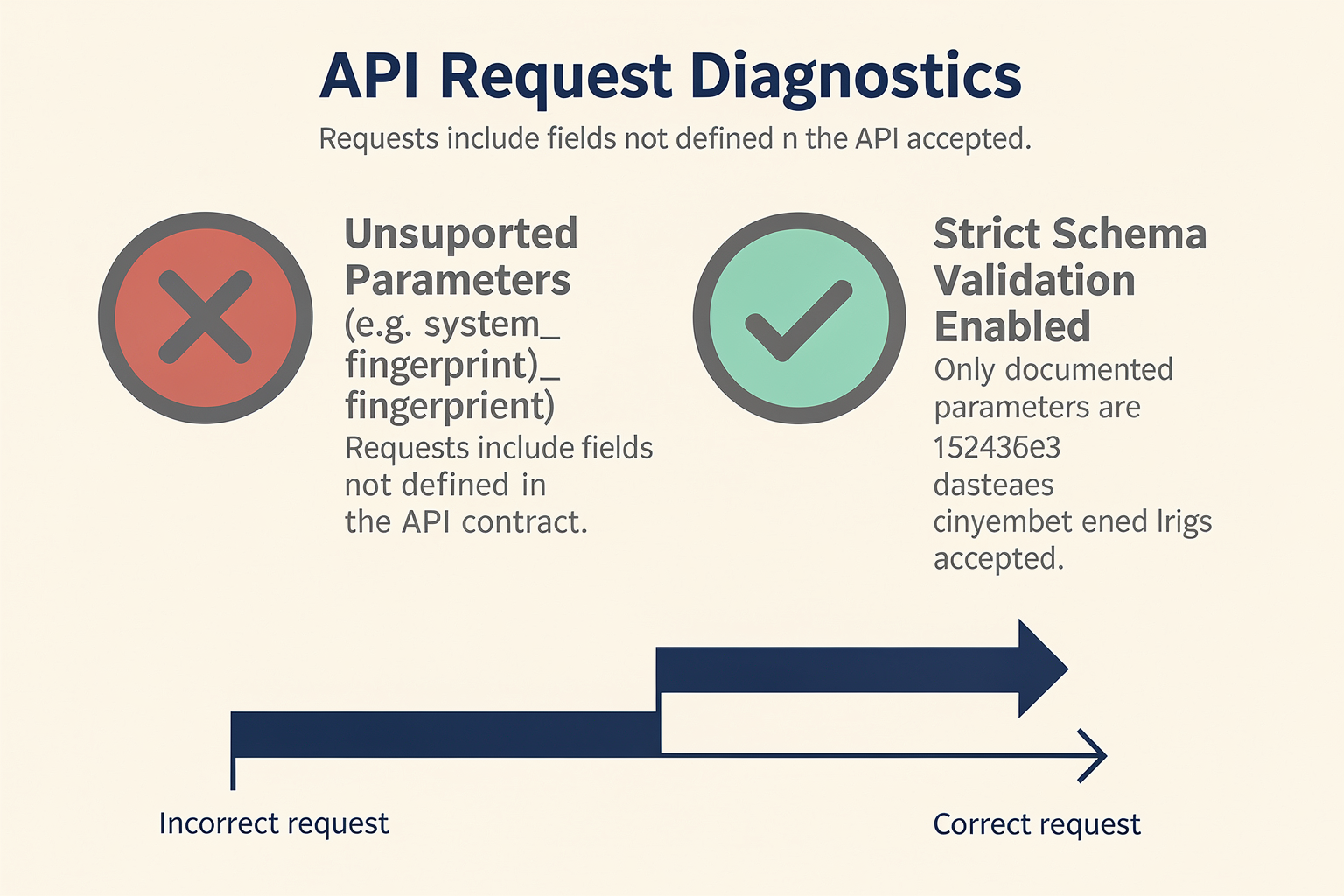
While migrating to an OpenAI-compatible API allows developers to switch LLM backends in minutes, treating all models as identical drop-in replacements is a recipe for production failures. From subtle parameter discrepancies to authentication mismatches, assuming 100% feature parity can lead to application crashes, degraded output quality, or unexpected latency spikes.
To help you navigate these transitions smoothly—whether you are routing to Amazon Bedrock via Project Mantle, leveraging self-hosted SageMaker endpoints, or localizing inference with llama.cpp—we have compiled the most frequent integration blunders and how to prevent them.
| Common Mistake | Immediate Impact | How to Identify | Recommended Fix |
|---|---|---|---|
| Hardcoding Base URLs | Locks code into OpenAI; blocks seamless failover and local testing. | Code contains explicit https://api.openai.com/v1 references. | Load api_key and base_url strictly from environment variables. |
| Parameter Drift & Overload | Unsupported parameters (e.g., seed, logit_bias) cause API crashes. | Logs show HTTP 400 Bad Request errors from fallback endpoints. | Sanitize payloads; strip non-universal parameters before routing. |
| System Role Mismatches | Target model ignores safety/behavior prompts or rejects the chat payload. | Model output drifts in tone, or API throws schema validation errors. | Use proxy layers that translate or merge system messages natively. |
| Ignoring Timeout & TTFT Spikes | Application UI freezes or times out when routing to slower hosting options. | Gateway timeouts (504) or high Time-to-First-Token (TTFT) metrics. | Implement dynamic, model-specific timeout thresholds. |
| Header & Auth Discrepancies | Authentication fails when switching between custom clouds and local setups. | HTTP 401 Unauthorized or 403 Forbidden errors during routing. | Standardize API keys using unified routing layers like CallMissed. |
1. Hardcoding Configuration Parameters and Base URLs
The most fundamental mistake developers make is hardcoding the client setup directly within their codebase. When you initialize your OpenAI client, hardcoding the target URL to OpenAI’s default servers forces you to rebuild and redeploy your application just to run a test on a local model or a backup provider.
As highlighted in community discussions around self-hosted models, the simplest way to maintain flexibility is to decouple your configuration. Always load your base_url, api_key, and target model name from environment variables. This allows you to swap your entire AI backend instantly by updating your deployment environment configurations—no code modifications required.
# Bad: Hardcoded and locked into OpenAI
client = OpenAI(api_key="sk-proj-...")

# Good: Fully dynamic and open to any compatible gateway
client = OpenAI(
    base_url=os.environ.get("OPENAI_BASE_URL", "https://api.openai.com/v1"),
    api_key=os.environ.get("OPENAI_API_KEY")
)
2. Payload Overload (Parameter Drift)
OpenAI's SDK allows you to pass specific parameters like seed, logit_bias, tool_choice, or response_format={"type": "json_object"}. However, open-source models hosted on Amazon SageMaker AI endpoints or local llama.cpp instances may not support these advanced parameters.
If your codebase passes logit_bias to an endpoint powered by a model that does not support it, the backend server will often return an HTTP 400 Bad Request, instantly breaking your user experience.
- The Fix: Before routing requests to an alternative provider, run a sanitization function that strips proprietary parameters from your request body unless you are certain the target model fully supports them.
3. Overlooking System Prompt Compatibility and Format Drift
While drop-in compatibility layers like Claudex or Bedrock's OpenAI-compatible APIs translate chat completion structures, they cannot rewrite how an underlying model interprets prompts.
- System Prompt Support: Some older or highly specialized open-source models do not natively support the
systemrole in chat history. Sending a message block labeled as asystemprompt can cause the model to crash or simply treat it as standard user input, ignoring critical behavioral boundaries. - Formatting Drift: An instruction set optimized for GPT-4o may yield poor results when sent to Claude 3.5 Sonnet or Llama-3-70B. Each model architecture has different sensitivities to prompt structures, meaning a blind "drop-in" switch without regression testing your prompts can degrade your application's output quality.
4. Ignoring Network Latency and Timeout Limits
OpenAI's globally distributed, highly optimized infrastructure provides low Time-to-First-Token (TTFT). If you switch your base URL to a self-hosted instance on Amazon SageMaker or a local server running llama-cpp-python, your network and processing latencies will change.
- Self-hosted endpoints often experience "cold starts" if they have scaled down to zero, causing the initial API call to take 30 seconds or longer.
- If your application's HTTP client has a hardcoded timeout of 10 seconds, your system will throw timeout exceptions even though the backend model is functioning correctly.
Ensure you implement dynamic, provider-specific timeout configurations.
5. Authentication and Header Incompatibilities
Different cloud providers require different authentication standards. While OpenAI uses standard Bearer token authorization headers, migrating directly to cloud environments like Amazon Bedrock or custom enterprise gateways often requires specialized signatures (such as AWS Signature Version 4) or unique request headers (like X-API-Key). Attempting to pass a raw OpenAI API key to these environments without a translation layer will result in immediate authentication failures.
To solve this challenge, developers are increasingly turning to unified gateways. CallMissed resolves these exact authentication and compatibility headaches. By acting as a single, production-ready gateway that supports over 300+ LLMs, CallMissed standardizes authorization, handles complex header mapping, and normalizes model parameters automatically behind the scenes. This ensures that your drop-in migrations remain truly seamless, secure, and resilient under production workloads.
The Future of Unified APIs

The AI landscape is undergoing a silent but massive architectural evolution. In the early days of the generative AI boom, developers designed applications tightly coupled to a single vendor's API. This approach quickly led to vendor lock-in, where migrating from one LLM provider to another required extensive code rewrites, prompt engineering reconfigurations, and a complete overhaul of integration testing. Today, we are witnessing the emergence of unified APIs—a paradigm shift where interoperability is no longer a luxury, but a core architectural requirement for enterprise-grade AI software.
Just as SQL standardized relational database querying in the 1970s and Amazon’s S3 API became the industry standard for object storage, OpenAI’s API specification (specifically /v1/chat/completions) has evolved into the de facto standard for LLM integration. The future of AI development lies in this abstraction layer, allowing developers to decouple their application logic from the underlying model infrastructure.
The De Facto Standard of the LLM Era
The standardization of the OpenAI API format is not driven solely by OpenAI itself, but by the collective demand of the developer community and cloud hyperscalers. When major players like Amazon Web Services (AWS) integrate OpenAI-compatible wrappers into their core machine learning services, it signals a permanent shift in how AI infrastructure is managed.
For example, AWS introduced Project Mantle, a project designed to provide out-of-the-box compatibility with OpenAI API specifications directly within Amazon Bedrock. This allows teams to migrate complex Django or Node.js applications from the OpenAI SDK to Amazon Bedrock in under an hour without rewriting prompts or restructuring application code. Similarly, Amazon SageMaker AI Endpoints now support OpenAI-compatible APIs for serving fine-tuned open-source models.
This widespread adoption means developers are no longer forced to choose between the ease of use of a popular SDK and the compliance, security, or latency benefits of hosting their own models. They can have both:
- Zero-Overhead Migrations: Switch from proprietary models to fine-tuned open-source alternatives (like LLaMA-3 or Mistral) without modifying client-side code.
- Hyperscaler Flexibility: Deploy models across AWS, Google Cloud, or local infrastructure while maintaining a uniform codebase.
- Unified Client Libraries: Use existing OpenAI Python or TypeScript SDKs as a universal interface for any model, anywhere.
Dynamic Multi-Model Orchestration
The ultimate promise of unified APIs is not just the ability to manually swap models, but the capacity for dynamic, real-time routing. In a mature AI system, relying on a single model for every task is inefficient. A simple customer support greeting does not require the cognitive overhead (or cost) of a massive frontier model, whereas a complex reasoning task or financial audit does.
Unified APIs pave the way for intelligent middle-tier routers. These systems inspect incoming payloads and dynamically direct them to the optimal model based on specific business rules:
- Cost Optimization: Route routine queries to lightweight, low-cost open-source models while escalating complex queries to frontier proprietary models.
- Latency Management: Automatically fall back to a faster edge-hosted model if the primary provider experiences high latency or downtime.
- Data Sovereignty & Compliance: Route queries containing sensitive personal data (PII) to a localized, on-premise model instance, while sending non-sensitive requests to external cloud APIs.
This is where advanced communication and infrastructure platforms are paving the way. For businesses looking to implement this level of orchestration seamlessly, platforms like CallMissed offer a production-ready, multi-model API gateway. CallMissed enables developers to switch between over 300+ LLMs without changing a single line of code, combining LLM flexibility with advanced communication features like multilingual Speech-to-Text and real-time voice agents. This layer of abstraction ensures that your applications remain future-proof, regardless of which model dominates the market tomorrow.
Empowering the Open-Source Ecosystem
Another major driver of the unified API movement is the open-source community. Projects like llama.cpp, LocalAI, and vLLM have natively adopted OpenAI-compatible endpoints. This means that local developer environments can precisely mirror production cloud environments.
A developer can run a quantized model locally on their laptop using llama.cpp, point their application’s base_url to localhost:8080, and test their application logic entirely offline. Once ready, they can transition to a cloud provider or private endpoint simply by changing an environment variable. This closes the gap between local development and enterprise deployment, accelerating release cycles and reducing cloud spend during the prototyping phase.
Bridging the Interoperability Gap
While the benefits of unified APIs are clear, achieving true parity across different models requires addressing minor discrepancies in model behaviors. Not all models interpret parameters like temperature, top_p, or system instructions in the exact same way. Furthermore, advanced features like structured JSON outputs and tool calling (function calling) vary significantly between proprietary models and open-source models.
To bridge this gap, the future of unified APIs will rely on intelligent translation proxies. These proxies do more than just rewrite URL endpoints; they normalize payloads in real time. For instance, if a developer initiates a function-calling request formatted for OpenAI, the translation layer can automatically map that request to the specific format required by Anthropic's Claude or an open-source model hosted on a private endpoint.
As these translation layers become more sophisticated, the friction of model switching will drop to zero. Engineering teams will no longer be locked into ecosystem silos, fostering a highly competitive market where LLM providers must compete on raw performance, latency, and cost rather than developer inertia. Unified APIs are transforming LLMs from specialized, proprietary integrations into a plug-and-play utility.
Frequently Asked Questions
What is a drop-in OpenAI-compatible API and how does it work?
base_url and replacing the authorization key, you can instantly route your traffic to open-source models like Llama 3 or alternative proprietary engines. This seamless abstraction eliminates vendor lock-in, enabling engineering teams to test, benchmark, and deploy diverse LLMs in production without wasting weeks rewriting integration pipelines.Can I use a drop-in OpenAI-compatible API to migrate from OpenAI to Amazon Bedrock or SageMaker?
What are the main benefits of using a unified, multi-model drop-in OpenAI-compatible API?
How do I configure my existing SDK to point to a drop-in OpenAI-compatible API?
api.openai.com/v1 address, you update the base_url parameter within your OpenAI Python or Node.js client initialization to point to your new service endpoint. Because the incoming payload structures, parameters (like temperature, max_tokens, and stop sequences), and JSON responses remain identical, your downstream application logic will continue to parse the outputs without a single modification.Are there any compatibility issues or limitations when swapping models through these APIs?
Can I route streaming responses and multi-modal inputs through an OpenAI-compatible proxy?
Resources & Next Steps
Transitioning from a single, proprietary AI provider to a flexible, multi-model architecture is no longer just a trend—it is a core operational strategy for engineering teams looking to optimize latency, reduce token spend, and avoid vendor lock-in. By adopting drop-in, OpenAI-compatible APIs, your development team can completely decouple your application logic from your underlying LLM provider.
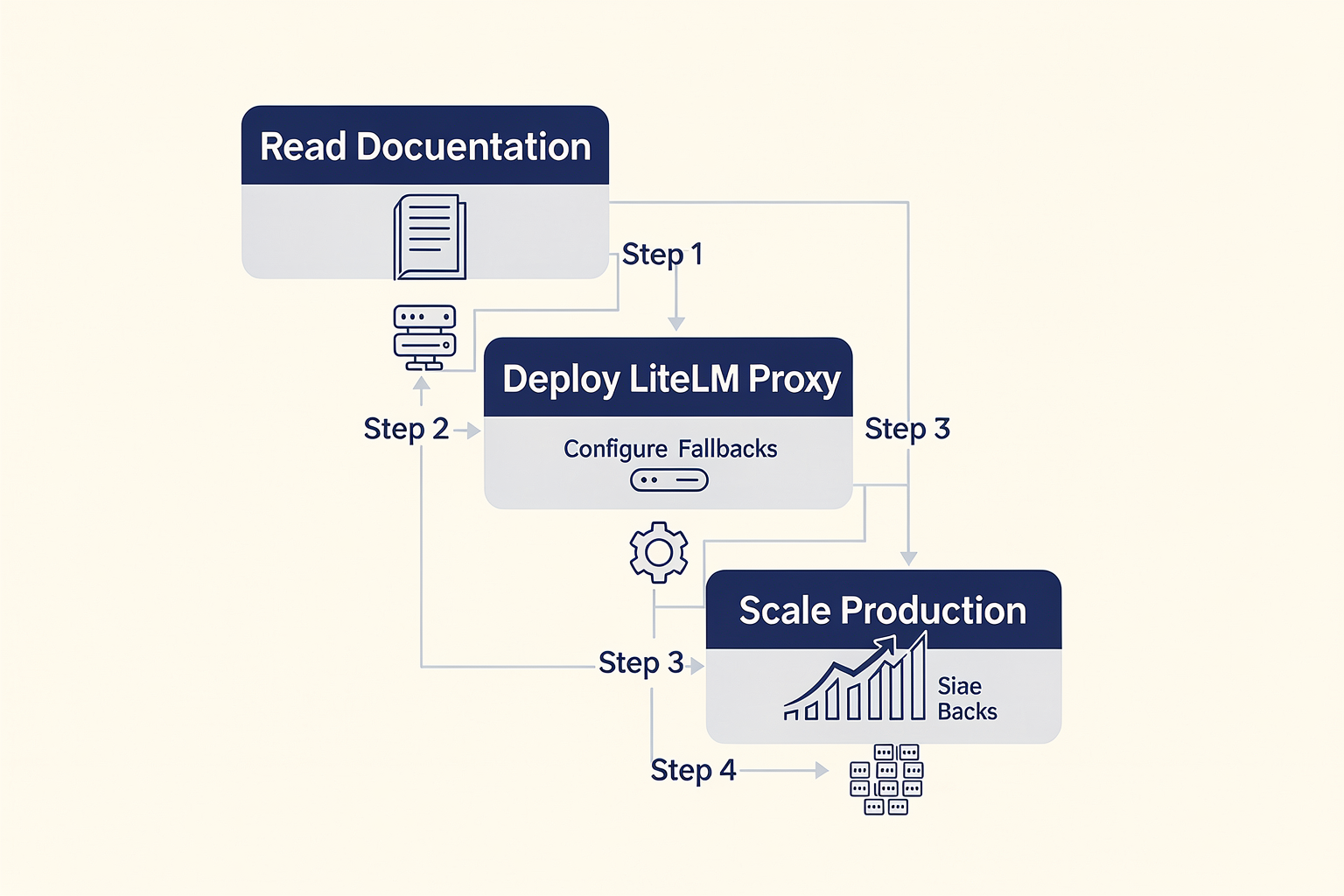
To help you move from theory to production, this guide outlines the immediate next steps, key migration checklists, and the essential resources required to execute a seamless transition.
Your 4-Step Migration Checklist
Transitioning to an OpenAI-compatible API architecture does not require a ground-up rewrite of your application. Instead, it involves configuring your existing codebase to point to a unified entry point. You can execute this transition systematically using the following checklist:
- Audit Your Current SDK Implementations
Before making any infrastructure changes, identify every instance where your codebase imports the OpenAI SDK or directly calls the /v1/chat/completions, /v1/embeddings, or /v1/images/generations endpoints. Ensure that these initialization instances pull their configurations dynamically from your environment variables rather than hardcoding client setups.
- Decouple the API Key and Base URL
The core technical mechanism that makes model swapping possible is changing the client’s target destination. As noted in developer support forums, the fundamental trick to connecting your system to any alternative model that shares the OpenAI architecture is simply modifying the API Base URL.
Instead of relying on the default client setups, refactor your configuration to accept dynamic environment parameters:
OPENAI_BASE_URL: Point this to your new compatible proxy, local runner, or unified API gateway.OPENAI_API_KEY: Set this to the authorization token required by your new target provider.
- Establish Prompt Regression Testing
While the API schema remains identical, different models process instructions differently. A system prompt that achieves a 95% accuracy rate on GPT-4o might yield unpredictable formatting or logic errors on Claude 3.5 Sonnet or Llama 3.3. Establish a standard regression test suite with a tool like Promptfoo or Braintrust to evaluate output quality across your candidate models before routing production traffic.
- Implement Fallback and Redundancy Logic
One of the greatest operational benefits of an OpenAI-compatible API is the ability to write robust failover mechanisms. If your primary API endpoint encounters a rate limit (HTTP 429) or a server error (HTTP 5xx), your application should automatically switch its target base URL and API key to a backup provider, ensuring zero downtime for your end-users.
Essential Open-Source & Enterprise Tools
Depending on whether your infrastructure is hosted locally, running in a private cloud, or fully managed in a multi-cloud environment, several powerful tools can facilitate your drop-in replacement strategy:
- Amazon Bedrock & Project Mantle: AWS offers robust support for developers looking to migrate to enterprise-grade alternative models. Using Bedrock’s OpenAI-compatible Projects API, you can migrate standard Django applications from the OpenAI SDK to Amazon Bedrock in under an hour without rewriting a single prompt or restructuring your application wrappers.
- Amazon SageMaker AI Endpoints: If your organization fine-tunes open-source models (such as Mistral or Llama) for specialized industry use cases, you can deploy them on SageMaker AI Endpoints. SageMaker natively supports OpenAI-compatible APIs, allowing you to serve custom models to your legacy applications without rewriting client-side code.
- Local Inference with Llama-cpp-python: For applications requiring strict data privacy or offline capabilities, running models locally is highly viable. The
llama-cpp-pythonproject provides a local, highly optimized web server that acts as a drop-in replacement for OpenAI’s chat and completion endpoints, allowing you to run quantized GGUF models directly on your own hardware. - Lightweight Proxy Adapters: Tools like Claudex act as localized translation layers. Claudex allows developers to execute workloads on Anthropic's Claude models without changing a single line of their existing OpenAI-based application code, seamlessly translating schemas in transit.
Moving to a Production-Ready Managed Gateway
While setting up local proxies or managing custom translation layers solves immediate integration hurdles, maintaining this infrastructure at scale introduces significant engineering overhead. Teams must manage multiple API keys, handle rate limits across different billing portals, monitor localized latency spikes, and constantly update translation schemas as providers release new API updates.
To eliminate this operational friction, forward-thinking organizations utilize unified communication and AI platforms. CallMissed offers a production-ready, fully managed LLM inference gateway that supports over 300+ open-source and proprietary models through a single, highly resilient, OpenAI-compatible API.
By integrating CallMissed into your stack, your development team can switch models instantly via a simple parameter change in your payload, completely bypassing the need to manage independent developer accounts with multiple AI vendors. Furthermore, CallMissed allows businesses to extend these capabilities beyond basic chat interfaces. You can natively pipe your LLM outputs directly into conversational voice agents, WhatsApp chatbots, high-fidelity Text-to-Speech APIs, and enterprise-grade Speech-to-Text services supporting 22 regional Indian languages.
Curated Learning Path and Resources
To deepen your understanding of drop-in API compatibility and begin implementing these strategies today, explore the following documentation, codebases, and developer guides:
- AWS Machine Learning Blog: Read the official announcements regarding OpenAI-compatible API support on Amazon SageMaker AI endpoints to learn how to host and scale your fine-tuned models.
- GitHub Repository - Llama-cpp-python: Review the open-source issues and codebase structure to understand how developers maintain schema parity with OpenAI’s official endpoints for local execution.
- AWS Tip on Medium: Search for guides detailing "Drop-in OpenAI SDK Replacement for Django using Bedrock" to view step-by-step code walkthroughs for migrating enterprise web applications in under an hour.
- Official SDK Documentation: Consult the official Python and Node.js SDK documentation for your chosen models to verify how they handle global configurations, custom headers, and customized endpoint routing.
Conclusion
Adopting an OpenAI-compatible API is no longer just a convenient shortcut for developers; it is a core architectural necessity for building resilient, future-proof AI applications. By decoupling your codebase from a single proprietary model provider, you unlock the operational freedom to optimize for cost, latency, and localized performance on the fly without breaking production environments.
Here are the key takeaways to guide your strategy:
- Eliminate Vendor Lock-In: Standardizing your architecture on an OpenAI-compatible API schema lets you switch between proprietary LLMs and open-source alternatives effortlessly.
- Zero-Refactor Migrations: Swapping underlying models requires changing only the base URL and API credentials, reducing migration times from weeks to minutes.
- Enterprise-Grade Adaptability: Major cloud platforms like Amazon SageMaker and Bedrock now natively support these endpoint configurations, proving that API compatibility is the definitive industry benchmark.
Looking ahead, standard API specifications will continue to solidify as the universal language of the generative AI era. We are moving rapidly toward a multi-model future where applications dynamically route queries to the most cost-efficient or specialized model in real time. Developers who design with API compatibility today will be uniquely positioned to integrate next-generation breakthroughs the moment they launch.
To explore how AI communication is evolving, check out CallMissed — an AI infrastructure platform powering voice agents and multilingual chatbots for businesses. Are you ready to future-proof your tech stack and unlock absolute model flexibility?
Related Posts


Ready to automate customer conversations?
Launch AI voice agents and WhatsApp bots with CallMissed — one API, 22+ Indian languages.