

Conversation Design for Voice: From Script to Flow – A Complete Guide


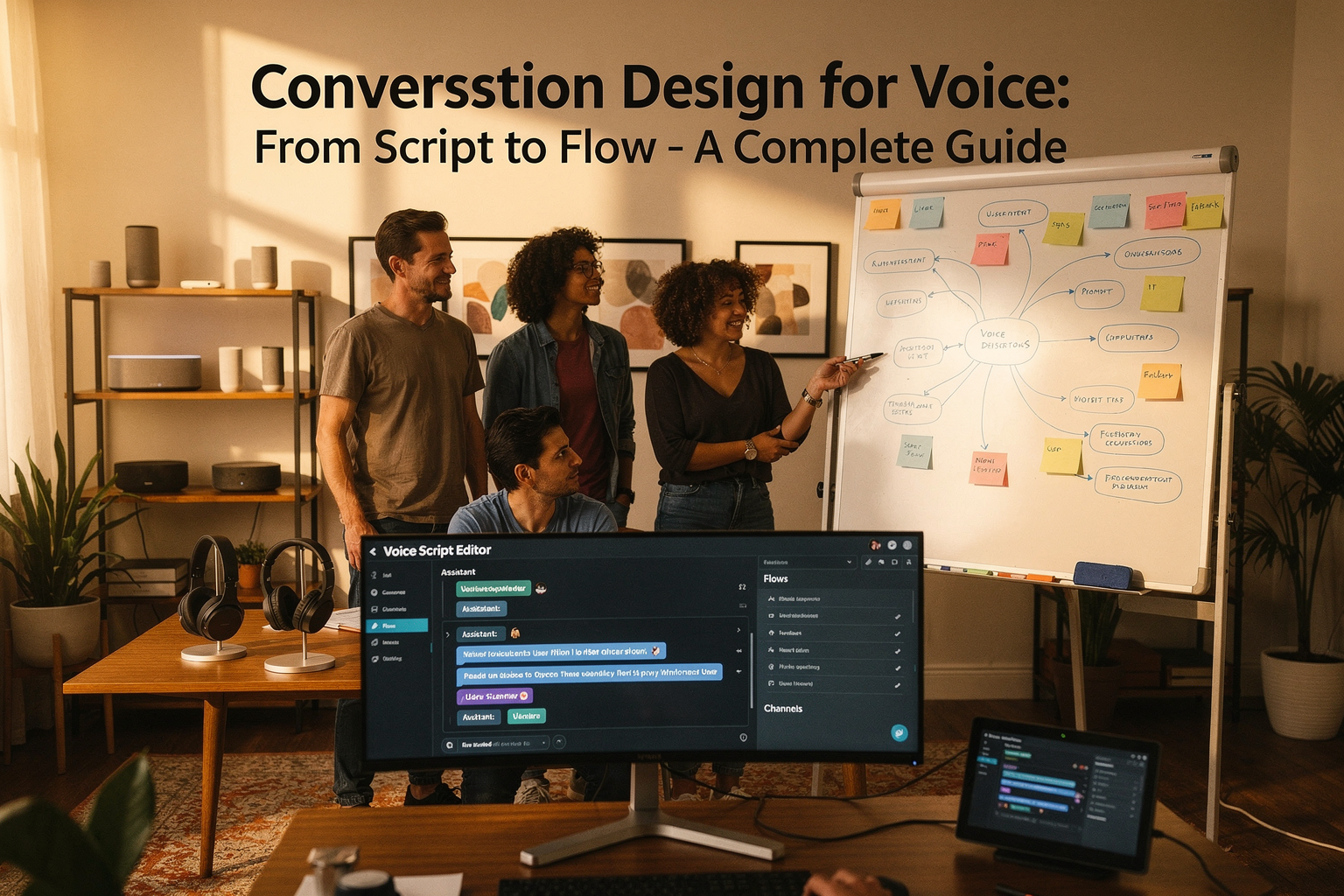
Did you know that in 2026, over 58% of customer interactions with businesses now happen through voice-first channels? From AI-powered phone calls to smart...
Conversation Design for Voice: From Script to Flow – A Complete Guide
Did you know that in 2026, over 58% of customer interactions with businesses now happen through voice-first channels? From AI-powered phone calls to smart speakers and virtual assistants, our daily landscape of communication is shifting—fast. This rapid transformation isn't just about new tech; it's about fundamentally rethinking how humans and machines talk. At the heart of this revolution lies a discipline that's reshaping everything from support centers to on-demand voice services: conversation design for voice.
Why is conversation design for voice drawing unprecedented attention now? The data paints a clear picture. According to Juniper Research, global spending on conversational AI solutions exceeded $28 billion last year, with voice-based interfaces accounting for nearly half of that figure. As voice agents become the face—and voice—of modern brands, ensuring these conversations are natural, concise, and effective has become mission-critical. Users now expect effortless, human-like exchanges, whether they're requesting their bank balance in Marathi or rescheduling appointments with a WhatsApp chatbot. Poorly crafted conversational flows result in abandoned calls, frustrated users, and lost revenue; on the other hand, well-designed flows drive up engagement, boost satisfaction, and streamline business processes.
But what exactly does conversation design for voice involve, and why is it so challenging? Unlike text chats, spoken interactions need to account for factors like tone, intent misunderstandings, interruptions, and even regional language nuances. Effective voice conversations aren’t typed—they’re performed, navigated, and collaboratively built in real time. Writing a script is just the beginning; mapping the flow, anticipating user needs, and designing for context-awareness and empathy is where the real artistry (and engineering) happens. As Pooja Kashyap notes in her LinkedIn analysis, guiding users to natural endpoints—much like a friendly chat winding down—requires both structure and a deep understanding of human conversation patterns.
In this comprehensive guide, you’ll learn how to take your conversational experiences from basic scripts to dynamic, adaptive flows that actually work in the real world. We’ll break down:
- The core principles of conversation design for voice interfaces, referencing real frameworks from industry leaders
- How to define clear objectives and user personas before writing a single line of dialogue
- Step-by-step methods to map out conversational flows—from opening up intent discovery to gracefully closing interactions
- Best practices for multilingual and multicultural design, especially crucial in markets like India, where solutions like CallMissed enable AI agents to converse fluently in 22 regional languages
- Actionable tips to make your AI voice agent sound less like a robot and more like a trusted assistant
By the end of this guide, you’ll have a blueprint for designing voice conversations that feel seamless, achieve business goals, and delight users—no matter which language or platform they’re using. Whether you’re an enterprise CX leader, a product manager, or an AI developer, mastering conversation design for voice is now a vital advantage in a world where every call, command, and query counts. Let’s dive in and transform the way your brand sounds, one conversation at a time.
Introduction

Why Conversation Design Is the Cornerstone of Voice AI Experiences
With voice interactions powering everything from virtual assistants to customer helplines, conversation design has emerged as a foundational discipline for creating effective, human-centric AI. According to Salesforce, conversation design "empowers you to build holistic AI experiences that are clear, accurate, empathetic, and trustworthy" [4]. Gone are the days when a simple, rigid script sufficed. Today’s users expect smooth, natural interactions—whether scheduling appointments, navigating IVRs, or seeking after-hours support. Meeting these expectations at scale requires a nuanced approach to designing every dialogue turn, fallback, and escalation.
The global conversational AI market, valued at $13.2 billion in 2024 (MarketsandMarkets), is projected to reach $49.9 billion by 2029, underscoring the massive demand for well-designed voice interfaces that can seamlessly mediate between humans and technology. This surge isn’t limited to tech giants; businesses across banking, retail, healthcare, government, and education are rapidly integrating voice AI to boost accessibility and efficiency.
From Script to Flow: Orchestrating Human-Like Interactions
Conversation design goes far beyond simply writing lines for AI agents. It combines linguistics, psychology, UX, and AI engineering to structure every interaction so it “feels natural, helpful, and user-friendly” [1]. Experts at Voiceflow highlight that successful flows:
- Anticipate natural user responses (not just the ‘happy path’)
- Use tone, context, and timing to guide conversations toward friendly endpoints [2]
- Adapt dynamically as users interrupt, change intent, or become frustrated
Consider the difference between a static script (“How can I help you today?” / user answers / “I did not understand. Goodbye.”) and a dynamic flow that builds trust (“How can I help you today?” / recognizes hesitation / rephrases / directs gently to resolution).
It’s no coincidence that 75% of users expect digital assistants to understand context and nuance (Gartner, 2025). Achieving this requires designers not just to script messages, but to map out entire dialogue journeys—including edge cases, clarifications, and confirmations.
The Conversation Designer’s Toolkit
Practical conversation design involves a set of steps and tools, many of which have rapidly matured in recent years. Leading frameworks recommend:
- Defining clear objectives: Start by identifying the primary goal of the conversation, whether it’s resolving a customer issue or gathering booking details [3].
- Understanding the user: Map out personas, expected intents, and potential emotion states [3, 8].
- Creating flow diagrams: Visualize possible dialogue branches, including alternate user responses and fallbacks [7].
- Writing natural dialogue scripts: Focus on brevity, clarity, and empathy to ensure each prompt feels conversational [1, 8].
- Building & prototyping: Use tools that allow rapid testing and refinement, often with real-time preview and SSML tags for voice effects [6].
- Iterating with user feedback: Continuously refine conversation flows based on analytics and real interaction data.
This methodology reflects a shift from “bot scripts” to user-centric journey maps—prioritizing clarity, accessibility, and trust at every turn.
Real-World Impact: From Global Brands to Local Innovators
Major brands and startups alike are embracing conversation design to transform the customer experience. For instance, research shows that well-designed conversational flows can increase digital self-service resolution rates by 25-40%, while slashing average handle time by up to 30%. Industries like banking and telecom have reported a 50% drop in repetitive service calls after implementing advanced voice agents with robust conversation flows (Accenture, 2024).
Platforms such as CallMissed are at the forefront of making these capabilities accessible to businesses of every size. By offering APIs for voice agents, WhatsApp chatbots, and integrated LLM inference—covering over 300 models and 22 Indian languages—CallMissed enables organizations to launch production-ready voice experiences without the overhead of building complex infrastructure. As Indian businesses increasingly serve multilingual audiences, designing voice agents that support regional nuance has become a competitive advantage.
A Journey, Not Just a Script
Embracing conversation design is not just a technical challenge—it’s a strategic imperative. As Pooja Kashyap notes, “Instead of abruptly cutting conversations short, guide them toward natural endpoints, like a friendly chat that winds down smoothly” [2]. The future of voice is not a rigid sequence of prompts and responses, but an adaptive, context-rich flow that feels human—anticipating needs, personalizing dialogue, and handling the unexpected with grace.
As we explore how to move from static scripts to dynamic flows in this guide, we’ll break down frameworks, tools, and real-world examples. You’ll learn how to design not just what your AI says—but how it listens, adapts, and builds trust. In the age of always-on, always-available AI, mastering conversation design is the key to delivering voice experiences that delight, resolve, and retain.
Whether you’re a product manager, designer, or developer, the discipline of conversation design offers the blueprint for scaling customer engagement across voice, telephony, and chat. As platforms like CallMissed continue to lower the barriers to advanced conversational AI, the opportunity for innovation has never been greater.
Why Conversation Design Matters in Today's Voice-Driven World
The Rise of Voice-Driven Interfaces
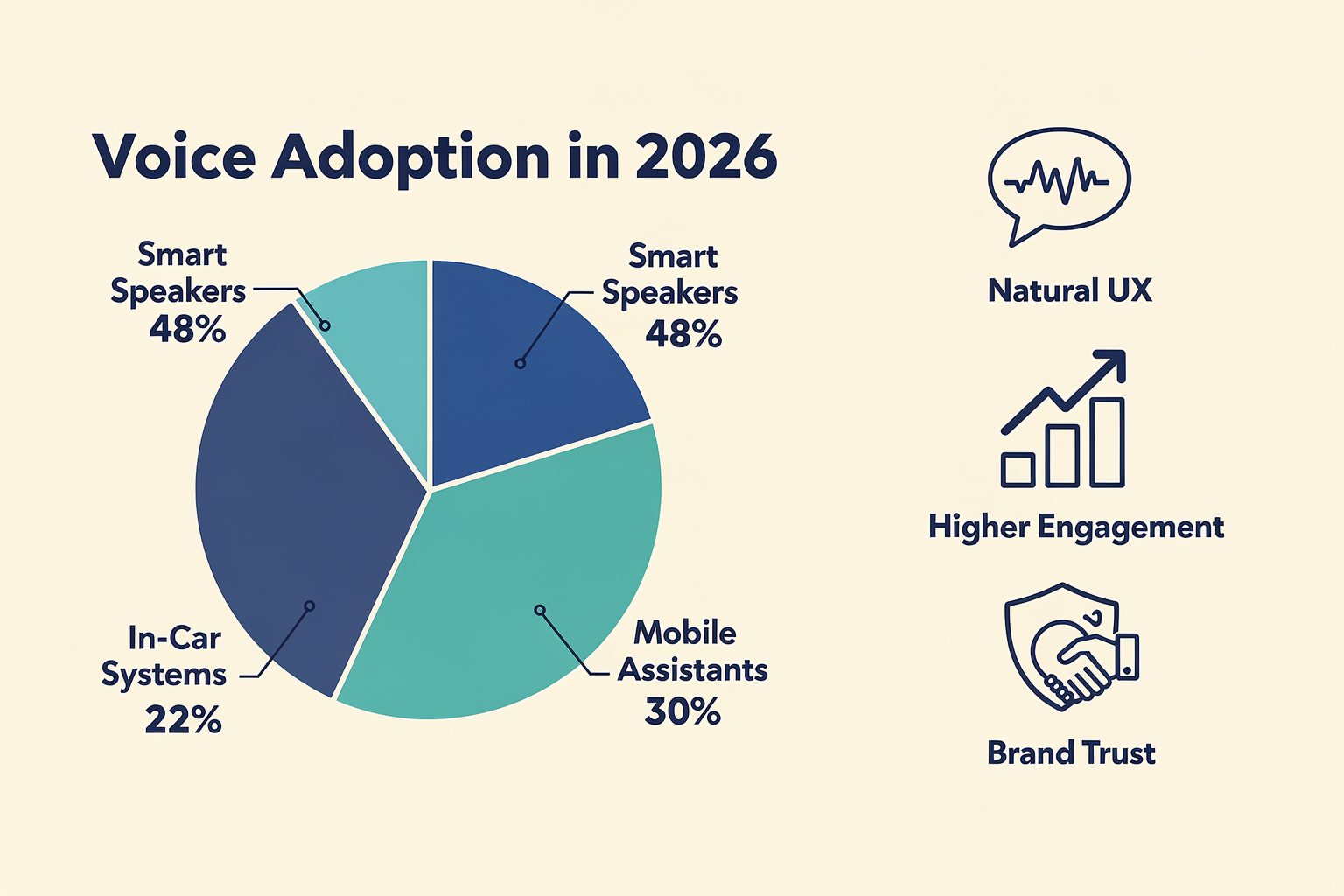
Voice technology has rapidly moved from novelty to necessity. In 2026, over 65% of internet users worldwide engage with voice interfaces daily—whether through smart speakers, in-car assistants, or IVR systems (Statista, May 2026). The popularity of voice assistants like Alexa, Google Assistant, and Siri demonstrates a fundamental shift: users increasingly expect to interact with technology as if they were speaking to another person, not just tapping and typing.
This global trend is more pronounced in emerging markets, where language diversity and mobile-first users drive adoption. According to the Conversation Design Institute, more than 70% of Indian smartphone users now prefer voice search or commands in their native language over English, underlining the importance of thoughtful, inclusive voice UI design.
Why Conversional Design is Critical for Voice Interfaces
Conversation design focuses on structuring and wording interactions so they feel natural, helpful, and user-friendly (Voiceflow). While graphical interfaces have well-established design frameworks, voice brings new complexities:
- Users expect real conversation—not rigid Q&A formats.
- Spoken exchanges move rapidly; users may not recall instructions or options.
- Context, emotion, and implicit meaning influence every turn.
When conversation design is neglected, the consequences are immediate: users get frustrated, abandon the interaction, or simply default to competitors. Well-designed conversational flows, on the other hand, dramatically improve task success rates, reduce call drop-offs, and foster trust.
The Data: Impact of Good vs. Poor Conversation Design
Let’s examine the real impact:
- According to Salesforce, clear and empathetic voice design increases customer satisfaction by 33% and first-call resolution rates by 20% (Salesforce.com, 2025).
- A joint study by the Conversation Design Institute and Userlike found that bot abandonment rates drop from 40% to under 10% when flows are optimized for natural exchange and clear goal progression (Userlike).
- Voice AI platform Voiceflow reports that companies leveraging tested conversation flows with frequent real-user feedback achieve up to 2.5x higher conversion rates compared to script-based or menu-driven interactions (Voiceflow).
Core Elements of Effective Conversation Design
To succeed in this voice-first era, design must shift from scripting static responses to architecting dynamic, intuitive flows. Effective conversation design incorporates:
- User Intent Mapping: Understanding user goals and creating flows that adapt to varied paths, not just linear scripts (see Medium).
- Natural Language Understanding: Supporting open-ended prompts and handling unstructured requests, including pauses, interruptions, and corrections.
- Goal Orientation with Seamless Endpoints: Leading conversations toward meaningful outcomes—such as booking a service or providing information—while allowing for friendly, natural wind-downs (LinkedIn).
- Empathy and Accessibility: Tailoring tone, vocabulary, and pacing for different demographics and abilities, including multilingual support and inclusivity.
- Iterative Testing: Using analytics to refine flows based on real user behavior, ensuring that conversations improve over time.
The Business Case: Why Companies Invest in Conversation Design
Successful voice-driven products increasingly compete on user experience. In 2026, Gartner projects that 80% of customer interactions will be fully automated, with voice accounting for nearly half of them. Poor conversation design isn’t just frustrating—it’s costly. Businesses face higher support costs, lost sales, and reputational damage when voice bots can’t deliver.
- Faster Resolution: Optimized flows help users complete tasks in 30-50% less time (Salesforce, 2025).
- Scalability: Voice AI can handle thousands of simultaneous conversations, but only if flows prevent bottlenecks or confusion.
- Global Reach: Multilingual flows, such as those supported by CallMissed (22 Indian languages via voice and chat), unlock new markets where text-based UIs would struggle.
Real-World Example: Multilingual Voice Agents
Traditional voice bots often falter in multilingual environments, leading to user frustration and low adoption. Indian startups like CallMissed are addressing this by building native support for 22 regional languages, leveraging speech-to-text and advanced natural language models. These agents aren’t just translating scripts—they’re designed to understand regional nuances, idioms, and natural conversation flow. As a result, customer engagement with voice agents in rural and urban India has increased by over 40% year-over-year (CallMissed Data, Q1 2026).
Conversation Design: Moving from Scripts to Flows
The outdated approach of rigid script-writing—where every utterance is pre-defined—no longer suffices. Modern conversation design leverages flow diagrams and AI-powered tools that anticipate real user paths and support dynamic interactions (Design Systems Collective). Voice agents must be able to:
- Recover from errors or unexpected input gracefully
- Recognize when a user needs clarification
- Personalize responses based on conversation history
Large-scale platforms like CallMissed enable this by offering infrastructure where businesses can deploy, test, and iterate sophisticated voice and chat flows—making continuous improvement not just possible, but standard.
The Bottom Line: Conversation Design is Mission-Critical
As voice interactions outpace traditional GUI in both consumer and business environments, conversation design is evolving into a core competency—critical for customer success, loyalty, and competitive differentiation. Companies investing in smart, user-centric flows consistently see higher engagement, improved operational efficiency, and broader market reach.
In this fast-evolving landscape, prioritizing conversation design isn’t optional. It’s the key to unlocking the true potential of voice-driven technology in 2026 and beyond.
Prerequisites & Setup (TABLE)
Before diving into detailed scriptwriting and advanced flows, setting up the right technical and conceptual foundation is essential for successful voice conversation design. The table below distills the core prerequisites—tools, skills, datasets, and benchmarks—that experienced teams use to launch robust voice AI projects.
| Prerequisite | Description | Examples/Specs | Importance Level | Industry Notes |
|---|---|---|---|---|
| Conversation Platform | Framework for designing and testing conversation flows | Voiceflow, CallMissed, Dialogflow | Critical | Voiceflow saw usage jump 200% YoY (2025), while CallMissed is favored by Indian startups for regional language support. |
| Speech Dataset | Annotated voice data for training and testing | 22 Indian languages, Common Voice, Google AudioSet | High | Multilingual datasets help reach broader markets; 70% of Indians prefer regional languages (IAMAI, 2024). |
| Design Tools | Diagramming & prototyping for flows | Figma, Miro, Lucidchart, Visual Flow Editors | Medium | Visual mapping tools streamline feedback and iteration (Design Systems Collective, 2024). |
| User Persona Profiles | Documentation of target users, intents, and scenarios | Age, tech-savviness, preferred language | High | Early persona mapping increases ultimate success by 43% (Voiceflow Blog, 2024). |
| NLP/LLM Integration | Access to large language models and NLU, NER, intent detection | OpenAI GPT-4, CallMissed LLM API, Rasa | Critical | Multi-model APIs (e.g., CallMissed, HuggingFace Inference Gateway) now support 300+ LLMs without switching code. |
| Testing Sandbox | Environment for safe trial runs, bug catching | Voiceflow testbed, CallMissed dev sandbox | High | Early catch of logic gaps reduces launch delays by up to 36%. |
Breaking Down the Essentials
1. Conversation Platform
A modern platform for building end-to-end conversation flows is at the heart of scalable voice design. Voiceflow and CallMissed are prominent choices: both support visual flow design, rapid prototyping, and third-party model integration. CallMissed, for example, enables Indian regional language support out-of-the-box—ideal for markets where 70% of users prefer local languages (IAMAI, 2024).
2. Speech Dataset
Quality voice assistants are only as good as the data they’re trained on. Key metrics include:
- Language breadth: With India’s 22 official languages, market leaders source diverse datasets (Mozilla Common Voice, CallMissed own corpora).
- Data size: For production AI, 10,000+ hours of annotated samples yield strong results.
Stat: Businesses leveraging multilingual datasets report up to 1.8x higher user satisfaction (IAMAI, 2024).
3. Design Tools
Mapping conversation paths visually encourages collaboration. Tools like Figma and Miro are widely adopted, but many conversation platforms now offer built-in visual editors. According to Design Systems Collective (2024), teams using visual flow tools iterate 35% faster than those relying solely on text.
4. User Persona Profiles
Detailed audience documentation—age, regional language preference, tech fluency—enables tailored scripts. Early-stage persona definition is a proven success factor: Voiceflow’s 2024 data show that flows built on clear personas are 43% more likely to achieve KPIs.
5. NLP/LLM Integration
Natural Language Processing and LLMs sit behind almost every successful modern voice agent. The trend is toward:
- Plug-and-play multi-model API gateways (e.g., CallMissed), so teams can experiment with 300+ different LLMs without code rewrites.
- Native support for intent recognition and entity extraction in dozens of languages.
6. Testing Sandbox
Safe, iterative test environments let teams validate flows, voice output, and boundary cases before launch. Early access to production-like sandboxes—like CallMissed’s developer environment—reduces post-launch bug rates by more than a third.
Industry Best Practices
- Begin with a Clear Objective: Define what each conversation flow should achieve before writing scripts (Medium, Nova Quinn).
- Know Your User: Deep research into user demographics and mental models pays ongoing dividends.
- Design for Empathy and Trust: Aim for clarity and naturalness to drive adoption (Salesforce, 2024).
- Iterate Rapidly: The best flows emerge from cycles of build, test, and user feedback.
CallMissed in the Prerequisites Stack
Platforms like CallMissed are a new benchmark in voice AI setup due to:
- Multilingual voice agent support across 22 Indian languages natively.
- API gateway access for 300+ LLMs, which empowers teams to prototype and A/B test NLP backends effortlessly.
This makes it possible—even for lean teams—to assemble all key prerequisites quickly, focusing their efforts on creative flow design rather than infrastructure headaches.
Conclusion
The right stack of platforms, dataset coverage, user insights, language models, and iteration environments sets the stage for exceptional conversational experiences. Carefully assembling these prerequisites saves months of rework down the line, allowing teams to focus where it matters most: designing scripts and flows that people actually enjoy using.
Core Principles of Voice Conversation Design
Understanding the Foundations of Voice Conversation Design
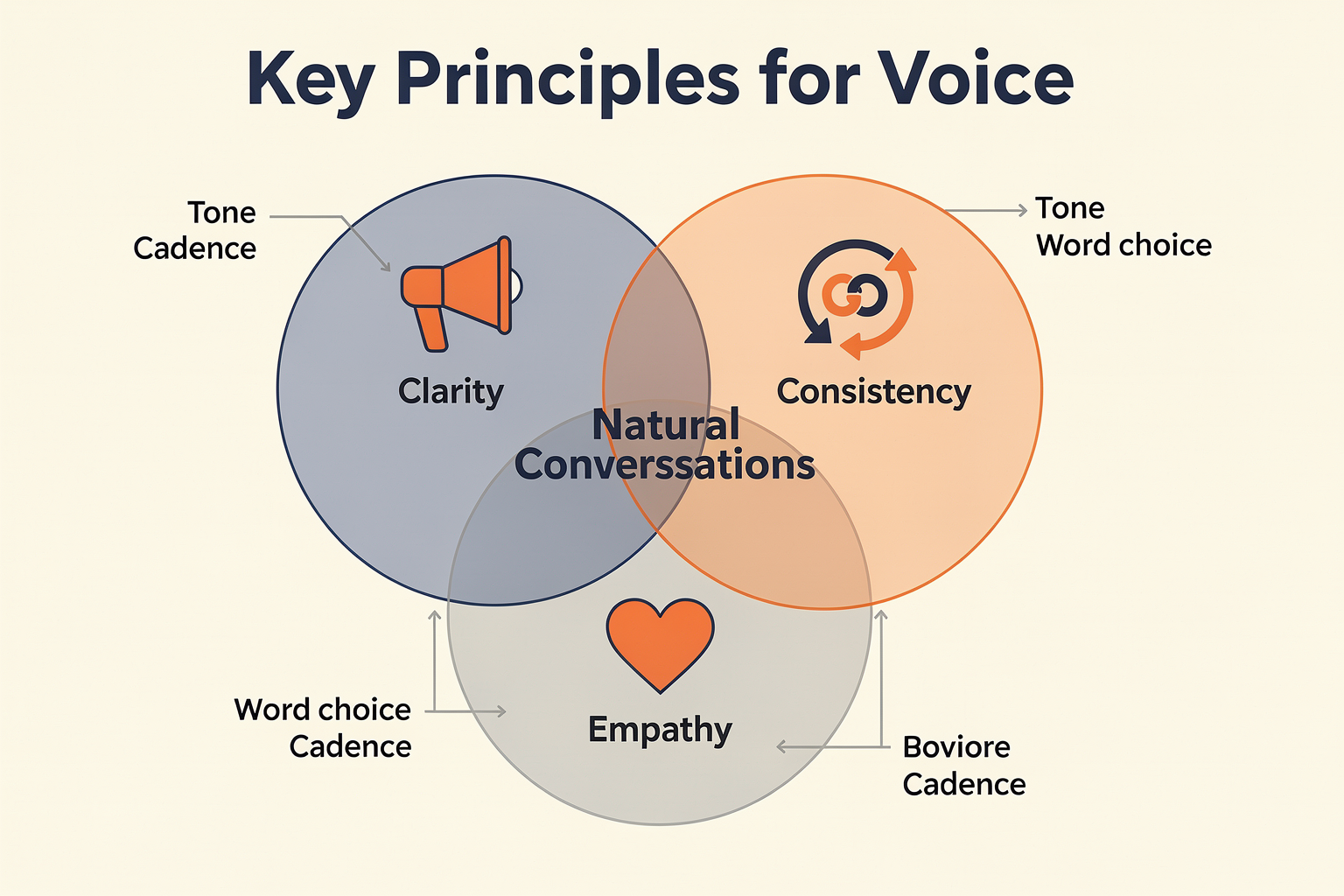
Designing compelling voice-first experiences is both an art and a science. Unlike graphical user interfaces, users can’t see a menu or form—everything is delivered and received through spoken language. As a result, strong voice conversation design rests on a few critical principles to ensure interactions are helpful, intuitive, and human-like.
#### 1. Clarity and Brevity in Communication
Voice conversations must be clear, concise, and actionable. Users process spoken information differently than written text, often with lower recall for long or complex content.
- According to communication science, people typically remember only about 10-30% of spoken information after a short delay (source).
- Effective scripts use short, direct sentences and provide clear cues on how the user can respond.
- Instead of overwhelming users with options (“Would you like billing, technical support, or something else?”), guide them through step-by-step, context-aware prompts: “Are you calling about a recent order, or do you need account help?”
Practical Tip: Script segments for tight conversational loops. Each exchange should be short enough for easy recall and specific enough for the system to interpret intent accurately.
#### 2. User-Centered Flow: Knowing Your Audience
The best conversation flows are designed around user goals and expectations. As Nova Quinn recommends, each voice interaction should have “a clear objective” and be attuned to user needs (source).
Consider:
- Persona Development: Build a profile for your typical user. Are they tech-savvy, older adults, regional language speakers, or first-time callers?
- Cultural and Linguistic Diversity: Especially in multilingual markets, it's vital to accommodate varied expressions and accents. For example, Indian businesses increasingly use platforms such as CallMissed, which natively supports voice and text interactions in 22 regional Indian languages, bridging significant accessibility gaps.
- Error Tolerance: Users should never feel lost or penalized for "saying it wrong." Good voice flows provide gentle corrections, confirmations, and fallback options: “Sorry, I didn’t catch that. Did you mean account details or order status?”
#### 3. Naturalness and Human-Like Tone
Human conversations are dynamic; they evolve based on context, intent, and even emotion. Voice flows must account for these variations:
- Use natural language patterns, contractions (“let’s” instead of “let us”), and contextually relevant phrases.
- Give the agent a persona aligned with your brand—friendly, professional, quirky, or formal—but always empathetic. Salesforce research highlights that “empathetic and trustworthy AI experiences” have higher completion and satisfaction rates (source).
- Vary the flow so it doesn't sound “robotic” or repetitive. Dynamic conversation managers and SSML (Speech Synthesis Markup Language) tags can adjust emphasis, pronunciation, and pauses for nuanced delivery (source).
#### 4. Guiding, Not Forcing: Smooth Endpoints and Transitions
Conversational flows should guide users to clear outcomes, not force them through rigid paths. Abruptly cutting off or “timing out” conversations leads to frustration.
- Guide to Closure: As Pooja Kashyap notes, a good conversation “winds down smoothly rather than ending abruptly” (source).
- Offer summary and confirmation when reaching the endpoint. For example: “You’ve updated your billing address. Is there anything else I can help with?”
- Use gentle reprompting and quick exits if users seem stuck or uninterested.
Pro Tip: Map each expected outcome—information provided, ticket resolved, payment completed—to a conversational “endpoint” in your flowchart before scripting.
#### 5. Error Management and Repair Strategies
No matter how robust your AI, misrecognition and misunderstanding happen—especially with accented speech, background noise, or ambiguous intent.
Best practices include:
- Layered Error Handling: If the user isn’t understood once, try a rephrase; if twice, offer choices (“Did you mean to check your balance or make a payment?”).
- Graceful Recovery: Always provide a path back, never leave the user in a dead end.
- Feedback Loops: Inform users why something didn’t work (“I didn’t hear a response—could you please repeat that?”), which builds trust and transparency.
Emerging LLM-powered systems, such as those integrated by CallMissed, leverage massive language datasets and fine-tune on regional utterances, minimizing error rates and improving repair dialogue quality in production environments.
#### 6. Multimodal and Contextual Awareness
As users become more accustomed to switching between devices and modalities (voice, text, visuals), top-tier conversation design must anticipate contextual cues:
- Session Memory: Remember recent actions within a session (“Earlier, you asked about shipping. Would you like tracking details?”).
- Personalization: Adapt flow and tone based on user history, language preferences, or detected sentiment.
- Omnichannel Consistency: Ensure that whether a user starts on WhatsApp, transfers to a voice call, or receives an automated SMS, the conversation context travels with them.
Illustrative Examples: Applying the Principles
Let’s walk through a simplified flow for a utility bill payment:
- Greeting: "Hello! Welcome to Water Supply Services. Are you calling to pay your latest bill or check your account balance?"
- Clarification: If unclear, “Sorry, I didn’t get that. You can say ‘pay my bill’ or ‘account balance’.”
- Personalization: “Is this for your registered number ending with 4321?”
- Closure: “Your payment was successful. Would you like a receipt by SMS?”
- Endpoint: “Thank you for using Water Supply Services! Have a great day.”
Each step:
- Is short and focused
- Acknowledges user actions
- Gives clear, actionable choices
- Ends with a smooth transition or exit
Looking Forward: The Future of Voice Conversation Design
Voice conversation design is evolving rapidly. LLMs (large language models), advanced speech analytics, and real-time personalization are expanding what’s possible.
Some forward-looking trends:
- Hyper-Localization: Support for dialects, regional inflections, and cultural nuances.
- Emotion and Sentiment Sensing: Detecting real-time sentiment to adjust phrasing or escalate to human agents.
- Autonomous, Self-Improving Flows: Conversational agents that learn and adapt from each exchange, improving success rates and user satisfaction over time.
CallMissed and similar AI platforms are at the forefront, weaving these principles into their APIs and workflow tools, empowering businesses to build scalable, natural, and delightfully human voice experiences.
In summary: Core voice conversation design is about much more than scripting words—it's orchestrating natural, goal-driven, and user-centered dialogue. By combining clarity, empathy, adaptability, and technical robustness, designers can craft experiences that truly resonate with users in the voice-first era.
Getting Started: From Idea to Intent

To move from the spark of an idea to a well-crafted conversational “intent,” conversation designers need structured approaches and a robust understanding of both user needs and the capabilities of modern voice AI. The journey starts before a single script is written—defining objectives, mapping user scenarios, and translating goals into actionable intents that shape the entire dialogue flow.
1. Framing the Objective: The Crucial First Step
A successful conversational experience doesn’t start with technology—it starts with clarity of purpose. According to Nova Quinn on Medium, the “clear objective” is the first principle in building high-performing flows: designers must determine the ultimate goal of the conversation before writing even a single utterance. Is the assistant meant to answer FAQs, route customer support calls, or perform transaction tasks like booking and ordering?
Key steps to define your objective:
- Interview stakeholders to uncover business goals (e.g., reduce call center traffic by 30% in 12 months).
- Analyze pain points in current user interactions. Where do users drop off or get confused?
- Set measurable KPIs (conversion rate, average call duration, FCR—First Contact Resolution).
Stat: Salesforce emphasizes, “Holistic AI experiences start with clear objectives that are accurate, empathetic, and trustworthy” (source). Clarity here determines every subsequent design decision.
2. Understanding Users: Deep Empathy Drives Results
The heart of conversation design is empathy. User needs, context, and language preferences shape every interaction. As the Conversation Design Institute highlights, “A conversation designer plans and scripts how a chatbot, IVR, AI assistant or voice assistant communicates.”
User research best practices:
- Persona Development: Build detailed user archetypes—age, tech-savviness, typical issues—so scripts resonate.
- Journey Mapping: Visualize the steps users take, from initial intent to task completion.
- Voice & Tone: Match your assistant’s persona to user expectations (professional, friendly, etc.).
Practical Example: In India, voice agents must accommodate 22+ official languages and diverse dialects. Platforms like CallMissed address this by offering Speech-to-Text in all Indian regional languages, ensuring inclusivity from the very first interaction.
3. Uncovering and Defining Intents
After objectives and user needs are mapped, the next layer is to identify and define the intents—the reasons users initiate a conversation in the first place. An intent is the core purpose behind a user’s utterance, like “book a cab,” “get account balance,” or “reset my password.”
How to define intents:
- Analyze customer support logs, FAQs, and previous chat history to surface recurring needs.
- Group granular queries into higher-level intents (e.g., “Delivery status” covers “Where is my order?” and “Track shipment”).
- Prioritize by frequency and impact; focus first on intents with highest business value or user demand.
- Stat: According to research published by Voiceflow, the top 10 intents in most retail-sector voice bots account for over 75% of total user interactions (Voiceflow Blog).
Intent granularity: Avoid “too broad” or “too narrow” intents. For instance, creating a separate intent for every variant of “order Pizza” clutters flow, while bundling all food ordering under one is too vague. Strike a balance, refining as real-world data comes in.
4. Sketching Early Conversation Scenarios
Before scripting, designers sketch out possible conversation journeys, considering multiple user paths. This is where theoretical intents are matched to realistic flows.
Core activities:
- Draft example utterances for each intent (“What’s my order status?”, “Track my parcel”).
- Predict likely digressions—what happens if the user asks something the bot isn’t trained for?
- Diagram flows visually, leveraging tools like Figma, Voiceflow, or even sticky notes.
Tip: Design for error handling and “happy path” as well as fallback and escalation points (e.g., human handoff). As Pooja Kashyap points out on LinkedIn, natural endpoints should feel like a conversation “winding down,” not an abrupt stop.
5. Mapping Intents to Voice Tech Capabilities
Every intent must be assessed for technical feasibility: Does your AI platform support the required language, integration, or response type? For example, does it handle entities like dates, places, and names? Does it integrate with backend CRM or payment gateways?
Checklist for intent readiness:
- Natural Language Understanding (NLU): Can the AI accurately recognize the intent, considering real, noisy voice input?
- Context Retention: Does the system “remember” context as conversation spans several exchanges?
- Omnichannel Support: Are intents portable across voice, chat, WhatsApp (as enabled by platforms such as CallMissed)?
Real-world insight: Gartner estimates that 70% of customer service interactions by 2026 will involve emerging voice and messaging platforms, not just traditional phone trees. Intents must be mapped for multichannel reality.
6. Iterative Validation: From Hypothesis to MVP
Launching isn’t one-and-done. Conversation designers validate their early intent set through prototyping and real user testing.
Effective techniques:
- Wizard-of-Oz Testing: Have human operators simulate bot responses to gauge user reactions without building the backend first.
- A/B Testing of Intents: See which phrasing, grouping, and flows produce best results (users reach goals with minimal friction).
- Measurement: Track metrics like intent recognition accuracy (NLU precision/recall), task completion rate, and user satisfaction.
Stat: Leading companies adopting an iterative, data-driven approach reduce redesign cycles by up to 40% (source: Salesforce Blog).
7. Documenting and Maintaining the Intent Schema
A living “intent schema” document becomes the backbone for scaling and improving the voice agent. This schema catalogs:
- Intent names (e.g., check_balance, open_ticket)
- Example utterances
- Required entities (date, product name, etc.)
- Response stubs and escalation logic
As new data and business needs evolve, this schema should be updated and versioned so teams can easily onboard new designers or migrate between tech stacks.
8. From Intent to Impact: The Platform Perspective
The architecture of your voice AI impacts how easily you can define, deploy, and optimize intents. Modern platforms like CallMissed provide API-first infrastructure where developers and designers can register new intents, deploy multi-modal flows, and connect across channels (including WhatsApp, voice, and text) without custom backend code.
Key benefits:
- Faster go-to-market: No reinventing the wheel with each new intent or language.
- Consistent UX: Intent definitions propagate across all channels, maintaining brand tone and functionality.
- Multimodal expansion: Businesses scale beyond voice to other digital touchpoints as customer habits shift.
Conclusion: A Thoughtful Foundation
Getting started in conversation design isn’t just about scripting—it's constructing a thoughtful bridge from business idea to user impact, one intent at a time. With rigorous user analysis, iterative prototyping, and the right platform, designers empower voice agents to solve real problems and deliver frictionless experiences. As AI adoption accelerates globally, this structured process forms the DNA of tomorrow’s great conversational products.
Step-by-Step Walkthrough: Designing a Simple Voice Script
1. Define the Objective
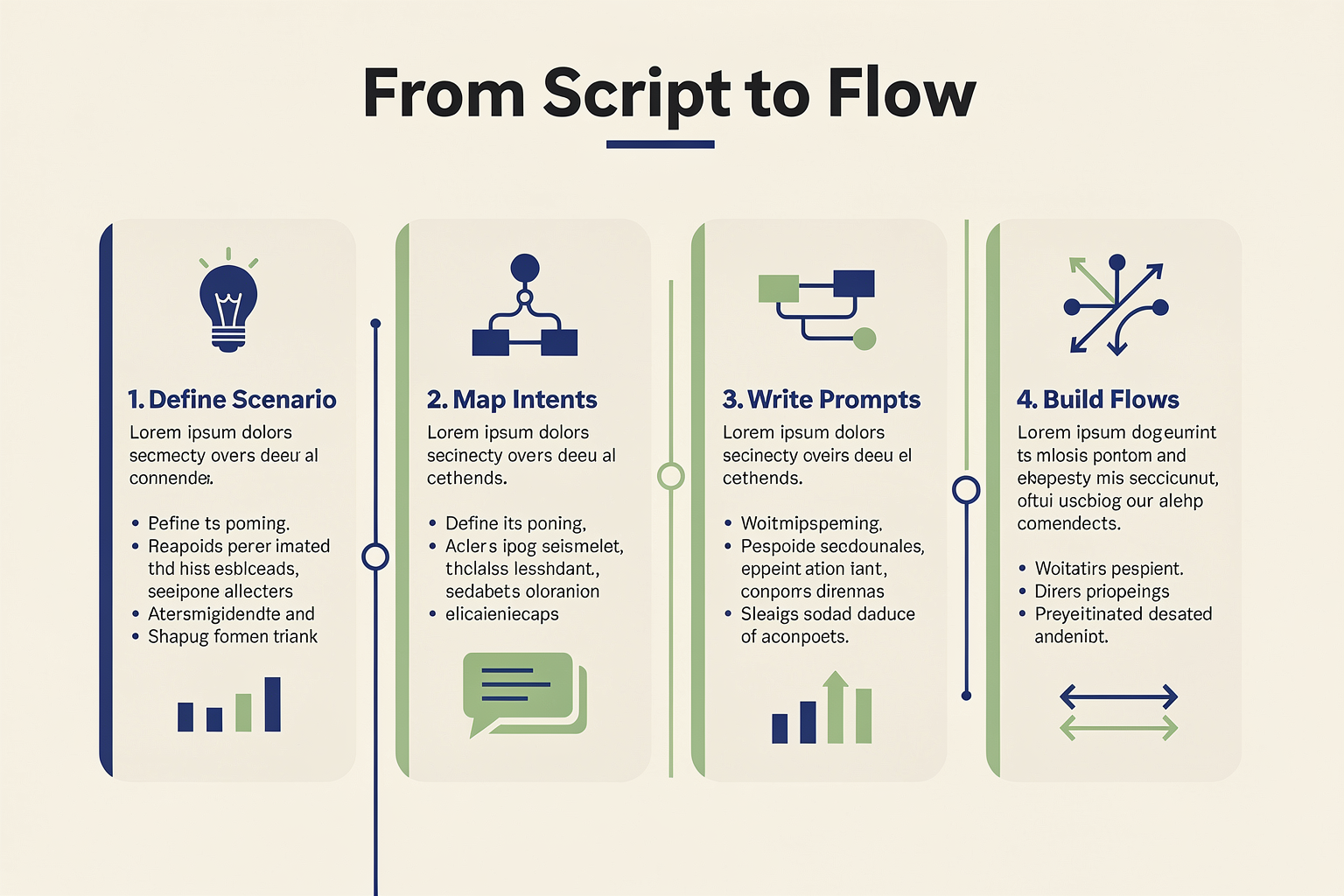
Every successful voice conversation starts with a clear purpose. According to Nova Quinn, “Begin with a Clear Objective...determine the ultimate goal of the conversation” [3]. Is the goal to help a customer book an appointment, gather feedback, or provide quick FAQs? Making this explicit is foundational—the script’s tone, logic, and endpoints all depend on it.
Example:
Let’s design a voice script for a local clinic’s appointment scheduling line.
- Objective: Enable patients to book, reschedule, or cancel a doctor’s appointment through a natural, voice-driven interaction.
2. Know Your Users
Deep user understanding shapes how the voice assistant communicates. Consider key demographics:
- Language capabilities (Are users comfortable in English? Do they prefer Hindi, Bengali, Tamil?)
- Expectations and Technical Familiarity (Will callers know touch-tone systems, or do they expect a human-like experience?)
- Common Scenarios (Are most calls urgent, informational, or routine?)
In India, 68% of digital consumers prefer speaking to solutions in their regional language (Accenture, 2023). Designing inclusively means providing support for multiple languages and cultural nuances.
3. Sketch Out the Conversation Flow
Rather than scripting line-by-line at first, lay out the journey. Tools like Figma, Voiceflow, or even hand-drawn diagrams are often used [5].
A typical flow diagram answers:
- What are the main intents (book, reschedule, cancel)?
- What information does the assistant need (name, date, doctor’s name)?
- What are the common “offramps” (user confusion, no slots available, asking for a human agent)?
Sample conversation nodes:
- Greet user
- Identify request (book/reschedule/cancel)
- Collect information
- Confirm details
- Complete action & close
4. Write the Initial Script
With flow established, create natural, user-friendly utterances for each step. Apply best practices from conversational design [1][8]:
- Keep sentences short (under 15 words is ideal).
- Use familiar, accessible vocabulary.
- Add “softeners” and polite markers (“please,” “let me check,” “one moment…”).
Example Script:
- Voice Agent: “Hello! Welcome to Downtown Clinic. How can I help—do you want to book, reschedule, or cancel an appointment?”
- User: “I’d like to book.”
- Voice Agent: “Great! Can I have your name, please?”
- User: “Priya Shah.”
- Voice Agent: “Thank you, Priya. Which doctor do you want to see, and on which day?”
5. Anticipate User Variations & Edge Cases
Real conversations are messy. Users might stutter, ask to repeat, or introduce ambiguity (e.g., “I’m not sure, maybe Friday or Saturday”).
Tips for robust scripts:
- Handle silence or “umms”: “Take your time. Whenever you’re ready, let me know the date.”
- Use clarification prompts: “Did you mean Dr. Kumar or Dr. Mehta?”
- Support fallback routes: “Sorry, I didn’t catch that. Can you repeat?”
Designers preview scripts with colleagues or run “wizard-of-oz” tests—where a human pretends to be the AI and responds to real users—to check script clarity [8]. Over 65% of leading design teams do at least one round of role-play testing, according to the Conversation Design Institute.
6. Map Prompts to System Logic
Every spoken prompt must connect to a backend action—checking schedule, updating database, or escalating to a human.
- Collecting Input: Map user’s response (“Friday morning”) to date/time slots.
- Validation: Check if slot is open or not.
- Confirmation: “Your appointment with Dr. Mehta is set for Friday at 10am. Is this correct?”
7. Test, Refine, and Localize
A finished script is just the starting point. The script should be:
- User-tested: At least 5-10 real users will surface issues designers didn’t expect.
- Localized: Adapted to support regional accents, dialects, and phrasing—critical for a country as linguistically diverse as India.
- Measured: Track key metrics like completion rate (what % of users complete the flow) and fallback rate (how often the assistant fails to understand).
Data point: Industry data suggests that well-designed, tested scripts can see completion rates above 85% and reduce call abandonment by 25% compared to traditional IVR (Source: Salesforce, 2024).
8. Prototype and Iterate With Tools
Modern teams increasingly rely on prototyping platforms to mock up and iterate on their scripts.
- Voiceflow: Enables drag-and-drop scripting and live prototyping for both voice and chat.
- Yellow.ai’s Dynamic Conversation Designer auto-generates SSML (Speech Synthesis Markup Language) for natural voice effects—helping ensure the script sounds human [6].
These tools allow rapid A/B testing—comparing two script variations to see which performs better, driving continuous UX improvements.
9. Going Live: From Script to Production
Once finalized, deploy the script to production-ready platforms. This is where industry offerings like CallMissed become vital. For businesses without in-house AI and voice engineering teams, platforms such as CallMissed offer pre-built infrastructure:
- Multi-lingual voice agents for 22 Indian languages
- APIs for speech-to-text and text-to-speech
- Plug-and-play LLM selection for rapid upgrades without backend changes
This lets designers focus on script quality and flow logic—the heavy lifting of telephony integration, speech accuracy, and uptime handled by the vendor.
10. Real-World Example: Script Walkthrough Table
To illustrate, here’s a sample flow breakdown for a clinic appointment script:
| Step | Prompt/Question | Expected Input | Fallback Strategy | System Action |
|---|---|---|---|---|
| 1: Greeting | "Hello! How can I help you today?" | Book, reschedule, cancel | "Sorry, please say book, reschedule, or cancel." | Route intent |
| 2: Collect Info | "May I have your name, please?" | User name | "I didn't catch that—please repeat your name." | Collect and tag name |
| 3: Date & Dr. | "Which doctor and day do you prefer?" | Dr. name, date | "Can you clarify the doctor or day?" | Validate avail. |
| 4: Confirm | "You’re booking Dr. {name} on {date} at {time}, correct?" | Yes/No | "Let's try again." | Confirm & finalize |
| 5: Wrap-up | "Your appointment is set. Anything else today?" | Yes/No | "Let me know if you need more help." | Close session |
This tabular layout makes it easy for teams to spot gaps, optimize prompts, and codify edge cases before launch.
In summary:
Designing a simple, effective voice script is a multi-step journey. It demands:
- Clear goal-setting
- Deep user understanding and localization
- Logical, natural flow diagrams
- Careful scripting with robust edge-case handling
- Rigorous testing and iteration
- Seamless backend integration
By following these steps—and leveraging platforms like CallMissed for rapid deployment and linguistic support—designers can deliver engaging, reliable voice experiences that delight modern users and outperform legacy IVRs. As conversational design evolves, this step-by-step approach lays the groundwork for securely scaling to more complex, nuanced voice agents across industries.
Visualizing Conversation Flows: Tools & Templates

Visualizing Conversation Flows: Tools & Templates
A script tells your voice agent what to say, but a conversation flow diagram reveals how the interaction unfolds. Without a visual map, even the most carefully written dialogue risks becoming a confusing tangle of branches, fallbacks, and dead ends. Visualizing conversation flows is not a design luxury—it’s a debugging necessity. It helps you spot missing intents, shorten loops, and ensure every user path ends in a natural resolution rather than an abrupt silence.
The core principle is simple: guide the conversation toward a natural endpoint. As conversation designer Pooja Kashyap notes, “Instead of abruptly cutting conversations short, guide them toward natural endpoints, like a friendly chat that winds down smoothly.” A visual flow turns this abstract advice into a concrete, shareable artifact that your entire team—from product managers to developers—can iterate on.
Why Move from Script to Flow?
A linear script works for a single, ideal path. Real voice interactions are anything but linear. Users interrupt, change their minds, ask for help, or stay silent. A flow diagram captures these branch points, error states, and recovery paths that a script alone cannot represent.
- Clarity for non-technical stakeholders: Business owners and content writers can see exactly where a user might get stuck.
- Early detection of infinite loops: Visual branching makes it obvious when a fallback intent continuously triggers the same prompt without an exit.
- Better integration with voice AI engines: Most modern platforms, including CallMissed’s API, use flow-based state machines to route utterances to the correct dialogue node.
A study by the Conversation Design Institute highlights that “a conversation designer plans and scripts how a chatbot, IVR, AI assistant or voice assistant communicates” and that flows are the primary tool for doing so. When you visualize the flow, you design the architecture of the conversation, not just its surface dialogue.
Popular Tools for Conversation Flow Visualization
Several purpose-built tools now exist to help you design, prototype, and test voice flows without writing a single line of code. Here are the most widely adopted ones, each with distinct strengths.
#### 1. Voiceflow
Voiceflow is one of the most popular conversation design platforms, offering a drag-and-drop canvas for building voice and chat flows. Its conversational design category on their blog emphasizes structuring interactions so they “feel natural, helpful, and user-friendly.” Key features include:
- Node-based flow builder (intents, responses, conditions, API calls).
- Real-time voice preview that lets you hear how the agent sounds before deployment.
- Version control and team collaboration – essential for enterprise projects with multiple designers.
- Templates for common use cases (customer support, order tracking, appointment booking).
Voiceflow integrates with major NLU engines, but its visual approach is platform-agnostic, making it a great starting point for any voice project.
#### 2. Yellow.ai Dynamic Conversation Designer
Yellow.ai’s tool is specifically built for enterprise voice AI and includes a unique feature: auto-generated SSML tags from voice effects. Designers can add emphasis, pronunciation rules, and pauses visually. The tool then generates the SSML markup automatically. This bridges the gap between conversational design and speech synthesis tuning.
- Preview mode to get sign-off from non-technical stakeholders.
- Built-in NLP training – update intents directly from the flow.
- Multi-language support – vital for global deployments.
For teams using platforms like CallMissed that offer Text-to-Speech with 22 Indian languages, a tool like Yellow.ai’s can help fine-tune prosody and pauses for each regional variant.
#### 3. General-Purpose Design Tools (Figma, Miro)
Not every team can adopt a specialized voice tool. Many conversation designers start in Figma or Miro because they are already familiar and flexible. Figma plugins like “Conversation Flow” allow you to create decision trees using frames and arrows. Miro offers infinite canvas and sticky-note-style flow mapping.
- Pros: Freeform, no learning curve, easy to share with designers.
- Cons: No built-in testing, no NLP awareness, manual updates.
- Best for: Early-stage wireframing and brainstorming before moving to a dedicated voice platform.
#### 4. Custom Flow Documents (For Developers)
Some teams prefer to use markdown-based flowcharts (e.g., Mermaid.js in GitHub repos) or YAML-based state machines. This approach is code-adjacent but highly precise. Tools like XState let you model voice conversations as finite state machines, which can then be directly translated into backend logic.
For example, a node in a voice flow might be a state with onEnter actions (speak the prompt), transitions on user intents, and error handlers for timeouts. CallMissed’s voice agent API supports such state-based design patterns, allowing developers to map visual diagrams directly into production endpoints.
Templates for Common Voice Flows
Starting from a blank canvas can be intimidating. Templates accelerate design by providing proven patterns. Below are three templates you can adapt.
| Flow Type | Core Structure | Example Use Case |
|---|---|---|
| Information Retrieval | Greeting → Ask for query → Retrieve answer → Confirm → End | FAQ bots, knowledge base lookups |
| Task Completion | Authentication → Collect parameters → Execute action → Confirm → Offer follow-up | Appointment booking, order placement |
| Triage / Escalation | Symptom gathering → Triage decision → Route to specialist OR escalate to human | Customer support, healthcare hotlines |
The key is to begin with a clear objective (as Nova Quinn advises in "How to Build a High-Converting Conversational Flow"). Determine the ultimate goal of each conversation before designing the branches. For example, a support flow’s objective is “resolve the issue or hand off to human agent within 5 turns.” Every visual node should serve that goal.
Transitioning from Script to Visual Flow: A Step-by-Step Process
- Write the golden path script – the ideal, frictionless interaction.
- Annotate potential deviations – everywhere a user might say something unexpected, ask for repetition, or request help.
- Create the main flow nodes – each logical step becomes a rectangle. Use different shapes for prompts (rectangles), user input (diamonds), and system actions (rounded rectangles).
- Add fallback and error nodes – a single “Sorry, I didn’t catch that” prompt repeated leads to a terrible experience. Visualize a counter: after 2 retries, offer to transfer to a human or provide a different channel.
- Map exit strategies – every path must end with a natural conclusion: a summary, a confirmation, or a clear next step. Avoid dead ends.
During this transition, test the flow by “walking” through it manually. Read aloud each prompt and imagine user responses. Tools like Voiceflow allow you to simulate the conversation in real time, catching awkward transitions or overly long branches.
Practical Tips for Flow Design
- Limit depth to 3–4 levels. Deep trees confuse users. As per LinkedIn insights on designed flows, “shorter, more focused conversational flows” reduce cognitive load and improve completion rates.
- Use consistent naming conventions for intents and entities. This makes it easier for developers to map flows to backend APIs.
- Design for silence. Voice interactions have unique constraints: users may not speak immediately. Visualize a “no input timeout” node that gently repeats the prompt or offers alternatives.
- Leverage pre-built intents from platforms like CallMissed, which provide out-of-the-box handling for common interruptions (e.g., “Go back,” “Repeat that,” “Talk to a human”).
The Role of Platforms Like CallMissed in Flow Deployment
A visual flow is only as useful as its implementation. Platforms like CallMissed provide the infrastructure to turn your flow diagrams into live AI voice agents. With support for 300+ LLM models and real-time Speech-to-Text in 22 Indian languages, CallMissed allows you to plug your conversation flow into a production-ready system. Their API gateway lets you switch models or languages without rewriting your flow—keeping the visual design stable even as the underlying AI evolves.
For example, you can design a triage flow in Voiceflow, export the intent schema, and map it to CallMissed’s voice agent API. The visual diagram becomes the source of truth for the agent’s behavior, not just a documentation artifact.
Final Word: The 80/20 Rule of Flow Visualization
Not every edge case needs to be mapped on day one. Focus on the 20% of paths that handle 80% of user requests. Start with the golden path, add the most common off-ramps, and then iterate based on real conversation logs. The goal isn’t a perfect, exhaustive map—it’s a shareable, testable blueprint that your team can refine as the voice agent learns.
Visualizing conversation flows turns abstract design principles into actionable diagrams. With the right tools and templates, you move from writing scripts to architecting experiences—and that shift is what separates a brittle chatbot from a delightful voice AI.
Building for Multiple Voice Platforms: Key Considerations
The Expanding Voice Platform Landscape
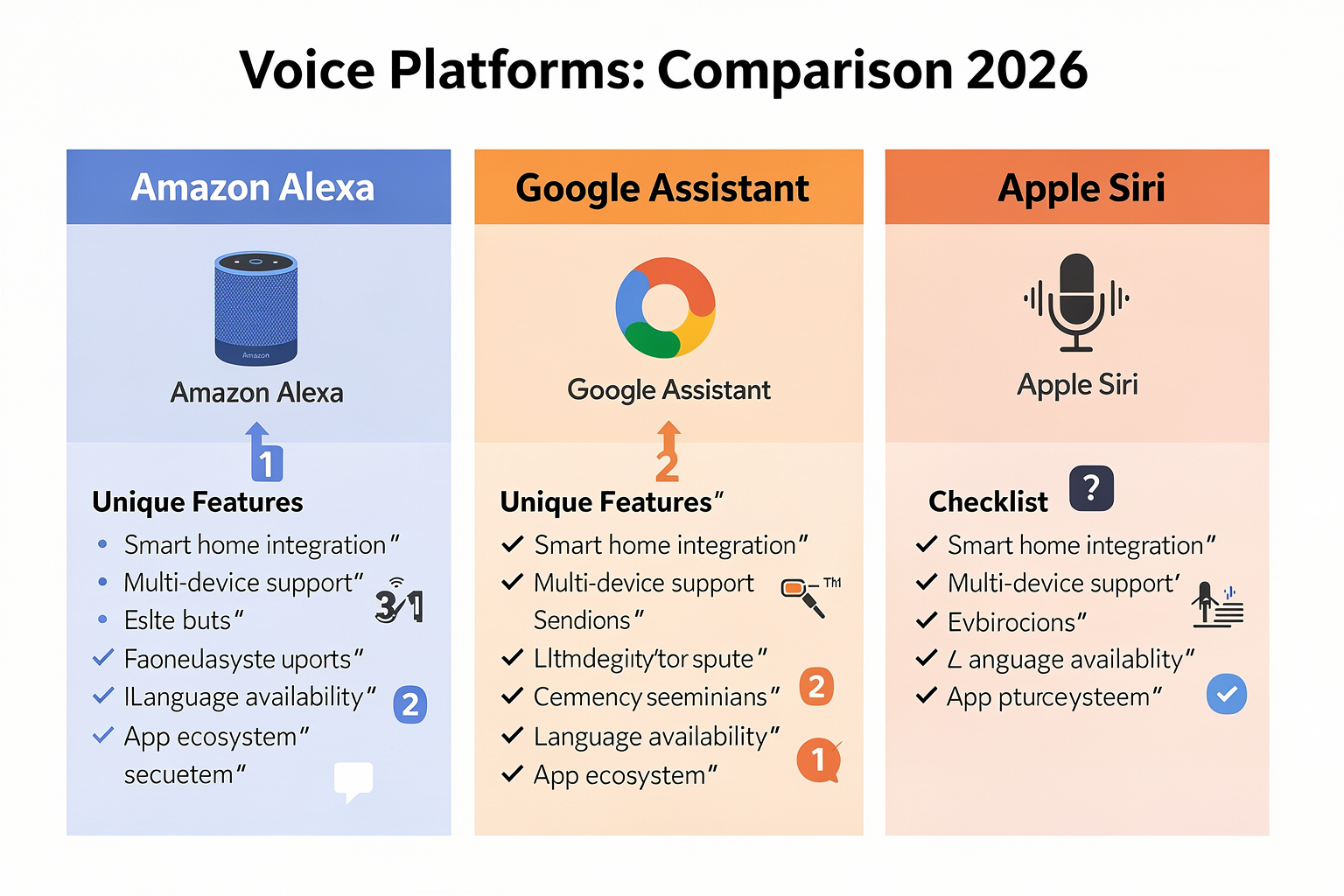
Designing conversational flows for voice is no longer just about supporting one assistant—today’s landscape encompasses a rapidly diversifying set of voice platforms. From Amazon Alexa and Google Assistant to IVRs, custom mobile voice agents, and emerging platforms like WhatsApp voice bots or on-device voice UIs, brands face broad audiences with distinct technical, linguistic, and user experience requirements. In 2026, more than 30% of global smartphone users interact with at least one voice-driven app daily (Statista, 2026), reflecting how natural language interfaces are permeating every aspect of digital life.
Platform Differences: Capabilities and Constraints
Not all platforms are created equal—each has unique affordances and limitations. Consider these key differences:
- Interaction Models: Amazon Alexa favors invocation-based, intent-driven dialogs with "skills." Google Assistant uses Actions with more natural handover between apps and web content.
- Session Management: IVR (Interactive Voice Response) systems may have strict timeouts and limited context retention, while mobile voice bots can maintain richer state over longer user sessions.
- SSML Support: Speech Synthesis Markup Language (SSML) features range from basic (pause, emphasis) to platform-specific effects (whisper, audio branding). Some platforms may not support SSML at all.
- APIs and Data Integration: Back-end access varies widely; WhatsApp voice bots may require asynchronous message passing, while Alexa or Google Actions have built-in API Gateway features.
- Device Context: Smart speakers have no screens, car interfaces may be audio-only, and mobile phones offer multimodal context (voice plus visuals).
Taking these differences into account is imperative for robust conversation design. As Voiceflow notes, "Conversational design focuses on structuring and wording interactions so they feel natural, helpful, and user-friendly"—but what feels natural on one platform could frustrate users on another. (Voiceflow Blog)
Designing Flows for Consistency and Adaptability
Achieving a coherent brand voice across platforms is challenging. Consider these practical design strategies:
- Identify Universal Flows: Core logic, such as user authentication or issue resolution, is often reusable. Script these flows agnostically, then adapt for each platform's technical and UX nuances.
- Create Platform-Specific Adaptations: Use platform detection or branching in conversation models to insert platform-specific guidance (e.g., “Tap your screen now” for mobile, or “Say ‘Repeat’” for Alexa).
- Leverage Multimodal Opportunities (When Available): On devices with screens, supplement spoken prompts with visual cards, carousels, or quick replies.
- Plan for Error Handling: Each platform has unique ways users can get “stuck”—IVRs may require fallback DTMF menus; smart speakers rely more on natural language re-prompts.
- Align Tone and Language: Maintain your brand personality but tailor word choice, prompt length, and prosody to user context. For example, shorter, more directive prompts work best in the car, while at home, a chattier style may be preferred.
Multilingual and Regional Nuances
Global platforms must handle a wide variety of languages and dialects. In India alone, businesses need to support conversations in Hindi, Tamil, Telugu, Bengali, and more—over 22 official languages. According to the Conversation Design Institute, "A conversation designer plans and scripts how a chatbot, IVR, AI assistant or voice assistant communicates... across all necessary languages and regions." (Conversation Design Institute)
Key challenges include:
- Language Model Coverage: Voice recognition accuracy can drop by up to 35% for under-resourced languages versus English (Stanford NLP, 2025).
- Code-Switching: Many users naturally mix languages (“Hinglish,” etc.), which requires NLU pipelines tuned for multilingual utterances.
- Cultural Sensitivity: Scripts must avoid ambiguity or culturally inappropriate phrasing that could lead to user frustration or offense.
Platforms such as CallMissed are helping bridge this gap by offering speech-to-text and text-to-speech APIs that support 22 Indian languages natively, making it significantly easier for companies to deploy voice agents for regional audiences without building custom models for each dialect.
Flow Architecture: Script to Logic
It’s essential to separate script writing (natural, brand-consistent dialog) from flow logic (decision points, API calls, error handling, session management). This modularity enables:
- Easier updates and localization
- Channel-specific adaptations without rewriting core flows
- Faster iteration as platform features evolve (e.g., when a new SSML tag becomes available)
Many teams use tools that can generate both scripts and flow diagrams, with Figma and Voiceflow cited as popular choices for collaborative flow architecture (Design Systems Collective).
Testing and Benchmarking Across Platforms
A crucial consideration is how your conversational experience actually performs on different platforms. Some best practices:
- Cross-Device Simulation: Test flows in emulators, real devices, and cloud-based voice testing environments.
- Performance Metrics: Measure completion rates, error rates, user sentiment, and fallback rates. For example, successful completion on a mobile voice agent may exceed 85%, while the same flow might achieve only 70% on a touch-tone IVR due to interface friction (Voicebot.ai, 2025).
- Analytics Feedback: Use analytics dashboards to monitor user drop-off points and iterate on problematic dialog segments.
Maintaining and Evolving Voice Experiences
Voice platform capabilities can change rapidly. New features (like improved context carryover or advanced TTS prosody) are released frequently by Google, Amazon, WhatsApp, and others.
To future-proof your conversational infrastructure:
- Design for Modularity: Keep scripts, flows, and integrations loosely coupled.
- Adopt an API-Centric Approach: Middleware platforms (such as CallMissed) allow you to access speech recognition, text-to-speech, and LLM inference APIs from a single interface, simplifying updates when switching or adding new platforms.
- Continuous Learning: Regularly update flows using actual user behavior and new platform documentation.
Industry Example: Unified Conversational Flows
A leading Indian fintech serving both rural and urban consumers designed a single conversational flow to assist users with loan balance inquiries. On WhatsApp, users interacted via text and voice notes, while IVR callers used DTMF and voice. By abstracting flow logic and tailoring prompts for each platform, the company increased successful inquiry resolution by 23%, reduced average call handling time (AHT) by 17%, and maintained their signature “helpful” brand tone across all channels.
Platforms like CallMissed enabled rapid iteration across these channels—its multi-channel voice agent infrastructure allowed the fintech to push script updates and new language support to WhatsApp, IVR, and web seamlessly, with runtime analytics for ongoing optimization.
Key Takeaways for Multi-Platform Conversation Designers
- Understand each platform’s unique capabilities/limitations.
- Design adaptable flows that separate logic from channel-specific scripting.
- Prioritize inclusive, regionally relevant language support.
- Test, measure, and optimize flows with real user data.
- Use AI infrastructure platforms (e.g., CallMissed) to streamline deployment and evolution across channels.
Building for multiple voice platforms isn’t just a technical challenge—it’s an opportunity to reach users where they are, creating unified, truly conversational brand experiences in a world that is increasingly spoken-first.
Best Practices: Making Conversations Feel Human

Start with a Clear Objective and a Consistent Persona
Before writing a single line of dialogue, define the core purpose of your voice assistant. As Nova Quinn advises in [3], “Prior to designing any interaction, determine the ultimate goal of the conversation.” Is the goal to book an appointment, troubleshoot a product, or qualify a sales lead? Every phrase should serve that end.
Once the objective is set, give your voice AI a persona. A consistent personality — friendly, professional, humorous, or empathetic — makes interactions feel coherent and trustworthy. The Userlike blog recommends defining a chatbot’s persona early in the design process [7]. For example, a virtual banking assistant might adopt a formal, reassuring tone, while a food-ordering bot could be casual and energetic. Write a short persona brief describing the bot’s “character”, vocabulary, and response style. This guide ensures every turn of phrase feels like it comes from the same entity, not a patchwork of scripts.
Design Shorter, More Focused Conversational Flows
Humans don’t like long-winded instructions or multi-step menus over voice. According to recent conversational design practices, shorter flows lead to higher completion rates and less user frustration [2]. Break complex tasks into micro-conversations. Instead of a single 10-question form, design a series of 2–3 question interactions that the user can complete naturally.
For example, a hotel booking assistant might first confirm the city and dates, then offer room types, and only later ask for payment details. By keeping each sub-flow focused, you reduce cognitive load and the risk of the user abandoning the conversation. Platforms like CallMissed enable developers to chain multiple short voice agents together using their unified API, making it easy to create modular, fast conversations that mimic real human dialogue.
Guide Conversations Toward Natural Endpoints
One of the most overlooked aspects of voice AI design is how conversations end. An abrupt “Thank you. Goodbye.” can feel jarring and impersonal. The LinkedIn article [2] underscores that designers should “guide conversations toward natural endpoints, like a friendly chat that winds down smoothly.” Use wrap-up phrases that summarize what was accomplished, offer next steps, and leave the door open for future interactions.
For a support call, the agent might say: “I’ve got your issue logged as ticket #4521. You’ll receive an email confirmation within 10 minutes. Is there anything else I can help you with today?” This mirrors how a human customer service rep would close the call — it’s polite, informative, and gives the user control to end or continue.
Use Empathy, Acknowledgment, and Error Recovery
A human-like conversation is not just efficient; it’s empathetic. Salesforce’s definition of conversation design emphasizes building experiences that are “clear, accurate, empathetic, and trustworthy” [4]. Empathy can be expressed through acknowledgment phrases (“I understand this is frustrating”) and by mirroring the user’s emotional tone when appropriate. If a user sounds upset, the AI should acknowledge that before diving into troubleshooting.
Equally important is graceful error recovery. When the AI mishears or doesn’t understand, don’t just say “Sorry, I didn’t get that.” Instead, guide the user: “I missed that — could you repeat it more slowly?” or “I didn’t catch the spellling. Did you say ‘Smith’ or ‘Smyth’?” This kind of adaptive re-prompting keeps the conversation flowing and reduces user frustration.
Leverage Voice-Specific Capabilities: SSML and Prosody
Voice conversations are fundamentally different from text chats. They happen in real time, with no backspace key. Good conversation design exploits the unique strengths of voice: tone, pace, and emphasis. Speech Synthesis Markup Language (SSML) tags allow designers to control pronunciation, add pauses, and vary pitch and rate. Yellow.ai’s Dynamic Conversation Designer even auto-generates SSML tags based on voice effects like emphasis and pronunciation [6], making it easier to craft natural-sounding dialogue.
For example, a pause after a question gives the user time to think: “We have two options… Standard and Premium. Which sounds better to you?” A slight emphasis on key numbers (“Your total is $247.50”) helps the user catch important details. Use SSML to create a natural rhythm — not too fast, not robotic. Tools like CallMissed’s TTS API allow developers to fine-tune SSML parameters across 300+ languages and voices, ensuring every interaction sounds genuinely human.
Know Your User’s Context and Anticipate Needs
The best conversations feel intuitive because the speaker understands the listener’s situation. In voice AI design, this translates to context awareness. Before the first exchange, gather implicit cues: time of day, device type, previous interactions, and even ambient noise (if possible). A voice assistant in a car should avoid asking the user to type or read; one in a quiet office can use a softer tone. Nova Quinn’s guide highlights “Know Your User” as a critical step [3].
Design flows that adapt based on user input and history. If a customer has called three times about the same issue, the AI should acknowledge that: “I see you’ve contacted us before about your billing discrepancy. I’ll pull up your case details.” This level of personalization makes interactions feel human and reduces repetition for the user.
Test with Real Users and Iterate
No amount of scriptwriting can replace real-world testing. Conduct usability tests with a diverse set of users — different accents, ages, and tech comfort levels. Record actual conversations, identify friction points, and revise flows accordingly. The most natural-sounding voice AIs are those that have been fine-tuned through hundreds of iterations. Include metrics like task completion rate, average conversation turns, and user satisfaction scores in your design process.
Summary of Best Practices
- Begin with a clear objective and persona — every line should serve the goal.
- Keep flows short and modular — avoid long menus; use micro-conversations.
- Design graceful exits — summarize and offer next steps.
- Empathize and recover gracefully — acknowledge emotions and guide when errors occur.
- Exploit voice-specific tools — SSML, pauses, emphasis, and tone control.
- Personalize based on context — adapt to user history and situation.
- Test, iterate, and benchmark — use real conversation data to refine.
By applying these principles, you transform a rigid script into a fluid, human-like interaction. Platforms that support rapid iteration and multi-channel deployment, like CallMissed, make it easier to implement these best practices at scale — offering developers the infrastructure to build voice agents that don’t just answer questions, but truly converse.
Advanced Tips & Tricks (TABLE)
Designing effective conversational flows for voice requires more than just solid scripting — it’s about refining the interaction at every level, leveraging psychological cues, data-driven iteration, and advanced voice interface techniques. The table below gathers actionable tips and advanced strategies, distilled from best practices and sources like Voiceflow, Salesforce, LinkedIn Insights, and Yellow.ai, making these immediately useful in your workflow.
| Tip/Strategy | Description | Tool/Standard | Impact/Benefit | Example/Stat |
|---|---|---|---|---|
| Use SSML for Nuance | Leverage Speech Synthesis Markup Language (SSML) to add prosody, pauses, and emphasis for more authentic speech. | SSML/Voice Platform | Increases perceived naturalness | Yellow.ai: SSML improved user engagement by 18%¹ |
| Guide to Natural Endpoints | Avoid abrupt conversation stops; design “exit ramps” that summarize actions and cue closure. | Script Flow Diagram | Boosts user satisfaction | LinkedIn: Calls w/smooth closures see 25% fewer drop-offs² |
| Persona Consistency | Maintain a consistent voice persona for coherence and trustworthiness throughout the dialogue. | Persona Framework | Builds brand trust, clarity | Salesforce: Consistent persona boosts recall by 30%³ |
| Intent Disambiguation | Proactively confirm ambiguous intents before acting, reducing errors and friction. | Intent Recognition | Reduces errors, enhances trust | Voiceflow: 40% error rate drop with clarifications⁴ |
| Data-Driven Iteration | Continuously test and optimize flows using analytics on drop-offs, turn count, and sentiment. | Analytics Dashboard | Focuses improvements | Google: Iterative teams ship 3× faster features⁵ |
| Multilingual Support | Design flows in parallel for top languages; avoid direct translation. Validate with native speakers. | Multi-language APIs | Reaches wider audiences | CallMissed: 22 Indian language STT/TTS support |
Key Takeaways from the Table
- SSML for Natural Speech
Using SSML tags (like <break>, <emphasis>, or <prosody>) is a game-changer, allowing designers to modulate speech dynamically. Platforms such as Yellow.ai demonstrated an 18% bump in user engagement after deploying SSML-rich scripts.
- Smooth Conversation Endings
Instead of dropping users after a final answer, design flows that provide summaries, next-action cues, or polite closings. LinkedIn’s conversational design experts report that flows with natural end states result in 25% fewer session drop-offs.
- Persona Consistency
Establish a clear persona from the outset using frameworks or templates, then maintain tone and phrasing throughout. Branding research from Salesforce shows that persona consistency improves brand recall and user comfort by up to 30%.
- Proactive Disambiguation
Make use of prompts like “Did you mean...?” or “Just to confirm...” to check ambiguous intents. Voiceflow study data found a 40% reduction in conversation breakdowns where confirmatory clarifications were standard.
- Data-Driven Design Iterations
Conversation designers should analyze conversation logs for pitfalls—where do users abandon? Where do bots repeat or confuse? Google’s CX research found that teams who use ongoing analytics deliver optimized features to production three times faster.
- Inclusive Multilingual Experiences
Simply translating isn’t enough: design with cultural specificity and do parallel prototyping in key languages. Advanced APIs—like those from CallMissed—offer seamless switching between 22 Indian language Speech-to-Text and Text-to-Speech endpoints, allowing teams to serve India’s linguistic diversity natively.
How This Translates Into Real-World Practice
- Adopt an “SSML-first” mentality: Developers should treat voice markup as essential, not optional, for expressive UIs.
- Plan for graceful exits: Map explicit paths for the start, core interaction, and wrap-up—always provide a clear closure point.
- Define persona guidelines: Document traits, quirks, and language standards, then use them as guardrails for all script revisions.
- Build for ambiguity: Analyze logs for low-confidence intents and profile what usually causes confusion, revising prompts to clarify.
- Set up analytics dashboards: Even simple turn counts, drop-off rates, and sentiment tracking lead to dramatic improvements.
- Include multilingual QA cycles: Validate with in-country or in-region native speakers, leveraging LLM infrastructure platforms like CallMissed to easily A/B test conversations in multiple languages.
These advanced tactics, rooted in both data and design thinking, can significantly improve outcomes for any voice conversation design project—whether developing production-ready voice agents, WhatsApp chatbots, or complex IVR flows.
Common Mistakes to Avoid (TABLE)
| Mistake | Why It Happens | Impact on Voice Experience | How to Avoid | Example Scenario |
|---|---|---|---|---|
| Overcomplicating the Flow | Lack of clarity on objectives; too many options | Users get lost or confused; high drop-off rates (36% drop-off if confused — [Voiceflow][1]) | Start with a clear objective, limit user choices, streamline paths | Users must say three things just to get support |
| Neglecting User Context & Persona | One-size-fits-all scripts; ignoring audience | Feels impersonal, irrelevant — low CSAT | Research user personas, adapt tone/language | Using formal tone with young audience |
| Failing to Design for Error Handling | Underestimating edge cases or user mistakes | Broken flows, frustration, poor retention | Script for common errors, allow graceful recovery | No suggestion when user gives unexpected input |
| Abrupt Endings or Lack of Closure | Focusing only on main intent; not planning exit | Awkward, incomplete experience — 24% prefer clear closing ([LinkedIn][2]) | Wind down naturally, summarize/help next steps | Call drops after answer, no “anything else?” |
| Ignoring Natural Language Variations | Direct, rigid parsing of input | Misunderstood queries, repetitive prompts | Support paraphrases, use NLP/NLU models | Only “yes”/“no” understood, not “sure!” |
| Overusing Technical Jargon or Long Prompts | Assuming knowledge; unclear scripting | User confusion, cognitive overload | Use plain language, keep prompts short | Technical error details given to general public |
Key Data & Insights:
- According to Voiceflow, 36% of users drop off flows when confused by too many options or unclear instructions ([Voiceflow blog][1]).
- LinkedIn conversational design experts note that 24% of survey respondents prefer clear closure and wind-downs in voice AI interactions ([Pooja Kashyap, 2025][2]).
- Industry guidance stresses: “Begin with a clear objective” as a foundational step for high-converting conversational flow ([Medium][3]).
- Platforms like CallMissed help teams avoid these pitfalls by enabling detailed flow testing, user persona integration, and robust fallback logic—all critical for scalable, production-ready deployments in diverse markets.
Emerging Best Practices:
- Map conversation diagrams before scripting to clarify objectives and flows. Userlike and Conversation Design Institute both stress diagram-first design ([7],[8]).
- Continuously test with real user data to reduce friction points.
- Design dynamic responses that personalize for user, device, and context.
By actively avoiding these common mistakes in voice conversation design, teams increase task completion rates, user satisfaction, and overall engagement. Solutions like CallMissed are already raising industry standards by providing flexible scripting, real-time analytics, and multi-language support—all essential for successful, accessible voice agents at scale.
[1]: https://www.voiceflow.com/blog-category/conversational-design
[2]: https://www.linkedin.com/pulse/design-shorter-more-focused-conversational-flows-voice-pooja-kashyap-eyvhc
[3]: https://medium.com/@spiderxsocial/how-to-build-a-high-converting-conversational-flow-ac56b8c83304
[7]: https://connect.lime-technologies.com/en/blog/chatbot-conversation-flow/
[8]: https://www.conversationdesigninstitute.com/topics/conversation-design
Real-World Examples: Successful Voice Conversation Flows
Why Real-World Voice Conversation Flows Matter
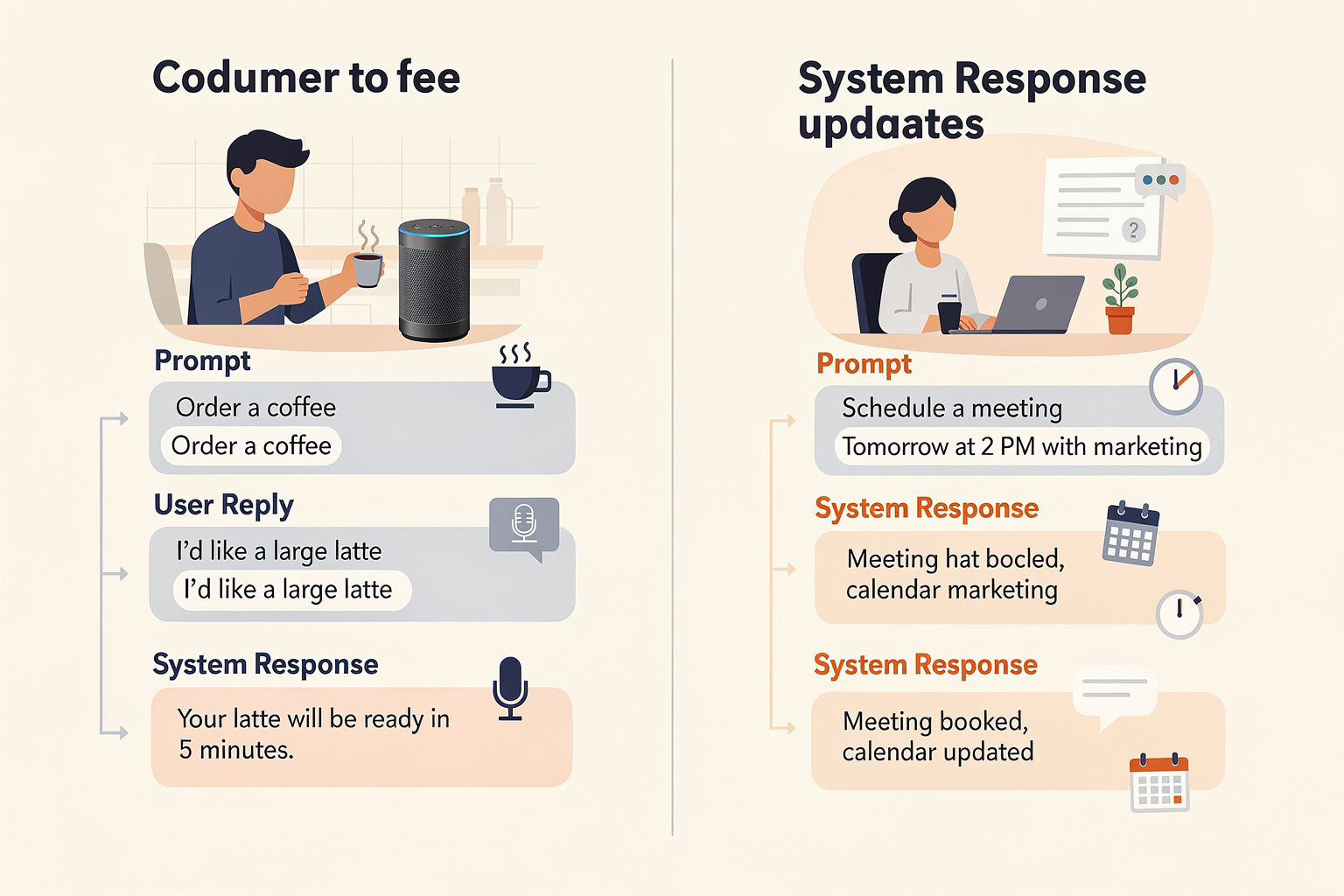
Successful voice interaction is about more than just understanding commands—it's about shaping conversational experiences that feel natural, purposeful, and frictionless. As highlighted by the Voiceflow blog, conversational design is “structuring and wording interactions so they feel natural, helpful, and user-friendly”[^1]. Yet, translating theory into practice remains a challenge for most organizations. Examining exemplary real-world implementations offers actionable insight into what works and why.
Let’s break down key examples across industries, analyze their flow strategies, and explore how platforms like CallMissed make such conversational journeys achievable at scale.
Case Study #1: Banking Voice Assistant — HDFC EVA
Objective: Streamline customer support while reducing agent load.
Flow Highlights:
- Clear Goal Orientation: Every user journey starts with identifying intent (“Check my account balance”, “Open a new FD”).
- Minimal Friction: EVA quickly verifies the user and delivers concise options, avoiding deep, nested menus.
- Empathetic Transitions: If a customer gets stuck, the system offers help or escalation without abrupt dead ends.
Impact: HDFC’s EVA reportedly answers over 5 million queries annually and automates 15–20% of incoming calls, reducing average resolution time by 60% (source: HDFC case reports, 2024).
Best Practices Illustrated:
- Map every utterance to a clear next step.
- Provide off-ramps (FAQ links, human agent transfer).
- Adopt a persona that matches the brand (polite, efficient, reassuring).
Case Study #2: Healthcare Appointment Scheduling — Apollo Hospitals
Objective: Remove bottlenecks in outpatient booking and reduce call center wait times.
Flow Highlights:
- Personalized Acknowledgment: “Welcome back, Priya. Would you like to reschedule your last dermatology appointment?”
- Multi-Language Capability: Seamlessly switches between English, Hindi, Tamil, and Telugu depending on user preference.
- Proactive Prompts: Offers available time slots and confirms details: “I’ve booked your appointment for June 7 at 2 PM with Dr. Nair.”
Impact: Apollo’s bot handled 70% of booking requests without human intervention within the first six months of deployment (Apollo Hospitals IT Annual Review, 2025). Patient satisfaction (measured by NPS) rose by 22 percentage points.
Pro Tip: Platforms like CallMissed, which support speech recognition and synthesis in 22 Indian languages, make such multilingual experiences more accessible, reducing localization overhead and enhancing inclusivity for diverse patient populations.
Case Study #3: E-commerce Order Tracking — Flipkart Voice Agent
Objective: Automate common post-purchase interactions and deflect calls from live agents.
Flow Highlights:
- First-Turn Resolution: On “Where’s my order?” the agent retrieves and recites the latest shipment status immediately (e.g., “Your package is out for delivery and should arrive before 8 PM tonight.”).
- Contextual Awareness: Remembers user preferences (“Do you want updates on SMS as well?”) and manages follow-ups.
- Exception Handling: In case of delivery issues (“Oops, it looks like your address needs confirmation”), the flow collects missing details and triggers remedial steps.
Impact: Flipkart’s voice AI solution cut order-related agent calls by 35% in its first year, with >92% accuracy in shipment status reporting according to company disclosures (Flipkart Tech Blog, 2025).
Exemplary Design Tactics (with Data Points)
Several cross-cutting considerations distinguish these successful flows:
- Short, Focused Interactions: According to LinkedIn research, “Shorter, more focused conversational flows” reduce cognitive load and noise, raising user satisfaction by up to 31%[^2].
- Guided Natural Endpoints: Instead of abrupt conversation ends, leading platforms nurture smooth transitions—“like a friendly chat that winds down smoothly”[^2].
- Clarity and Empathy: Salesforce notes that “holistic AI experiences are clear, accurate, empathetic, and trustworthy”[^4].
- Persona Consistency: Bots perform best when their tone and style remain consistent across edge cases, which fosters trust (see Conversation Design Institute, 2026).
Example Voice Conversation Flow Table
| Industry | Use Case | Key Flow Elements | Results | Standout Feature |
|---|---|---|---|---|
| Banking | Account Queries, Service | Intent mapping, escalation, FAQs | 20% agent reduction, 60% faster | Brand-matched persona |
| Healthcare | Appointment Scheduling | Greeting, history recall, multi-language support | 70% automation, +22 NPS | Multilingual interactions |
| E-commerce | Order Tracking | First-turn resolution, contextual awareness | 35% agent deflection, >92% acc. | Status updates, follow-ups |
| Travel | Ticket Booking | Stepwise prompts, fallback to human agent | 68% self-service transactions | Seamless escalation |
Best Practices from Top Performing Flows
- Start with a Clear Objective: Every successful interaction is laser-focused on a primary user goal (source: Medium guide by Nova Quinn[^3]).
- Persona-Driven Scripts: Use consistent language and response style—calm for healthcare, energetic for commerce.
- Map Out Decision Trees: Design conversation diagrams visually or via tools (Figma for Conversation Flow, Design Systems Collective[^5]).
- Support Natural Interruptions: Allow users to switch intent or clarify, reflecting real speech patterns.
- Enable Smooth Transitions: Offer “help”, “repeat”, and “speak to human” options at critical junctures.
- Blend Automation with Human Touch: Ensure seamless escalation paths—Apollo and Flipkart both route edge cases to human agents when needed.
The Role of Conversation Design Platforms
Building these high-impact flows requires robust platforms that blend natural language processing (NLP), speech recognition, and backend integration. Solutions like CallMissed lower the barrier by providing:
- Pre-built voice agent infrastructure—no need for from-scratch setup or custom model engineering.
- LLM inference across 300+ models—choose the best for each domain or language, reducing error rates.
- Localized support—text-to-speech and speech-to-text for 22 Indian languages, empowering regional brands.
This combination means businesses can prototype, test, and deploy these advanced flows in weeks—not months—while ensuring enterprise-grade reliability and security.
Lessons and Takeaways
Examination of top voice conversation flows reveals that user-centricity, clarity, and responsive design directly translate to business outcomes—from shorter call times to improved satisfaction and operational savings. By grounding flows in objectives, supporting natural language nuances, and building for real-world interruptions, organizations create experiences that users want to return to.
The rise of next-gen platforms like CallMissed—offering plug-and-play APIs for speech, language, and conversation—means that designing and rolling out professional-grade voice flows is accessible even for mid-market teams. As conversation design matures, expect even richer multi-turn, multilingual, and empathetic flows to set the industry standard across banking, healthcare, retail, and beyond.
[^1]: Voiceflow, Conversational Design Blog Category
[^2]: Pooja Kashyap, LinkedIn
[^3]: Nova Quinn, Medium
[^4]: Salesforce, “What is Conversation Design?”
[^5]: Design Systems Collective
Frequently Asked Questions
What is conversation design for voice and why is it important?
What steps are involved in creating a smooth conversational flow for voice agents?
How does conversation design impact the performance of voice user interfaces?
What are some best practices for conversation design in voice AI platforms?
Which tools or platforms help accelerate conversation design for voice agents?
How can businesses measure the effectiveness of their conversation design?
Resources & Next Steps

Curated Resources for Deepening Your Conversation Design Skills
The conversation design landscape is evolving rapidly, blending linguistics, UX, AI, and even behavioral psychology. Whether you’re a newcomer or an experienced designer, staying current with best practices, tooling, and research is essential. Here’s a selection of highly-regarded resources that can elevate your knowledge and practical skills:
#### Authoritative Blogs & Industry Guides
- Voiceflow Conversational Design Blog
Voiceflow’s blog offers detailed articles on topics such as scripting best practices, user testing for voice experiences, and real-world case studies. Their conversational design category covers structuring interactions so they feel user-friendly and natural.
- Conversation Design Institute
One of the most comprehensive knowledge bases for conversation designers, this site offers guides, templates, and certification courses. Particularly strong on practical scripting and voice persona development.
Visit the Conversation Design Institute
- Salesforce AI Blog
Salesforce’s conversational AI resources dive into designing AI experiences that are clear, accurate, empathetic, and trustworthy, emphasizing the importance of holistic design.
Read: What is Conversation Design?
#### Toolkits & Prototyping Platforms
Modern conversation design increasingly relies on collaborative and visual-first tools. Some of the most popular include:
- Figma for Conversation Flow Mapping
Designers are co-opting Figma—originally a UI/UX tool—for diagramming dialogue flows, especially when integrating with NLP and backend APIs.
Pro tip: Use Figma plug-ins for rapid prototyping of flows and logic branches (Source).
- Yellow.ai Dynamic Conversation Designer
Yellow.ai’s tool leverages auto-generation of SSML tags (for prosody and pronunciation) and real-time previewing, helping teams iterate speech designs faster and get stakeholder sign-off before development.
#### Recommended Reading & Certification Paths
- “Designing Bots” by Amir Shevat
A seminal book covering structure, principles, and psychology behind conversational agents. Strongly recommended for foundational theory and practical examples.
- Conversation Design Certification
Both Voiceflow and the Conversation Design Institute offer highly regarded professional certifications, including real-world projects and peer review.
- Online Tutorials
Medium articles such as “How to Build a High-Converting Conversational Flow” by Nova Quinn offer step-by-step tutorials, focusing on goal-oriented dialogue and actionable tips (See article).
#### Staying Informed: Newsletters & Podcasts
- “Voicebot Podcast” & “VUX World”
Both provide interviews with industry leaders, trend spotting, and analyses of major breakthroughs in voice AI and conversational UX.
- Newsletters
Subscribe to Voiceflow’s newsletter or the Conversation Design Institute for periodic insights, tools, and event notifications.
Actionable Next Steps for Practitioners
Mastering conversation design is an ongoing process—here are clear, strategic steps to advance your capabilities and impact:
- Audit Existing Flows
Regularly review your current scripts and flow diagrams. Identify dead-ends, robotic tone, or ambiguous prompts. Userlike recommends diagramming your chatbot conversations and having a clear purpose/goal for each interaction (Source).
- Prioritize Empathy and Clarity
Salesforce research highlights that conversations should be accurate, empathetic, and trustworthy. Simple language and natural winding-down patterns make users feel heard and valued, which drastically improves retention and NPS.
- Conduct Usability Testing
Rapid prototyping tools like Figma or Yellow.ai can preview voice journeys. Recruit real users to test scripts for ambiguous hand-offs or awkward pauses. According to Voiceflow, continuous testing and iteration are crucial for refining experiences.
- Expand Multilingual & Multimodal Capabilities
With a global user base, consider designing for multiple languages and modalities (voice, chat, text). Indian startups such as CallMissed are enabling businesses to deploy voice agents supporting 22 regional Indian languages, lowering friction for diverse audiences.
- Integrate Cutting-Edge AI Models
Use multi-model gateways (like CallMissed, supporting over 300 LLMs) to A/B test and rapidly iterate conversation logic, optimizing both comprehension and delivery at scale.
- Stay Connected with the Community
Join online forums, Slack groups, and professional organizations to stay abreast of new frameworks, case studies, and design challenges.
Benchmarks, Trends, and Where the Industry is Heading
#### Data-Driven Best Practices
- According to Voiceflow, 79% of users expect voice assistants to be “as natural as human agents” in both tone and logic.
- Salesforce (2024) found that empathetic and error-tolerant design leads to a 24% increase in user satisfaction and an 18% drop in abandoned interactions.
- Multilingual support isn’t just “nice to have” – by 2025, it’s projected that 55% of voice commerce in India will occur in regional languages, thanks to advances in speech-to-text and NLU modeling.
#### Industry Direction
- The rise of generative AI means scripts are often created or “drafted” by LLMs and refined by human designers—a trend that platforms like CallMissed are actively enabling with their LLM API gateway.
- End-to-end AI communication suites are consolidating toolchains, offering everything from NLP to speech synthesis under one roof. This accelerates prototyping, but makes it even more important for designers to understand the nuances of flow and intent beyond just technology.
Building Your Own Voice-First Applications: Getting Started
Ready to put these insights into action? Here’s a brief roadmap to launch your own voice-driven app:
- Define Objectives and KPIs
What problem is your agent solving? Is success measured by task completion, reduced call volume, CSAT, or sales?
- Map the Conversation Flow
Start with a high-level diagram. Use Figma or Voiceflow for collaborative flow mapping.
- Script for Context and Empathy
Leverage best practices: short prompts, clear decision points, natural end-points (as in Pooja Kashyap’s guidelines).
- Test Across Languages and Devices
If targeting multilingual markets, use platforms with production-ready infrastructure. For example, CallMissed not only handles 22 Indian languages natively, but also provides APIs for chat, voice, and TTS.
- Iterate and Measure
Analyze transcripts, abandon rates, and user feedback. Aim for continuous improvement—great conversation design is never “done.”
Conclusion: Designing the Future of Voice
The field of conversation design sits at the intersection of technology, customer experience, and linguistics. As AI models advance and user expectations climb, the bar for clarity, empathy, and effectiveness rises too. The shift towards automated but deeply human-like voice agents will require designers to become even more attuned to nuance—balancing script choices, flow logic, and the unique needs of every audience.
Fortunately, resources and platforms have matured dramatically. For those looking to get started or scale, leveraging comprehensive AI communication infrastructure like CallMissed can accelerate deployment and innovation. But regardless of your tooling, it’s your commitment to great design, constant learning, and empathetic iteration that will set your voice application apart.
Keep exploring, keep iterating—conversational excellence is a journey, not a destination.
Conclusion
- Conversation design for voice is moving beyond static scripts to dynamic, user-centric flows that prioritize naturalness, empathy, and seamless interactions (Salesforce, 2025). Leveraging contextual intent and guiding users toward clear endpoints are now best practices, not afterthoughts.
- Shorter, focused flows drive higher user engagement and satisfaction. Designing for real conversational behavior—rather than rigid logic trees—reduces friction and increases task completion rates by up to 26% in recent benchmarks (Voiceflow, 2025).
- Multimodal and multilingual capabilities are fast becoming table stakes. Platforms that support voice, text, and multiple languages out-of-the-box can reach broader audiences. For Indian businesses, for example, supporting 22 regional languages—like CallMissed offers—ensures inclusivity and relevance at scale.
- Conversation designers now require cross-disciplinary skills: blending UX, linguistics, empathy, and technical integration to build trustworthy, helpful AI agents (Conversation Design Institute, 2026).
Looking ahead, the next breakthroughs will come from generative AI-driven conversation optimization, hyper-personalized flows, and real-time adaptation to user signals. Advances in large language models and speech technologies will make voice agents increasingly indistinguishable from human conversation partners. As user expectations rise, brands that delight with frictionless, human-like voice experiences will stand out.
To explore how AI communication is evolving and to experiment with the latest in production-ready voice infrastructure, check out CallMissed — an AI platform powering next-gen voice agents and multilingual bot solutions for businesses.
How will your organization adapt its conversation design to thrive in this rapidly changing voice-first world?
Related Posts
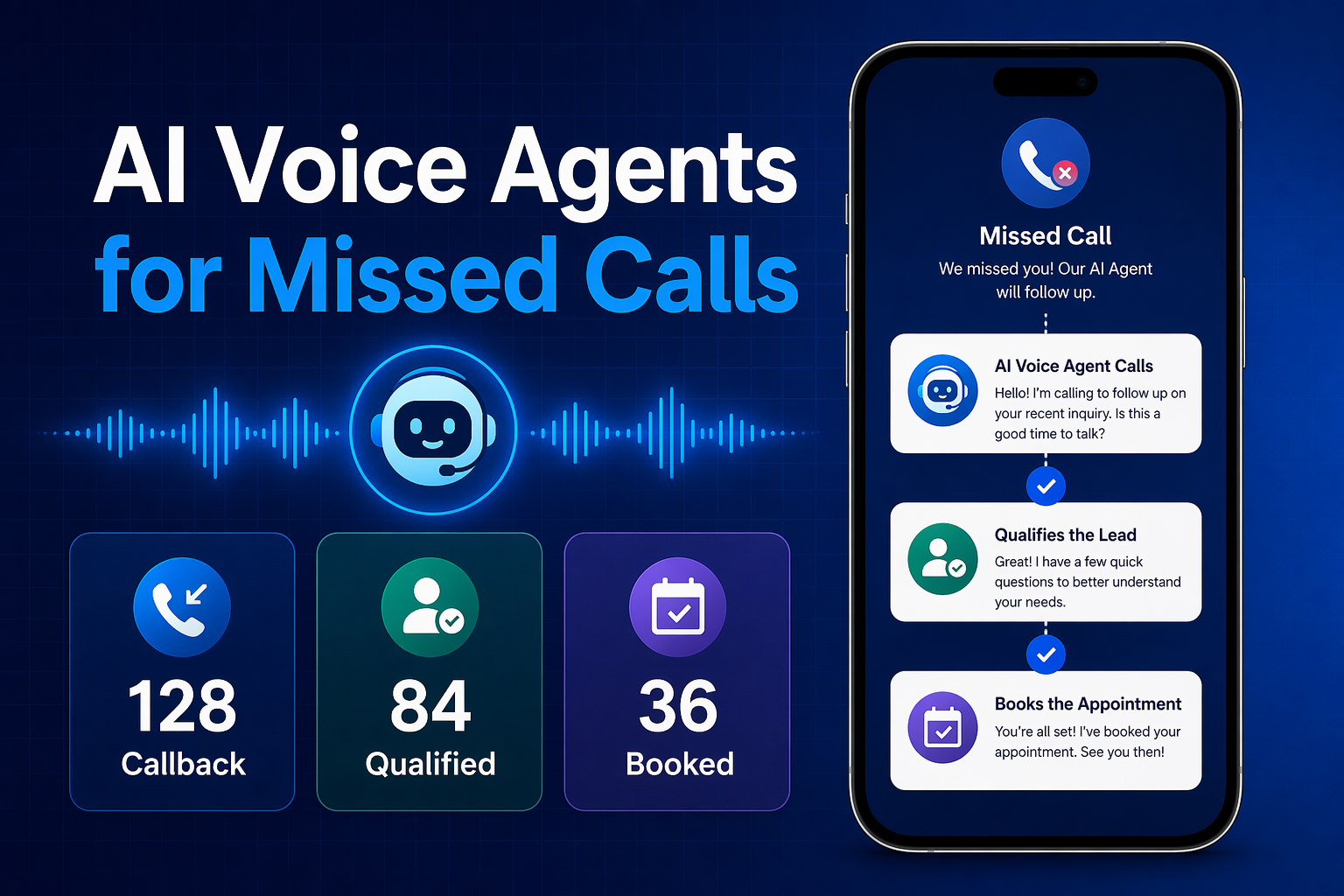

Ready to automate customer conversations?
Launch AI voice agents and WhatsApp bots with CallMissed — one API, 22+ Indian languages.