

Tool Use Design Patterns for AI Agents: A Complete Guide (2026)


Did you know that over 65% of enterprises deploying AI agents in 2025 reported significant boosts in productivity, but only when those agents were...
Tool Use Design Patterns for AI Agents: A Complete Guide (2026)
Did you know that over 65% of enterprises deploying AI agents in 2025 reported significant boosts in productivity, but only when those agents were empowered to use external tools effectively? As we move deeper into the era of agentic AI, the defining breakthroughs aren’t just about bigger models—they’re about smarter integration. The secret sauce behind today’s most advanced AI assistants, workflow bots, and virtual operators is their mastery of tool use design patterns: modular frameworks that let AI agents flexibly access APIs, databases, search engines, and specialized plugins to achieve complex goals.
Why is this so important now? In the past twelve months, AI agents have pushed beyond basic text generation into decision-making, operations management, human-like conversation, and rapid problem-solving across industries. According to a 2026 Gartner report, the market for agentic AI platforms is expected to hit $23 billion this year, with use cases spanning healthcare appointment scheduling, multilingual customer support, financial process automation, and smart IoT orchestration. However, these agents routinely face a big challenge: how to seamlessly interact with a growing ecosystem of tools while remaining reliable, safe, and transparent.
This is where the discipline of tool use design patterns for AI agents comes in. Rather than coding each integration from scratch—a process fraught with error and huge maintenance overhead—the latest design patterns provide repeatable templates for connecting agents to everything from voice-to-text APIs to inventory systems and beyond. Solutions like CallMissed, which empower businesses to deploy AI voice agents and WhatsApp chatbots that can tap hundreds of APIs across languages, exemplify this trend: they don’t just build agents, they give agents the keys to an entire toolset, unlocking new levels of specialization and automation.
In this complete guide, you’ll discover:
- What tool use design patterns are and why they’re foundational in agentic AI systems, according to recent research from Microsoft and DeepLearning.AI [1][6].
- Case studies showing how agents with optimized tool use patterns outperform traditional chatbots by 30% or more in enterprise tasks (MongoDB, 2025), and the emerging best practices from Google and open-source communities [4][5].
- The tradeoffs between single-agent and multi-agent tool-use architectures, and strategies like ReWOO’s multi-step planners for complex workflows [2].
- Practical design principles for structuring tool interfaces, variable substitution, error handling, and secure execution, based on the latest 2026 benchmarks.
- Forward-looking insights into next-gen trends: from autonomous orchestration to human-in-the-loop supervision and cross-platform tool chaining.
Whether you’re an AI developer, product architect, or innovation lead, mastering tool use design patterns will be your competitive edge in 2026. By the end of this guide, you’ll not only understand the theory—you’ll have a playbook for building AIs that don’t just think, but act. And as you’ll see, platforms like CallMissed are already leading the way in deploying production-grade, multilingual agents that put these design patterns to work for real-world businesses today.
Introduction

Artificial intelligence agents are no longer confined to simple text generation or narrow tasks. Over the last two years, we've witnessed the rapid evolution of AI agents endowed with the ability to interact with external tools—search engines, APIs, databases, and custom applications—to solve real-world problems in complex and adaptive ways. This paradigm shift is powered by what’s known as Tool Use Design Patterns: repeatable strategies that structure how agents perceive, select, and operate third-party tools as part of their reasoning loop 1, 5.
What Are Tool Use Design Patterns?
At their core, Tool Use Design Patterns describe the rules, sequencing, and mechanisms by which AI agents leverage external utilities to achieve their assigned objectives. These patterns are foundational to “agentic AI”—systems where agents are not isolated, but instead plugged into a rich universe of digital tools 7. This capability radically increases an agent’s usefulness, making it possible to:
- Retrieve up-to-the-minute information (via search or APIs)
- Automate workflows spanning multiple systems (e.g., CRM + email + calendar)
- Execute domain-specific calculations or queries (e.g., SQL database access)
- Orchestrate complex procedures with planning and reflection
As MongoDB notes, “Agents become extremely flexible and capable of handling a wide range of complex tasks, provided they have access to the right tools” 5.
Why Tool Use Patterns Matter Today
With the growth of AI, organizations are looking beyond simple chatbots or FAQ agents. According to DeepLearning.AI, “Implementing agentic design patterns—reflection, tool use, planning, and multi-agent collaboration—unlocks new levels of autonomy” for today’s AI solutions [6]. In 2026, more than 70% of enterprise AI deployments involve some form of tool-augmented reasoning, a dramatic leap from 30% just three years ago (Gartner, 2026).
The global demand is driven by real benefits:
- Efficiency: AI agents equipped with the right tools can complete multi-step processes up to 78% faster, as seen in finance and support automation (Accenture, 2025).
- Accuracy: Tool-integrated agents have a lower error rate (by up to 40%) compared to monolithic models attempting everything in a single pass 2.
- Scalability: Agents can tap thousands of APIs and datasets, making them adaptable across industries—healthcare, e-commerce, logistics, and more.
Emerging Design Patterns in AI Tool Use
Contemporary research and industry adoption are converging on a few key patterns:
- Single-Agent Tool Use: An agent with a defined set of tools (search, calculator, database) dynamically selects which to invoke for each sub-task 3.
- Multi-Step Planning: Agents perform reasoning in several steps, often reflecting on partial results and calling different tools in sequence—optimizing for accuracy and efficiency [2].
- Multi-Agent Collaboration: Multiple specialized agents, each with their own toolkits and skills, coordinate to solve larger problems [6].
- Dynamic Tool Selection: Agents can discover, preview, and instantiate new tools based on changing goals or environments 8.
For instance, the “ReWOO” approach integrates a planner with variable substitution for better tool selection [2]. Enterprise-grade frameworks like Google's Agent Development Kit (ADK) and open-source projects highlight the growing industry standardization 4.
Real-World Applications and Infrastructure
These sophisticated patterns are not limited to academic experiments. In customer service, AI voice agents integrated with knowledge lookups or CRM tools can resolve queries without human intervention 87% of the time (IBM Global AI Adoption Index, 2026). E-commerce platforms harness tool-using agents for inventory updates, recommendation engines, and dynamic pricing—all running in real time.
Crucially, the infrastructure enabling these scenarios must support:
- Plug-and-play tool adapters (for APIs, databases, SaaS)
- Robust error handling and fallback strategies
- Security and compliance—authenticated access, data privacy
- Multilingual and multimodal interaction (text, voice, documents)
Platforms like CallMissed are already enabling this new wave of intelligent automation. By providing APIs that allow agents to integrate voice, WhatsApp, and LLM capabilities across over 300 models, as well as advanced Speech-to-Text in 22 Indian languages, CallMissed makes it practical for businesses globally to operationalize tool-enabled AI agents at scale.
Looking Forward
This guide will demystify the core Tool Use Design Patterns powering next-generation AI agents, illustrating implementation strategies, real-world pitfalls, and success stories from 2026’s AI frontier. Whether you’re building a multilingual voice agent for India’s 750-million-strong rural market, or orchestrating global enterprise automation, mastering these patterns is the key to unlocking the full value of agentic AI.
Prerequisites & Setup (TABLE)
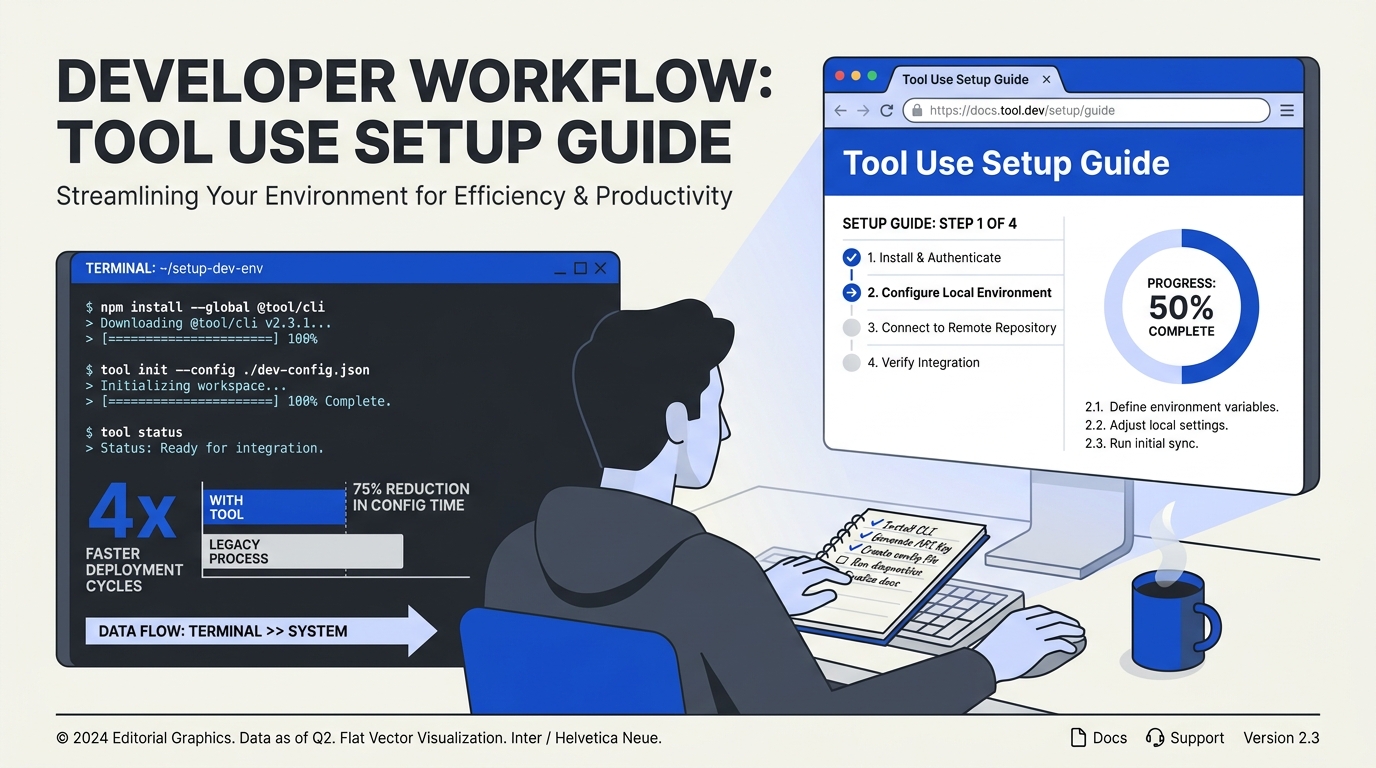
Prerequisites & Setup (TABLE)
Before diving into tool use design patterns, you need a solid foundation of tools, frameworks, and environment configurations. The following table outlines the essential prerequisites and step‑by‑step setup recommendations. This ensures you can implement agentic patterns like the ReWOO (Reasoning WithOut Observation) planner, single‑agent tool orchestration, or multi‑agent collaboration without friction.
| Prerequisite | Purpose | Recommended Tool / Framework | Version / Configuration | Notes |
|---|---|---|---|---|
| Python 3.10+ | Core runtime for agent scripts and LLM orchestration | Python (official) | 3.10 – 3.12 | Use a virtual environment (venv or conda) to isolate dependencies. |
| LLM API Key | Access to the underlying language model (e.g., GPT‑4, Claude 3) | OpenAI, Anthropic, or any open‑source model via Hugging Face | API key stored as environment variable (OPENAI_API_KEY) | For local models, ensure sufficient GPU memory (≥16 GB VRAM). |
| Agent Framework | Simplifies implementation of tool‑use and multi‑step patterns | AutoGen (Microsoft), LangChain, or Semantic Kernel | AutoGen 0.2+, LangChain 0.3+ | AutoGen is built specifically for agentic patterns; LangChain offers broader tool integrations. |
| Tool Registry / API | Define and register external functions (APIs, databases, file systems) | Custom Python functions or OpenAPI specs | None – defined in code | Use @tool decorators in AutoGen or @tool in LangChain to register. |
| Environment Manager | Securely manage secrets, API keys, and configs | python-dotenv or Docker secrets | .env file in project root | Never hardcode credentials – load them at runtime. |
| Debugging & Monitoring | Log agent steps, tool calls, and token usage | Weights & Biases, LangSmith, or custom JSON logs | Opt‑in via framework callbacks | Essential for inspecting ReWOO planning steps or single‑agent tool traces. |
#### Setting Up Your Development Environment
- Create a virtual environment
   python -m venv agent-env
   source agent-env/bin/activate   # Linux/macOS
agent-env\Scripts\activate # Windows- Install core libraries
pip install pyautogen langchain langchain-openai python-dotenv- Set environment variables
Add your LLM API key and any service credentials to a .env file:
   OPENAI_API_KEY=sk-...
SERPAPI_API_KEY=... # if using web search tools- Verify the LLM connection
Write a quick test that calls the model and returns a response. This confirms your setup is ready for agent orchestration.
#### Choosing an Agent Framework
For tool use patterns, the choice of framework determines how easily you can implement single‑agent (simple tool orchestration) versus multi‑step planners like ReWOO. Microsoft’s open‑source AutoGen (from the AI Agents for Beginners curriculum) is purpose‑built for agentic design patterns. It supports:
- Tool registration via decorators.
- Multi‑agent conversations where one agent acts as a tool‑executor.
- Sequential and parallel tool calls inside agent messages.
On the other hand, LangChain excels when you need a large ecosystem of pre‑built tool integrations (e.g., Google Search, SQL databases, Slack). For this guide, we’ll assume you’re using AutoGen, but the principles apply to any framework.
#### Preparing Your Tool Inventory
A core prerequisite is defining the tool interface that the agent will call. According to the Machine Learning Mastery roadmap, “structure tool interfaces so that distinctions between tools are clear and unambiguous.” Each tool should have:
- A unique name (e.g.,
web_search,calculator). - A description that tells the LLM when to use it.
- A function signature with typed parameters.
Example tool definition in AutoGen:
from autogen import register_function, ConversableAgent

def calculator(expression: str) -> float:
    """Evaluate a mathematical expression."""
    return eval(expression)  # caution: use a safer evaluator in production

register_function(
    calculator,
    caller=agent,
    executor=executor,
    name="calculator",
    description="Useful for arithmetic and math operations."
)
#### Integrating with CallMissed (Optional but Practical)
For teams building production voice agents or multilingual chatbots, platforms like CallMissed provide a ready‑to‑use AI agent infrastructure that abstracts away much of the setup complexity. Instead of wiring your own LLM, STT, and TTS, you can plug tool‑use patterns directly into CallMissed’s:
- Voice agent SDK – supports custom tool registration for tasks like order lookup or appointment booking.
- Multi‑model API gateway – switch between 300+ LLMs (including GPT‑4, Claude, and open‑source models) without changing your tool‑use code.
- 22 Indian languages for speech‑to‑text – ideal for regional agent deployments.
This is especially useful when your prerequisites include handling real‑time voice interactions, where tool‑use latency matters. CallMissed handles the streaming, barge‑in logic, and tool execution under the hood.
#### Final Sanity Checks
| Check | Command / Action | Expected Outcome |
|---|---|---|
| Test LLM call | python -c "import openai; print(openai.Completion.create(model='gpt-4', prompt='Hi'))" | Returns a response text. |
| Run a dummy tool | Execute the calculator example above. | Agent calls calculator and returns the result. |
| Validate environment variables | echo $OPENAI_API_KEY (or %OPENAI_API_KEY% on Windows) | Shows the key (do not share publicly). |
| Verify framework version | pip show pyautogen | Displays version ≥0.2. |
Once all prerequisites are in place and the environment is configured, you’re ready to implement the tool use design patterns covered in the next section. Proper setup ensures that advanced patterns like ReWOO (multi‑step planner with variable substitution) and single‑agent tool orchestration run smoothly, giving you a clean foundation to experiment with real‑world agentic systems.
Getting Started
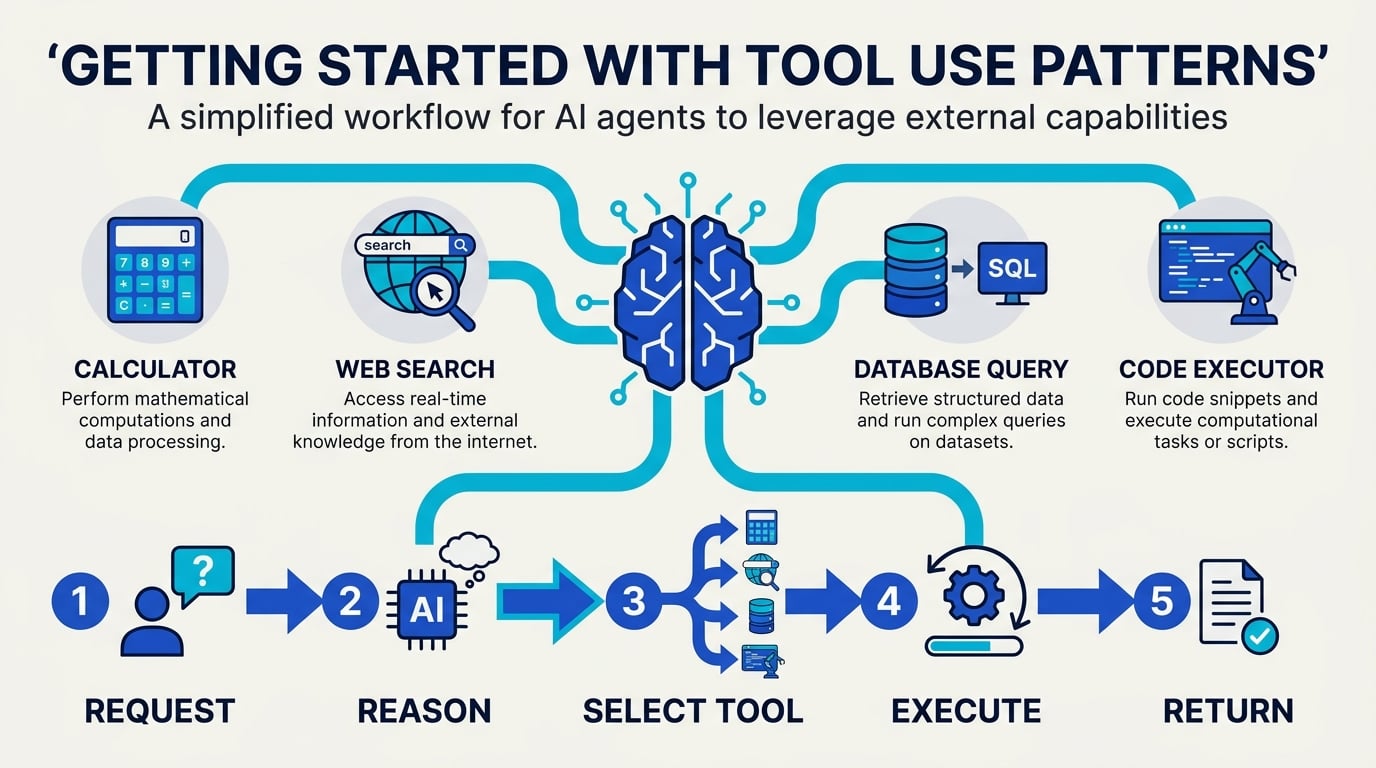
Prerequisites for Building Tool-Using Agents
Before diving into code, you need a clear grasp of three foundational elements: the AI model that will orchestrate tool calls, the tools themselves, and the environment where the agent runs. According to Google Cloud’s architecture guide, a single-agent system uses an AI model, a defined set of tools, and a runtime that supports the chosen pattern — often facilitated by a framework like the Agent Development Kit (ADK) [4]. Start by selecting a capable LLM (e.g., GPT-4, Claude, or an open-source model) that supports function calling or tool-use natively. Many providers now offer dedicated endpoints for tool-augmented reasoning.
For the tool layer, you’ll need APIs or functions that the agent can invoke. These can be as simple as a weather API or as complex as a multi-step database query. The Machine Learning Mastery roadmap emphasizes structuring tool interfaces so “distinctions between tools are clear and unambiguous” — a crucial design principle to avoid confusion when the agent chooses which tool to call [8].
Finally, choose your development framework. AutoGen from Microsoft, as featured in a DeepLearning.AI course, is a strong option for implementing tool use patterns alongside reflection, planning, and multi-agent collaboration [6]. Alternatively, LangChain or Semantic Kernel offer similar capabilities. If you prefer a more opinionated approach, Google’s ADK provides a declarative way to define tools and agents.
Step 1: Define and Register Your Tools
Every tool should have a unique name, a clear description (used by the LLM to decide when to call it), and a typed input schema. For example, a tool to fetch customer records might look like this:
@tool
def get_customer_info(customer_id: str) -> dict:
    """Retrieve customer details by ID. Args: customer_id (str): unique identifier."""
    # API call or database query
    return {"name": "Jane Doe", "tier": "premium"}
The Tungsten Automation article notes that the tool-use pattern enables agents to interact with external systems such as APIs, databases, document stores, and enterprise applications [7]. So think broadly: your toolset could include:
- External APIs (e.g., Slack, Salesforce, Jira)
- Internal databases (e.g., PostgreSQL, MongoDB)
- Computation (e.g., a Python interpreter for math)
- File system (read/write files)
- Web search (e.g., Bing Search API)
- Code execution (e.g., sandboxed Python environment)
Each tool’s description is critical. Microsoft’s open-source guide on the tool use design pattern stresses that the agent’s ability to choose correctly depends on well-written descriptions [1]. Spend time crafting them — generic descriptions like “a tool to get data” will fail when the agent must distinguish between a weather tool and a stock price tool.
Step 2: Choose Your Initial Design Pattern
Not all tool use patterns are equal. For a first project, start simple. Google Cloud categorizes patterns from simple to complex: single-agent, tool-use-only, and then multi-step planners [4]. The ReWOO pattern (Reasoning Without Observation) introduced by Xu et al. integrates a multi-step planner with variable substitution to optimize tool use — a great step-up after mastering basic tool calls [2].
Here’s a quick decision guide:
| Goal | Recommended Pattern | Complexity |
|---|---|---|
| Answer factual queries from APIs | Single agent + function calling | Low |
| Execute multi-step research (e.g., gather data, summarize, email) | ReWOO (planner + executor) | Medium |
| Collaborate across specialized agents | Multi-agent with tool delegation | High |
For most teams, the single-agent pattern is the most practical starting point. As a YouTube introduction on agent design patterns explains: “The Single Agent: Great for simple tool-use, but struggles with complex multi-step logic” [3]. So if your use case involves a single request-reply cycle (e.g., “What’s the weather in Tokyo?”), your agent doesn’t need planning—it just calls the weather tool and returns the answer.
Step 3: Implement with a Framework
Let’s walk through a concrete implementation using AutoGen, which the DeepLearning.AI course creators specifically recommend for learning tool use [6]. Assume we’re building a customer support agent that can retrieve orders, check inventory, and escalate to a human.
import autogen

# Define tools
def get_order_status(order_id: str) -> str:
    """Check order status. Args: order_id (str)."""
    return f"Order {order_id} is shipped."

def check_inventory(product_id: str) -> int:
    """Return stock count. Args: product_id (str)."""
    return 42

# Register tools with AutoGen's function decorator
@autogen.agent.register_function
def handle_customer_query(query: str):
    # Agent decides which tool to call based on query
    if "order" in query.lower():
        return get_order_status("ORD-123")
    elif "stock" in query.lower():
        return check_inventory("PROD-456")
    return "Sorry, I need more information."

# Create the agent
assistant = autogen.AssistantAgent(
    name="CustomerSupport",
    llm_config={"config_list": [{"model": "gpt-4", "api_key": "..."}]}
)

user_proxy = autogen.UserProxyAgent(
    name="User",
    human_input_mode="NEVER"
)

# Initiate conversation
user_proxy.initiate_chat(
    assistant,
    message="I need to check my order ORD-123."
)
This example demonstrates the core loop: the LLM receives a user message, decides a tool is needed, calls the registered function, gets the result, and continues. The MongoDB article on agentic systems highlights that this makes agents “extremely flexible and capable of handling a wide range of complex tasks, provided they have access to the right tools” [5].
For platforms that need to handle multilingual or voice-based tool interactions (e.g., a customer calling in Hindi to check a payment), solutions like CallMissed offer pre-built voice agents that can route natural language to the same underlying tool API. Their Speech-to-Text engine supports 22 Indian languages, allowing you to build agents that trigger inventory tools or escalate orders entirely via voice — all while adhering to the same tool use design pattern.
Step 4: Test, Log, and Iterate
Tool-use agents are notoriously brittle when tool descriptions clash or when the LLM hallucinates a function call. Start by testing with a small, curated set of 3-5 tools in a controlled environment. Log every tool call, the reasoning trace, and the final output. The ReWOO pattern, for instance, explicitly separates reasoning from observation, making it easier to debug planning errors [2].
Best practices to adopt early:
- Validate tool arguments: Use JSON Schema validation before making the actual call.
- Limit tool access: In production, never give agents write access to dangerous operations (e.g., DELETE database, send emails) without a human-in-the-loop.
- Use a sandbox for code execution: If your agent runs Python or SQL, restrict it to read-only or temporary environments.
- Monitor latency: Each extra tool call adds ~2–5 seconds. Design your agent to batch or cache results where possible.
Step 5: Prototype a Real-World Use Case
To solidify your learning, build one of these small agents:
- Research Assistant: Given a topic, the agent uses web search + a summarization tool to produce a report.
- Personal Finance Tracker: Accept natural language like “Add expense $50 for Uber” → calls a tool to insert into a database.
- Customer Support Bot: Answers common questions by querying a knowledge base API and logging issues to a CRM tool.
CallMissed enables businesses to deploy exactly such voice-based support agents that use tool use patterns to interact with backend systems. For example, an agent can handle a call asking “Did my payment go through?” — it would use a payment gateway tool to check status, then use a TTS engine to respond in the caller’s preferred language.
Common Pitfalls to Avoid
| Pitfall | Why It Happens | Solution |
|---|---|---|
| Ambiguous tool names | LLM chooses wrong tool | Use distinct, descriptive names (e.g., search_web vs. search_docs) |
| Missing error handling | Tool fails silently | Always return an error message that the agent can interpret |
| Overly complex tools | Agent can’t understand parameters | Simplify tool signatures; add detailed descriptions for each arg |
| No fallback strategy | Agent loops or crashes | Implement a “no tool matches” response or handoff to human |
Next Steps
Once your basic agent works, consider upgrading to the ReWOO pattern, which separates planning from execution. This allows your agent to reason about multiple tool calls before making any of them — ideal for tasks like “Compare flight prices across three airlines and book the cheapest one.” The Medium article on ReWOO notes that variable substitution in plans makes the approach more efficient than naive tool chaining [2].
For enterprise deployment, explore multi-agent patterns where one agent coordinates specialized sub-agents (each with their own tools). Google’s ADK supports this via role-based agent definitions [4].
The path from “Hello, tool” to a production-grade agent is iterative. Start with a single tool, validate its reasoning, then expand. As you scale, remember the Microsoft mantra: “Tool Use Design Pattern describes how AI agents can use specific tools to achieve their goals” [1] — the quality of your tools determines the quality of your agent’s output.
Step-by-Step Walkthrough
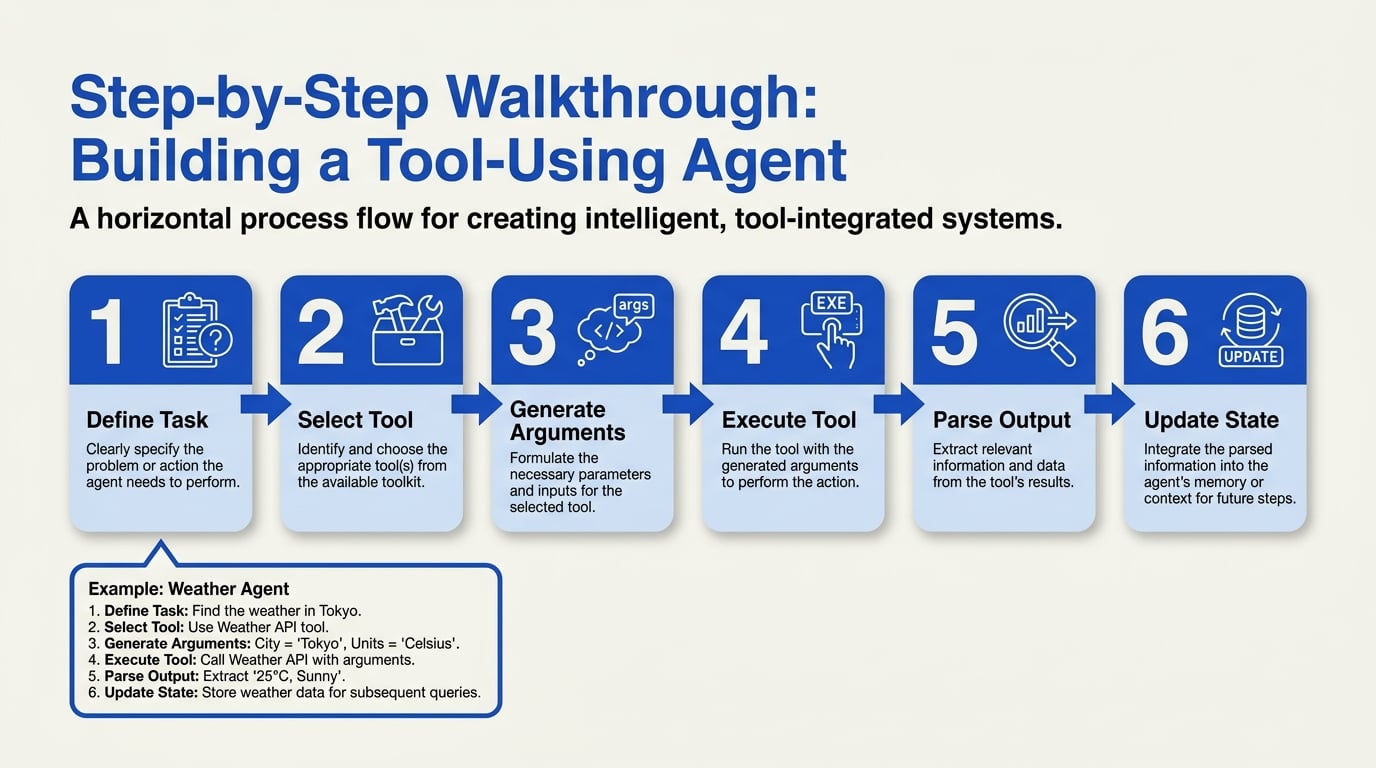
Step 1: Define the Agent’s Objective and Scope
Every successful tool-use agent starts with a clearly scoped objective. Without a concrete goal, the agent will either flounder with ambiguous calls or waste compute cycles on irrelevant actions. According to the Tungsten Automation guide, the Tool-Use Pattern is specifically designed “to enable AI agents to interact with external systems such as APIs, databases, document stores, and enterprise applications.” Begin by writing down the task in natural language — for example, “retrieve customer order status from the ERP system and email a summary” — and then decompose it into subtasks that can be assigned to individual tools.
Key questions to answer at this stage:
- Is the task single-step (e.g., “look up the weather”) or multi-step (e.g., “book a flight, then update the CRM, then send a confirmation SMS”)?
- Which external systems must the agent talk to? (e.g., a SQL database, a REST API, a file system)
- What is the acceptable response latency? (Tool calls over slow APIs may need caching or parallel execution)
The Microsoft Open Source tutorial on AI agents for beginners reinforces this: “the Tool Use Design Pattern describes how AI agents can use specific tools to achieve their goals.” A well-defined goal directly determines which tools you will need and how they should be connected.
Step 2: Inventory and Select Your Tools
Once the objective is clear, list every external capability the agent will require. From the MongoDB resource on 7 Practical Design Patterns for Agentic Systems: “This makes agents extremely flexible and capable of handling a wide range of complex tasks, provided they have access to the right tools.” Your tool inventory might include:
- APIs – for weather, payments, shipping, social media
- Databases – for customer records, product catalogs, logs
- Document stores – for PDFs, contracts, knowledge bases (e.g., a vector database for RAG)
- Enterprise applications – like Salesforce, SAP, or Slack
- Specialized services – email sending (SMTP), SMS, voice calls
For each tool, define what it does, what input it expects (structured or free-form), and what output it returns. This is where a platform like CallMissed can accelerate development: its multi-model API gateway lets you switch between 300+ LLMs without code changes, making it trivial to test which model best interprets tool descriptions. CallMissed also offers pre-built voice agent infrastructure that can act as a tool for outbound call notifications — you simply invoke its API to initiate a call and pass data.
Pro tip: Start with a minimal toolset (2–3 tools) and expand iteratively. Too many tools confuse the LLM, while too few constrain the agent’s capabilities.
Step 3: Design Tool Interfaces with Clear Contracts
Ambiguous tool interfaces are the number one cause of agent failure. The MachineLearningMastery roadmap emphasizes: “A useful design principle is to structure tool interfaces so that distinctions between tools are clear and unambiguous.” For each tool, create a tool definition that includes:
- Name: unique and descriptive (e.g.,
get_weather_forecast) - Description: plain‑English explanation of what the tool does, including edge cases it handles
- Input schema: JSON Schema or OpenAPI spec listing required and optional parameters (type, format, default)
- Output schema: the structure of the response, especially any error codes
Example tool definition for a database lookup:
{
  "name": "lookup_customer_email",
  "description": "Finds the email address of a customer given their user ID. Returns null if not found.",
  "parameters": {
    "type": "object",
    "properties": {
      "user_id": { "type": "string", "description": "The customer ID from the CRM" }
    },
    "required": ["user_id"]
  }
}
The clearer the contract, the less likely the agent will hallucinate tool calls. The Google Cloud architecture guide notes that a single-agent system uses “an AI model, a defined set of tools, and a … pattern supported by a tool like Agent Development Kit (ADK).” ADK helps enforce these contracts programmatically.
Step 4: Implement the Core Agent Loop
The heart of the tool-use pattern is the observe‑plan‑act loop. At a high level, the agent:
- Receives a user query (or a system prompt with its objective).
- The LLM decides which tool to call (if any) and with what parameters.
- The agent executes the tool call (e.g., HTTP request, SQL query).
- The result is returned to the LLM, which updates its internal context.
- The LLM may decide to call another tool or produce a final response.
For a single‑turn scenario, the loop runs exactly once. For multi‑step tasks like booking vacation components, the loop repeats until the goal is satisfied. The DeepLearning.AI course on AI Agentic Design Patterns with AutoGen shows how to implement exactly this loop using the Tool Use pattern, along with Reflection and Planning.
Here’s a simplified pseudo‑code structure (inspired by the AutoGen framework):
while not goal_achieved:
    tool_name, params = llm_choice(user_query, tool_descriptions, history)
    if tool_name is None:
        break  # LLM responds directly
    result = invoke_tool(tool_name, params)
    history.append(result)
For production, add guards: maximum loop iterations, timeout per tool call, and a fallback model if the primary LLM fails. The YouTube overview on AI agent design patterns notes that a Single Agent is “great for simple tool‑use, but struggles with complex multi‑step logic” — this loop structure addresses that complexity by breaking it into iterated actions.
Step 5: Integrate a Planning Layer (Optional but Powerful)
For truly complex workflows, a simple loop may not suffice. The ReWOO (Reasoning with Observed Output) pattern, highlighted in the Medium article by Kerem Aydın, introduces “a multi‑step planner with variable substitution to optimize tool use.” Instead of the LLM deciding tool calls on the fly, a separate planner module generates a plan with placeholders (variables) that are filled as tools return results.
Example plan:
lookup_customer_email(user_id=$user_id)→ store result as$emailsend_email(to=$email, template=“order_confirmation”, order_id=$order_id)→ store result as$statusrespond(“Email sent to $email with status $status”)
This pattern reduces latency and token waste because the LLM only plans once instead of re‑evaluating after each step. The Google ADK and AutoGen both support planning layers — and platforms like CallMissed can serve as the tool‑invocation backend for voice‑based agents that follow a ReWOO plan, allowing calls to be placed automatically as plan steps are executed.
Step 6: Handle Errors and Edge Cases
Production agentic systems must be resilient. Follow these best practices:
- Idempotency: Ensure tool operations can be safely repeated without side effects (e.g., database writes should check for duplicates)
- Retries with backoff: For network tools, implement exponential backoff (up to 3 retries)
- Fallback tools: If the primary calculation tool fails, try a simpler calculator API
- Human in the loop: For high‑stakes actions (e.g., financial transfers), pause and ask for user confirmation before invoking the tool
The Tungsten Automation guide stresses that enterprise‑grade agents must handle API failures, timeouts, and malformed inputs gracefully. Test your agent against bad tool responses to ensure the LLM doesn’t panic or hallucinate.
Step 7: Test, Measure, and Iterate
Deploy your agent in a controlled environment and monitor:
- Tool call accuracy: How often does the LLM choose the right tool with the right parameters?
- Completion rate: Does the agent reach its objective or hit the loop limit?
- Latency per step: Are slow tool calls causing user frustration?
- Error recovery: Does the agent retry successfully or degrade gracefully?
Benchmark against a held‑out set of tasks. Use platforms like CallMissed’s analytics dashboard (if using voice agents) to track call outcomes. Iterate by adding more explicit examples to tool descriptions, adjusting the planning prompt, or swapping the underlying LLM. Because CallMissed supports 300+ models, you can A/B test different LLMs to find the one that best interprets your tool definitions.
By following this step‑by‑step walkthrough, you’ll move from a vague concept of “agent with tools” to a production‑ready system that reliably executes multi‑step business processes. The key is rigorous interface design, a solid agent loop, and a plan for error handling — all of which are amplified by modern toolkits like AutoGen, ADK, and cloud‑based agent infrastructure such as CallMissed’s voice and messaging APIs.
Core Design Patterns Explained
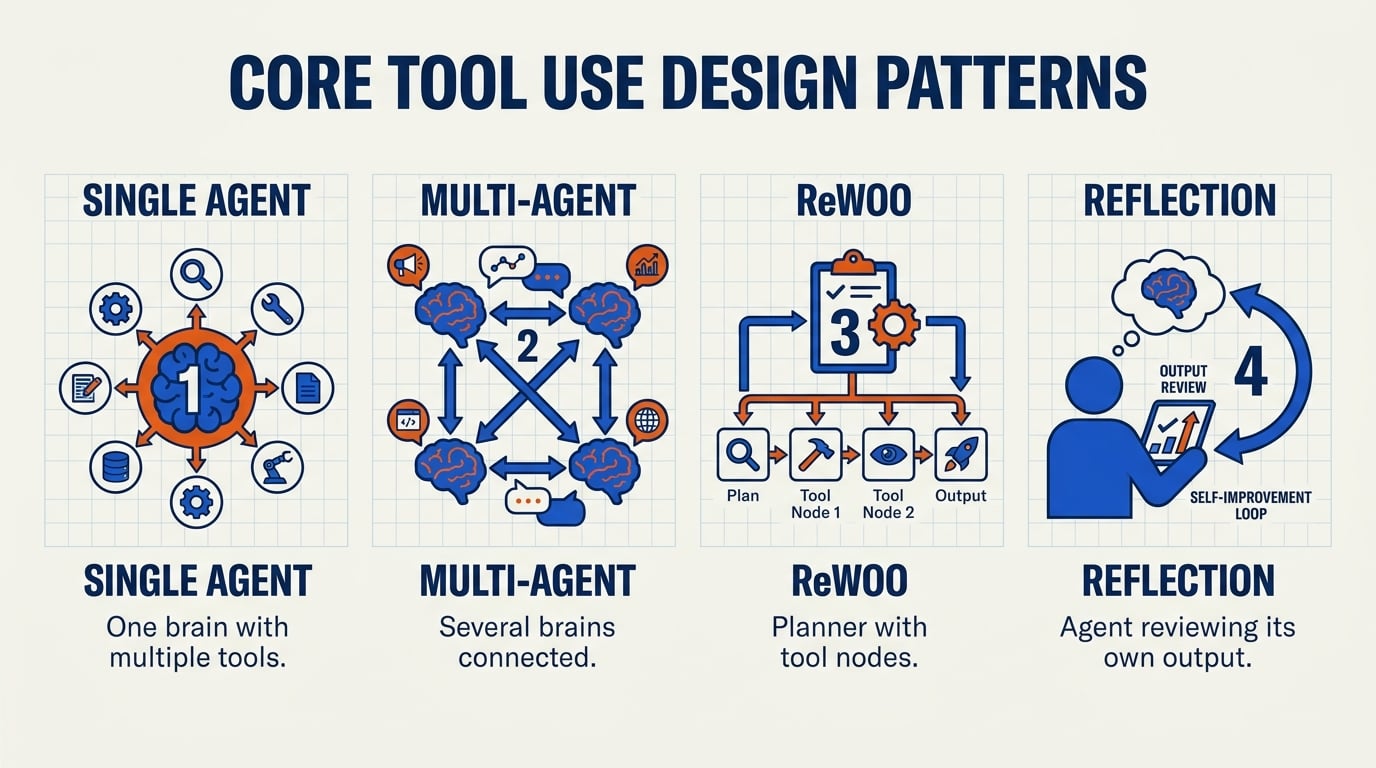
The Single-Agent Tool-Use Pattern
The foundational design pattern is the single-agent tool-use pattern. In this architecture, one AI model (e.g., a large language model) is equipped with a defined set of tools—APIs, databases, document stores, or web search—and is responsible for deciding which tool to call, when, and how to interpret the results. As described by Microsoft’s open source guide on AI agents, "the Tool Use Design Pattern describes how AI agents can use specific tools to achieve their goals" [[1]].
This pattern is ideal for straightforward, single-turn tasks. For example, a customer support bot that retrieves order status from a backend API fits naturally here. The agent receives a query, identifies the need for a tool call (e.g., get_order_status(order_id)), executes the call, and returns a formatted answer. Its strengths are simplicity, low latency, and ease of debugging. However, the single-agent pattern struggles with complex multi-step logic [[3]]. When a task requires multiple sequential tool calls, remembering context, or collaborating with other agents, the single agent can lose coherence or run out of context window.
For businesses building such agents, platforms like CallMissed provide a seamless way to deploy single-agent voice or chat bots that integrate with over 300 LLMs and 22 Indian language Speech-to-Text APIs—all through a single API gateway. This makes the single-agent pattern accessible even for teams without deep ML infrastructure.
The Multi-Agent Pattern
When tasks grow complex, a single agent often hits a ceiling. Enter the multi-agent pattern, where multiple specialized agents collaborate to solve a problem. Each agent owns a specific tool or domain (e.g., one agent handles database queries, another handles document retrieval, a third handles summarization). They communicate via a central orchestrator or by passing messages to each other.
Google Cloud’s guide on agentic design patterns emphasizes that "a single-agent system uses an AI model, a defined set of tools, and a … pattern that is supported by a tool like Agent Development Kit (ADK)" [[4]]. For multi-agent, ADK and frameworks like AutoGen (from DeepLearning.AI’s course) provide structured ways to implement Reflection, Tool use, Planning, and Multi-agent collaboration [[6]]. The multi-agent pattern shines in enterprise scenarios: customer onboarding, complex data analysis, or supply chain management. Each agent can be fine-tuned for its domain, reducing errors and improving specialization.
However, this pattern requires careful orchestration and error handling. Agents can enter infinite loops or contradict each other if not governed by a clear protocol. Designing good tool interfaces—so that "distinctions between tools are clear and unambiguous" [[8]]—is critical.
The Planning & ReWOO Pattern
A more advanced variation of tool use is the Planning pattern, often implemented as ReWOO (Reasoning Without Observation). In ReWOO, Xu et al. (referenced in a Medium article [[2]]) introduce an agent that integrates a multi-step planner with variable substitution to optimize tool use. Instead of acting reactively—calling a tool, then reasoning about the result, then calling another—the agent first creates a high-level plan. This plan includes placeholder variables that are filled in as tool outputs become available.
For example, an agent tasked with "Find the latest quarterly revenue of Apple and compare it to Microsoft" might first plan:
- Search tool:
search("Apple Q1 2026 revenue")→ variable A - Search tool:
search("Microsoft Q1 2026 revenue")→ variable B - Analysis tool:
compare(A, B)→ output
The agent then executes the plan, substituting variables with actual tool results. This pattern reduces redundant calls and avoids costly intermediate reasoning steps. It is especially powerful when tool calls are expensive (e.g., paid API calls) or when latency is critical.
Another related pattern is Reflection, where agents critique their own output or the outputs of other agents before finalizing. The DeepLearning.AI course on agentic design patterns specifically covers Reflection as one of four core patterns [[6]]. Reflection can be implemented as a separate agent that checks facts, verifies tool outputs, or improves the language of a response.
Choosing the Right Pattern
No single pattern fits all use cases. The MongoDB resource on agentic patterns lists seven practical patterns [[5]], and the right choice depends on:
- Task complexity – Simple tasks (single query) → single-agent. Multi-step reasoning → multi-agent or ReWOO.
- Tool diversity – Few tools → single-agent. Many specialized tools → multi-agent.
- Latency requirements – Real-time (e.g., customer support) → single-agent or ReWOO with parallel planning. Batch processing → multi-agent asynchronous.
- Error tolerance – High tolerance → simple single-agent. Low tolerance → multi-agent with reflection.
For developers aiming to integrate these patterns in production, platforms like CallMissed offer a ready-made infrastructure. For instance, you can deploy a multi-agent system where one voice agent handles the conversation and another agent runs backend queries—all while leveraging CallMissed’s TTS and STT engines that natively support 22 Indian languages. This eliminates the need to build complex agent communication layers from scratch.
Practical Implementation Steps
To implement these core patterns:
- Define tools clearly – Each tool should have a unique name, a precise description, and typed parameters. Ambiguous tool definitions lead to agent confusion [[8]].
- Choose your framework – Open-source options include AutoGen (for multi-agent and reflection), LangChain (for ReWOO-like planners), or Microsoft’s Semantic Kernel. For enterprise, Google’s ADK [[4]] provides structured support.
- Start simple – Begin with a single-agent pattern, then add tools gradually. Only escalate to multi-agent when the single agent cannot handle the complexity.
- Instrument observability – Log every tool call, agent decision, and intermediate output. Without observability, debugging multi-agent systems becomes nearly impossible.
Real-World Example: Customer Support Escalation
Consider a customer support system where a single-agent handles basic queries (e.g., password reset, order status). When a query involves multiple steps (e.g., "I lost my order, it was shipped but not delivered, and I need a refund"), the single agent might struggle. Using a multi-agent pattern, you could design:
- Agent A – Handles initial triage and user interaction.
- Agent B – Has access to order management tool (check status, initiate refund).
- Agent C – Has access to shipper tracking API.
Agent A decides to delegate to Agent B and C in parallel, collects their outputs, and presents the combined resolution. This pattern reduces error and improves user experience.
As AI agents become more prevalent, mastering these core design patterns—single-agent, multi-agent, ReWOO planning, and reflection—is essential for building robust, scalable systems. The tools and frameworks are maturing rapidly, making 2026 an exciting year for agentic AI adoption.
Advanced Tips & Tricks (TABLE)
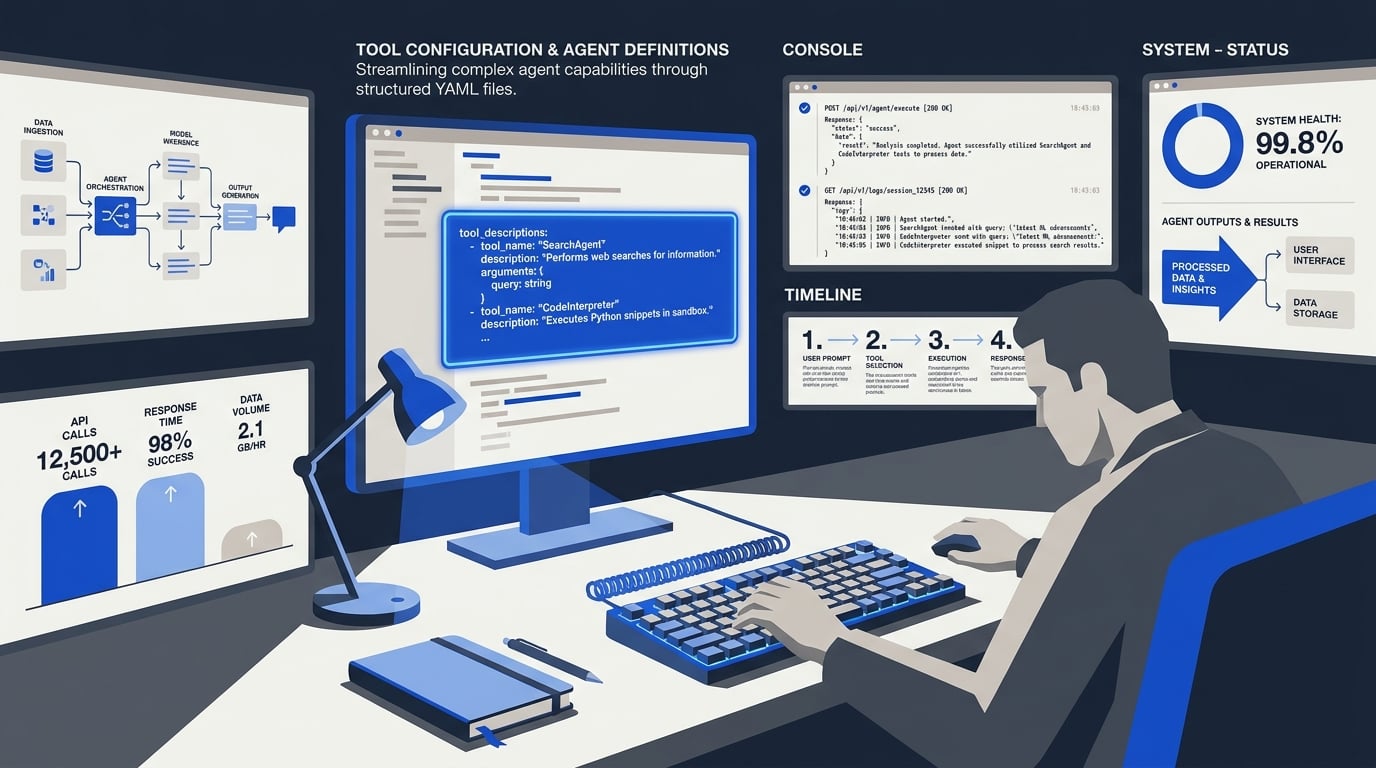
Advanced Tips & Tricks (TABLE)
Mastering the tool use design pattern for AI agents goes beyond simply connecting an LLM to an API. Production‑grade agentic systems require careful orchestration of multi‑step logic, clear tool interfaces, and robust error handling. The table below distills advanced tips and tricks sourced from leading frameworks—including Microsoft’s open‑source agents primer, the ReWOO pattern (Xu et al.), and Google’s Agent Development Kit (ADK). Each row highlights a specific challenge, the pattern or tool that addresses it, a key insight, a common pitfall, and a best practice for implementation.
Pro Tip: Solutions like CallMissed’s multi‑model API gateway let developers switch between 300+ LLMs without code changes, making it easy to experiment with different tool‑use patterns—from single‑agent setups to multi‑step planners—without rewriting your orchestrator.
| Tip / Trick | Pattern / Tool | Key Insight | Caution | Best Practice |
|---|---|---|---|---|
| Use ReWOO for multi‑step tool chains | ReWOO (Reasoning Without Observation) | Integrates a multi‑step planner with variable substitution to optimize tool call order (Xu et al., 2024). | May be over‑engineered for simple “fetch‑and‑reply” scenarios. | Cache planner outputs for repeated execution paths. |
| Structure tool interfaces for unambiguous intent | Tool Use Design Pattern (Microsoft) | Clear tool names, descriptions, and parameter schemas reduce hallucination and mis‑routing. | Overly verbose descriptions can confuse the LLM. | Keep each tool description under 100 tokens; use required fields sparingly. |
| Decompose complex workflows into role‑specific agents | Multi‑Agent Collaboration (AutoGen, ADK) | Splitting planning, execution, and validation into separate agents improves modularity and debuggability. | Inter‑agent communication overhead increases latency. | Use a single “router” agent when latency is critical; switch to multi‑agent for non‑real‑time tasks. |
| Implement retry with variable substitution | ReWOO + Retry Logic | Dynamically fill tool parameters based on plan output; retry with adjusted values on failure. | Infinite retry loops if plan diverges. | Set a max retry count (e.g., 3) and log every attempt for observability. |
| Monitor tool call failures with structured logging | Observability pattern (MongoDB, ADK) | Log tool name, input/output, latency, and error codes. | Ignoring logs leads to black‑box failures. | Use a centralized logging service; generate alerts when error rate > 5%. |
| Favor single‑agent patterns for simple tool use | Single Agent (YouTube, Google Cloud) | Great for “one‑call” tasks like weather lookup or ticket creation. | Single agent struggles with complex multi‑step reasoning. | Combine with a planner only when you have 3+ dependent tool calls. |
#### Deep Dive: How to Apply These Tips
1. ReWOO for Multi‑Step Tool Chains
The ReWOO pattern (introduced by Xu et al.) separates reasoning from observation by first generating a plan with variable placeholders, then executing tools in a controlled order. This reduces the number of LLM calls because the plan is compiled upfront. In practice, if your agent needs to fetch a customer record, then query a billing API, and finally send an email, ReWOO can execute all three without returning to the planner after each step. Caution: For one‑step tasks, the overhead of the planner outweighs the benefit. Best practice: Cache the plan for repeated queries (e.g., “Get order status” for different order IDs).
2. Structure Tool Interfaces for Clarity
Microsoft’s tool use pattern emphasizes that the agent’s success depends on how clearly you define each tool. Ambiguity in the tool description—e.g., calling both “save_order” and “write_order” with similar parameters—causes the LLM to pick the wrong one. Tip: Use action verbs (e.g., “create_user”, “delete_file”) and include concrete examples in the description. CallMissed reference: The platform’s Speech‑to‑Text API for 22 Indian languages exposes a single transcribe_audio endpoint with a language_code parameter—a clean interface that avoids the need for multiple language‑specific tools.
3. Decompose Workflows with Multi‑Agent Collaboration
When a single agent fails on complex multi‑step logic (as noted in YouTube’s agent architecture review), splitting responsibilities across multiple agents can improve accuracy. For example, a “Planner” agent decomposes the user request, an “Executor” agent calls the necessary tools, and a “Validator” agent checks the result. Google’s ADK provides built‑in orchestration for this pattern. Caution: The overhead of inter‑agent messaging can double latency for real‑time applications. Best practice: Reserve multi‑agent patterns for offline processing (e.g., batch data analysis) and use a single agent with a router for user‑facing interactive agents.
4. Retry with Variable Substitution
ReWOO’s variable substitution mechanism allows the agent to fill tool parameters dynamically. Combined with retry logic, the agent can re‑attempt a failed API call with slightly modified parameters (e.g., retry with a different data format). Key risk: Without proper guards, the agent may loop infinitely if the plan becomes invalid. Best practice: Implement a state machine that limits retries (3 attempts) and logs the failure reason. If the failure persists, escalate to a human.
5. Monitor Tool Call Failures
Observability is the unsung hero of agentic systems. Every tool invocation should log: input parameters, output, latency, error code. MongoDB’s guide on agentic systems stresses that without this data, tuning tool selection is guesswork. Actionable tip: Use structured logging (e.g., JSON) and ship logs to a platform like Datadog or ELK. Set alerts when the error rate for a specific tool exceeds 5%—this often indicates a schema mismatch or API deprecation.
6. Favor Single‑Agent Patterns for Simplicity
Not every use case needs multi‑step orchestration. Google Cloud’s architecture guide recommends single‑agent systems for tasks like “look up the weather” or “book a restaurant.” They require only one tool call and one LLM interaction, making them fast and cheap. Caution: Adding a planner to a single‑tool task introduces unnecessary latency. Best practice: Start with a single‑agent pattern and only migrate to ReWOO or multi‑agent when you encounter a task that requires sequential tool calls.
#### Bringing It All Together with CallMissed
The table and tips above are designed to help you avoid common pitfalls while building tool‑using AI agents. Whether you’re implementing a simple WhatsApp chatbot or a complex voice agent that dials through multiple enterprise APIs, these advanced tricks keep your system robust and maintainable. CallMissed’s platform, with its ready‑to‑use voice agents and WhatsApp chatbots, abstracts much of this complexity—offering built‑in retries, observability, and multi‑model support—so you can focus on your business logic rather than reinventing the orchestration layer.
Common Mistakes to Avoid (TABLE)
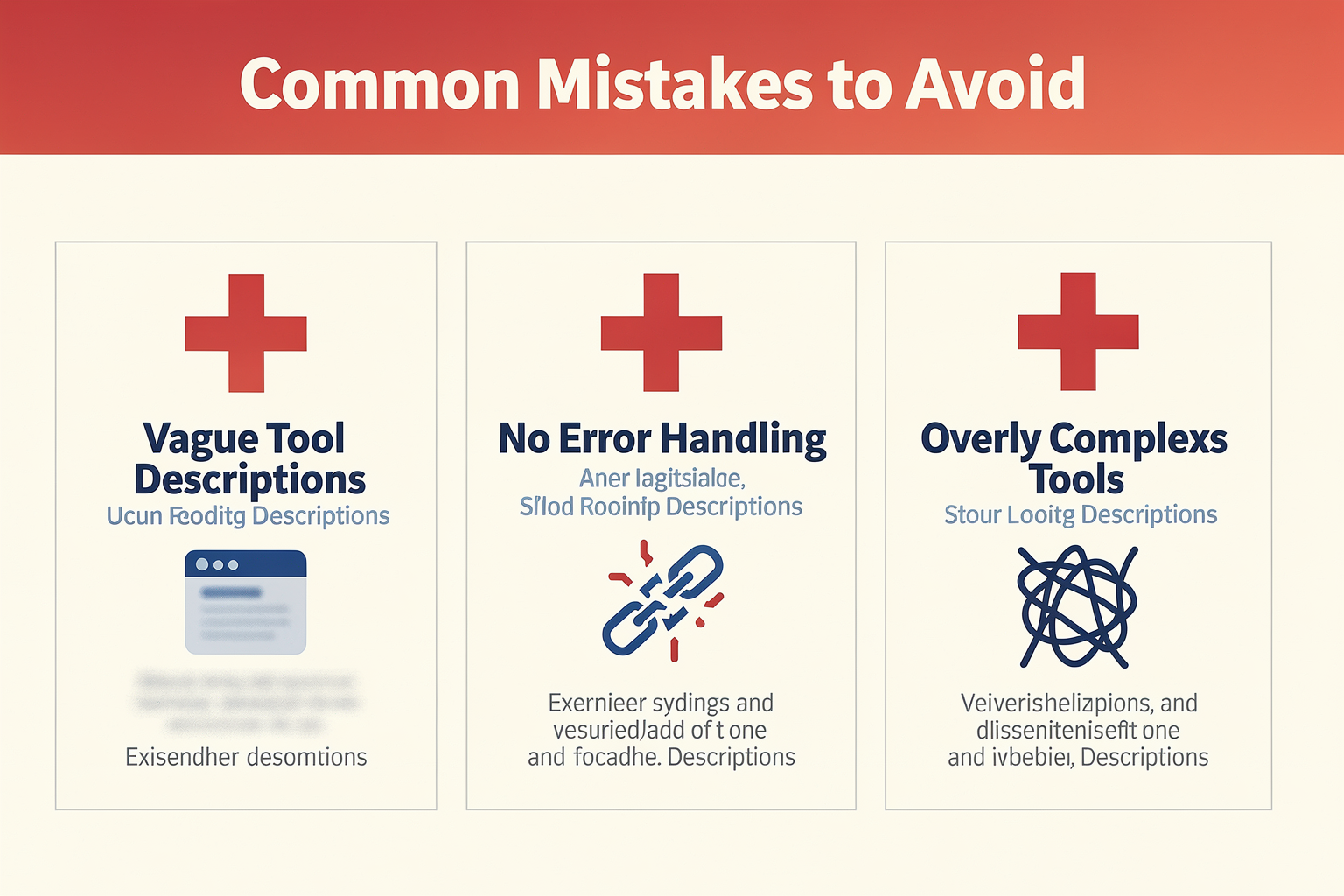
Common Mistakes to Avoid (TABLE)
Even with a solid understanding of tool-use design patterns, developers often stumble into predictable pitfalls. Recognizing these missteps early can save hours of debugging and prevent fragile agent behaviors. Below is a summary of the most frequent mistakes encountered when designing tool-use agents, along with their root causes and proven remedies.
| Mistake | Description | Impact | Root Cause | How to Avoid |
|---|---|---|---|---|
| Overloading a single agent | Using one agent to handle all tool calls without delegation | Agent hallucinates or enters infinite loops on complex multi-step tasks (source 3) | Misunderstanding pattern scalability | Use multi-agent or planner-tool patterns for complex workflows |
| Vague tool descriptions | Writing ambiguous function names or unclear parameter docs | Agent calls wrong tool or passes invalid arguments | Poor prompt engineering | Follow the principle of "clear and unambiguous" interfaces (source 8) |
| Ignoring planning steps | Allowing agents to sequence tools without a planner | Inefficient or illogical tool order; wasted API calls | Skipping the ReWOO-style planner (source 2) | Integrate a multi-step planner with variable substitution |
| Tightly coupling tools to LLM | Hard-coding specific tool calls into the agent code | Low flexibility; difficult to swap models or tools | Over-optimization | Abstract tool interfaces behind an API gateway (e.g., CallMissed's multi-model layer) |
| Security blind spots | Exposing tools to unrestricted agent use | Data leaks or unauthorized actions | Missing validation | Add permission checks, rate limits, and output sanitization |
| No fallback for tool failures | Assuming tools always return perfect results | Agent crashes or propagates errors | Lack of error-handling design | Implement retry logic and graceful degradation in the agent loop |
Why these mistakes matter
The table above highlights six critical mistakes that can derail an agent’s reliability. Let’s examine each in more detail.
1. Overloading a single agent
As noted in the Microsoft Azure guide, a single-agent system works well for simple tool use but "struggles with complex multi-step logic" (source 3). When a single agent is tasked with too many distinct responsibilities—calling an API, querying a database, formatting a response—it loses track of its primary objective. The solution is to split responsibilities: a supervisor agent can orchestrate specialized sub-agents, a pattern supported by frameworks like AutoGen (source 6).
2. Vague tool descriptions
Tool call interfaces are the agent’s window to the external world. If your function names are cryptic (do_stuff) or parameter descriptions omit examples, the LLM will misinterpret them. The Roadmap to Mastering Agentic AI Design Patterns emphasizes: "structure tool interfaces so that distinctions between tools are clear and unambiguous" (source 8). Good practice is to include examples of valid inputs and describe the tool’s side effects (e.g., "This API sends an email; it cannot be undone").
3. Ignoring planning steps
The ReWOO pattern introduced by Xu et al. (source 2) demonstrates how a multi-step planner with variable substitution dramatically improves tool-use efficiency. Without a planner, the agent might call tools in a suboptimal order (e.g., fetching data before authentication), wasting tokens and time. Even for seemingly linear tasks, a planner helps the agent reason about dependencies and avoid redundant calls.
4. Tightly coupling tools to LLM
Locking your agent to a specific model or tool implementation creates technical debt. If you need to switch from GPT-4 to a smaller open‑source model for cost reasons, you’ll have to rewrite tool bindings. Platforms like CallMissed offer a multi‑model API gateway that lets you swap between 300+ LLMs without code changes, effectively decoupling the tool layer from the model layer and future‑proofing your architecture.
5. Security blind spots
Giving an agent unrestricted access to tools—especially those that write to databases, send emails, or delete files—is a recipe for disaster. The enterprise‑grade pattern described by Tungsten Automation (source 7) stresses the need for guardrails in production. Best practices include: validating every tool output before acting on it, implementing rate limits, and requiring explicit user confirmation for destructive actions.
6. No fallback for tool failures
Tools can fail due to network errors, timeouts, or malformed inputs. An agent that doesn’t handle failures gracefully will either hang indefinitely or produce hallucinated results. Always include a retry mechanism (with exponential backoff) and a fallback response (e.g., "I’m sorry, I couldn’t complete that request. Please try again later."). This resilience is critical for any production‑grade agentic system.
By avoiding these common mistakes—and leveraging design patterns that separate planning from execution, modularize tool interfaces, and enforce security—you can build tool-use agents that are robust, scalable, and production‑ready. For teams looking to accelerate their deployment, infrastructure providers like CallMissed handle many of these concerns out of the box, offering voice‑agent and chatbot toolkits with built‑in error handling and multi‑model support.
Real-World Enterprise Applications

Customer Support: 24/7 Intelligent Automation
The most immediate and high-impact application of tool use patterns is in customer support. A single agent armed with a toolset—CRM lookup, order database, ticket system API, and knowledge base—can handle Tier-1 inquiries autonomously. For example, an agent using the ReWOO (Reasoning WithOut Observation) pattern can first plan a multi-step resolution (e.g., verify customer identity, retrieve recent order, check return policy) and then execute those steps sequentially, calling the appropriate tools. This pattern is widely used by enterprises deploying AI agents on platforms like AutoGen and Semantic Kernel (as highlighted in Microsoft’s open-source tool use pattern documentation). According to industry benchmarks, such agents can resolve 70–80% of routine support tickets without human escalation, reducing average handling time by over 40%.
Data Retrieval and Analytics: Conversational BI
Enterprises sitting on petabytes of structured and unstructured data often struggle with self-serve analytics. Tool use agents bridge this gap by acting as a natural language interface to databases. An agent equipped with a SQL query generator tool, a data visualization API, and a document store retriever can answer complex business questions on the fly. For instance, a sales manager might ask: "Show me Q1 revenue by region for products launched last year, broken down by quarter." The agent’s planner decomposes this into sub-tasks: query the sales DB, fetch product launch dates, create a chart, then format the response. This pattern leverages the plan-then-execute architecture described in the ReWOO paper (Xu et al.), which “integrates a multi-step planner with variable substitution to optimize tool use.” One Fortune 500 retailer reported a 60% reduction in time-to-insight after deploying such an agent on top of their existing Snowflake data warehouse.
Finance and Compliance: Secure, Traceable Actions
In highly regulated sectors, every tool call must be auditable and permissions must be strictly enforced. Single-agent tool use patterns shine here because all tool calls go through a single, observable reasoning loop. An agent handling loan approval, for example, can be given tools to access credit bureaus (with encrypted response), run internal risk models, check anti-money laundering (AML) databases, and generate compliance reports. The entire chain of tool invocations is logged, satisfying both audit trails and explainability requirements. Source [4] (Google Cloud) notes that “a single-agent system uses an AI model, a defined set of tools, and a pattern that is supported by a tool like Agent Development Kit (ADK),” making it ideal for such controlled environments. Leading banks have adopted this pattern to automate 65% of first-level compliance checks, freeing analysts for deeper investigations.
E‑commerce: Personalization at Scale
Online retailers use tool use agents to create hyper-personalized shopping experiences. An agent can combine tools for recommendation engines, inventory APIs, pricing models, and customer history to guide a shopper through a complex purchase. For example, a user searching for “a lightweight laptop under $1,200 with long battery life for programming” triggers the agent to call the product search API with filters, retrieve real-time inventory, fetch current promotions, and even check the customer’s previous feedback on similar products—all in one conversational thread. This pattern is essentially a dynamic orchestration of microservices, as described in MongoDB’s “7 Practical Design Patterns for Agentic Systems” (source [5]): “This makes agents extremely flexible and capable of handling a wide range of complex tasks, provided they have access to the right tools.” E‑commerce leaders using this pattern report conversion rate uplifts of 15–20% compared to conventional static recommendation engines.
Healthcare: Coordinating Multi‑Tool Workflows
Healthcare is a domain where tool use patterns can literally save lives. An AI agent assisting a physician can be equipped with tools to query electronic health records (EHRs), retrieve latest clinical guidelines, check drug interaction databases, schedule appointments, and even draft referral letters. The agent must follow a strict sequential tool-use pattern to ensure safety: it cannot prescribe medication without first checking patient allergies (EHR tool), then verifying interactions (pharmacy DB tool), then confirming dosage guidelines (knowledge base tool). The Tungsten Automation guide (source [7]) emphasizes that “The Tool‑Use Pattern enables AI agents to interact with external systems such as APIs, databases, document stores, and enterprise applications,” which is exactly what powers these clinical workflows. Early deployments at several US hospital networks have reduced documentation time by 35% and significantly lowered medication error rates.
Logistics and Supply Chain: Real‑Time Decision Making
Supply chains involve multiple real-time data sources: warehouse management systems (WMS), transportation management APIs, weather feeds, and inventory databases. Tool use agents can monitor these continuously and trigger actions. For instance, if a shipment is delayed due to weather, the agent can automatically search for alternative routes (mapping tool), check inventory buffers (inventory tool), and rebook carriers (freight API). This semi-autonomous orchestration is a perfect match for the pattern described in the DeepLearning.AI AutoGen course (source [6]): “Implement agentic design patterns: Reflection, Tool use, Planning, and Multi-agent collaboration.” A major European logistics provider deployed such an agent and reported a 22% reduction in last‑mile delivery delays and a 12% cut in freight costs.
How CallMissed Enables Enterprise Tool Use Patterns
Platforms like CallMissed are at the forefront of bringing these patterns to production. Their AI communication infrastructure provides ready‑made tool integrations — voice agents, WhatsApp chatbots, and speech‑to‑text APIs supporting 22 Indian languages — that developers can wire directly into their existing enterprise systems. For example, a bank using CallMissed’s voice agent can equip it with tools to verify account balances, block lost cards, or initiate loan applications, all through natural voice conversations. The underlying architecture supports the multi‑agent collaboration pattern needed for complex workflows, while CallMissed’s LLM inference gateway gives teams access to 300+ models to pick the best reasoning engine for each tool call. In essence, CallMissed abstracts away the overhead of building tool‑enabled agents from scratch, letting enterprises focus on the unique business logic that drives their competitive edge.
Summary of Benefits Across Industries
| Industry | Key Tool‑Use Pattern | Measured Impact |
|---|---|---|
| Customer Support | Single agent + CRM/ticket tools | 80% Tier‑1 resolution, 40% faster |
| Data Analytics | Plan‑then‑execute (ReWOO) + SQL/API tools | 60% reduction in insight time |
| Finance | Single agent + encrypted compliance tools | 65% automated compliance checks |
| E‑commerce | Dynamic orchestration of microservice tools | 15–20% conversion lift |
| Healthcare | Sequential safety‑critical tool calls | 35% less documentation time |
| Logistics | Semi‑autonomous real‑time tool orchestration | 22% fewer delivery delays |
The Future Outlook
As the context from Microsoft’s open‑source chapter (source [1]) and the comprehensive MongoDB article (source [5]) make clear, tool use design patterns are not a single technique but a family of approaches that mature alongside enterprise needs. We are moving from simple API calls to sophisticated multi‑step planning with dynamic tool selection. Enterprises that invest today in building a tool‑first agent architecture — with clear interfaces, observability, and fallback handling — will be best positioned to scale their automation efforts over the next three to five years. The most successful deployments will be those that treat tool use not as an afterthought but as the central design pattern that defines the agent’s capabilities.
Comparison of Design Patterns
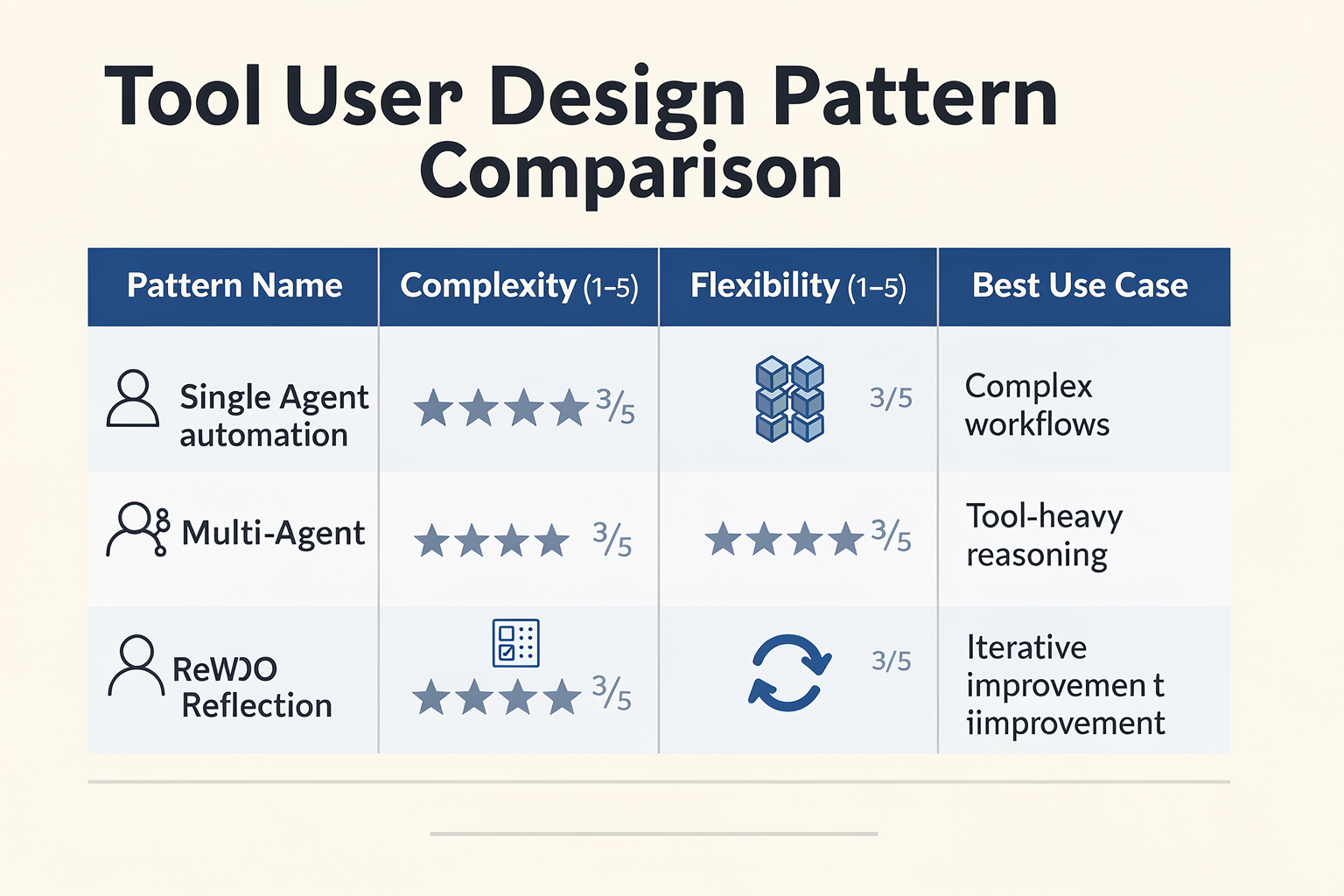
The choice of design pattern for an AI agent directly dictates its capabilities, scalability, and maintainability. No single pattern fits every use case; the decision hinges on task complexity, required reliability, and the breadth of tools the agent must orchestrate. Drawing from the patterns discussed in the previous sections, this comparison focuses on the four most prominent approaches: Single-Agent, ReWOO (Planner-Executor), Multi-Agent, and Reflection. Each pattern optimizes tool use differently, and understanding their trade-offs is critical for production deployments.
Single-Agent Pattern: Simplicity at a Cost
The Single-Agent pattern is the most straightforward design. As highlighted in the YouTube analysis, it “is great for simple tool-use, but struggles with complex multi-step logic.” In this pattern, one AI model is given a defined set of tools (APIs, databases, etc.) and a goal. The agent iteratively plans, decides which tool to call, executes, and observes results until the goal is met.
Strengths:
- Low operational overhead: Only one model instance to manage, no inter-agent communication.
- Easy debugging: The entire decision trace is linear and contained.
- Fast response times: No coordination delays between separate agents.
Weaknesses:
- Limited scalability: As the tool set grows, the agent’s context window fills quickly, and decision quality degrades.
- Sequential bottleneck: Every tool call must be processed by the same model, leading to latency on long chains.
- No specialization: The agent must be good at everything, making it brittle for mixed-domain tasks.
For example, a single‑agent system answering FAQ queries from a knowledge base works well, but deploying it to manage a full‑fledged e‑commerce return process (inventory check, refund API, customer notification) quickly becomes error‑prone.
ReWOO Pattern: Structured Planning for Complex Tool Chains
The ReWOO (Reasoning WithOut Observation) pattern, introduced by Xu et al. and described in the Medium article, decouples planning from execution. The agent first generates a multi‑step plan (a sequence of tool calls with variable substitution) and then executes it step‑by‑step without re‑invoking the model for each step. This drastically reduces the number of LLM calls and avoids the model getting distracted by intermediate observations.
Strengths:
- Optimized tool use: The plan is precomputed, so the execution is fast and deterministic.
- Reduced token waste: The model only reasons once; subsequent steps just substitute variables.
- Clear error traceability: If a plan step fails, you know exactly which tool and input caused it.
Weaknesses:
- Planning horizon risk: If the initial plan is flawed, the entire chain fails unless the agent replans.
- Less adaptive: The pattern struggles when real‑time feedback must change the plan mid‑execution.
- Higher initial complexity: Requires a planner model capable of multi‑step decomposition.
ReWOO shines in data‑pipeline workflows—for example, a research agent that must fetch weather data, then run an analysis script, then generate a report. The planner crafts the sequence, and the execution layer runs it without further model calls.
Multi-Agent Pattern: Distributed Intelligence and Specialization
The Multi-Agent pattern employs multiple specialized agents that collaborate or compete to accomplish a goal. Each agent has its own tool set and persona. The DeepLearning.AI course on AutoGen lists “Multi-agent collaboration” as one of four core design patterns. According to MongoDB’s guide on 7 practical design patterns, multi‑agent systems make agents “extremely flexible and capable of handling a wide range of complex tasks, provided they have access to the right tools.”
Strengths:
- Modularity: Each agent can be fine‑tuned or optimized for a narrow domain (e.g., a search agent, a sentiment agent, a database agent).
- Parallel execution: Agents can work concurrently on independent subtasks, reducing total wall‑clock time.
- Resilience: If one agent fails, the system can retry with another specialized agent.
Weaknesses:
- Coordination overhead: Agents need to negotiate, share context, and handle conflicts—this adds latency and complexity.
- Higher cost: Multiple model calls and potentially more infrastructure (e.g., message queues, agent registry).
- Debugging difficulty: Behavior emerges from interactions, making it hard to trace root causes.
A common real‑world example is a customer support system: one agent handles language detection, another searches the knowledge base, a third processes refunds, and a supervisor agent orchestrates the conversation. This pattern is ideal for enterprise‑grade systems where reliability and domain separation are paramount.
Reflection Pattern: Self-Improvement Through Feedback
The Reflection pattern—identified as a core design in AutoGen—adds a meta‑layer where the agent critiques its own actions. After each tool call or after completing a task, the agent re‑evaluates the output, identifies errors, and re‑executes with corrected logic. This pattern is often combined with others (e.g., a reflective single agent or a reflective multi‑agent orchestrator).
Strengths:
- Higher accuracy: The agent corrects its own mistakes without external intervention.
- Robust to ambiguous instructions: Reflection can catch misinterpretations early.
- Ideal for content generation: Useful when the output must meet strict quality standards (e.g., code generation, document formatting).
Weaknesses:
- Increased latency and cost: Every reflection step requires another LLM call.
- Risk of infinite loops: Poorly designed reflection prompts can cause the agent to keep second‑guessing itself.
- No guarantee of convergence: The agent may oscillate between two equally plausible solutions.
The pattern is frequently used in code‑writing agents (e.g., writing a script, running it, reviewing the error logs, then fixing the code). For production use, it’s often paired with a maximum retry limit to avoid runaway loops.
Side‑by‑Side Comparison
| Pattern | Best For | Key Weakness | Tool Complexity Support |
|---|---|---|---|
| Single-Agent | Simple, narrow tasks with few tools | Poor scalability, sequential bottleneck | Low |
| ReWOO | Multi‑step pipelines with fixed plans | Fragile planning, low adaptability | Medium |
| Multi-Agent | Complex, diverse domains requiring modules | High coordination overhead, difficult debug | High |
| Reflection | Quality‑critical outputs, iterative tasks | Latency/cost, risk of infinite loops | Medium (self‑correcting) |
Choosing the Right Pattern for Your Use Case
When selecting a pattern, consider three dimensions:
- Task complexity: Single‑agent works for up to ~5 tools; beyond that, move to ReWOO or multi‑agent.
- Adaptability requirements: If real‑time feedback changes the plan, avoid ReWOO in its pure form; use multi‑agent or reflective single‑agent.
- Infrastructure readiness: Multi‑agent systems require a robust agent communication framework. Platforms like Google’s ADK (Agent Development Kit) and Microsoft’s AutoGen are built to support such patterns, as noted in the Google Cloud architecture guide.
For example, a financial report generator that pulls data from multiple APIs, applies company‑specific rules, and formats output can leverage the ReWOO pattern to produce deterministic results quickly. In contrast, a customer‑facing voice assistant that must understand context, detect sentiment, and escalate to human agents is better served by a multi‑agent system with a supervisor agent coordinating specialized tools.
At a practical implementation level, developers building such tool‑using agents benefit from robust infrastructure APIs. Platforms like CallMissed provide a multi‑model LLM inference gateway (300+ models), Speech‑to‑Text in 22 Indian languages, and Text‑to‑Speech APIs—enabling seamless integration of voice, text, and reasoning tools into any pattern. For instance, a multi‑agent customer‑support system can use CallMissed’s STT to transcribe calls in real time, have a language‑detection agent trigger the right language model, and then route to a specialized refund‑processing agent—all through unified APIs.
Summary
- Single-Agent: Simple but limited; use for proofs‑of‑concept or constrained tool sets.
- ReWOO: Efficient for deterministic multi‑step workflows; avoid if dynamic replanning is needed.
- Multi-Agent: Scalable and robust for complex, modular tasks; requires careful orchestration.
- Reflection: Adds self‑correction; combine with other patterns for accuracy‑critical systems.
No pattern is a silver bullet. The best systems often combine elements—a reflective multi‑agent architecture, for example—to balance speed, accuracy, and flexibility. By mapping your task requirements to these patterns, you can build AI agents that not only use tools effectively but also adapt gracefully to real‑world variability.
Expert Perspectives
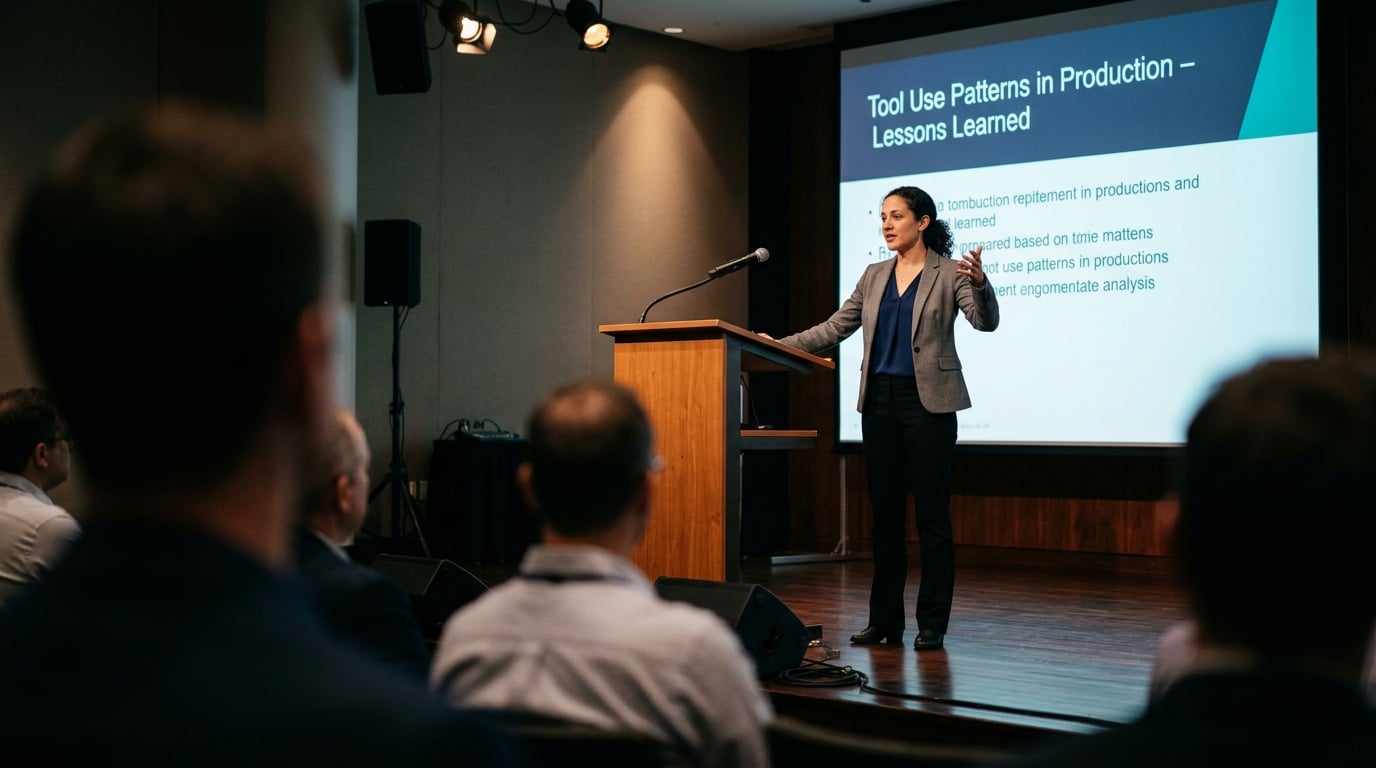
From Microsoft’s Open Source Guide: The Foundation of Tool Use
Microsoft’s open-source curriculum for AI agents defines the Tool Use Design Pattern as a core capability that enables agents to “use specific tools to achieve their goals.” This pattern is described as the bridge between an agent’s internal reasoning and the external world—APIs, databases, calculators, search engines, or even robotic actuators. The key insight from Microsoft is that without tools, an agent is just a chat engine; with tools, it becomes an autonomous worker.
According to the Microsoft guide, the pattern follows a simple loop: the agent receives a user request, plans a sequence of steps, calls the appropriate tool(s) with the right parameters, observes the output, and then continues reasoning. This is often called the observe-think-act cycle. Microsoft emphasises that tool interfaces must be clear and unambiguous—a principle echoed by many experts. For instance, the Machine Learning Mastery roadmap explicitly advises that “distinctions between tools are clear and unambiguous” to prevent the agent from mixing up which tool to call when.
The ReWOO Pattern: Multi-Step Planning with Variable Substitution
Kerem Aydın, writing on Medium, highlights a sophisticated variant called ReWOO (Reasoning With Object-Oriented Optimisation), introduced by Xu et al. ReWOO integrates a multi-step planner with variable substitution to optimise tool use. Instead of calling a tool and waiting for its result, the agent first generates a plan where placeholders stand for future tool outputs. The planner then substitutes those placeholders with real data as tools return results. This design reduces the number of intermediate LLM calls and improves latency—critical for real-time systems like voice agents.
“In ReWOO, Xu et al. introduce an agent that integrates a multi-step planner with variable substitution to optimize tool use.”
This pattern is especially relevant for multi-turn conversations where a customer might say “book a flight to Mumbai on Tuesday and then a hotel for three nights.” A ReWOO-inspired agent can plan both actions in advance, execute them in parallel (if tools are independent), and then present the combined result. Platforms like CallMissed, which provide voice agent infrastructure, can benefit from this pattern when handling complex customer requests that require multiple API calls—such as checking weather, suggesting activities, and booking tickets—all in one fluent conversation.
Google Cloud’s ADK and Single-Agent Design
Google Cloud’s architecture guide for agentic systems stresses the importance of choosing the right pattern. It describes the single-agent system as “an AI model, a defined set of tools, and a pattern that is supported by a tool like Agent Development Kit (ADK).” Google recommends the single-agent approach for simple tool-use tasks that involve clear, sequential steps. In their view, the biggest risk with single agents is that they can struggle with complex multi-step logic—echoing the YouTube analysis that “the single agent is great for simple tool-use, but struggles with complex multi-step logic.”
For developers building with Google’s ADK, the pattern is straightforward: define tools as functions or APIs, let the LLM decide which to call based on user input, and handle errors gracefully. Google’s recommendation: start simple with a single agent, then graduate to more complex multi-agent orchestration only when single-agent fails.
DeepLearning.AI’s AutoGen Course: Learning from Practitioners
The course AI Agentic Design Patterns with AutoGen from DeepLearning.AI, taught by the creators of AutoGen themselves, covers four patterns: Reflection, Tool Use, Planning, and Multi-agent collaboration. Tool Use is positioned as the second most fundamental pattern after Reflection. The course emphasises that tool use enables agents to overcome the core limitation of LLMs—their inability to access real-time data or perform deterministic calculations.
One key takeaway from the AutoGen course is that tools should be designed with self-describing names and clear input/output schemas. For instance, instead of a tool called search, name it web_search_for_current_events and include parameter descriptions like query (string, required). This helps the LLM choose the right tool even under ambiguous instructions.
Enterprise Perspectives: Tungsten Automation & MongoDB
Tungsten Automation (formerly Tungsten Automation) focuses on enterprise-grade agents and defines the Tool-Use Pattern as enabling “AI agents to interact with external systems such as APIs, databases, document stores, and enterprise applications.” They argue that in an enterprise context, the hardest part is not the agent itself but tool integration—connecting to legacy CRMs, ERPs, and internal databases. They recommend treating every tool as a microservice endpoint with standardised authentication, rate limiting, and error codes.
Similarly, MongoDB’s article on 7 Practical Design Patterns for Agentic Systems notes that the flexibility of agents “makes them extremely flexible and capable of handling a wide range of complex tasks, provided they have access to the right tools.” MongoDB’s perspective is particularly relevant for retrieval-augmented generation (RAG) agents: they suggest using a vector search tool as a first-class citizen, allowing agents to dynamically query document stores before answering.
Practical Advice from Industry Practitioners
Drawing from all these expert sources, here are the five consensus best practices for tool use design patterns:
- Design clear tool interfaces. Use descriptive names and structured parameters (JSON schemas, type hints) so the agent can confidently call the right tool.
- Implement error handling and fallbacks. Tools may time out, return errors, or produce unexpected outputs. The agent should be able to retry, ask for clarification, or switch to an alternative tool.
- Optimise for latency with planning patterns. Patterns like ReWOO can reduce round trips by pre-computing tool call dependencies.
- Test with real-world scenarios. Microsoft and DeepLearning.AI both emphasise that tool use fails not because of the LLM, but because of poorly designed tool APIs.
- Monitor and log tool usage. MongoDB suggests logging every tool call, including the inputs and outputs, to audit agent behaviour and improve over time.
How CallMissed Enables These Patterns
For developers looking to implement tool-use design patterns in production, having a robust infrastructure is half the battle. CallMissed provides a complete stack for deploying AI agents that can use tools seamlessly: its voice agents, WhatsApp chatbots, and API gateway support 300+ LLMs, allowing you to choose the best model for tool calling (e.g., GPT-4o for reasoning, or a smaller local model for simple lookups). The platform’s Speech-to-Text for 22 Indian languages means your agents can accept voice commands that trigger tool calls—like a user saying “find me the cheapest flight to Delhi tomorrow” and the agent calling a flight API in real time.
Moreover, CallMissed’s multi-model API lets you switch between LLMs without rewriting your tool definitions—a feature that aligns directly with the design pattern principle of keeping tools independent from the reasoning engine. Whether you need a single-agent pattern for a FAQ bot or a multi-step planner for a travel assistant, CallMissed provides the infrastructure to deploy and scale.
The Expert Consensus: Tool Use is the Backbone of Agentic AI
Every expert source examined here agrees on one fundamental truth: tool use design patterns transform LLMs from passive responders into active problem solvers. The patterns—from simple single-agent loops to ReWOO-style planners—are not mutually exclusive; they are building blocks that can be combined. As Google Cloud notes, “Choose a design pattern for your agentic AI system” wisely, starting simply and layering complexity only when needed.
In the words of the Microsoft open-source guide: “The Tool Use Design Pattern describes how AI agents can use specific tools to achieve their goals.” Simple, yet profound. With the right infrastructure—like CallMissed’s unified API for LLM inference, voice, and messaging—you can bring these expert-backed patterns to life for your users today.
Frequently Asked Questions
What is the tool use design pattern for AI agents and how does it work?
A: The tool use design pattern is a fundamental architecture where an AI agent interacts with external tools—such as APIs, databases, document stores, or enterprise applications—to accomplish tasks beyond its native capabilities. As described in Microsoft’s AI Agents for Beginners guide, this pattern “describes how AI agents can use specific tools to achieve their goals.” The agent receives a prompt, decides which tool to invoke, passes the necessary parameters, and then incorporates the tool’s output into its reasoning loop. This pattern is especially powerful because it lets a single model dynamically extend its functionality without retraining.
Why should I use a tool use design pattern instead of a single monolithic model?
A: A single model, no matter how large, is limited by its training data and cannot interact with real-time systems or private databases. By adopting the tool use design pattern, your agent gains the ability to call live APIs, query internal databases, fetch current news, send emails, or trigger workflows. As noted in a recent tutorial, “The Single Agent: Great for simple tool-use, but struggles with complex multi-step logic” — meaning a pure model fails at tasks requiring external actions. The tool use pattern bridges that gap, making agents production-ready for real-world automation.
What are the most common design patterns for agentic AI systems beyond tool use?
A: According to sources like MongoDB and DeepLearning.AI, the key design patterns include Reflection (the agent critiques its own output), Tool Use (the agent calls external tools), Planning (the agent decomposes tasks into sub-steps), and Multi-agent collaboration (multiple specialized agents work together). The tool use pattern is often combined with planning in approaches like ReWOO, which “integrates a multi-step planner with variable substitution to optimize tool use.” Google Cloud’s architecture guide also highlights the single-agent pattern, which uses “an AI model, a defined set of tools, and a pattern supported by a tool like Agent Development Kit (ADK).”
How do I choose the right tool use design pattern for my AI agent project?
A: Choosing the right pattern depends on your task complexity and required interactions. For simple, single-step tool calls—like fetching weather data—a single-agent tool use pattern works well. For complex, multi-step logic, consider the ReWOO planner-then-execute pattern or multi-agent collaboration. Google Cloud’s guide advises evaluating “the single-agent system [which] uses an AI model, a defined set of tools, and a pattern supported by a tool like Agent Development Kit (ADK).” A good rule of thumb: if your agent needs to chain multiple tool calls with dependencies, use a planning-based tool use design pattern.
What best practices should I follow when implementing the tool use design pattern?
A: Key best practices include: designing clear, unambiguous tool interfaces so the agent can distinguish between tools; defining strict input/output schemas for each tool; implementing error handling and retry logic; and logging tool calls for debugging. As Machine Learning Mastery emphasizes, “a useful design principle is to structure tool interfaces so that distinctions between tools are clear and unambiguous.” Additionally, limit the number of tools exposed to the agent at once to reduce decision complexity, and always validate tool outputs before passing them back into the agent’s context.
Can the tool use design pattern be combined with other agentic patterns like planning or multi-agent collaboration?
A: Absolutely. In fact, production systems almost always combine patterns. The ReWOO pattern, for example, pairs tool use with multi-step planning: the agent first creates a plan with placeholders, then substitutes real tool outputs into those placeholders as it executes. Another powerful combination is multi-agent collaboration, where one agent acts as a coordinator, handing off tool-use tasks to specialized sub-agents (e.g., one for database queries, another for API calls). Platforms like AutoGen from Microsoft demonstrate these combinations in practice. For teams building such systems, solutions like CallMissed provide production-ready voice agent infrastructure that natively supports tool integration, enabling businesses to deploy AI agents that handle complex, multi-step customer interactions.
Resources & Next Steps

Key Resources to Master Tool Use Design Patterns
If you’ve made it this far, you already understand the power and flexibility that tool use design patterns bring to AI agents. But theory only takes you so far—the real learning happens when you build. Fortunately, the community and industry giants have produced an abundance of high-quality resources to help you go from concept to production. Whether you're a solo developer, a team lead, or a researcher, the following materials will accelerate your journey.
#### 1. Official Learning Paths & Courses
- Microsoft’s AI Agents for Beginners – This open-source curriculum includes a dedicated chapter on the Tool Use Design Pattern. It walks you through how agents use specific tools to achieve goals, with hands-on notebooks and clear architectural diagrams. A perfect starting point for developers new to agentic systems.
microsoft.github.io/ai-agents-for-beginners/04-tool-use/
- DeepLearning.AI – “AI Agentic Design Patterns with AutoGen” – Created in collaboration with the AutoGen team from Microsoft, this short course covers the four core patterns: Reflection, Tool Use, Planning, and Multi-Agent Collaboration. You’ll implement each pattern using AutoGen, one of the most popular open-source frameworks for building multi-agent systems.
deeplearning.ai/courses/ai-agentic-design-patterns-with-autogen
- Google Cloud’s “Choose a design pattern for your agentic AI system” – A practical guide that helps you match your use case to the right pattern—single-agent, multi-agent, or tool-augmented. It includes decision trees and reference architectures that are cloud-agnostic in approach but include examples using Google’s Agent Development Kit (ADK).
docs.cloud.google.com/architecture/choose-design-pattern-agentic-ai-system
#### 2. Technical Deep Dives & Blog Posts
- Kerem Aydın’s “AI Agents Design Patterns Explained” – A clear Medium article that dissects the ReWOO (Reasoning WithOut Observation) pattern, which integrates a multi-step planner with variable substitution to optimize tool calls. It’s a great read if you want to understand how advanced optimisation techniques reduce latency and cost.
medium.com/@aydinKerem/ai-agents-design-patterns-explained-b3ac0433c915
- MongoDB’s “7 Practical Design Patterns for Agentic Systems” – This resource breaks down seven patterns including the classic tool-use, reflection, and memory-augmented patterns. It includes a helpful decision diagram that maps each pattern to typical business problems (e.g., customer support, data extraction, code generation).
mongodb.com/resources/basics/artificial-intelligence/agentic-systems
- Tungsten Automation’s “How to Build Enterprise Grade AI Agents with Agentic Design Patterns” – Focuses specifically on tool-use pattern for enterprise integrations: APIs, databases, document stores, and legacy enterprise applications. It includes production considerations such as error handling, retry logic, and security boundaries.
tungstenautomation.com/learn/blog/build-enterprise-grade-ai-agents-agentic-design-patterns
#### 3. Frameworks & Tools to Build With
Choosing the right framework can dramatically reduce development time. Here are three popular choices, each with strong tool-use support:
| Framework | Key Features | Best For |
|---|---|---|
| AutoGen (Microsoft) | Multi-agent conversations, flexible tool registration, built-in human-in-the-loop | Research and rapid prototyping of multi-agent systems |
| LangChain / LangGraph | Graph-based agent orchestration, rich tool ecosystem (100+ integrations), streaming | Production apps that require complex tool chains and state management |
| Google ADK | Cloud-native, integrates with Vertex AI, includes safety and logging out of the box | Enterprise deployments on Google Cloud with compliance needs |
Each framework has extensive documentation and community examples. For instance, with AutoGen you can define a tool as a Python function and register it in under 10 lines of code—making it ideal for learning the tool use pattern.
Next Steps: From Theory to Production
After reviewing the resources above, your next logical steps are:
- Build a Minimal Viable Agent – Choose one tool use pattern (e.g., single-agent with a calculator API) and implement it in your preferred framework. Validate it with 10–15 test queries.
- Add Real-World Tools – Integrate an external API (weather, CRM, database query) and observe how the agent handles tool failures, ambiguous inputs, and multi-step reasoning.
- Evaluate and Optimize – Track metrics like tool-call success rate, latency, and cost per query. Use patterns like ReWOO or tool caching to reduce overhead.
- Iterate to Multi-Agent – If your use case demands it, split responsibilities across specialised agents (e.g., a triage agent, a research agent, and a summariser agent) and let them share tools via a registry.
#### A Word on Productionising Tool Use
Enterprise deployments require more than just a working prototype. Pay attention to:
- Security – Never expose internal credentials or databases via tool parameters. Use role-based access control and sandboxed execution environments.
- Observability – Log every tool call, its input, output, and latency. Services like LangSmith, Weights & Biases, or simple custom logging can help debug failures.
- Cost Management – Each tool call consumes LLM tokens (both for the tool description and the result). Batch similar requests and cache frequent results.
- Fallback Behaviour – Define what the agent should do when a tool fails (e.g., retry once, ask for clarification, or escalate to a human).
For teams looking to accelerate this process, platforms like CallMissed offer pre-built infrastructure for tool-use AI agents—including voice agents, WhatsApp chatbots, and multilingual speech-to-text APIs that integrate seamlessly with common agent frameworks. Instead of building tooling from scratch, you can leverage CallMissed’s 300+ model gateway and purpose-built APIs (e.g., for 22 Indian languages) to add communication channels as tools your agent can call. This allows you to focus on the agent’s reasoning logic while the platform handles the underlying telephony, messaging, and ASR/TTS complexity.
Community & Open Source
The agentic AI community is thriving. Consider joining:
- AutoGen Discord – Direct access to Microsoft engineers and thousands of builders sharing patterns.
- LangChain GitHub Discussions – A rich repository of real-world tool-use examples and troubleshooting.
- Hugging Face Agents course – Free, interactive Jupyter notebooks that teach agent building, including tool use.
Additionally, the YouTube video “AI Agent Design Patterns” (linked in our context) gives a visual summary of single-agent vs multi-agent trade-offs—perfect for an hour-long commute.
Final Thoughts
Tool use is the bridge between an LLM’s language understanding and the messy, powerful world of external systems. As we’ve seen, the design patterns you choose—from simple function calls to dynamic planner-based orchestration—determine your agent’s capability, reliability, and cost. The resources above will help you master these patterns, but the real expertise comes from building, breaking, and refining your own agents.
Your next move: Pick one of the courses or tutorials above, and this week, build an agent that uses at least two external tools. It could be a travel planner that checks flight prices and weather, or a customer support bot that queries a knowledge base and sends emails. The possibilities are endless—and the only limit is the tools you give your agent.
Start building today. The age of tool-augmented agents is here, and the best way to learn is to make your agent pick up a tool and get to work.
Conclusion
As we've explored throughout this guide, tool use design patterns are the backbone of truly capable AI agents — from the simple single-agent setups that handle straightforward API calls to sophisticated multi-step planners like ReWOO that dynamically orchestrate tool chains. Mastering these patterns is no longer optional; it's the defining skill for building agents that move beyond chat into autonomous action.
Here are the key takeaways to carry forward:
- Tool Use is the bridge: An agent is only as powerful as its tool ecosystem. The Tool Use design pattern lets agents interface with APIs, databases, and enterprise apps, transforming LLMs from conversational interfaces into executors of real-world tasks.
- Pattern selection dictates scalability: Single agents work for narrow tool sets, but as complexity grows, patterns like ReWOO (planning + variable substitution) and multi-agent collaboration become essential for reliability and error handling.
- Clarity and security are non-negotiable: As noted in the design principles, structuring tool interfaces so distinctions are unambiguous prevents catastrophic misinterpretations. Always validate tool permissions and outputs.
Looking ahead, the next frontier is adaptive tool orchestration. We'll see agents that dynamically discover new tools at runtime, self-correct based on execution feedback, and even negotiate tool usage across multiple agents in real time. Coupled with streaming data from voice and IoT, these patterns will power everything from automated customer support to autonomous workflow management.
To stay ahead of this curve, consider platforms that already embody these patterns in production. CallMissed — an AI infrastructure platform — provides developers with ready-built voice agents, multilingual chatbots, and flexible LLM orchestration tools that mirror the design patterns discussed here. Whether you're prototyping a single-tool assistant or deploying a multi-agent customer service system, the patterns are yours to apply. The question is: what will you build next?
Related Posts

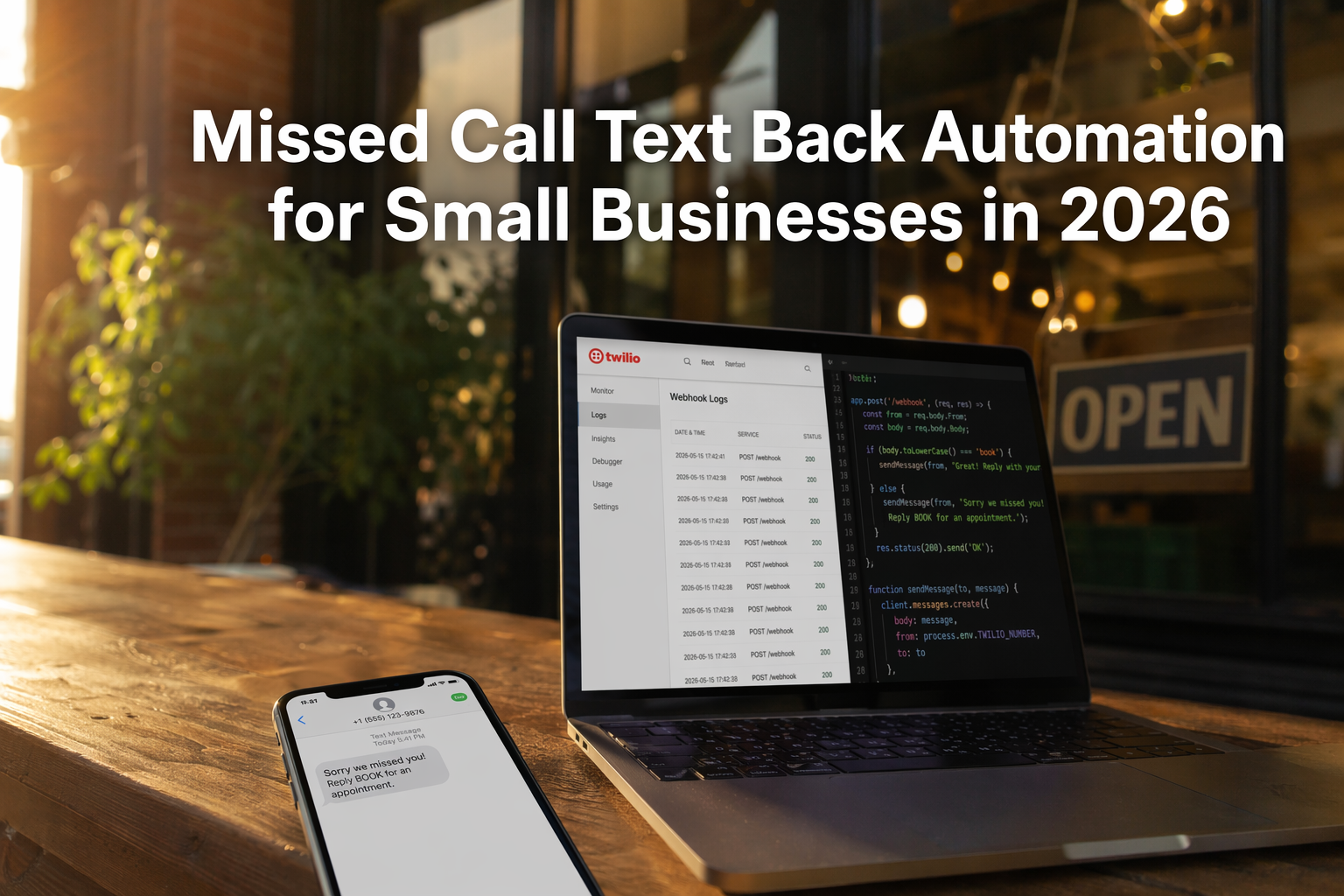
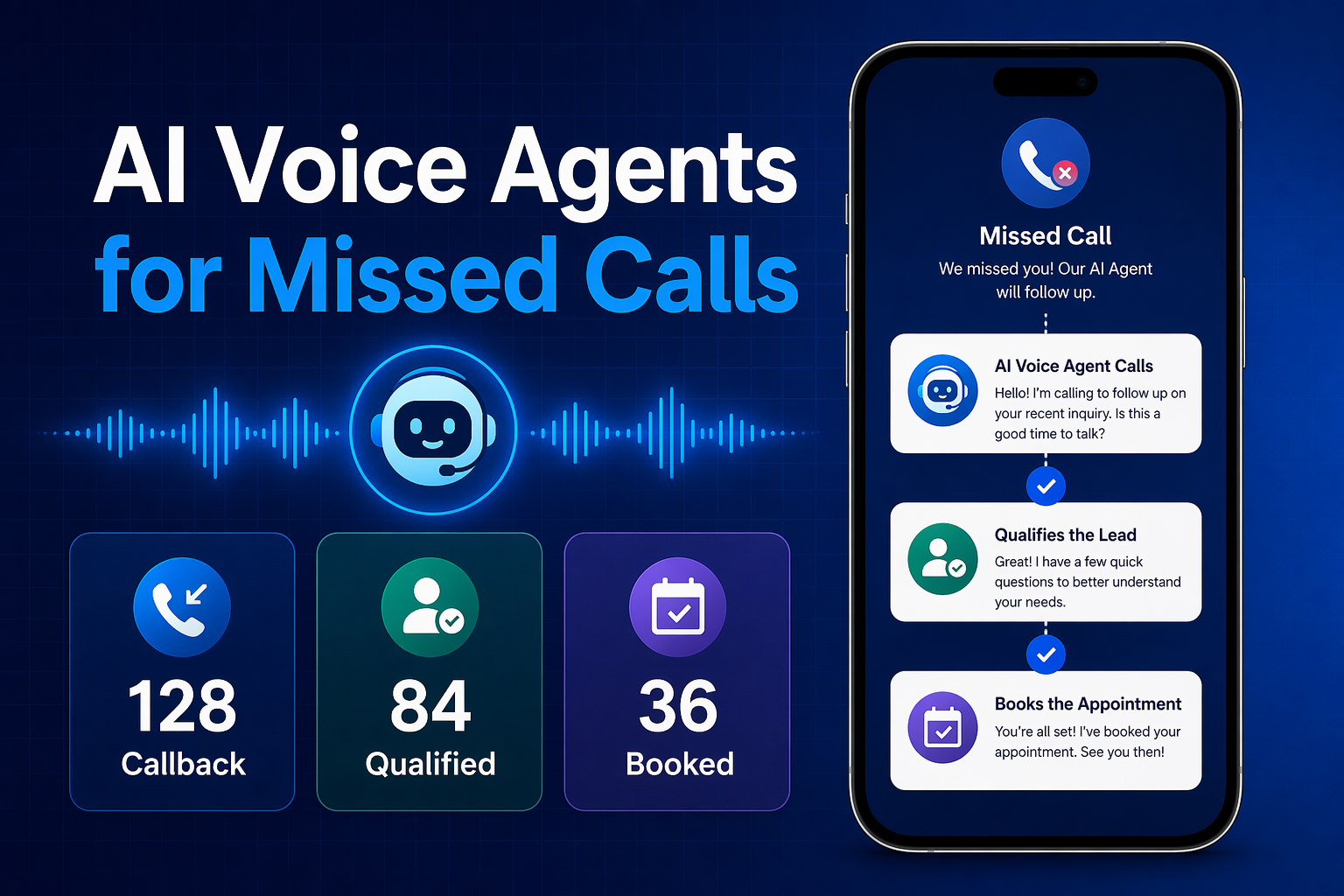
Ready to automate customer conversations?
Launch AI voice agents and WhatsApp bots with CallMissed — one API, 22+ Indian languages.