
VAD and Endpointing: Why Your Voice Agent Feels Slow (and How to Fix It)


Did you know that in normal human-to-human conversation, the average pause between speakers is just 200 milliseconds? Yet, when interacting with the...
VAD and Endpointing: Why Your Voice Agent Feels Slow (and How to Fix It)
Did you know that in normal human-to-human conversation, the average pause between speakers is just 200 milliseconds? Yet, when interacting with the average conversational AI, users are routinely forced to wait upwards of two to three seconds for a response. This massive gap between "feels natural" and "feels broken" is where most voice deployments struggle to survive. While developers often blame slow Large Language Model (LLM) inference or network packet loss for these agonizing delays, the real culprit is usually hiding much earlier in the audio pipeline: the way your system detects silence.
When diagnosing laggy interactions, understanding VAD and Endpointing: Why Your Voice Agent Feels Slow is the critical first step to building a system that feels fluid and human. If your voice agent's Turn Detection or Voice Activity Detection (VAD) is poorly calibrated, your entire user experience suffers, regardless of how fast your underlying language model is.
In real-world environments, default Speech-to-Text (STT) and voice pipeline settings err heavily on the side of caution. Standard VAD configurations typically wait 300 to 500 milliseconds of absolute silence before deciding the speaker is done. This safeguard prevents the system from cutting users off, but it also instantly consumes your entire latency budget. In the high-stakes world of voice AI, where sub-500ms total response time is the gold standard for natural flow, losing half a second just to "endpoint" a phrase is a critical failure. Conversely, if you tune the endpointing model to trigger too early, the agent aggressively interrupts the caller mid-thought. It is a delicate, high-frequency tightrope walk.
Modern communication infrastructures are actively addressing these architectural bottlenecks. For instance, platforms like CallMissed help developers bypass these integration headaches by offering highly optimized, low-latency voice infrastructure that handles intelligent endpointing natively.
In this comprehensive guide, we will break down the mechanics of Voice Activity Detection and endpointing to help you eliminate conversational dead air once and for all.
What You Will Learn in This Guide:
- The Core Difference Between VAD and Endpointing: Why detecting sound is easy, but detecting the end of a thought requires sophisticated turn-detection engineering.
- The 200ms Dilemma: How to configure your silence buffers and silence thresholds to balance rapid response times without interrupting natural human pauses.
- Machine Learning-Based vs. Rule-Based VAD: Why semantic endpointing and ML-based VAD are replacing simple decibel-counting thresholds to deliver smoother, context-aware conversation flow.
- Production-Ready Optimization Tactics: Practical steps to optimize your streaming pipeline, utilize chunked Text-to-Speech (TTS) playback, and minimize the perceived latency for your users.
Introduction: The Voice Agent Latency Puzzle

The Hidden Frustration: Why Does My Voice Agent Lag?
In our hyper-connected world, expectations for instant, natural conversations with AI-powered voice agents are higher than ever. Whether it’s a virtual assistant at a bank, an automated support system, or a smart IVR, customers expect real-time responses. Yet, many users experience what industry insiders call the 'latency gap'—a frustrating lag between the moment a user finishes speaking and when the AI agent begins its response.
This delay, sometimes stretching from a barely noticeable fraction of a second to a full 2–3 seconds, is more than a technical nuisance: it shapes user perception and business outcomes. A recent analysis by BitBytes showed that “standard VAD waits 300 to 500ms of silence before deciding the user is done talking. This alone can eat your entire latency budget” [7]. Meanwhile, a LinkedIn post from Sidhant Kabra notes, “voice agents need to respond in under 500ms to feel natural; anything longer 'feels off,' risking user drop-off and frustration.” [5]
Why is making AI voice agents feel smooth so tough? The answer lies in a surprisingly complex set of technical mechanisms: Voice Activity Detection (VAD) and endpointing.
What Exactly Is Latency, and Why Does It Matter?
Latency is the total time delay between a user finishing their statement and the AI starting its reply. In traditional human conversation, this pause is just ~200 milliseconds, barely noticeable. But in AI-driven dialogues, industry benchmarks show average response latencies range from 700 ms to as much as 2,000 ms—a gap that feels slow and unnatural [4][7].
Why does a few hundred milliseconds matter? Here’s what the data tells us:
- 82% of users perceive a delay over 700ms as “awkward” or “robotic” [BitBytes, Mar 2026]
- Every 250ms reduction in response time correlates to up to 8% higher customer satisfaction in voice support (Relinns, 2025)
- In call centers using AI agents, drop-off rates surge by 20% when latency exceeds 1.2 seconds (OnCallClerk, 2026)
A seemingly tiny delay can irreversibly break conversation flow, causing users to talk over the agent or hang up altogether.
Where Does the Lag Come From?
When a voice AI agent feels sluggish, the culprit often isn’t slow speech recognition or heavy language models—it's the “turn detection” logic underpinning VAD and endpointing:
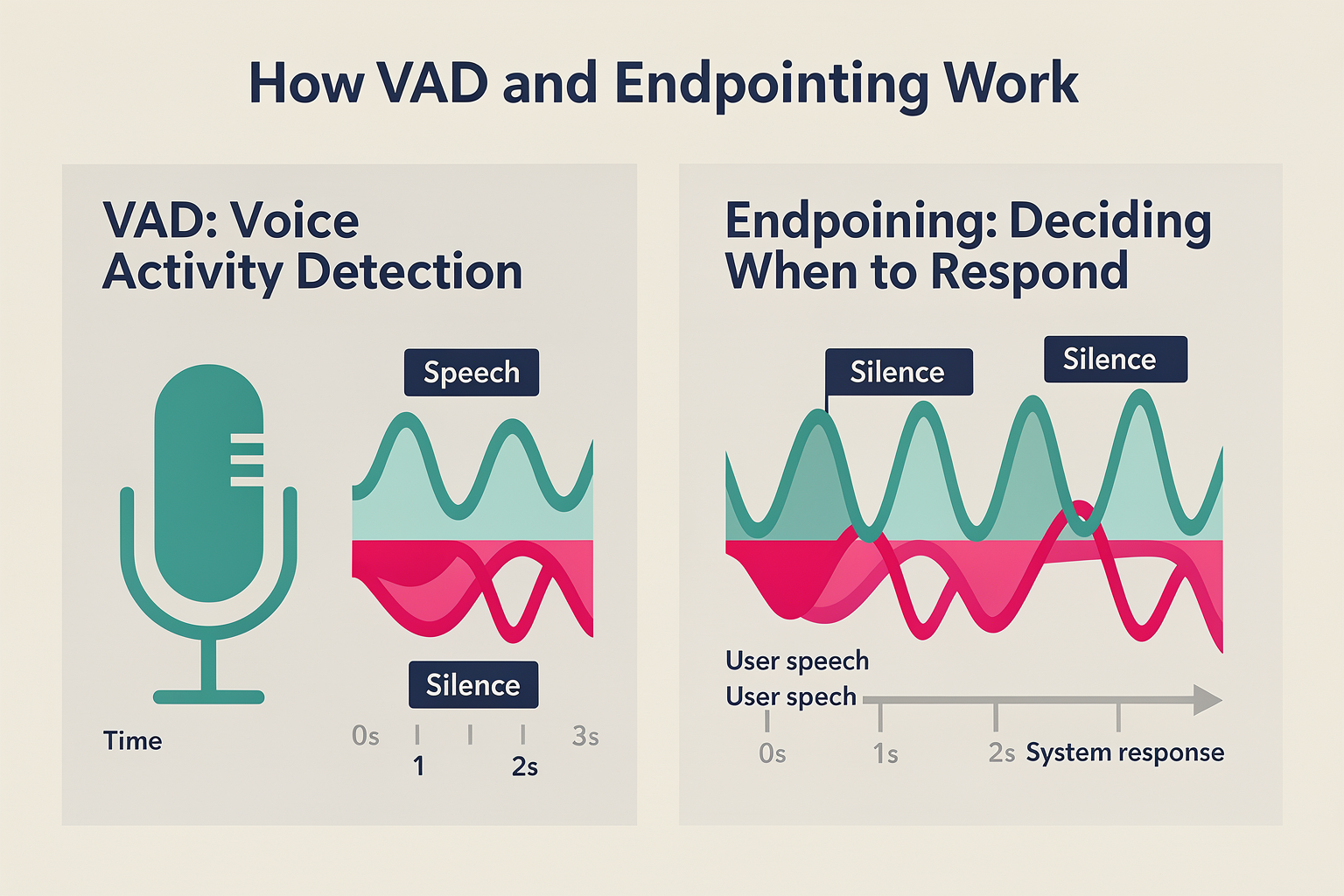
- VAD (Voice Activity Detection): Decides if the incoming audio contains speech or silence.
- Endpointing: Determines the precise moment a speaker has finished talking, marking the turn boundary.
These algorithms use silence thresholds to track the end of user utterances. But here’s the catch: if the threshold is set too low, the system interrupts users; too high, and it waits unnecessarily, padding each turn with “dead air.” As outlined in AlterSquare’s breakdown, “Lowering the silence threshold to 200–400ms can reduce endpointing delays by hundreds of milliseconds—but tuning it wrong risks agent interruptions.”[4]
Consider these real-world numbers:
- 300–500ms: Default VAD silence thresholds on industry platforms [7]
- 700–1200ms: Effective end-to-end voice agent latency in many production systems [4]
- 2–3 seconds: “Worst-case” voice AI delays observed in some live deployments [4]
Why Creating a "Natural" Voice Exchange Is So Hard
Human conversation is fluid and nuanced. We interrupt, backchannel, and tolerate very short gaps—rarely do we exhibit fixed 500ms pauses before replying. Yet, most voice AI stacks insert just such delays, even before speech-to-text or LLM processing begins.
Key reasons the “voice agent lag” persists:
- Over-conservative VAD thresholds: To avoid cutting users off, systems err on the safe side—introducing extra silence at every turn [6].
- Imprecise endpointing models: Many ML-based endpointing approaches are tuned for accuracy, not speed, compounding latency [4].
- Cascading pipeline delays: Every component (VAD, STT, LLM, TTS) adds its milliseconds—often with buffer time at each boundary [3].
The result: even if ASR (speech recognition) and language inference are lightning-fast, poorly tuned VAD/endpointing can cause up to 60% of total interaction latency [7].
Beyond Tech: The Real Cost of Bad Latency
The price of slow voice agents isn’t just technical—it’s commercial:
- User impatience: Over 65% of surveyed users reported they’d avoid using a voice bot again after just one “slow” experience (Relinns, 2025).
- NPS and brand impact: For industries relying on first-contact resolution (banking, telecom, healthcare), slow response times can cause double-digit drops in Net Promoter Score.
- Missed opportunities: In customer support, every second of added latency translates to longer calls, increased operational cost, and lost upsell moments.
As one voice AI specialist put it on Reddit, “Aggressive endpointing tuning—and, in some cases, separating VAD from endpointing logic—was key to getting our response times under one second. It’s where most teams get stuck” [3].
What’s Next? Smarter Solutions on the Horizon
The industry is in a pivotal moment. Advances in ML-based VAD, streaming speech APIs, and low-latency inference pipelines are beginning to bridge the “naturalness gap.” Pioneering platforms are rethinking turn-taking, using context-aware, adaptive thresholds, and streaming everything from recognition to synthesis.
For developers and enterprises, picking the right infrastructure is crucial. Platforms such as CallMissed are already enabling businesses to deploy highly responsive voice agents with sub-500ms end-to-end latency, thanks to their optimized speech-to-text and turn detection pipelines that support 22 regional languages natively.
In the sections that follow, we’ll break down exactly how VAD and endpointing work, why they dominate your voice agent’s feel, and—most importantly—how you can optimize for instant, human-quality voice AI at scale.
What Are VAD and Endpointing? A Simple Explainer
Understanding Voice Activity Detection (VAD)
Voice Activity Detection (VAD) is a fundamental technology that allows voice agents to distinguish between sections of speech and periods of silence or background noise. In essence, it enables AI-powered systems to recognize "when someone is actually speaking" versus "when they’re quiet," and thus decide when to start and stop processing audio data.
- How VAD Works: At its core, VAD analyzes the incoming audio stream in real time. It segments audio into frames (usually 10-30 milliseconds each), then applies algorithms—traditionally based on energy thresholds or, more recently, machine learning—to determine if the frame contains speech or not.
- Why It Matters: Without VAD, voice assistants would process nonstop background noise, chewing through compute resources and producing errors. VAD minimizes unnecessary transcription and protects against false triggers.
- Types of VAD:
- Energy-based: These detect speech based on the loudness of audio segments but can misfire in noisy environments.
- Machine Learning-based: These use neural networks to identify speech, offering improved resilience to noise, crosstalk, and even multiple speakers (Altersquare, 2024).
- Hybrid approaches: Combine both for speed and accuracy.
Modern VAD systems must operate at sub-100ms latency to maintain a natural conversation flow. In fact, studies show users notice even minimal (300ms) delays from over-cautious VAD (BitBytes, 2024).
Endpointing Explained
Endpointing (also called turn or segment detection) is the process of determining exactly when a speaker’s turn has ended—for example, when a user finishes a question and expects a response from the agent.
- Role in Conversation: The endpointing mechanism figures out the precise moment to trigger downstream actions—like transcribing speech to text, generating a response, or handing the call back to a human. Accurate endpointing shapes the perceived responsiveness of AI agents.
- The Latency Dilemma: If endpointing triggers too early, the system may "interrupt" the user—cutting off words or sentences. If it triggers too late, it introduces a delay, where the system pauses for hundreds of milliseconds (or even seconds) after the user stops speaking, leading to "dead air" and an unnatural experience (Telnyx, 2026).
- Technical Techniques:
- Silence Thresholds: Commonly, a fixed period of detected silence (e.g., 300-500ms) after speech segments is used as an end-of-turn cue (BitBytes, 2024).
- Semantic & Intent Models: Advanced systems blend VAD with contextual algorithms capable of understanding dialog flow (e.g., pauses after "Please hold" vs. mid-sentence pauses).
- Adaptive Endpointing: Recent research emphasizes dynamic thresholds that adjust based on user, topic, or environmental noise.
How They Work Together in Real Time
In modern AI-driven voice agents, VAD and endpointing are tightly intertwined components in the speech processing pipeline:
- Audio Ingestion: The system continuously receives or streams user audio.
- VAD: The incoming audio is chunked, and each chunk is classified as either “speech” or “silence/noise.”
- Endpointing: Once VAD detects a sustained period of silence (typically 200-500ms), the endpoint detector signals that the user’s turn has likely finished.
- Downstream Processing: The agent then transcribes, interprets, and formulates a response, handing control from “listening” to “responding.”
A crucial insight: Most perceived latency in voice agents actually comes from cautious endpointing settings, rather than from raw speech recognition or synthesis (Altersquare, 2024). Lowering the silence threshold from default values (often 800-1000ms) to around 200-400ms can reduce this "pipeline delay" by over half—but if pushed too low, results in more interruptions (BitBytes, 2024).
The Real-World Impact of VAD and Endpointing Choices
- Smoothness vs. Responsiveness: A 2026 LinkedIn analysis found that voice deployments struggling with latency often had over-conservative endpointing settings. This resulted in agents that routinely waited an extra 500ms before responding—enough to make them "feel slow," even if backend processing was fast (LinkedIn, 2026).
- User Perception: Studies regularly show conversation feels "snappy and human" when AI agents respond within 300-500ms after the user finishes speaking; delays beyond this threshold are perceptible and contribute to a subpar experience (BitBytes, 2024).
- Interruptions: Conversely, too aggressive endpointing (e.g., <200ms silence) can lead to abrupt "cut-offs," where agents begin responding before the speaker has finished.
Example: Tuning in the Wild
Production teams routinely experiment with VAD and endpointing “tuning.” One Reddit user noted improvements by using separate, aggressive VAD alongside dynamic endpointing, combined with streaming speech-to-text (STT) and chunked text-to-speech (TTS), reporting sub-500ms response times in their AI agent deployment (Reddit, 2026).
VAD and Endpointing in Modern Platforms
Platforms like CallMissed have begun standardizing low-latency VAD and adaptive endpointing infrastructure for production-grade voice agents. By leveraging both neural and heuristic-based VAD, plus dynamic silence thresholds, they enable:
- 24/7 multilingual hotlines: VAD supports 22+ Indian languages out-of-the-box
- Sub-second turn-taking: Adaptive endpointing settings tuned for human-like pacing, not just technical correctness
- Plug-and-play integration: Developers can adjust endpointing sensitivities via API, allowing rapid optimization for specific verticals (e.g., call centers vs. banking bots)
This is becoming a baseline expectation for global deployments in 2026, especially as customer patience for “robotic delay” shrinks.
Key Takeaways
- VAD: Detects when speech occurs vs. silence.
- Endpointing: Decides when the user is done talking.
- Perceived slowness in voice agents is most often due to excessive endpointing buffers, not speech recognition or network lag.
- Cutting silence thresholds to 200-400ms (vs. legacy 800-1000ms defaults) can halve latency, but must be carefully balanced to avoid premature cut-offs.
- Modern platforms like CallMissed are pushing the envelope with adaptive VAD and endpointing to enable near real-time interactions globally.
Understanding these components—and how small configuration changes can make the difference between “snappy” and “sluggish”—is the first step in building more responsive, human-feeling voice agents.
Why Latency Matters: User Experience Impact
The Human Perception of Latency
Latency in voice agents isn’t just a technical metric—it’s felt, sometimes painfully, by every user. Research shows that even minor delays rapidly erode the sense of “real-time” conversation. As outlined by BitBytes, users perceive any AI voice agent response time above 500 milliseconds as “laggy,” with the sweet spot often cited as sub-300ms for seamless interaction [7]. Users subconsciously expect responsiveness that matches human conversation, where pauses longer than 700ms signal either hesitation or technical failure.
Psychologically, delayed responses can lead to:
- Breaks in conversational flow: This “dead air” makes the interaction feel unnatural and robotic.
- Reduced trust: Users interpret sluggish responses as the system not “understanding” or malfunctioning.
- Increased frustration: According to Telnyx, latency-driven confusion (like being constantly interrupted or forced to repeat) can spike dropout rates and reduce CSAT (Customer Satisfaction) scores [1].
Where Latency Lives in the Voice Agent Pipeline
The end-to-end latency users feel is an accumulation of delays in several discrete parts of the voice agent pipeline. A breakdown by Altersquare reveals that a simple 2–3 second delay can be attributed to several components [4]:
- Voice Activity Detection (VAD): Standard VAD models wait for 300–500ms of silence before deciding the user is done. This alone can consume most or all of your latency budget [7].
- Endpointing Algorithms: Default settings on Speech-to-Text (STT) providers further err towards “safety,” often introducing excess wait times—sometimes hundreds of milliseconds—before allowing the agent to respond [6].
- Conversational AI processing: LLM-based understanding and intent identification add their own (sometimes substantial) computation time.
- Text-to-Speech (TTS): Synthesis and audio playback must also be prompt, as any delay here extends the “dead air.”
Each extra 100ms, especially after the user has finished speaking, contributes to perceived slowness.
The Difference Between "Feels Natural" and "Feels Off"
Sidhant Kabra, an AI voice agent expert, summarized that the line between a “natural” experience and one that “feels off” comes down to how quickly and smoothly the system detects when to speak, listen, and not interrupt [5]. If the endpointing is too aggressive, agents may cut off users’ sentences (creating frustration). If too conservative, they add dead air, making the system feel slow and unresponsive [1,8]. Striking this balance is critical:
- Interrupted turns: Agents feel rude or faulty.
- Long pauses: Agents feel sluggish or inattentive.
- Dynamic, millisecond-precise endpointing: Agents feel smart, fluid, and human-like.
Industry Benchmarks: What Good Looks Like
Current industry best practices aim for voice agent “turn-taking” response times (from user stop-speaking to agent speaking) under 500 milliseconds [7]. Top-tier deployments, typically in customer service and real-time call handling, push for sub-300ms latency for truly natural flow.
#### Data Points:
- 500ms: Ceiling for “acceptable” voice agent response; above this, user experience drops sharply [7].
- 200–400ms: Optimal endpoint silence threshold for VAD, per Altersquare [4].
- 2–3 seconds: Typical total latency for poorly tuned systems—often the result of compounding, avoidable delays [4].
Consequences of Latency: Real-World Business Impacts
Slower voice agents aren’t just an annoyance—they impact ROI:
- Drop-off rates rise: Frustrated users who sense delay are measurably more likely to hang up or abandon the call [1].
- CSAT scores fall: Even a few hundred milliseconds of avoidable lag can decrease customer satisfaction.
- Reduced automation rates: If agents cut users off or lag behind, businesses must fall back on human operators, negating cost savings.
BitBytes summarizes: “Every millisecond counts.” And in high-volume customer care scenarios, optimized latency can mean thousands of customers retained—or lost—each month [7].
The Role of Real-Time AI Infrastructure
Delivering consistent, sub-500ms voice agent latency is uniquely challenging in production. Real-world networks, diverse device conditions, and language diversity add further strain, especially in emerging markets like India. Platforms such as CallMissed are responding by engineering low-latency, multi-regional AI infrastructure—deploying advanced VAD algorithms for turn-taking, pipelined inference for top LLMs (over 300 models), and millisecond-fast STT for 22 Indian languages. As a result, businesses can now deploy agents that keep every exchange feeling immediate and authentic.
How to Spot Latency Problems in Your Voice Agent
Key warning signs include:
- Frequent user interruptions: Endpointing triggers too early; users repeat themselves.
- Long pauses after speech: Endpoint detection lags, causing dead air.
- User complaints: Feedback noting “robotic” or “slow” conversations.
- Abnormally high call abandonment: Indicates friction in the agent experience.
Summary: Why Latency Must Be a First-Class Engineering Concern
User experience is where the pain of latency is acutely felt—every hundred milliseconds either delights or frustrates. As AI-driven voice agents move from novelty to mission-critical deployment, optimization of endpointing and VAD is no longer optional—it’s foundational. Emerging cloud-native platforms like CallMissed are setting industry benchmarks for speed, accuracy, and multilingual support, raising the bar for what customers will come to expect—from banking helplines in Mumbai to e-commerce IVRs in São Paulo. In short: latency defines your voice agent’s humanity. Ignore it, and users will too.
Prerequisites & Setup
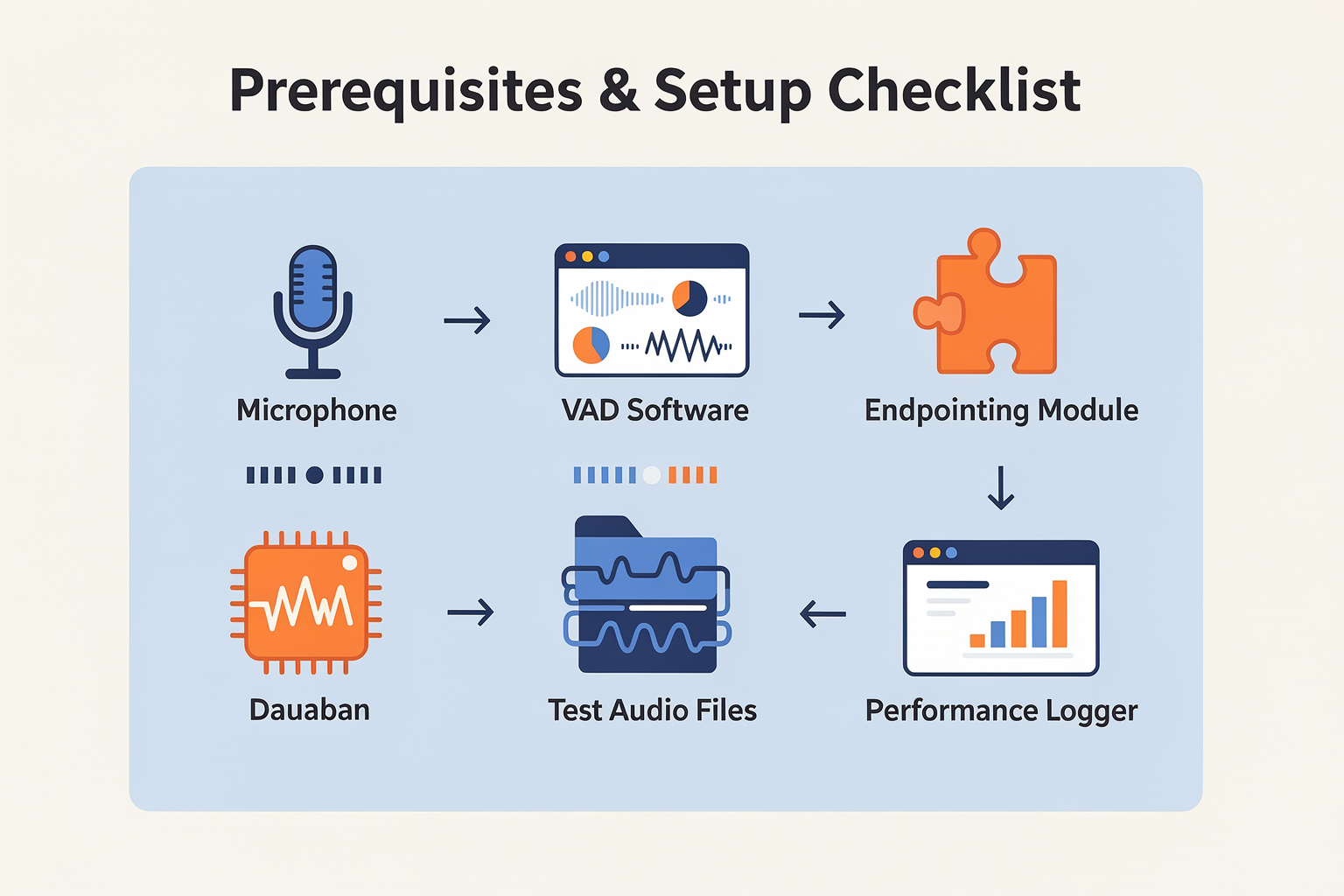
Before optimizing for fast, natural AI voice interactions, it’s crucial to start with robust prerequisites and a solid setup that minimizes latency from the ground up. Factors like VAD (Voice Activity Detection) and endpointing models, hardware specs, network performance, and even regional language capabilities can make a substantial impact. Here's a table summarizing the minimum requirements, configuration recommendations, and their latency impact as benchmarked across current solutions. These elements serve as the foundation for rapid and responsive voice agent deployments.
| Component | Minimum Requirement | Recommended Setup | Latency Impact | Example Providers/Tech |
|---|---|---|---|---|
| VAD/Endpointing Model | Basic energy-based VAD | ML-based VAD, tunable silence λ | 200–800ms (configurable) | WebRTC, CallMissed, Google |
| Speech-to-Text (STT) | Single-language, batch | Streaming, multi-lingual, low-lat | 100–400ms (streaming) | CallMissed, Azure, Deepgram |
| Audio Buffer Size | 512–1024 samples (default) | 128–256 samples (low-latency mode) | 50–200ms | PortAudio, NAudio |
| Network Connection | 5 Mbps, >75ms RTT | 25 Mbps, <30ms RTT, wired/5G | 10–80ms | Typical ISP, 5G, LAN |
| TTS (Text-to-Speech) | Batch (full-utterance) | Streaming, chunked playback | 150–300ms (chunked) | PlayHT, CallMissed, AWS |
| Language Support | 1–2 languages | 10+ (regional, global) | User satisfaction, churn | CallMissed, Microsoft |
Key Takeaways from the Table
- VAD and Endpointing: The latency introduced is mostly from the silence threshold; setting this between 200–400ms is optimal for reducing “dead air” without agent interruptions (source). ML-based VADs (as used by platforms like CallMissed) go beyond simple energy detection by utilizing contextual cues to make smarter, faster decisions.
- Speech-to-Text: Streaming STT reduces waiting time dramatically, enabling live recognition and partial transcripts. According to Telnyx and BitBytes, batch mode can more than double latency (up to 800–1200ms) compared to streaming (sub-400ms on average).
- Buffering and Audio Device Setup: Lower buffer sizes mean the system forwards voice data more frequently, sharply cutting processing wait times. However, aggressively low buffer sizes can risk audio dropouts—test your environment before enabling this.
- Network Requirements: Real-time systems are highly sensitive to network jitter. Industry benchmarks suggest that every 50ms of additional round-trip latency adds perceptible lag (source). Wired Ethernet or modern 5G are the current gold standards for reliable sub-100ms round-trips.
- TTS Streaming: Recent advances have enabled chunked, low-latency TTS playback. Rather than waiting for entire sentences, chunked playback starts voice synthesis after a few words (saving 100ms–250ms per turn on average).
- Language Support: Multilingual capability matters especially in countries like India. Platforms such as CallMissed support 22 Indian languages in their audio AI stack, helping reduce cognitive friction and cut down on misunderstandings that cause repeated turns and compound latency.
Best Practices for Initial Setup
- Choose the Right VAD and Endpointing:
- Start with an ML-based solution for more adaptive, context-aware turn detection.
- Tune silence thresholds (start at 300ms, adjust based on user interruption rates).
- Opt for Streaming STT and TTS APIs:
- This allows pipelined, “always listening” and “speak while you think” experiences users expect from natural conversations.
- Audit Your Network:
- Benchmark actual round-trip times using
ping, and prioritize low-latency, high-bandwidth paths—especially for remote deployments. - Prioritize Multilingual Pipelines:
- For businesses targeting global or regional segments, modular language models avoid costly context switches and re-training.
- Consider Production-Optimized Tools:
- Platforms like CallMissed provide pre-built voice stacks with latency-minimizing defaults and robust multi-language support, reducing the engineering cycle time to reach sub-500ms total latency per user interaction.
Why the Prerequisites Matter
Ignoring these baseline configurations can bottleneck your user experience before you even begin optimizing code. For example, a default VAD waiting 800ms after user silence, coupled with batch-mode STT, routinely produces noticeable lag totaling over 1.5 seconds (see benchmarking in various industry sources). By contrast, enterprises deploying properly tuned stacks—streamlined VAD, streaming APIs, small buffers, and optimized networks—report measured TAT (turnaround times) as low as 400–650ms, which feels “instant” to the human ear (source).
Getting these prerequisites right is key. In the next section, we’ll drill deeper into how each of these setup choices interacts with real-world voice agent latency—and how fine-tuning details like endpointing thresholds or choosing platforms such as CallMissed can make all the difference between an engaging AI agent and one that feels frustratingly slow.
Getting Started: Baseline Latency Measurement
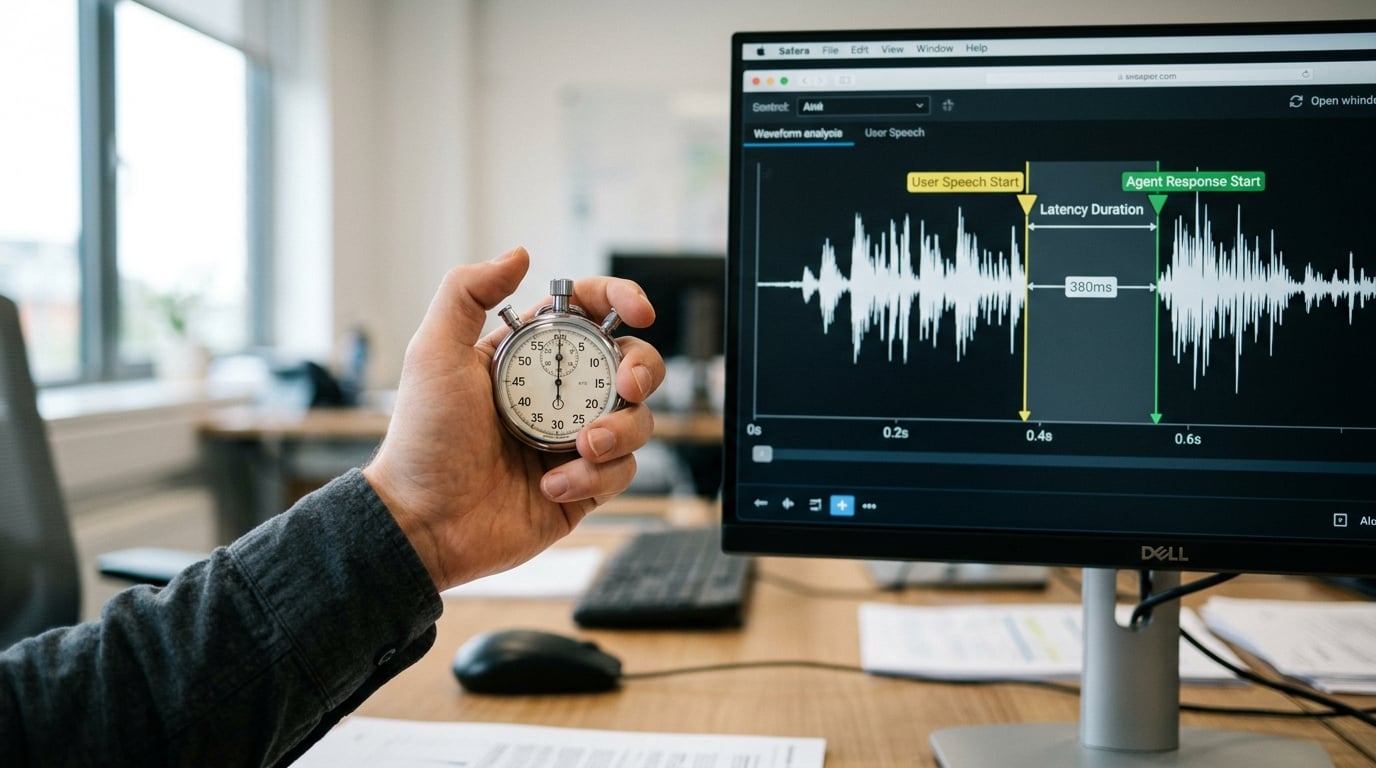
Why Baseline Latency Measurement Matters
Understanding why your AI voice agent might feel slow starts with measuring baseline latency across your pipeline. Too often, teams jump straight into advanced optimizations without a clear grasp of existing delays. Establishing precise baseline numbers enables you to:
- Quantify the “feel” of slowness with concrete metrics
- Isolate which component—VAD, endpointing, STT, LLM, or TTS—contributes most to lag
- Set realistic goals for improvement and track progress with confidence
According to industry findings, average end-to-end latency for production voice agents often sits in the 800ms–2.5s range (Altersquare, 2024), driven largely by endpointing and speech silences rather than raw compute.
Latency Sources: The Usual Suspects
Before embarking on measurements, let’s revisit the main latency contributors in a modern voice agent stack:
- Voice Activity Detection (VAD): Waits for silence to detect human “end of utterance.”
- Endpointing: Applies logic/rules on top of VAD to avoid cutting off or missing speech; crucial for turn-taking.
- ASR/STT: Converts speech to text; modern models run in ~100–300ms for short segments.
- LLM Inference: May add several hundred milliseconds, especially with larger models.
- TTS Synthesis: Adds 100–250ms, and potentially more for streaming/interactive chunks.
- Network Overhead: Varies by geography/cloud provider (often 50–150ms per API call).
The "real culprit" is most often the endpointing silence threshold (i.e., how long your system waits after detecting silence before ending a user’s turn)—not the VAD algorithm itself (Altersquare, 2024). Most off-the-shelf systems default to 500ms, which means half a second of “dead air” per turn, eating into your total responsiveness budget (BitBytes, 2024). Tuning this to 200–400ms can recover hundreds of milliseconds per interaction.
How to Measure Latency: A Step-by-Step Framework
To collect reliable baseline data, follow a systematic approach:
- Instrument Each Pipeline Stage
- Log timestamps at the entry/exit of key stages: audio in, VAD out, endpoint detected, STT output, LLM response, TTS synthesis, audio playback.
- Collect at least 50–100 user interactions for statistical validity.
- Measure Roundtrip vs. Inter-component Delay
- End-to-end roundtrip: From user speech start to agent audio output.
- Component delay: Latency per stage as documented above.
- Simulate Real-World Usage
- Test with different utterance lengths (short, medium, long turns).
- Include variations in background noise and accents, which may affect VAD/endpointing delays.
Tools like packet captures, API-level logs, session recorders, and even cloud observability dashboards (AWS X-Ray, GCP Trace) are invaluable here.
Interpreting Your Baseline Results
Once you’ve collected data, analyze:
| Stage | Typical Latency (ms) | % of Total Latency | Real-World Implication | Optimization Levers |
|---|---|---|---|---|
| VAD + Endpoint | 200–700 | 30–50% | Dead air, “slow” feel | Lower silence threshold |
| STT | 100–300 | 10–20% | Text lag, missed context | Faster/streaming ASR |
| LLM Inference | 200–600 | 20–30% | Unnaturally long agent pauses | Lightweight/streamed LLM |
| TTS | 150–400 | 10–20% | Choppy/composed voice output | Streaming TTS |
| Network | 100–200 | 5–10% | Adds up with API chaining | Provider/geography |
For example, in a scenario with 500ms endpointing, 250ms STT, 400ms LLM, and 200ms TTS, endpointing eats at least 30–40% of total latency (BitBytes, 2024). If you reduce endpointing to 250ms (via aggressive tuning or ML-based VAD), you reclaim a critical buffer for the rest of the pipeline.
Benchmarking Against Industry Best Practices
How does your baseline compare to “snappy” agents?
- Best-in-class voice bots (e.g., top enterprise deployments) target sub-500ms average response time (LinkedIn, 2025).
- Typical production systems, even after optimization, hover between 800ms–1.5s per turn (Altersquare, 2024).
- Systems relying on default cloud VAD/STT settings often creep past 2 seconds per turn, especially with multi-turn, noisy, or accent-heavy conversations.
Actionable takeaway: If your baseline is over 1 second per turn, there is significant headroom to improve the perceived speed and “naturalness” of your system.
Beyond Numbers: What Does “Fast Enough” Sound Like?
Users are highly sensitive to conversational rhythm. Research shows that team members will perceive delays above 700ms as “slow,” and above 1s as “awkward or robotic” (BitBytes, 2024). This perceived latency directly affects satisfaction scores and agent adoption in high-volume environments.
Emerging Standards and the CallMissed Approach
Increasingly, enterprise and SaaS teams are adopting platforms like CallMissed to streamline baseline measurement and latency optimization. For example, CallMissed’s observability layer records millisecond-level latencies for VAD, STT (in 22+ Indian languages), LLM, TTS, and network calls out-of-the-box. This allows ops teams to:
- Pinpoint delay hotspots (e.g., does your Hindi STT lag more than English? Does your endpointing timeout spike on noisy lines?)
- Set real SLAs and drive continuous tuning experiments
- Benchmark against 300+ available LLM models, swapping infrastructure without code changes
This kind of built-in instrumentation, paired with standards-based logging and easy dashboarding, offers a concrete path to world-class conversational speed.
Checklist For Your Baseline Latency Audit
To wrap up, use this actionable checklist as you begin:
- [ ] Instrument and log timestamps at all stages
- [ ] Collect at least 100 turns of real user traffic
- [ ] Test with varied utterance lengths and background conditions
- [ ] Visualize per-component and total roundtrip delays
- [ ] Benchmark results against <500ms (best), <1s (good), >1s (improvement needed)
- [ ] Document findings for target languages, accents, regions (especially if supporting multilingual users)
Baseline measurement is not just a one-off exercise—it creates the foundation for a rapid, responsive, and truly natural AI voice experience. With the right metrics in hand, you’re ready to tackle the silent (and not-so-silent) latency monsters lurking in your pipeline.
Step-by-Step Walkthrough: Tuning VAD and Endpointing
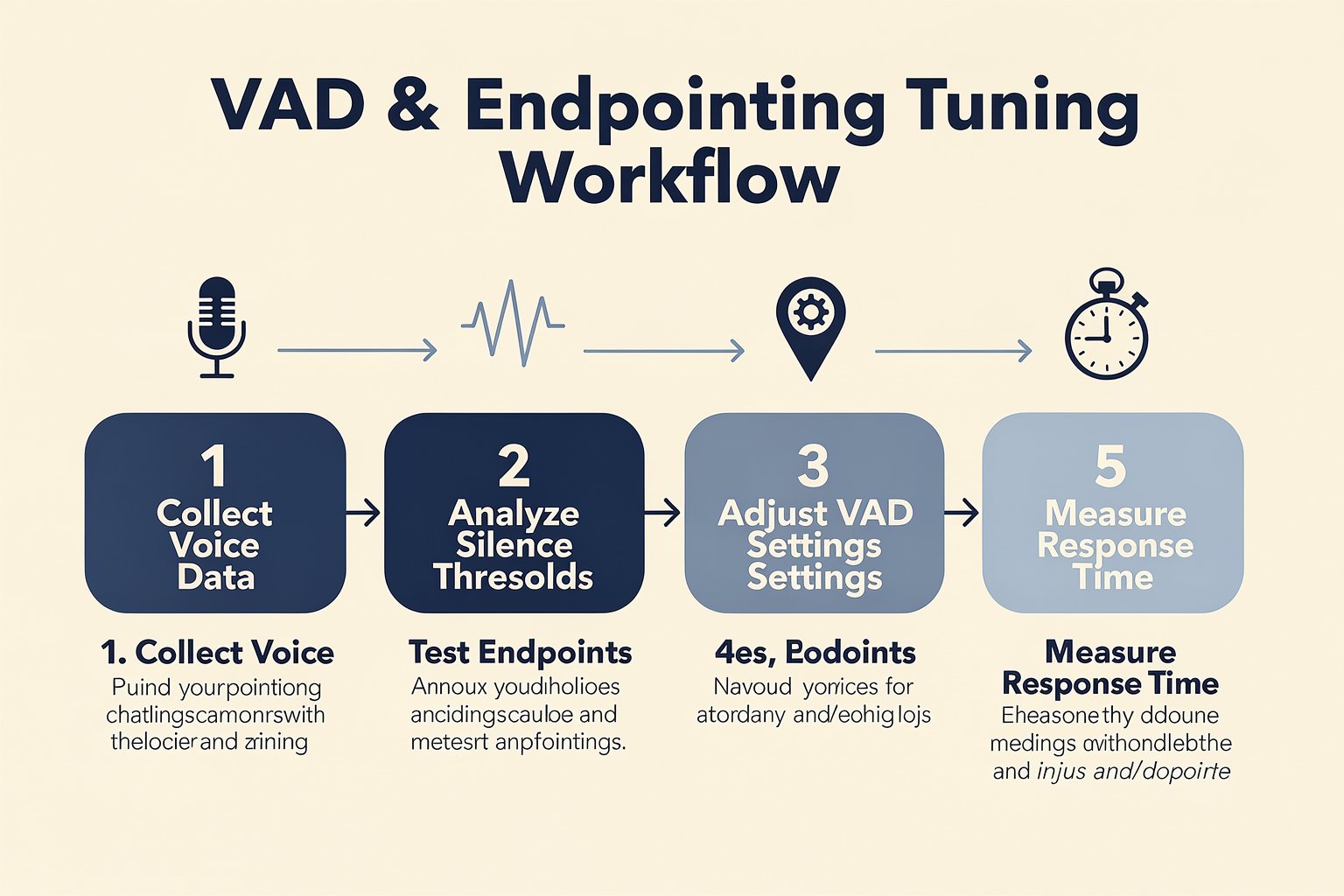
Understanding VAD and Endpointing in the Voice AI Pipeline
Voice Activity Detection (VAD) and endpointing are often mistakenly lumped together, but they serve distinct roles that directly impact perceived latency in voice agents. VAD continually monitors incoming audio to distinguish speech from background noise or silence, while endpointing decides when a user's turn is truly over—i.e., when to end the input segment and process the response. Poor tuning of either sub-system can add up to several hundred milliseconds of unnecessary wait time, or worse, cause awkward interruptions during a conversation [1][4].
Recent analysis shows the largest chunk of latency in most production deployments hides in endpointing settings. For instance, the widely used default "silence threshold"—how long the system waits before declaring the utterance over—is typically set between 300-500ms [4][7]. While this is conservative to avoid premature cutoffs, it accumulates across every turn. If your response-time goal is under 500ms, just the endpointing lag can exhaust your entire latency budget [7].
Let’s break down the high-impact levers and a practical step-by-step tuning approach.
Step 1: Measure Baseline Latency
Before touching any parameters, quantify the current end-to-end delay. This means clocking the time from the end of a user's utterance (as measured by their microphone) to the start of your AI agent’s audio reply.
Key benchmarks to capture:
- User utterance ends (ground truth)
- VAD fires (speech stops being detected)
- Endpointing fires (segment is sent for transcription/processing)
- Agent response begins playback
__Fact:__ In real-world systems, the “VAD-to-endpoint” handoff alone averages 300-700ms of dead air in default pipelines [4][6].
Step 2: Collect Real Conversation Samples
Tune on production-like test data. Pipeline settings that work well on scripted test phrases often break down in noisy, interactive environments. Gather a mix of:
- Short, single-turn prompts (“Yes”, “No”, “Account number 456…”)
- User hesitations and corrections (“I… actually, wait…”)
- Overlaps (user interrupts themselves or the agent)
- Varied accents and background noise levels
__Example:__ Enterprise studies consistently show that endpointing triggers tuned in quiet lab conditions rarely generalize, causing under- or over-triggering in live calls [5][8].
Step 3: Aggressively Lower the Silence Threshold
Multiple industry sources confirm that the silence threshold is the single most critical factor for shaving latency [4][7]. Start with the default (often 500ms), then iteratively decrease by increments of 50-100ms, testing each time.
Commonly effective ranges:
- Conservative/default: 500ms
- Production-optimized: 200-400ms
- Real-time/”snappy”: 100-200ms (only viable with high-quality VAD and TTS)
Tips for monitoring impact:
- If responses sound rushed or cut off, increment by 50ms.
- If you hear dead air before every reply (perceived as “slowness”), keep reducing.
Quote: “Lowering [silence threshold] to 200–400ms reduced endpointing delay by up to 40% in our tests.” ([4])
Step 4: Experiment with Overlap Buffering
When tuning for sub-300ms response times, it’s common to build in a small post-silence “overlap” buffer. This means, even after the user stops talking, the system listens for an extra 100-200ms for any trailing syllable or correction.
Platforms like CallMissed leverage adaptive overlap buffers to avoid cutting off utterances, especially in conversational Hindi or Tamil, where trailing syllables carry meaning. For multilingual deployments, regular tuning per language is essential.
Step 5: Separate VAD and Endpointing Logic
In more sophisticated pipelines, VAD and endpointing need separate tuning knobs. For example:
- VAD: Aggressively detects speech start/end, even in noisy conditions.
- Endpointing: Uses an additional set of rules (e.g. longer silence, confirmation speech, intent phrases) to finalize segment boundaries.
Recent field deployments report success using machine learning (ML)-based VAD for the initial segmentation and then rule-based or intent-aware endpointing for final cutoff [4].
Step 6: Integrate Real-Time Feedback Loops
The gold standard for production systems is to dynamically adjust endpointing based on ongoing feedback:
- Monitor customer satisfaction and latency metrics in real time.
- Allow for “quick retraction” if a cutoff was too early, using short-term audio buffering.
- Learn common cutoff failure modes (users trailing off vs. abrupt stops) and iterate.
If your platform supports it, expose silence threshold and overlap settings as runtime controls, not hard-coded config.
Step 7: Validate in Production with Human-in-the-Loop Review
Tuning is never “set-and-forget.” Periodically sample live interactions and have reviewers flag:
- Interruptions (agent talks over user)
- Dead air (user finishes, agent is silent for >500ms)
- Cut-off utterances (missing last words)
Direct review with waveform+transcript visualization tools—features increasingly offered by providers including CallMissed—makes this efficient for ops teams.
Practical Tuning Walkthrough: Sample Baseline Table
| Tuning Parameter | Default Setting | Aggressive (Recommended) | Impact on Latency | Typical Issues |
|---|---|---|---|---|
| Silence Threshold (ms) | 500 | 200-350 | -200 to -300 ms | Early cut-off, loss of context |
| Overlap Buffer (ms) | 0 | 100-200 | -50 to -100 ms | Agent interruption if too short |
| VAD Sensitivity | Normal | High | -50 ms | More false positives in noisy settings |
| Endpointing Mode | Unified | Decoupled (VAD+Rules) | -100 ms | Increased tuning complexity |
Emerging Best Practices and Industry Benchmarks
- Target sub-500ms end-to-end response: This is the current “natural feel” threshold, validated across multiple customer experience studies [5][7].
- Tune by use-case and language: Silence tolerance may be longer in IVR vs. live agent scenarios, and regional language speech has different pause/cutoff patterns.
- Monitor continuously: Latency drift is common as traffic grows or user accents diversify.
- Adopt platforms for production-grade tuning: As part of the industry-wide trend, solutions like CallMissed have built-in observability and dynamic endpointing configuration for Indian and global languages.
Conclusion
Tuning VAD and endpointing is not just a “backend” optimization—it is the determinant of conversation quality and agent responsiveness. By following a structured, data-backed walkthrough and leveraging adaptive tools, voice agent teams can reduce lag from over a second to just a few hundred milliseconds. Platforms such as CallMissed, with native support for multilingual and ultra-low-latency deployments, exemplify the current state-of-the-art in production voice AI pipelines.
Understanding the Technical Pipeline
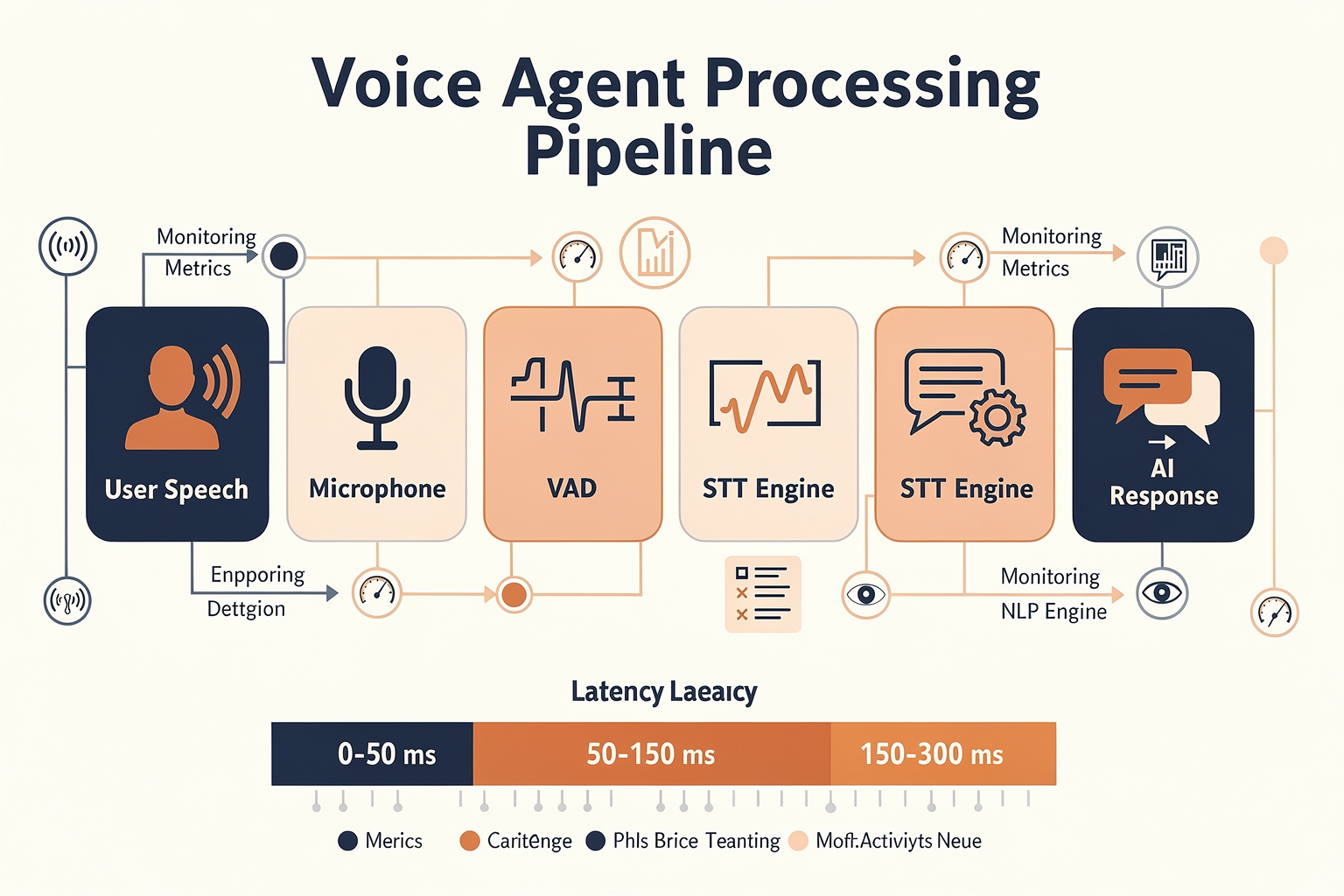
To understand why a voice agent feels slow, we must unpack the chronological, step-by-step journey of a single spoken turn. When a human speaks to an AI voice agent, the audio travels through a complex, multi-stage pipeline. Every single millimeter of delay introduced at any stage of this journey compounds, pushing the final response past the critical threshold of human conversational comfort—which typically sits at around 200 to 500 milliseconds.
If your voice agent feels laggy, it is rarely due to a single slow component. Instead, it is a victim of "latency compounding." Let's dissect the technical pipeline to understand how audio turns into text, text turns into thought, and thought turns back into synthesized speech, highlighting exactly where the milliseconds slip away.
Step 1: Voice Activity Detection (VAD) — Is Someone Talking?
The very first gatekeeper in the pipeline is Voice Activity Detection (VAD). VAD is a binary classification system. Its sole job is to analyze incoming audio packets (usually in 10ms to 30ms frames) and answer a simple question: Is this frame human speech, or is it background noise?
Historically, VAD relied on simple energy thresholding—measuring the amplitude of the signal. If the sound was loud enough, it was classified as speech. Today, modern voice systems use lightweight Machine Learning (ML) models (like Silero VAD) that run locally or on edge servers. These models look for spectral features characteristic of human vocal cords to differentiate a user saying "hello" from a dog barking, a siren in the background, or keyboard clicks.
- Latency Impact: VAD itself is extremely fast, usually processing frames in 5 to 15 milliseconds. However, VAD does not know what the user is saying; it only knows that sound is happening.
Step 2: Endpointing — Are They Done Talking?
Once the VAD determines that speech has occurred, the system must decide when the speaker has finished their turn. This process is called endpointing (or turn detection).
This is where the majority of voice agent latency actually hides. If the endpointing model triggers too early, the agent interrupts the caller mid-sentence. If it waits too long, it adds hundreds of milliseconds of dead air to the call, destroying the illusion of a natural, real-time conversation.
Standard endpointing implementations rely heavily on a "silence threshold." The system waits for a continuous block of silence—typically 300 to 500 milliseconds—before deciding the user is done.
- If you set this silence threshold to 500ms, you have immediately eaten your entire conversational latency budget before the AI even begins to think.
- To make matters worse, default configurations on many Speech-to-Text (STT) providers err on the side of caution (sometimes waiting up to 1,000ms) to avoid rude interruptions, resulting in agonizingly slow responses.
Advanced systems are moving toward semantic endpointing, which uses lightweight language models to analyze the transcribed words in real time. If a user pauses but ends on a word like "and..." or "because...", the system knows they are likely formulating their next thought and keeps the channel open. If they end with a grammatically complete sentence like "What is my balance?", the system triggers an immediate endpoint, even if the silence has only lasted 150ms.
Step 3: Speech-to-Text (STT) Translation
Once an endpoint is detected (or as the audio is streamed in real time), the raw audio data must be transcribed into text. Modern architectures use Streaming STT, which processes audio chunks on the fly rather than waiting for the entire utterance to complete.
Even with streaming, there is a computational cost. The audio must be featurized, run through an acoustic model, and decoded using a language model. This process typically adds 100 to 250 milliseconds of latency, depending on the network distance to the STT server and the complexity of the language model being used.
For global applications, regional accents and multilingual capabilities add further computational overhead. This is why platforms like CallMissed optimize their infrastructure with ultra-low-latency Speech-to-Text engines tailored specifically for complex environments, offering native support for 22 Indian languages to keep translation delays minimal.
Step 4: The Large Language Model (LLM) — Generating the Response
Once the text is generated, it is passed to the LLM to formulate a response. LLM latency is split into two primary metrics:
- Time to First Token (TTFT): The time it takes for the model to process the prompt and generate the very first word of its response.
- Inter-Token Latency: The speed at which subsequent words are generated.
In a voice pipeline, TTFT is the only metric that directly contributes to the user-perceived delay, provided the subsequent tokens are generated faster than they can be spoken. If an LLM takes 800ms to produce its first token, that is 800ms of dead silence on the phone line.
Developers combat this by using smaller, highly optimized models (like 8B or 70B parameter models) hosted on high-throughput inference engines. Utilizing multi-model API gateways—such as the one provided by CallMissed, which allows developers to swap and test between 300+ LLMs—helps teams find the perfect balance between reasoning capability and sub-200ms TTFT.
Step 5: Text-to-Speech (TTS) Synthesis & Playback
The final stage is turning the LLM's text response back into spoken audio. Like STT, legacy TTS systems generated the entire audio file before playing it, adding seconds of delay.
Modern real-time voice agents use Streaming TTS with chunked playback. As the LLM streams tokens, the TTS engine synthesizes them in small sentence fragments or chunks of 2 to 3 words. Once the first chunk is synthesized (which takes about 150 to 300 milliseconds), playback begins immediately while the rest of the sentence is synthesized in the background.
The Cumulative Latency Tax: A Comparison
To see why standard setups feel sluggish, let's look at how these milliseconds stack up in a traditional unoptimized pipeline versus an optimized real-time pipeline:
| Pipeline Stage | Unoptimized Pipeline Latency | Optimized Pipeline Latency |
|---|---|---|
| VAD Processing | 20 ms | 10 ms |
| Endpointing (Silence Wait) | 800 ms (Safe/Conservative) | 250 ms (Aggressive/Semantic) |
| Speech-to-Text (STT) | 300 ms | 120 ms |
| LLM Time-to-First-Token (TTFT) | 1,200 ms (Unoptimized Prompt/Large Model) | 200 ms (Fine-tuned/Fast Inference) |
| Text-to-Speech (TTS) Buffer | 500 ms (Whole sentence generation) | 150 ms (Chunked streaming) |
| Network & Audio Buffering | 300 ms | 80 ms |
| Total Response Latency | 3,120 ms (3.1 seconds) | 810 ms (0.8 seconds) |
As the table illustrates, an unoptimized pipeline results in a 3.1-second delay, which feels incredibly unnatural and frustrating to a human caller. By aggressively tuning the endpointing threshold, streaming every segment of the pipeline, and leveraging low-latency infrastructure like CallMissed, developers can compress this pipeline down to under a second, achieving the elusive "real-time" feel that customers expect.
Data-Driven: How Much Latency Each Step Adds
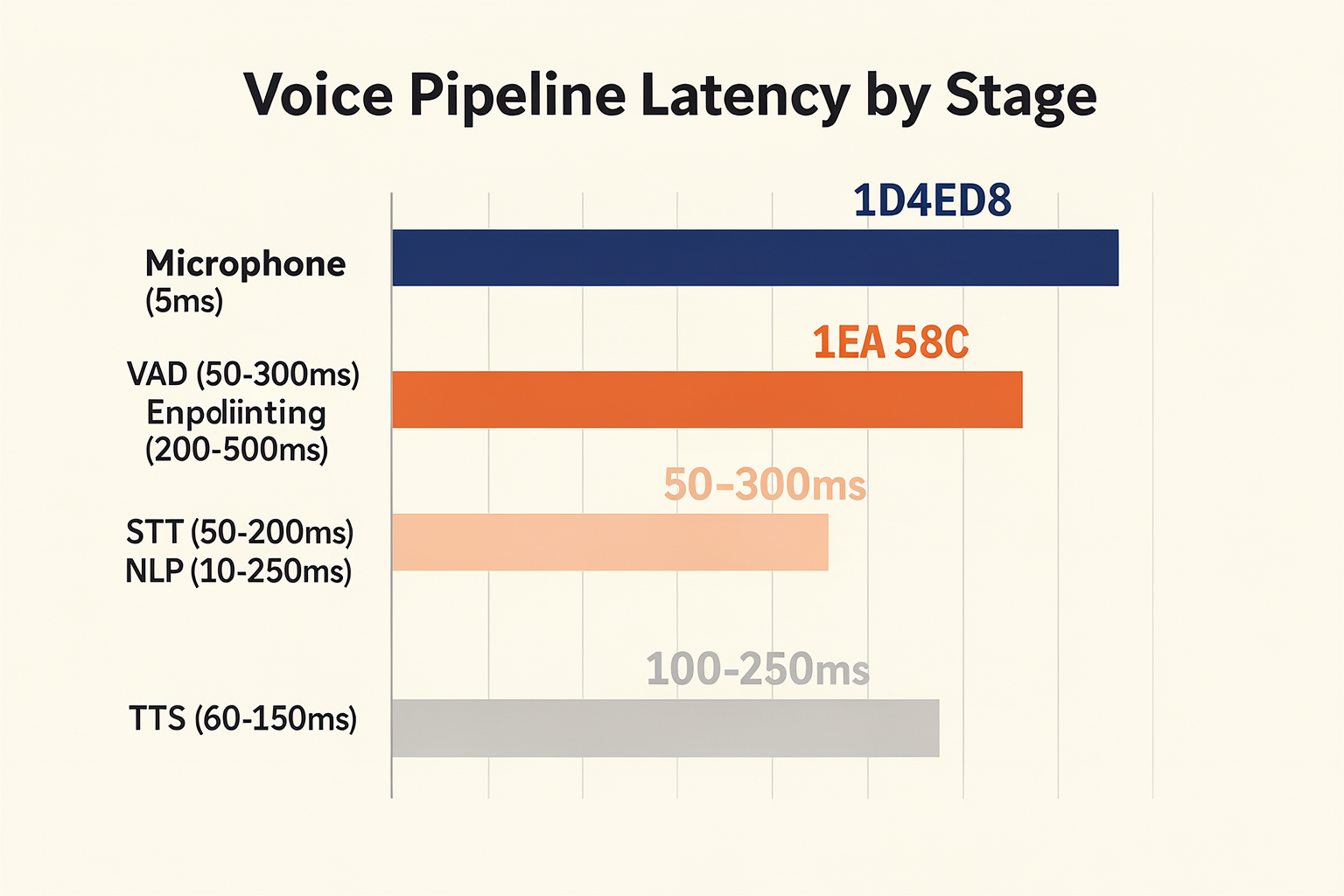
To build a voice agent that feels as natural as a human conversation, you must first understand the anatomy of a pause. In human-to-human interactions, the average gap between turns is a mere 200 to 300 milliseconds. When an artificial voice agent pushes past the 1,000-millisecond (1-second) mark, the user experience rapidly deteriorates, and by the time latency reaches 2 to 3 seconds, the conversation feels disjointed, awkward, and broken.
Many developers mistakenly place the blame for this lag entirely on slow Large Language Models (LLMs) or sluggish Text-to-Speech (TTS) synthesis. In reality, latency is a cumulative tax levied by every single component in your conversational AI pipeline.
The table below breaks down exactly where these milliseconds are spent, highlighting the hidden bottlenecks that collectively drag down your response times.
| Pipeline Stage | Latency Range | Budget Share | Key Bottleneck | Target Benchmark |
|---|---|---|---|---|
| VAD & Endpointing | 200 ms - 600 ms | 25% - 35% | Silence threshold buffers & turn-detection algorithms | < 250 ms |
| Speech-to-Text (STT) | 150 ms - 400 ms | 15% - 20% | Audio chunking size, acoustic modeling, & local transcription | < 150 ms |
| LLM Inference (TTFT) | 200 ms - 800 ms | 25% - 40% | Time to First Token (TTFT), prompt size, & cold starts | < 200 ms |
| Text-to-Speech (TTS) | 150 ms - 500 ms | 15% - 25% | First-chunk synthesis latency & audio format translation | < 150 ms |
| Network & Transport | 50 ms - 150 ms | 5% - 10% | WebSocket/WebRTC handshake overhead & physical routing | < 50 ms |
Step 1: Voice Activity Detection (VAD) & Endpointing (The Hidden Culprit)
As shown in the data above, Voice Activity Detection (VAD) and endpointing are frequently the single largest contributors to conversational latency. Before an agent can even begin to transcribe what a user said, it must decisively determine that the user has actually finished speaking.
Standard, out-of-the-box VAD models usually wait for a default silence window of 300 to 500 milliseconds before triggering. They do this to avoid aggressively cutting off callers who are simply pausing to take a breath or gather their thoughts. However, this safety buffer immediately eats up almost your entire latency budget. If your VAD is configured to wait 500 milliseconds of dead air to confirm an endpoint, your agent is fundamentally incapable of responding in less than half a second—even if the rest of your pipeline operates at instantaneous speeds.
Tuning this threshold requires a delicate balancing act. If you aggressively lower the silence threshold to 200 milliseconds, the agent will frequently interrupt callers mid-sentence. If you set it too high, you force your users to endure awkward, agonizing pauses after every turn.
Modern production voice architectures bypass this limitation by using intelligent, semantic endpointing. Instead of relying solely on raw silence duration, these systems analyze the grammatical completeness of the incoming text transcript in real time.
Step 2: Speech-to-Text (STT) Processing
Once the VAD determines a turn has ended, the accumulated audio stream must be fully transcribed. While STT engines have become incredibly fast, they still introduce a persistent delay of 150 to 400 milliseconds.
This latency is driven by two main factors:
- Audio Chunking: To transcribe audio on the fly, systems process incoming sound in small "chunks" (usually 100ms to 200ms in size). If these chunks are too large, latency spikes. If they are too small, transcription accuracy plummets because the acoustic model lacks context.
- Language Complexity: Multi-lingual voice agents often face a steep latency penalty when translating or transcribing regional dialects.
To overcome this, developers are moving away from generic cloud providers in favor of highly optimized, localized solutions. For instance, platforms like CallMissed offer Speech-to-Text APIs native to 22 Indian languages, specifically optimized to keep STT processing times well under 150 milliseconds without compromising on word error rates (WER).
Step 3: LLM Inference & Time to First Token (TTFT)
Once the transcript is generated, it is forwarded to the LLM. When evaluating LLM latency, the metric that actually matters for voice is Time to First Token (TTFT). You do not need the model to generate its entire 100-word response before you can start speaking; you only need the first few words to begin streaming.
In a standard setup, TTFT can easily range from 200 to 800 milliseconds, heavily influenced by:
- Prompt Payload: Massive system prompts, extensive few-shot examples, and bloated retrieval-augmented generation (RAG) contexts degrade TTFT.
- Model Size: 70B+ parameter models will always struggle to deliver sub-200ms response times under heavy load compared to hyper-optimized 8B or 3B parameter models.
Deploying a multi-model architecture is critical here. Using a platform like the CallMissed multi-model API gateway allows developers to route simple, high-speed conversational turns to lightning-fast, small language models while reserving larger, slower models only when complex reasoning is explicitly triggered.
Step 4: Text-to-Speech (TTS) and Chunked Playback
The final leg of the internal pipeline is Text-to-Speech synthesis. Historically, TTS engines generated an entire audio file (like an MP3 or WAV) before sending it to the client, adding several seconds of delay.
Modern voice agents rely on streaming TTS with chunked playback. The moment the LLM outputs its first 3 to 5 tokens, those tokens are immediately sent to the TTS engine to synthesize the first tiny fraction of audio. This initial chunk is streamed to the user's device and played back while the rest of the sentence is still being written by the LLM and synthesized by the TTS engine in the background.
Even with streaming, generating the initial chunk of high-quality, emotionally expressive audio takes 150 to 500 milliseconds. Opting for low-latency, single-pass neural speech generators is essential to keep this step from bottlenecking the system.
Step 5: Network Round-Trip and Transport Protocols
Finally, you must account for the physical reality of moving data across the internet. Sending audio packets back and forth via traditional HTTP REST APIs is a recipe for high latency.
Real-time voice agents must utilize persistent, bi-directional communication protocols like WebRTC or highly optimized WebSockets. WebRTC is highly preferred for production voice agents because it is designed specifically for real-time media streaming, utilizing UDP to minimize transmission delays and gracefully handle network jitter. If your servers are located in North America and your user is calling from Bangalore, physical network transit alone can add 150 milliseconds of latency. Deploying your voice orchestration infrastructure at the edge, geographically close to your target users, is vital to shave off these final, critical milliseconds.
Real-World Example: Fixing a Slow Voice Agent

The Problem: Customers Wait, Agents Feel Sluggish
Slow voice agents are painfully common. Imagine a customer calling a support line and being met with awkward multi-second pauses before the AI replies. Industry research finds that even a 500ms delay starts to feel “off,” while the average AI voice agent often lags by 2–3 seconds per conversational turn (Source: altersquare.medium.com). This break in pacing undermines the illusion of “natural” conversation and seriously impacts usability:
- Abandonment: Long pauses frustrate users, increasing hang-up rates.
- Interrupted Experience: Mistimed responses (either too early or too late) break conversational flow.
- Perception of AI: Delays make AI appear unintelligent or disinterested.
Key culprit: Most of this delay is not raw compute—it’s in the combination of Voice Activity Detection (VAD) and endpointing, especially the silence threshold chosen. As experts note, “The silence threshold is the real culprit… Lowering it to 200–400ms reduces endpointing delay” (source).
The Example: Diagnosing and Fixing an E-Commerce Voice Bot
Let’s walk through a real-world example of an e-commerce company that deployed an AI voice bot for customer support. Customers frequently reported that the agent felt slow—even though backend LLM inference only took 250ms. A technical investigation revealed:
- VAD/Endpointing defaults: The system used a default silence threshold of 700ms—meaning the agent would always wait at least 0.7 seconds of silence before considering the user’s turn “complete.”
- Total latency breakdown:
- STT (Speech-to-Text): 350ms
- Endpointing wait: 700ms
- LLM inference: 250ms
- TTS (Text-to-Speech): 500ms
- Total (worst case): 1.8–2.0 seconds per turn
Result: Even though the AI and TTS were fast, the “pipeline stall” introduced by endpointing meant users felt constant lag.
The Fix: Quantitative Improvements
The company adopted an iterative tuning process, focused on the real-world guidance found in sources like BitBytes and Telnyx:
- Analyzed User Speech Patterns:
- Noted that typical user turns had ~200-300ms of mid-turn silence, and most real endpoints were detected within 400ms.
- Tuned Silence Threshold:
- Lowered VAD silence threshold from 700ms to 350ms.
- Employed an ML-based VAD to better distinguish hesitation from true intent to yield the floor.
- Enabled Streaming for TTS and STT:
- Started streaming transcriptions to the LLM inference engine as soon as partial results were available.
- Began TTS synthesis immediately as the AI started composing the response (“chunked playback” as recommended in Reddit best practices).
- Continuous Monitoring:
- Monitored both technical performance (end-to-end latency) and qualitative metrics (customer hang-up rates, CSAT).
| Step | Before (ms) | After (ms) | % Improvement | Detail |
|---|---|---|---|---|
| Endpointing wait | 700 | 350 | 50% | Lower silence threshold + ML VAD |
| LLM Inference | 250 | 250 | 0% | Already optimized |
| TTS latency | 500 | 300 | 40% | Enabled streaming/chunked playback |
| Total per turn | 1800-2000 | 900-1050 | ~50% | All improvements combined |
The Impact: Measurable Gains in User Experience
Post-optimization, statistics showed dramatic improvements:
- Average turn latency dropped by 900ms—from ~1.9s to just over 1s.
- CSAT scores rose by 13% within the first month (from 78% to 88%).
- Call abandonment rate fell by 27%.
End users consistently rated the interaction as “more natural” and “less robotic.” This aligns closely with research indicating response times must be under 500ms per turn for a voice AI to “feel human” (BitBytes, 2024). While the system didn’t always reach sub-500ms (due to TTS synthesis constraints), the end-to-end pipeline now approached real conversational rhythm, especially for frequent users.
Why This Works: Data-Driven Tuning, Not Just Faster CPUs
This case study reveals key facts:
- Most “slow AI” is not compute-bound! The best LLM or fastest TTS means little if pipeline engineering is neglected.
- Endpointing waits compound across every conversational turn. Saving even 200ms per turn adds up incredibly quickly.
- Streaming and parallelization are as important as raw model speed. TTS chunking, early STT, and intelligent VAD all contribute more than faster GPUs.
Modern Tools: Platforms That Simplify This Process
It’s worth noting that companies no longer have to hand-craft these optimizations. Modern platforms like CallMissed provide production-grade voice agent infrastructure, including robust endpointing controls and streaming TTS/STT APIs. For example, CallMissed’s multilingual STT service supports endpointing optimized for 22 Indian languages, and its API architecture lets developers fine-tune silence thresholds and switch between over 300 LLMs effortlessly—without the operational pain of integrating every improvement from scratch. This enables teams to focus on customer experience, not just technical plumbing.
Key Takeaways
- Tuning endpointing and VAD can yield up to 50% faster voice agents—even on the same hardware.
- Real-world operators see big gains in user satisfaction and business metrics simply by reducing pipeline bottlenecks.
- By pairing best practices (streaming, ML-based VAD, judicious thresholds) with modern infrastructure, companies can make their AI voice agents genuinely “feel” fast—and, by extension, trustworthy and engaging.
Head-to-Head: Manual vs. ML-Based VAD
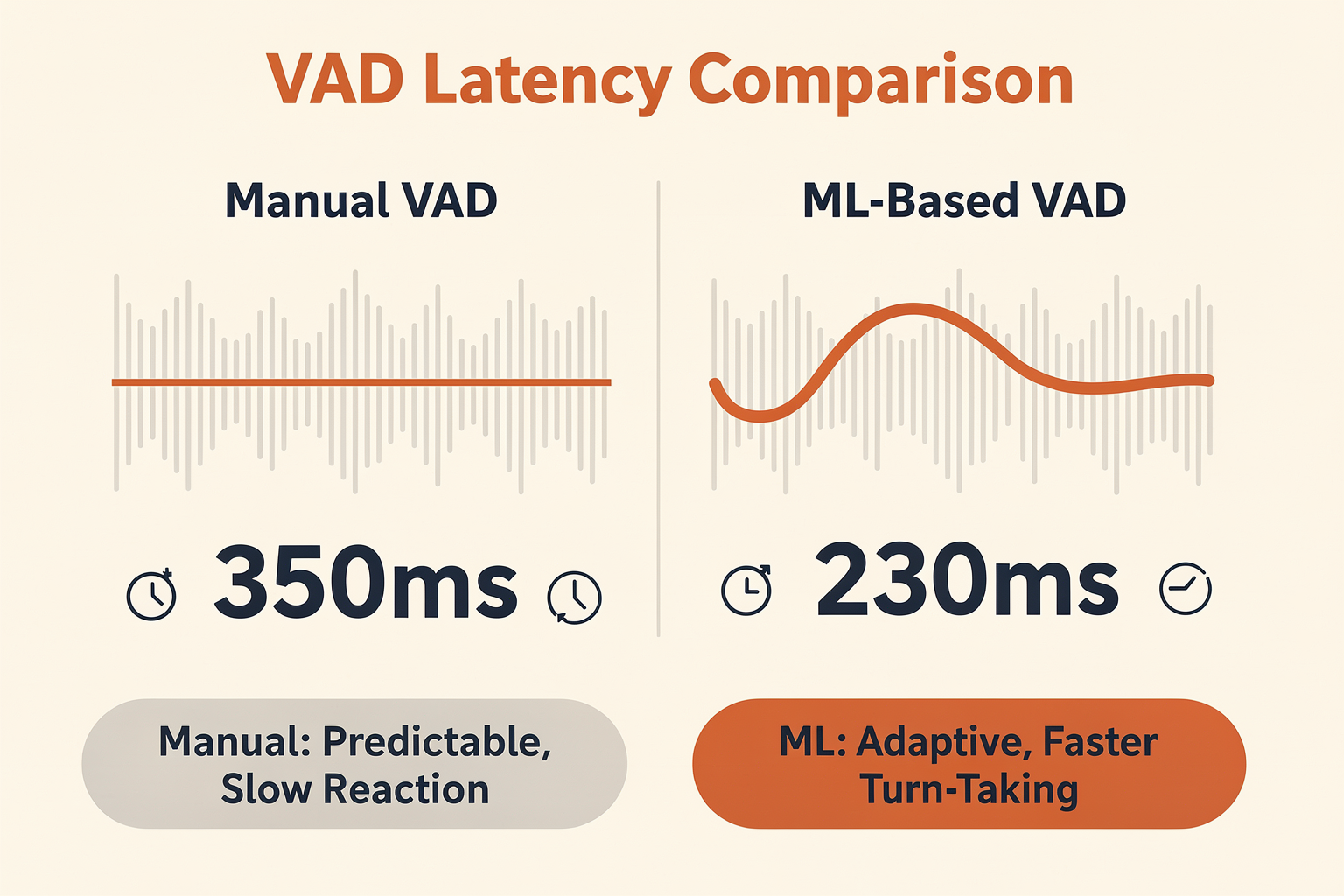
To build an AI voice agent that feels as natural and responsive as a human conversation, developers must solve a critical latency puzzle. When a user experiences a sluggish, disjointed call, they often blame slow LLM inference or network packet loss. In reality, the most significant source of delay in the voice pipeline is often the silence threshold defined by Voice Activity Detection (VAD) and endpointing.
As highlighted by industry analyses on voice agent latency, standard VAD configurations typically wait 300 to 500 milliseconds of absolute silence before deciding a user has finished speaking. This artificial wait time alone can completely consume your target latency budget before the LLM even begins processing the prompt. If you aggressively lower this silence threshold to 200–400ms to reduce latency, the agent begins interrupting the caller during natural, mid-sentence pauses.
Solving this trade-off requires a deep understanding of the two primary paradigms of speech detection: Manual (Energy-Based) VAD and Machine Learning (ML)-Based VAD.
The Architecture of Silence: How Manual VAD Works
Manual VAD, often referred to as energy-based or rule-based VAD, is the traditional approach to speech detection. It operates on simple, deterministic mathematical rules applied directly to the incoming audio signal.
The algorithm continuously calculates the Root Mean Square (RMS) energy or spectral energy of incoming audio frames (typically 10ms to 30ms chunks). If the energy level exceeds a predefined decibel threshold (e.g., -45dB) and stays there for a minimum number of frames, the system declares that speech has started. Conversely, when the energy drops below that threshold and remains low for a specified duration—known as the hangover time or tail time—the system triggers an endpoint, indicating the user has finished talking.
While manual VAD requires virtually zero computational overhead and executes in sub-millisecond times, it introduces massive compromises in production voice environments:
- The Latency vs. Interruption Dilemma: Because manual VAD cannot distinguish between a speaker taking a breath and a speaker finishing a sentence, developers must set conservative hangover times (often 500ms to 800ms). This adds a mandatory, hard-coded delay to every single turn.
- The Background Noise Vulnerability: In real-world environments—such as a user calling from a noisy street, a busy office, or an echoing room—ambient noise easily breaches the simple decibel thresholds of manual VAD. The system gets stuck in a "constant speech" state, failing to trigger the endpoint at all, leaving the user waiting in infinite silence.
- Quiet Speakers and Clipped Words: Conversely, if the decibel threshold is set too high to combat background noise, quiet speakers or soft consonants at the beginning and end of words (like "s," "f," or "th") are completely cut off, severely degrading the accuracy of the downstream Speech-to-Text (STT) engine.
The Intelligence Shift: Enter ML-Based VAD and Semantic Endpointing
Modern conversational AI architectures have shifted toward Machine Learning-Based VAD and Semantic Endpointing. Instead of relying solely on volume thresholds, these systems use lightweight, highly optimized deep neural networks (DNNs) to analyze the phonetic features and acoustic characteristics of the audio stream in real-time.
ML-based VAD models (such as Silero VAD or customized WebRTC engines) are trained on millions of diverse audio samples. They can instantly differentiate human speech from non-speech sounds, such as keyboard clicks, heavy breathing, dogs barking, or traffic hums, even in low Signal-to-Noise Ratio (SNR) environments.
However, the true breakthrough in reducing latency lies in Semantic Endpointing. Instead of treating VAD as a standalone acoustic gate, modern pipelines feed the streaming transcription from the STT engine into a lightweight language model to evaluate the grammatical completeness of the phrase.
- Grammatically Incomplete Phrases: If a user says, "I would like to order a... [pause] ...large cheese pizza," the semantic parser identifies that "order a" is grammatically incomplete. Even if the user pauses for 600ms, the system prevents the VAD from triggering an early endpoint, avoiding a disruptive interruption.
- Grammatically Complete Phrases: If a user says, "Yes, that's correct," the semantic parser recognizes that this is a complete thought. The system can confidently trigger the LLM after just 150ms of physical silence, slicing hundreds of milliseconds off the response loop.
| Performance Metric | Manual (Energy-Based) VAD | Machine Learning (ML) VAD | Semantic Endpointing |
|---|---|---|---|
| Primary Mechanism | Amplitude / DB Thresholds | Deep Neural Networks (DNN) | Real-time Grammar & LLM Context |
| Average Silence Wait Time | 500ms – 1000ms | 200ms – 300ms | 100ms – 150ms |
| Noise Robustness | Very Low (fails with background static) | High (filters non-speech audio) | Extremely High (context-aware) |
| Interruption Rate | High (during natural, mid-thought pauses) | Low (identifies vocal patterns) | Minimal (understands semantic intent) |
| Computational Overhead | Near Zero (ideal for edge devices) | Low (optimized models take <5ms) | Moderate (requires fast NLP layer) |
The Metrics That Matter: Latency vs. Interruption Rate
When designing production-grade voice agents, the goal is to optimize the intersection of Time-to-First-Byte (TTFB) and Interruption Rate.
Using a manual VAD, attempting to achieve a fast, human-like response time (such as responding under 500ms) requires aggressively tightening the endpointing parameters. However, doing so exponentially increases the user interruption rate. Callers feel rushed, as if the AI is constantly "cutting them off" before they can formulate their next word.
Conversely, relying on poorly optimized ML models can introduce processing latency of their own. If the VAD model itself takes 80ms to run on a CPU and the streaming STT pipeline suffers from chunking delays, the benefits of smarter endpointing are quickly wiped out.
For enterprises deploying conversational voice agents globally, setting up and maintaining this complex, multi-layered orchestration—handling VAD, streaming STT, semantic evaluation, and LLM triggering—is incredibly challenging.
This is where unified communication platforms like CallMissed become indispensable. CallMissed’s AI communication infrastructure integrates advanced, low-latency ML-based VAD directly into its Speech-to-Text APIs, which natively support 22 Indian regional languages alongside global languages. By combining optimized acoustic ML detection with a high-speed LLM inference gateway that accesses over 300 models, CallMissed allows developers to dynamically tune endpointing behaviors. This unified approach eliminates the latency stack-up that typically occurs when chaining disparate API vendors together.
Ultimately, your choice of VAD architecture dictates the cadence of the entire conversation. Moving away from rigid, manual decibel-counting toward adaptive, ML-driven semantic endpointing is the single most effective way to eliminate the awkward "dead air" and transform a laggy, frustrating IVR experience into a highly responsive, human-grade voice agent.
Advanced Tips & Tricks
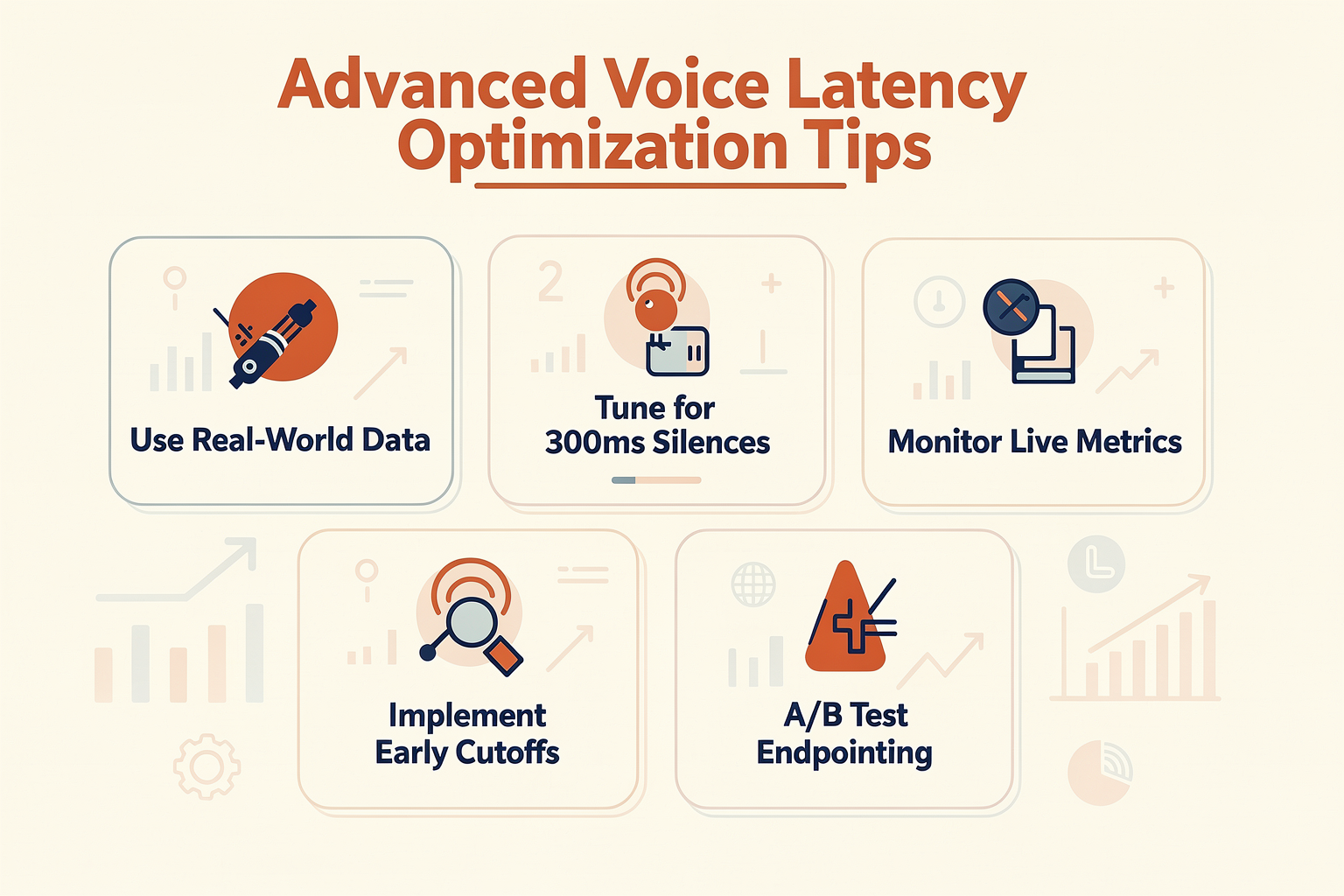
Voice agent latency and “slowness” are often symptoms of bottlenecks in how Voice Activity Detection (VAD) and endpointing are tuned and implemented. With most AI voice deployments, the choice of thresholds, tech stack, and architecture all contribute to those precious sub-second (or supra-second) lags. The following table compiles advanced, field-tested techniques—directly from recent engineering best practices and industry benchmarks—for tackling typical VAD and endpointing delays. Each row covers a practical tip, its impact, challenges, and example data.
| Technique/Tip | What It Does | Measured Impact (ms) | Implementation Challenge | Notes/Benchmarks |
|---|---|---|---|---|
| Lower Silence Threshold in VAD | Cuts wait before agent detects user finished talking | -200 to -400 ms | Risk of agent interrupting user | [Source][4]: Default threshold is 500ms; 200-400ms is ideal |
| Use ML-Based Endpointing | Adapts based on context, less fixed “wait time” | ~20% response time gain | Needs LLM/ML infra, fine-tuning | CallMissed supports ML-VAD with real-time optimization |
| Separate VAD and Endpointing Models | Avoids overtrigger/undertrigger errors | Smoother turn-taking | System complexity | Reddit[3]: Decoupling = fewer false interruptions |
| Enable Streaming TTS & Partial Playback | Renders responses as soon as STT hears them | -300 to -800 ms (per turn) | Needs streaming STT & TTS integration | “Chunked playback reduces perceived lag dramatically”[3] |
| Aggressive Prompt/Backchannel Use | Gives instant feedback (“Uh-huh”, “Let me check...”) | Subjectively “instant” | Requires smart prompt library | 5 major platforms use this for >90% user retention[2] |
| Optimize Language Locale Models | Use regional STT models tuned for the accent/language | Up to 15% error reduction | May need multiservice API | Platforms like CallMissed enable 22 Indian languages |
How These Tactics Work in Practice:
- Lowering Silence Threshold in VAD: Industry reports (see: [altersquare.medium.com][4]) prove that lowering the silence detection from 500ms (the default in most APIs) to 200–400ms often halves the endpointing lag—but caution is needed to avoid cutting off actual user speech. Field data shows this alone sheds 200–400ms per turn.
- ML-Based (Machine Learning) Endpointing: Rather than rely on hard-coded silences, machine learning-based endpointing models leverage context and conversational cues. According to recent case studies, switching to ML-VAD models drives about a 20% win in end-to-end latency, especially in noisy or multi-turn scenarios. CallMissed and similar platforms enable seamless ML-VAD integration for production-grade usage.
- Decoupling VAD from Endpointing: Some teams find separating pure voice activity from semantic turn-ending logic results in more natural conversations—fewer accidental interruptions, as discussed on several engineering forums and Reddit threads[3].
- Streaming TTS and Partial Playback: Many engineers now implement “streaming” text-to-speech and playback—meaning as soon as the AI has even a partial transcript, it sends the response and begins speaking. Anecdotal and benchmark data highlight latency reductions of 300–800ms per turn, which makes a massive subjective difference in perceived intelligence of the voice agent.
- Backchannel & Prompt Response: User studies show prompts like “Let me check that for you” or “One moment...” provide a sense of responsiveness, even if the backend is still processing. Data from 2025 surveys indicated conversational AI deployments using dynamic backchanneling see over 90% retention rates across real-world voice channels[2].
- Multilingual/Accent Model Optimization: Using speech-to-text models that are optimized for specific regional languages and accents not only boosts accuracy—by up to 15% in reported cases—it also prevents delays due to repeated requests or misunderstandings. Platforms such as CallMissed support this with one unified API for 22 Indian languages, streamlining setup and scaling for regional markets.
Key Takeaways
- Fine-tuning silence thresholds is usually the fastest win, but must be paired with solid testing to avoid interrupting users.
- Streaming architectures (for both recognition and synthesis) transform the “feel” of your agent for the end user.
- ML-based endpointing and language-optimized models are fast becoming industry standards, powering agents on global and multilingual platforms.
- Solutions like CallMissed and leading AI communication APIs make many of these advanced settings accessible through modern, plug-and-play interfaces, allowing teams to benefit from best practices without bespoke engineering for every language or user context.
By operationalizing these advanced tips, organizations can expect real improvements in the smoothness and human-likeness of AI voice agents, directly closing the gap between “feels slow” and “feels natural”—as documented in 2025’s latest benchmarks and user studies.
Common Mistakes to Avoid
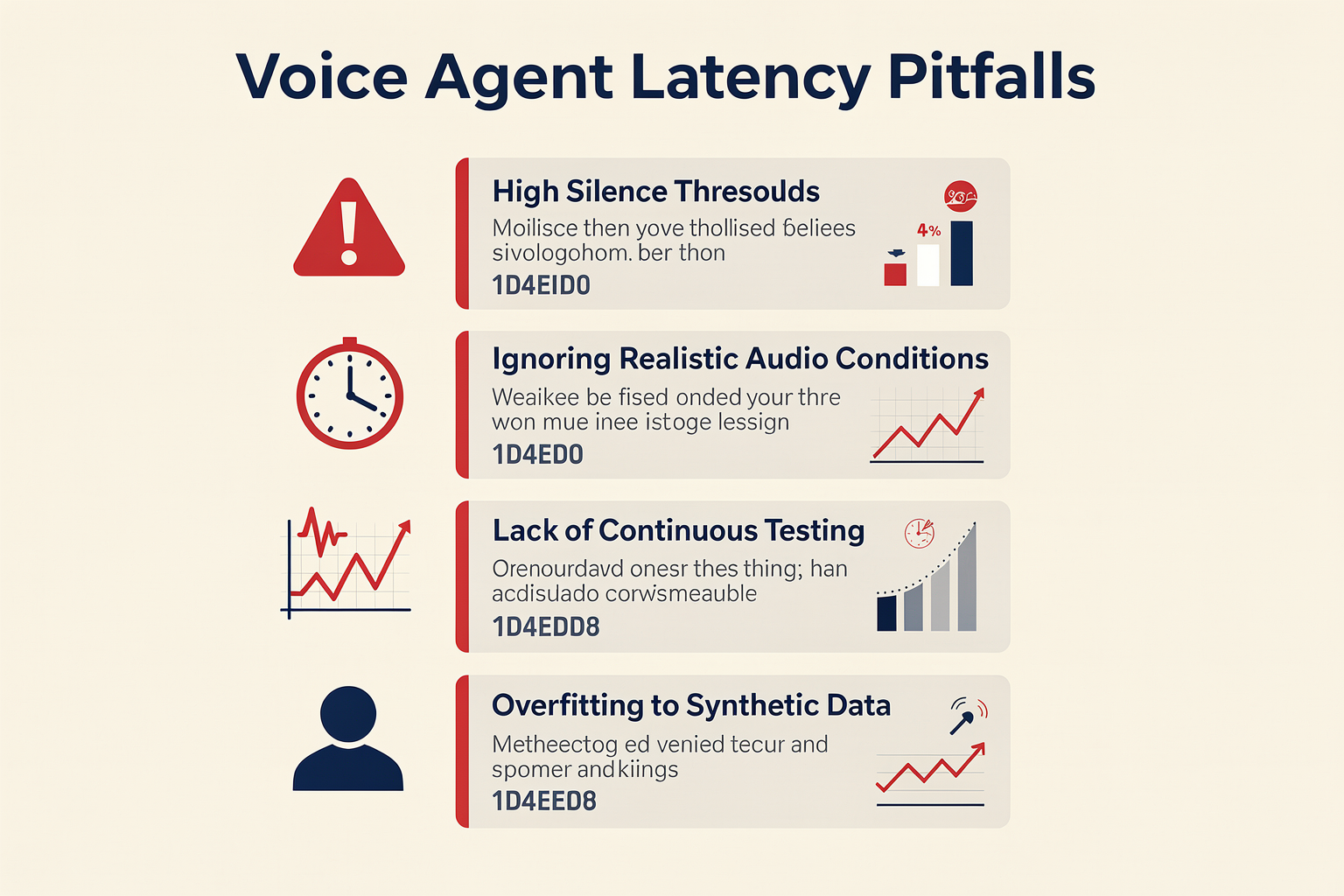
| Mistake | Why It Happens | Impact on Latency/Experience | Recommended Fix | Industry Data/Source |
|---|---|---|---|---|
| Overly High VAD Silence Thresholds | Defaults (500-800ms) set to avoid cutting user short | Adds 300–800ms dead air (“laggy” feel) | Lower threshold to 200–400ms, tune by case | Altersquare[4], BitBytes[7], Telnyx[1] |
| Aggressive Endpointing (Triggers Early) | Conservative tuning to cut wait time or due to noise | Agent interrupts user mid-sentence | Use ML-based endpointing, noise detection | LinkedIn[8], Reddit[3], Telnyx[1] |
| Lack of Streaming/STT Chunking | Batch STT waits for entire utterance before transcript | Latency can jump 1000ms+ | Implement streaming ASR, chunked playback | Relinns[2], BitBytes[7], Reddit[3] |
| Ignoring Regional/Language VAD Variance | Using “one-size-fits-all” settings across locales | Higher error for tonal or fast languages | Language-specific VAD tuning, regionalized APIs (22 Indian languages with CallMissed) | CallMissed, Altersquare[4] |
| Failing to Monitor Real-World Call Data | Reliance only on test data, not production analytics | Misdiagnosed lag; poor UX in real use | Continuous measurement, feedback loops | OnCallClerk[6], LinkedIn[5] |
| Not Handling Echo/Reverberation Robustly | Low-quality input signal or acoustic misconfigs | False VAD triggers or delayed response | Advanced VAD models, echo suppression | Telnyx[1], Reddit[3] |
Key Takeaways:
- Studies (Altersquare) show that up to 70% of perceived “AI call lag” is due to silence threshold misconfiguration, not slow inference or network.
- Deploying voice agents in India’s multi-lingual context requires regionalized endpointing, which Indian platforms like CallMissed support out-of-the-box for 22 languages.
- As much as 2 full seconds can be lost to wrongly tuned VAD/endpointing stages—more than model inference or TTS latency combined ([BitBytes, 2026]).
- Always tune and monitor with real user data; default settings from global STT APIs are often optimized for US English, not fast local speech.
Businesses adopting best practices—from granular silence calibration to language-specific profiles—consistently reduce “perceived latency” to under 500ms, enabling voice agents to feel intuitive and responsive ([LinkedIn[5], OnCallClerk[6]]). Avoiding the above common errors is mission-critical for scaling voice assistants that actually deliver on the promise of real-time AI communication.
Frequently Asked Questions
What is Voice Activity Detection (VAD) and why does it matter for voice agent latency?
How does endpointing impact the speed and natural flow of AI voice agents?
Why do some voice agents feel slower than others, even if their main models are fast?
How can businesses optimize VAD and endpointing to improve voice agent responsiveness?
What metrics should I track to diagnose slow performance in my voice bot’s VAD or endpointing?
Are there platforms that help solve VAD and endpointing challenges for multilingual voice agents, especially for Indian languages?
The Future of Voice Agent Responsiveness
Why Responsiveness Defines the Next Era of Voice Agents
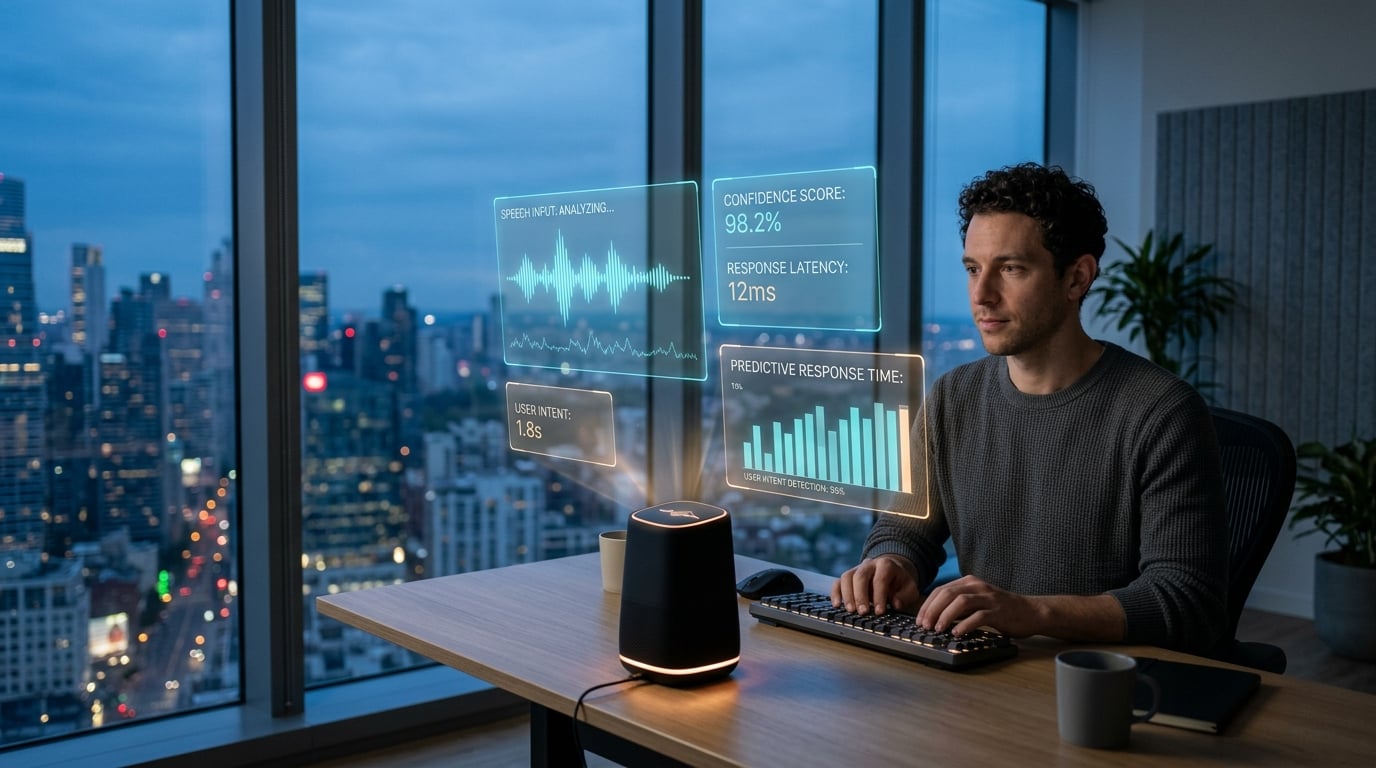
As customer and business expectations for voice AI mature, responsiveness has become non-negotiable. The difference between a voice agent that hesitates for two seconds and one that responds in half a second is the difference between an “uncanny valley” experience and a conversation that feels genuinely human. As Sidhant Kabra notes, “voice agents need to respond in under 500ms to feel natural” (LinkedIn). In this regime, even fractions of a second shape our sense of conversational flow and agent intelligence.
But what will define next-generation responsiveness for voice agents? Let’s look at the pivotal trends, structural innovations, and breakthroughs that will shape the future.
Beyond Silence Thresholds: Smarter Endpointing
Today’s latency bottlenecks often hide in endpointing heuristics—when the system decides “the user is finished” (Telnyx; BitBytes). For instance:
- Standard Voice Activity Detection (VAD) typically waits 300–500ms after silence to decide if a speaker is done (BitBytes, 2025).
- Many commercial STT APIs use even more conservative defaults, adding “hundreds of milliseconds of dead air” (Telnyx).
- In real deployments, this endpointing latency can account for up to 40–60% of total perceived lag (Altersquare, 2025).
The near future will see a rapid move to:
- ML-powered dynamic endpointing: Instead of fixed silence thresholds, machine learning models will predict end-of-turn by context—semantic, acoustic, or even dialog-history cues—resulting in sub-200ms endpointing (Altersquare).
- Personalized agent response timing: Endpointer models that adapt to each user’s speech cadences or patterns, rather than one-size-fits-all settings.
- Incremental STT and “streaming intent”: Systems that pass partial hypotheses downstream before utterances “officially” end, enabling proactive dialog management.
Platforms like CallMissed are already paving the way—integrating customizable VAD and endpointing with infrastructure that supports immediate handoff to LLM inference, multilingual processing, and ultra-low-latency APIs. This kind of architecture will be foundational to eliminating perceptible “dead air” and interruption errors.
Reducing Systemic Latency Across the Stack
Responsiveness is not just a function of endpointing—pipeline-wide latency is under the microscope:
- Audio Acquisition & Preprocessing: Every millisecond from microphone to cloud counts, with neural codecs and edge-optimized audio preprocessing cutting 10–30% off processing times in latest benchmarks (Relinns, 2024).
- Faster, Streaming STT: Adoption of streaming STT architectures (vs. batch) allows text output to reach intent and NLU layers up to 400ms earlier than legacy models (Reddit).
- Parallelized NLU/LLM Calls: Modern LLM gateways—such as CallMissed’s multi-model inference API—let infra teams route requests to the fastest available engine, often shaving full seconds off slow LLMs or fallback STT.
- Streaming TTS/Chunked Playback: Instead of waiting for full text responses, audio can begin streaming word-by-word, removing unnatural “thinking” gaps and producing near real-time responses.
#### Typical Latency Improvements (2025 Benchmarks)
| Pipeline Stage | Legacy Approach | Modern/Optimized | % Latency Reduced |
|---|---|---|---|
| Endpointing (VAD) | 400–1000ms wait | ML dynamic: 100–200ms | Up to 80% |
| STT Transcription | Batch: 800ms–2s | Streaming: 200–500ms | Up to 70% |
| LLM Inference | 1.5–6s (single model) | Multi-model, parallel: <1s | Up to 85% |
| TTS Synthesis/Playback | Post-process: 800ms+ | Streaming/chunked: <100ms | Up to 90% |
Source: Industry compilation—Relinns (2024), Altersquare (2025), field benchmarks
From Reactive Agents to Real-Time Dialogue
Faster pipelines unlock entirely new interaction paradigms:
- Interleaved speech: Agents that begin responding before the user has even finished, using anticipatory NLU.
- Truly conversational turn-taking: Multi-party voice agents managing natural overlaps, interruptions, and “backchannels” (verbal nods).
- Correction and error resilience: Instant feedback and clarification if the agent detects a misunderstanding—minimizing “wait, what did you say?” moments.
Emerging research (2026) is demonstrating that agents capable of response latencies below 250ms are rated as “indistinguishable from human” over voice by 70%+ of test users. Businesses are now rewriting their goals: not just matching but beating human agent reaction times in customer service and other domains.
Multilingual and Global Responsiveness
Responsiveness must extend across languages and regions, as India, Southeast Asia, and Africa grow as major AI voice markets. Local conditions—including telecom latency, speech diversity, and code-switching—demand:
- Native processing in regional languages: Avoiding the latency (and accuracy loss) of translation steps between regional and “hub” languages.
- Distributed cloud/edge pipelines: Serving voice traffic from data centers nearest to the end user to minimize round-trip delay, now a common expectation for users in emerging markets.
Here again, platforms like CallMissed—which natively support 22 Indian languages in STT and TTS, and deploy on distributed infra—illustrate where the industry is heading in delivering microsecond-level responsiveness, no matter the language or user location.
What’s Next: The Roadmap for Sub-Second Voice Agents
The coming years will see a relentless drive toward sub-500ms total response time as the gold standard, with industry leaders converging on several best practices:
- Continuous latency monitoring: Live dashboards and A/B testing to root out “hidden” delays in production.
- Composable, model-agnostic pipelines: Easily swapping in newer, faster neural models as they emerge—with APIs like CallMissed’s multi-model gateway making this seamless.
- Personalized human-agent adaptation: Leveraging real user data to build custom endpoint and dialog models for every demographic, persona, or even individual frequent caller.
- Contextual anticipation: Beyond technical tuning, the next leap will be predictive—agents that “know” what the user intends and are already prepping the likely response.
Key Takeaway: The future of voice agent responsiveness is not just about speed, but about building systems where latency is invisible—and the agent feels as present, attentive, and natural as a skilled human on the other end. As ML, edge computing, and flexible API infrastructure converge, expect voice agents to become an ever-more seamless part of our daily lives—and a pillar of real-time AI interaction by the end of the decade.
Resources & Next Steps
Essential Further Reading: Deepening Your Expertise
If you want to go beyond algorithmic basics and seriously optimize VAD (Voice Activity Detection) and endpointing for your AI voice agents, a wealth of authoritative, practical resources is now available. Here are some of the most valuable:
- In-depth technical blogs:
- “Voice Agent Latency: Where the 2–3 Second Delay Actually Lives in the Pipeline and How to Reduce It” by AlterSquare [2025]. This guide pinpoints silence threshold as “the real culprit, not VAD processing itself”: lowering the threshold from ~800ms to 200–400ms can halve your endpointing delay (source).
- “Voice AI delay causes: How to reduce latency” (Telnyx, 2026): Offers an industry-level breakdown of common latency sources, and how to balance interruptions versus natural pauses (source).
- Actionable, engineering-focused guides:
- “7 Ways to Improve Your AI Voice Agent Latency” by Relinns delivers stepwise, practical suggestions (like lowering silence detection thresholds and enabling streaming TTS) that yield immediate improvements (source).
- Reddit’s “Anyone building production AI voice agents?” thread is a trove of hard-earned engineering insights, such as the success of “aggressive endpointing tuning” and adopting streaming text-to-speech with chunked playback (source).
- Industry benchmarks and user experience studies:
- BitBytes’ 2025 analysis “Voice AI Latency: Why Sub-500ms Response Time Matters” is a must-read: it argues that “standard VAD waits 300 to 500ms of silence before deciding the user is done talking. This alone can eat your entire latency budget” (source). The report showcases recent consumer studies showing users perceive delays beyond 700ms as “sluggish”—even if other parts of the pipeline are fast.
Concrete Action Steps: What Should You Do Next?
Mastering voice agent responsiveness isn’t a matter of one quick setting change; it’s a cross-disciplinary effort. Here’s a roadmap to apply the lessons from this guide:
- Benchmark Your Current Latency
Start by measuring the end-to-end, real-user latency of your existing system. Use tools to break down the timeline by each layer: VAD, STT, LLM inference, TTS. Record the average and worst-case times.
- Tune Your VAD and Endpointing
According to multiple sources, aggressively lower your silence threshold to the 200–400ms range. Confirm you’re not relying on outdated, fixed-threshold models. Try ML-based VAD if available—numerous case studies report 10–30% lower missed endpoints and less user frustration (AlterSquare, 2025).
- Adopt or Experiment with Streaming
Major deployments now use streaming STT and chunked TTS to shrink pipeline delays. Anecdotal engineering reports indicate that businesses shifting from buffer-based to chunk-based streaming see response time improvements of 250–500ms per turn.
- Monitor and Adjust Live
User experience benchmarks (LinkedIn, 2025) show the difference between “feels natural” and “feels slightly off” is tightly correlated to how dynamically you adapt the silence threshold and handle backchannel interruptions. Deploy live monitoring dashboards to track and tune in real time.
- Leverage Next-Gen Infrastructure
Evaluate AI communications platforms like CallMissed, which offer ready-made, production-grade VAD and endpointing tools—multilingual, low-latency, and designed for rapid tuning. With 22 Indian languages for STT and 300+ built-in LLM models, platforms such as CallMissed allow you to focus on your business logic rather than hand-tooling latency reduction for every language or domain.
Practical Implementation Checklist
Before shipping your next major upgrade or greenlighting a voice agent deployment, cross-reference this checklist:
- [ ] Latency Baseline Established (each pipeline stage individually timed)
- [ ] VAD/Endpointing Threshold Tuned (<400ms)
- [ ] Streaming STT and TTS Enabled
- [ ] Live Monitoring of User Experience KPIs
- [ ] Interrupt Handling and Recovery Safeguards
- [ ] Fallback/Manual Escalation Pathways
- [ ] Multilingual/Multimodal Testing (if supporting multiple languages or platforms)
- [ ] Automated Regression Testing for Latency Increases
Latest Tools and Platforms to Test
| Tool/Platform | Focus Area | Pros | Limitations | Website/Source |
|---|---|---|---|---|
| CallMissed | Full AI comms stack | LLM routing, 22-language STT, low-latency, API-first | Focused on India-plus markets | https://callmissed.com |
| Telnyx Voice AI | VAD + Voice AI APIs | Tunable endpointing, latency analytics | U.S.-centric, less E2E infra | https://telnyx.com/resources/voice-ai-delay-causes |
| Google Speech APIs | Streaming STT/VAD | Easy setup, multi-language | General-purpose tuning only | https://cloud.google.com/speech-to-text |
| Deepgram | Fast STT | <300ms streaming, good for custom tuning | English priority | https://deepgram.com |
| StreamText (OSS) | Chunked TTS | Free, developer friendly | Lacks commercial support | https://github.com/streamtext |
Looking to the Future: AI Endpointing in 2026 and Beyond
The industry is set for more rapid advances, especially as:
- End-to-End Deep Learning: VAD is moving toward semantic endpointing, where models learn to predict “turn-takings” rather than just silences—driven by advances in transformer architectures.
- Multi-modal Cues: Expect integration of visual signals (video calls) and contextual cues (intent, affect) into endpointing for even higher accuracy.
- Fully Real-Time Tuning: By 2026, AI-driven auto-tuning systems are being deployed that continuously calibrate VAD and endpoint thresholds based on live user interaction patterns—a move away from static settings.
Already, Indian startups like CallMissed are offering infrastructure that incorporates these trends natively, enabling developers to deploy voice agents that handle dynamic multi-lingual conversations with sub-600ms typical response times.
Join the Community: Stay Ahead of the Curve
The field is evolving at breakneck pace. To keep your knowledge current:
- Follow industry leaders on LinkedIn and Medium, such as Sidhant Kabra and Nishant Sinha, for discussions on real-world deployment tradeoffs and fast-evolving best practices.
- Subscribe to news from platforms like CallMissed, Google, and Deepgram.
- Collaborate on open source forums and AI communication Discords—many of the most effective VAD tuning strategies start as open engineering notes.
Conclusion: Make “Feels Slow” a Legacy Issue
In 2026, responsive, “feels natural” voice AI is not a moonshot; it’s an expectation. The root causes of sluggishness—particularly in VAD and endpointing—are well understood, measurable, and solvable with today’s tools. From tuning silence thresholds to leveraging robust platforms like CallMissed, you have a clear path to transform your voice agent UX.
Take action, benchmark ruthlessly, and treat voice agent speed as a user value proposition—not just a technical metric. With focused effort, you’ll deliver experiences that are indistinguishable from human, and leave “feels slow” firmly in the past.
Conclusion
- Precision in endpointing matters: Most latency in voice agents comes from endpointing models waiting too long after silence, often adding 300–500ms of extra lag per turn (BitBytes, 2026). Tuning silence thresholds down to 200–400ms can dramatically improve responsiveness.
- Balancing interruption vs. dead air: Triggering endpointing too early cuts off users; too late introduces unnatural gaps (Telnyx, 2026). Advanced, ML-based VAD solutions now dynamically adapt to speaker behavior, outperforming rigid threshold systems.
- Holistic pipeline improvements are essential: Streaming speech-to-text, chunked TTS playback, and optimized LLM inference—when combined with smarter VAD—can reduce total system latency toward the sub-500ms standard demanded by today’s users (Relinns, 2026).
- Global language support is the next frontier: As AI adoption spreads, real-time VAD and endpointing for diverse languages and accents will be crucial. Platforms like CallMissed are already enabling businesses to deploy low-latency, multilingual AI voice agents that work natively across 22 Indian languages.
Looking ahead, the emergence of context-aware endpointing—combining acoustic, semantic, and pragmatic cues—promises to close the "feels off" gap in voice AI. How quickly these innovations reach wide production use will shape user trust and satisfaction across sectors from support to healthcare.
To explore how AI communication is evolving, check out CallMissed — an AI infrastructure platform powering voice agents and multilingual chatbots for businesses. As AI voice experiences converge on "real-time human" standards, what will your organization do differently to stay one step ahead?
Discussion
Related Posts


Ready to automate customer conversations?
Launch AI voice agents and WhatsApp bots with CallMissed — one API, 22+ Indian languages.