

CallMissed WhatsApp Business Calling: Setup, Consent & AI Guide


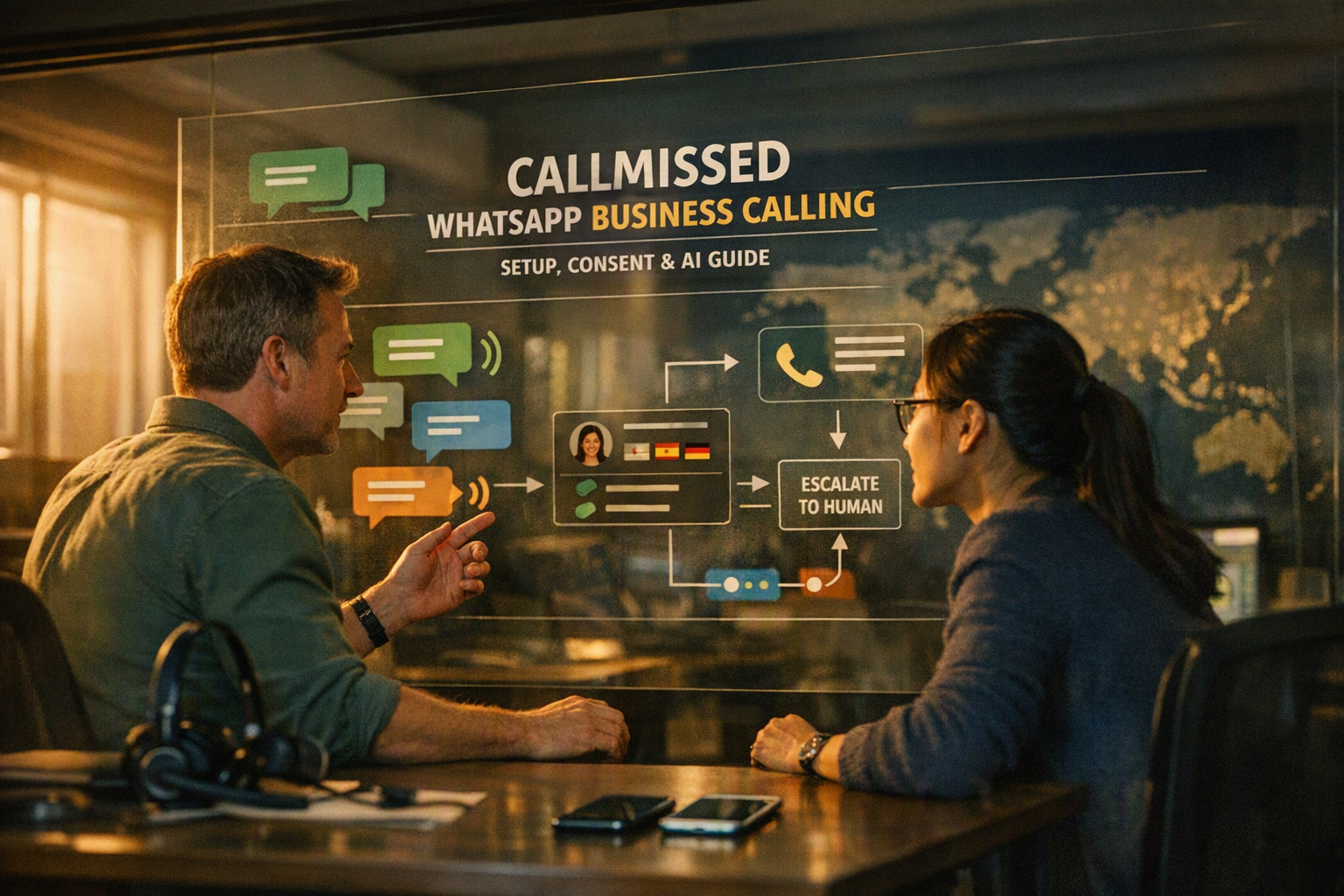
Learn how CallMissed WhatsApp Business calling handles inbound and initiated calls, AI agents, consent, setup, testing, and escalation.
CallMissed WhatsApp Business Calling: Setup, Consent & AI Guide
What if every WhatsApp conversation could become a live voice call—without forcing the customer to switch apps or repeat their problem? CallMissed WhatsApp Business calling enables businesses to handle inbound calls and, with appropriate customer permission, initiate calls that connect to an AI voice agent or human team member.
Why WhatsApp calling matters now
WhatsApp has more than 3 billion monthly users, Meta CEO Mark Zuckerberg announced during Meta’s first-quarter earnings call on April 30, 2025. That reach makes WhatsApp more than a messaging channel: for many customers, particularly mobile-first users in India, it is already a familiar place to contact businesses.
However, WhatsApp chat and WhatsApp Business calling are separate capabilities. A chatbot exchanges text, media, templates and interactive messages. Calling adds a real-time audio session governed by distinct configuration, eligibility and permission requirements. A customer messaging a business does not automatically grant unrestricted consent for the business to call them.
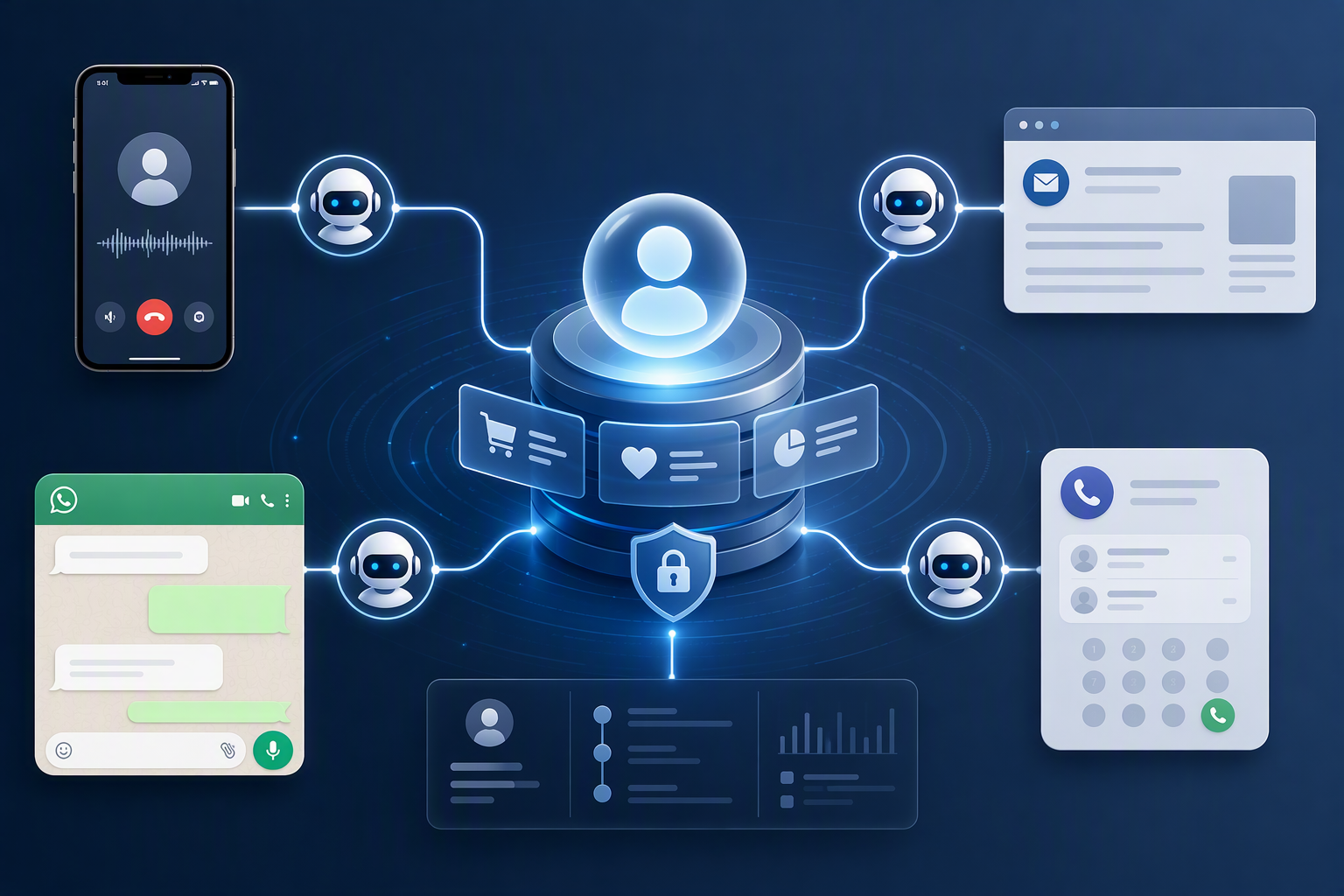
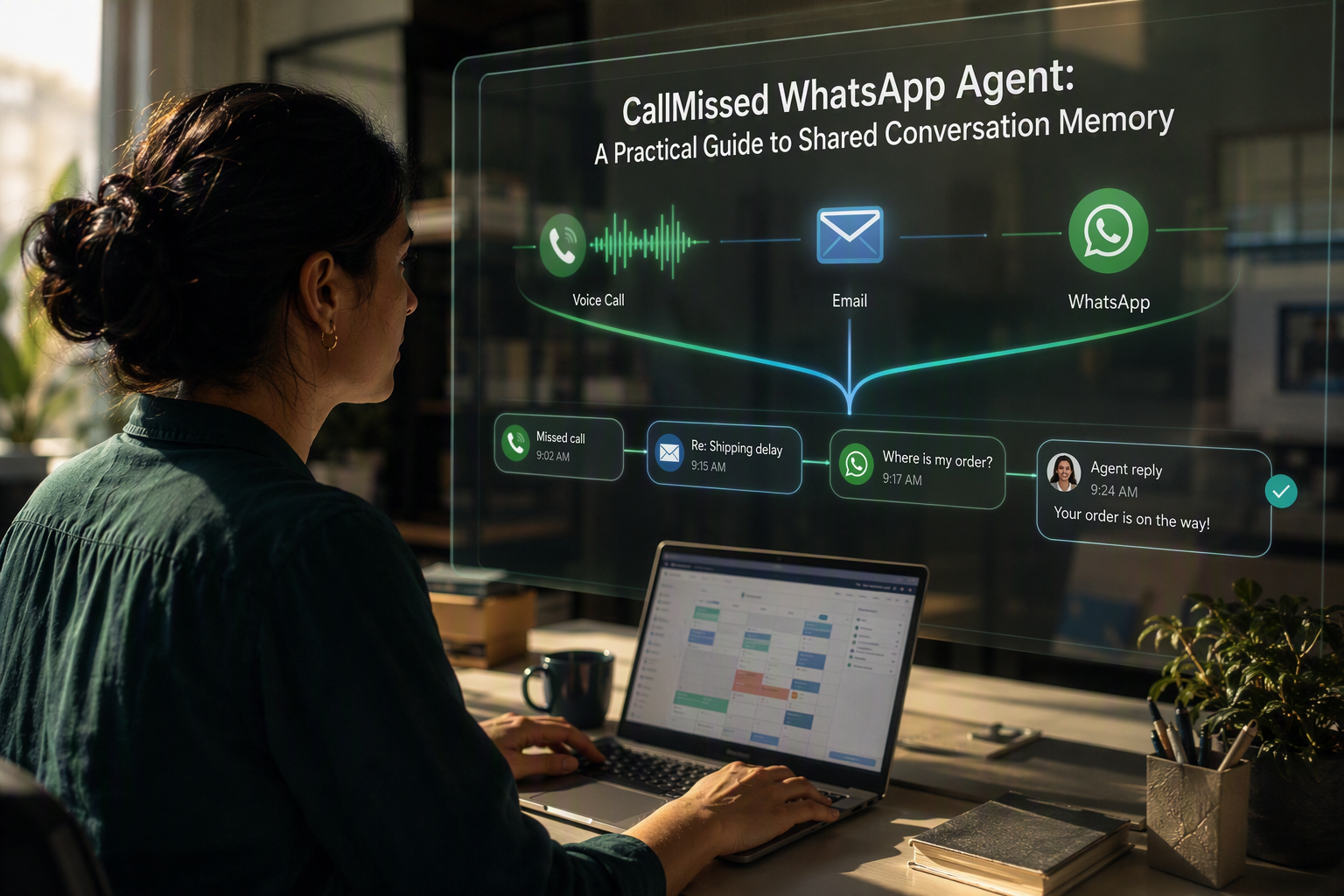
CallMissed brings these channels together by bridging WhatsApp Business calls to an AI voice agent, while also supporting human escalation and customer context across an omnichannel inbox. This makes WhatsApp AI calling useful for scenarios such as appointment confirmation, lead qualification, service assistance and multilingual support—not merely as a replacement for conventional phone calls.
What this guide will clarify
This product guide explains the operational questions teams should answer before switching on a WhatsApp voice agent, including:
- How inbound calling differs from business-initiated calling
- When a business needs explicit calling permission and why chat consent should not be treated as blanket call consent
- How CallMissed connects a WhatsApp call to an AI agent, knowledge base and customer record
- What context the agent should receive before answering
- When the AI should escalate to a human and what information should transfer
- How to test audio quality, latency, interruptions, fallback behaviour and failure states
- How regional-language design affects speech recognition, pronunciation and code-switching
Language coverage is especially important in India, where a caller may begin in Hindi, switch to English and use local names or terminology in the same sentence. CallMissed supports Speech-to-Text and Text-to-Speech across 22 Indian languages, enabling teams to design Indic-first calling experiences rather than adding regional support as an afterthought.
The goal is not simply to activate calling. It is to build a consent-aware, context-rich and testable customer journey in which callers know whether they are speaking with AI, can reach a person when necessary, and never need to start again when moving between WhatsApp chat and voice.
What is CallMissed WhatsApp Business calling, and how should businesses understand it? A concise, source-qualified answer covering inbound calls, business-initiated calls, AI voice handling, customer context, availability checks, and the distinction between confirmed capabilities and proposed workflows
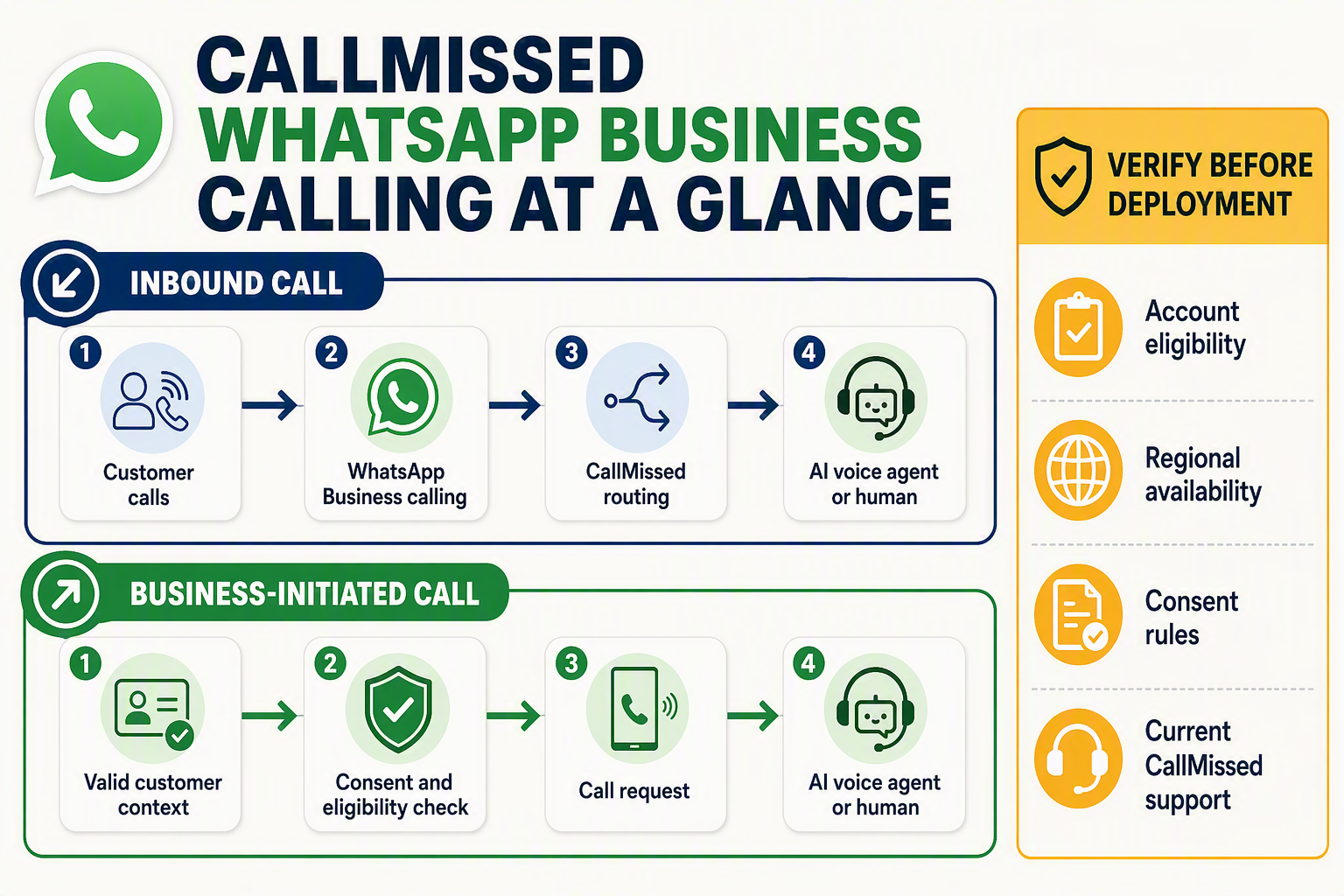
CallMissed WhatsApp Business calling connects eligible WhatsApp Business voice calls to an AI voice agent or human operator while preserving relevant customer context from the wider engagement platform. Businesses should treat inbound calling, business-initiated calling and WhatsApp chat as separate workflows, each subject to Meta account availability, configuration and consent requirements.
Inbound versus business-initiated calls
The direction of the call determines who starts the interaction and what permissions must be evaluated:
- Inbound calling: A customer taps the calling option associated with the business on WhatsApp. CallMissed can route the incoming audio session to a configured AI voice agent or human team member.
- Business-initiated calling: The business requests or starts a WhatsApp call to the customer. This workflow requires the business to satisfy Meta’s applicable permission and eligibility rules; an existing chat should not be interpreted as unlimited permission to call.
- Chat-to-call transition: A customer or agent may move from messaging into voice, but the call remains a distinct real-time session rather than an audio extension of the chatbot conversation.
Meta’s WhatsApp Business Platform documentation should be treated as the authoritative source for current calling eligibility, regional availability, permission windows and account-level restrictions. These conditions can change independently of CallMissed’s product functionality.
What the AI voice agent can handle
When calling is available and configured, WhatsApp AI calling can bridge the WhatsApp audio session to a CallMissed AI voice agent. The agent can use speech recognition, text-to-speech, business instructions and a connected knowledge base to conduct a spoken interaction.
A production WhatsApp voice agent might:
- Identify the customer and reason for calling.
- Retrieve approved context, such as the current conversation, lead stage or open support issue.
- Answer knowledge-based questions or complete a defined workflow.
- escalate to a human when confidence is low, the customer requests one, or policy requires intervention.
- Transfer a summary and relevant customer details so the caller does not need to repeat everything.
CallMissed supports Speech-to-Text and Text-to-Speech across 22 Indian languages, making multilingual and code-switched voice workflows a confirmed platform capability. However, language availability does not by itself guarantee identical accuracy for every accent, name, acoustic environment or mixed-language utterance; businesses should test their own call samples.
Confirmed capabilities versus proposed workflows
Confirmed CallMissed capabilities include bridging WhatsApp Business calls to AI voice agents, supporting inbound and appropriately permissioned business-initiated calling, maintaining customer context through an omnichannel inbox, using knowledge-base retrieval, and enabling human escalation.
By contrast, examples such as appointment reminders, lead qualification, payment follow-ups or automated order support are proposed business workflows. Their successful deployment depends on the organisation’s configuration, consent design, data integrations, operating policies and testing—not merely on switching on calling.
Availability checks before implementation
Before committing to a launch date, verify:
- Whether WhatsApp Business calling is enabled for the relevant business account, phone number, country and deployment model
- Whether inbound and business-initiated calling are both available
- How customer calling permission will be requested, recorded and respected
- Which conversation and CRM fields the agent may access
- Where calls route if the AI is unavailable or escalation fails
- Whether recording, disclosure and retention practices meet applicable law
The correct operational model is therefore capability plus eligibility plus configuration: CallMissed supplies the calling and AI infrastructure, while Meta controls WhatsApp-level availability and the business remains responsible for consent, workflow design and compliance.
How is WhatsApp Business calling different from WhatsApp chat, conventional phone calls, and voice messages? Background, channel boundaries, billing, identity, permissions, and customer expectations
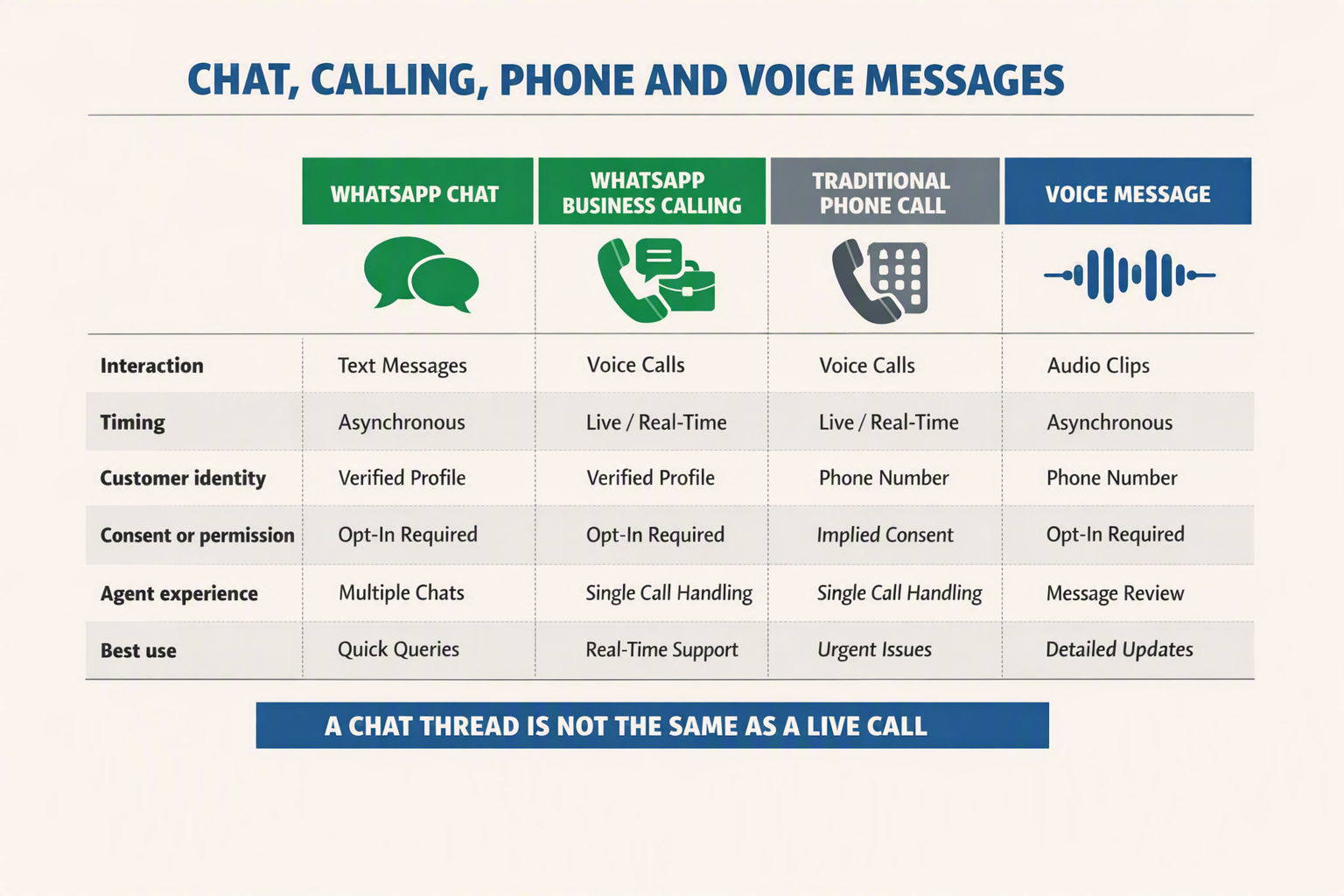
WhatsApp Business calling is a real-time, internet-based voice channel inside WhatsApp—not an extension of chat, a conventional telephone call, or a voice note. Each format has different rules for identity, consent, routing, billing and response time, so businesses should design them as connected but distinct customer journeys.
Where each channel begins and ends
- WhatsApp chat is asynchronous messaging using text, media, approved templates and interactive content. A chatbot can answer after a delay, and the conversation remains readable.
- WhatsApp Business calling creates a live, two-way audio session. Inbound calls are initiated by customers; business-initiated calls require the relevant WhatsApp permission and policy conditions.
- Conventional phone calls travel through telephone networks and normally use a geographic, mobile or toll-free number as the caller identity. WhatsApp calls use the WhatsApp application and an internet connection.
- Voice messages are recorded audio files sent within chat. They can be replayed or answered later, but they do not support live interruption, turn-taking or immediate clarification.
A customer’s decision to send a message or voice note should not be interpreted as unrestricted permission to receive a live call. Calling introduces a stronger interruption and a different customer expectation.
Identity, presence and customer expectations
On a conventional call, customers generally identify the organisation through its displayed telephone number or caller-ID label. During WhatsApp AI calling, recognition is tied to the business’s WhatsApp presence, including the business name, profile and existing conversation history.
That familiarity does not eliminate the need for transparency. At the start of a call, a WhatsApp voice agent should state:
- The business it represents
- That the caller is interacting with an AI agent, where applicable
- The reason for the call
- How to request a human or end the interaction
Customers also expect different response patterns by channel. Chat permits pauses; a live call requires low latency, natural turn-taking and support for interruptions. A voice note may be several minutes long without feedback, whereas silence of only a few seconds during a call can feel like a technical failure.
Permissions are channel-specific
Inbound calling expresses clear intent because the customer actively presses the call button. The business still needs rules for availability, recording disclosure, authentication and escalation.
For a business-initiated WhatsApp call, teams must follow Meta’s current eligibility, permission and calling-window requirements. Permission should be treated as purpose-specific and time-bound rather than as permanent consent. Businesses should record when permission was requested, the customer’s response and the intended calling purpose.
Chat history can provide context for a permitted call, but it does not itself create blanket calling consent.
Billing has multiple layers
Businesses should not assume that WhatsApp chat, WhatsApp calls and conventional telephony share one tariff. A deployment may include separate charges for:
- Meta or WhatsApp messaging and calling usage
- Business solution provider or platform services
- AI model, Speech-to-Text and Text-to-Speech consumption
- Human-agent or conventional telephone-network transfers
- Mobile data consumed by the customer
Pricing and policy details can change, so teams should verify Meta’s current documentation and their provider agreement before publishing customer-facing rates.
CallMissed WhatsApp Business calling bridges eligible WhatsApp calls to an AI voice agent while retaining customer context across the wider engagement platform. This connection is valuable, but it should preserve channel boundaries: chat supplies history, calling supplies live audio, and permission determines whether the business may initiate the interaction.
Which CallMissed and WhatsApp calling capabilities are currently verified, conditional, unverified, or subject to change? (TABLE)
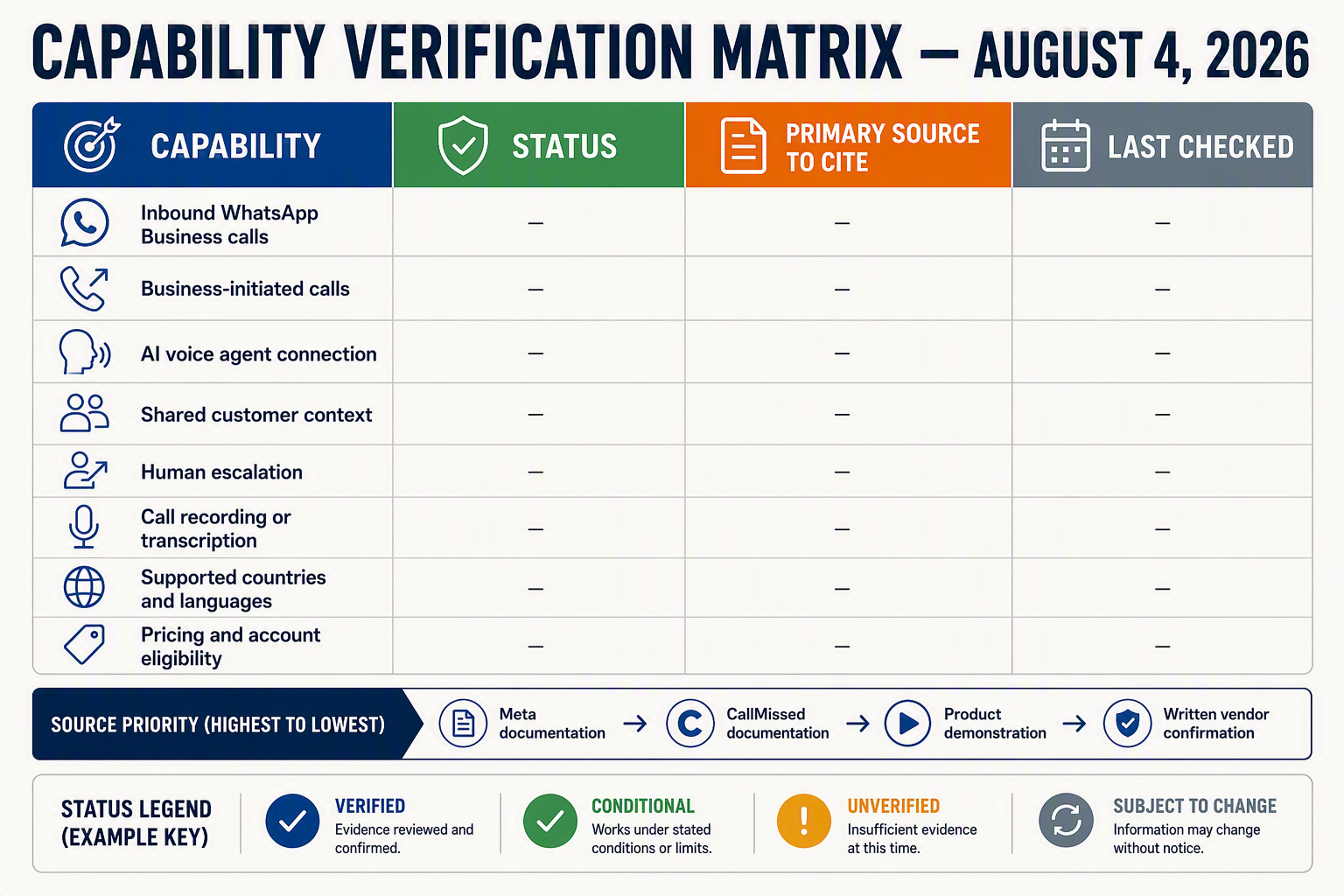
As of August 4, 2026, CallMissed supports inbound and business-initiated WhatsApp Business calls, AI-agent bridging, customer context and multilingual voice workflows. However, activation for a particular WhatsApp Business Account remains conditional on Meta eligibility, configuration, customer permission and regional availability; published limits, pricing and account-level access can change.
Capability and verification matrix
| Capability | Current status | What is established | What the business must confirm |
|---|---|---|---|
| Inbound WhatsApp Business calls | Verified capability; activation conditional | CallMissed can route a customer-initiated WhatsApp call to an AI voice agent or configured human workflow. | Confirm that calling is available and enabled for the specific WhatsApp Business Account and number. |
| Business-initiated WhatsApp calls | Verified capability; permission conditional | CallMissed supports outbound calling workflows where WhatsApp and Meta requirements permit them. | Verify customer calling permission, the permitted calling window, account eligibility and the current initiation flow before launch. |
| WhatsApp call-to-AI-agent bridge | Verified CallMissed capability | A live WhatsApp Business call can connect to a WhatsApp voice agent rather than functioning only as a chat interaction. | Test agent assignment, disclosure language, interruption handling, latency and fallback routing in the production configuration. |
| Customer context and human escalation | Verified platform capability; implementation dependent | CallMissed includes an omnichannel inbox/CRM and knowledge-base RAG that can provide relevant context and support human handoff. | Define which chat history, CRM fields, consent records and conversation summaries the voice agent may access or transfer. |
| Speech recognition and synthesis across 22 Indian languages | Verified product specification | CallMissed supports Speech-to-Text and Text-to-Speech across 22 Indian languages, including Indic-first voice use cases. | Test the selected language, accent, local names, code-switching and voice availability; language coverage does not guarantee equal accuracy in every acoustic condition. |
| Exact Meta fees, call limits and universal account availability | Unverified or subject to change | The supplied evidence does not establish one permanent price, quota, geography list or eligibility rule applicable to every account. | Check current Meta documentation, WhatsApp Manager and the CallMissed dashboard or onboarding team before publishing customer-facing commitments. |
How to interpret these labels
Verified means the function is part of CallMissed’s documented platform scope. It does not mean Meta has automatically activated it for every business number, country or use case.
Conditional means the technical capability exists, but deployment depends on external or account-specific requirements. For example, WhatsApp AI calling initiated by a business should not be enabled merely because the customer previously sent a chat message. Teams must confirm the current permission mechanism and preserve evidence of consent.
Unverified means this guide does not have sufficient evidence to state a fixed value or universal rule. Businesses should avoid assumptions about:
- Exact per-call or per-minute Meta charges
- Calling availability in every country
- Permanent initiation windows or frequency limits
- Automatic approval for every WhatsApp Business Account
- Identical speech performance across all 22 supported languages
Subject to change primarily covers Meta-controlled policies, eligibility rules, interfaces and commercial terms. Meta’s WhatsApp Business Platform requirements are the authoritative source for platform-level access, while CallMissed documentation and account configuration determine how the integration behaves.
Before treating CallMissed WhatsApp Business calling as production-ready, capture dated screenshots or records of account eligibility, consent configuration, routing rules, language selection and escalation behaviour. This creates a defensible implementation record even when platform rules later change.
How do inbound and business-initiated call flows connect a WhatsApp voice agent to customer context, tools, and human support?
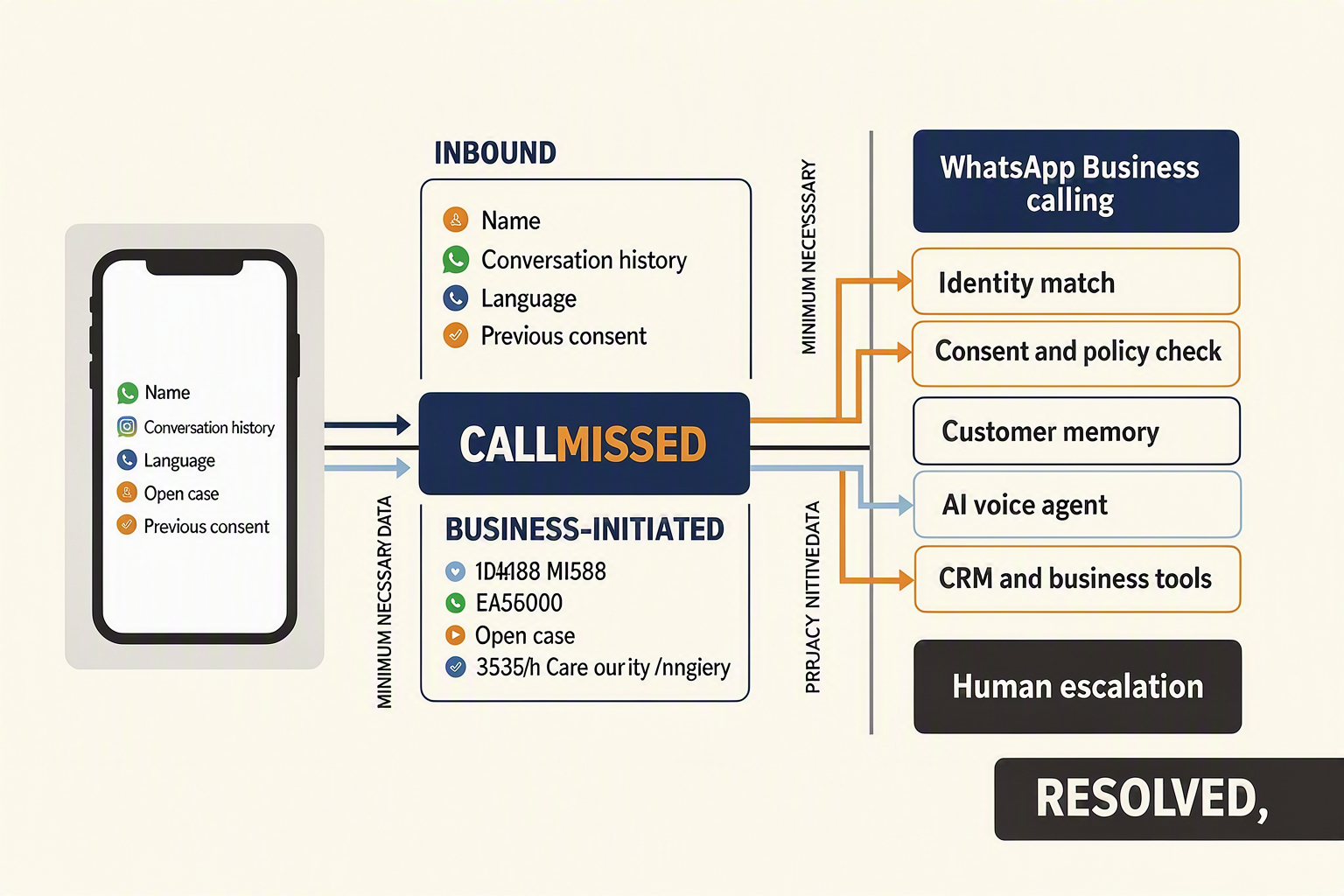
Inbound and business-initiated calls use different entry conditions, but both should resolve the caller’s identity, load relevant customer context, connect approved tools, and preserve a clear route to human support. CallMissed WhatsApp Business calling can bridge either flow to an AI voice agent while keeping WhatsApp chat, call outcomes, and follow-up work connected through an omnichannel customer record.
Inbound flow: the customer starts the call
An inbound flow begins when a customer taps the calling option associated with the business’s WhatsApp presence. Because the customer initiates the session, the system can route the call directly according to configured business hours, agent availability, language rules, and escalation policies.
A practical inbound sequence is:
- Resolve the WhatsApp identity: Match the caller’s WhatsApp number to an existing contact or create a new customer record.
- Retrieve permitted context: Load recent messages, open enquiries, appointment details, previous call summaries, language preference, and relevant CRM fields.
- Start the voice session: The WhatsApp voice agent should identify the business, disclose that it is an AI assistant where appropriate, and confirm the caller’s intent.
- Use authorised tools: Depending on configuration, the agent can search a knowledge base, collect lead information, check a booking, or create a follow-up task.
- Complete or escalate: The agent records the outcome or transfers the conversation to a human with a concise summary.
Identity matching should not replace authentication. A recognised WhatsApp number may help personalise the interaction, but sensitive actions—such as disclosing account information or changing an order—should require an additional verification step.
Business-initiated flow: permission comes first
In a business-initiated call, the organisation attempts to call the customer. WhatsApp AI calling should begin only after the applicable WhatsApp permission and policy conditions have been satisfied; a prior chat should not be treated as unlimited permission to place voice calls.
The orchestration layer should check:
- Whether valid calling permission exists and remains applicable
- Which purpose the customer authorised
- The permitted timing or calling window
- Whether the customer has opted out or requested another channel
- Which AI agent, queue, language, and fallback destination should handle the call
If permission is absent, expired, or otherwise invalid, the workflow should stop the call attempt and use an approved alternative, such as a WhatsApp message requesting permission. Exact availability and rules can depend on Meta eligibility, account configuration, market, and current WhatsApp Business Platform policies.
Context and tools should follow the conversation
The agent should receive minimum necessary context, not an unrestricted customer-data dump. Useful inputs include the customer’s name, current request, recent WhatsApp messages, selected language, active case, and approved business data.
CallMissed can connect the call to knowledge-base retrieval and customer engagement workflows across voice and WhatsApp. For Indian audiences, its Speech-to-Text and Text-to-Speech support across 22 Indian languages can also help a WhatsApp voice agent handle regional-language and mixed-language conversations, subject to testing with real accents and terminology.
Human escalation must preserve continuity
Escalation should trigger when the caller asks for a person, authentication fails, confidence is low, a tool returns an error, or the issue falls outside policy. The human agent should receive:
- Caller identity and verification status
- Intent and conversation summary
- Relevant transcript or structured notes
- Tools already used and actions completed
- Unresolved question and recommended next step
If no human is available, the system should offer a callback, continue in WhatsApp chat, or create a tracked follow-up—never leave the caller in an unexplained loop.
What setup questions should a business answer before enabling WhatsApp AI calling? Account eligibility, use cases, numbers, identity, permissions, CRM data, hours, routing, recording, security, languages, and ownership
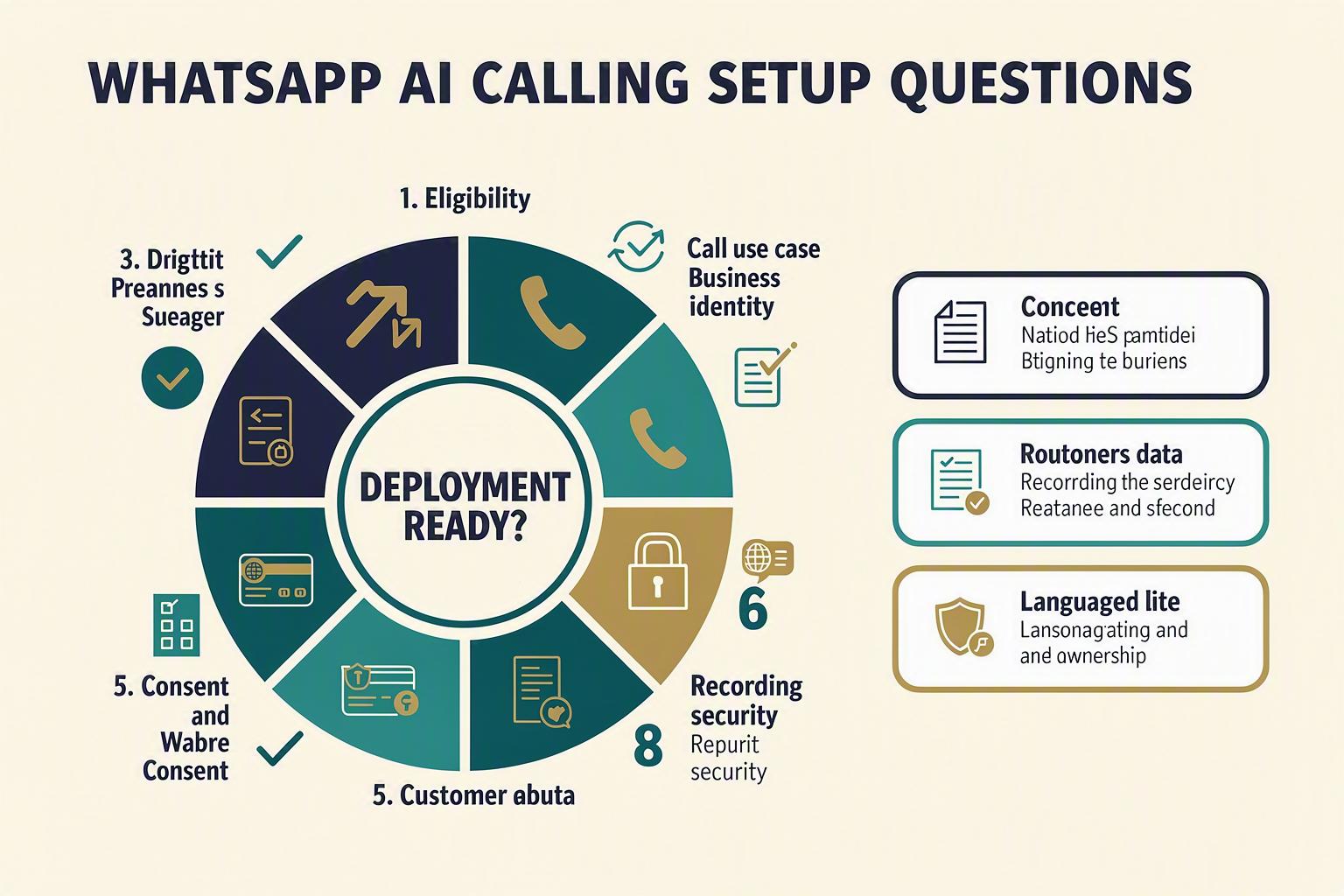
A business should enable WhatsApp AI calling only after documenting eligibility, consent, identity, data access, operating hours, routing, recording, security, languages and operational ownership. These decisions should become an approved deployment specification—not settings chosen informally during activation.
1. Is the account, number and use case eligible?
Confirm the following with CallMissed and the current Meta onboarding requirements before planning a launch:
- Which WhatsApp Business Account will own calling?
- Is the intended business number eligible and correctly registered?
- Will the number receive inbound calls, place business-initiated calls, or support both?
- Which use cases are permitted and appropriate for this channel?
- Does the display name accurately identify the legal or customer-facing business?
Define each use case narrowly—for example, appointment reminders, lead follow-up or order assistance. Avoid a generic “customer engagement” scope that gives operators no clear basis for deciding when a call is justified.
2. How will permission and identity be handled?
Inbound availability does not by itself authorise outbound calling. Before enabling business-initiated WhatsApp AI calling, answer:
- What action records the customer’s permission to receive a call?
- What does the permission screen or message tell the customer?
- Where are the permission status, timestamp and source stored?
- How will revocation or an expired permission be enforced?
- How will the agent introduce the business and disclose that it is an AI system?
- Can the customer immediately request a human or end further calling?
Treat chat opt-in, marketing consent and calling permission as separate records unless applicable rules explicitly allow otherwise. The calling workflow should check permission before dialling rather than relying on an agent’s assumption.
3. What context can the agent access?
Specify the minimum customer data the WhatsApp voice agent needs to resolve the selected use case. Relevant context may include:
- Customer name, language preference and verified identifiers
- Recent WhatsApp messages and the reason for the call
- Appointment, lead, ticket or order status
- Previous agent actions and promised follow-ups
- Knowledge-base content approved for spoken answers
Apply data minimisation: access should be purpose-specific, role-controlled and logged. Decide which sensitive actions require additional verification and which information must never be spoken aloud without authentication.
4. When does AI answer, route or escalate?
Create an operating-hours and routing matrix covering business hours, holidays and staff availability. Define what happens when:
- The AI cannot understand the caller after repeated attempts
- The customer asks for a person
- A complaint, emergency, payment dispute or sensitive issue appears
- No human agent is available
- The call drops or the CRM cannot be reached
Escalation should transfer the call reason, transcript or concise summary, verified customer details and actions already attempted. CallMissed WhatsApp Business calling can bridge calls to an AI voice agent and support human escalation, but the business must define who receives each category and who owns unresolved cases.
5. What are the recording, security and language rules?
Before launch, legal, security and operations teams should approve:
- Whether calls are recorded or transcribed and how callers are notified
- Retention periods, deletion procedures and authorised access
- CRM credentials, webhook authentication and incident response
- Supported languages, accents, code-switching and fallback behaviour
- Pronunciation rules for names, addresses, products and local terminology
CallMissed supports Speech-to-Text and Text-to-Speech across 22 Indian languages, but each deployed language still requires scenario-based testing. Finally, assign named owners for consent policy, prompt changes, knowledge-base accuracy, routing, security reviews and weekly quality monitoring; without ownership, automation can scale errors as efficiently as it scales service.
How should consent, escalation, testing, and regional-language support be designed to reduce operational and compliance risk?
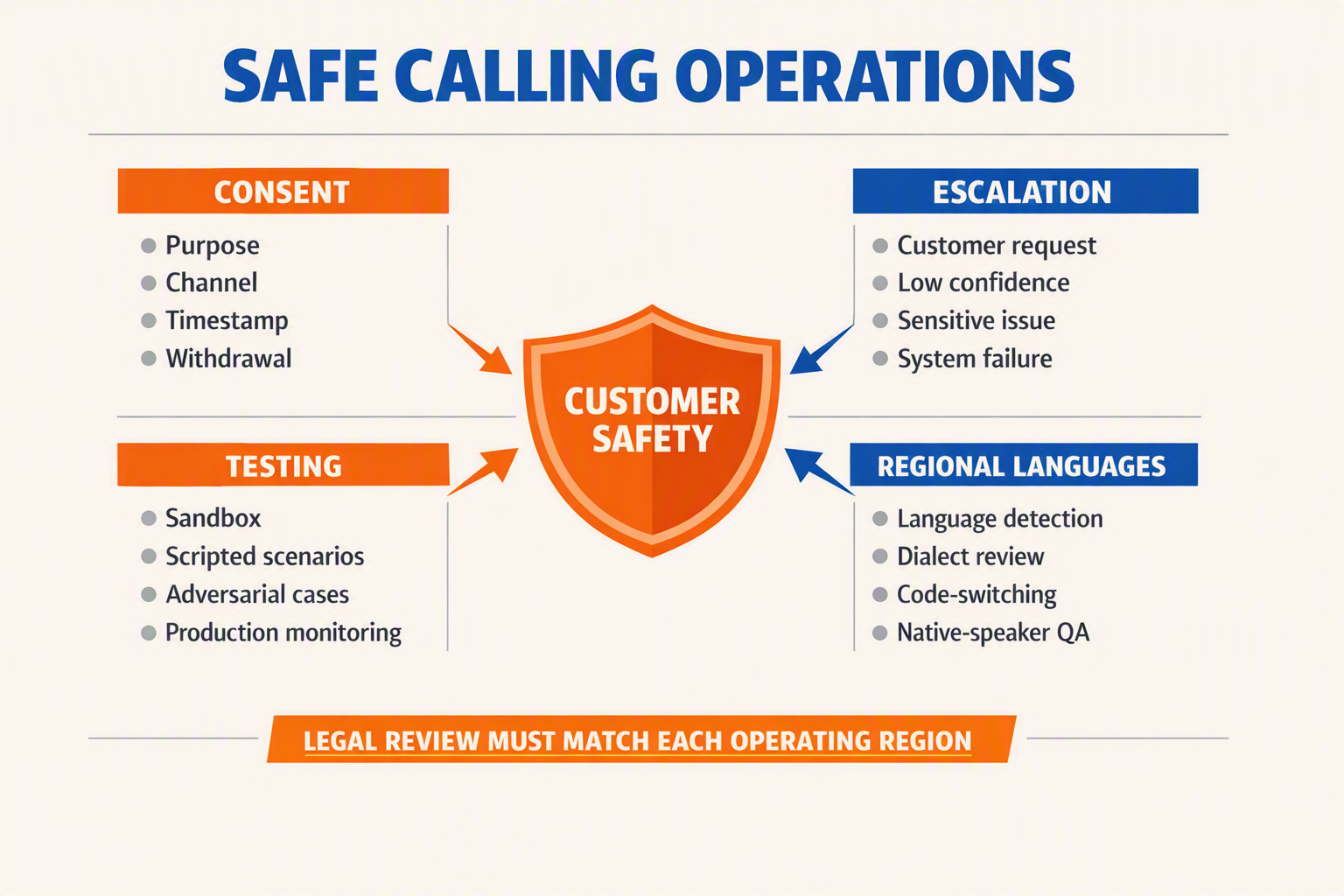
Risk falls when consent is auditable, escalation preserves context, testing uses measurable acceptance criteria, and language support is validated with real speakers. For CallMissed WhatsApp Business calling, these controls should be designed before production traffic—not added after a complaint or failed call.
Make calling permission explicit and traceable
Meta’s WhatsApp Business Platform documentation distinguishes customer-initiated calls from business-initiated calling, which requires the business to obtain calling permission through the supported WhatsApp flow. A chat message, marketing opt-in or stored phone number should not be treated as unlimited permission to place a call.
The consent record should capture:
- Customer identity and WhatsApp number
- The exact permission request shown
- Date, time, source and stated purpose
- Permission status and any platform-defined validity period
- Withdrawal, rejection or expiry events
- The campaign, workflow or employee that requested permission
Before dialling, the system should re-check permission rather than relying on an exported list. Businesses should also disclose when the customer is speaking with a WhatsApp voice agent, state the call’s purpose and explain recording or transcription where applicable. Local counsel should review workflows against privacy, consumer-protection and sector-specific rules in each operating region.
Define escalation as a controlled handoff
A safe WhatsApp AI calling workflow needs explicit transfer conditions. The AI should not improvise through situations involving fraud allegations, threats, medical or legal decisions, repeated authentication failures, or requests that exceed its authorised tools.
Use escalation triggers such as:
- The customer asks for a person.
- Speech recognition fails repeatedly.
- Sentiment indicates distress or escalating frustration.
- The knowledge base lacks a sufficiently supported answer.
- A transaction exceeds a predefined value or risk threshold.
- Identity verification cannot be completed safely.
The human agent should receive the caller’s verified identity, consent state, call summary, transcript, detected language, previous WhatsApp messages and actions already attempted. Sensitive fields should be minimised and access-controlled. If no human is available, offer a callback window or return to WhatsApp chat instead of leaving the caller in an indefinite queue.
Test complete journeys, not isolated prompts
A staging plan should cover real devices, network conditions and failure states. Set internal thresholds for each use case rather than adopting one universal latency or accuracy number.
Test at least:
- Audio: background noise, speakerphone, Bluetooth and low-bandwidth connections
- Conversation: interruptions, silence, fast speech, numbers, names and address confirmation
- Systems: CRM lookup, knowledge retrieval, tool timeouts and duplicate actions
- Fallbacks: unavailable agents, dropped calls, expired permission and failed transfers
- Safety: prompt injection, unauthorised data requests and accidental disclosure
- Recovery: whether the customer can resume in chat without repeating the issue
Run regression tests whenever the model, prompt, knowledge base, telephony configuration or business policy changes. Production monitoring should track transfer rate, unresolved intent, recognition failures, dropped calls and opt-outs by language and workflow.
Validate regional languages with native speakers
CallMissed supports Speech-to-Text and Text-to-Speech across 22 Indian languages, but language availability alone does not guarantee a reliable experience. Teams should build test sets containing regional accents, code-switching, local place names, product terminology, dates, currency amounts and mixed Hindi-English or Tamil-English sentences.
Evaluate transcription meaning—not merely word matching—and have native speakers review pronunciation, formality and cultural clarity. The CallMissed WhatsApp Business calling workflow should also provide a rapid language-switch command and human fallback when confidence falls, ensuring regional-language access reduces risk rather than creating a new source of misunderstanding.
What do contact-centre, privacy, legal, and conversational-AI experts recommend validating before launch? Primary-source evidence, measurable acceptance criteria, and claims that require specialist review

Experts recommend treating launch approval as an evidence-based risk review, not merely a successful demo. Before enabling CallMissed WhatsApp Business calling, teams should validate Meta compliance, privacy controls, contact-centre operations and AI behaviour against documented, measurable acceptance criteria.
Primary sources the launch team should examine
Policies and laws can change, so retain dated copies of the rules used for approval. The evidence pack should include:
- Meta’s current WhatsApp Business Platform and Calling API documentation: Confirm account eligibility, permitted use cases, calling-permission status, display-name requirements and restrictions on business-initiated calls.
- India’s Digital Personal Data Protection Act, 2023: The DPDP Act received presidential assent on 11 August 2023 and establishes obligations involving notice, consent, purpose limitation and the rights of Data Principals. Counsel should determine which provisions and implementing rules apply at launch.
- CERT-In Directions of 28 April 2022: CERT-In requires covered entities to report specified cyber incidents within six hours of noticing them and securely retain ICT-system logs for 180 days within Indian jurisdiction. A security specialist should assess applicability to call infrastructure, recordings and AI systems.
- NIST AI Risk Management Framework 1.0 and Generative AI Profile: NIST published AI RMF 1.0 in January 2023 and the Generative AI Profile in July 2024, providing a structured approach to governing, mapping, measuring and managing AI risks.
- ISO 18295-1:2017: This contact-centre standard addresses customer-contact-centre requirements, including service quality, processes and customer experience.
These sources should be reviewed alongside contracts, sector rules and internal policies—not treated as a substitute for legal advice.
Convert recommendations into acceptance criteria
A production-readiness test should use explicit pass/fail gates. Suitable internal targets may include:
- Permission evidence: 100% of test business-initiated calls have a retrievable permission record, timestamp, scope and expiry state.
- AI disclosure: 100% of sampled calls identify the WhatsApp voice agent before collecting sensitive information.
- Escalation reliability: At least 95% of scripted escalation requests reach the correct human queue, with no loss of the verified customer context.
- Recording controls: 100% of recorded test calls play the approved notice and honour refusal, pause or deletion workflows defined by counsel.
- Knowledge accuracy: Zero unsupported answers for prohibited high-risk scenarios; every uncertain answer triggers clarification, safe deflection or human transfer.
- Language performance: Each supported language and code-switched journey passes separately using local names, numbers, addresses and domain vocabulary.
- Resilience: Simulated model, telephony and network failures produce an approved fallback rather than silence, repeated loops or fabricated responses.
These percentages are recommended internal launch gates, not universal legal thresholds. Businesses should set stricter criteria where healthcare, finance, insurance or other regulated decisions are involved.
Claims requiring specialist sign-off
Do not publish or operationalise claims such as “fully compliant,” “consent is always valid,” “recording is lawful,” “emotion detection is accurate” or “AI advice is error-free” without supporting evidence. Legal counsel should review consent, recording, retention, cross-border processing and unsolicited-communication rules; privacy professionals should review data minimisation and deletion; security teams should test access controls and incident response.
For WhatsApp AI calling, CallMissed can connect WhatsApp Business calls with AI agents and customer context, but each business remains responsible for configuring permissions, disclosures, escalation rules and lawful data handling for its own use case.
What does this mean for your business, and which deployment path fits your readiness level? (TABLE)
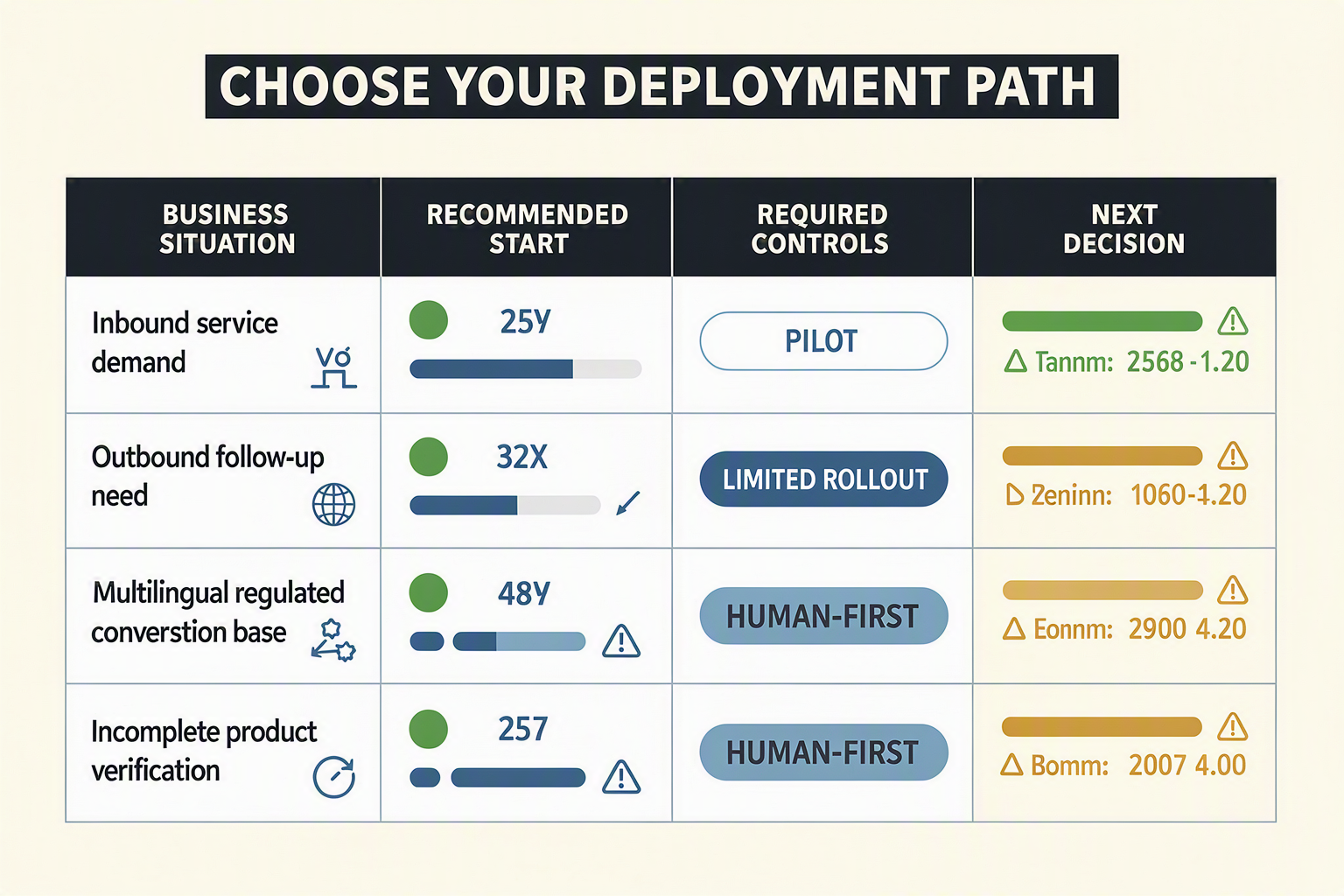
The right deployment path depends less on company size than on consent maturity, data quality, escalation capacity and operational risk. Most businesses should begin with a narrow inbound workflow, validate it with real calls, and add business-initiated WhatsApp AI calling only after permissions and governance are demonstrably reliable.
Choose a deployment path by operational readiness
| Readiness level | Recommended starting scope | Required controls | Main limitation | Graduation criterion |
|---|---|---|---|---|
| 1. Assisted pilot | Route inbound calls to humans while capturing transcripts and outcomes | Call disclosure, recording policy, access controls and manual review | Limited automation; agents still handle every call | The team understands common intents, failure modes and escalation reasons |
| 2. Inbound AI pilot | Let a WhatsApp voice agent answer one low-risk use case, such as appointment status | Approved knowledge base, identity checks, human fallback and test scripts | Narrow coverage may frustrate callers with unrelated requests | The agent consistently stays within scope and transfers context correctly |
| 3. Multilingual inbound | Add validated regional-language journeys for selected audiences | Language detection, pronunciation dictionary, code-switching tests and native-speaker review | More testing and content maintenance are required | Target languages meet the business’s accuracy and customer-experience thresholds |
| 4. Permission-based outbound | Initiate calls for a defined purpose, such as a requested callback | Recorded calling permission, purpose limitation, suppression rules and retry limits | Permission collection adds journey friction; unanswered calls remain possible | Consent records and opt-out handling pass compliance review |
| 5. Omnichannel production | Connect chat, calling, CRM records, knowledge retrieval and campaigns | Monitoring, role-based access, audit trails, incident response and version control | Greater integration complexity and dependency on accurate customer data | Owners can measure outcomes and safely roll back prompts, workflows or integrations |
Match scope to business risk
A low-risk appointment reminder is not equivalent to a payment dispute, medical conversation or contractual commitment. Before selecting a row, classify each proposed workflow by:
- Consequence of an incorrect answer
- Sensitivity of the customer data involved
- Need for identity verification
- Availability of a trained human during escalation
- Whether the customer requested or permitted the call
- Languages and accents that testing must cover
CallMissed supports Speech-to-Text and Text-to-Speech across 22 Indian languages, but availability should not be confused with deployment readiness. Launch only the languages for which the business has reviewed terminology, names, numbers, dates and mixed-language speech with representative callers.
Account for the operational cons
CallMissed WhatsApp Business calling can reduce channel switching and connect calls to customer context, but it does not remove the operational costs of voice automation. Businesses should plan for:
- Recognition errors caused by noise, accents or overlapping speech
- Latency that makes interruptions and turn-taking feel unnatural
- Incorrect CRM data being presented as trusted context
- Knowledge-base answers becoming outdated
- Customers declining AI assistance or preferring text
- Human queues becoming overloaded when escalation rules are too broad
- Additional consent, retention and audit obligations for outbound workflows
Make the final go-or-no-go decision
Proceed only when the team can answer four questions clearly: Who may be called, for what purpose, what context may the agent use, and what happens when automation fails? If any answer is ambiguous, keep the workflow inbound, narrow its scope or retain human handling.
The strongest rollout is therefore progressive rather than channel-wide: start with one intent, one audience and one escalation path; measure real conversations; then expand languages, outbound permissions and CRM actions only after each control has been proven.
Frequently asked questions: Does CallMissed support inbound WhatsApp Business calls and business-initiated calling; is WhatsApp chat separate from calling; can an AI voice agent access chat context; what consent is required; when should calls escalate; how should languages be tested; where is calling available; and how can current capabilities be verified?
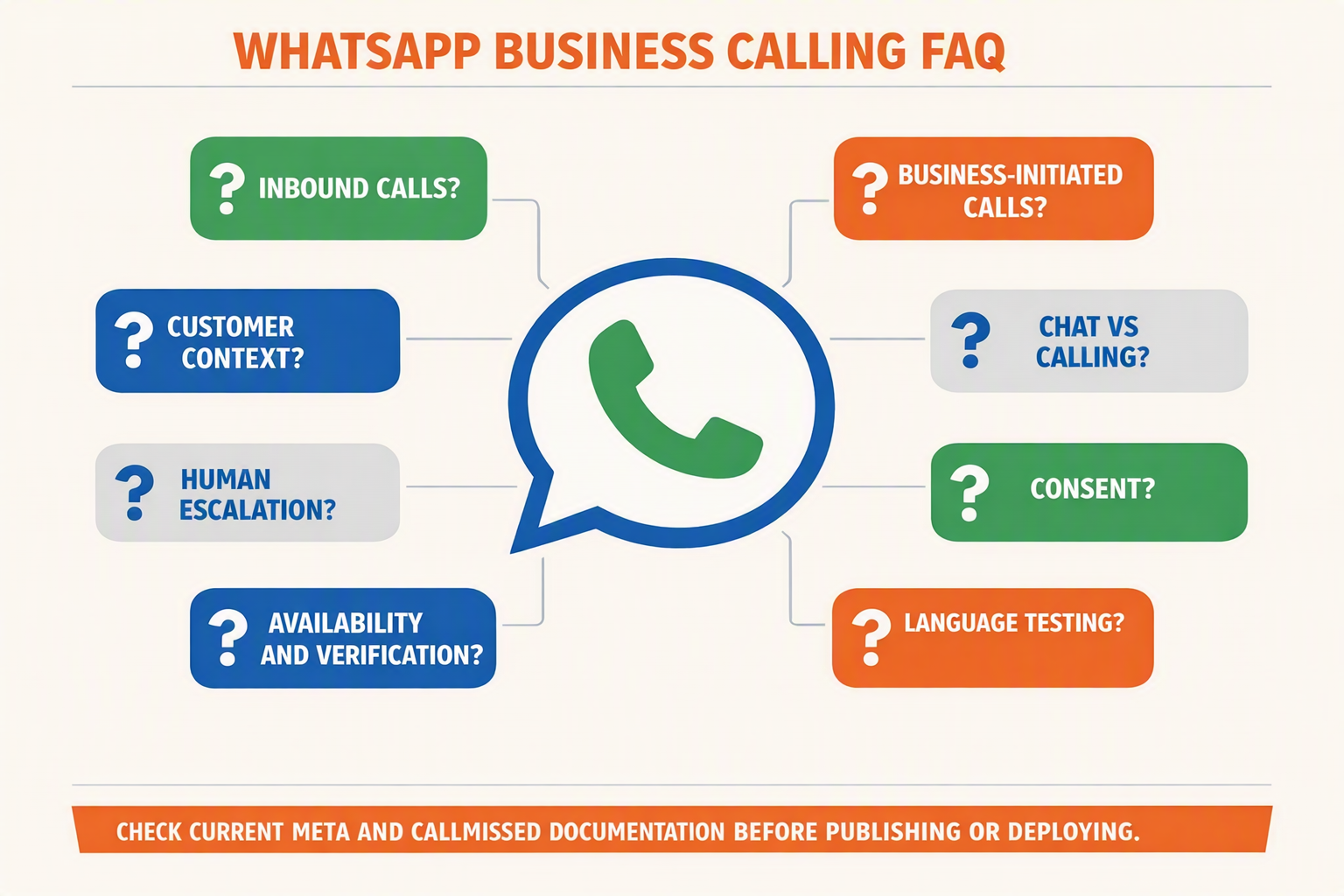
Does CallMissed WhatsApp Business calling support inbound and business-initiated calls?
Is WhatsApp chat separate from calling, and can a WhatsApp voice agent access chat context?
What customer consent is required for business-initiated WhatsApp calls?
When should WhatsApp AI calling escalate from an AI agent to a human?
How should businesses test Indian languages in a WhatsApp voice agent?
Where is CallMissed WhatsApp Business calling available, and how can businesses verify current capabilities?
Conclusion
The practical takeaway
CallMissed WhatsApp Business calling turns an existing WhatsApp conversation into a consent-aware voice journey connected to an AI agent or human team member. Its value comes not merely from activating calls, but from preserving context, respecting permission boundaries and making escalation reliable.
WhatsApp’s scale makes disciplined implementation increasingly important. WhatsApp had more than 3 billion monthly users as of April 30, 2025, according to Meta CEO Mark Zuckerberg during Meta’s first-quarter earnings call. For mobile-first customers—particularly in India—the platform can provide a familiar route from messaging to live assistance without requiring another application.
The core lessons for businesses are:
- Treat chat and calling as distinct capabilities. An inbound call initiated by the customer differs from a business-initiated call, which requires the appropriate customer permission, configuration and eligibility. A previous message should never be interpreted as unrestricted consent to call.
- Pass useful context into every call. A WhatsApp voice agent should receive the customer record, recent conversation, relevant knowledge-base content and the reason for contact so that callers do not have to repeat themselves.
- Design escalation before launch. Businesses should specify when AI transfers to a person, which conversation details transfer with the call and what happens if no human agent is available.
- Test real conversations, not only scripted demos. WhatsApp AI calling should be evaluated for latency, interruptions, audio quality, fallback behaviour, failure states, pronunciation and code-switching. CallMissed supports Speech-to-Text and Text-to-Speech across 22 Indian languages, helping teams build Indic-first experiences.
What businesses should watch next
The next stage of WhatsApp AI calling will be defined by continuity: customers will expect messaging, automated voice assistance and human support to behave like one conversation. Teams should monitor changing calling-permission requirements, test language performance continuously and refine agent handoff rules using real interaction patterns.
Businesses preparing for that shift can explore CallMissed, an AI-native customer-engagement platform that bridges WhatsApp Business calls to AI voice agents while supporting multilingual automation and shared customer context. The question is no longer whether WhatsApp can become a voice channel—it is whether your business can make that channel transparent, contextual and worthy of customer trust.
Related Reading
Related Posts
Ready to automate customer conversations?
Launch AI voice agents and WhatsApp bots with CallMissed — one API, 22+ Indian languages.